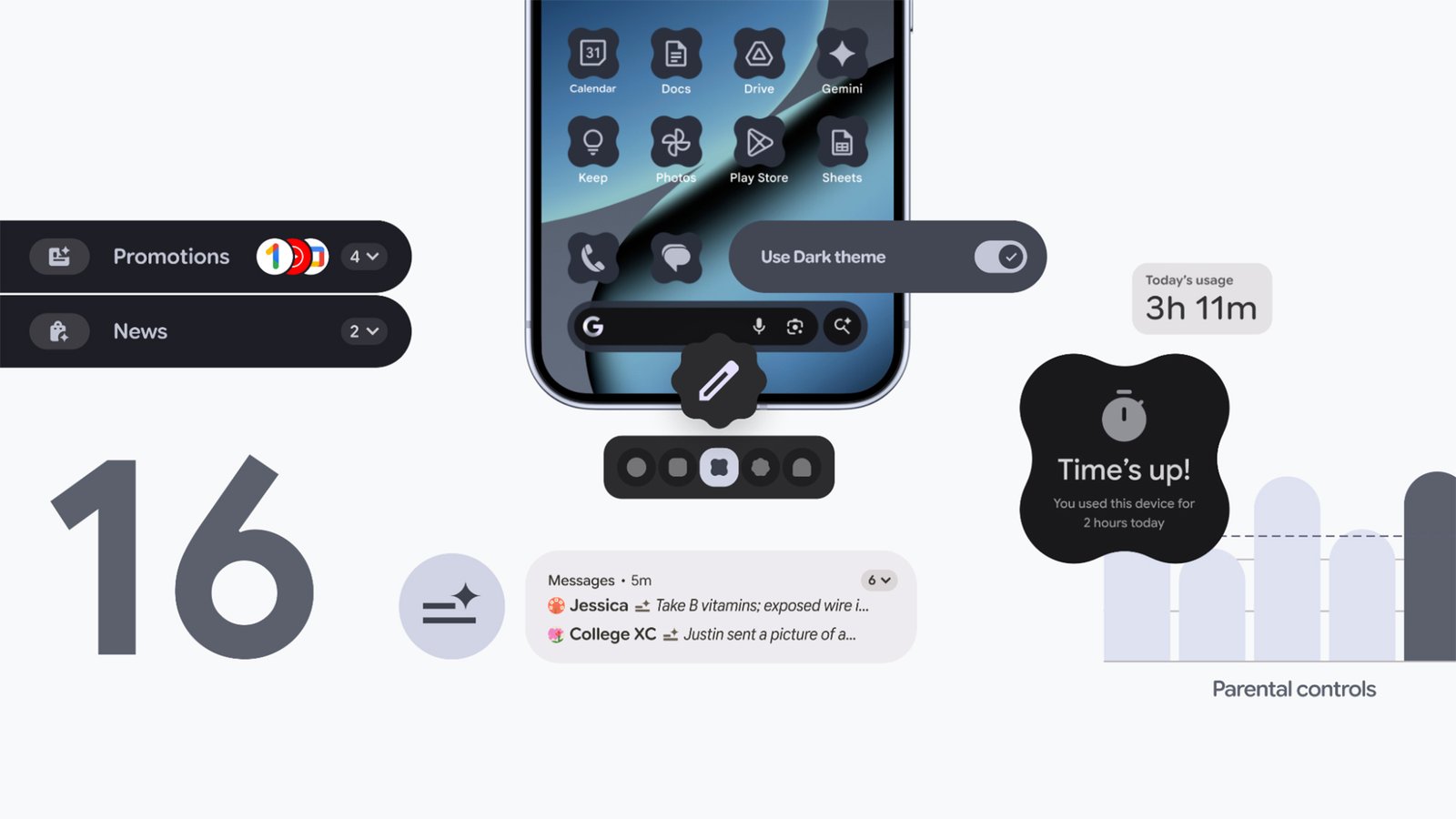
Android 16 officially started rolling out back in June, with most of the Material 3 Expressive visual overhaul added in a major update in September. Now, the second big Android 16 update is here, ushering in a host of new features across notifications, customization, accessibility, and device restrictions.
As is the norm, this update will arrive on Pixel devices first. For other Android devices, including those made by Samsung, it’s up to each phone and tablet manufacturer to adjust the software update as needed and push it out to their users. Despite the limited rollout, Google says this marks a “new chapter” for Android releases, which, going forward, will be “more frequent” rather than once a year. In other words, we might be seeing Android 17 much sooner than expected.
But we won’t see it today. We’re still in the Android 16 era, which is about to get the following new features and changes:
More interface customization

Credit: Google
Customization has always been one of the strengths of Android, and this Android 16 update brings with it a bunch of features to help you change the interface in a more flexible and consistent way. Home screen icons can now have custom shapes, while themed icons are auto-applied across apps.
Both of those changes should mean that when you play around with the visual look of Android, there isn’t a jarring icon or two that stands out from the rest—everything should look more uniform. “Your phone should reflect your own unique aesthetic,” Google says, and these tweaks should help.
There’s also an improvement to dark mode: Dark mode will now be applied across all apps, even those that haven’t been coded to include a dark mode by their developer. Again, the end result should be a more consistent visual look, plus extra savings on battery life if more of the screen is dimmed more often.
Improved parental controls

Credit: Google
If you have kids who use an Android device, you’ll know the current parental controls are a little bit clunky, and mostly managed remotely. Going forward, more of these controls will be available on the actual devices your youngsters are using, which should mean they’re easier to access and manage.
The new on-board settings will be protected by a PIN, so your kids can’t change them, and will cover screen time, downtime schedules, and app usage. You’ll also be able to add more time for app and device usage from the phone or tablet that’s being used, which is more convenient if you’re actually with a child.
Additionally, Google is making it easier to set up a Google Family Link from Android 16 phones and tablets, which is where the family connections and device rules are set to begin with. Other key parental controls, including protections over purchases and location tracking, are still managed remotely.
AI in your notifications

Credit: Google
Technically launched in last month’s Pixel Drop, Android 16 now summarizes your notifications for you through the power of AI—something that tech companies are continuing to push, in an effort to save us all time and avoid notification fatigue, even if the results have been mixed so far. Why Google is announcing it alongside these other new features isn’t clear, but it’s a good reminder for any Pixel users who might be interested in trying it out.
AI summaries are something Apple introduced for the iPhone, then partially pulled for certain apps, then brought back. According to Google, these AI summaries will give you “quick understanding and context at a glance”—so let’s hope they understand what’s important in your group chats and what isn’t.
On top of that, we’re getting AI-powered notification organization too, with “lower-priority notifications” (which Google says include promotions and social alerts) silenced and grouped together so they’re not so much of a distraction. As yet, it’s not clear exactly how much control you’ll get over how all this works.
And even more updates

Credit: Google
There are plenty of other minor updates rolling out to a broader selection of Android devices too, not just those running Android 16. They include more expressive closed captions; ease-of-use improvements to accessibility features, such as TalkBack (voice dictation) and Auto Click (using a mouse with Android); and pinned tabs in Chrome for Android.
Emoji Kitchen is getting more features and more ways to combine emojis, Circle to Search is adding a scam detection feature (just point it towards a suspected scam message), and group chats in Google Messages will now come with options for reporting issues—chats can be easily left, blocked, and reported.
We’ll also soon be getting a beta version of a feature Google has named Call Reason, in the Phone app. This lets you mark your outgoing calls to saved contacts as urgent, which they’ll see when you ring them (and might encourage them to pick up. For more details on this and everything else rolling out to Android from today, see the official blog post.
This articles is written by : Nermeen Nabil Khear Abdelmalak
All rights reserved to : USAGOLDMIES . www.usagoldmines.com
You can Enjoy surfing our website categories and read more content in many fields you may like .
Why USAGoldMines ?
USAGoldMines is a comprehensive website offering the latest in financial, crypto, and technical news. With specialized sections for each category, it provides readers with up-to-date market insights, investment trends, and technological advancements, making it a valuable resource for investors and enthusiasts in the fast-paced financial world.