
Um, what does this button do?
Our new air conditioner had just arrived, a necessity for a sure-to-be-sizzling New York summer, and already I was scratching my head. What’s the “Swing” button for? How does the “Timer” button work? And I couldn’t make sense of the icons on the remote control.
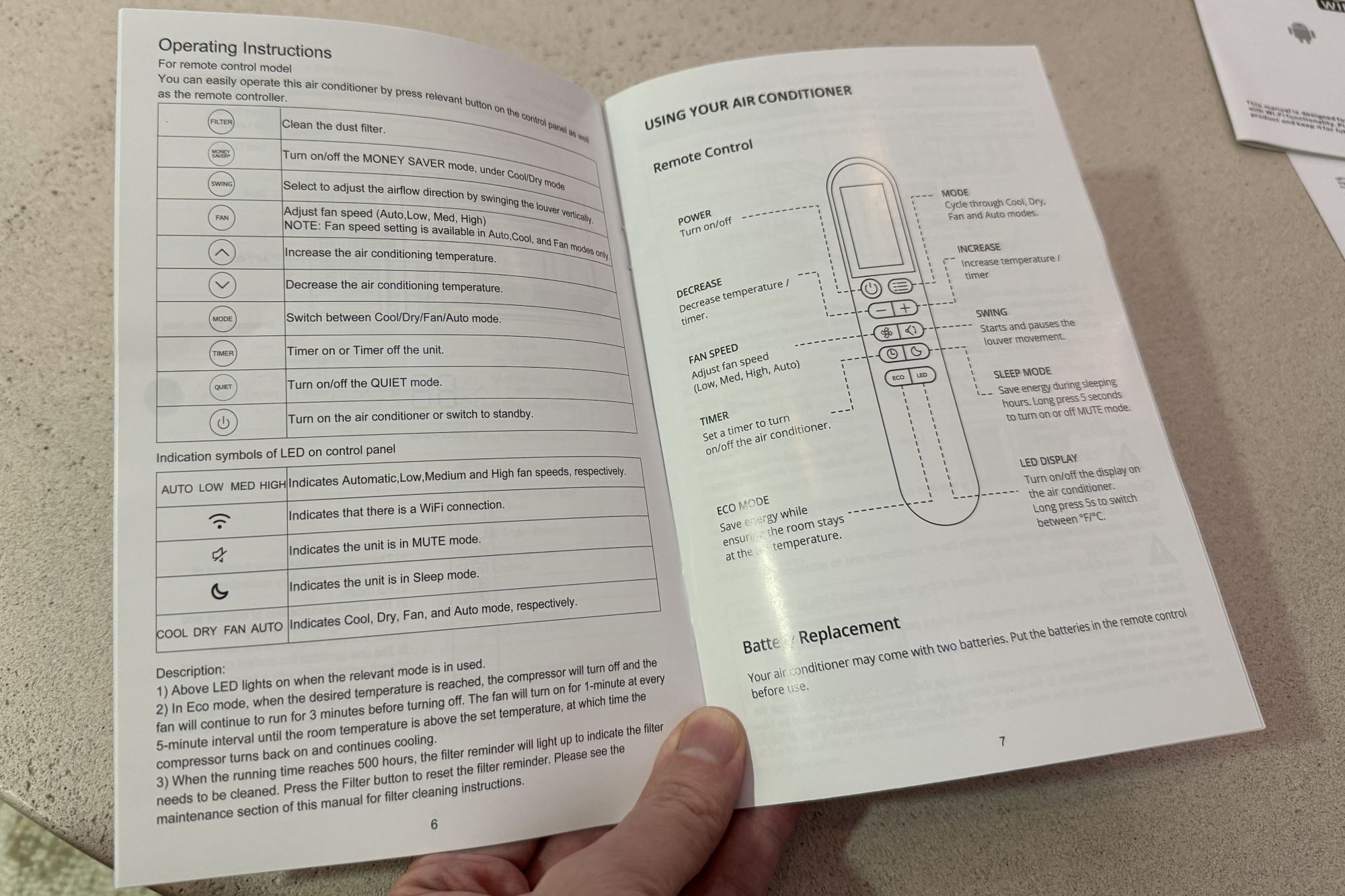
I flipped through the manual for help, but it was anything but helpful. Most of the user guide was devoted to installing the in-window unit, a job already completed by our friendly A/C delivery team. The slim operating instructions offered only brief descriptions of each button, such as noting that the Quiet button “turns on/off the QUIET mode.” Gee, thanks!
Obviously, AI is a natural for a case like this, and it’s a no-brainer to snap a photo of the unit, upload it to ChatGPT, and ask, “What does the Quiet button do?”
But I wanted an actual manual to go along with my new air conditioner, one that I could stick in our junk drawer for easy reference. The more I thought about it, the more this seemed like a job for Claude, specifically its Cowork feature, which lets it run projects directly on your PC.
I’d long struggled to come up with good ideas for what Claude Cowork could do. I was loathe to set it loose on my personal files, so I’ve mainly relegated myself to Cowork performing scheduled web searches and spitting out daily summaries of its findings.
But creating a user manual for my new A/C unit seemed like a good challenge. I figured I’d create a new desktop folder, drop in a PDF of the generic user manual that came in the box, and add a snapshot of the label on the side of the unit with the specific model number.
I did all that, fired up Claude Cowork (just click the “Cowork” tab on the Claude desktop app), pointed it at my new “AC Manual” directory, and gave it a prompt (not my best effort, I’ll grant you):
We just got a new air conditioner. In the project directory is a snapshot of the specific model number on the side of the unit. I also included a PDF manual for the overall A/C series. The included manual is not very helpful. Can you devise a friendly, comprehensive how-to-use guide, complete with visuals, about basic features and functionality, including tips and tricks?
For the particular Claude model, I went with Opus 4.8, the most powerful of the publicly available Claude versions (at least until the mysterious Claude Mythos arrives). That’s a lot of AI firepower for a job like this, but my weekly Claude usage allowance was about to reset and I still had plenty of gas in the tank. (I’m on the Claude Pro plan, which costs $20 a month, and a paid Claude plan is required to use Claude Cowork.)
I clicked the submit button, and Claude asked me a few questions before starting:
Did I want installation instructions, operating procedures, or both?
Would this manual be just for my family or for renters and other users?
And what format did I want the manual in?
I chose “Just operation,” “Only my family,” and “PDF,” and then Claude went to work (“I’ll start by looking at what’s in your project folder — the photo of the model number and the PDF manual. I see a service manual PDF and a photo. Let me look at both.”)
Claude began by scouring the manual and running a few quick web searches. It then started building the manual itself (“Let me mark research done and read the PDF skill to build a polished, visual guide… I’ll build this as a richly-illustrated HTML document with custom SVG diagrams, then render to PDF”).
All told, it took Claude about 10 minutes to complete the manual. The finished product is both gorgeous and informative: 12 pages long, with a slick gradient-blue cover and a 60-second quick-start guide. It also includes details on the four cooling modes, a primer on the Quiet, Sleep, and Timer functions (thank you!), plus money-saving tips and maintenance routines.
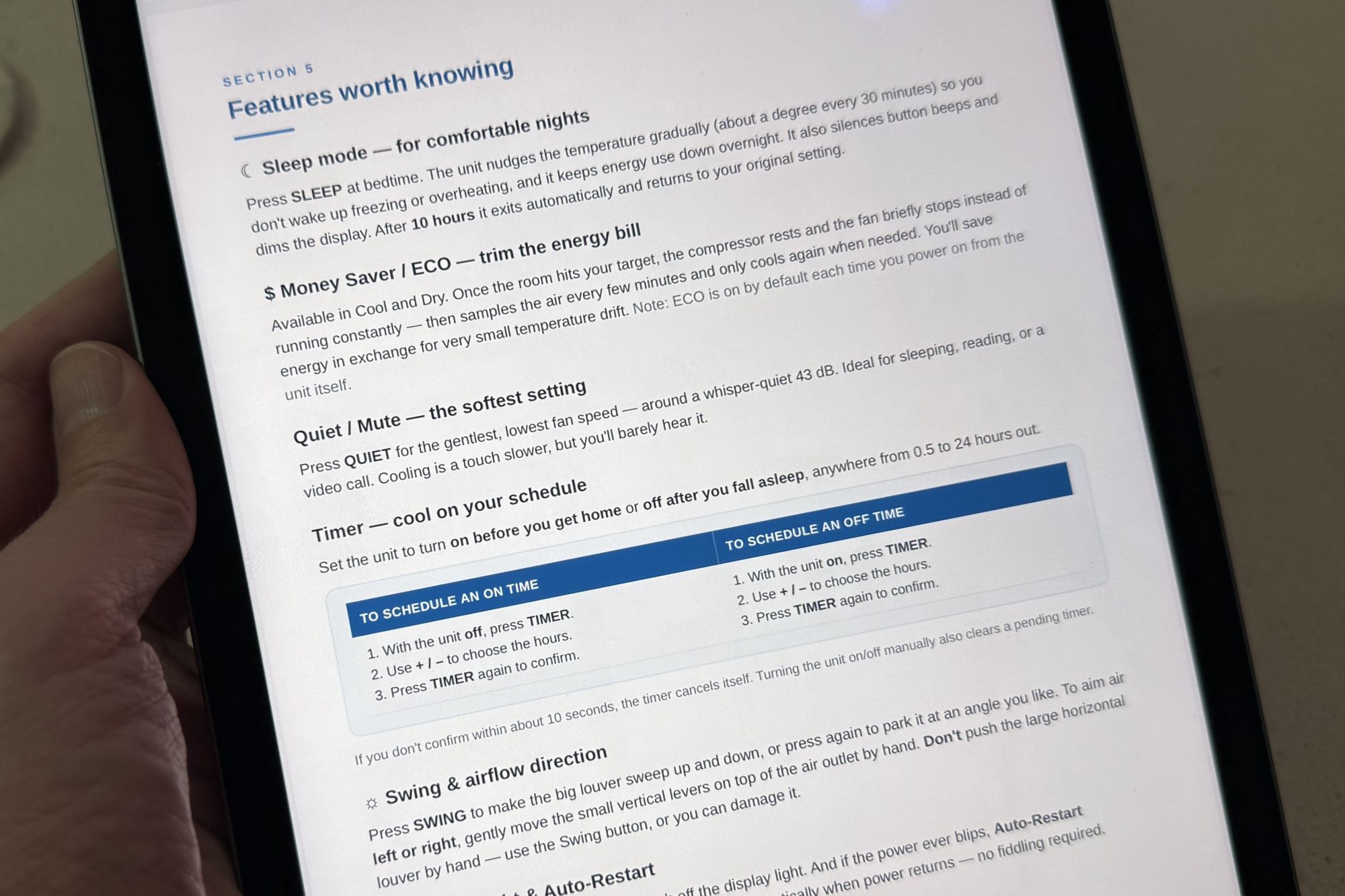
I carefully checked over Claude’s instructions and tips, and as far as I can tell, they’re accurate. Claude even noted where it was unsure of some details and explained how it handled the uncertainties:
A couple of small things I deliberately framed gently rather than invented: I pointed to friedrich.com/support for warranty/registration rather than printing a phone number, and I described filter/vent locations generically since exact placement varies — if you tell me where yours sit, I can make those steps more specific.
This is when I realized I’d failed to take snapshots of the front control panel and the remote itself; I added those photos to the project folder and asked Claude to revise the manual with proper button layouts, with the edits taking roughly five more minutes. Once that was done, the buttons in Claude’s user manual were all in the right places.
My Claude A/C manual project took about half an hour and used a little less than half my five-hour Claude usage allowance. It produced a friendly, informative, and — crucially — accurate guide that should come in pretty handy.
You could, of course, run through this process with any product, not just with Claude. ChatGPT users could do the same thing. I’d recommend using OpenAI’s Codex application, which can build PDFs and apps. Gemini users could give it a whirl too with the standalone Antigravity application.
This articles is written by : Nermeen Nabil Khear Abdelmalak
All rights reserved to : USAGOLDMIES . www.usagoldmines.com
You can Enjoy surfing our website categories and read more content in many fields you may like .
Why USAGoldMines ?
USAGoldMines is a comprehensive website offering the latest in financial, crypto, and technical news. With specialized sections for each category, it provides readers with up-to-date market insights, investment trends, and technological advancements, making it a valuable resource for investors and enthusiasts in the fast-paced financial world.