
Don’t let the high prices and infrastructure requirements of some top-shelf smart home devices intimidate you. You can get all the convenience and security benefits of living in a smart home without spending a lot, wrestling with complicated installs, or learning entirely new skills.
As the smart home market has matured, the prices of smart home components have plummeted as manufacturers recovered their R&D costs—thanks early adopters! Meanwhile, a raft of new competitors has forced many premium brands to further shrink their profit margins to stay in the game.
When you’re shopping for products you’ll install in your home, however, you don’t want to shop by price alone—there’s a chasm between inexpensive and cheap. Saving a few bucks here and there isn’t worth dealing with the frustration—and even the security risks—second-rate smart home products can present. But the good news is that we’ve personally tested the devices we’re recommending here, and each one costs less than $100 (most cost much less).
If you can afford to spend a little more, we’ll present step-up options in several categories (don’t worry, they’re still priced at less than $100).
Since each of these products operates on your existing Wi-Fi network, you won’t need to purchase a smart home hub and worry about everything being compatible with that. (That’s the primary reason why we haven’t included the otherwise excellent Lutron family of smart lighting controls on this list.)
While we’re talking about saving money, none of our recommendations hooks you into paying for an “optional” subscription to wring the full value out of the product.
Small appliance control
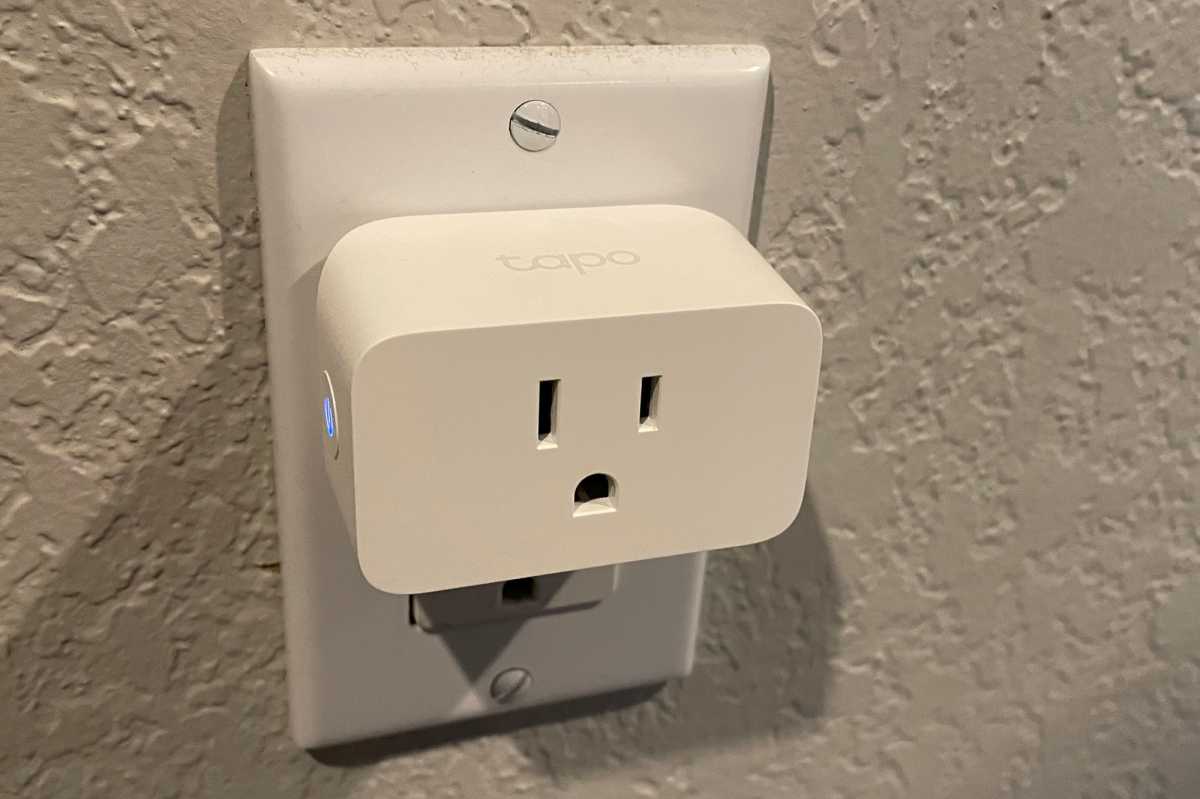
Tapo P125M Mini Smart Wi-Fi Plug
Christopher Null/Foundry
Why you need a smart plug for small appliances
A smart plug is the easiest way to add smart home capabilities to your home, and it’s the simplest and best jump-off point for anyone exploring the technology for the first time. These fall into two categories: On/off smart plugs that can work with small appliances—space heaters, fans, air purifiers, pump-equipped water features, as well as lamps—and smart plugs with dimming capabilities, for lamps.
Either way, you gain the ability to turn the devices plugged into a smart plug on and off on preset schedule, with a smartphone app, or—if you also have a Amazon, Apple, or Google smart speaker—you can control the connected device with voice commands. Most smart plugs can also work with motion sensors and other smart home devices, so you’ll never need to enter dark room.
Why you’d want this smart plug
The Tapo P125M Mini Smart Wi-Fi Plug from TP-Link is one of the least expensive smart plugs you can buy, with Amazon selling a 3-pack for just $25 as of this writing. While TP-Link’s smart lighting collection isn’t as broad competitors such as Leviton, the company does offer a line of smart light bulbs where Leviton doesn’t. More importantly, The Tapo P125M is Matter-certified, so it can be controlled with voice commands to a smart speaker.
The Tapo P125M can handle incandescent light bulb loads up to 1,800 watts, but anyone looking to power a motor would be better off our step-up recommendation, the Leviton Decora Smart Wi-Fi Plug-in Switch (2nd Gen) (model D215P), see below. Tapo’s offering can handle only up to 1/6-horsepower motors (compared to 3/4-horsepower motors for the Leviton smart plug). The Tapo product also lacks a physical remote control accessory—beyond the app on your phone, of course—that enables you to switch the smart plug on from anywhere else in the room.
Read our Tapo P125M review.
Small appliance control, a step-up option
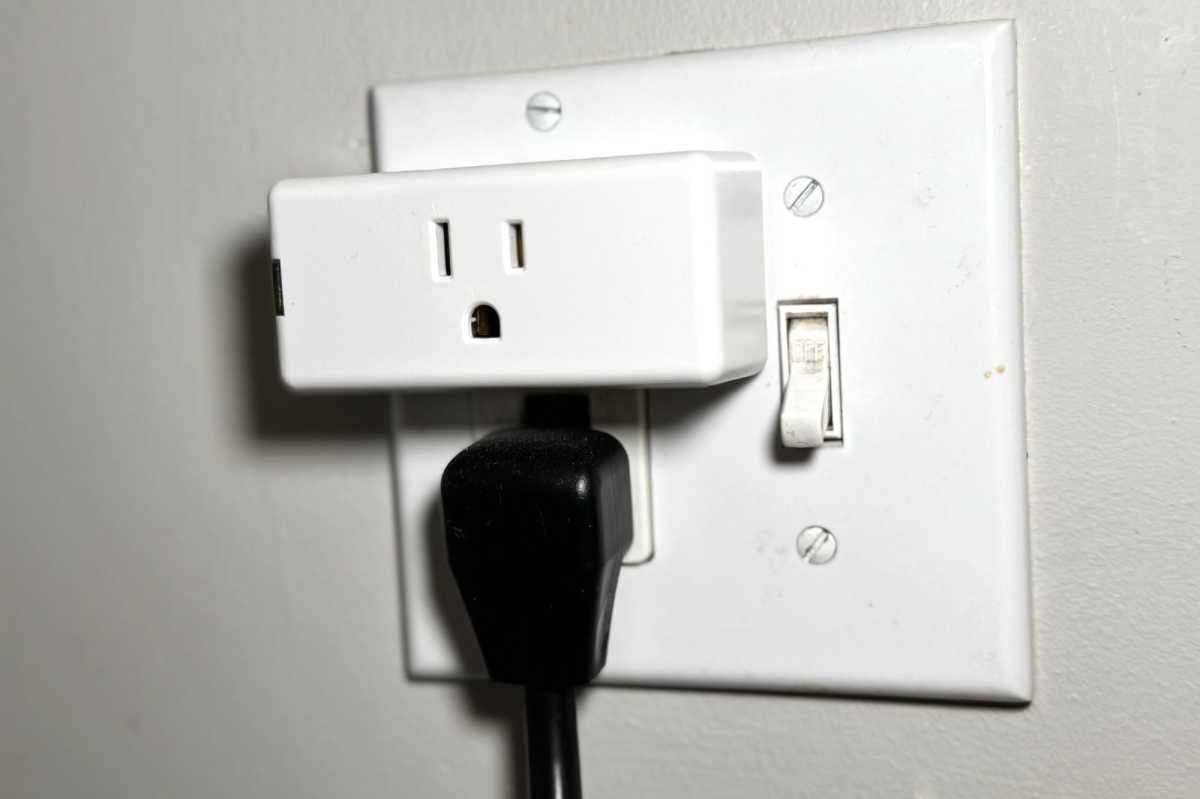
Leviton Decora Smart Wi-Fi Plug-in Switch (2nd Gen)
Michael Brown/Foundry
Why you’d want this smart plug
The Leviton Decora Smart Wi-Fi Plug-in Switch (2nd Gen) (model D215P-1RW) is one of our top picks in this category. It connects directly to your Wi-Fi network, so it doesn’t depend on a smart home hub, and its Matter certification ensures universal compatibility with the huge number of other Matter-certified smart home products on the market.
In addition to on/off control for lamps, it can also handle small appliances with up to 3/4-horsepower motors. Leviton also offers one of the biggest collections of smart lighting accessories, including the battery-powered Leviton Smart Switch Anywhere Companion (model DAWSC-1BW) ($28 at Amazon), which you can you mount to a wall and use to turn Leviton’s smart plug (or any other Leviton Decora Wi-Fi smart lighting control) as if it were on a 3-way circuit.
Read our Leviton Decora Smart Wi-Fi Plug (2nd Gen) review.
Lamp control with dimming
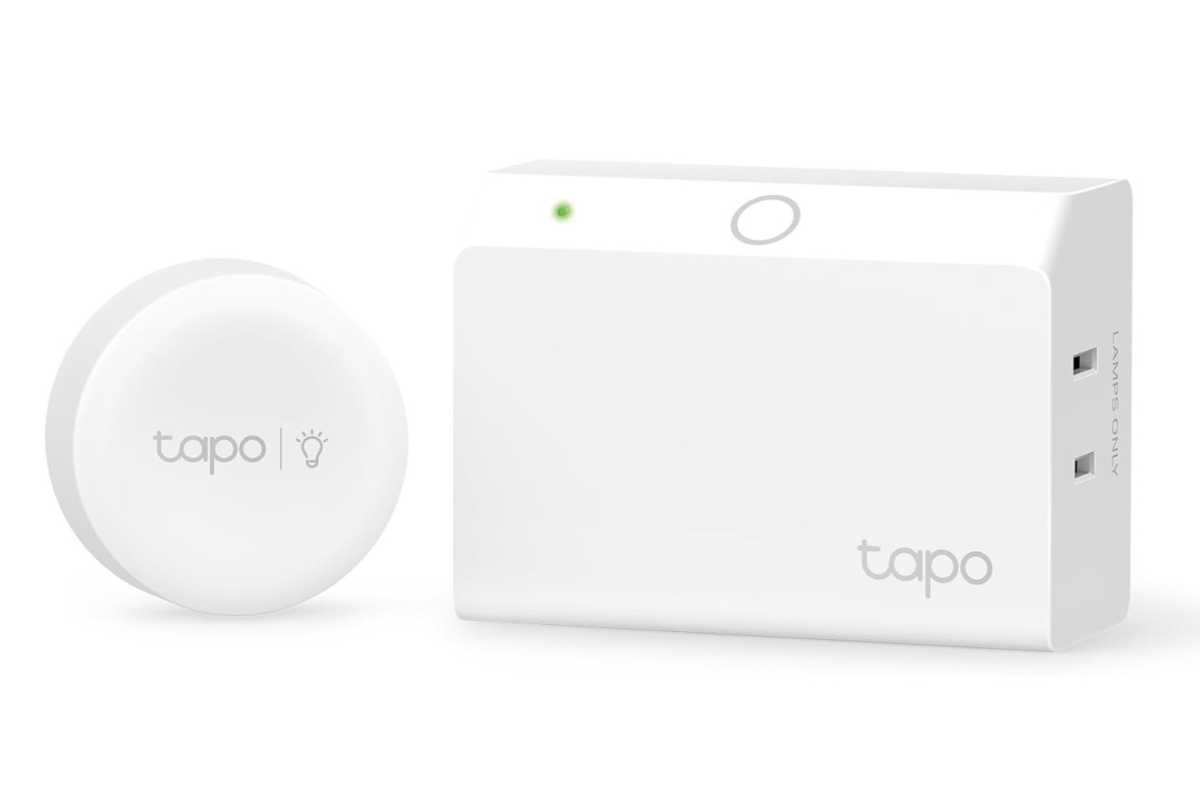
Tapo P135 Kit
TP-Link/Tapo
Why you need a dimming smart plug for lamps
If you want a smart plug that can dim the light in a lamp that’s plugged into it—as well as turn it on and off—pick up TP-Link’s Tapo P125M. It’s not as visually elegant as our step-up recommendation from Leviton (see below), but it’s $19 street price (at Amazon) is tempting, especially when you consider that it comes bundled with a remote dimmer knob that you can mount to a wall in the same room. The Leviton accessory for the same purpose costs $29 on top of the price of the smart dimmer plug itself.
Why you’d want this smart dimming plug
The Tapo P135 Kit can handle higher-wattage LED loads than the Leviton product can—150 versus 100 watts—but its 300-watt limit for incandescent and halogen bulbs is the same. Meanwhile, its Matter certification ensures compatibility with every important smart home ecosystem. While we haven’t reviewed this particular product, we have enough experience with other Tapo products to recommend it to our budget-conscious readers.
Lamp control with dimming, a step-up option
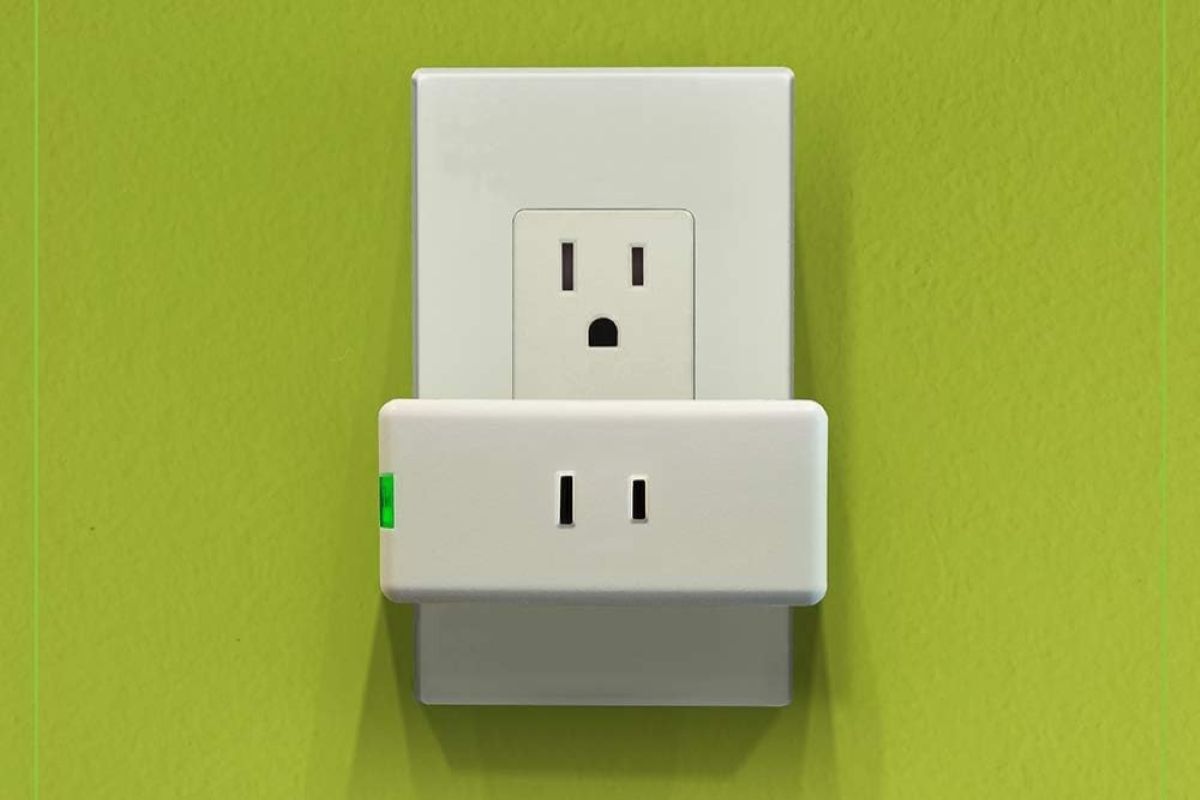
Leviton Decora Smart Dimmer Plug (model D23LP-1BW)
Leviton
Why you’d want this smart dimming plug
As indicated in its name, Leviton’s other indoor smart plug, the Leviton Decora Smart Dimmer Plug (model D23LP-1RW) ($25 at Amazon), can dim the bulb in the lamp you plug into it, in addition to turning it on and off. Note that this device doesn’t have a ground connection, so you shouldn’t use it to control smart appliances (and you’ll need to make sure the light bulb in the lamp you plug into it can be dimmed without a problem—some compact fluorescents and LED bulbs have trouble doing this).
Leviton’s smart dimmer plug can accommodate up to 100-watt LED or CFL bulbs, and up to 300-watt incandescent and halogen loads. Mount the wire-free Leviton Decora Smart Dimmer Anywhere Companion ($29 at Amazon), and you can dim the controlled lamp from that location as well as switch it on or off.
In-wall dimmer
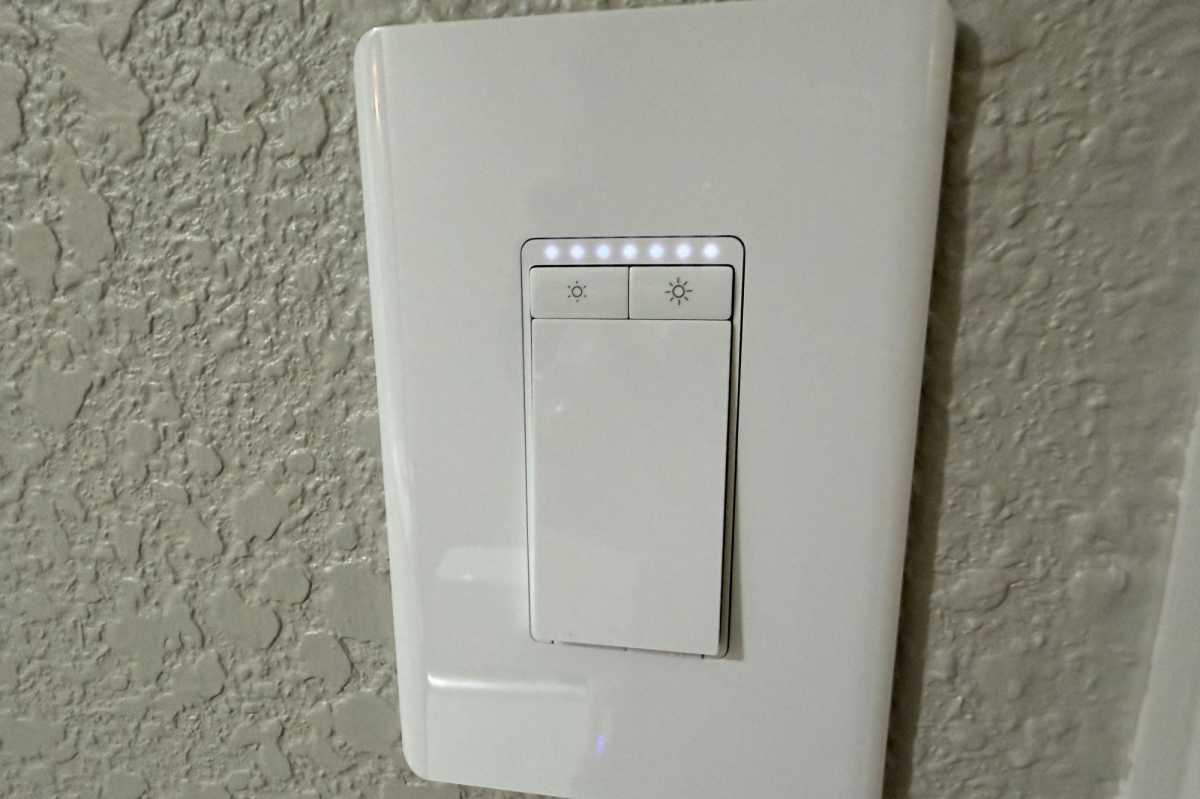
Tapo Smart Wi-Fi Light Switch Dimmer (model S505D)
Christopher Null/Foundry
Why you need a smart in-wall dimmer
Smart plugs are quick and easy to install, and they’re great for controlling lamps and small appliances, but when you need to control ceiling cans and other hardwired lights, you’ll need to replace the switches in your walls. This is a relatively easy DIY job, and we can guide you through it, but you should hire an electrician if you’re still intimidated.
Why you’d want this smart in-wall dimmer
Tapo Smart Wi-Fi Light Switch Dimmer is Matter compatible, guaranteeing compatibility with all your other smart home devices, and it’s remarkably inexpensive: $19 at Amazon as of this writing. Be aware that you’ll need to have a neutral wire in the box where you install this dimmer, which is a common requirement. The Tapo’s relatively large dimensions and somewhat unconventional wiring setup—pigtails for neutral and ground, and screw terminals for line and load—presented a minor installation challenge in our review, but this dimmer delivers excellent performance
If you’re replacing a 3-way switch, you’ll want to buy the Tapo S515D Kit ($45 at Amazon), which includes a second dimmer. Unlike Leviton’s step-up solution, however, both dimmers in Tapo’s kit must be hardwired, and both depend on the presence of a neutral wire in the respective boxes you’ll install them in. Leviton’s dimmer also requires a neutral wire, of course, but its companion switch is battery powered and can be installed anywhere.
Read our Tapo Smart Wi-Fi Light Switch Dimmer (model S505D) review.
In-wall dimmer, a step-up option
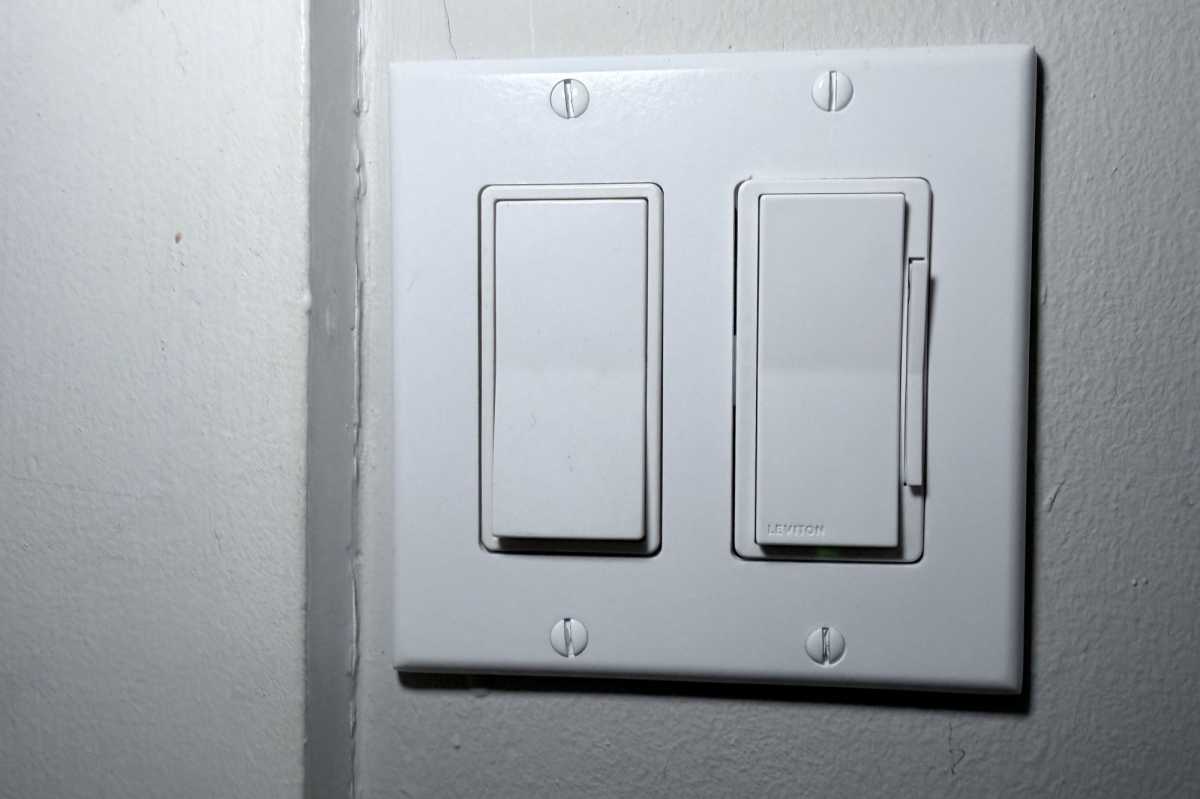
Leviton Decora Smart Dimmer Switch, Wi-Fi (model D26HD)
Michael Brown/Foundry
Why you’d want this smart in-wall dimmer
If you’re already using Leviton smart plugs and want to use the same app for your in-wall lighting controls, consider the Leviton Decora Wi-Fi Smart Dimmer Switch (model D26HD) ($39 at Amazon). As with Leviton’s smart dimmer plug, you can add a wireless companion dimmer to control the same load from another area of the room—no additional wiring needed. Be aware, however, that you will need a neutral wire in the box where you install the primary dimmer.
If you want the lights to turn on as you enter the room, as well as with voice commands, Leviton’s app, or on a schedule, consider the Leviton Decora Smart Motion Sensing Dimmer Switch (model D2MSD-1BW) ($60 at Amazon). While we haven’t reviewed the Leviton model D26HD, Michael Brown has had one installed in his own smart home for several years. The Leviton motion dimmer we have reviewed is essentially the same device with the addition of an onboard motion sensor.
Garage door opener controller
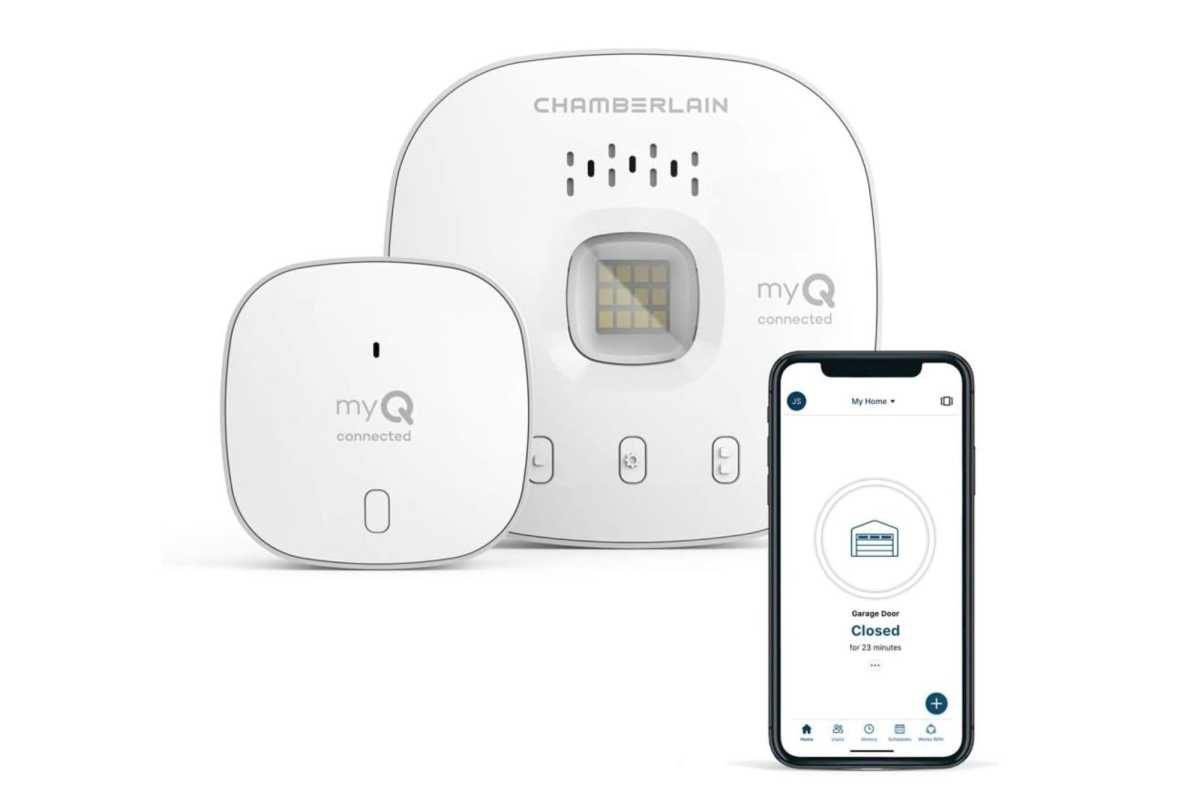
Chamberlain myQ Smart Garage Control (model MYQ-G0401)
Chamberlain
Why you need a smart garage door opener controller
Radio-signal garage door openers have been around since the early 1930s, and recent technology allows them to open automatically as a homeowner approaches. What can the latest tech do for you? A smart garage door controller will allow you to remotely open the door for deliveries or visitors and keep track of when someone opens and closes the garage with an event log. For those times when you leave home in a rush and then worry that you forgot to close the garage door, a quick look at an app will let you know–and let you remotely close the door if you did.
The best part is that these controllers can retrofit onto your existing system.
Why you’d want this smart garage door opener controller
The Chamberlain myQ Smart Garage Control (model MYQ-G0401) ($30 at Amazon) comes at a bargain price. The myQ app is easy to set up and use, and the controller works with Vivint Smart Home, Amazon Key, Ring, Google Assistant, and Apple HomeKit. While it’s not compatible with every garage door opener (check online before you buy), the myQ Smart Garage Control is an outstanding product.
Read our Chamberlain myQ Smart Garage Control review
Smart light bulbs
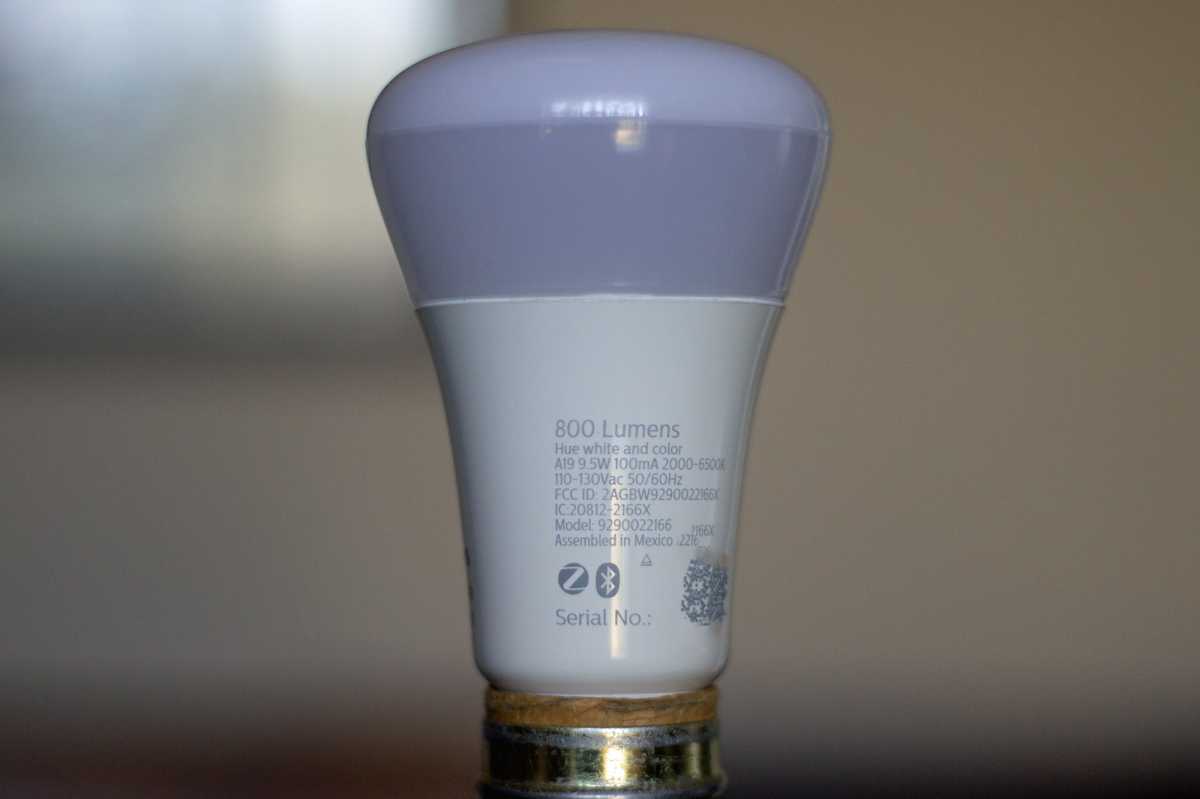
Philips Hue White Ambiance (Bluetooth + Zigbee)
Michael Brown/Foundry
Why you need smart bulbs
No smart home accessory is more convenient to install or easier to use than smart light bulbs. Beyond illuminating a space, they can operate on schedules, with voice commands, or be triggered by other devices. Most can be dimmed, you can tune the white color temperature of many, and you can opt for bulbs that can glow in your choice of millions of colors to set a mood or celebrate holidays.
Why you’d want this smart bulb
When it comes to smart bulbs, there’s Signify’s Philips Hue and then there’s everyone else. Yeah, they’re expensive, but no manufacturer has surpassed their quality, versatility, or the sheer size of their smart lighting ecosystem, which goes far beyond smart bulbs to include smart lamps and hardwired fixtures for the entire home, including your landscaping.
If you’re just dipping your toe in the Hue waters, be sure to pick one of the bulbs that supports Bluetooth as well as Zigbee. Onboarding and controlling them with Bluetooth means you won’t need to buy one of the Hue Bridges: the Hue Bridge ($50 at Amazon) or the more powerful Hue Bridge Pro ($100 at Amazon). It will, on the other hand, limit you to deploying just 10 Hue bulbs before you’ll need to buy one of the Hue Bridges (which will also open a host of other smart home options. I should also note that you’ll need one of the Hue Bridges for most of the Hue fixtures).
The Philips Hue dimmable warm white A19 smart bulb is the least-expensive entry point (about $14 at Amazon). It delivers up to 1,100 lumens at its maximum brightness (equivalent to a 75-watt incandescent bulb), with a fixed color temperature of a warm 2700K. Moving up to the White Ambiance line (about $31 at Amazon) gives you the ability to adjust the white color temperature over the full spectrum, from energizingly cool to warm candlelight. If you want to choose from millions of colors as well as the full scale of white color temperatures, go for the Hue White and Color Ambiance line ($44 at Amazon).
Read our Philips Hue Bluetooth + Zigbee smart bulbs review.
Smart lock
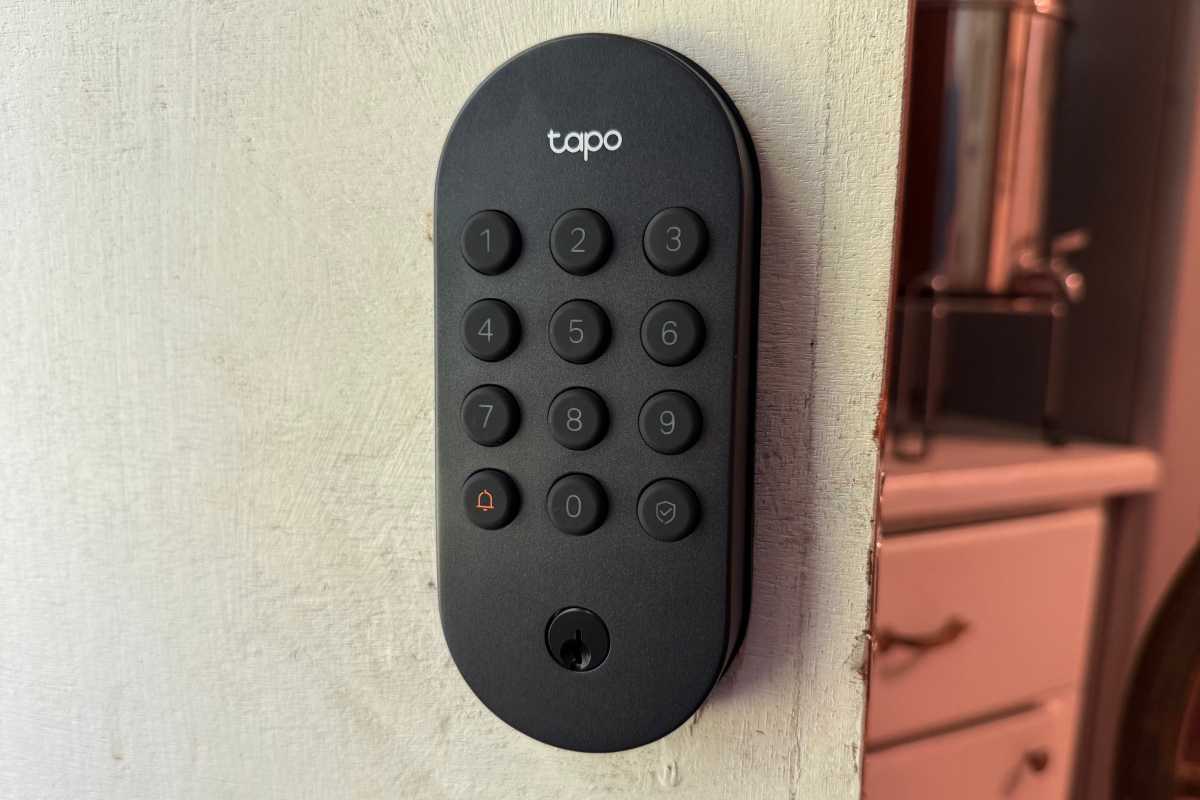
Tapo DL100
James Barber/Foundry
Why you need a smart lock
A smart lock’s obvious home security mission is enhanced by features you won’t get with a conventional deadbolt: automatic locking; remote monitoring, locking, and unlocking; tamper alerts; integration with home security systems; revocable PIN codes; event logging; eliminating the risk of lost or duplicate physical keys; and more.
A smart lock’s convenience features are just as valuable. You don’t need to carry a physical key, for starters, which is especially great for latchkey kids. You can unlock with a PIN code or an app on your smartphone. Need to grant a contractor temporary access to your home while you’re at work? Assign them a temporary PIN that’s only valid during a window of time on a given day. Have a weekly housecleaning service? Give them a PIN that only works on the days and hours they’re supposed to be at your house. Want to track who’s been in your house and when? Just consult the lock’s event log.
Why you’d want this smart lock
You won’t find many sub-$100 smart deadbolts on the market, but the Tapo DL100 is a value-packed offering at its $70 MSRP, and Amazon was offering it for just $60 as of this writing. Yeah, it’s not quite as pretty as some of its high-end competitors (with the all-but-invisible $350 Level Lock Pro at the top of that heap), and it doesn’t offer as many entry options (it has a rubber-button PIN pad, a physical key, or you can use the Tapo app). You’ll need to spend a lot more if you want modern innovations such as a fingerprint reader, a palm vein scanner, or an integrated doorbell camera. Then again, you can buy a couple of the other smart home devices on this list with the money you save.
More importantly, this isn’t a cheap smart lock: Tapo went to the trouble of attaining ANSI Grade 3 certification from the BHMA, a step some manufacturers of more expensive smart locks skip. While that’s the lowest ANSI grade, that standard is for commercial locks (BHMA has a different standard for residential locks, as we explain in this story discussing smart-lock quality).
The Tapo DL100 doesn’t support Apple Home or Apple Home Keys, and it’s not Matter certified either, but you can integrate the lock with the Amazon Alexa, Google Home, or Samsung SmartThings ecosystems. For the price, the Tapo DL 100 just can’t be beat.
Read our Tapo DL100 smart lock review.
Outdoor security camera
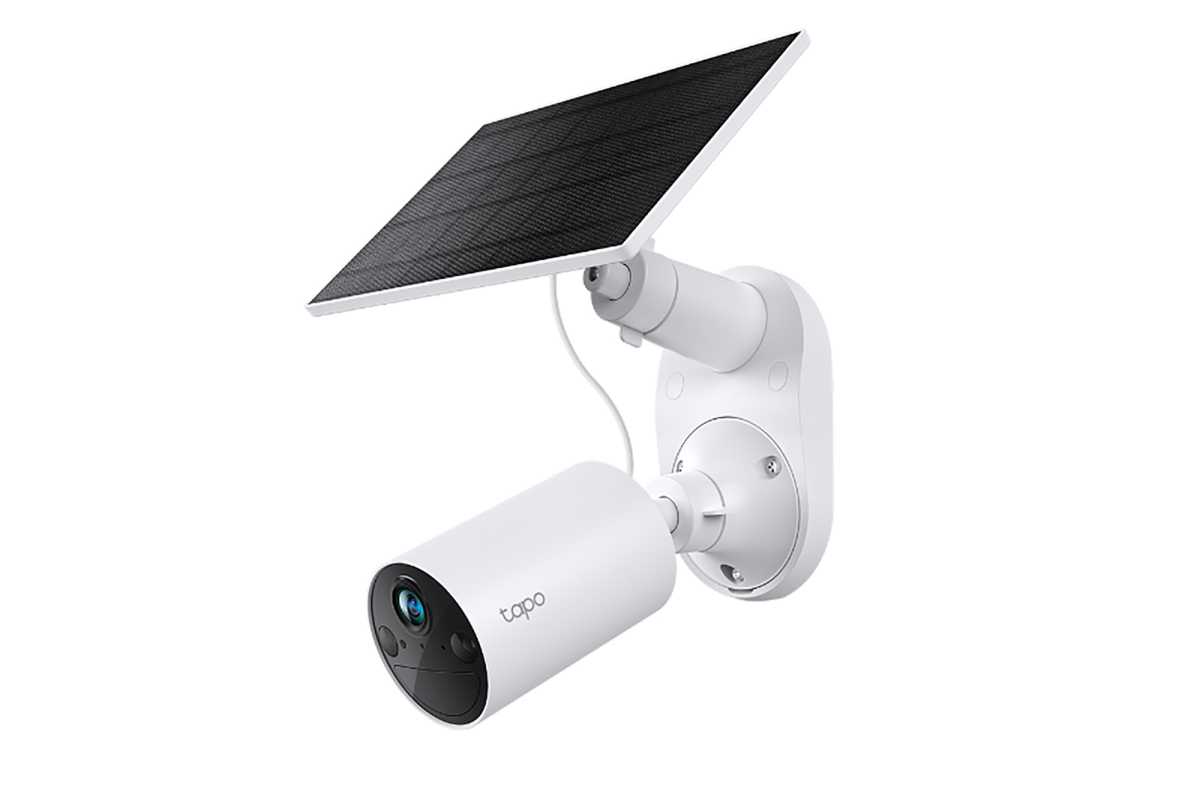
Tapo SolarCam C402 Kit
TP-Link
Why you need an outdoor security camera
Outdoor cameras are great crime deterrents, provided they’re mounted prominently enough to be seen, but high enough that they can’t be disabled. You also want to ensure that the model you pick can withstand exposure to the elements (look for their IP codes. We’ll tell you all about IP codes if you’re not familiar.)
Why you’d want this outdoor security camera
If you’re willing to sacrifice video resolution to save more than a few bucks, look no further than the Tapo SolarCam C402 Kit. This outdoor security camera delivers only 1080p resolution—compared to higher-end models that can record in 2K, 3K, and even 4K—but the “Kit” in this product’s name tells you this battery-powered camera comes with a solar panel right in the box. What’s more, Amazon was selling the whole thing for just $40 as of this writing.
You’ll get person, vehicle, and animal detection—all without a cloud subscription—and if you spring for a microSD card (capacities up to 512GB are supported), you can store your motion-triggered and other video recordings right on the camera itself (you can download them to your phone or PC at any time). Be sure to check our guide to picking a microSD card for your security camera.
Read our Tapo SolarCam C402 Kit review.
Indoor home security camera
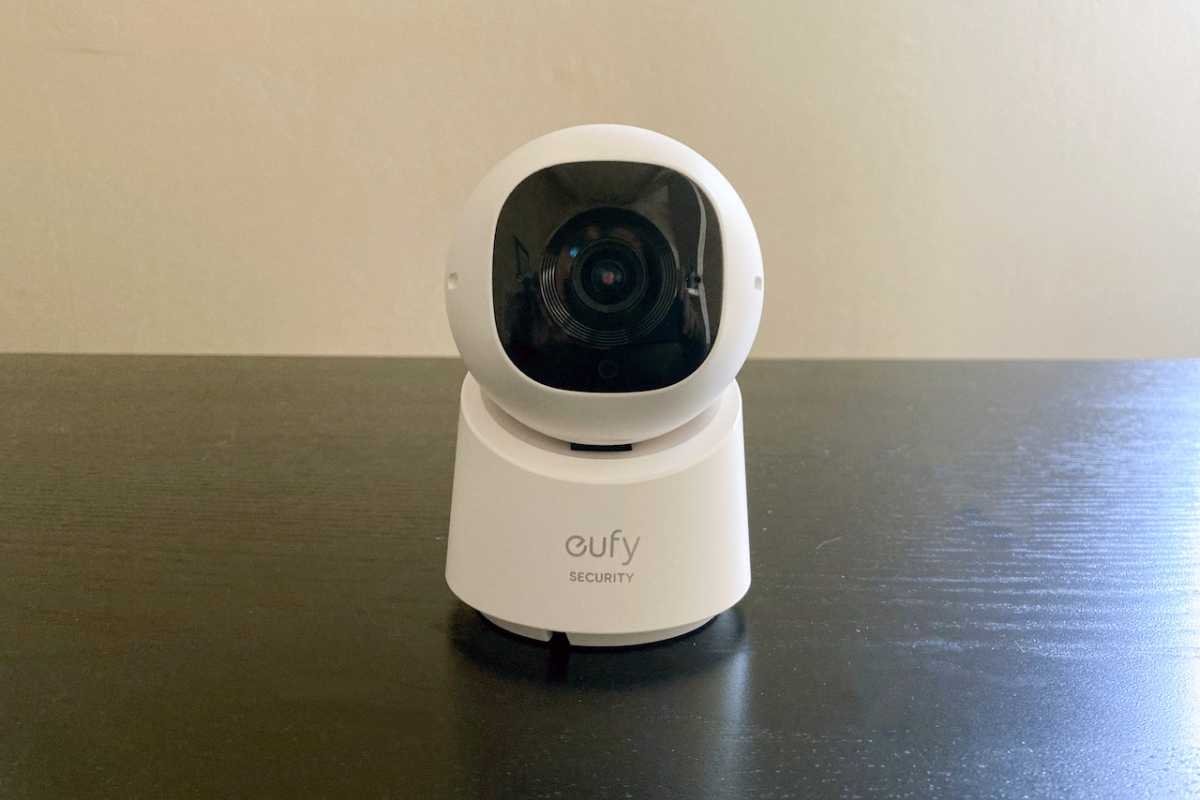
Eufy Security Indoor Cam (model C220)
Michael Ansaldo/Foundry
Why you need an indoor security camera
Indoor security cameras are just as useful as their outdoor cousins. If an intruder evades your outdoor defenses and manages to get inside your house, you’ll want forensic evidence of the crime. More commonly, these devices are used to keep an eye on latchkey kids, nannies, and pets while you’re away from home. You might even catch the culprit who’s been raiding the refrigerator in the middle of the night.
Why you’d want this indoor security camera
The best models are easy to set up, easy to move to a different location, and capable of delivering a clear image at a reasonable price. The Eufy Security Indoor Cam (model C220) checks all those boxes, delivering 2K resolution (2560 x 1440 pixels) from a camera mounted on a motor that can pan 360 degrees and tilt over a 75-degree arc. AI-powered motion detection will even track a figure as it moves through the room, so you’ll never miss anything.
The camera can host an optional microSD card (in capacities up to 128GB), so you can record hours of footage without needing to pay for a subscription owners can add hours of storage without a subscription. Alternatively, you can connect it to Eufy’s HomeBase 3 NAS box for even more local storage capacity.
Read our Eufy Security Indoor Cam (model C220) review.
Smart speaker
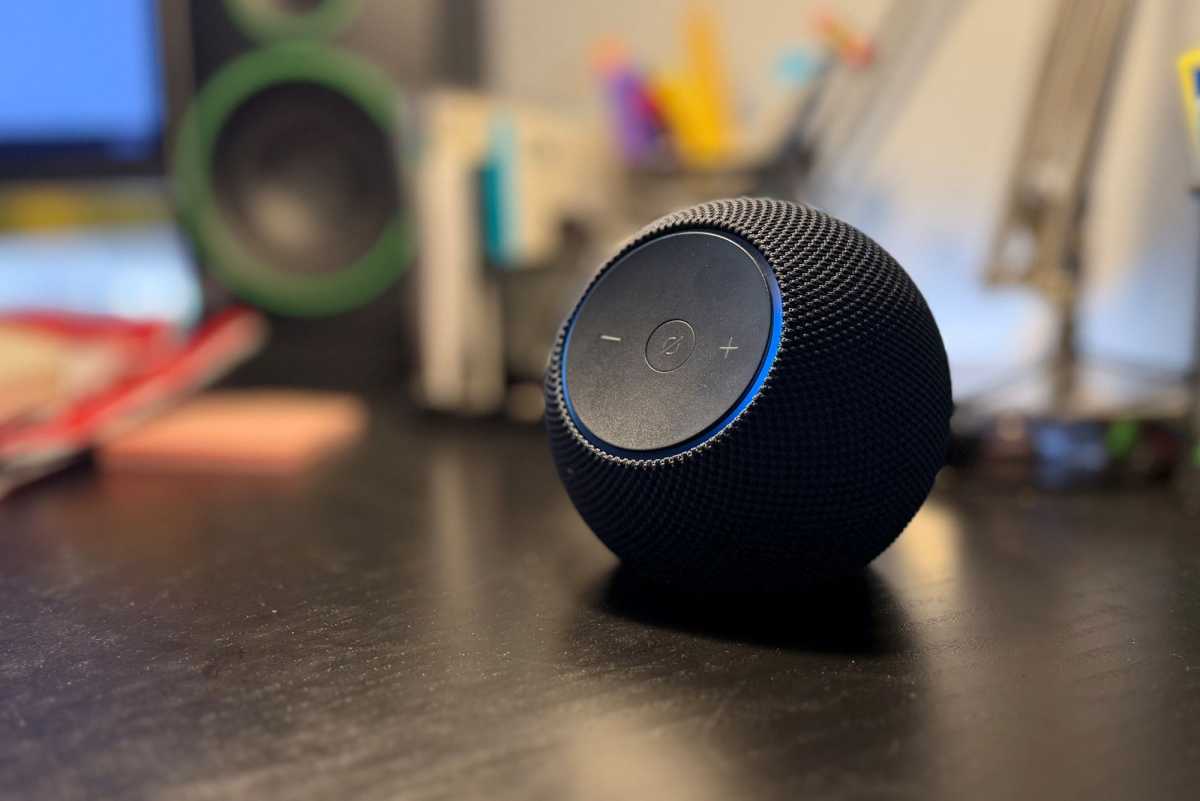
Amazon Echo Dot Max
Ben Patterson/Foundry
Why you need a smart speaker
Adding a smart speaker to your home yields countless benefits, ranging from serving as a know-it-all source of general information to playing music, podcasts, and weather forecasts. The Echo Dot Max features Amazon’s powerful new Alexa+ generative AI for more natural conversations and less need to repeat the Alexa wake word.
Why you’d want this smart speaker
The Amazon Echo Dot Max is a very good speaker for music streaming, too, with a 0.8-inch tweeter and a 2.5-inch high-excursion woofer tuned to deliver three times the bass of the smaller Echo Dot. You can stream music from Amazon Music, Apple Music, Pandora, Spotify, Tidal, and several other services.
Read our Amazon Echo Dot Max review.
Smart thermostat
Amazon smart thermostat

Brian Nadel / IDG
Why you need a smart thermostat
A true smart thermostat goes beyond manually set schedules of desired temperature targets to learning your lifestyle patterns to automatically adjust the heating or cooling of your home. The best models can even sense when you’re home and when you’re away, to help keep energy costs low by eliminating unnecessary operations. Having one of these devices controlling your HVAC system can save you hundreds of dollars on your utility bills every year.
Why you’d want this smart thermostat
The Amazon Smart Thermostat has been a TechHive Editors’ Pick for nearly five years because it delivers all the functionality of fancier—and much more expensive smart thermostats—at a price tag of just $79. The unit integrates with Amazon’s Alexa app, of course, and you can use Alexa to control the thermostat via voice commands. It’s compatible with most 24V HVAC systems, but you’ll need a power adapter kit if your system doesn’t have a C-wire.
Read our Amazon Smart Thermostat review.
Video doorbell
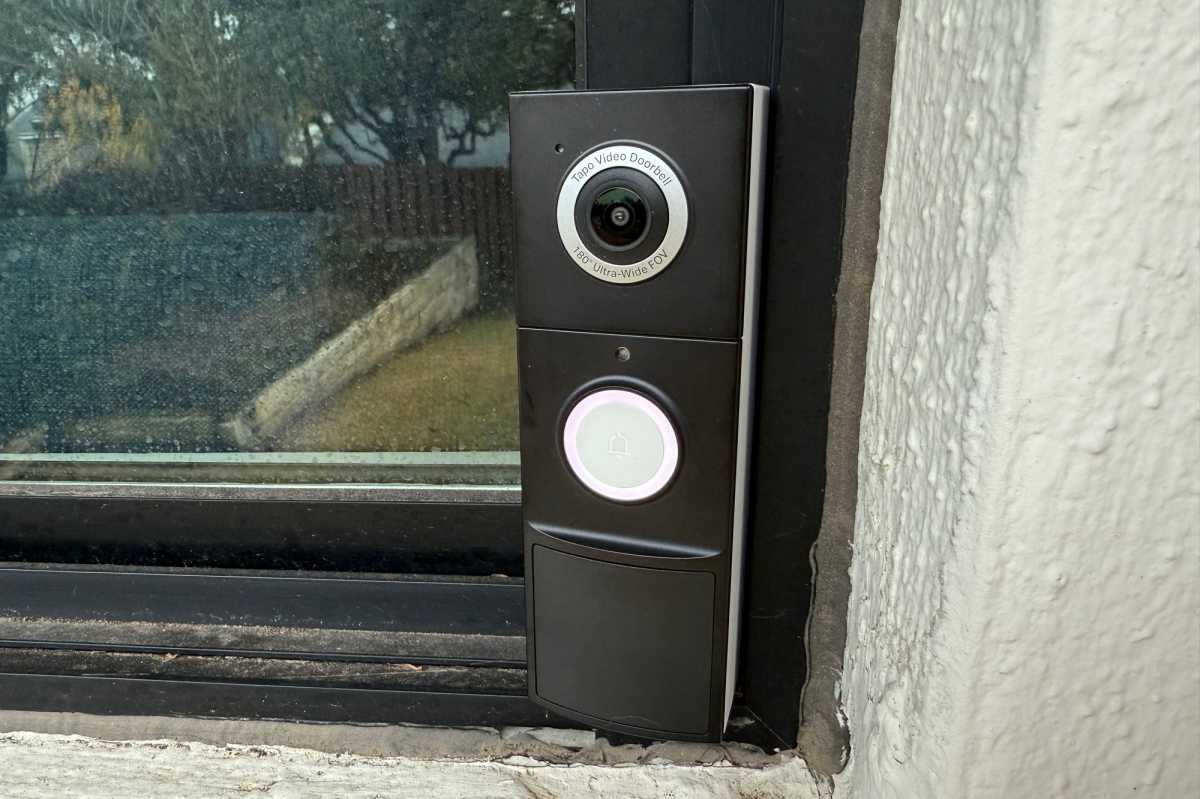
Tapo D225 Video Doorbell Camera
Christopher Null/Foundry
Why you need a video doorbell
Video doorbells have become commonplace home security tools since Ring introduced the first one more than a decade ago. Now there are dozens of models on the market offering homeowners the ability to see who’s at their front door and communicate with visitors without opening the door or even leaving the couch.
Why you’d want this video doorbell
The Tapo D225 Video Doorbell Camera offers a full set of features at a price far below that of similarly capable competitors. You get a camera with 2K resolution (2560 x 1920 pixels) and the ability to run the unit on either battery power or hardwired to your home’s electricity. Add a microSD card (capacities up to 512GB) for local recording without the need for a cloud subscription. You also get a remote indoor chime in the box, a feature not usually available at this price.
The doorbell works with Amazon Alexa and Google Home smart displays but does not work with Apple Home. If you’re going with the battery option, note that you’ll need to dismount the entire unit when it’s time to change the battery.
Read our Tapo D225 Video Doorbell Camera review
Water leak detector
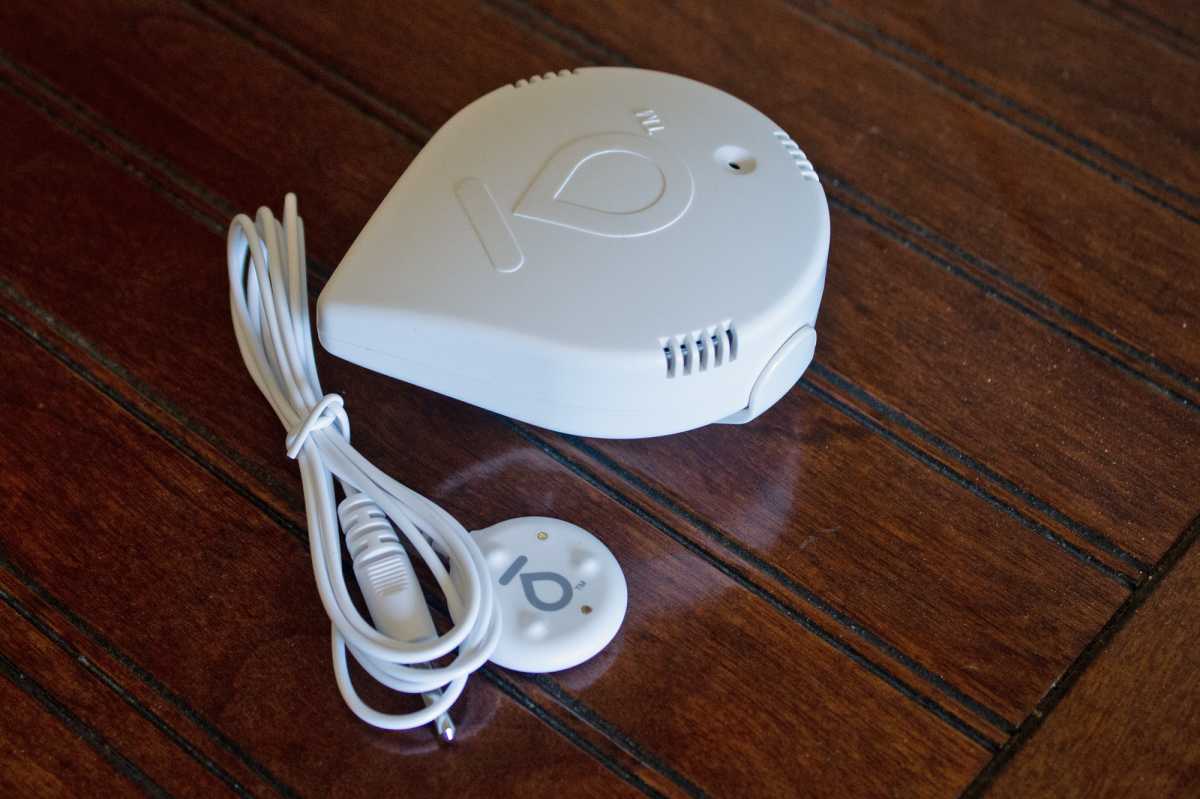
Moen Smart Water Leak Detector
Michael Brown/Foundry
Why you need a water leak detector
Water damage caused by an overflowing toilet, broken pipe, failing water heater, burst washing-machine supply line, or countless other similar disasters can be nearly as devastating than a fire, and they’re a lot more common than that.
Why you’d want this water leak detector
The Moen Smart Water Leak Detector is a simple gadget that can instantly alert you to the presence of water where it shouldn’t be. There are contact sensors on the device itself, and it also comes with a 4-foot extension cable that extends its reach. Moen’s detector doesn’t depend on a smart home hub, as it connects directly to your Wi-Fi network, and it can also monitor ambient temperature and humidity at the locations you deploy them, further alerting you to conditions that indicate the danger of mold growth.
What’s more, if you also own a Moen Flo Smart Water Monitor & Shutoff, the leak detector can trigger that smart valve to shut off your main water supply line to mitigate any damage to your home.
Read our Moen Smart Water Leak Detector review.
Smart smoke detector
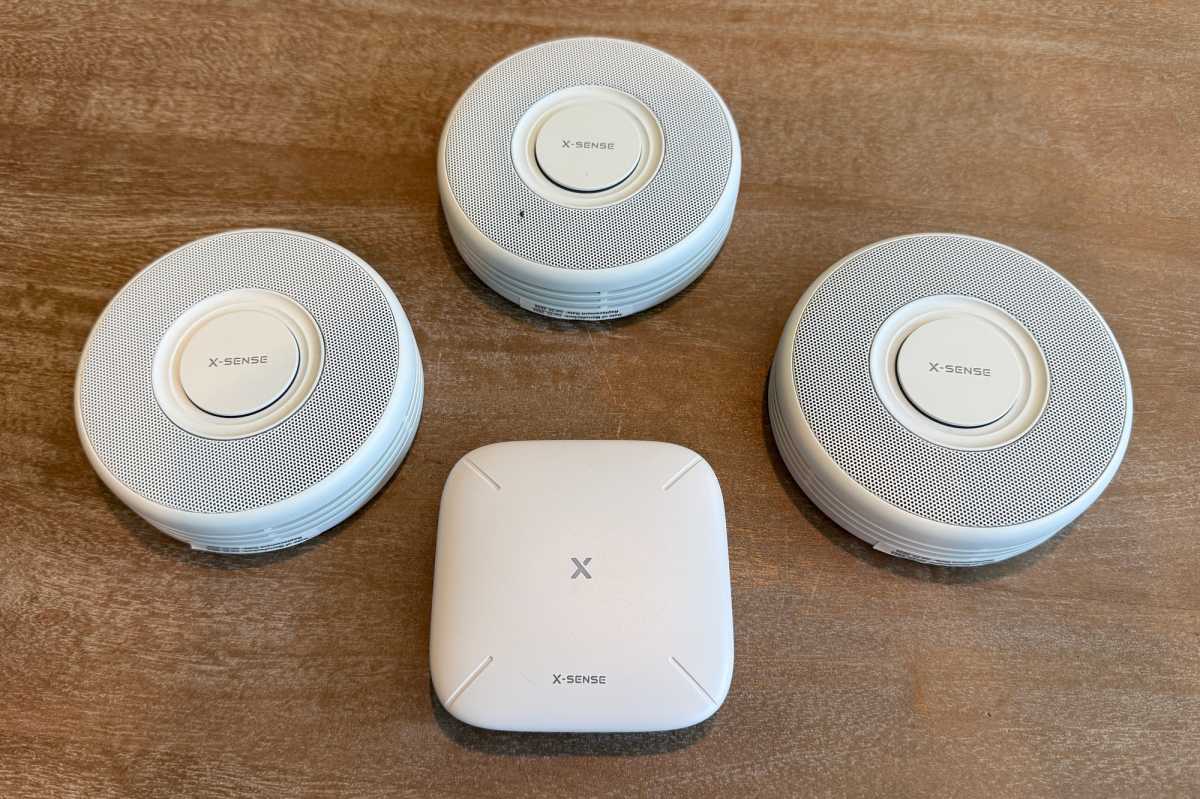
X-Sense XS0B-MR Wi-Fi Smoke Alarm
Christopher Null/Fouindry
Why you need a smart smoke detector
What’s the difference between a smart smoke detector and the dumb ones we’ve all been using for decades? The smart models will send an alert to your phone no matter where you happen to be, alerting you to danger even if you’re not home at the time.
Why you’d want this smart smoke detector
The best smart models—including the X-Sense XS0B-MR Wi-Fi Smoke Alarm—are interconnected, so that if one sounds off, they all sound off. And this model delivers the added benefit of voice notifications when smoke or fire is detected, informing you precisely which room(s) smoke is being detected in. The detectors are powered by 3V lithium cells that should last for five years, and when they start to fail, the app will let you know which batteries need to be replaced before they start that annoying chirp in the wee hours of the morning.
The bundle we reviewed consisted of three smoke detectors and a central hub that connects to your Wi-Fi network. X-Sense also sells a package with the base station and six detectors for $170, or you can add single units to your existing hub for $40 each.
Be aware that this is a fire-safety system only; it will not notify you of the presence of carbon monoxide. If that’s a must-have feature, you might consider the X-Sense XP0A-SR. It also offers voice warnings, but it’s a standalone device that doesn’t connect to Wi-Fi, connect to a central hub, or work with the X-Sense app. It also sells for $40 and will get the job done.
Read our X-Sense XS0B-MR Interconnected Smart Smoke Alarm review.
This articles is written by : Nermeen Nabil Khear Abdelmalak
All rights reserved to : USAGOLDMIES . www.usagoldmines.com
You can Enjoy surfing our website categories and read more content in many fields you may like .
Why USAGoldMines ?
USAGoldMines is a comprehensive website offering the latest in financial, crypto, and technical news. With specialized sections for each category, it provides readers with up-to-date market insights, investment trends, and technological advancements, making it a valuable resource for investors and enthusiasts in the fast-paced financial world.