You’re sitting on Flight 02 from San Francisco to Taipei, settling in for a long 14-hour journey. Suddenly, a familiar face appears nearby — a competitor!
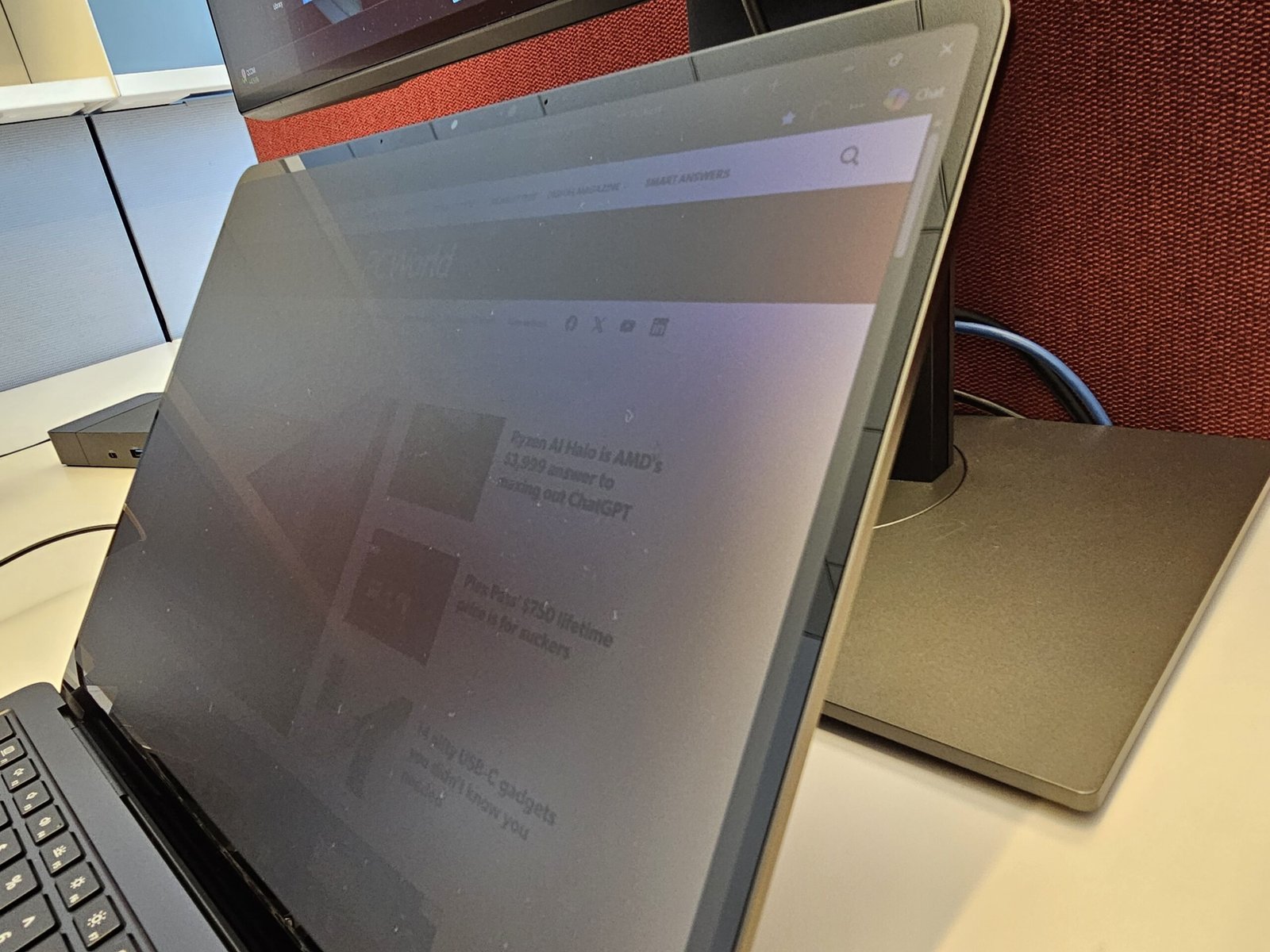
This is what Microsoft’s new “privacy screen” on its new Surface Laptop 8 was designed for: With the press of a button, your screen dims, darkening to a nearly opaque black when viewed from the side. Is it worthwhile? Microsoft sent me a review unit of its new Surface Laptop 8 for Business to try, and I can say that it is — with some caveats.
Until now, trying to minimize someone’s ability to sneak a peek at your laptop’s screen typically meant buying a third-party privacy laminate screen protector. Those shields can prevent touchscreens from working properly, however. Microsoft’s technology doesn’t interfere, leaving the Laptop’s touchscreen perfectly functional. Conceptually, at least, it’s the same as the Privacy Display feature on Samsung’s new Galaxy S26 phone.
Microsoft’s Surface Laptop — just specific models of the 13.8-inch Laptop, unfortunately — ship with a new “privacy screen” key in the row of function keys, next to the Esc key. Tap it, and the screen dims, a signal that the privacy technology is in use. (Otherwise, there’s no visual indication that it is.) Viewed straight on, the entire laptop screen is legible. As you walk around the laptop itself, however, you’ll notice that the screen becomes increasingly dimmer, so that it becomes harder and harder to tell what’s on it.
That’s where the concept of “privacy” becomes somewhat fungible. As my colleague (and privacy expert) Alaina Yee exclaimed, “You can still tell what’s on the screen!”
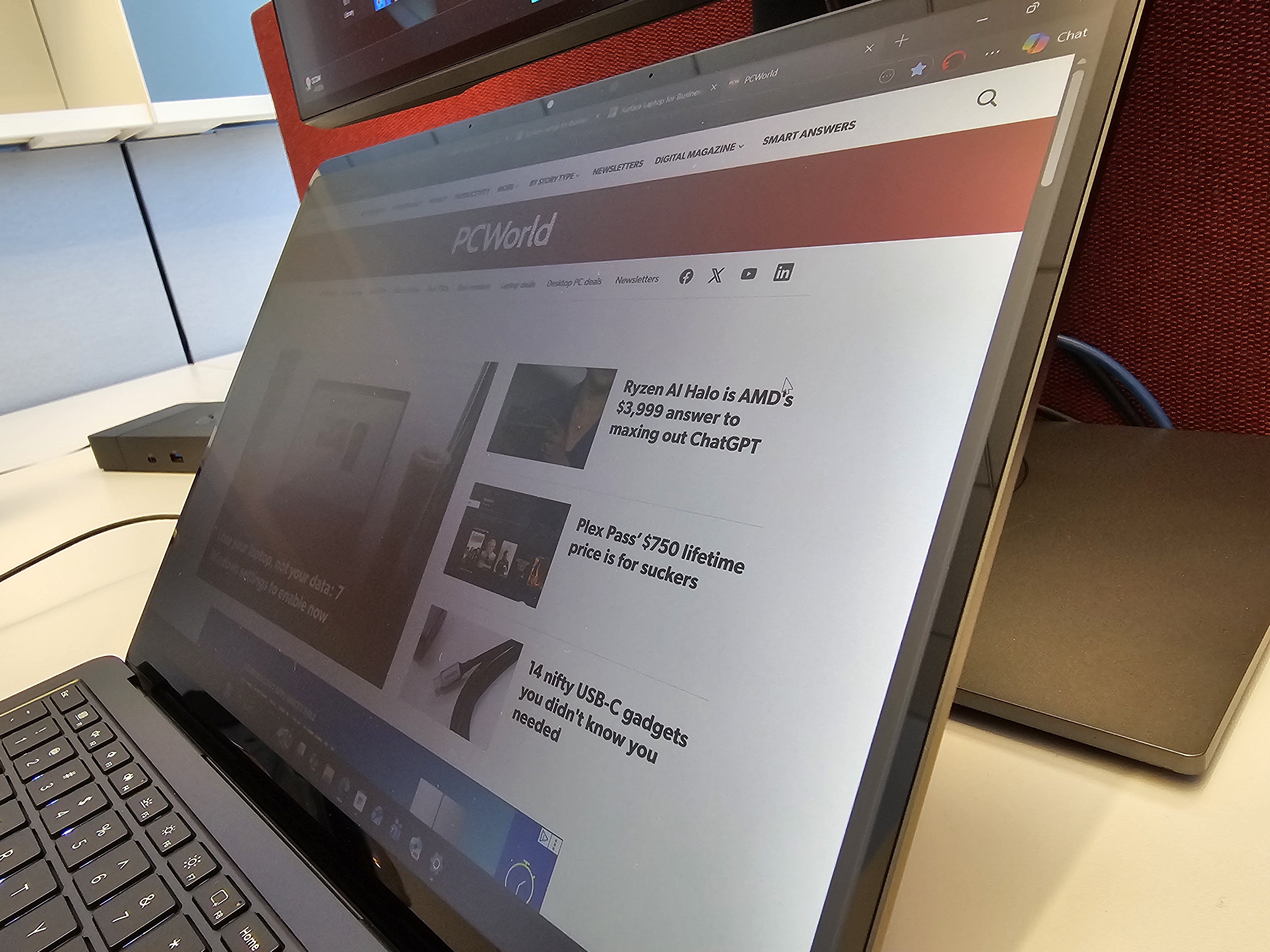
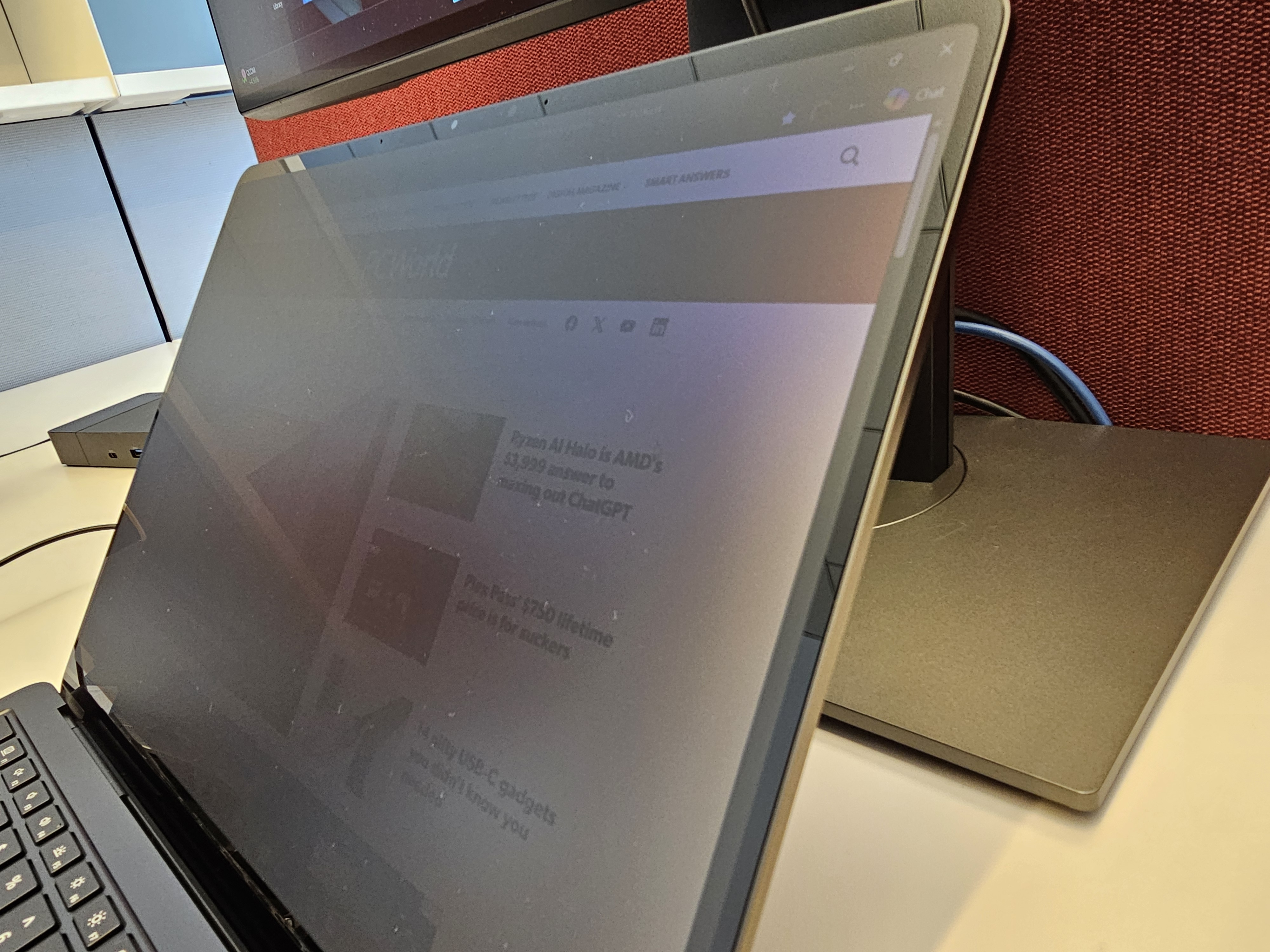
And that’s absolutely true. If you were reviewing a spreadsheet of your company’s quarterly projections, your seatmate would be able to certainly tell that you were looking at a spreadsheet. If they were familiar with how, say, ESPN.com’s webpage was laid out, they might be able to tell that you were scrolling that page. But the specifics of what you were watching would be harder to discern, especially if you were watching video or content without a lot of contrast. Microsoft’s privacy screen makes it easier to pick up the contrast between a light background and darker content; anything else is harder to distinguish. So yes, “certain types of video” would be harder to detect.
I’ll grant that frequent flyers could see a decided benefit from the Laptop’s new privacy screen. But I couldn’t help but chuckle as I sat down at my laptop, flanked by two gigantic external displays. Microsoft’s privacy technology might shield my laptop’s screen, but anyone in my open-plan office could easily make out what was on my external displays. “Privacy” only goes so far.
Privacy screen’s visual effects
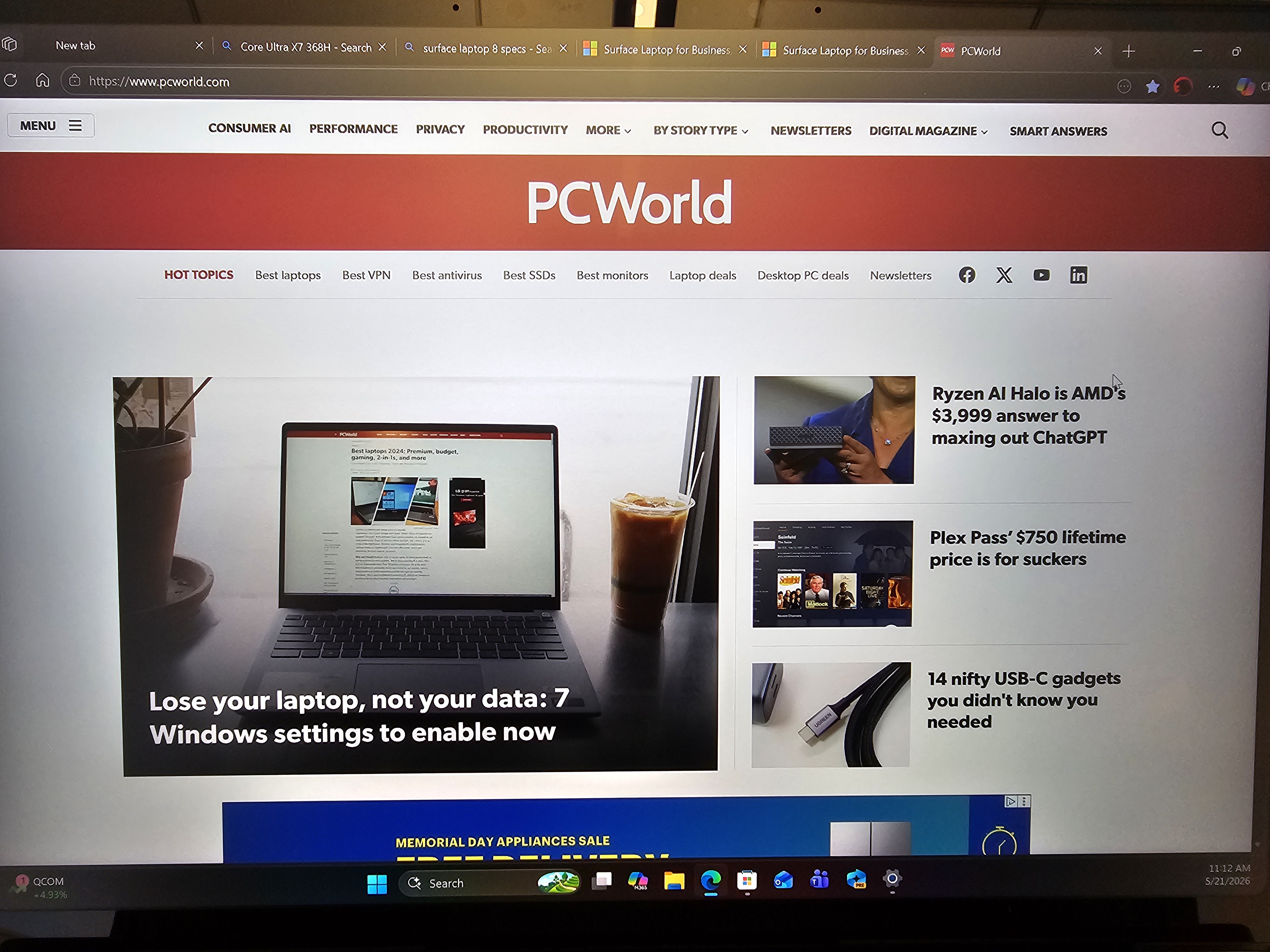
Even viewed from the front, I noticed a bit of darkening along both sides of the screen when the privacy screen is turned on. There’s another issue: The speckling is back.
Speckling — like a light coat of dust inside the laptop’s screen — was an issue with the OLED screens of the Microsoft Surface Pro 11. Speckling also appeared on the Surface Laptop Go, though for a different reason: the 1536×1024 was slightly below 1080p resolution, with visible pixels.
The Surface Laptop 8’s 13.8-inch screen (2304×1536) does not use OLED technology. Instead, it uses an enhanced version of Microsoft’s PixelSense technology, PixelSense Flow, designed for higher brightness and refresh rates. I didn’t notice the speckling on the SP11’s OLED screen until later in my review, but I did see it immediately with the Surface Laptop 8.
My uneducated guess is that Microsoft’s new privacy screen technology offsets some pixels slightly, dimming them when the privacy screen technology is turned on. Under normal conditions, however, your eye can pick up the slight difference in orientation, as each pixel reflects light a bit differently. That gives the display the slight speckling effect, noticeable on a white webpage or white background. I didn’t notice the speckling effect with the brightness set to maximum. As I dimmed the screen, however, I could notice the effect becoming more pronounced. My wife noticed it, too.
Microsoft also turned on the display’s adaptive color setting by default, giving the display a slight yellowish cast. (My wife, who typically tries to minimize the blue light from her laptop’s display, thought this was a plus.)
Was the speckling noticeable? Absolutely, on a white background. Was it obtrusive? Not particularly — though the earlier OLED speckling produced a sharp outcry from some portions of the internet.
I’m not sure if this is something that’s confined to my review unit, or if others will see it, too. I asked Microsoft for comment, and the company asked for photographic proof — something that I couldn’t really provide, due to the limitations of my camera.
Microsoft’s new privacy-screen technology has a lot hanging on it — it’s one of the only things, besides Intel’s Panther Lake processors, differentiating the Surface Laptop 8 for Business from its predecessor. And yes, it largely works. Just be aware that there are some visual consequences to using the display, even if it protects your data from prying eyes.
This articles is written by : Nermeen Nabil Khear Abdelmalak
All rights reserved to : USAGOLDMIES . www.usagoldmines.com
You can Enjoy surfing our website categories and read more content in many fields you may like .
Why USAGoldMines ?
USAGoldMines is a comprehensive website offering the latest in financial, crypto, and technical news. With specialized sections for each category, it provides readers with up-to-date market insights, investment trends, and technological advancements, making it a valuable resource for investors and enthusiasts in the fast-paced financial world.