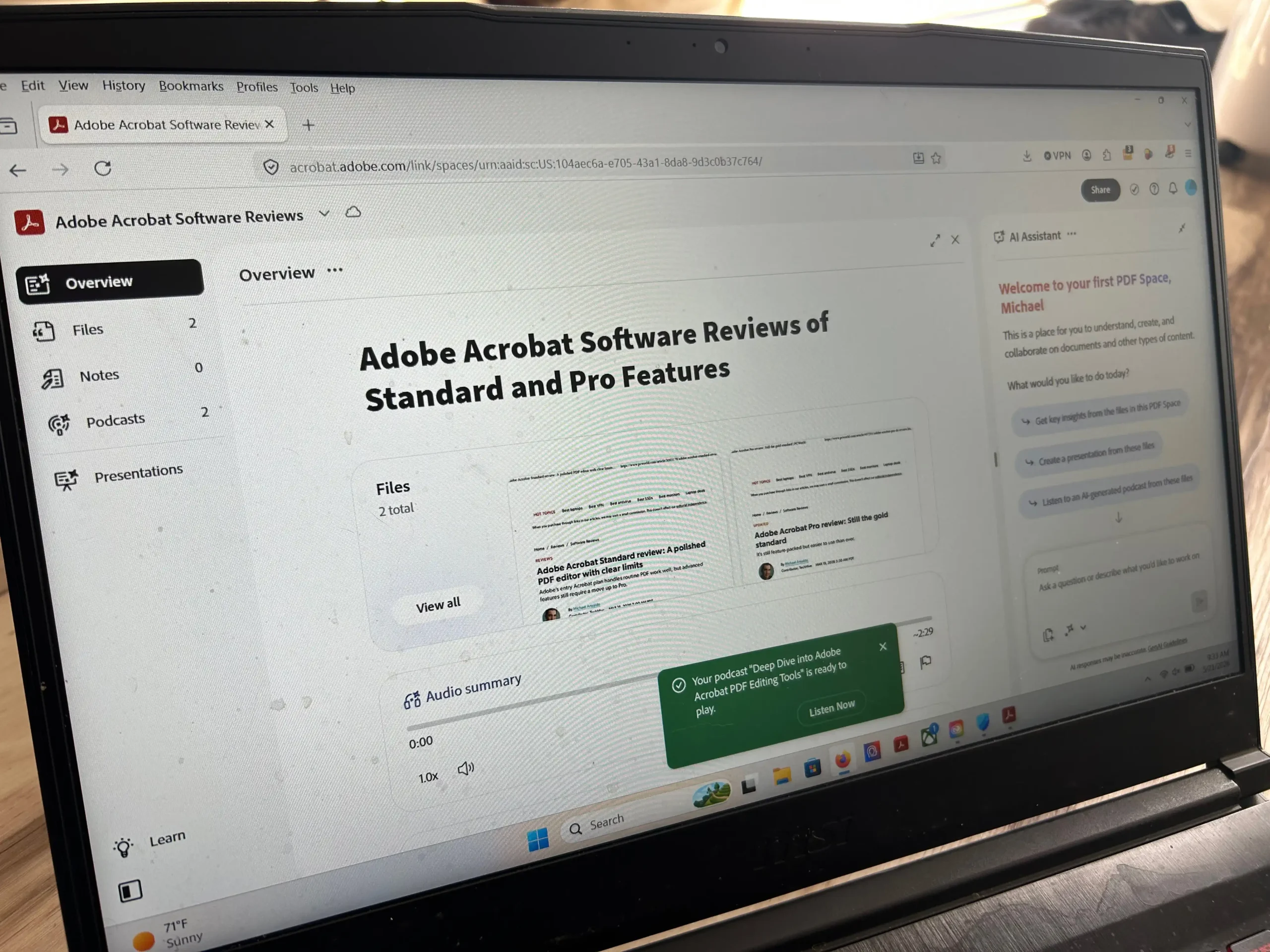
At a glance
Expert’s Rating
Pros
- Strong PDF editing foundation
- Useful for navigating and analyzing large document collections
- AI responses can link back to source citations
- Good fit for document-heavy professional workflows
- Adobe Express Premium adds value for users creating client-facing content
Cons
- Expensive if you only want document AI features
- Bundle includes tools many Acrobat users may not need
- Workflow can feel split between Acrobat, PDF Spaces, AI Assistant, and Express
- AI output still requires careful verification
Our Verdict
Adobe Acrobat Studio gives Acrobat a credible AI workspace for researching, summarizing, and sharing large document sets. It makes the strongest case for PDF-heavy professionals and teams, but it is harder to justify if you mainly need traditional PDF editing or occasional AI document summaries
Price When Reviewed
This value will show the geolocated pricing text for product undefined
Best Pricing Today
Price When Reviewed
$35 per month or $300 per year
Best Prices Today: Adobe Acrobat Studio
Acrobat has long been the default tool for working with PDFs. Adobe Acrobat Studio adds an AI layer built around a simple idea—instead of just editing, signing, and exporting documents, Acrobat can help users make sense of the information buried inside them.
Tools like ChatGPT Projects and Google NotebookLM can already summarize uploaded documents, answer questions, and surface key information. Studio’s bet is that those features are more useful inside the software that many people already use to review, manage, and share PDFs.
Read on to learn more, then see our roundup of the best PDF editors for comparison.
What Adobe Acrobat Studio includes
A Studio subscription bundles Acrobat Pro with PDF Spaces, Acrobat AI Assistant, Adobe Express Premium, 250 generative credits, and 100GB of cloud storage.
PDF Spaces is the marquee feature. A Space acts like a project room for documents. You can upload PDFs, Word documents, PowerPoint files, spreadsheets, text files, web links, pasted text, and files from supported cloud services; add notes; and organize related material in one place. Each Space can hold up to 100 files.
Once the files are inside, you can query the collection. You can ask the AI Assistant to summarize a long report, identify key themes across several documents, compare claims, pull out action items, draft email copy from source material, turn findings into presentation notes, or explain a dense section in plain language. Spaces can also generate dashboard-style insight cards with summaries, themes, suggested prompts, and tables pulled from the uploaded material.
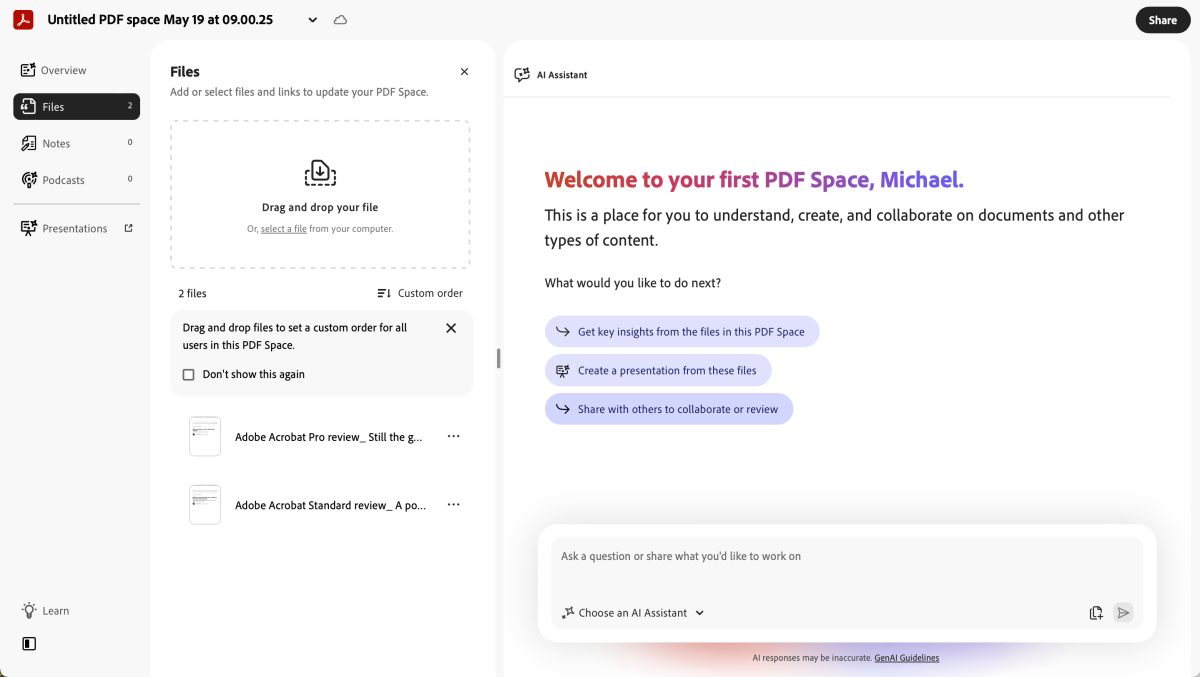
Adobe Acrobat Studio’s PDF Spaces organizes uploaded files into a shared AI workspace for document analysis, collaboration, and content creation.
Michael Ansaldo/Foundry
Adobe also includes specialized assistants for different kinds of work, including an Analyst for critical thinking, an Instructor for breaking down complex topics, and an Entertainer for more creative prompts. Users can also create their own custom assistant.
Studio ties its answers back to the source documents. Responses can include citations that point to the original file, so you can quickly jump to the passage behind a claim or quote.
That does not make the AI output authoritative, though. PDF Spaces works best as a document navigation layer: useful for getting oriented, finding relevant passages, and building a first draft of a summary. It’s not a substitute for checking the underlying material yourself, especially when the documents involve contracts, finances, health, legal obligations, or business decisions.
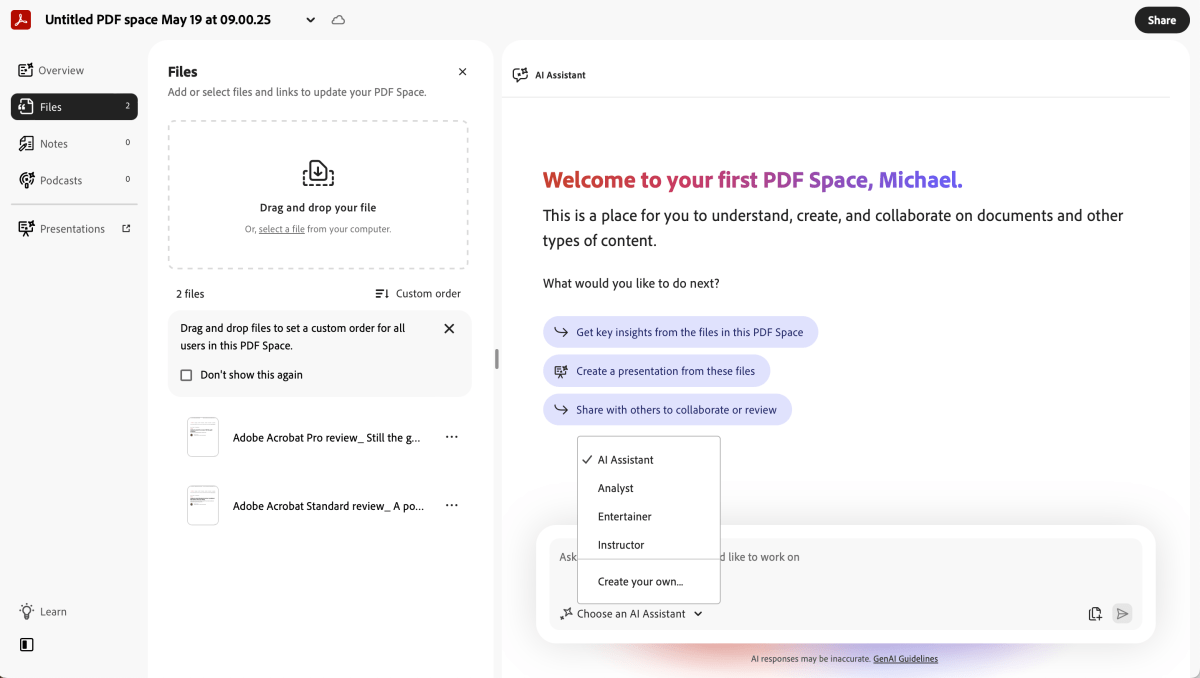
Adobe Acrobat Studio includes specialized AI assistants for different workflows, including Analyst, Instructor, and Entertainer modes for interpreting and generating content from uploaded documents.
Michael Ansaldo/Foundry
PDF Spaces also supports sharing and collaboration, but it is more structured than a shared folder. A Space can be shared as a guided experience, with selected documents, notes, summaries, permissions, and AI-powered document interaction layered over the source material. Teams could use it to walk clients through contract language, brief colleagues on a research packet, or keep stakeholders working from the same source material.
For legal, finance, consulting, education, sales, marketing, and business teams, Studio can bring order to sprawling document projects.
Adobe Express makes more sense for some users than others
The idea behind Adobe Express Premium’s inclusion in the bundle is that once you have extracted insights from your documents, you can turn them into presentations, one-pagers, social graphics, flyers, or client-ready summaries. PDF Spaces can also generate presentation outlines and audio overviews from the material in a Space, with Express handling the more polished output.
That integration will appeal to marketers, consultants, sales teams, educators, and small businesses that regularly transform document-heavy information into polished assets. For those users, Studio’s Acrobat-plus-Express bundle can feel coherent.
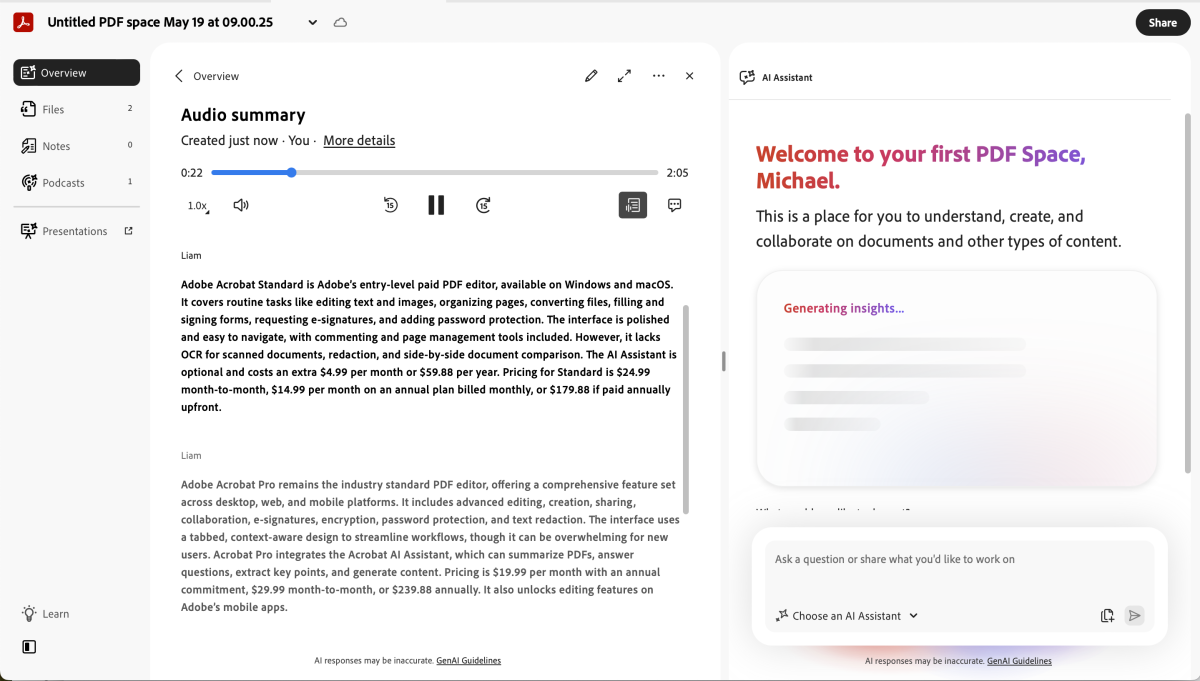
PDF Spaces can generate podcast-style audio summaries from uploaded documents, turning long reports and document collections into listenable briefings.
Michael Ansaldo/Foundry
For others, Express may feel like padding. If your work is mostly editing, redacting, signing, or organizing PDFs, a design tool does not necessarily add much value. This is where Studio’s bundle cuts both ways: It connects document analysis with content creation, but it also asks users to pay for tools they may not need.
Should you buy Adobe Acrobat Studio?
Acrobat Studio costs $24.99 per month on an annual plan billed monthly, placing it above Acrobat Pro in Adobe’s PDF lineup. PDF Spaces is the real reason to consider it. Its ability to navigate, analyze, and interrogate large document sets gives Acrobat a more modern role than simple editing and signing. For legal, finance, consulting, education, sales, marketing, and business teams, Studio can bring order to sprawling document projects.

It is not an automatic upgrade, though. If your work is mostly PDF editing, OCR, redaction, document comparison, forms, and signatures, Acrobat Pro remains the better fit. And if all you want is document Q&A, cheaper AI research tools can cover much of that need, especially if you are not tied to Acrobat or do not need Adobe’s editing and Express tools.
This articles is written by : Nermeen Nabil Khear Abdelmalak
All rights reserved to : USAGOLDMIES . www.usagoldmines.com
You can Enjoy surfing our website categories and read more content in many fields you may like .
Why USAGoldMines ?
USAGoldMines is a comprehensive website offering the latest in financial, crypto, and technical news. With specialized sections for each category, it provides readers with up-to-date market insights, investment trends, and technological advancements, making it a valuable resource for investors and enthusiasts in the fast-paced financial world.