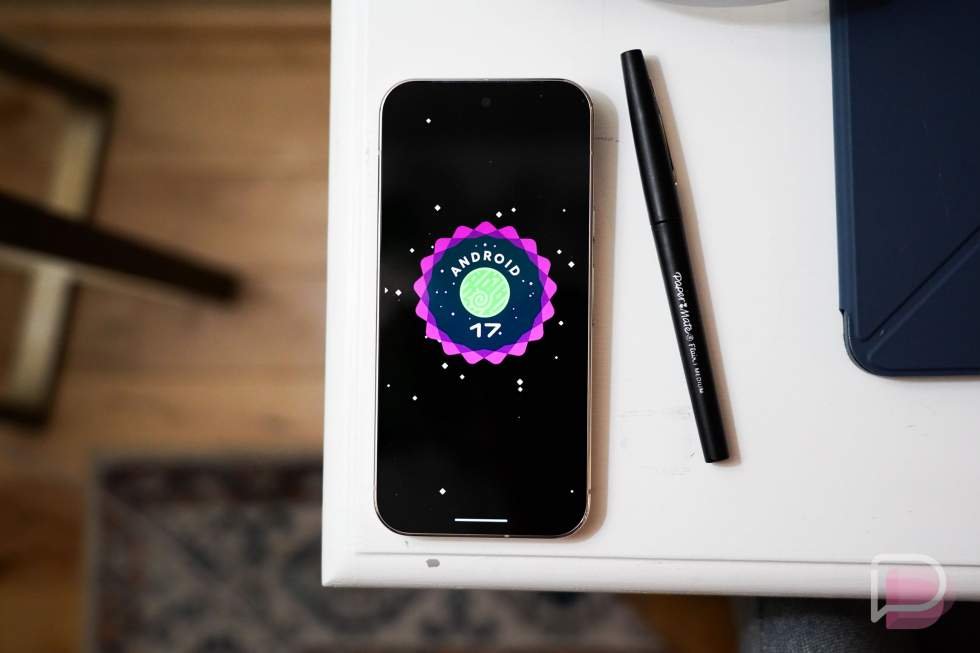
You may have been wondering why we had not yet seen a new June Android update for Pixel phones. The reason is because Google was polishing up Android 17 for a stable release that is arriving today.
How to download and install Android 17
Your Google Pixel phone is getting Android 17 right now. Oh, it’s also June Pixel Drop day too and you can find out all of the new features over at this post.
Google will post the factory images (here) and OTA files (here) for Android 17 shortly for all still-supported Pixel phones, should you want to get into that old school manual flashing thing. However, the update will arrive over-the-air on your Pixel device today, assuming you aren’t running Android 17 Beta builds. If you are, you’ll still just keep getting those newer beta updates instead.
This first stable Android 17 update is coming to the Pixel 6 and 6 Pro, Pixel 6a, Pixel 7 and 7 Pro, Pixel 7a, Pixel 8 and 8 Pro, Pixel 8a, Pixel 9, Pixel 9 Pro and 9 Pro XL, Pixel 9 Pro Fold, Pixel 9a, Pixel 10, Pixel 10 Pro and 10 Pro XL, Pixel 10 Pro Fold, Pixel 10a, Pixel Tablet, and the original Pixel Fold.
To check for updates on your Pixel phone, head into Settings>System>System updates>System update>Check for update.
What’s new in Android 17?
As far as new features for Android 17, Google told us about a bunch of stuff heading our way just before Google I/O. They held a special “The Android Show: I/O Edition” and revealed some big changes for Android 17. Today, many of those are now ready for your phone.
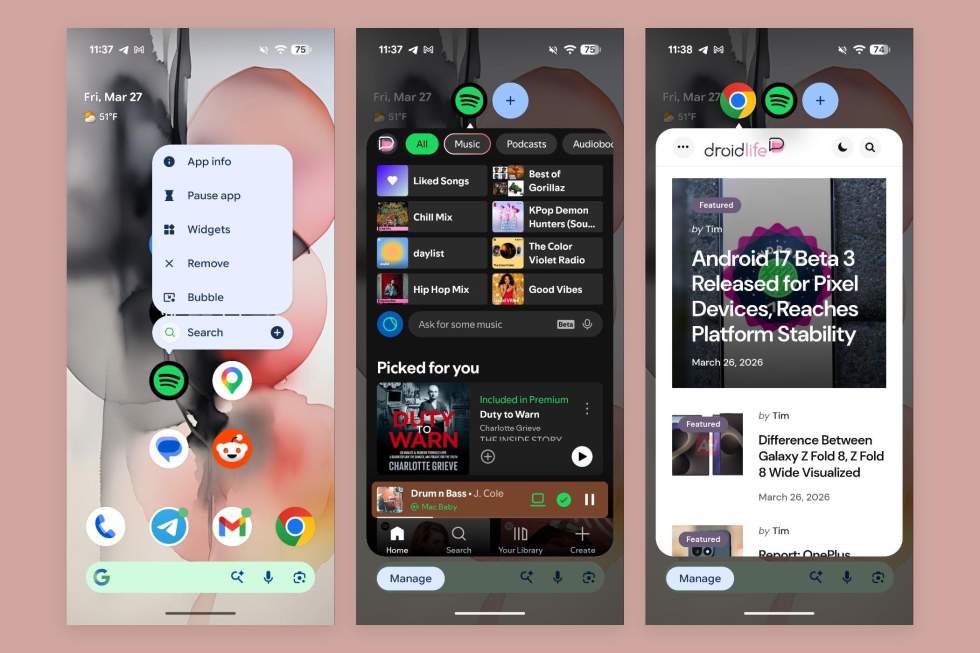
1. Bubbles everywhere: The Bubbles feature that has lived on Android for years as a way to keep your messaging apps on-screen at all times in a shrinkable bubble is now expanding to almost all apps. Google will allow you to bubble multiple apps at a time to help you multitask beyond messaging.
To get started with bubbles, you’ll long-press on an app icon and then choose the “Bubble” option. This adds that app to your bubble stack, which can be moved, swiped down to close, and more.
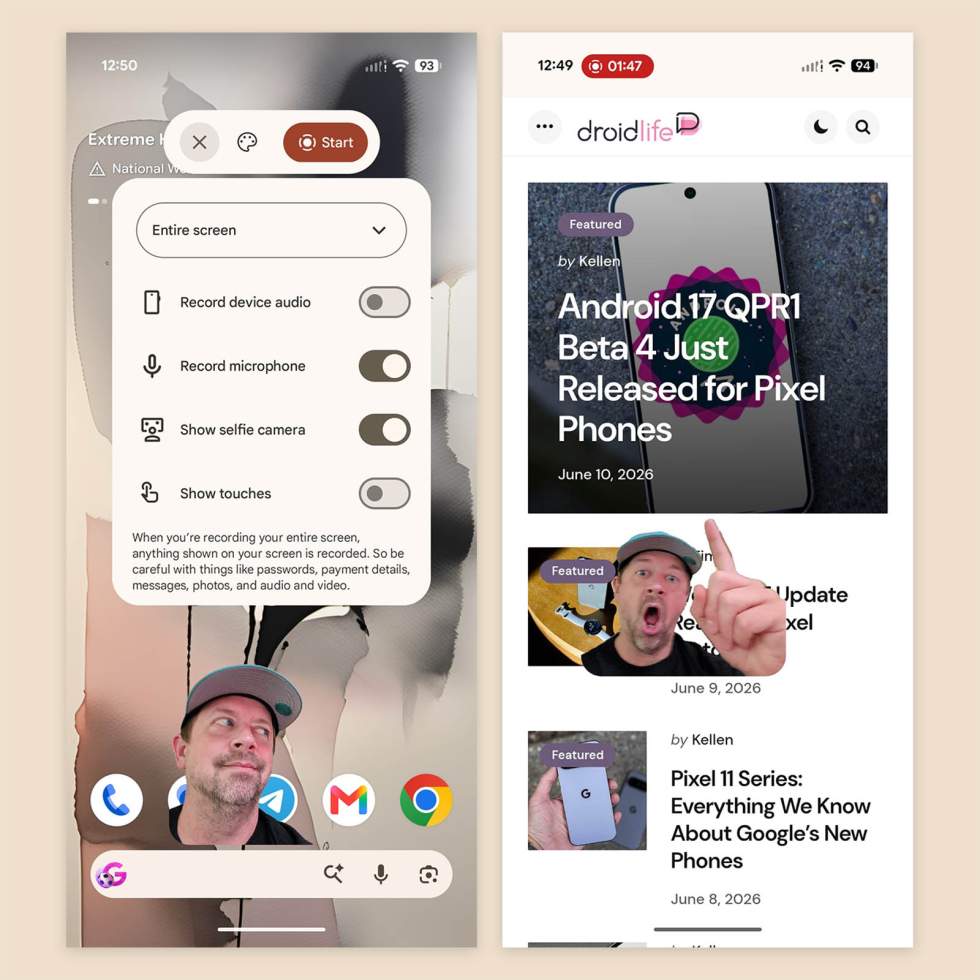
2. Screen Reactions: In Android 17, if you choose to activate a screen recording on your device, you’ll find a new option to turn on your selfie camera. When active, this puts your face on-screen, giving you the opportunity to react to whatever is happening on your screen, which could mean explaining something to an audience, making a joke, etc.
We first saw this feature go live in the most recent Android 17 QPR1 Beta 4 build and thought it might not show up until September. Google seems to be suggesting today that this feature is ready now.
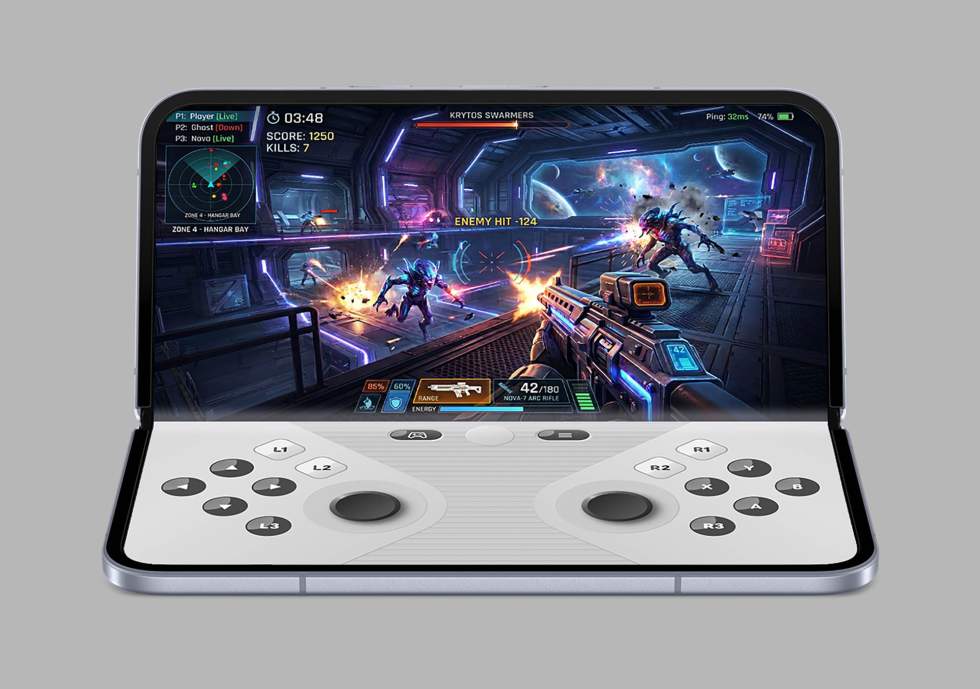
3. Foldable gaming mode: For those with foldables, a new gaming mode can use the full real estate of your screen, which could mean a split view with the game on one half of the screen and a set of digital controls on the other.
Google says this new feature will arrive in the “coming months.” You can see a preview of it above.
4. Enhanced security: Like any new Android build, we’re getting new security features with Android 17. Google is adding settings like temporary precise location access and specific contact sharing. There’s an enhanced “Mark as lost” feature in Find Hub that’ll let you lock a missing phone with biometrics-only, keeping thieves from unlocking with a passcode. Live Threat Detection will now block more suspicious apps and scams, and Android 17 has reduced the number of times someone can try and guess your PIN (plus there is a longer wait time between failed attempts).
5. Parental controls: Finally, Google says that built-in parental controls are expanding beyond Pixel devices, giving non-Pixel phones the ability to set screen time limits and content filtering with a PIN without linking a Google Account.
Other new Android 17 features
Yes, there are other things that Google didn’t point out in their main blog post, but that we have covered previously. Some of this stuff could show up in this initial Android 17 build, while much of it will ship later this year. We still wanted to give you a recap on all of the fun stuff headed our way in the near future.
Android 17 is introducing Gemini Intelligence, first on Pixel and Samsung phones “this summer.” This will bring a new level of Gemini that can get things done for you, like completing an entire grocery shopping order for you, booking your next class, or scanning a photo of a brochure and then finding activities from it.
Android 17 will also bring custom widgets, at least on Pixel phones. You’ll soon be able to describe to your Pixel phone what you want a widget to do and the system will attempt to build it with AI.
Android 17 is updating Material 3 Expressive to a new look that is “functional, animating with purpose to reduce distractions and [will] allow you to focus on the task at hand.”
Android 17 is letting you adjust your Pixel phones dark theme on a per-app basis.
Android 17 is giving you a separate volume control for your on-device Assistant, which means lower volumes to that voice that talks back to you all day.
Android 17 is bringing a new Rambler feature in Gboard that’ll be the smartest and most advanced voice-to-text feature you’ve ever used.
Android 17 is adding new 3D emoji that add a “touch of physicality” and will ship on Pixel phones later this year.
Android 17 will usher in an expansion of AirDrop on Android via Quick Share to even more devices, like those from OPPO, OnePlus, Vivo, Xiaomi, and Honor, if they haven’t been given access already.
Android 17 is splitting the mobile data and WiFi toggles in Quick Settings, because that’s apparently something everyone was begging for.
If you want to dive into more of these Android 17 features, head over to android.com/17.
Read the original post: Android 17 Update Just Went Live on Your Pixel Phone
This articles is written by : Nermeen Nabil Khear Abdelmalak
All rights reserved to : USAGOLDMIES . www.usagoldmines.com
You can Enjoy surfing our website categories and read more content in many fields you may like .
Why USAGoldMines ?
USAGoldMines is a comprehensive website offering the latest in financial, crypto, and technical news. With specialized sections for each category, it provides readers with up-to-date market insights, investment trends, and technological advancements, making it a valuable resource for investors and enthusiasts in the fast-paced financial world.