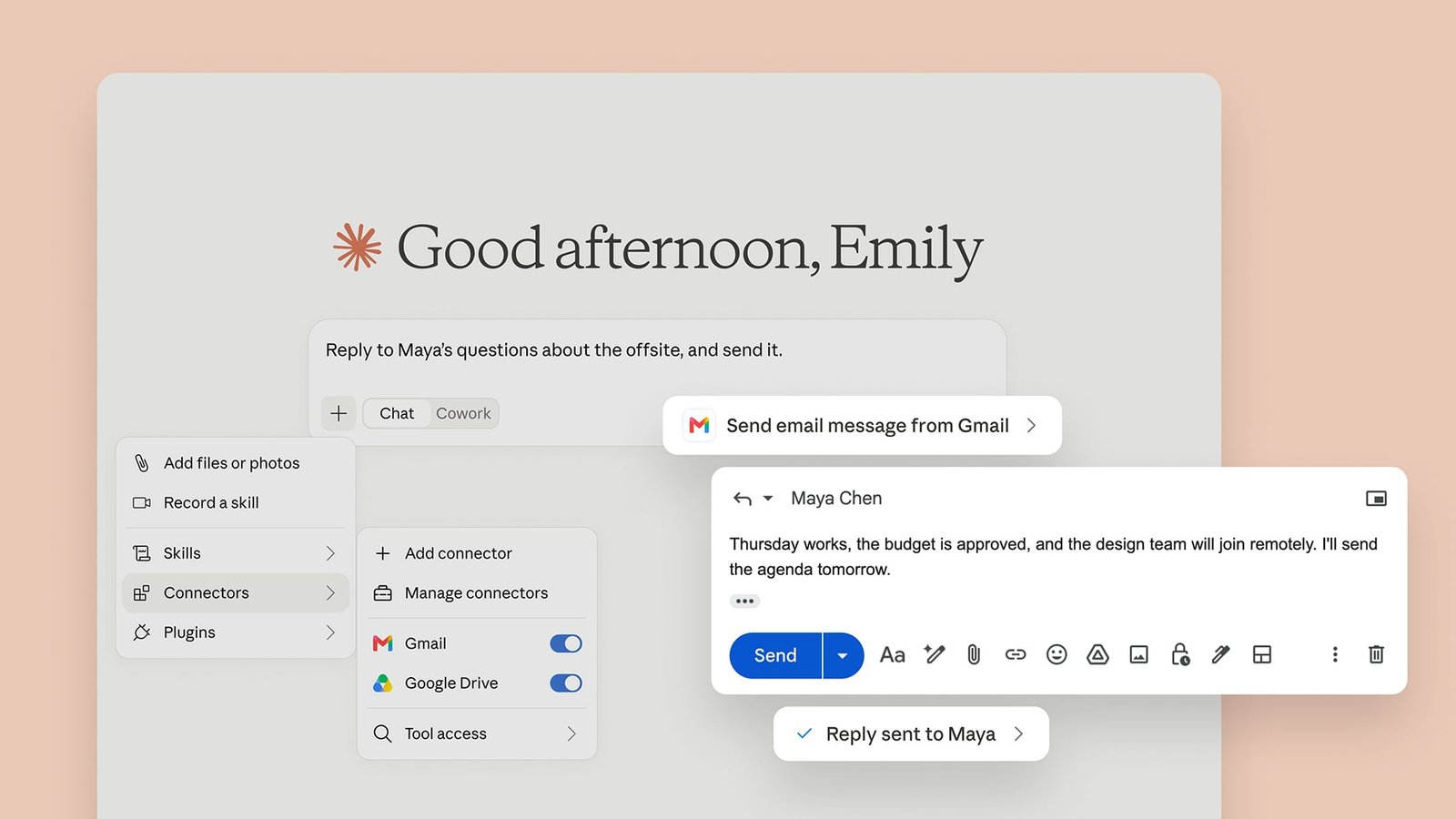
If AI is going to take all of our jobs, the least it can do is make those jobs a little easier while we still have them, and email admin is one of the biggest time sinks I’ve got in my daily routine. I’m spending hours a week reading and responding to emails when I really need that time to get on with writing about new Pixels or Mac apps.
My interest was piqued then by the news that the Claude AI chatbot can now respond to and send emails in a connected Gmail account–and without your specific approval, if you’re happy to let it work automatically.
Claude has been able to plug into Gmail accounts for a while, so you could already get it to read through and summarize incoming messages—but any email drafting had to be done in the Claude bot and copied over. Now the AI is able to compose and send responses inside Gmail without you having to switch over to the Google email client yourself.
Could this free up some more time in my day? Is it really wise to hand over emailing duties to an AI bot? I gave it a try to assess how it might impact my productivity (and sanity).
How to connect Claude to your gmail account
You need a paid Claude plan for this at the moment, so you’re going to have to be on the $20-a-month Pro plan or something higher. To connect your Gmail account if you haven’t already, open Claude on the web and click your profile picture (bottom left), then select Settings > Connectors and find Gmail. (If you don’t see your profile picture, click the menu button, top left.)
To do something in Gmail, you just need to mention it in a prompt. If you’re not quite ready to do some drafting and sending, try a prompt like “who’s emailed me most today” or “summarize the emails I’ve received this week.” Claude rummages through your Gmail account and delivers what you asked for as a response.
When you’re ready to start sending, you can be pretty informal and ambiguous with your prompt. Saying “reply to my last unread email,” “reply to David Nield,” and “reply to the Story edits thread” will all work in Claude. However, the more precise you can be—with a specific email address, for instance—the better, in terms of avoiding mistakes.

Credit: Lifehacker
If you say “send an email to Dave” and Claude finds three people with that name, it will ask who you mean. However, if it finds the wrong Dave and misses the other two for whatever reason (maybe due to formatting or email address construction), it will make the incorrect pick and not tell you about it. So, be as precise as you can.
Next, you tell Claude what to say: You can dictate the message word for word, or tell Claude to get creative and use its imagination, or do a mix of the two. This works the same as any other text prompt—supply as much or as little direction as you want regarding email content, style, intention, and other characteristics.
You’ll be relieved to hear that automatic sending is off by default. If you go back to Settings > Connectors, you can click Gmail to set permissions. Different actions, like searching through your inbox, sending emails, and editing labels, can be set to one of three different options: Never allow, always allow, or always ask for permission.
Here’s what happened when I let Claude manage my inbox
I took the risk and gave Claude permission to send emails automatically without approving each draft and got to work. I did consider getting in touch with the Lifehacker editors, but keen to stay on the roster here and avoid any hallucinated misunderstandings, I decided to have an email conversation with myself, via a secondary email address.
Claude actually works really well for getting around your Gmail inbox: It understands labels, dates, contacts, subject headers, themes, and nuance. It easily identified “the email I’ve just sent myself from my Proton account” without me having to open up Gmail, and I told it to reply—saying that it should agree to a meeting and talk about the weather.

Credit: Lifehacker
One immediate problem: It signed off my email with “cheers,, something I would never say outside of specific scenarios involving bars and clinking glasses. I don’t think I’ve ever used that in an email, but evidently a lot of people in Claude’s training data have, which is why it was included. Be aware that Claude may not catch your default tone and personal nuances when you let it compose your messages.
The rest of the email was fine, if a little generic: I agreed to a meeting (with myself), and mentioned the weather (a standard British conversation topic). I then repeated the process several times, giving Claude different levels of freedom when it came to composing message replies.
On a technical level, it’s all quite impressive. Claude can accurately pick up and transfer what’s in an email thread and compose replies as instructed. I told it to generate a message summarizing my work for the week (via its Google Drive access), and to add a question about a weekend soccer match, and it did both with aplomb. We know AI makes mistakes, but I didn’t see any in my testing.

Credit: Lifehacker
As clever as this is, though, the biggest issue is that I can’t really see myself using it. To begin with, these emails aren’t written in my voice or style, and I’d be continually worried that Claude was about to make a terrible error somewhere (maybe in misinterpreting an incoming email, or getting something wrong in an outgoing one).
Another concern is where all this is heading: AIs emailing other AIs, into infinity? I already suspect a lot of the emails I get are crafted by chatbots, which immediately devalues them. If I’m going to communicate with someone, I feel I owe it to them to actually put together the message myself. While I think I’ll keep Claude’s Gmail connector around to search and summarize emails, the sending and drafting features are getting turned off for now.
This articles is written by : Nermeen Nabil Khear Abdelmalak
All rights reserved to : USAGOLDMIES . www.usagoldmines.com
You can Enjoy surfing our website categories and read more content in many fields you may like .
Why USAGoldMines ?
USAGoldMines is a comprehensive website offering the latest in financial, crypto, and technical news. With specialized sections for each category, it provides readers with up-to-date market insights, investment trends, and technological advancements, making it a valuable resource for investors and enthusiasts in the fast-paced financial world.