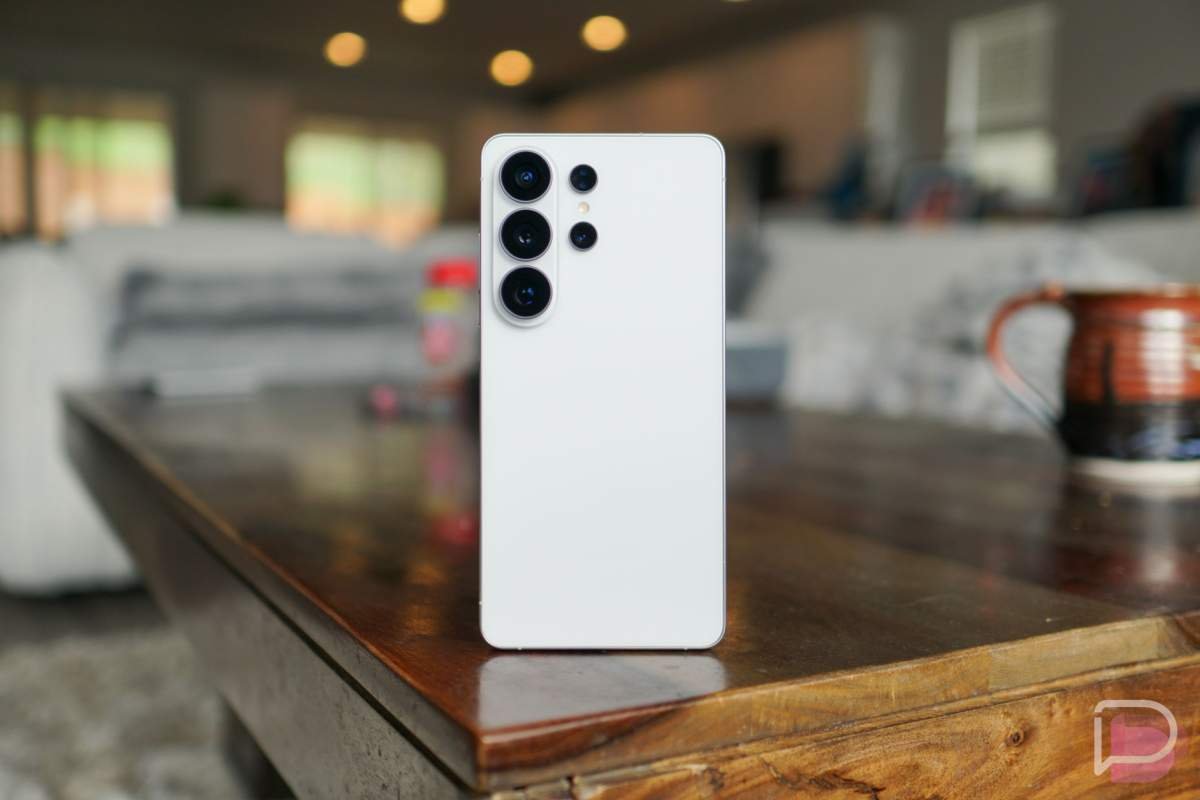
Samsung has been one of the best in the industry at keeping its high-end devices up-to-date over the years. At one point, we regularly referred to them as the “King” of Android updates, even over Google. They may have slipped a bit behind Google, but Samsung is still about as good as it gets for update timeliness and length of support.
For a long time, Samsung offered 4 years of OS updates and 5 years of security updates for its best phones on One UI. They have since expanded that to 7 years of both OS and security updates. For the bulk of those years of updates, they do their best to send the security patches on a monthly basis before a final year of quarterly updates.
Samsung’s phones and watches run One UI or One UI Watch on top of Android. The newest build will be One UI 9 and Android 17.
Below, we have the official breakdown of your phone or foldable or watch and the current schedule of updates.
Samsung Monthly Security Update Devices
The list of Samsung devices in this monthly update category are their high-end flagship devices, including the latest Galaxy Z Fold and Galaxy S phones. The latest devices from Samsung in the Galaxy Foldable and Galaxy S sections will receive 7 years of software support, starting with the Galaxy Z Fold 6 and Galaxy S24 series. Devices released before those are capped at 5 years.
| Galaxy Foldable Series |
| Galaxy Z TriFold Galaxy Z Fold8, Galaxy Z Fold8 Ultra, Galaxy Z Flip8 Galaxy Z Fold7, Galaxy Z Fold Special Edition, Galaxy Z Flip7, Galaxy Z Flip7 FE Galaxy Z Fold6, Galaxy Z Flip6 Galaxy Z Fold5, Galaxy Z Flip5 W23, W23 Flip, W24, W24 Flip, W25, W25 Flip, W26 |
| Galaxy S Series |
| Galaxy S26, Galaxy S26+, Galaxy S26 Ultra, Galaxy S26 FE Galaxy S25, Galaxy S25+, Galaxy S25 Ultra, Galaxy S25 Edge, Galaxy S25 FE Galaxy S24, Galaxy S24+, Galaxy S24 Ultra, Galaxy S24 FE Galaxy S23, Galaxy S23+, Galaxy S23 Ultra, Galaxy S23 FE |
| Enterprise Models |
| Galaxy A54 5G, Galaxy A55 5G, Galaxy A56 5G, Galaxy A57 5G Galaxy Tab Active5 Pro Galaxy XCover7, Galaxy XCover7 Pro |
Samsung Quarterly Security Update Devices
Once Samsung devices reach their final year of update support, they fall from a monthly update schedule to a quarterly schedule. After landing on this list, expect far fewer updates. Samsung tablet line-ups launch with quarterly update support.
| Galaxy Foldable Series |
| Galaxy Z Fold4, Galaxy Z Flip4 |
| Galaxy S Series |
| Galaxy S22, Galaxy S22+, Galaxy S22 Ultra Galaxy S21 FE 5G |
| Galaxy Tab S Series |
| Galaxy Tab S11, Galaxy Tab S11 Ultra Galaxy Tab S10+, Galaxy Tab S10 Ultra, Galaxy Tab S10 FE, Galaxy Tab S10 FE+, Galaxy Tab S10 Lite Galaxy Tab S9, Galaxy Tab S9+, Galaxy Tab S9 Ultra, Galaxy Tab S9 FE, Galaxy Tab S9 FE+ Galaxy Tab S8, Galaxy Tab S8+, Galaxy Tab S8 Ultra Galaxy Tab S6 Lite (2024) |
Samsung Wearable Quarterly Security Update Devices
Samsung’s Galaxy Watch line receives updates on a quarterly schedule from the minute they launch. With the launch of the Galaxy Watch 9 and Galaxy Watch Ultra 2, they now receive 5 years of OS and security updates. Devices launched prior to that receive 4 years of OS upgrades and a full 5 years of security updates.
| Galaxy Watch Series |
| Galaxy Watch9 40mm, Galaxy Watch9 44mm Galaxy Watch8 40mm, Galaxy Watch8 44mm, Galaxy Watch8 Classic 46mm Galaxy Watch Ultra, Galaxy Watch Ultra2 Galaxy Watch7 40mm, Galaxy Watch7 44mm Galaxy Watch FE Galaxy Watch6 40mm, Galaxy Watch6 44mm, Galaxy Watch6 Classic 43mm, Galaxy Watch6 Classic 47mm Galaxy Watch5 40mm, Galaxy Watch5 44mm, Galaxy Watch5 Pro |
| Galaxy XR Series |
| Galaxy XR |
How to update your Samsung Galaxy phone or watch
Because many of Samsung’s top phones receive updates every single month, it is worth checking for those updates to make sure you are up-to-date. The process of updating your phone, foldable, or watch is quite simple.
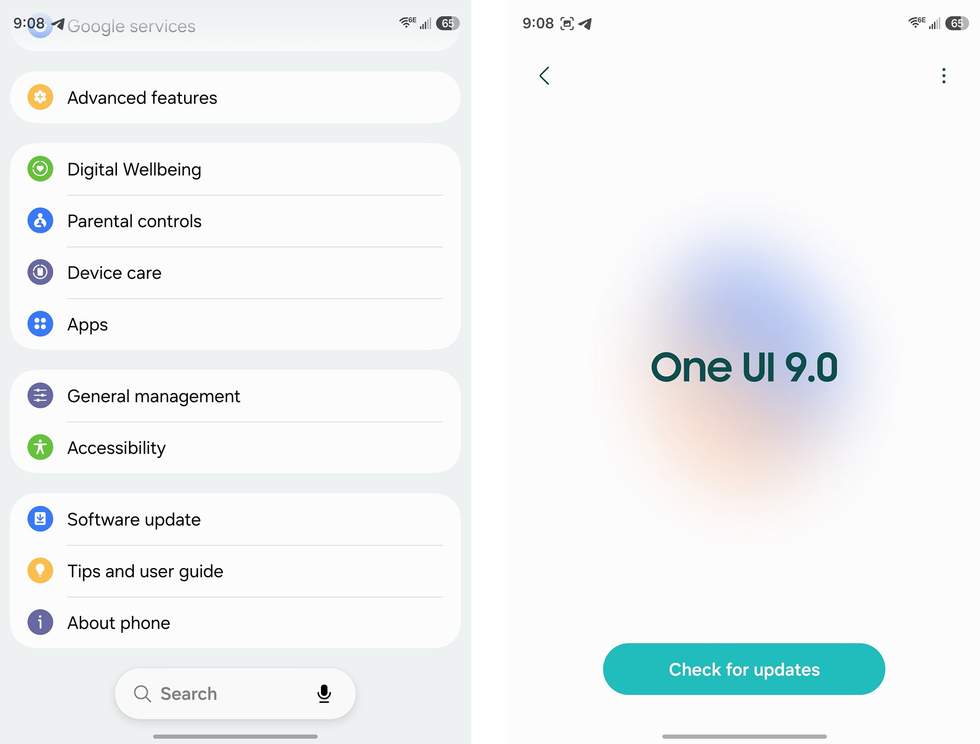
To update your Galaxy S phone or Z foldable, do the following:
- Open the Settings app
- Within Settings, scroll until you see “Software update” and tap it
- Now tap “Download and install” or “Check for updates”
- The software will download and install before presenting options to Restart or Schedule the update for later
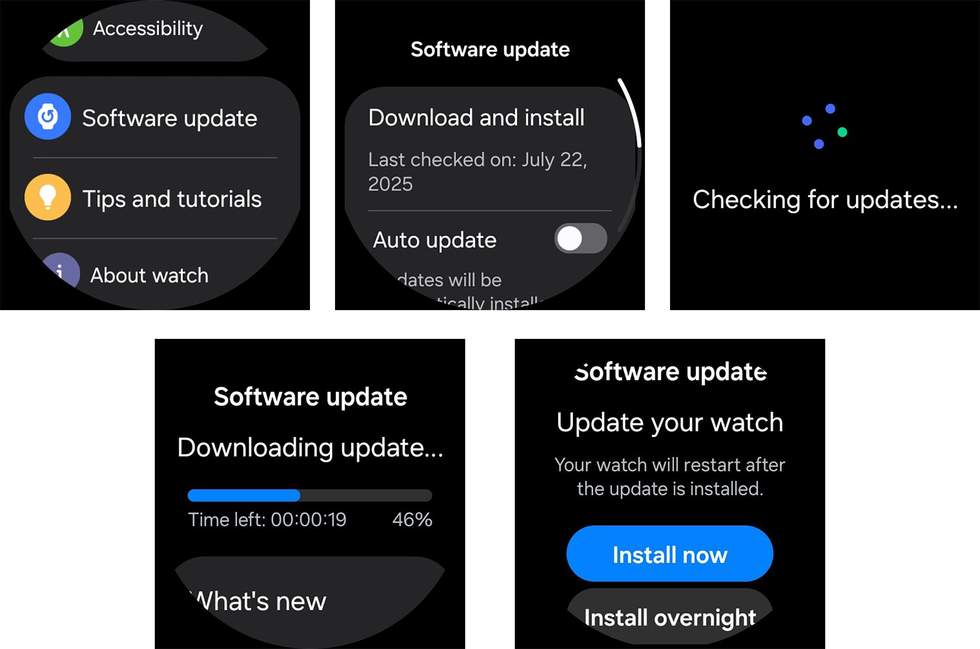
To update your Galaxy Watch, do the following:
- On your watch, swipe down the top Quick Settings area and tap the Settings icon; you could also swipe up on the app drawer and open Settings
- Scroll down to “Software Update” and tap
- Tap “Download and Install”
- The update will then copy/download to your watch
- Once done, you’ll find “Install” or “Install overnight” options
- Tap “Install” to update and restart your watch
Alternative Galaxy Watch update method:
- On your phone, open the Galaxy Wearable app
- Tap “Watch settings”
- Scroll to find “Watch software update” and tap it
- Tap “Check for updates”
UPDATES TO THE SCHEDULE
SEPTEMBER 8, 2026
Samsung updated the schedule by removing the Galaxy Z Fold 3 and Galaxy Z Flip 3. These devices have received a full 5 years of updates. In doing so, they also moved the Galaxy Z Fold 4 and Galaxy Z Flip 4 to a quarterly schedule, since they are now in their last year of updates. Finally, the Galaxy Watch 4 and Galaxy Watch 4 Classic have also been removed after receiving 5 years of updates.
FEBRUARY 3, 2026
Samsung moved the Galaxy S22, Galaxy S22+, and Galaxy S22 Ultra to a quarterly update schedule for their final year of updates. They also removed the Galaxy S21, Galaxy S21+, and Galaxy S21 Ultra, as those have reached of end of life.
APRIL 8, 2025
Samsung removed the Galaxy S20, Galaxy S20+, and Galaxy S20 Ultra, as those devices have reached end of life.
Read the original post: Samsung One UI Update Schedule: September 2026
This articles is written by : Nermeen Nabil Khear Abdelmalak
All rights reserved to : USAGOLDMIES . www.usagoldmines.com
You can Enjoy surfing our website categories and read more content in many fields you may like .
Why USAGoldMines ?
USAGoldMines is a comprehensive website offering the latest in financial, crypto, and technical news. With specialized sections for each category, it provides readers with up-to-date market insights, investment trends, and technological advancements, making it a valuable resource for investors and enthusiasts in the fast-paced financial world.