
The year is 2007. After two semesters of watching my college roommate play PC games on his laptop while I devoured Smash Bros. Brawl and Twilight Princess on the Wii U, I was ready to jump into PC gaming. But a decade plus of controllers made a mouse and keyboard look intimidating. The solution was the Belkin N52 Te, the third generation of a single-handed keyboard that looked appealingly controller-like to me.
This gadget already had an interesting pedigree, and its DNA survives to this very day — in fact, Razer just released a new, ultra-premium version of the design. If the brand handover feels weird, well, it is. Allow me to spin you a yarn, and make an earnest, repeated plea.
Welcome to the Boost Mode newsletter. Every week I share my insights on PC gaming, desktop setups, and hardware optimization. I also track down some of the most interesting PC and nerd news from around the web, plus a PC game pick you might not have seen elsewhere. Want this newsletter to come directly to your inbox? Sign up on our website!
The history of these weird little half-keyboard things
Belkin released an odd little gadget called the Nostromo Speedpad N50 waaaaaay back in 2001. It was almost laughably simple, just ten regular keyboard keys and a D-pad, plus a scroll wheel. But it was the addition of a grip, designed specifically for the left hand that typically hovers over the WASD area, that made it interesting. As an alternative to a full-sized keyboard, a companion device more than anything else, it was compelling.
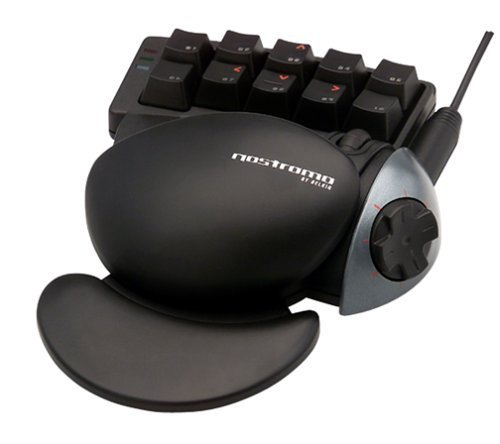
Belkin
Belkin followed up the initial model with the N51 and N52, which look a little more like the modern versions. The Nostromo N52 “Tournament Edition” is the one that I picked up a few years later, and still love dearly. There are a few innovations worth highlighting compared to the initial model: it now has three rows of primary keyboard buttons (though still pretty limited at just 14), a bit of a stagger for your pinky finger, a dedicated space bar and alt button within reach of the thumb, and a removable circular pad to make the D-pad feel more like a joystick.
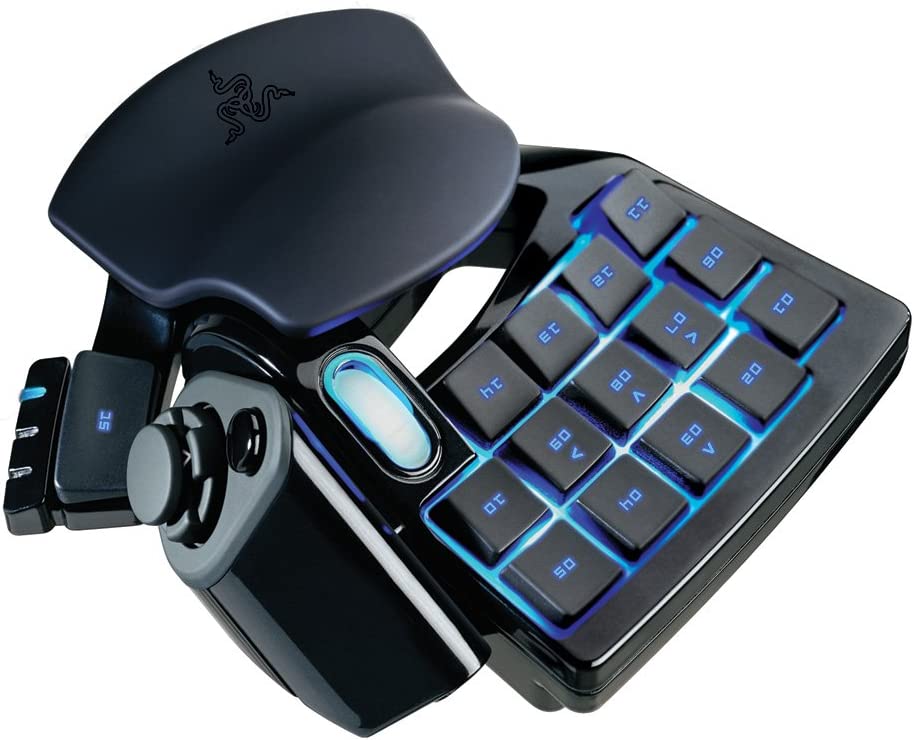
Razer
This model turned heads. It looked futuristic, something that might feel at home in a spaceship cockpit. (In fact, it’s shown up more than once as a sci-fi prop!) It turned some particular heads at Razer, which bought the N52 TE design and rebranded it, unchanged, as the “Razer Nostromo” in 2010. It eventually morphed into its modern brand: the Tartarus. In fact, aside from the extra row of keys and a little more padding, the recent Tartarus V2 looks almost identical to my Nostromo from way back then.
Razer has made so many of these
This family of left-handed keyboards has been iterated and improved upon for 16 years, adding more buttons, full mechanical keys, better software and support, and of course, RGB lighting. It isn’t the only one of its kind — Logitech has tried its hand at one-handed boards with the G13, and I could tell you about approximately a dozen others, from such brands as Wolfking and Hori. They make so much sense, functionally: Not only do they allow for more specific, gaming-oriented ergonomics for keyboard-and-mouse games, they let you use different switches for typing and gaming.
Gaming is such a different activity than normal PC use, why wouldn’t you have different gadgets for it? Unless you’re some kind of crazy person. Writing on the internet. As we do.
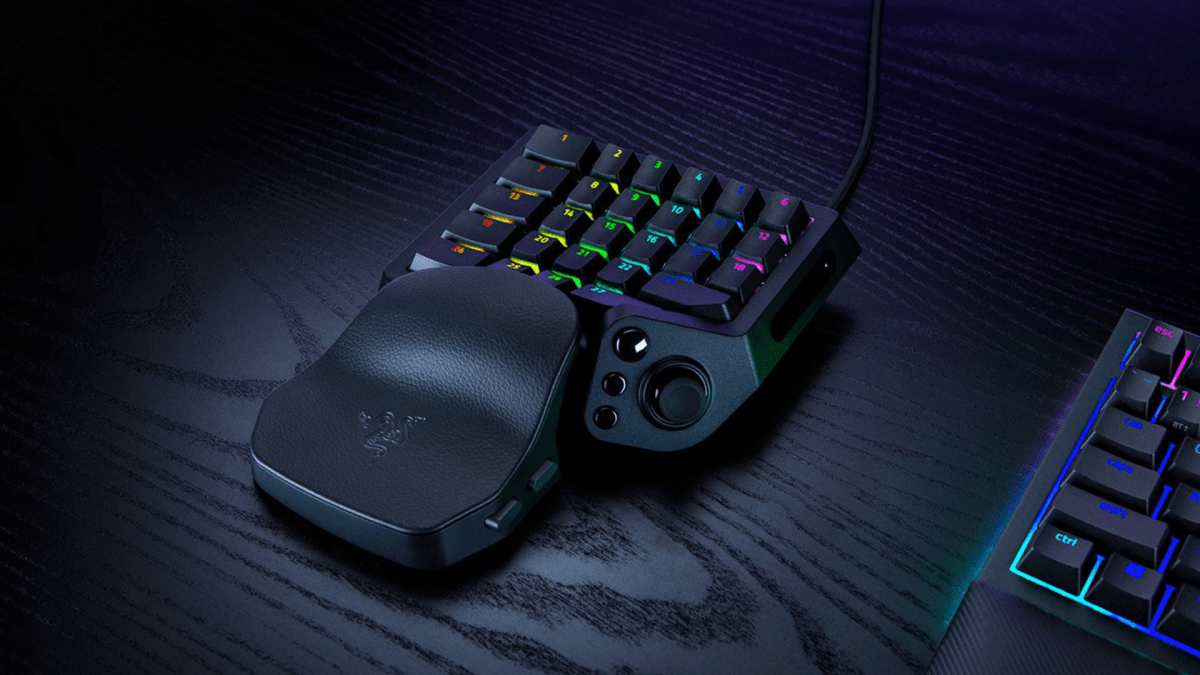
But Razer’s Tartarus remains the most visible example. I might say something dismissive about Razer’s bombastic branding here, but in this particular instance I have to give credit where it’s due. The company has been diligently and patiently improving its one-handed pad for all this time. The latest version is the Tartarus V2 Pro, which costs a whopping $200 (2.5 times the non-pro version).
Razer
That princely sum gets you analog-optical switches with adjustable actuation, an extra column of buttons (now totalling 27), three modifier buttons on the thumb (oddly deleting the space bar), and finally, and a full, console-style analog thumbstick, no D-pad. You get 8khz polling — for literally faster reactions than you can use — and a more adjustable wrist pad.
I don’t love it, frankly. Removing the space bar really cramps the way I like to use these devices, and there’s a lot that I don’t need. But what really rustles my jimmies is that, in a time when absolutely everything is wireless, even keyboards with unnecessary, battery-chugging tiny screens, the Tartarus remains firmly tethered by a giant USB cable. Why?
I’ve continued using these gadgets for almost 20 years now. And all that time, I’ve wanted them to be as wireless as a gaming mouse. I have, at multiple points, literally begged Razer to make me a wireless Tartarus, both in articles and in person to Razer engineers specifically.
This just makes sense, at least to me. A left-handed half-keyboard isn’t something you’re using at a desktop all the time, like a mouse and keyboard. So it needs to get out of the way on a pretty regular basis — say, for my coffee or lunch when I’m working. A big cable sticking out of the front of it is anathema to this.
Michael Crider/IDG
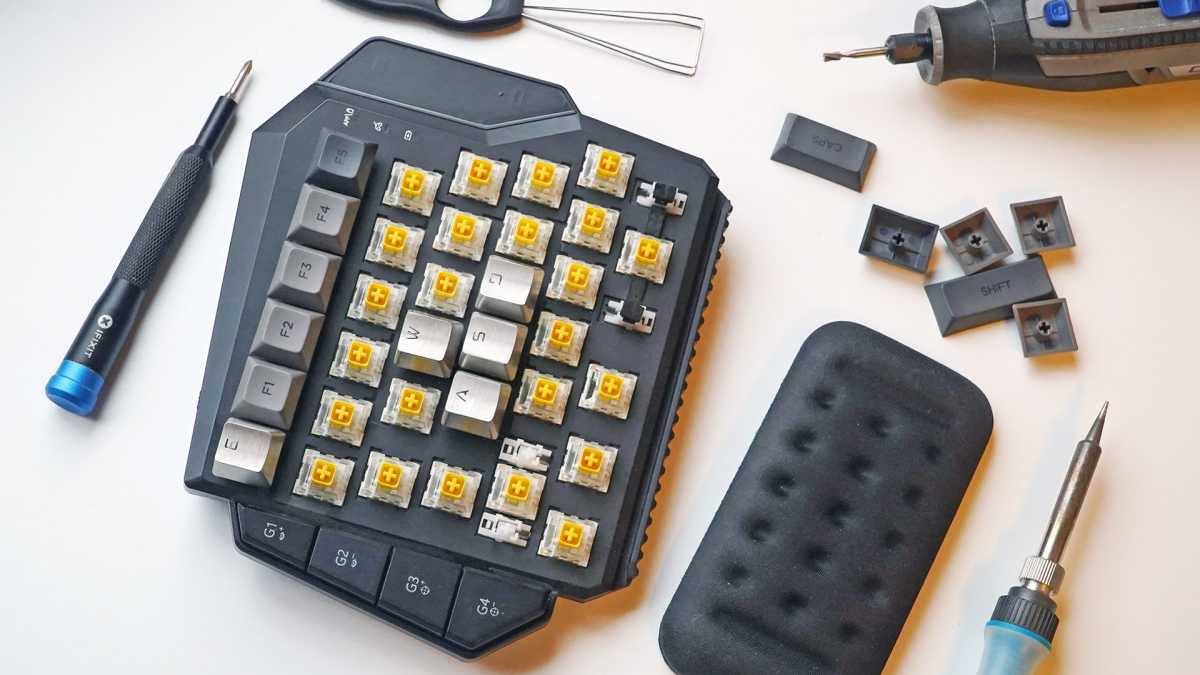
I’ve gone so far in my hunt for a decent one as to actually build my own, or at least modify an existing design (actually intended for quasi-cheating in Nintendo Switch games, if you can believe it!) to work better for my PC setup. Wireless makes sense for the Switch, a device meant to sit 10 feet away from you in docked mode. But because it uses a standard USB wireless receiver, it works for my purposes. You can see my chronicle of this keyboard modification process here.
Allow me to highlight a specific feature that shows why wireless is an important function here: The feet I added to the design are magnetic, so when it’s not in use, it hangs out on my desktop PC case. That frees up valuable space.
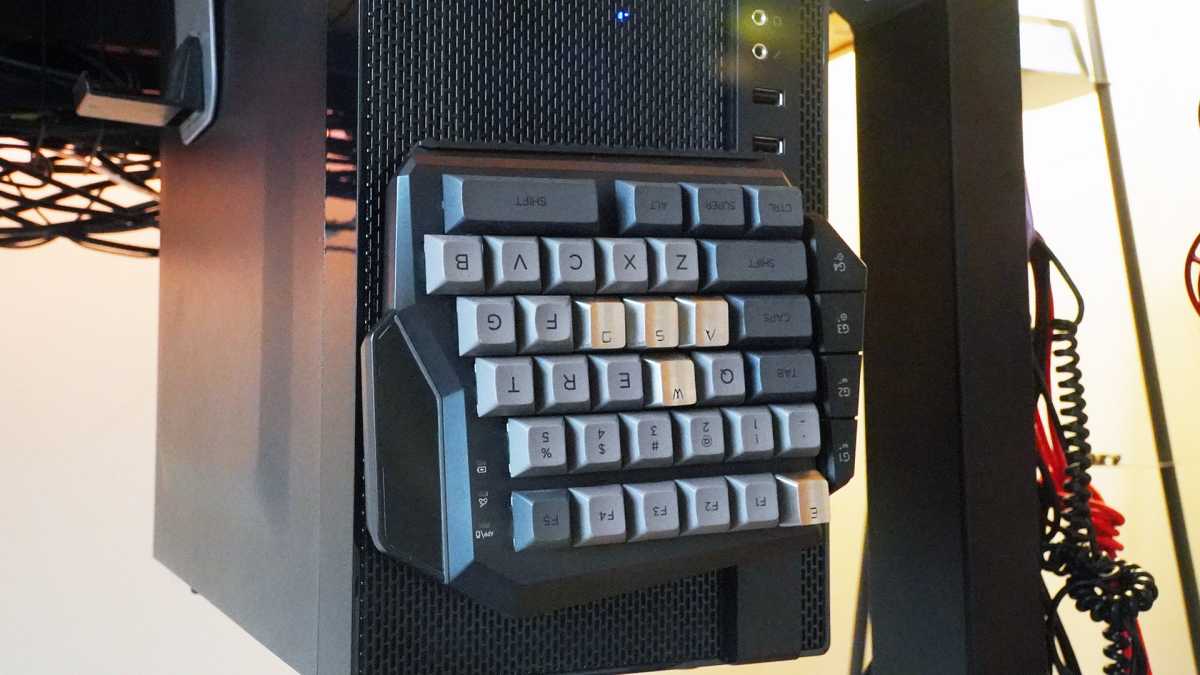
When not in use, I can use those magnetic feet to stick the keypad right on my PC under the desk.
Michael Crider/IDG
That modified GameSir pad is the one I’m still using years later. There are, in fact, a couple of wireless options that do what I want, notably a Redragon design. But that one couldn’t beat my homemade solution, due to an unnecessarily chunky design and some low-quality switches. I’ve kept an eye out for other options in this space, and been generally disappointed — looking at you, Keychron — by a lack of wireless or low-quality parts.
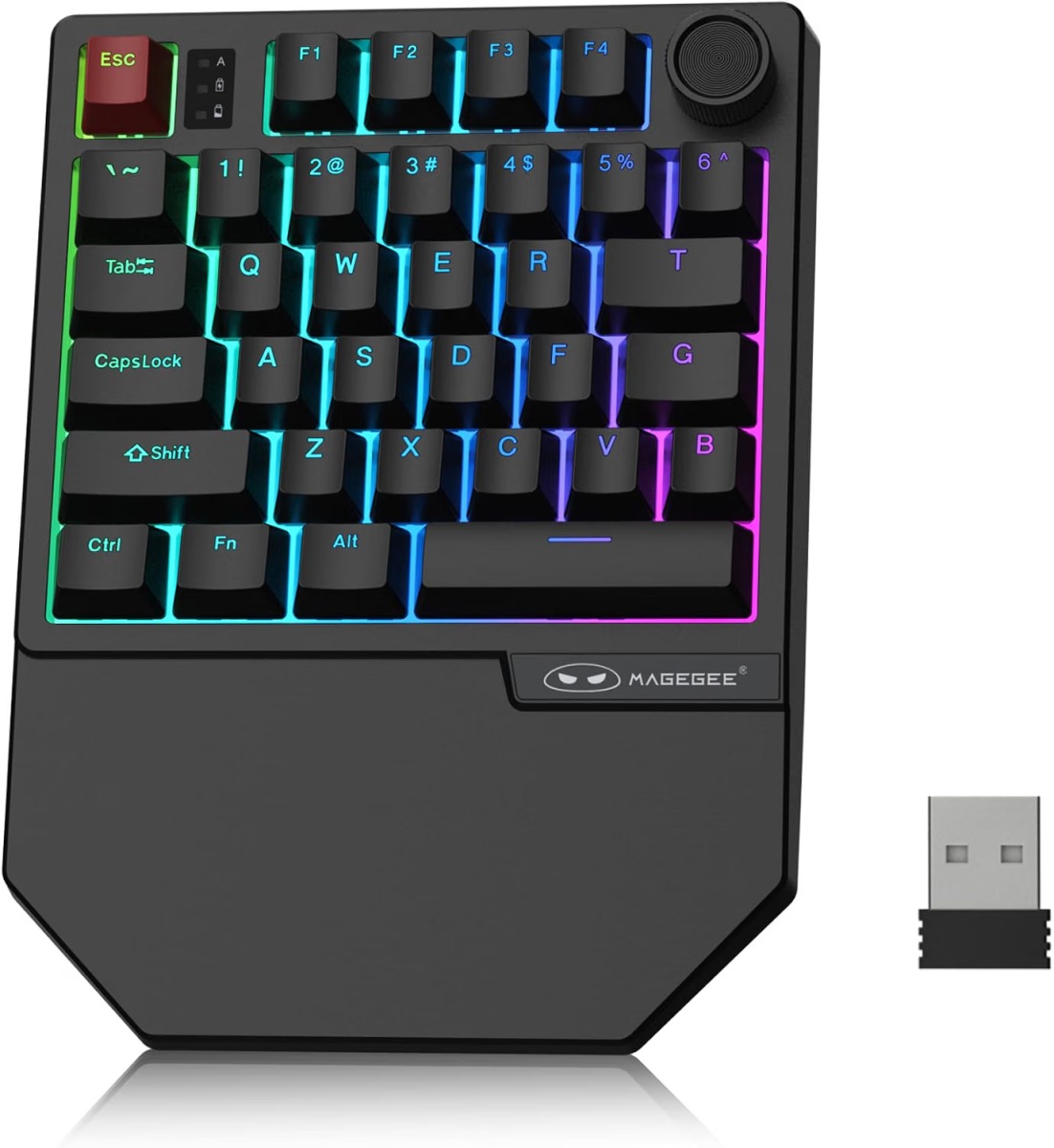
MageGee
With Razer’s newest, stubbornly wired Tartarus, I’ve done another search for my goldilocks one-handed gamepad…which, admittedly, is something I do every couple of months anyway. I spotted this one, which hits all my necessary points on paper except for hot-swap switches. I’ll gamble another thirty bucks on it, we’ll see how it goes.
Cool stuff from around the web
- Ripping out an LG TV’s guts to keep it from spying on you: GamersNexus has had an eye-opening expose on consumer spying in smart TVs. One modder decided to rip it apart to get its “smart” functions out, and just use it as a TV.
- Here’s something I haven’t seen in a while: A “convertible” laptop that can flip its screen over vertically instead of rotating the whole hinge. (Also it’s an interesting VAIO laptop, which I also haven’t seen in a while.) This is the same sort of mechanism Acer showed off in its handheld-laptop combo concept.
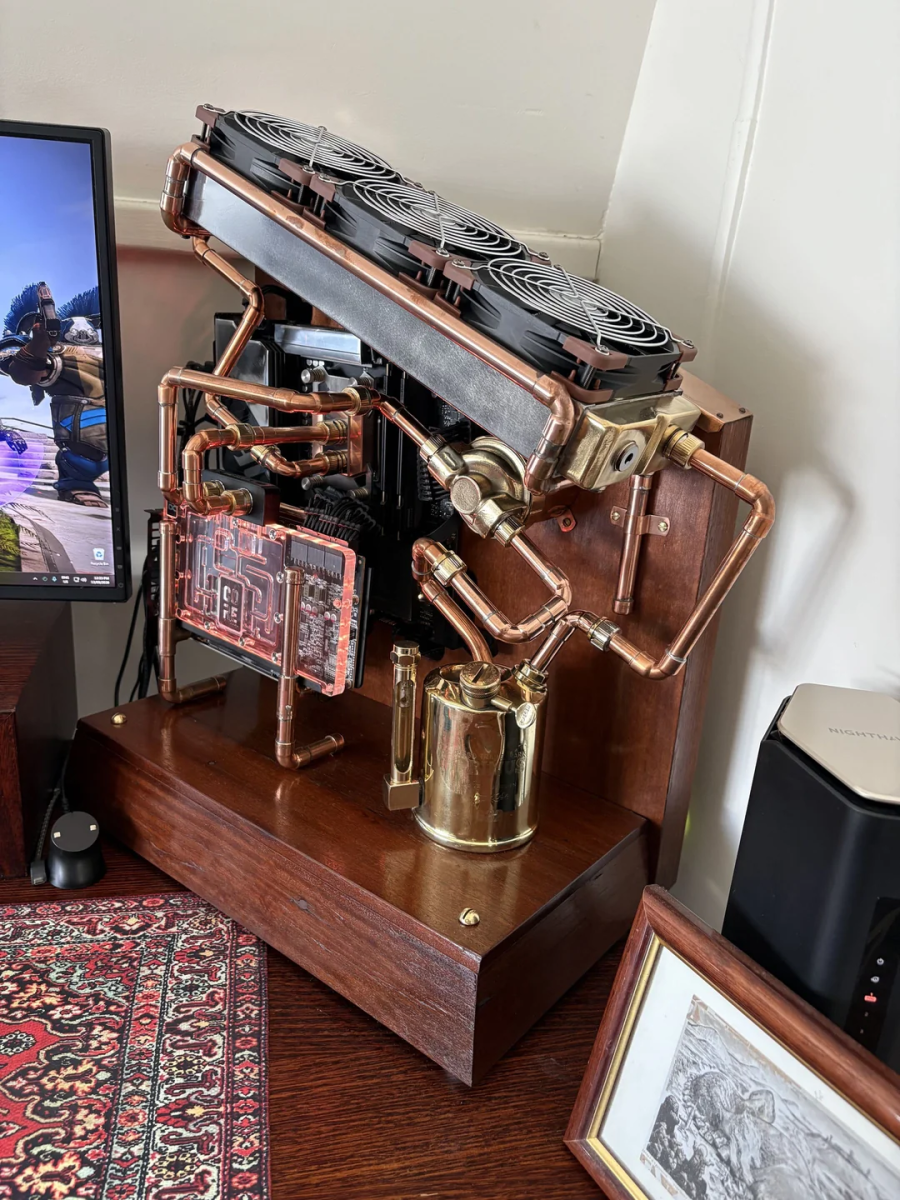
- Look at this awesome steampunk desktop build: Reddit user Old-Mate-Fetus went above and beyond the already-tricky custom cooling loop, building copper piping to accent their own custom wood chassis. Check out that angled GPU mount!
- Microsoft patents a method to show you ads on PC games at any time: You know that annoying “watch an ad to keep playing” feature on free mobile games? Yeah. Get ready for it to come everywhere, as Microsoft seeks to dredge even more dollars out of its paying customers.
- Valve’s Android-to-Steam tool is now open source: Speaking of mobile games, it’s soon going to be easier for Android games to come to Steam, surely as prep work for the ARM-based version of the OS loaded onto the Steam Frame VR headset.
Game pick of the week: Ultimate Epic Battle Simulator 2
Brilliant Game Studios
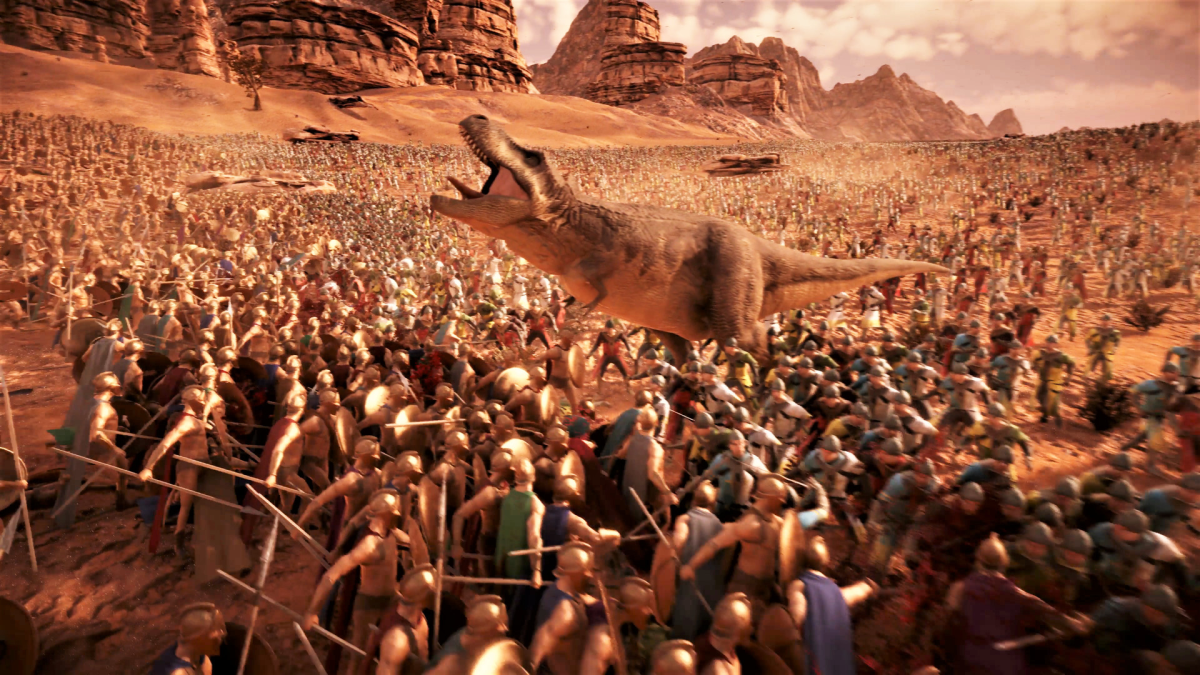
Since it looks like it’s going to be a year or more before we get big GPU upgrades from Nvidia and AMD, why not try to max out the one you’ve currently got in your system? You could just play Cyberpunk with all the sliders to the right, but I prefer something a little more ridiculous. I like to use a beefy GPU to answer that timeless question: Who would win in a fight, a million T-rexes or ten million army dudes?
Ultimate Epic Battle Simulator 2 is basically just a fancier version of a toddler spreading all their toys out on the ground and smacking them together. The truly staggering part of it is its efficiency. With the tuned Unity game engine and a powerful gaming PC, you can visualize literally millions of individual 3D units on a custom battlefield at once. The unit AI and stats are basic, but you can choose the formations. And if you’re bored, you can summon a nuke or a flood like an angry god.
The most fun can be had with the integrated custom units…which of course include tons of unlicensed-licensed characters. I love dropping Godzilla and Saitama into a battlefield to see how much chaff they can get through. Ultimate Epic Battle Simulator 2 is $20 on Steam — wishlist it if you want to save a few bucks, it often goes on sale for half off or more.
That’s all for this week. To get my editorials, news picks, and game recommendations delivered straight to your inbox, you can sign up for Boost Mode on the PCWorld Newsletter hub. Also check out The Full Nerd for more enthusiast-focused goodies, Prompt Mode for AI tips, Safe Mode to keep your PC and gadgets secure, and Smart Mode to boost your productivity.
This articles is written by : Nermeen Nabil Khear Abdelmalak
All rights reserved to : USAGOLDMIES . www.usagoldmines.com
You can Enjoy surfing our website categories and read more content in many fields you may like .
Why USAGoldMines ?
USAGoldMines is a comprehensive website offering the latest in financial, crypto, and technical news. With specialized sections for each category, it provides readers with up-to-date market insights, investment trends, and technological advancements, making it a valuable resource for investors and enthusiasts in the fast-paced financial world.