

At a glance
Expert’s Rating
Pros
- Two 10GbE ports, which can be aggregated via link aggregation
- Four SATA bays, two of which also accommodate U.2 SSDs
- RAM upgradeable to 64GB; ECC modules supported
- Metal chassis, magnetic dust filter, quiet fan
- UGOS Pro with Docker, VMs, and AI photo search
Cons
- Full volume encryption not available
- Only 8GB of DDR4 installed as standard
Our Verdict
The DXP4800 GT is not a refreshed DXP4800, but a completely new design. Two 10GbE ports, U.2-compatible bays, and a second free RAM socket set it apart from its in-house Intel counterparts. The Ryzen Embedded R2514 offers plenty of headroom for containers and a virtual machine without exceeding reasonable power consumption limits. UGOS Pro runs smoothly and offers a wide range of apps. The lack of volume encryption remains the most notable shortcoming. On offer for under $600 without hard drives, you get a lot of NAS for your money.
Price at time of review
This value will show the geolocated pricing text for product undefined
Best Price Today
Price When Reviewed
$560
Best Prices Today: Ugreen NAS DXP4800GT

Ugreen is rapidly expanding its NASync series. The DXP4800 GT is the first model in the range to feature an AMD processor and sits between the budget DH models and the more expensive iDX series, such as the NASync iDX6011 Pro. With four drive bays, two M.2 slots, and two 10GbE ports, the DXP4800 GT is also aimed at more demanding home and small business users.
Michael Rupp
Design and build quality
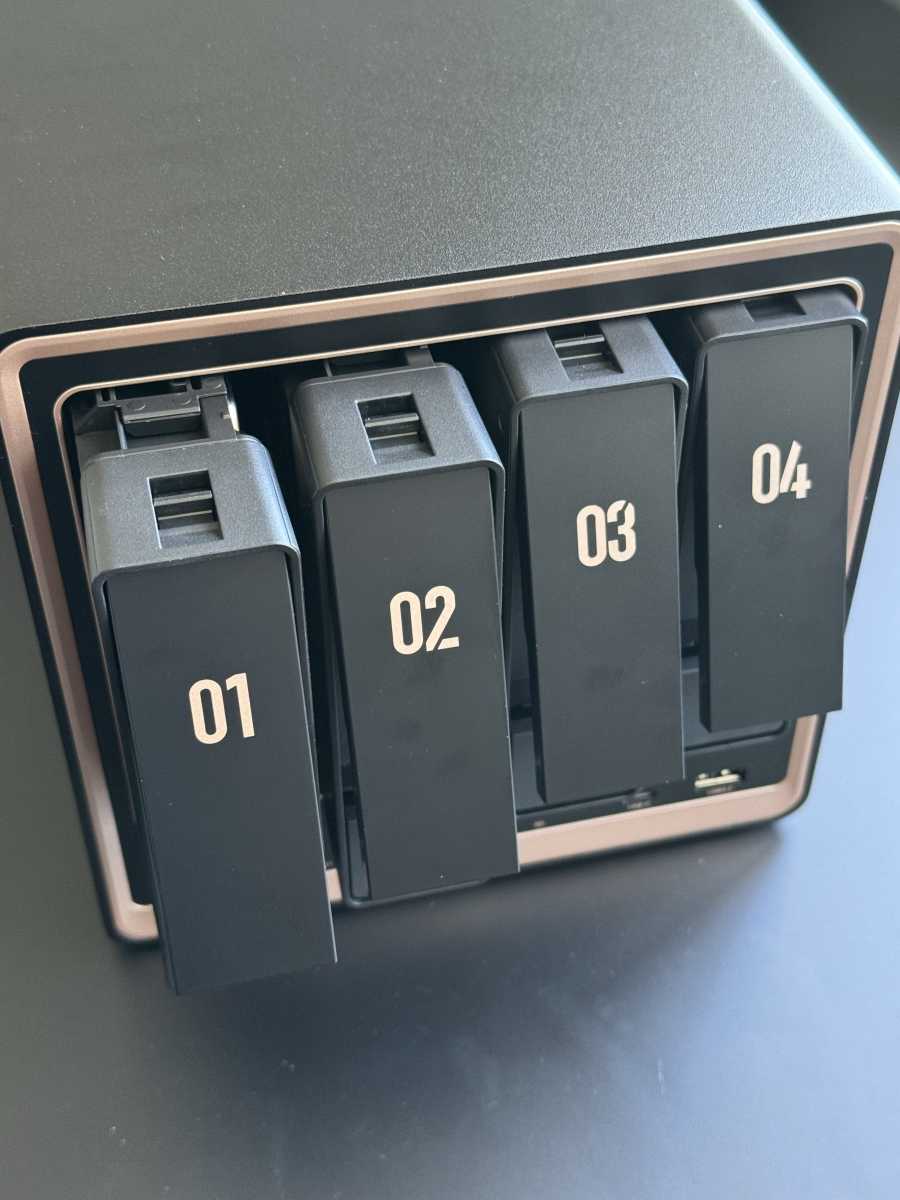
The case is made entirely of metal and is correspondingly heavy. Ugreen has retained the familiar rectangular design of the DXP series, but has added a copper-colored frame around the four drive bays. This design feature distinguishes the GT from its black-trimmed sister models at first glance. The gaps are even, and nothing creaks. Large rubber feet dampen the vibrations from the hard drives.
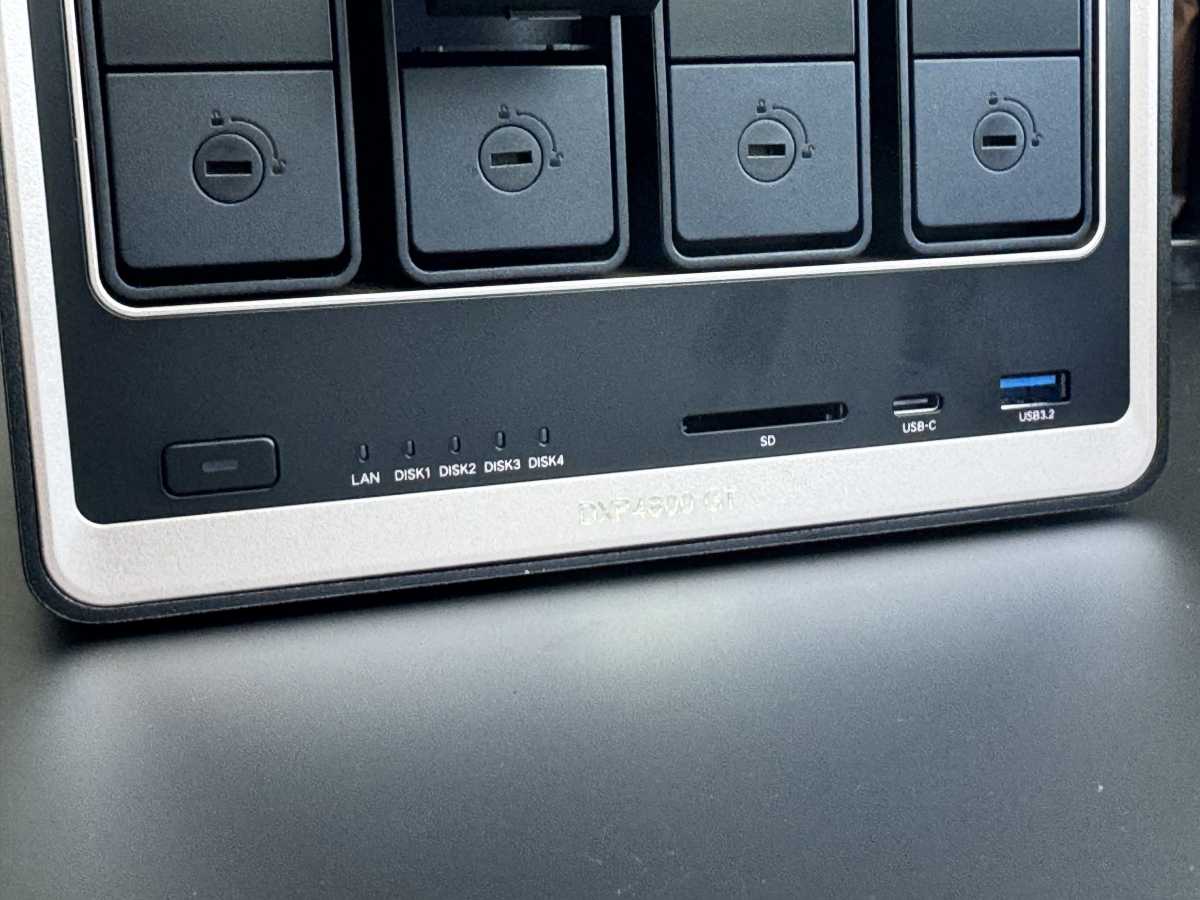
The front is divided into four numbered bays and a narrow connection panel. Each bay can be locked using the key provided. Pressing the mechanism at the top unlocks the flap and pushes it out slightly. The power button is located on the left, next to which are five status LEDs for the network and the four drives.
Michael Rupp
Next come an SD card reader compliant with the SD 3.0 standard, a USB-C port, and a USB-A socket. Both operate at speeds of up to 10Gbit/s, which noticeably speeds up the transfer of camera footage.
Michael Rupp
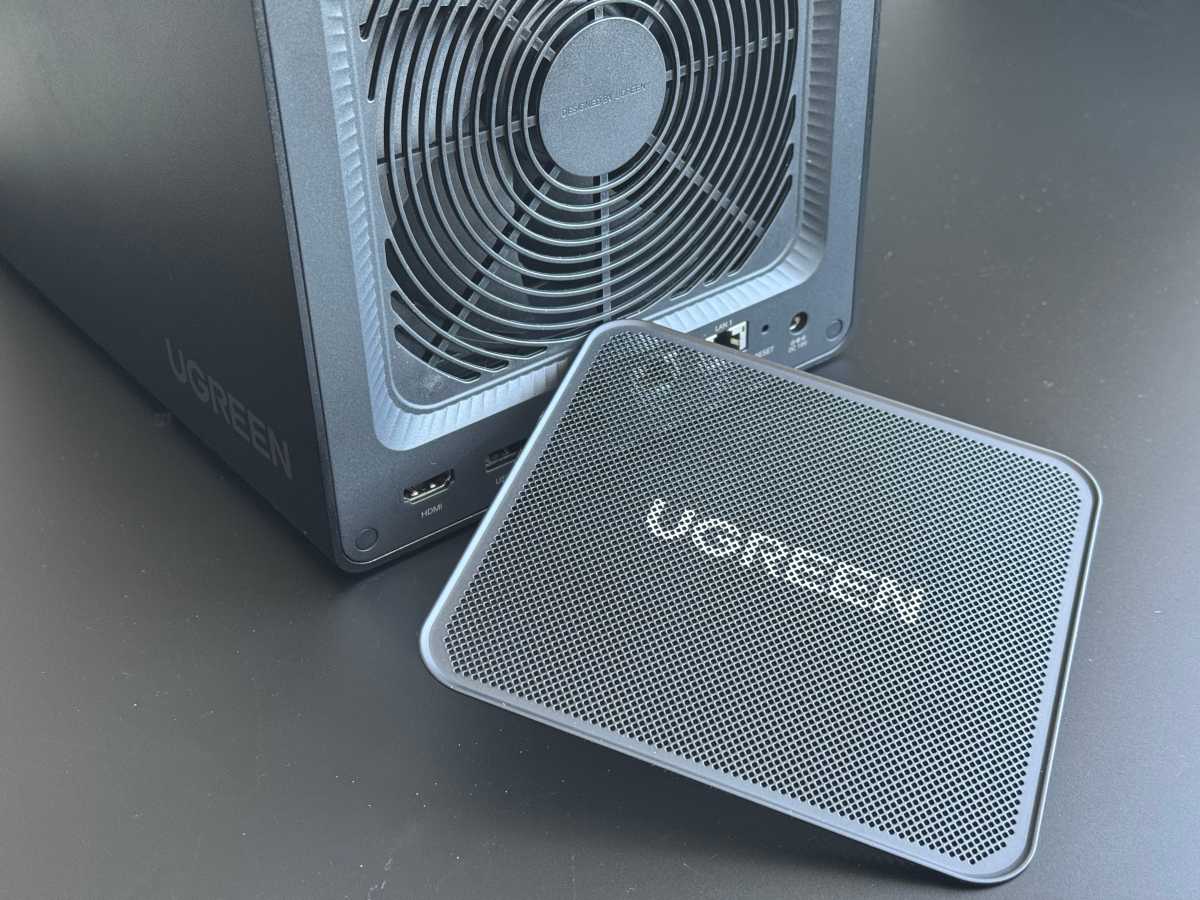
The rear is dominated by a 140mm fan behind a magnetically secured grille. The grille acts as a dust filter and can be removed without tools.
Michael Rupp
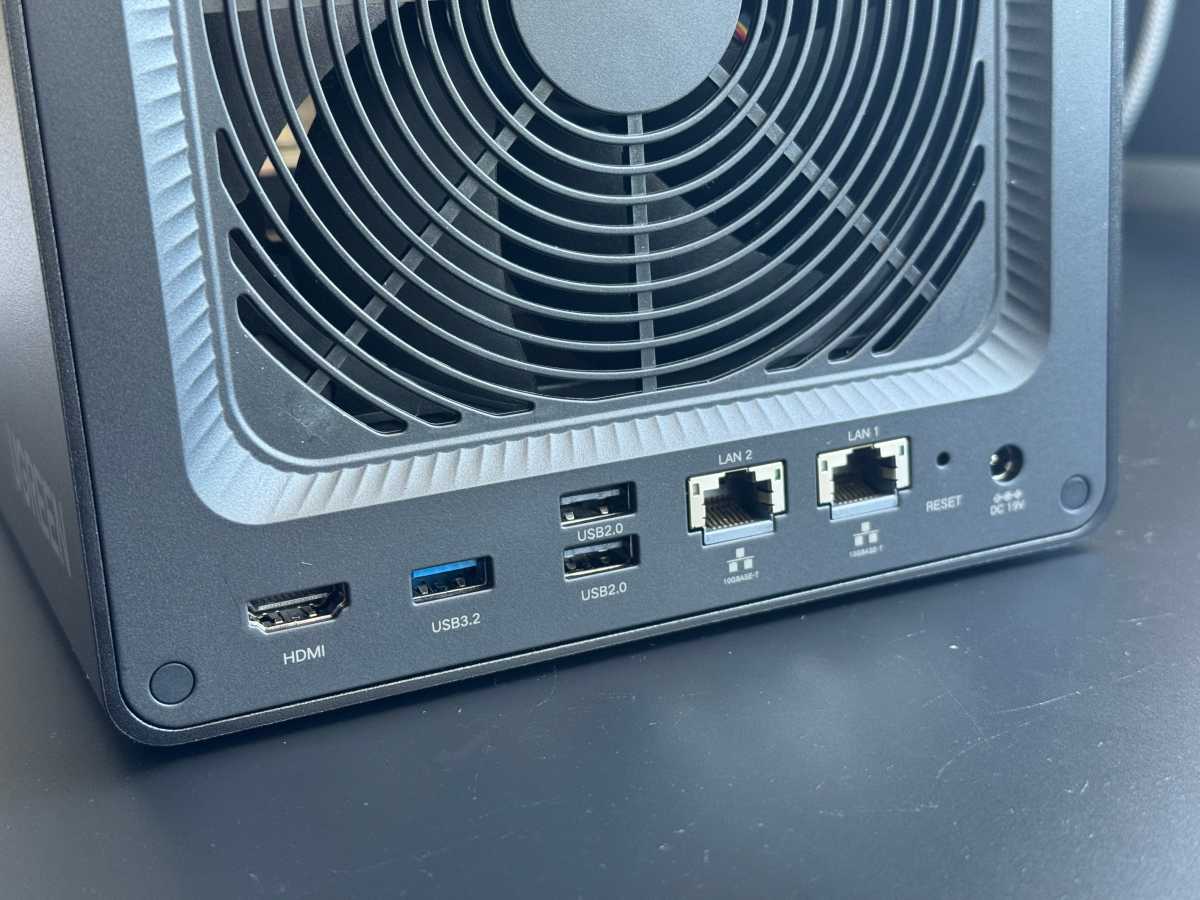
Below this are an HDMI 2.0b port, a USB-A port compliant with USB 3.2 Gen 2, two USB 2.0 sockets, the two 10GbE ports, a recessed reset button, and the power supply input.
Michael Rupp
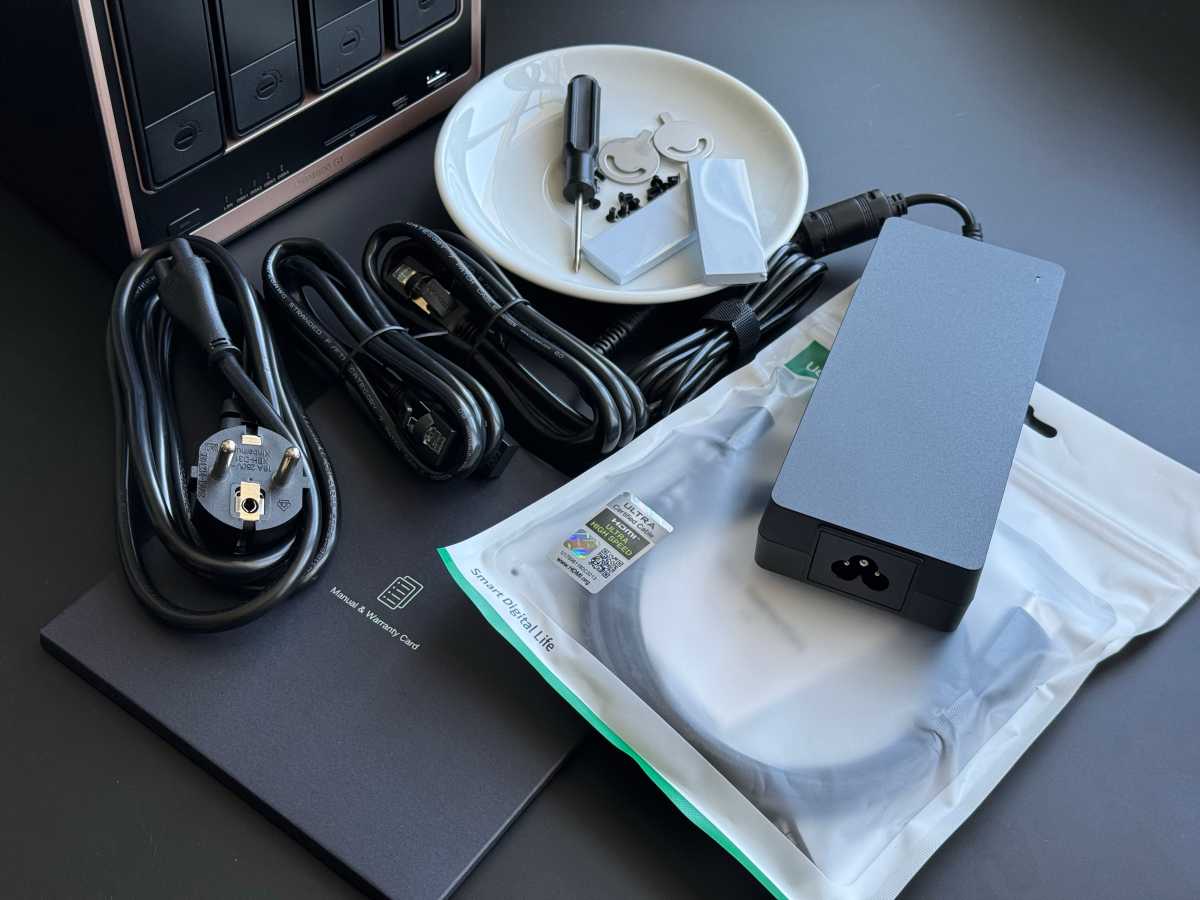
On the underside, a flap secured with two screws conceals the service compartment. Behind it are two SO-DIMM sockets and two M.2 slots in the 2280 format. Both components are easily accessible. A screwdriver is included, along with screws for 2.5-inch drives and two thermal pads for the NVMe SSDs.
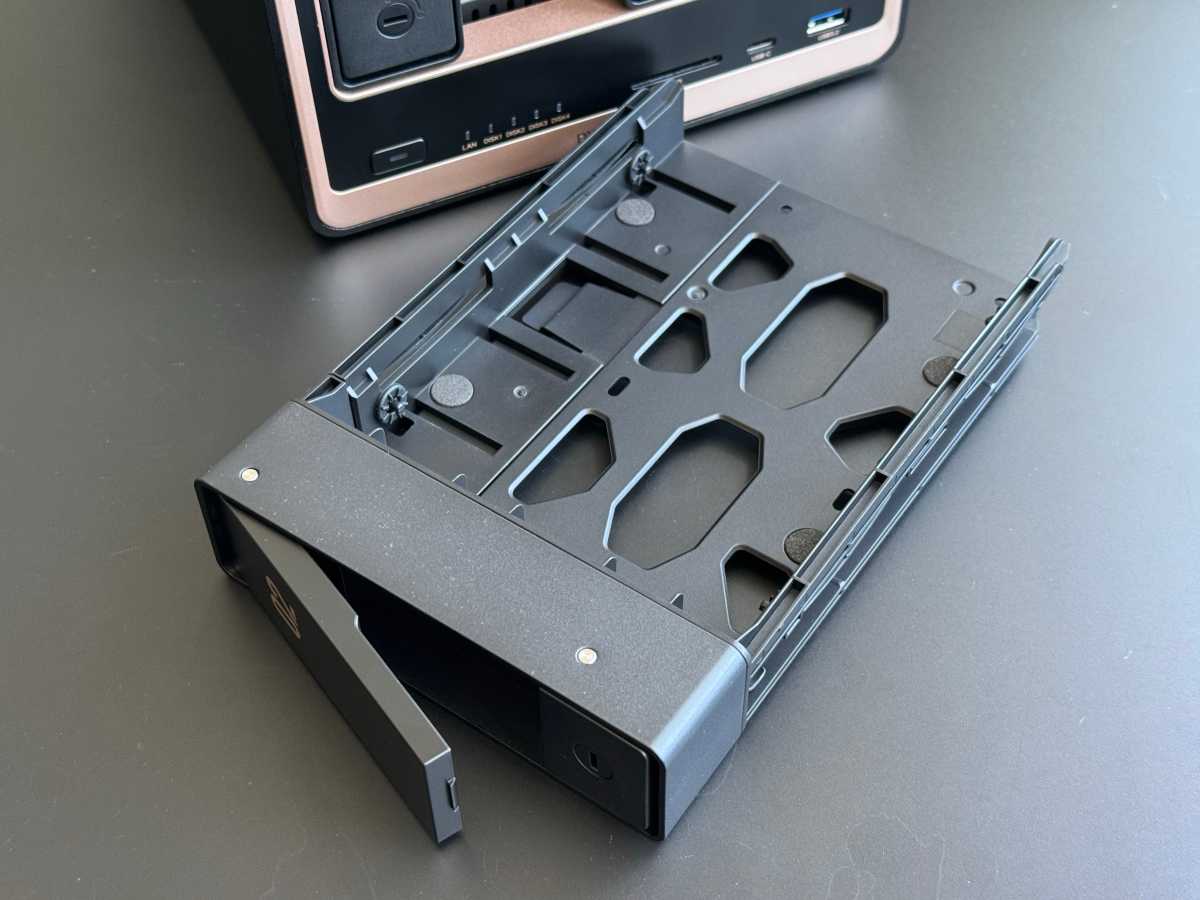
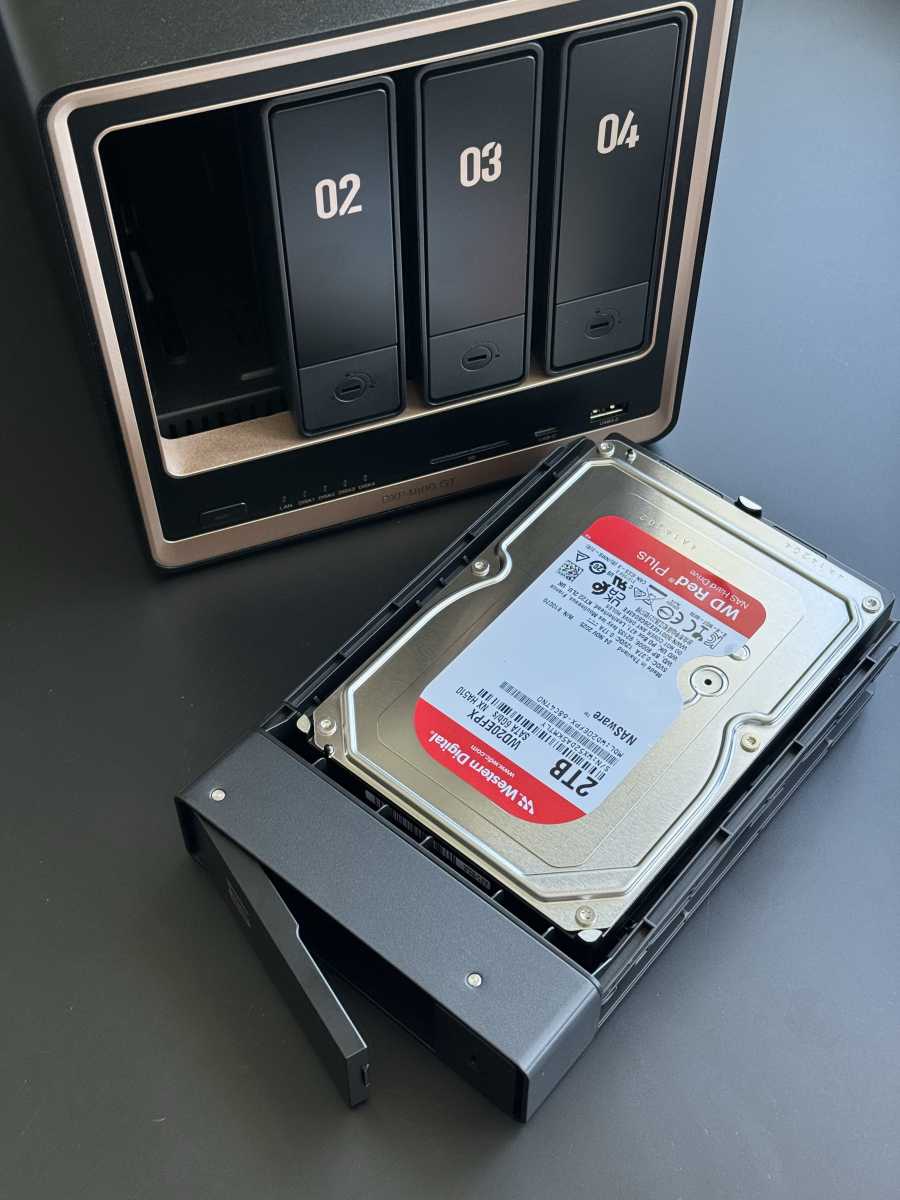
The drive trays are made of metal with a plastic handle. 3.5-inch hard drives can be clamped in place without tools between two side rails, while smaller drives are secured with screws. Once all four frames have been removed, the backplane with its four SATA ports becomes visible. Behind it sits the fan, which blows air through the bays. The build quality and choice of materials are on a par with significantly more expensive devices.
Michael Rupp
Specifications
At the heart of the system is an AMD Ryzen Embedded R2514. This quad-core processor is from the Zen+ generation, handles eight threads, and has a clock speed ranging from 2.1- to 3.7GHz. The configurable TDP of 12 to 25 watts allows for a design optimized for both power consumption and performance.
The integrated Vega graphics handle the hardware transcoding of H.264 and H.265. The Vega graphics offer sufficient capacity for individual hardware-accelerated transcoding tasks; we have not tested multiple parallel 4K streams.
Ugreen equips one of the two SO-DIMM sockets with 8GB of DDR4-3200 RAM as standard. The second remains free; officially, up to 64GB is possible. Suitable ECC modules should be used to ensure consistent ECC operation. The operating system is stored on a separate 64GB eMMC storage device and does not take up any space on the data storage drives.
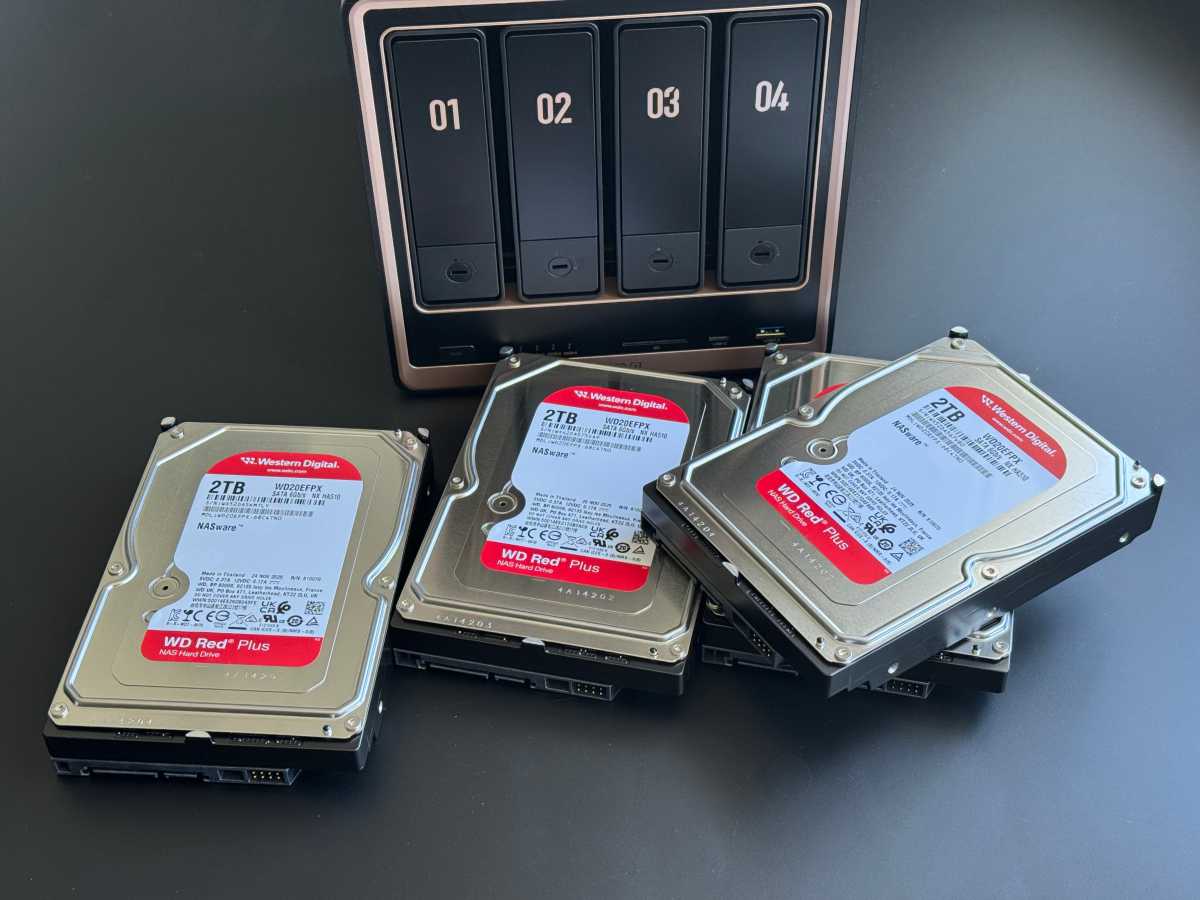
Four SATA bays accommodate hard drives with capacities of up to 32TB. Compared to previous DXP models, bays 1 and 2 also support U.2 NVMe SSDs. U.2 SSDs are primarily used in the enterprise sector and are designed for high sustained workloads and high IOPS. In addition, there are two M.2 slots with PCIe 3.0 x2 for SSDs up to 8TB. These serve as a read cache or as a separate high-speed pool.
Michael Rupp
According to Ugreen, a maximum gross capacity of 144TB is possible with four 32TB SATA drives and two 8TB M.2 SSDs. 32TB NAS hard drives are still expensive at present and, depending on the model and retailer, are available for well into four figures or just below that.
A significantly cheaper option per system at present is, for example, four WD Red Plus drives, each with 8TB, costing around $1,400 in total, which provide just under 24TB of usable storage in a RAID 5 configuration. Those looking for a more affordable option can opt for Seagate IronWolf or Toshiba N300 drives with 4TB. Our test unit is fitted with four WD Red Plus drives, each with 2TB.
The biggest leap is in the networking. Two 10GbE sockets with an Aquantia AQC113 controller can be bundled for speeds of up to 20Gbit/s or configured as separate segments.
Power is supplied by an external 150-watt power supply with a barrel plug. The box also contains two Cat-7 patch cables and an HDMI cable.
What the NAS OS can do
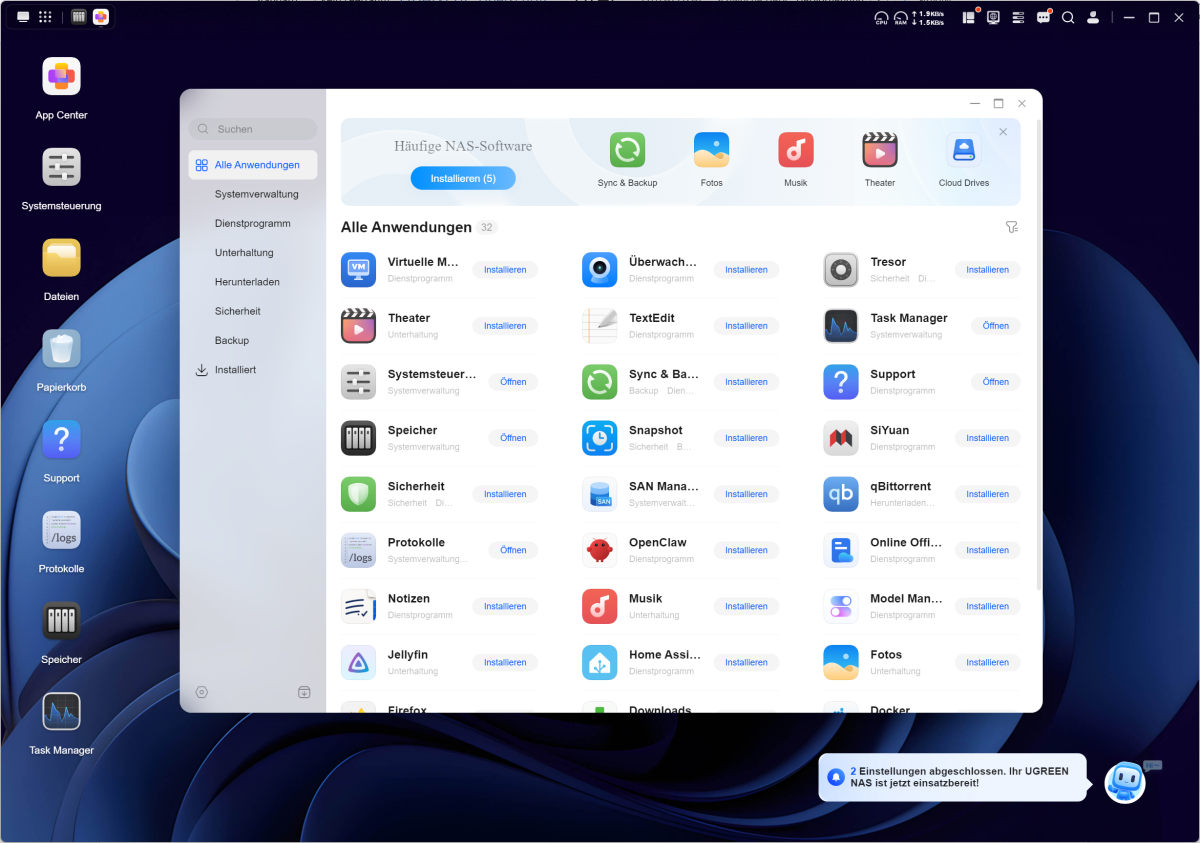
UGOS Pro is based on Debian and operates like a streamlined desktop. Windows can be moved and arranged side by side. In the top right-hand corner, a status bar widget displays CPU and RAM usage as well as the current network throughput. Anyone coming from Windows will find their way around within minutes.
At the time of testing, there were 32 applications available in the App Center. Ugreen provides its own apps for photos, music, videos, and backups. These are joined by Snapshot, Vault, SAN Manager and Surveillance Center, among others. Other applications come from the open-source community, including Jellyfin, Home Assistant, and qBittorrent. Installation is a one-click process; the system resolves any dependencies automatically.
Michael Rupp
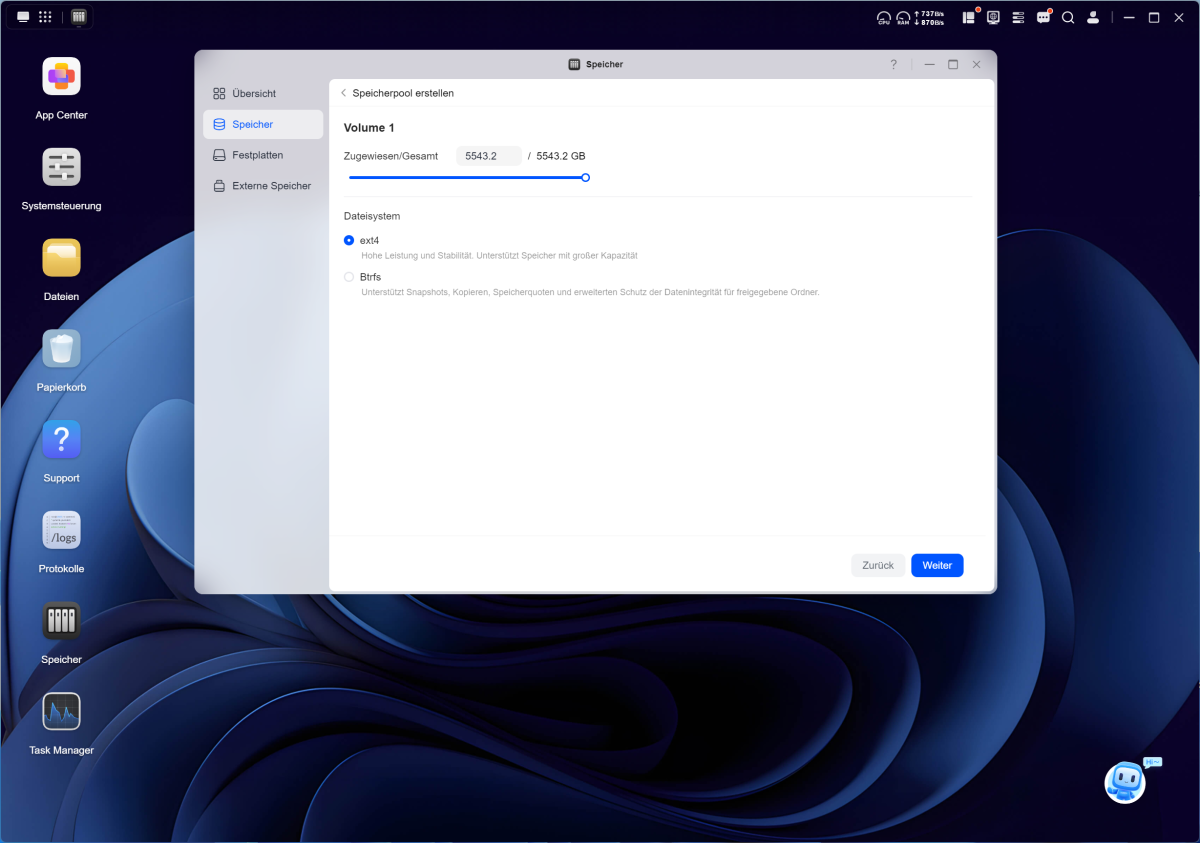
Btrfs and ext4 are the file systems to choose from. Btrfs includes snapshots and checksums and is the better choice for most users. The storage management system continuously monitors S.M.A.R.T. values and reports any anomalies via email or push notifications.
UGREENlink is used for remote access. The service establishes a connection without a static IP address or port forwarding and incurs no extra cost. Two-factor authentication is included, as is a firewall with geo-blocking.
One shortcoming remains: UGOS Pro still does not encrypt entire volumes or storage pools. However, a new feature is the ability to encrypt individual shares. While this improves protection for sensitive or business data, it does not replace the need for full encryption of the entire storage system.
Setup and commissioning
Fitting the hard drives takes less than five minutes. You press the flap at the top edge of a frame, pull it out, and remove the plastic rail. Insert the 3.5-inch drive with the circuit board facing downwards, then the rail snaps back into place over the mounting holes. No screwdriver is required, and the drive fits neatly into place.
Michael Rupp
2.5-inch drives, on the other hand, are secured with screws from below. You then slide the frame into the base as far as it will go and lock it in place with the key.
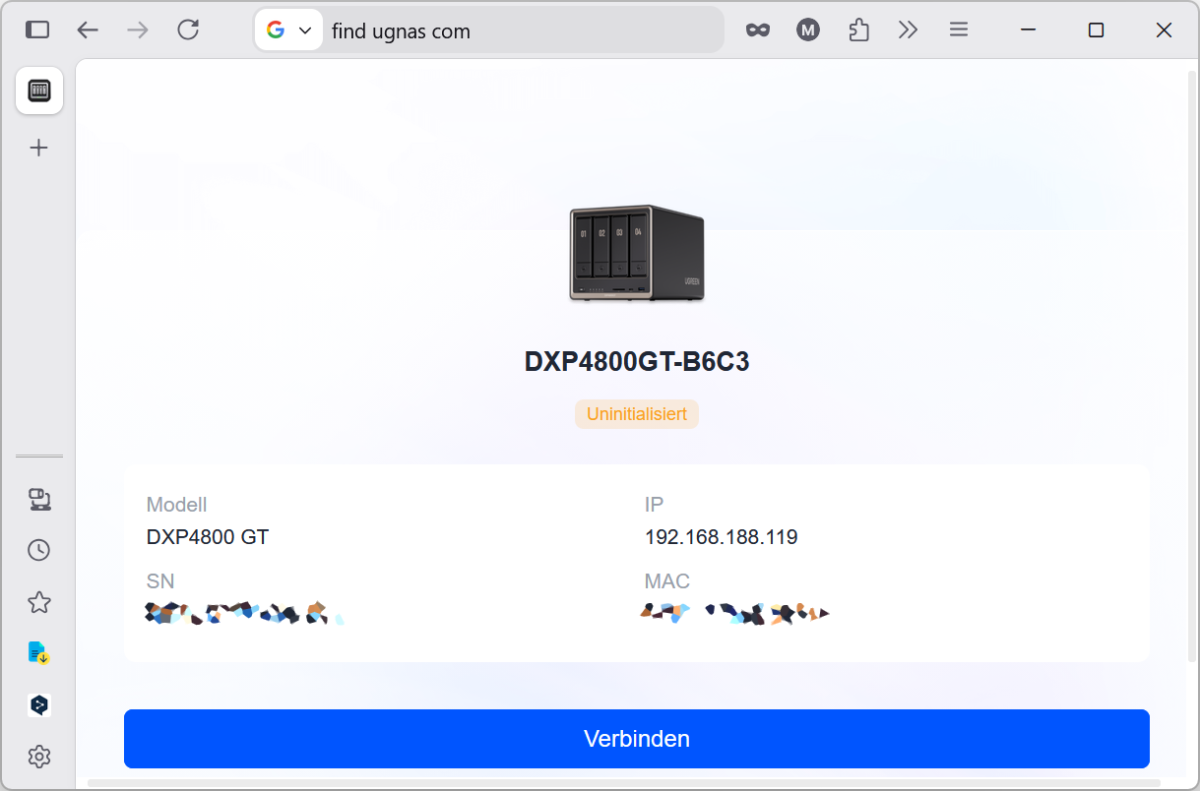
After switching on, open the URL find.ugnas.com in your browser. The tool locates the NAS on the local network and displays the model, serial number, MAC address, and IP address.
Michael Rupp
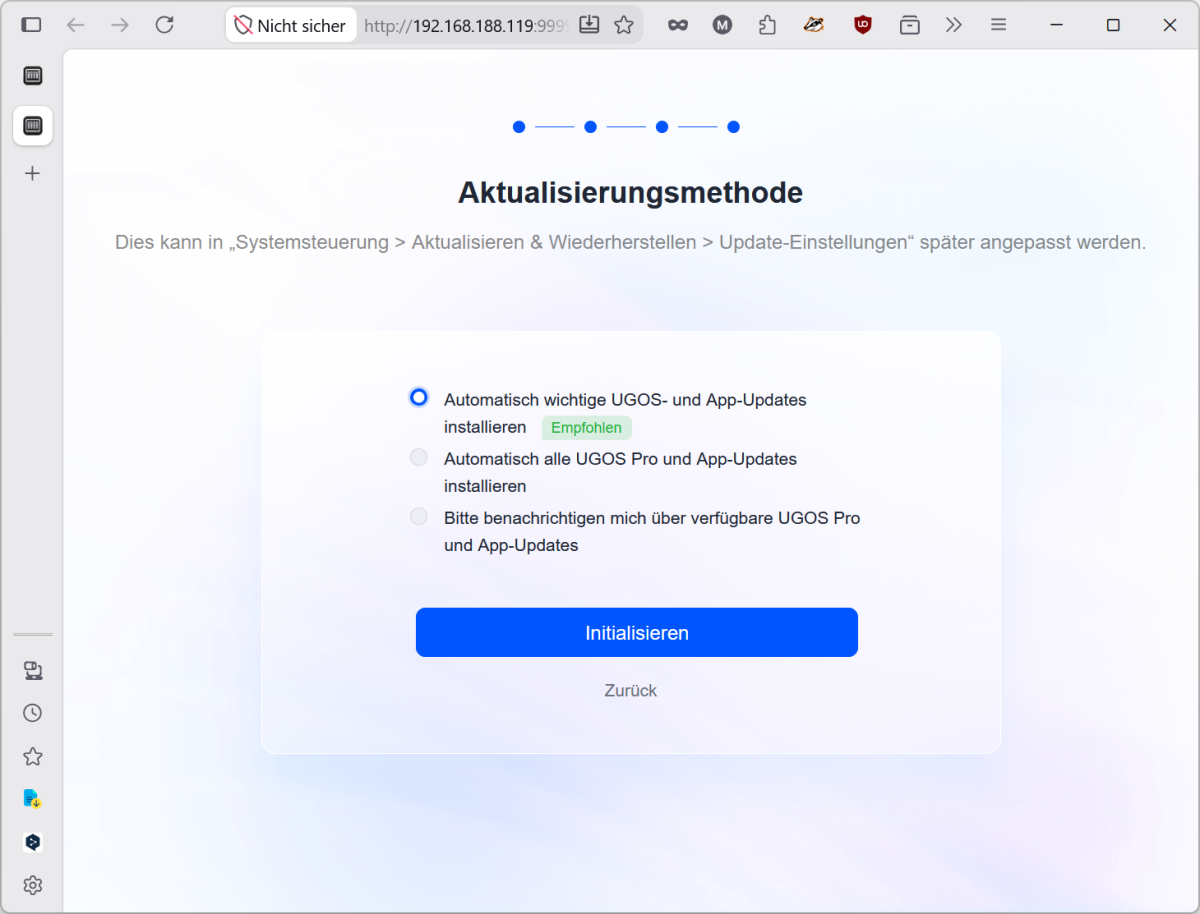
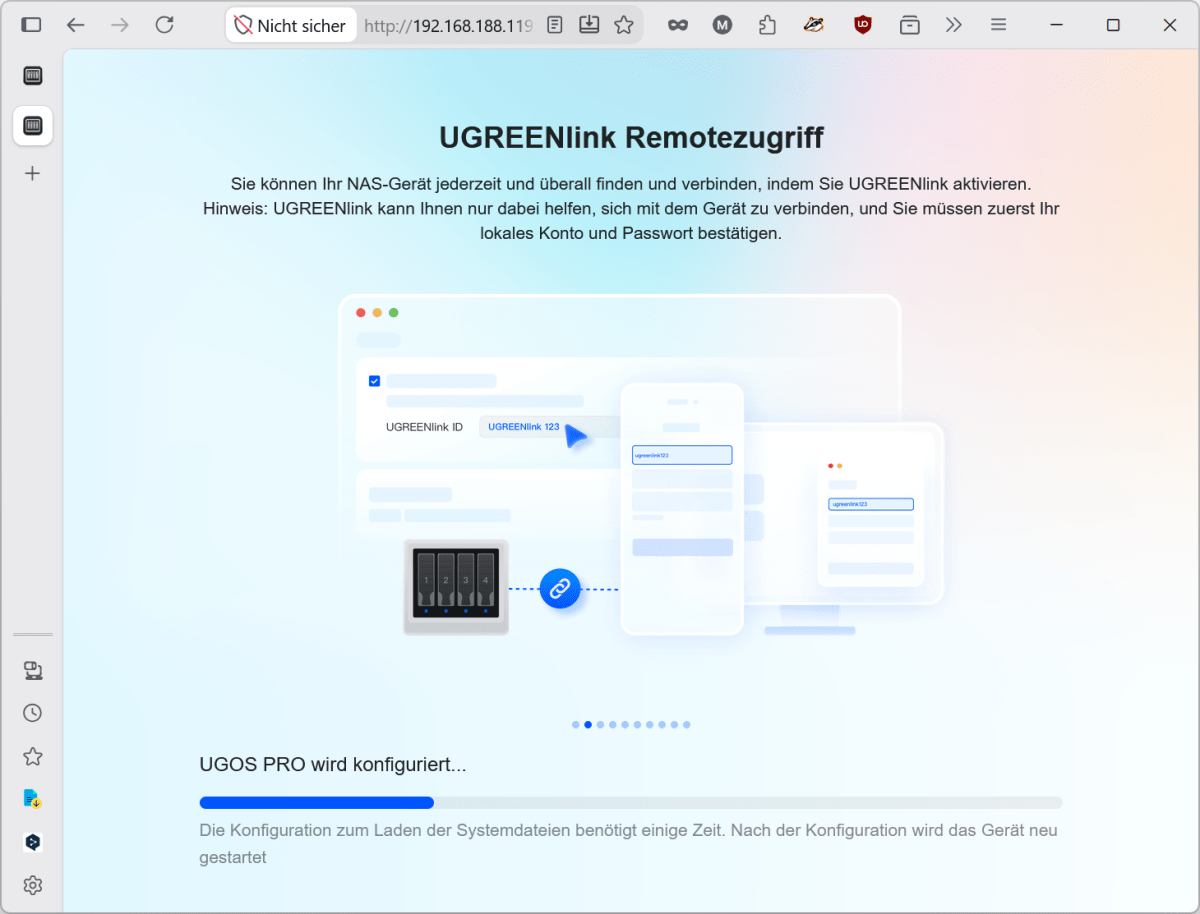
Clicking ‘Connect’ takes you to the wizard. Here, you create the administrator account, select the update strategy, and, if desired, enable UGREENlink. The basic configuration, including a restart, took around 15 minutes.
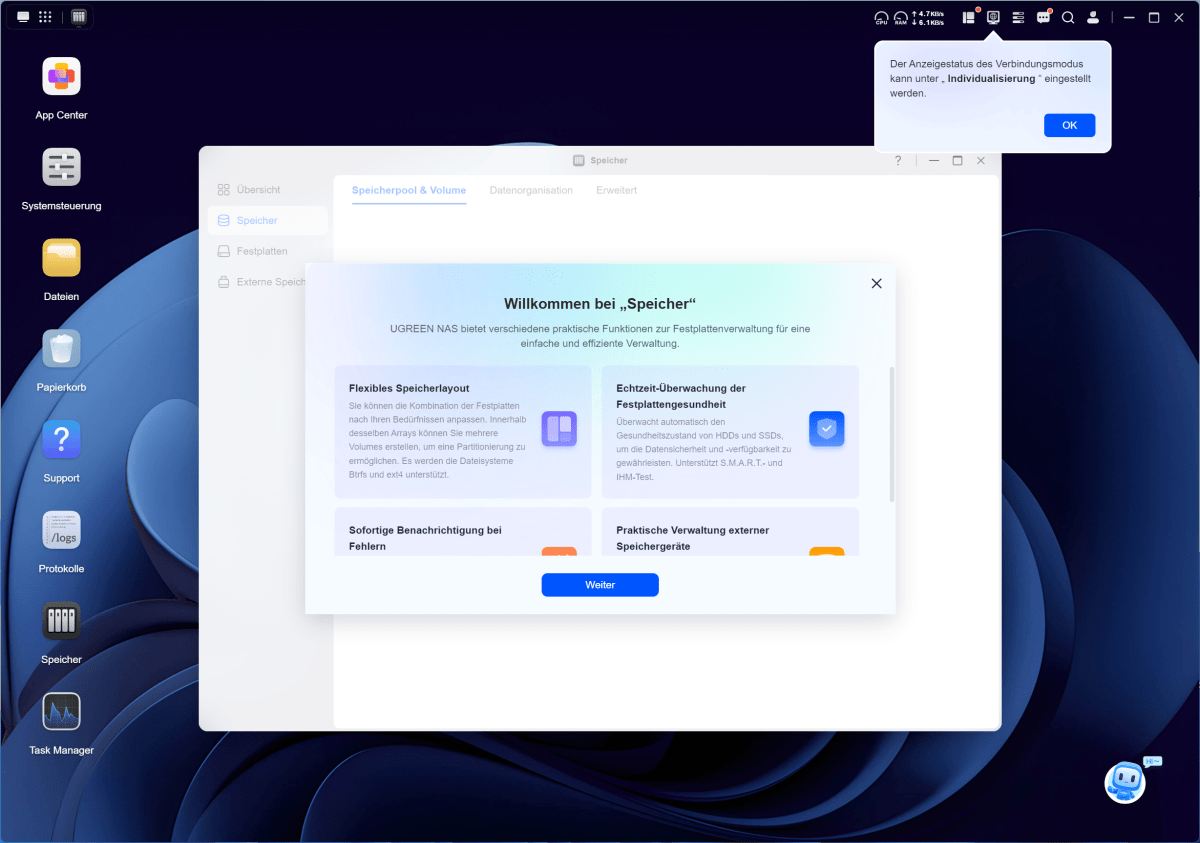
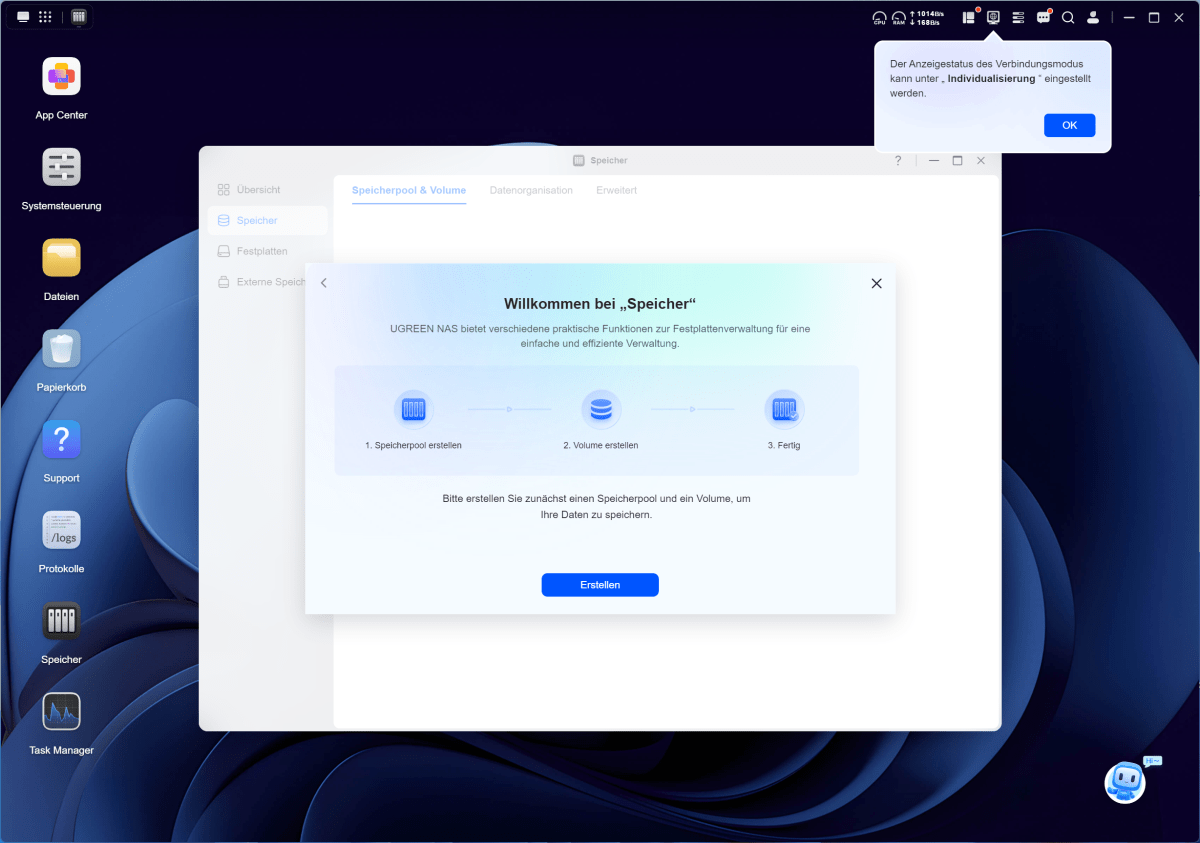
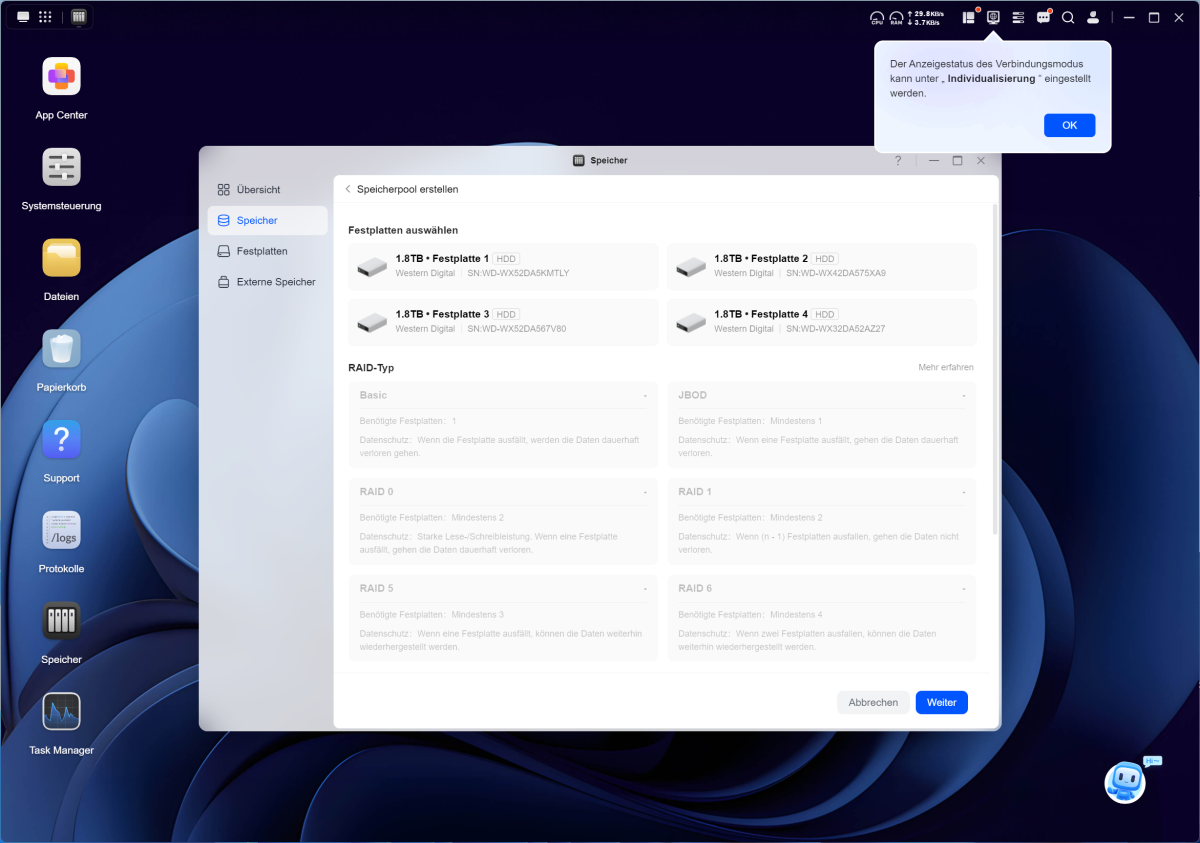
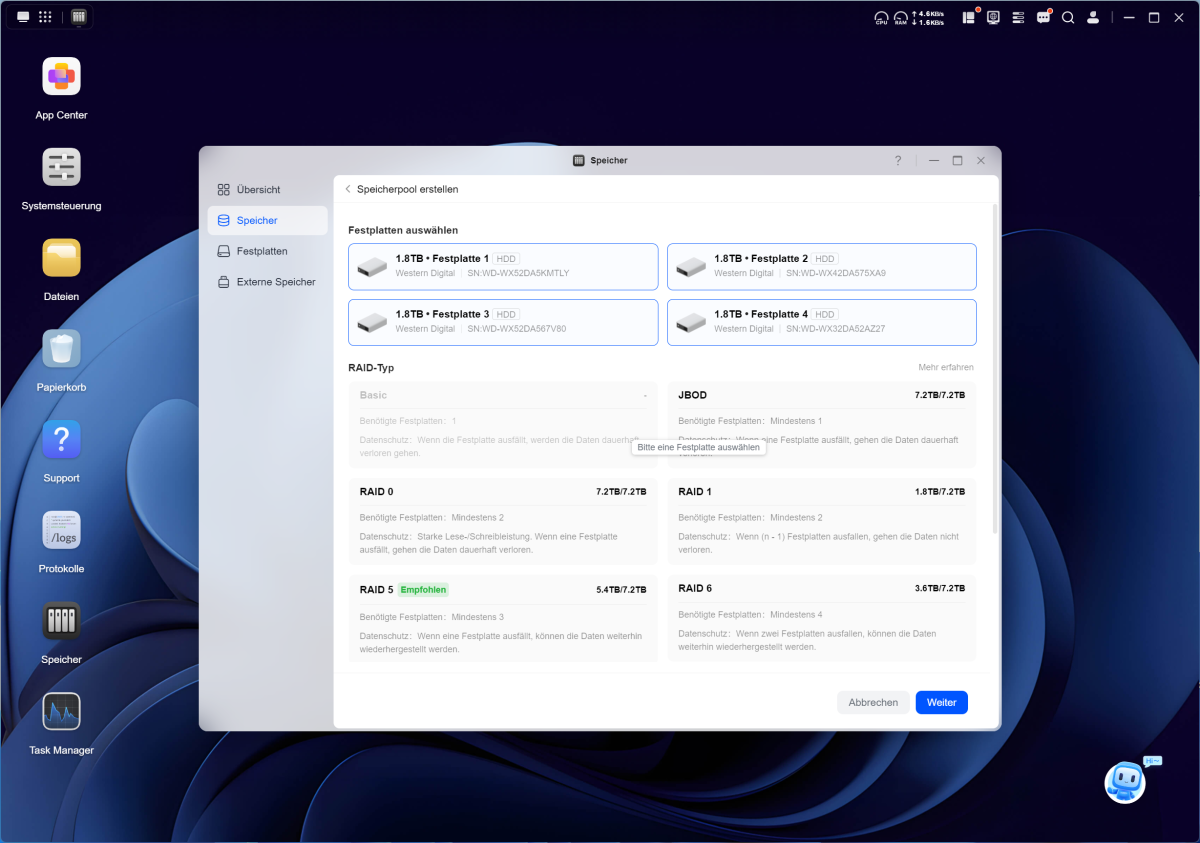
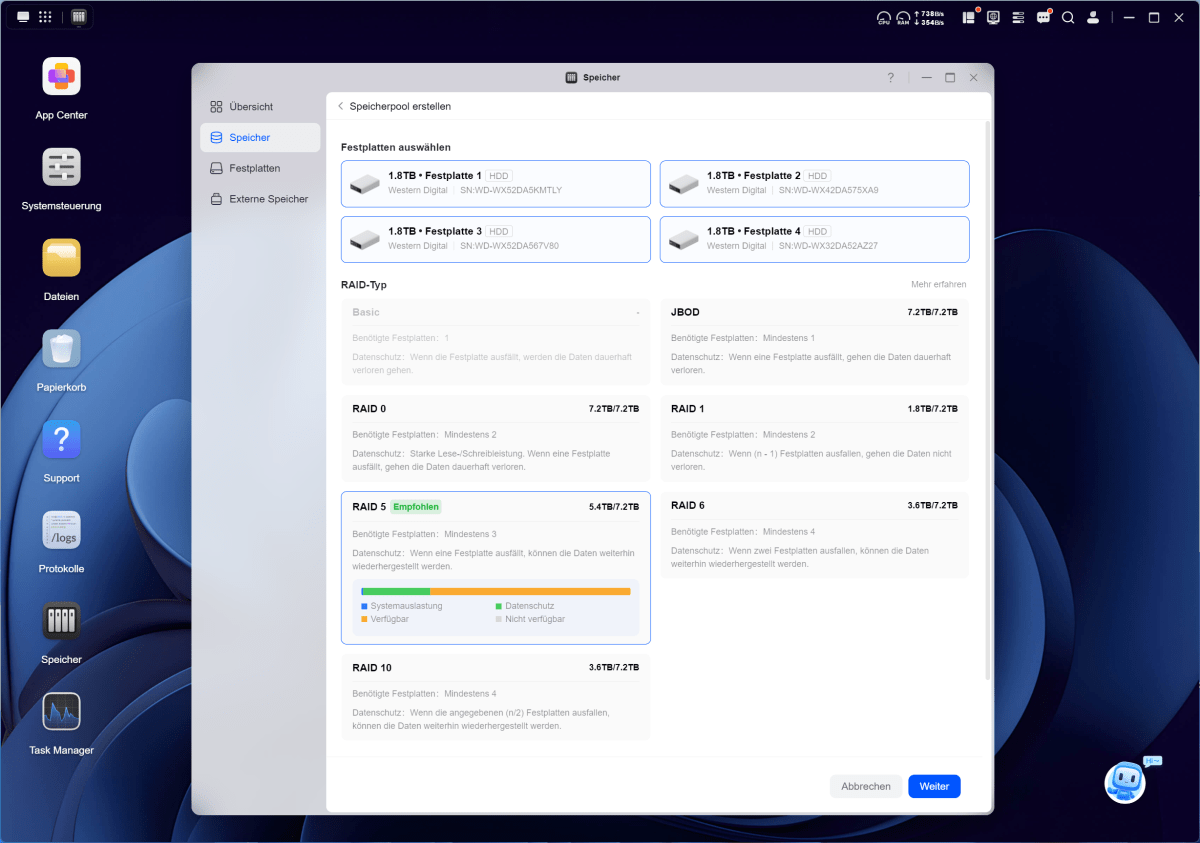
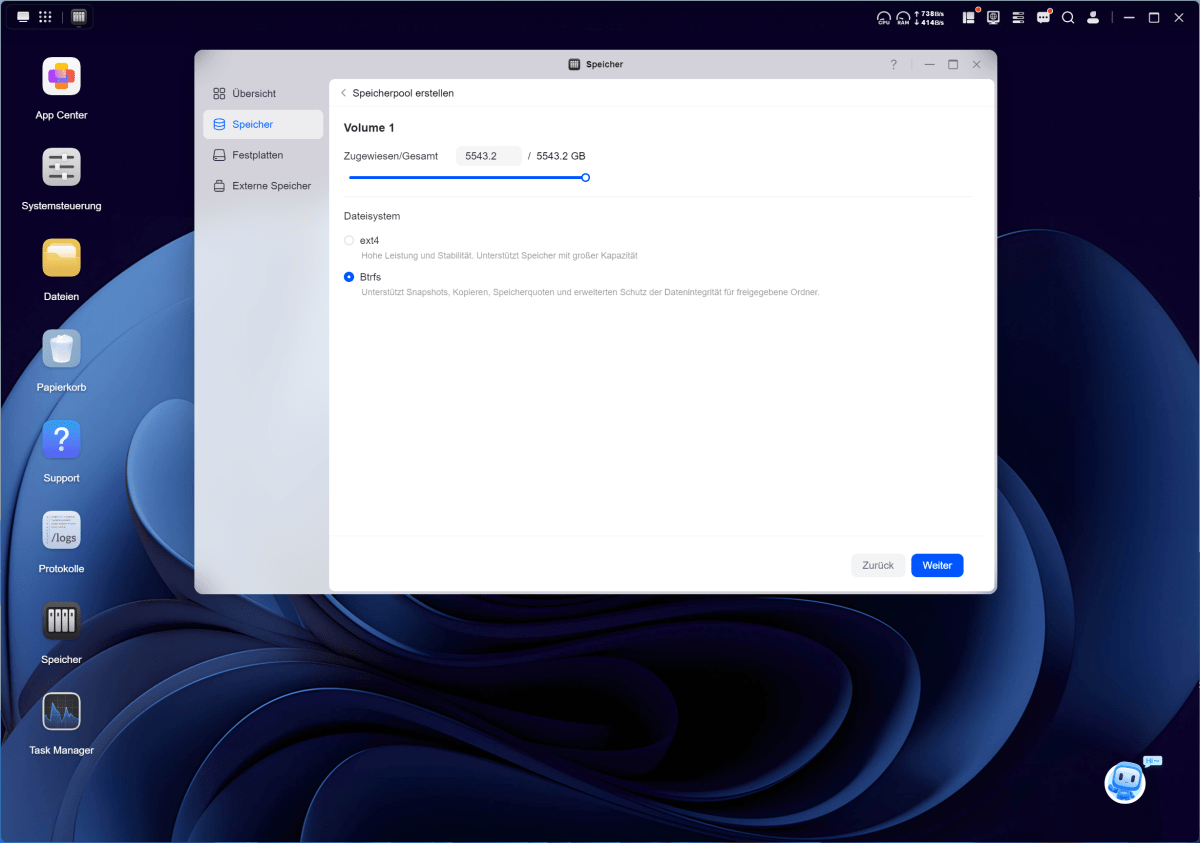
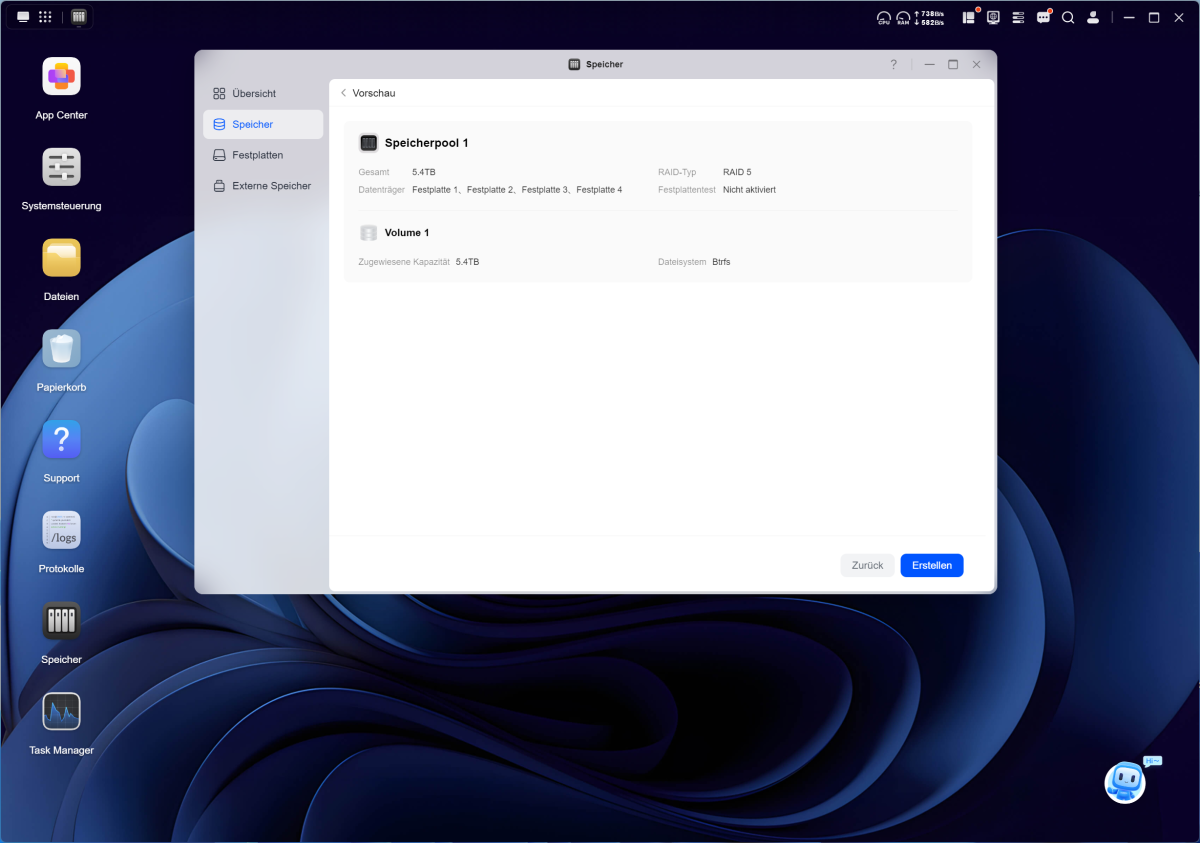
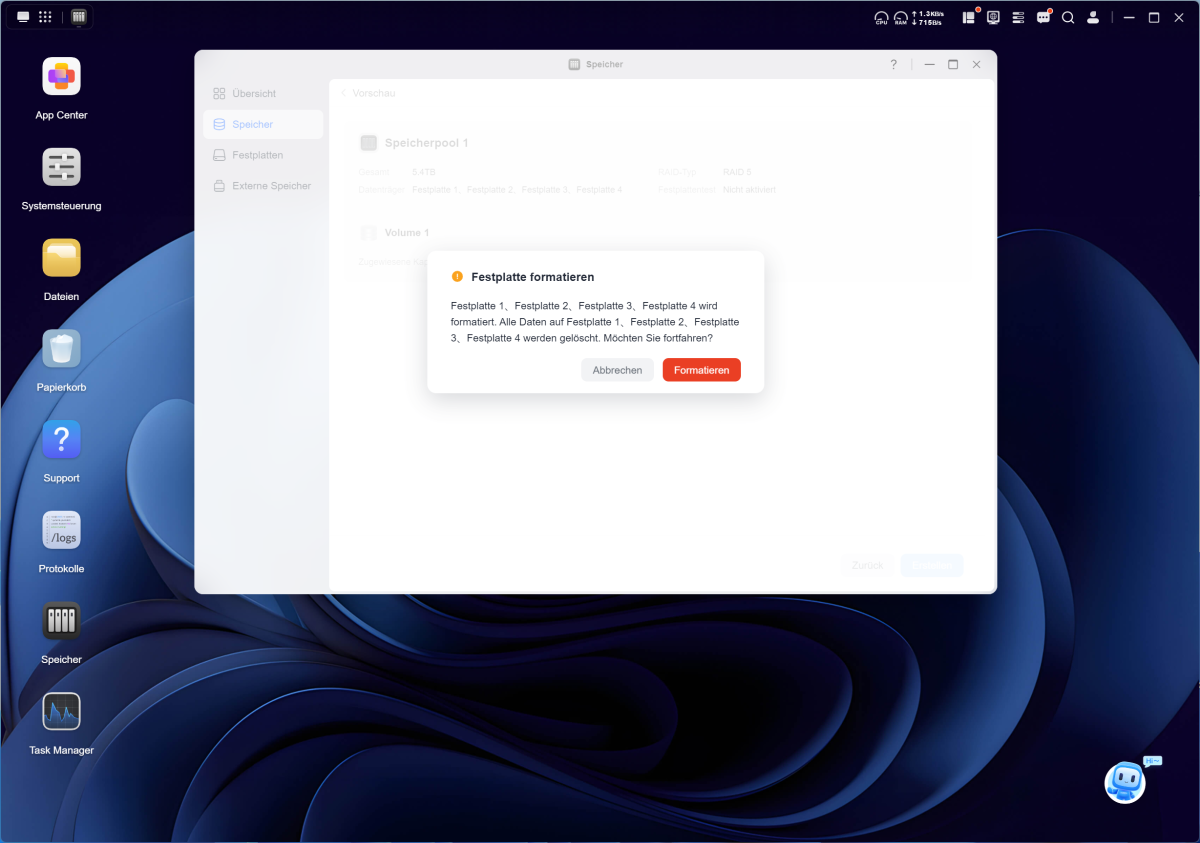
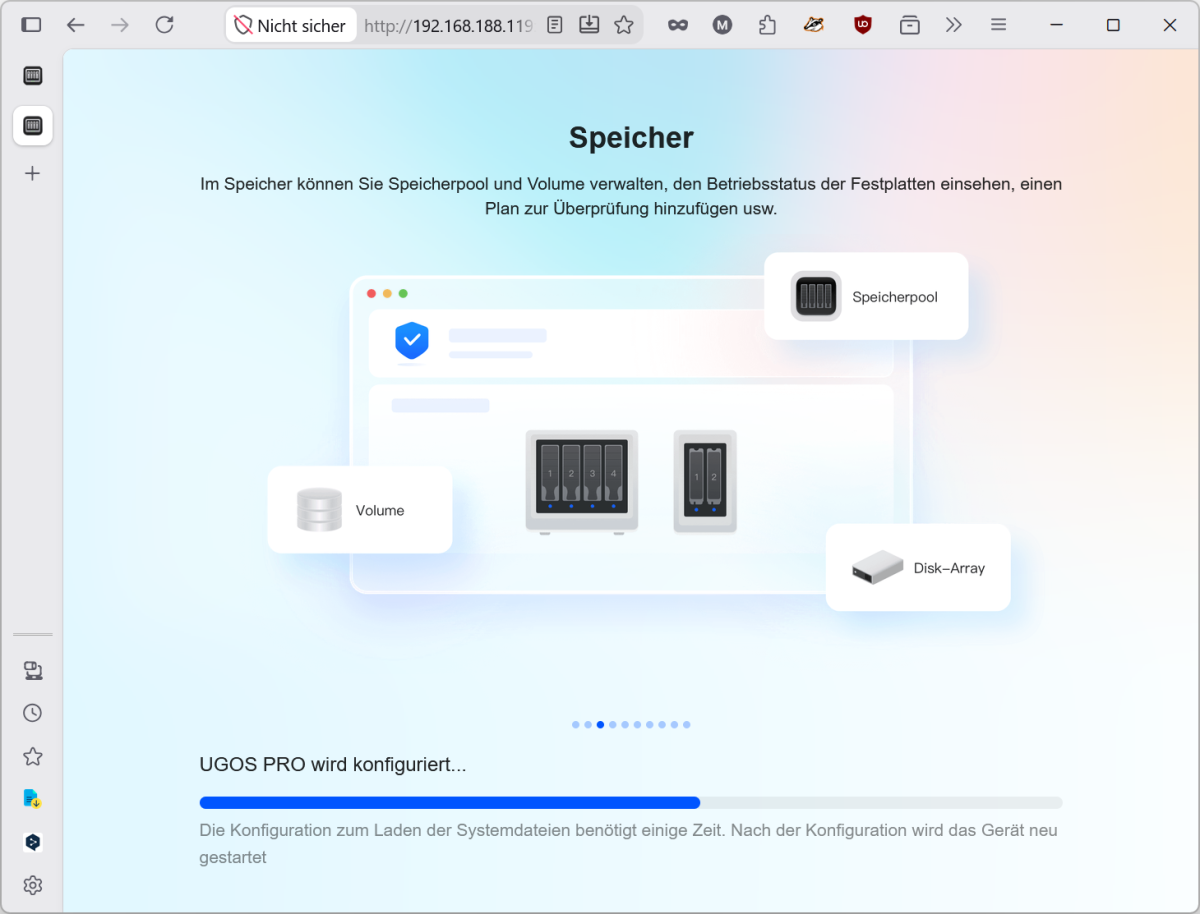
Next comes the storage pool. UGOS Pro offers Basic, JBOD, RAID 0, 1, 5, 6, and 10. Basic uses each drive individually, while JBOD links them together to form a single large volume. RAID 0 distributes the data across all drives and boosts performance, but offers no redundancy. If a drive fails, the data on the array is lost.
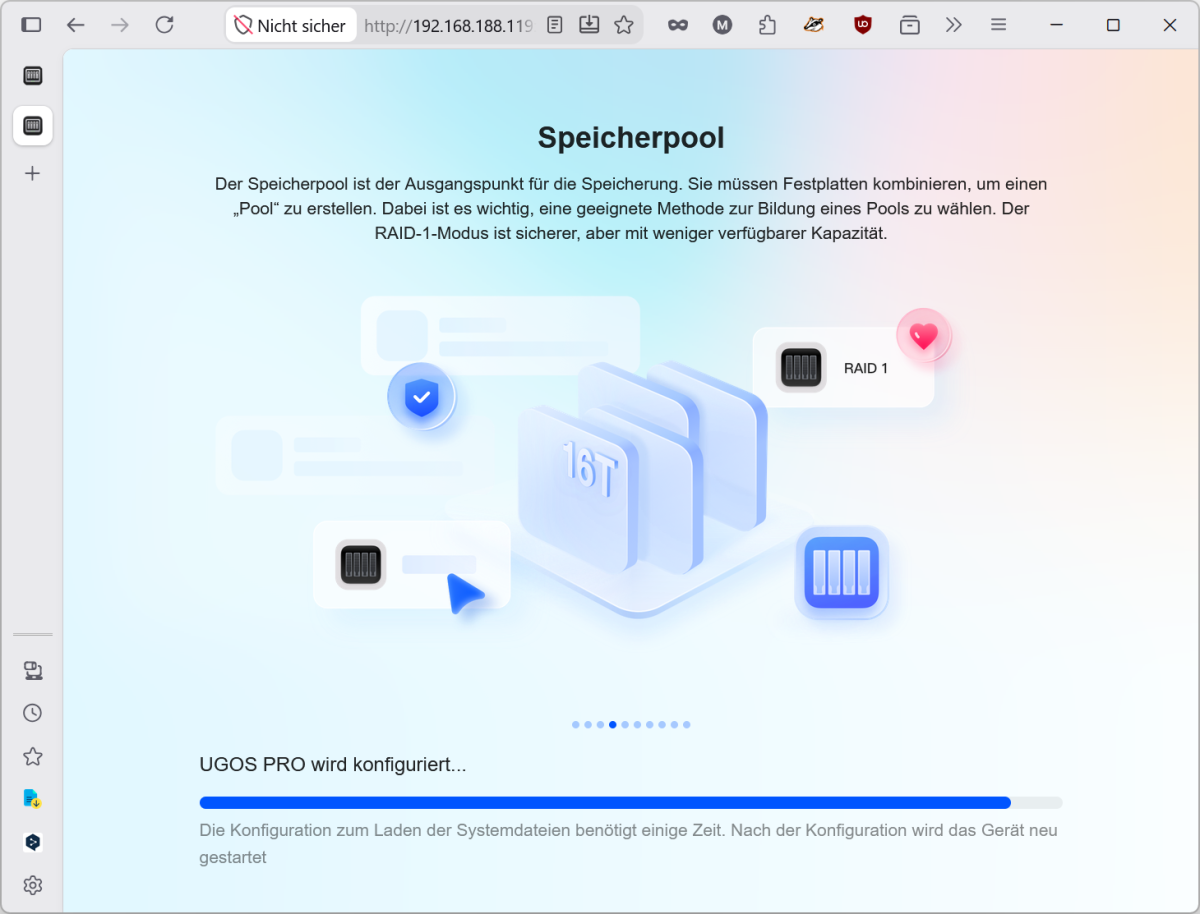

RAID 1 mirrors the data and halves the capacity. RAID 5 distributes parity data across all drives, can cope with the failure of one drive, and, with four drives of equal size, provides three-quarters of the gross capacity. RAID 6 can withstand two drive failures but sacrifices the capacity of two drives. RAID 10 combines mirroring and striping.
For our four 2TB drives, we opted for RAID 5. The pool was ready for use immediately; the synchronization ran in the background for just over three hours.

Michael Rupp
Computing power and AI functions
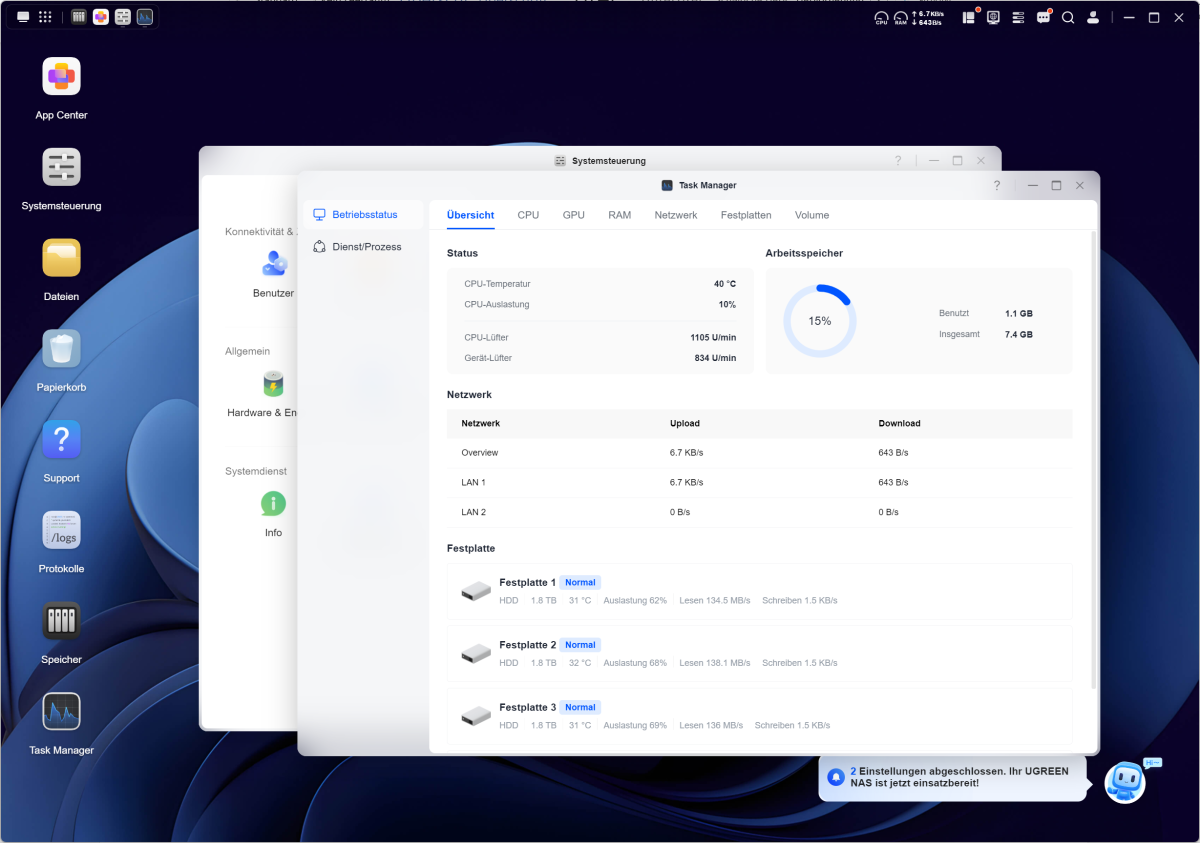
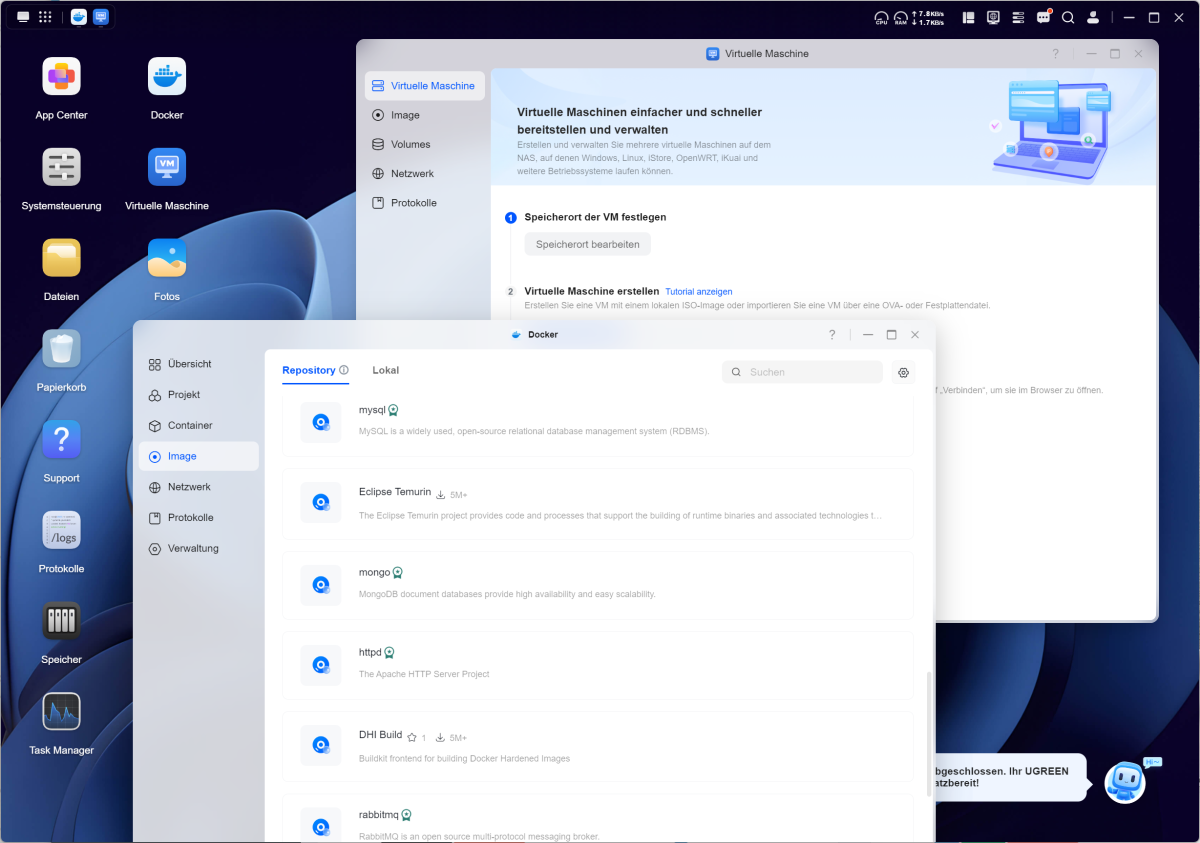
For simple file storage, the R2514 offers significant performance headroom. This pays off as soon as several services are running in parallel. We launched six Docker containers, including a MySQL database and a reverse proxy. The utilization fluctuated between 15 and 25 percent. The Docker Manager displays the repository and local images separately and retrieves containers directly from the official catalog.
Michael Rupp
A virtual machine running Ubuntu Server was running in parallel. The VM application creates systems from ISO files or imports ready-made OVA packages. For networking, bridge mode via MacVTap, NAT, and pure host mode are available, each separately for both LAN ports. In bridge mode, the VM can be assigned its own IP address on the home network. However, 8 GB of RAM runs out quickly. Anyone wishing to use VMs seriously should install a second processor.
Michael Rupp
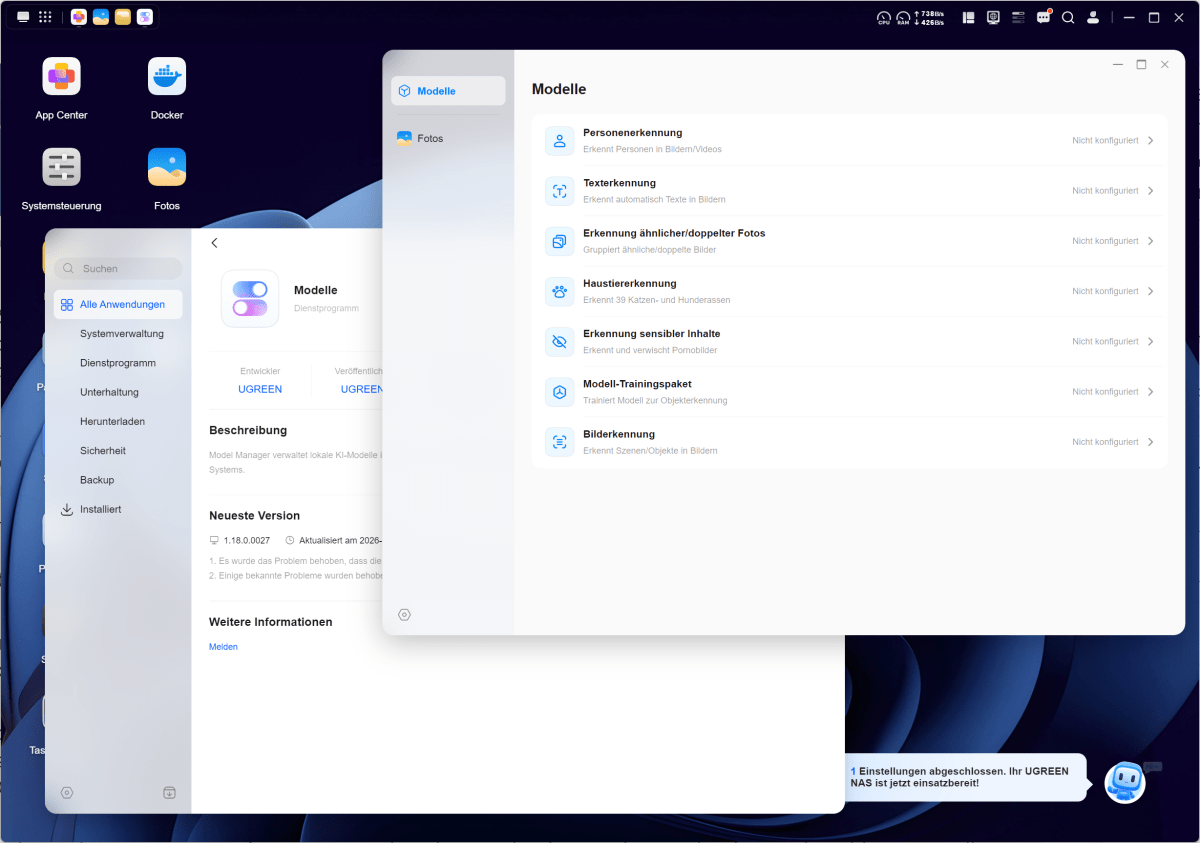
The UGOS photo management system automatically indexes photos and sorts them by faces, locations, and objects. Our test library of 12,000 images was processed in around two hours. The photo management system offers automatic face and person recognition, as well as object and text recognition, and works without requiring a cloud connection. It reliably recognized files that had been imported multiple times and also grouped similar burst shots together.
The Model Manager (Models app) supports both locally run and cloud-based models. Local models run comparatively slowly on the R2514 due to the lack of powerful AI acceleration. It is suitable for text summarization, but not for complex image analysis.
Michael Rupp
Data rates in practical testing
A Windows computer with a 10GbE card, connected via a switch using Cat 7 cabling, served as the remote station. In a pure network test using iperf3, we achieved 9.4Gbit/s — practically the maximum speed of the interface.
When copying large video files to the RAID 5 array comprising four WD Red Plus drives, the NAS wrote at an average of 340MB/s. Read speeds were 430MB/s. This clearly shows that the hard drives, rather than the network, are the limiting factor. As expected, a folder containing 20,000 small files performed less well, achieving 65MB/s.
With standard link aggregation, a single client connection does not usually benefit from the combined bandwidth. We therefore had two computers copying files simultaneously. Together, they achieved around 780MB/s without any noticeable increase in latency. Multiple parallel clients are a typical use case for the two ports.
The U.2-compatible bays and the two M.2 slots are among the DXP4800GT’s standout features. In our test, however, we focused on operation with four standard hard disk drives and did not test either U.2 or NVMe SSDs as a separate storage pool. We are therefore unable to make a definitive statement as to whether the NAS, when used with SSDs, fully utilizes the two 10GbE interfaces during read and write operations.
When importing via the front slot, we achieved 88MB/s with a UHS-I card. Here, the main limiting factor is the memory card used, specifically the UHS-I standard.
The power meter showed 25 watts when idle with the drives in sleep mode. During normal operation, the figure fluctuated between 40 and 42 watts; under full load, we recorded 60 watts. The noise level was 38dB(A) during operation. When accessing data, the hard drives are significantly louder than the fan.
Should you buy the Ugreen NASync DXP4800 GT?
With the DXP4800 GT, Ugreen delivers a NAS that defines itself through its networking capabilities. Two 10GbE ports are unusual in this price range, and the device also features U.2-compatible bays and a second free RAM socket. The Ryzen Embedded R2514 isn’t one of the fastest NAS processors, but it offers sufficient performance for containers and a VM.
The difference compared to the DXP4800 Plus is clear. The older model features an Intel Pentium Gold 8505 with five cores, DDR5 memory, and a combination of one 10GbE and one 2.5GbE port. Intel leads the way when it comes to individual fast cores, whilst Quick Sync helps with transcoding. When multiple clients are active simultaneously, the second 10GbE port offers a clear advantage over the DXP4800 Plus. The downgrade from DDR5 to DDR4 isn’t a problem in everyday use.
That leaves the lack of volume encryption. Individual shares can now be encrypted, but entire volumes or storage pools still cannot. If you can live with that, you’ll get a well-equipped NAS for around $600.
Technical specifications
- Model: Ugreen NASync DXP4800 GT
- Processor: AMD Ryzen Embedded R2514, 4 cores / 8 threads, 2.1- to 3.7GHz, Zen
- Graphics: AMD Radeon Vega, H.264 / H.265 hardware transcoding
- TDP: 12 to 25 watts (configurable)
- RAM: 8GB DDR4-3200 SO-DIMM, two slots, expandable to 64GB, ECC modules supported
- System storage: 64GB eMMC, separate from the data drives
- Drive bays: 4 × 3.5/2.5-inch SATA 6Gbit/s, max. 32TB per bay, bays 01 and 02 additionally U.2-compatible
- M.2 slots: 2 × NVMe 2280, PCIe 3.0 ×2, max. 8TB per SSD
- Maximum capacity: 144TB gross
- RAID levels: Basic, JBOD, RAID 0, 1, 5, 6, 10
- File systems: Btrfs, ext4
- Network: 2 × 10 GbE RJ45, link aggregation up to 20Gbit/s
- Front ports: SD 3.0, 1 × USB-C (10Gbit/s), 1 × USB-A (10Gbit/s)
- Rear ports: HDMI 2.0b (4K/60), 1 × USB-A 3.2 Gen 2, 2 × USB 2.0, 2 × 10GbE, Reset, DC input
- Cooling: 140mm fan, magnetically held dust filter
- Operating system: UGOS Pro (Debian-based)
- Remote access: UGREENlink, without a static IP or port forwarding
- Power supply: External, 150 watts
- Case: metal, copper-colored accents, individually lockable drive bays
- Power consumption (measured): 25 watts at idle, 40 to 42 watts during operation, 60 watts at full load
- Noise level (measured): 38dB(A) in operation
- Contents: Power supply, mains cable, 2 × Cat 7 patch cables, HDMI cable, screwdriver, screws, thermal pads, drive key
- Warranty: 2 years
This articles is written by : Nermeen Nabil Khear Abdelmalak
All rights reserved to : USAGOLDMIES . www.usagoldmines.com
You can Enjoy surfing our website categories and read more content in many fields you may like .
Why USAGoldMines ?
USAGoldMines is a comprehensive website offering the latest in financial, crypto, and technical news. With specialized sections for each category, it provides readers with up-to-date market insights, investment trends, and technological advancements, making it a valuable resource for investors and enthusiasts in the fast-paced financial world.