I don’t work for the FBI. (Obviously.) But I’ve avidly followed the news that ShinyHunters, a prolific hacking group, allegedly broke into the FBI’s personnel records. The high profile nature of this hack makes me wonder how well the agency’s employees will weather any data theft—and what lessons we ordinary folk can take away from such a situation.
Welcome to Safe Mode, your weekly report for pressing security and privacy news—and what steps to take next. Want this newsletter to come directly to your inbox? Sign up on our website!
Our employee records hold sensitive data, starting with our physical address, birth date, and social security number. Of course, that info could be easily found through other sources (especially in this day and age). Far more private would be your salary (and salary history), start date, benefits, and even possibly direct deposit information.
Should such details ever leak to the dark web, most of us would not be at the same risk as FBI employees. At least, not as juicy targets for foreign governments. And also in part because we wouldn’t have lost detailed medical info, either. On the flip side, we don’t have the same training as FBI employees, so we’re less likely to be on the lookout for warning signals.
We should be. It’s obvious that wherever data is stored, it can leak.
So how can you protect yourself, in anticipation of your company’s HR database getting hacked? I’d be wary of any communication that implies or outright states knowledge of privileged information. Any message involving my benefits, banking deposits, salary and promotion info, I’d verify through other means. If it’s an email, I’ll call HR directly. Or as applicable, I’ll ping my boss over Slack.
I’d also nurse healthy skepticism about cold contacts from recruiters. Look them up—check their online reputation, confirm their contact info. Examine email message headers and scrutinize email addresses if the opportunity is unusually good.
Why? Well, as one example, hackers could manipulate you into installing an infostealer on your PC. Such malware can grab your passwords to important accounts, among other things. Like stealing your money as part of a job scam.
Speaking of—as the economy continues to tighten, expect more employment-related scams. AI isn’t helping matters, either, as it enables bad actors to move faster and faster with data extraction, vulnerability exploits, and other ways of breaching databases. You need to be ready.
In the news
The contentious back-and-forth between Microsoft and security researcher Nightmare Eclipse has occupied my attention for a while—and the saga took a particularly interesting turn when they unmasked themselves on social media earlier this month. (Hasn’t stopped them from finding more vulnerabilities, either.)
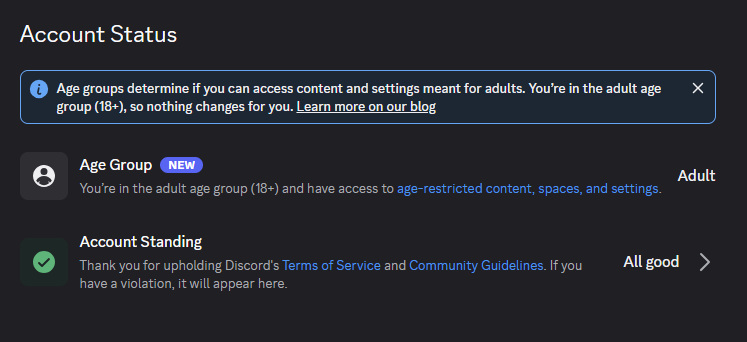
Also interesting: Discord’s rollout of its age verification process, which began on September 23—which sparked immediate suspicion about a possible tie-in with gambling ads.
PCWorld
The annoying:
- Discord’s age verification system rolled out on September 23, saying over 90 percent of users will not need to provide confirmation of their age. Despite a relatively smooth launch, users have expressed suspicion that this new policy relates more to a partnership with FanDuel rather than government regulations.
- Microsoft finally fixed its “Defender Antivirus is turned off” alert bug—the very same issue that caused me to grumble a few weeks ago. Make sure you’re on Defender version 4.18.26080.4 to get some peace and quiet.
The contentious:
- Security researcher Abdelhamid Naceri (who has gone by the name Nightmare Eclipse, among others) has released a zero-day exploit for Microsoft Defender that blocks antivirus definition updates. Called “BigDiskBuster,” it runs on all supported versions of Windows, with no known fix yet.
Tip of the week
PCWorld
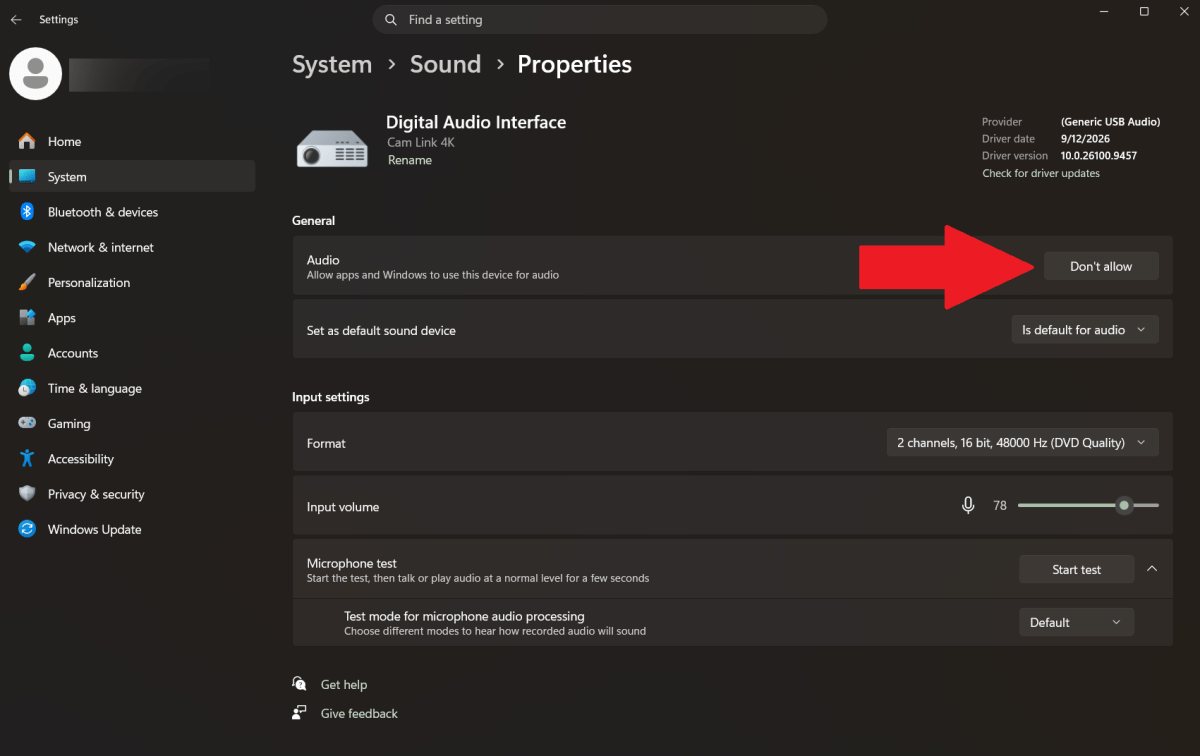
Continuing last week’s theme of blocking spies—in addition to covering your webcam, you can also disable microphones connected to your PC.
Obviously, you can disconnect the cables when not in use. But you can also save your ports from wear and tear by going into Windows’ Sound settings (Settings > System > Sound) and disallowing a microphone’s use. Just click on the audio device, then under General > Audio, click on the Don’t allow button.
As with taping over your webcam, this won’t solve the underlying cause of spying—if there’s malware that gives someone remote access, it’s possible they could undo this change. Scan your system regularly with antivirus software and check for any unknown apps or browser extensions, too. Avoid sketchy websites and downloads, too.
This articles is written by : Nermeen Nabil Khear Abdelmalak
All rights reserved to : USAGOLDMIES . www.usagoldmines.com
You can Enjoy surfing our website categories and read more content in many fields you may like .
Why USAGoldMines ?
USAGoldMines is a comprehensive website offering the latest in financial, crypto, and technical news. With specialized sections for each category, it provides readers with up-to-date market insights, investment trends, and technological advancements, making it a valuable resource for investors and enthusiasts in the fast-paced financial world.