
Last May, a close friend of mine died unexpectedly. He was 45, with no obvious warning signs that his brain was about to suffer a stroke.
The news was hard to take. I’d expected decades of friendship were still left. But even harder was making sense of his affairs. His family had no starting point of reference, and they lived states away. As one of the few close friends who lived nearby, I took the first crack at determining the logistics of his life: digital accounts, banking info, even his corporate equipment.
I ran into wall after wall. A death certificate only helped so much, too. Had he taken a few steps for digital estate planning, it would have saved me and his other loved ones a lot of time and heartache, especially while in the depths of grief.
PROMOTION
Get up to 50% OFF Keeper Password Manager
Forgot your password again? You’re not alone, and it’s costing you time and peace of mind. Keeper Password Manager stores all your logins in one encrypted vault, generates strong unique passwords, and fills them in for you across your devices. This holiday season, get up to 50% off and take the stress out of logging in. Stop resetting and start protecting your accounts today.
Here are the four steps I wish he’d taken.
1. Added an emergency contact to his password manager
After my friend’s death, his mother messaged me most often to ask if I knew the passwords for this account or that. But none of us had them—and he used Apple Passwords, which made it sting even more we didn’t know his Apple account password.
His mom lost his cell phone number, because she only had the option to close his account with his death certificate. His Final Fantasy XIV gaming friends had to watch as his meticulously and immaculately decorated home got reclaimed, due to his subscription abruptly ending. None of us can no longer view the beautiful, artful photos he took.
Giving direct access to your accounts is the easiest path for your loved ones as they put your affairs in order—or look for last mementos to remember you by. Being able to use your passwords bypasses logistical hurdles. For example, most services will freeze accounts upon notification of death. I also wish I’d had access to his email or credit card accounts (or both), to determine which paid services he had subscribed to.
PCWorld
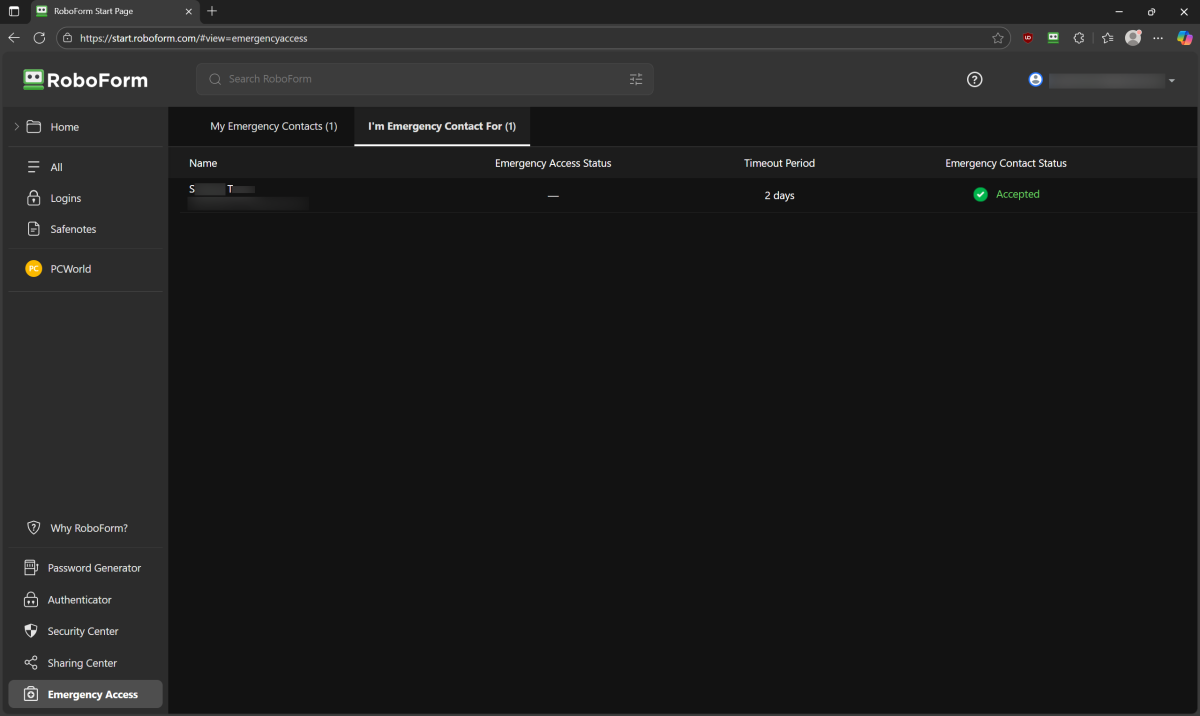
Multiple password managers offer an emergency access option, like LastPass, Bitwarden, NordPass, RoboForm, and ProtonPass. (It may however be a feature only available to paid subscribers, depending on the service.) The way it works: Once confirmed as such, your emergency contact can request access to your password vault. If you don’t respond, they’re allowed in after the designated wait period.
Others have no formal emergency access option. Instead, they instruct you to save and share your vault password, as Dashlane and 1Password do. If you use Apple or Google’s built-in password manager, the only way to your passwords is through a normal login—emergency access doesn’t exist.
If you want to keep some of your accounts secret after death, create a smaller set of backup passwords that you share with your contacts. (But make sure they stay up to date, or your loved ones will get stuck.)
2. Set up an email legacy contact
Like most people, my friend’s primary email address was the linchpin for his whole life. It contained the information we needed to access his bank accounts, medical records, upcoming package deliveries, active subscriptions, and more.
Had he set a legacy contact, we may have had a better shot at demystifying the details of his life, both online and off. His mother or another close friend could have gotten into his email account.
Ideally, you should leave behind your password for loved ones to act on your behalf. But if the thought of unrestricted access makes you uncomfortable, you can instead designate someone (or several someones) as your digital legacy contacts. The data is only available for limited time through this method.
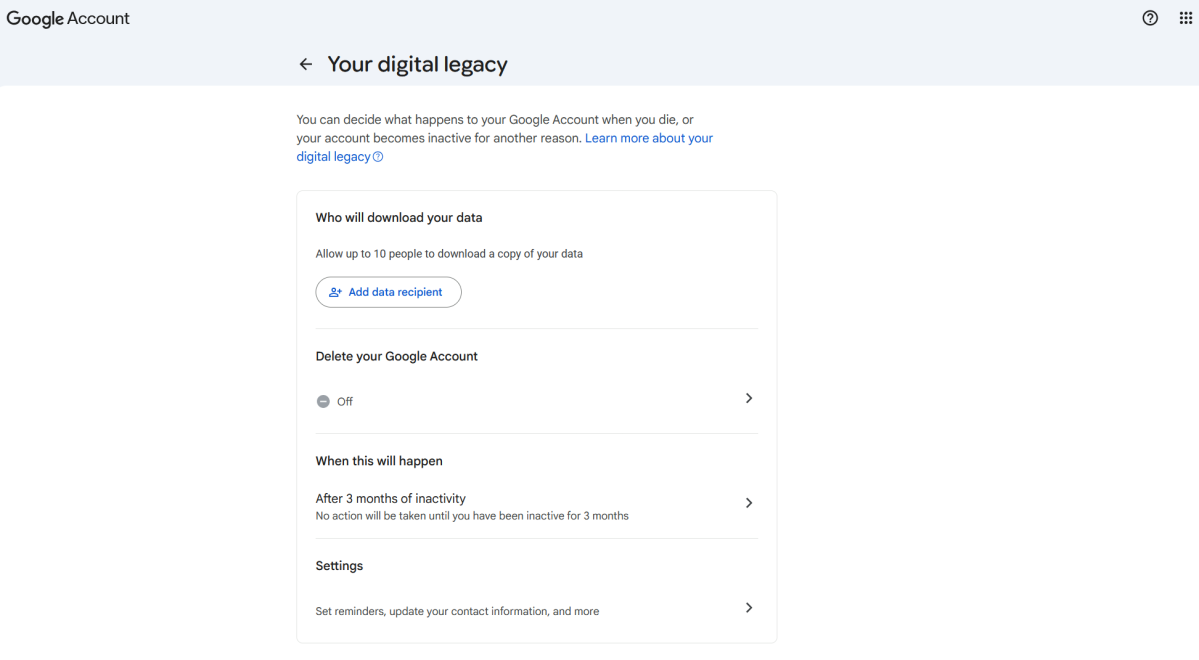
For two of main three email providers—Google and Apple—setting up a legacy contact is easy. For Google, this is done through the Inactive Account Manager feature. After the period of inactivity you specify (the options range from 3 to 18 months), your designated contacts will see whatever data you allowed, but for just three months.
PCWorld
For Apple, you’ll create a legacy contact, who will have to also provide a copy of your death certificate to see your data. They get access to your whole iCloud account for up to three years. However, be aware passwords and other encrypted items are not included in the data shared.
(Note: Legacy contacts can see more than just your email, though Google lets you choose per contact which types of data get shared. For example, I could share my email details with a parent, but not my photos. Meanwhile, a significant other could get the whole shebang.)
As for Microsoft—strangely, it doesn’t have a comprehensive legacy contact policy for its accounts. You can set up a legacy contact for OneDrive files, but Microsoft says it will only grant access to stored files and photos. You must instead ensure your password is saved (or have a stored passkey on your phone or a security hardware key) and available to your loved ones.
3. Gave access to his phone
My friend’s phone also held secrets we needed—most importantly, his contacts. A list of them in one place would have made notifying people of his death far simpler. Had we also had access to his passwords, then seeing any text messages with two-factor authentication codes would have been clutch, too.
Thomas Deehan / Foundry
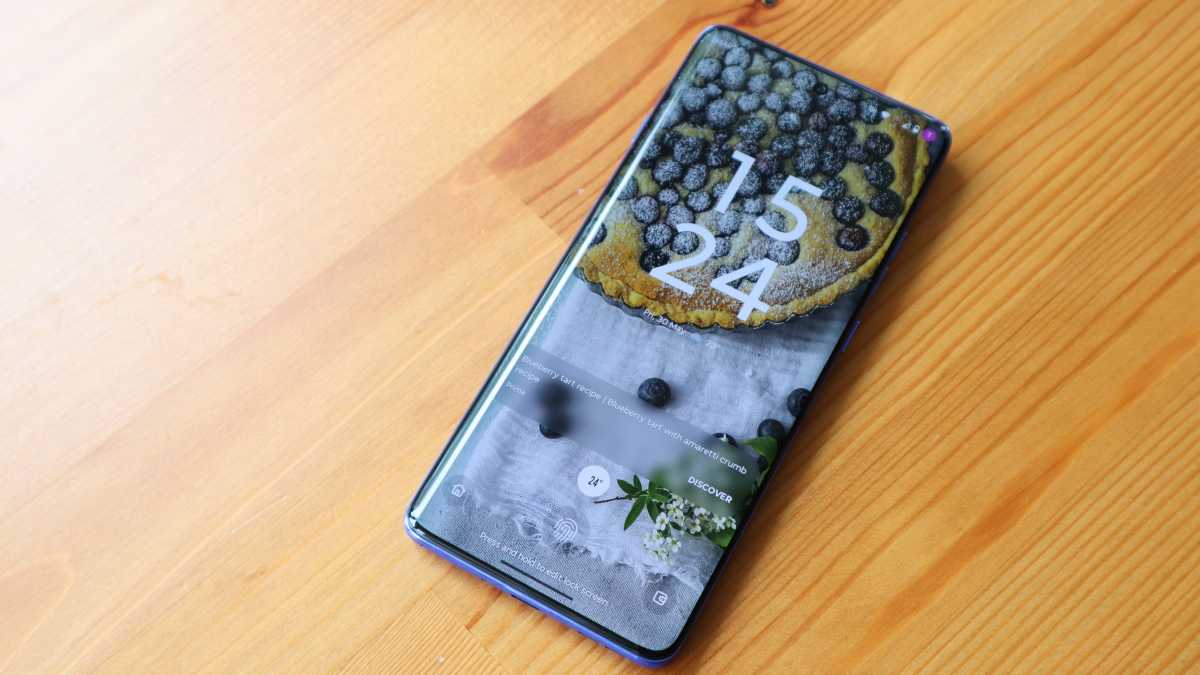
You should make two things accessible:
- The passcode to your phone
- The password for your phone service provider (e.g., AT&T, Verizon, T-Mobile, or a MVNO like Mint Mobile, US Mobile, etc). Your loved ones then can switch the billing information, if they need to keep your phone number alive as they wrap up your affairs.
(Note on that point: My friend’s mom lost access to his phone number because his billing was month to month, and the credit cards got canceled as soon as the death certificate was shown to the banks.)
If you store sensitive data on your phone (like spicy photos), you can choose a particular person as the contact for this information. My friend used to joke that I was to wipe his email before ever turning it over to his family, due to differences in politics. I suspect I was supposed to wipe his photos, too.
(So perhaps in this one case, it was a slight blessing we got locked out as a group.)
4. Ensured access to his PC
My friend owned both a MacBook and a gaming PC. I was locked out of both—I didn’t have the password to his Apple or Microsoft accounts.
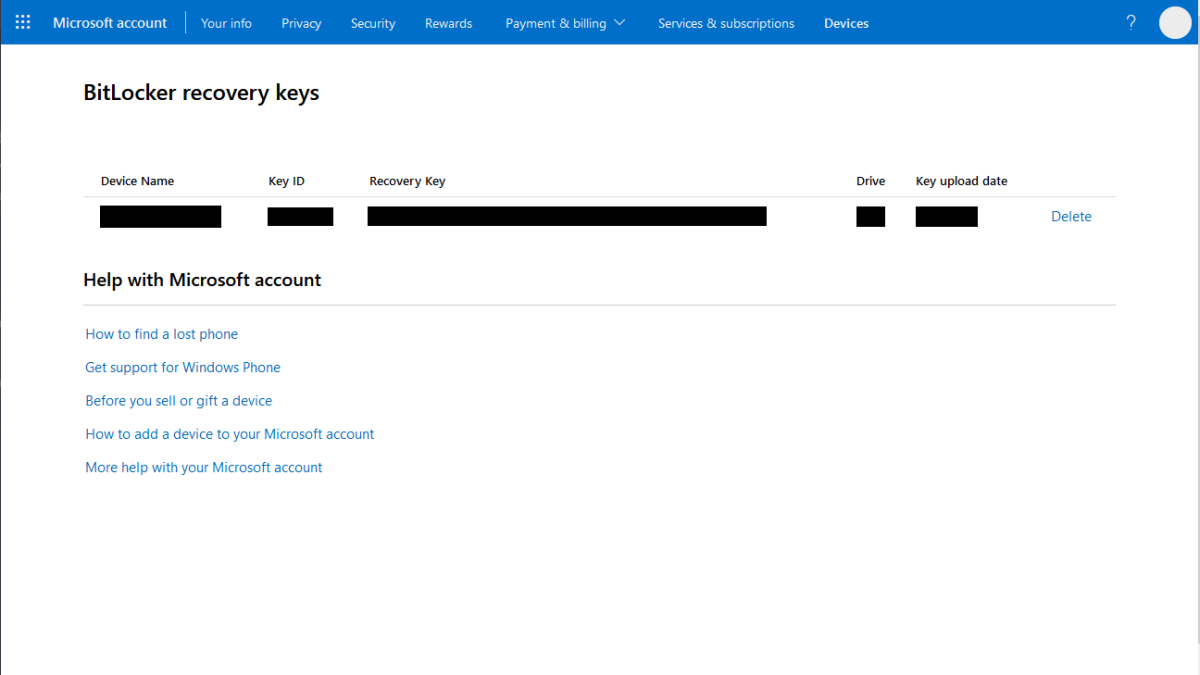
But even if his PC had been setup with a local account, I would have likely needed a password anyway. He was pretty good about listening to my mini-lectures about good security, and he would have likely enabled BitLocker based on my advice. So no pulling the data straight from the drive.
PCWorld
Had I thought to give him digital estate planning advice, I would have told him to save two things for me (or someone else trusted) to access password somewhere I could get at when he passed on.
- The computer’s password
- A copy of the encryption recovery key
Would his computers have completely made untangling his digital life easier? Maybe not. But they were possible alternative routes into his accounts. He was like most people and stayed logged into services, so we may have been able to peek at his bank accounts, save his photos, extend his FFXIV subscription (and possibly pass on his home to another friend), and the like.
Bonus steps
I dug through most of my friend’s belongings looking for clues to how he ran his life. I found some funny knicknacks, unexpected reading material, and a lot of bags. And the whole time, I was overwhelmed.
PROMOTION
Get up to 50% OFF Keeper Password Manager
Forgot your password again? You’re not alone, and it’s costing you time and peace of mind. Keeper Password Manager stores all your logins in one encrypted vault, generates strong unique passwords, and fills them in for you across your devices. This holiday season, get up to 50% off and take the stress out of logging in. Stop resetting and start protecting your accounts today.
I wish he’d left me some guidance. A will would have made a huge difference. Same for any last directions. (What do I keep? What do I hide from your parents? What do I give to your friends?)

So in that vein, I recommend:
- Make a will
- Scan your will and upload it to a shared cloud folder
- Print a copy and leave it among your stuff (and please leave it somewhere obvious, like a bookshelf)
- Make a set of last directions—how you’ve structured your life, what to do about items or situations needing obvious care (pets, plants, commitments you’ve made)
- Save a copy to the cloud
- Print a copy and keep it among your belongings in an obvious place
A little note saying you’re sorry you’re gone would be a nice touch, too.
This articles is written by : Nermeen Nabil Khear Abdelmalak
All rights reserved to : USAGOLDMIES . www.usagoldmines.com
You can Enjoy surfing our website categories and read more content in many fields you may like .
Why USAGoldMines ?
USAGoldMines is a comprehensive website offering the latest in financial, crypto, and technical news. With specialized sections for each category, it provides readers with up-to-date market insights, investment trends, and technological advancements, making it a valuable resource for investors and enthusiasts in the fast-paced financial world.