

At a glance
Expert’s Rating
Pros
- Incredible sharpness and color
- Ideal size for a large, single-screen
- Plenty of flexible ports
- KVM and USB-C video
Cons
- The 330Hz, 1080p mode is too fuzzy at this size
- Won’t fit well into a multi-monitor setup
- Quickly shows OLED “shadows”
Our Verdict
The Alienware AW3926QW is a massive single OLED screen that can really show off the power of your gaming PC, without being too large to manage on a regular desk. It’s also gorgeous with its 5K2K panel, and offers plenty of flexible extras (like USB-C video with 90 watts) to justify its high price. It’s not the biggest or the cheapest out there, and I was underwhelmed by its speedy alt mode. But if you want incredible visuals with a centerpiece display, you won’t be disappointed.
Price When Reviewed
This value will show the geolocated pricing text for product undefined
Best Pricing Today
Price When Reviewed
1100
Best Prices Today: Alienware AW3926QW 39-inch OLED 5K2K monitor
The Alienware AW3926QW is an interesting middle ground for premium OLED gaming monitors. It’s big enough to give you some extra room to show off, and really push your hardware. But it’s not so massive that it becomes impractical for use at a regular desktop. Add in some nice extras, like USB-C video and dual-speed modes for the competitive gamers, and it’s an easy recommendation even at its premium price.
Setup and first use
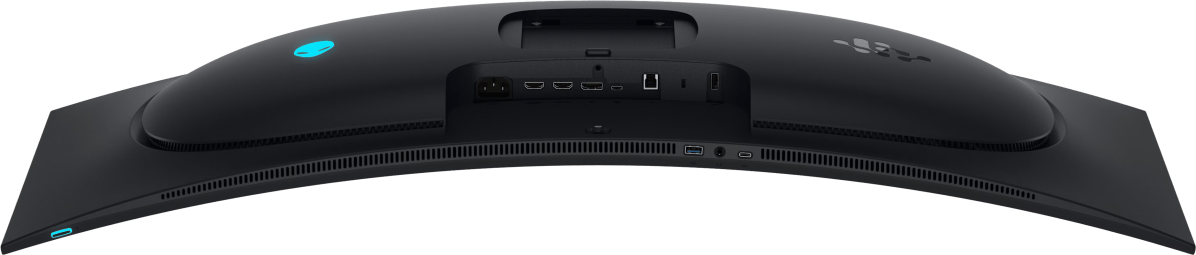
Unboxing the Alienware AW3926QW, which I’m just going to call the “Alienware 39” from here on out, I was struck by how a few inches can make a big difference. (Stop that giggling.) You wouldn’t think that the jump from a 34-inch ultrawide, which I’ve been using on my own setup for years, to 39 inches at the same 21:9 aspect ratio, would be make such an impression. But it does. Sitting at a standard desk, it fills up my field of view almost edge to edge. And that’s before you take the resolution into account.
Dell
The resolution, let’s talk about that for a moment. This is a 5K2K screen, 5120×2160. That, too, is an unexpectedly big jump over the 3440×1440 I’m used to. For me, a terminally addicted triple-monitor user, it was mostly more vertical space than I could really use, without the horizontal spacing that makes my working environment good for multi-tasking. You can read more about that hyper-specific experience here — suffice it to say that if you’re used to a multi-monitor setup, this might not have enough total space to satisfy you.
But I don’t think this screen is intended to replace a multi-screen, productivity-focused setup, even if its price tag could buy three budget gaming screens. No, this is meant to be the visual component to a high-end setup, a companion to a powerful gaming PC that can make the most of its resolution and refresh rate. And I just so happen to have one.
Gaming show-off
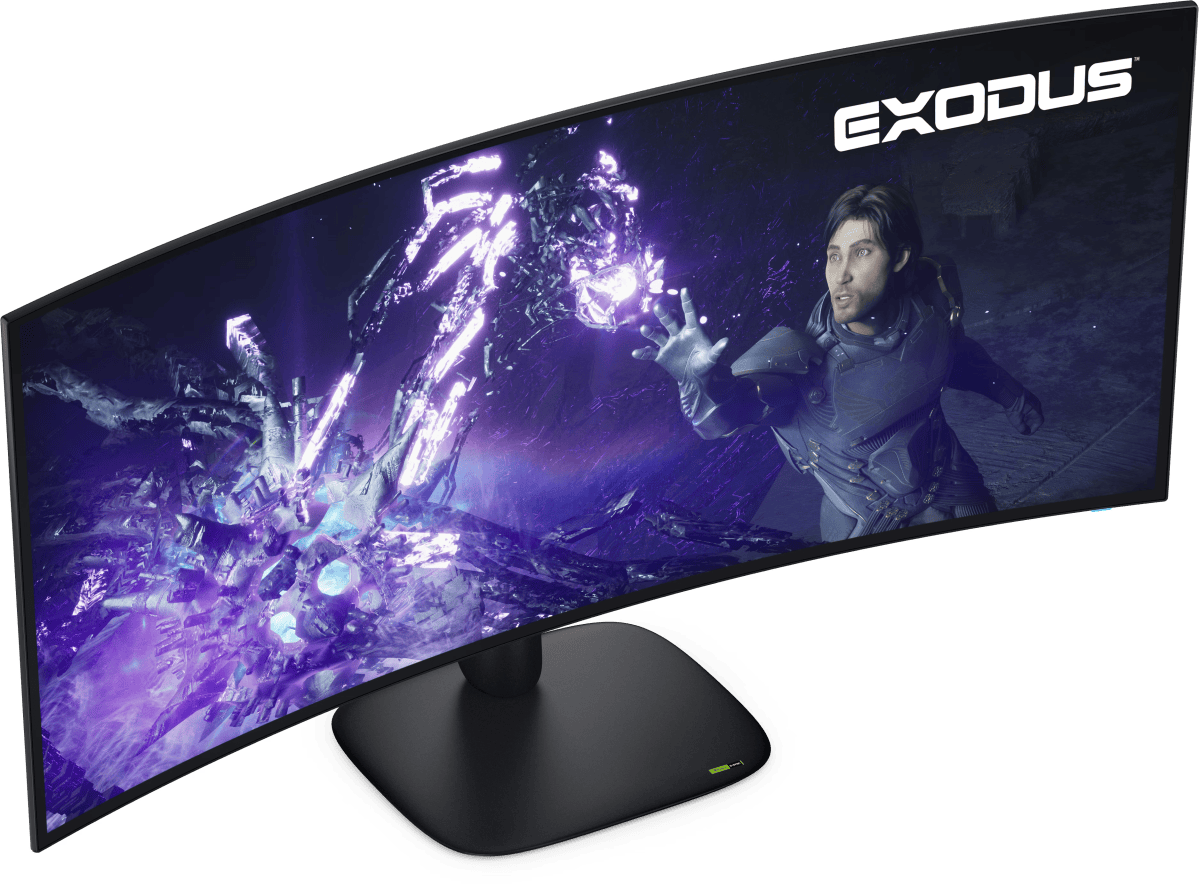
The Alienware is a fantastic way to show off your gaming desktop’s power. The huge panel just about fills my field of view sitting in a regular office chair, and its 5K2K resolution makes games like Star Wars: Galactic Racer really sing. You can see those details a lot better than on, say, the Samsung Odyssey G80HF with a similar total res but a screen about half the size.
Dell
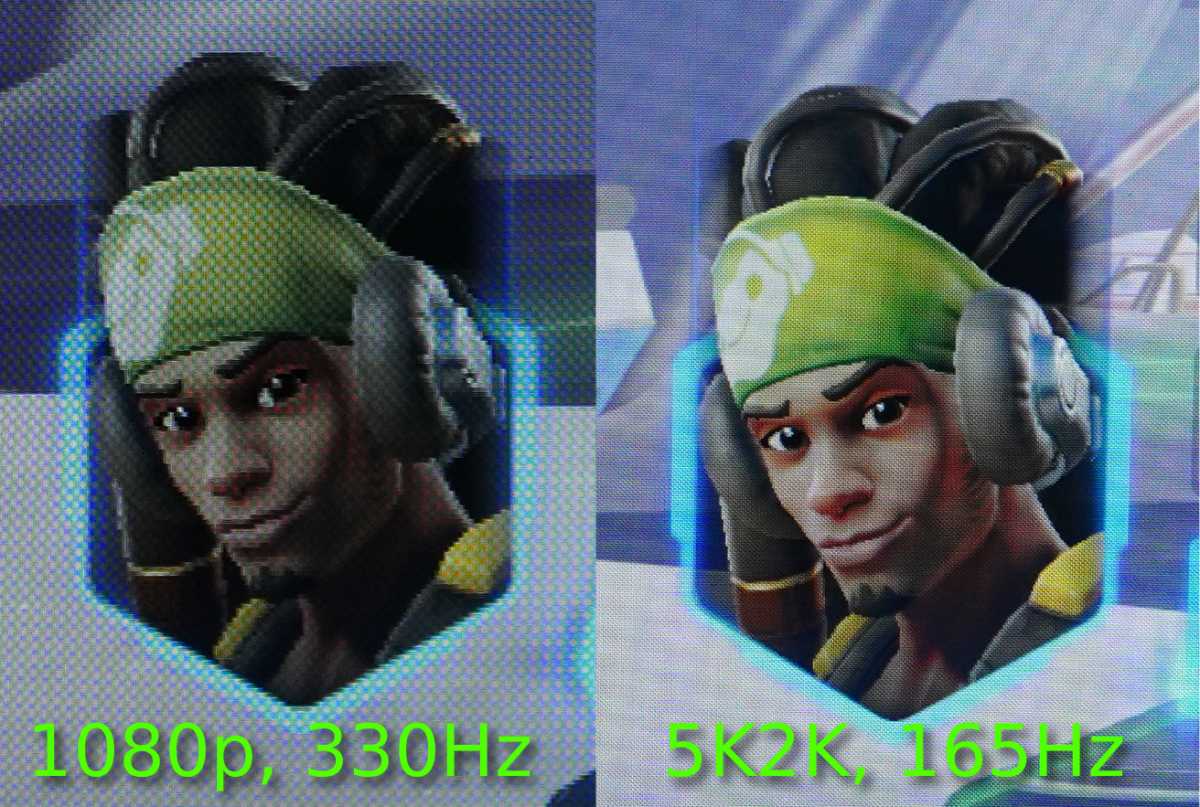
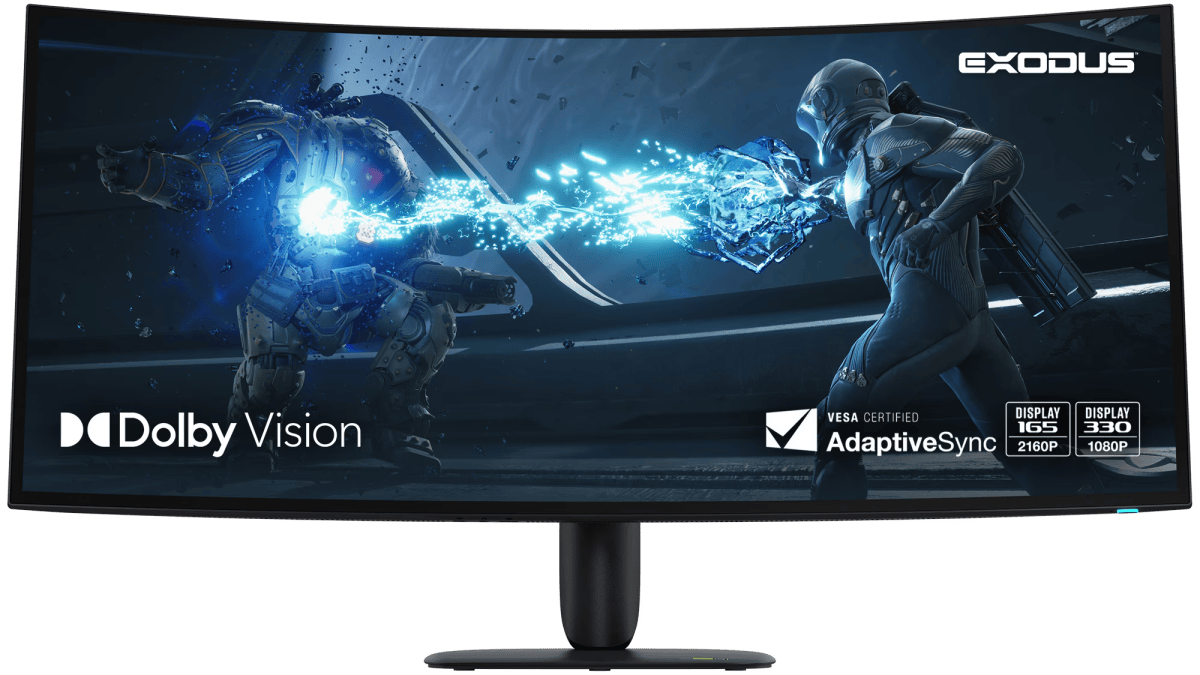
At its sharpest 5120×2160, the panel can handle “just” 165Hz, which is more than enough for me even in online competitive games. If you lower the resolution to 2560×1080, it boosts the maximum speed up to 330Hz. I’m guessing this will be a bit of a Sophie’s Choice for PC gamers who need the speed, as at a slightly wider 1080p and 39 inches, those virtual pixels at essentially four times the size start to be very noticeable.
Comparing both modes in multiplayer bouts of Overwatch, I wasn’t able to see any real benefit to the 330Hz speed. It was barely smoother to my eyes, but as I have so recently said, I am old and my eyes aren’t great. If you’re a super-competitive gamer, you might get more mileage out of it. But if your eyes are better than mine, you’ll absolutely notice the “screen door effect,” as this mode effectively quadruples the size of each pixel.
Michael Crider/Foundry
On the Alienware AW3926QW, it’s far more noticeable than on the Samsung with a similar half-res, double-speed dual mode. I get the feeling that most people will be running this thing at its full-power 5K2K splendor, even if they have to make sacrifices to hit 165Hz. On my RTX 5070 Ti machine, and even on the relatively forgiving Overwatch, I had to bump a few sliders to the left to hit that.
What about other gaming and media capabilities? Well, you get support for VESA True Black 500, adaptive sync, Nvidia G-Sync, and eARC to work with sound bars. Diving into the OSD lets you enable an “esports mode” that restricts the size to 25 or 27 inches with a huge black margin, various crosshairs, a smart HDR toggle, and color options for the rear LED logo. You also get picture-in-picture for multiple input sources in an incredible variety of sizes and shapes, which seems more focused on regular work. Speaking of which…
But can it handle work?
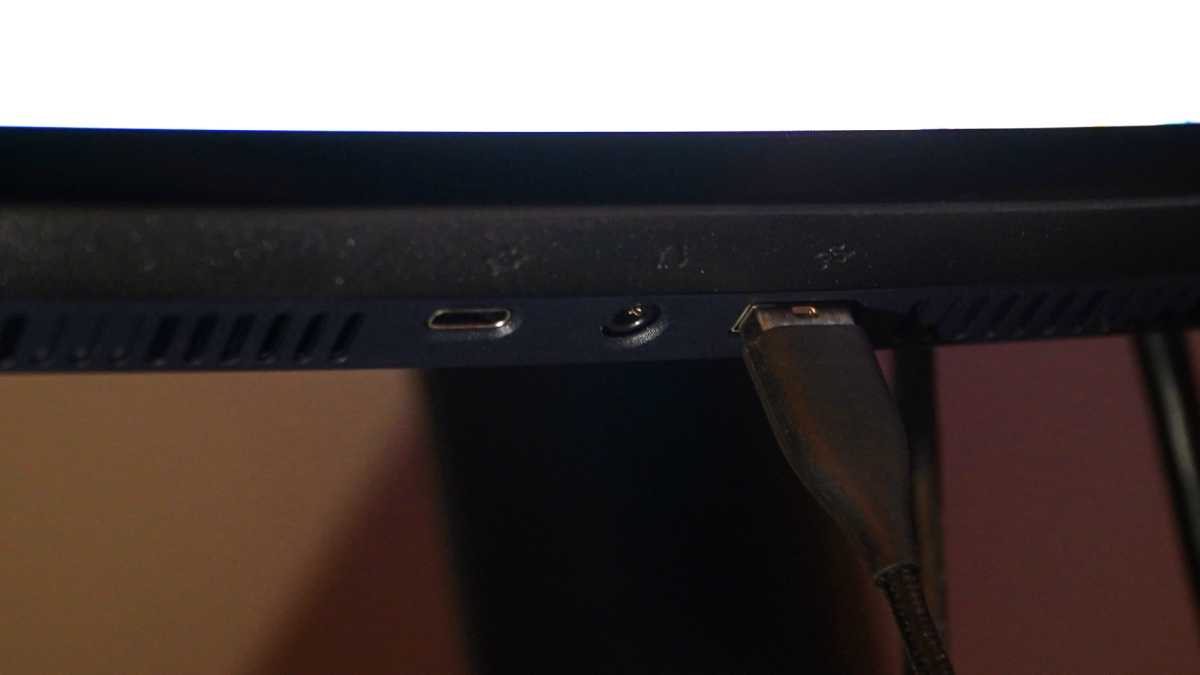
Despite being very clearly focused on gaming and media, the Alienware AW3926QW makes a few concessions to working well for, well, working. That starts with the connections. In addition to HDMI 2.1 and DisplayPort 2.1, you get USB-C at up to 90 watts. That won’t be enough for the thirstiest gaming laptops, but most devices (including my Samsung phone) should be able to plug right in and use video and connected gadgets without a dock. You also get another USB-A port for gadgets, plus a handy array of ports on the bottom edge for quick connections: USB-C (15w), USB-A, and a headphone jack.
Michael Crider/Foundry
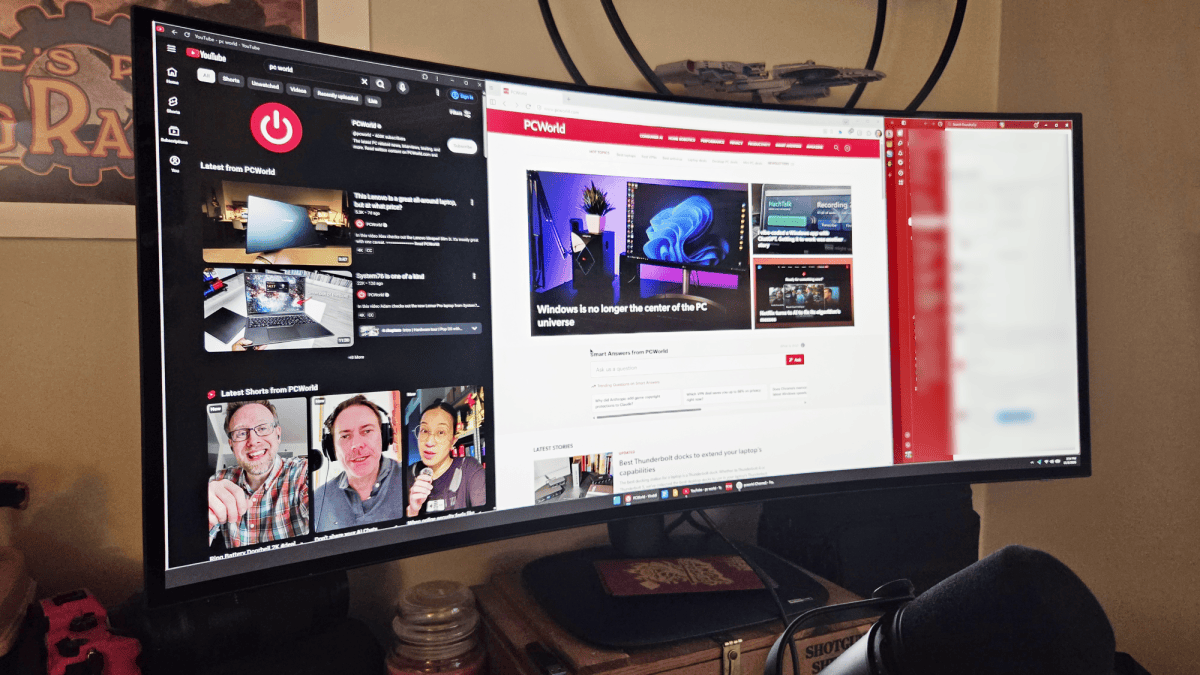
All of this is great, and helps justify the $1100 price tag. But I think the panel is the best argument you could make for this screen as a good fit for more than gaming or movies. The RGB stripe tandem OLED panel has all the vibrant colors and perfect blacks you’d expect, but the newer RGB stripe tandem tech makes text much more legible than on my 34-inch OLED from two generations back. Between that and higher-than-typical brightness (Dell claims a peak of 1300 nits), reading text was super comfortable…aside from the glossy finish. Dell says there’s an “anti-reflective coating” on the screen, but any light in the room from a window or lamp still showed far more prominently than on any matte display.
So yeah, this thing can be used for typical work, but it’s far more at home with games and movies. I won’t tell your manager (or your spouse) if you don’t.
Michael Crider/Foundry
If you’re trying to justify an update purchase for an expensive monitor, this probably isn’t the most ideal one in the world…but with USB-C support and multiple inputs, including picture-in-picture, you could do a lot worse. I think you’d still be better off with, say, a 32-inch 4K OLED and a 27-inch IPS for more conventional work, but the 39-incher is undeniably cleaner and more impressive on its own.
Also, I noticed some pretty dramatic “shadows” from open windows that were in the same place for a few hours. Cycling the monitor through its OLED refresh (about 8 minutes) was enough to clear them up. But if you’re worried about burn-in and you plan to use this as your primary monitor, maaaaaybe go with a cheaper option, or wait for the next generation of panels. Alienware does offer a three-year warranty against burn-in, which is comforting if you’re dropping over a grand on this.
Who’s it for?
If your budget will allow you to go beyond the range of 27-inch and 34-inch gaming monitors, but you lack the space for something truly enormous like the 49-inch Samsung Oddysey G9, the Alienware AW3926QW is a great choice. At just about triple the price of the excellent and affordable 27-inch Alienware AW2726DM, it makes a lot of great upgrades to justify the expense, with a brighter, sharper panel, incredible resolution, and flexible options between speed and detail. It also throws in a few premium extras like USB-C video with 90-watt charging.
Dell
This monitor isn’t outstanding for more mundane tasks, as it’s hard to fit into a multi-monitor setup, and OLED burn-in might give you some real anxiety if you’re doing mostly office tasks. But if you want a single screen that does it all with a heavy focus on media, it’s definitely a good pick. And even at this price, it’s $700 below LG’s UltraGear Evo GX9, with a near-identical panel spec.
I’ve already seen this monitor on sale for an even $1000, and that wasn’t even during a big sale weekend. Keep an eye on Dell’s page and you might bring that (pretty darn fair!) sticker price down a bit.
This articles is written by : Nermeen Nabil Khear Abdelmalak
All rights reserved to : USAGOLDMIES . www.usagoldmines.com
You can Enjoy surfing our website categories and read more content in many fields you may like .
Why USAGoldMines ?
USAGoldMines is a comprehensive website offering the latest in financial, crypto, and technical news. With specialized sections for each category, it provides readers with up-to-date market insights, investment trends, and technological advancements, making it a valuable resource for investors and enthusiasts in the fast-paced financial world.