
Looking to turn your house into a smart home? Swapping out your dumb bulbs with smart ones is the easiest way to start. Many smart bulbs can be screwed into existing light sockets, and they can be controlled remotely, put on schedules, change colors, and more.
If you’re feeling more ambitious, you can venture into smart string lights, light strips, wall and ceiling fixtures, smart lamps, and even smart lighting for the yard or other outdoor areas.
Our guide to the best smart lighting can help you navigate the thicket of options, from the various smart light manufacturers (like Philips Hue, LIFX, Nanoleaf, and Wyze) to the connectivity standards (Wi-Fi, Bluetooth, Zigbee, and Matter). We’ll also let you know which voice assistants (like Alexa, Apple’s Siri, and Google Assistant) work with which lights.
Best smart light reviews
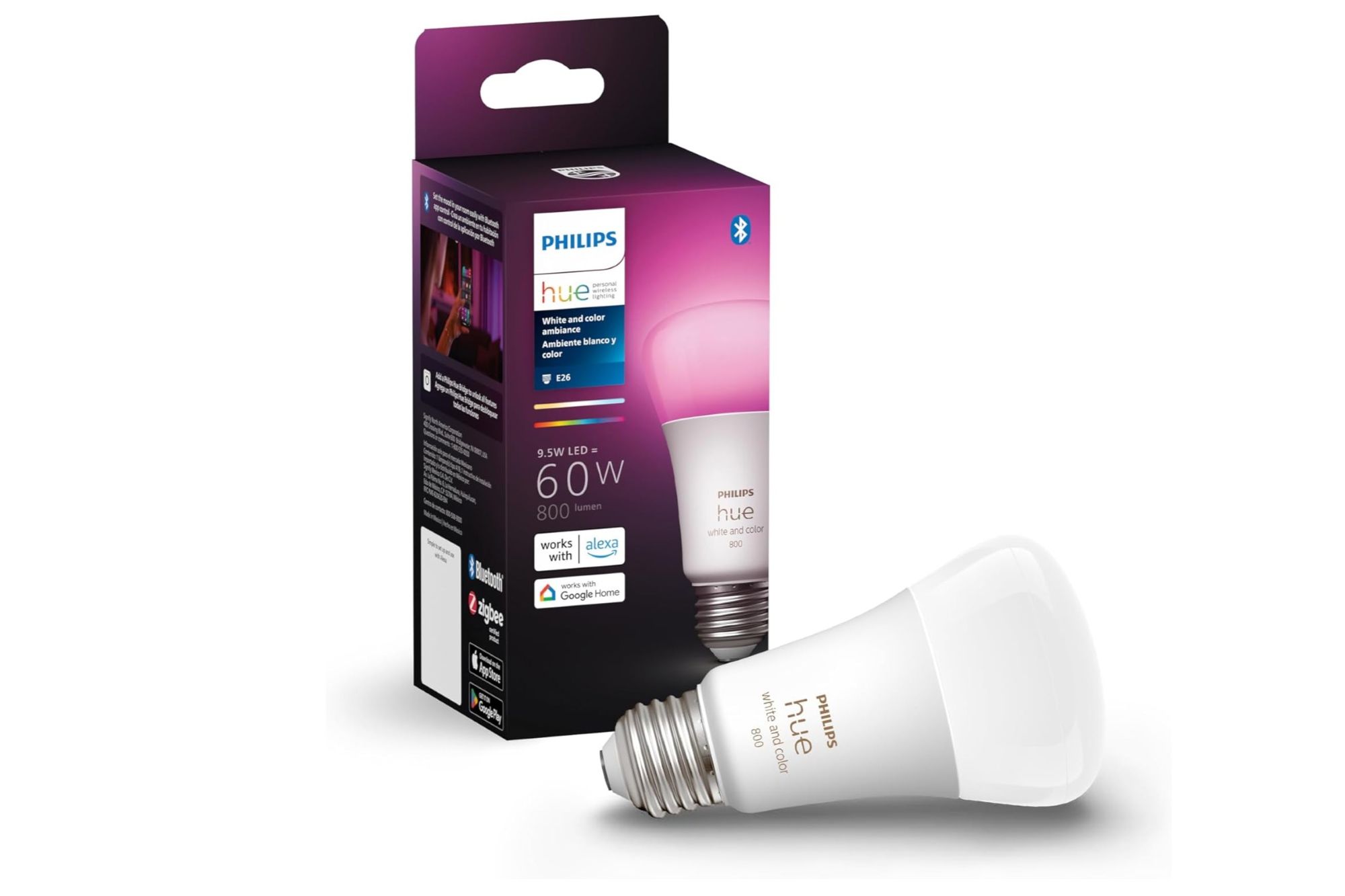
Philips Hue White and Color Ambiance – Best color smart bulb
Pros
- Bluetooth eliminates need for the Hue Bridge
- Excellent light quality and smooth dimming
- Massive Hue ecosystem
Cons
- More expensive than the competition
- Bluetooth limits you to 10 Hue devices
- Hub required to assign Hue devices to rooms
Price When Reviewed:
$49.99


Who should buy the Philips Hue White and Color Ambiance smart bulb
Just about anyone looking to get started with smart lighting would do well with the Philips Hue White and Color Ambience smart bulb. It offers easy setup, doesn’t require the Hue Bridge (although you can always add one later), works with Alexa, Apple HomeKit, and Google Assistant, and boasts terrific reliability (our editors have been using them for years and have yet to report any serious failures). And while Hue bulbs tend to be a tad pricier than the competition, they’re worth the extra cost.
Philips Hue White and Color Ambiance smart bulb: Further considerations
Philips (now known as Signify) was one of the first players in this market, and the company’s experience shows. The addition Bluetooth support obviates the need for the $60 Philips Hue Bridge (although most smart home denizens will want the Bridge anyway). Signify’s Philips Hue lighting ecosystem is the industry’s deepest and broadest, with bulbs of every shape and size imaginable, not to mention lighting fixtures landscape lighting.
Read our full
Philips Hue White and Color Ambiance A19 (Bluetooth + Zigbee) review
Wyze Bulb Color – Best color smart bulb, runner-up

Pros
- Very inexpensive
- No hub or bridge required
- Surprisingly bright considering the price
Cons
- Can’t be grouped with the tunable white Wyze Bulb
- Only available as a 2- or 4-pack
- No competition for Philips Hue in terms of lighting ecosystem
Price When Reviewed:
$34.99 for a 4-pack when reviewed. Price as of August 29, 2025 is $44.44 for a 4-pack; $26.26 for a 2-pack


Who should buy the Wyze Bulb Color
Wyze’s color bulbs are among the most affordable on the market, and you don’t need a bridge to add one–or many–to your home. They’ll also work in tandem with your Wyze Cam, meaning you can set your Wyze camera to trigger a Wyze bulb if the cam detects motion. But the Wyze Bulb Color doesn’t support Matter, which means it’s a no-go for Apple HomeKit users, and the Wyze lighting ecosystem can’t match Philips Hue’s.
Wyze Bulb Color: Further considerations
Wyze Labs can’t match Philips Hue in terms of the breadth of its smart lighting ecosystem, but it beats Signify’s brand by a country mile in terms of pricing, and Wyze has a much broader array of product offerings when it comes to other areas of the smart home–most importantly in terms of home security. Wyze also now offers an excellent BR30 color smart bulb.
Read our full
Wyze Bulb Color review
Philips Hue White Ambiance (Bluetooth + Zigbee) – Best white smart bulb

Pros
- Bluetooth eliminates the need for Hue Bridge
- Excellent light quality and smooth dimming
- Unrivaled size and depth of Hue ecosystem
Cons
- More expensive than the competition
- Bluetooth limits you to 10 Hue devices
- Hub required to assign Hue devices to rooms
Price When Reviewed:
$24.95 (price as of November 6, 2024: $29.99)
Who should buy the Philips Hue White Ambiance (Bluetooth + Zigbee) smart bulb
As with Philips Hue’s color smart bulb, we recommend the Hue White Ambiance for most folks who want to add smart lighting to their homes, although the A19 form factor is more appropriate for lamps and the like). It’s easy to set up, works with all the major smart home ecosystems, and the Hue Bridge is entirely optional (although certainly nice to have). The Hue White Ambiance is also considerably more affordable than the Hue White and Color Ambiance bulb, so peppering them around your home won’t break the bank.
Philips Hue White Ambiance (Bluetooth + Zigbee) smart bulb: Further considerations
Our choice won’t surprise anyone who’s been following this market. Philips dominates this space and is also our top pick for best color LED smart bulb. The latest Hue bulbs can be controlled via Bluetooth or Zigbee (the latter requires the Philips Hue Bridge), they deliver high-quality light, and are backed by a strong warranty. We only received the BR30 form factor for our review, but apart from form factor, that bulb is the same as the A19.
Read our full Philips Hue White Ambiance (Bluetooth + Zigbee) review
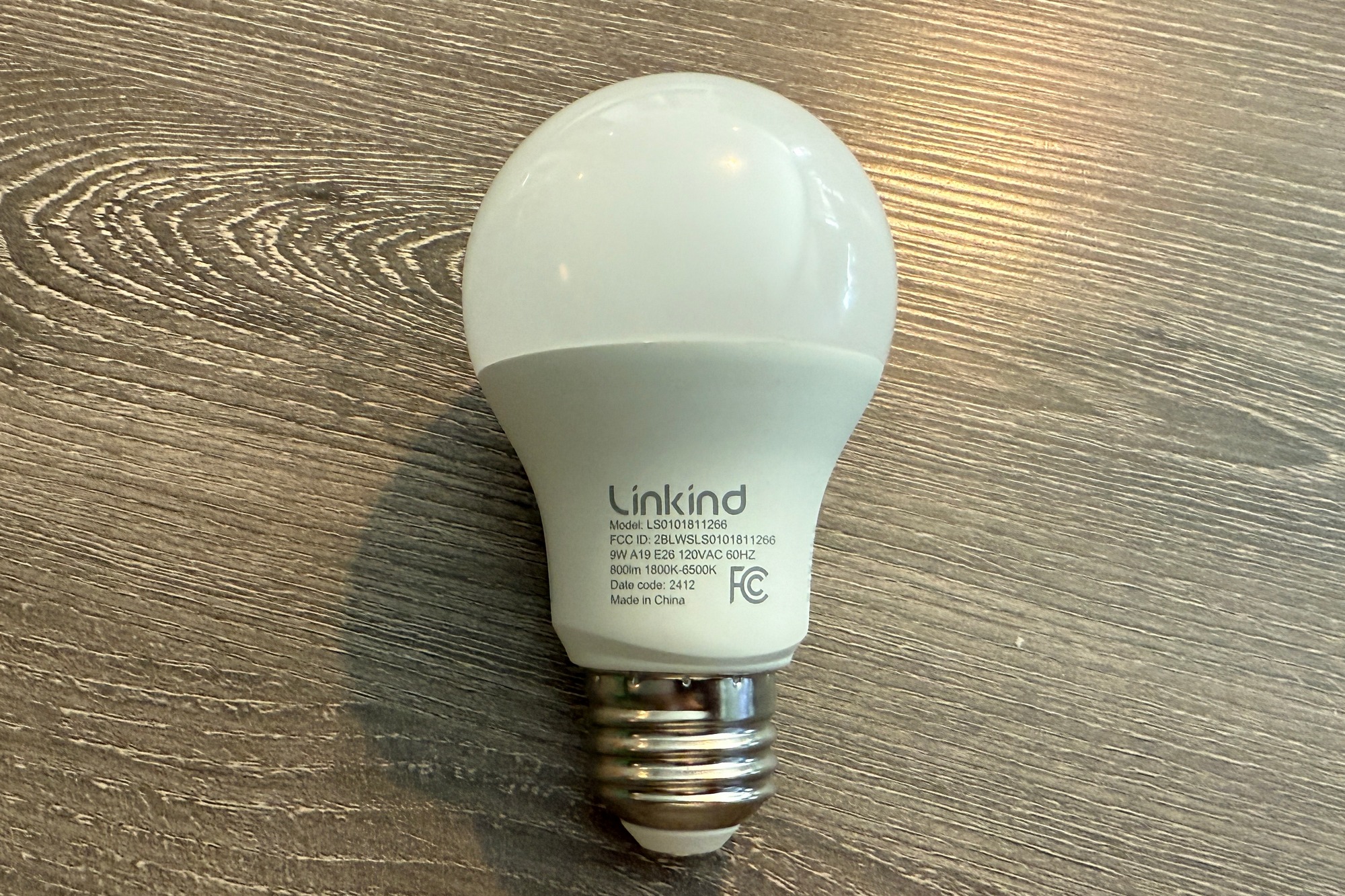
Linkind Matter Smart RGBTW A19 Smart Bulb – Best budget smart bulb
Pros
- Extremely affordable
- Long list of features includes energy monitoring
- Matter support
Cons
- App can be slightly confusing
- First-time setup results in a ton of emails
Price When Reviewed:
$19.84 (4-pack)

Who should buy the Linkind Matter Smart RGBTW A19 Smart Bulb
Smart home dwellers who object to needing a hub to bridge their smart bulbs to their Wi-Fi network should jump on this smart bulb while it’s this affordable (the bulbs are manufactured in China, so tariffs could jack up the price). The AiDot app, developed by Linkind’s parent company, offers a wealth of customization options, or you can integrate the bulbs in your smart home ecosystem of choice thanks to their support for Matter.
Linkind Matter Smart RGBTW A19 Smart Bulb: Further considerations
The price tag is this smart bulb’s primary attraction, but certainly not its only feature. Different retailers have different prices, but the average street price was around $6 per bulb (purchased in a 4-pack) at the time of this review. Among the features you’ll get with Linkind’s lineup, which includes BR30 floodlights and tall A21 bulbs, is Matter compatibility, color and tunable white light, dimming capability, and–silly as it might sound–the ability to sync these bulbs to music, using your smartphone’s microphone.
Read our full
Linkind Matter Smart RGBTW A19 Smart Bulb review
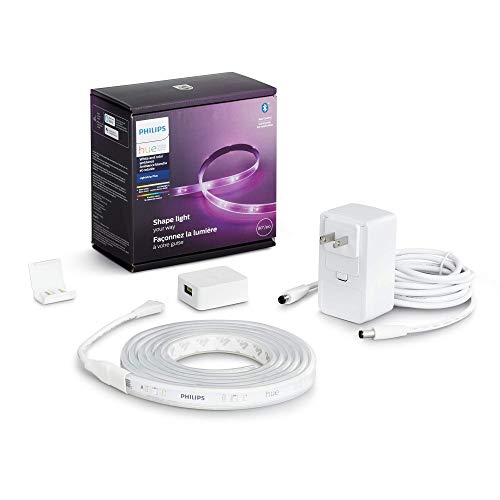
Philips Hue Lightstrip Plus (2020) – Best LED light strip
Pros
- Bright and colorful
- Supports both Bluetooth and Zigbee
- Robust scheduling and automation features
Cons
- Mmore expensive than competing products
- Power cable saddled with a chunky wall wart
- Lights can’t be animated without a third-party app
Best Prices Today:
Who should buy the Philips Hue Lightstrip Plus
It may be pricier than other light strips on the market, but we still recommend the Philips Hue Lightstrip Plus even if you’re on a budget. The reason: Smart light strips are notoriously prone to failure, particularly the cheap ones. But a Hue Lightstrip Plus has been working flawlessly for years in a TechHive editor’s kitchen, and Hue has been good about replacing defective units if the need arises. Aside from reliability, the Hue Lightstrip Plus benefits from Hue’s robust ecosystem, support for all the major smart home platforms, and the fact that the Hue Bridge is optional.
Philips Hue Lightstrip Plus: Further considerations
The Philips Hue Lightstrip Plus makes for a great and easy way to add accent lighting to kitchen counters, stairways, and other indoor areas. The Philips Hue ecosystem is bigger than any other smart lighting solution, but Hue products are also much more expensive than the competition.
Read our full
Philips Hue Lightstrip Plus (2020) review
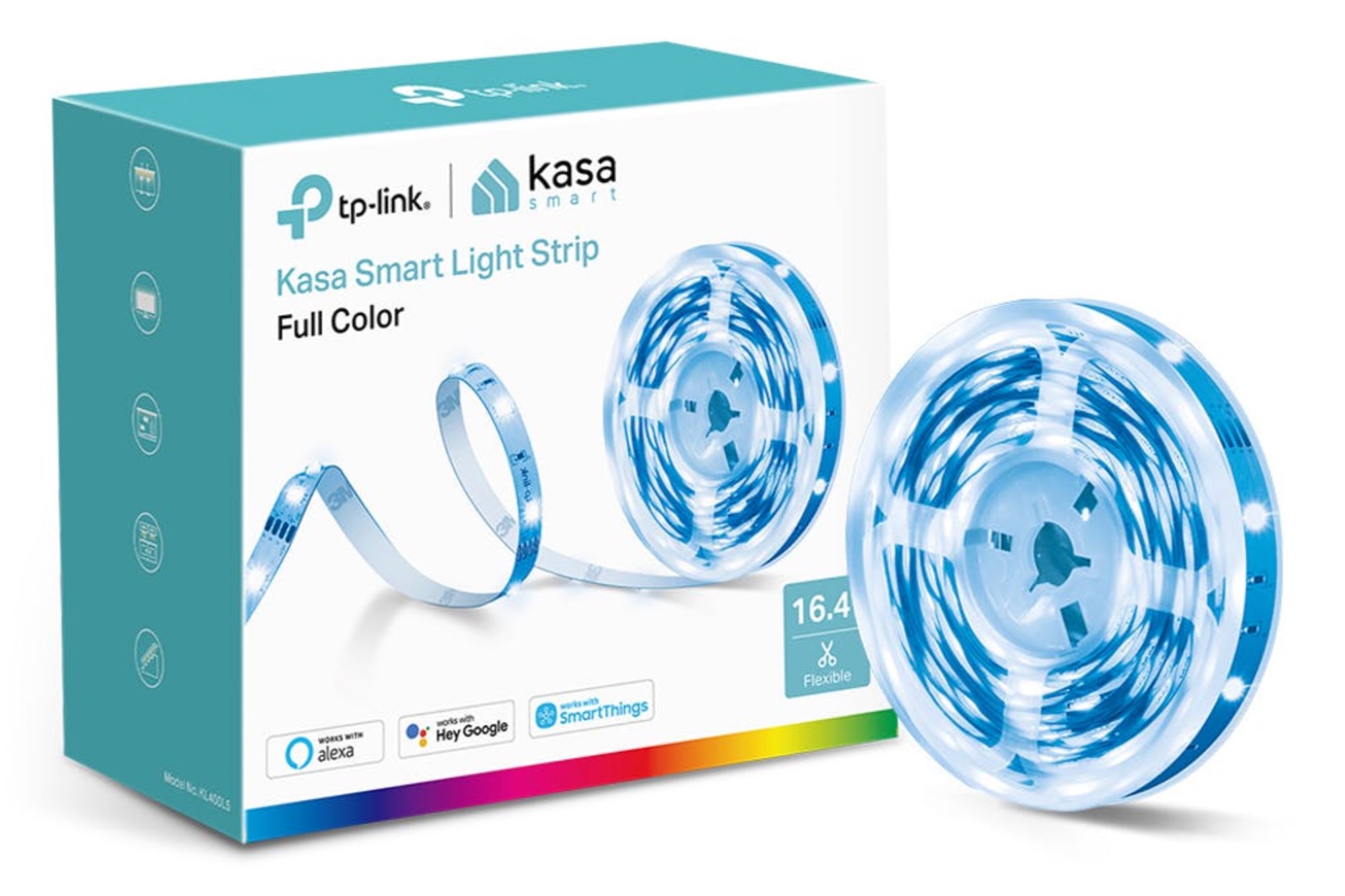
TP-Link Kasa Smart Light Strip KL400L5 – Best LED light strip, runner-up
Pros
- Affordably priced
- Solid collection of animated effects
- Plenty of scheduling, scene, and grouping options
Cons
- Cumbersome Wi-Fi setup
- Can’t sync its LEDs with your music
- Flimsy construction
Price When Reviewed:
$24.99

Who should buy the TP-Link Kasa Smart Light Strip KL400L5
If you must spend less on a smart light strip, we’ll point you in TP-Link’s direction. While you can’t extend this light strip, you can put it on a schedule, group it with other Kasa lights, and use it with Alexa, Google Assistant, and Samsung SmartThings, and you can even tee up some nifty animated lighting scenes.
TP-Link Kasa Smart Light Strip KL400L5: Further considerations
TP-Link built more features into this light strip than we expected for the price, and it even offers one feature that our top pick doesn’t: animation sequences. The Philips Hue product, on the other hand, feels much more durable, and you can add extensions to the end of a strip. The biggest factor in TP-Link’s favor? The price tag.
Read our full
TP-Link Kasa Smart Light Strip KL400L5 review
Nanoleaf Shapes Hexagons – Most innovative lighting design

Pros
- Beautiful and interactive lighting scenes
- Touch actions let you control other smart devices
- Surprisingly easy to install
Cons
- Panels can be difficult to remove from a wall
- Chunky AC adapter
- Expensive
Price When Reviewed:
$199.98 (Smarter Kit 10-Pack)
Who should buy the Nanoleaf Shapes Hexagons
Whether you’re a Twitch streamer who wants to add some eye candy to their setup or you simply want to decorate your office or another room, Nanoleaf’s Shapes light panels are the way to go. They’re easy to install–and, crucially, remove when the time comes. They also work with Matter (following a software update), and their touch functionality remains unmatched.
Nanoleaf Shapes Hexagons: Further considerations
This is the first of Nanoleaf’s Shapes interactive light panels, and it set the stage for several other equally fun versions. This modular lighting system won’t illuminate a room–that’s not it’s intended purpose–but it can set a mood like nothing else on the market today.
Read our full
Nanoleaf Shapes Hexagons review
LIFX Ceiling – Best smart ceiling light
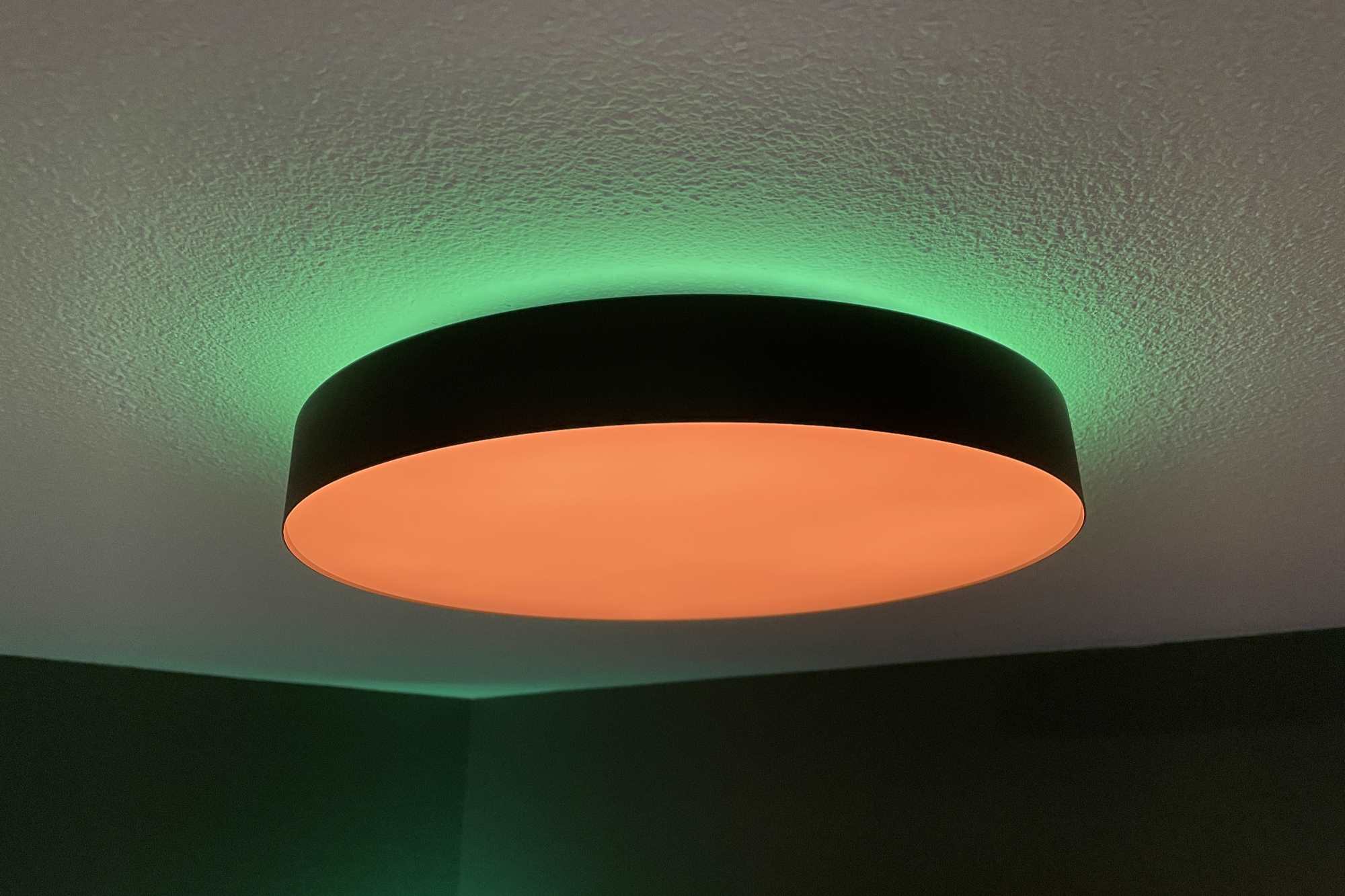
Pros
- Extremely easy installation
- Bevy of lighting features thanks to dual zones
- High quality light, with ample range
Cons
- Built-in wiring connectors won’t work for all environments
- LIFX app remains a bit obtuse
- Draws quite a bit of power
Price When Reviewed:
$89.97
Who should buy the LIFX SuperColor Ceiling
With its easy installation, the LIFX SuperColor Ceiling is a great choice for those who might otherwise balk at installing a smart light in their ceiling. And thanks to its Matter support, the LIFX light will work in Alexa, Apple Home, Google Home, and Samsung SmartThings households
LIFX SuperColor Ceiling: Further considerations
The best feature LIFX’s SuperColor Ceiling light may well be how easy it is to install. Thanks to a cleverly designed mounting bracket and a handy clip that holds the fixture a few inches below the ceiling, the LIFX Ceiling light has an almost idiot-proof setup process. We also love the two-zone lighting as well as the Matter support.
Read our full
LIFX SuperColor Ceiling review
Philips Hue Lily – Best outdoor spotlight

Pros
- Robust aluminum housing and IP65 weatherization
- Up to 600 lumens of brightness
- Low-voltage cables can be buried
Cons
- Requires Hue Bridge
- Each add-on spotlight costs another $100
Price When Reviewed:
$279.99 when reviewed, current price is $339.99
Who should buy the Philips Hue Lily
Already invested in the Philips Hue ecosystem for your indoor lights? If so, then ponying up for Hue outdoor lights is a no-brainer, and the Lily spotlight is a great place to start. It’s weatherized for the elements, works with all the major smart home ecosystems (now that the Hue Bridge has been updated with Matter), and plays nice with a variety of Hue outdoor accessories, including the Hue Outdoor Sensor.
Philips Hue Lily: Further considerations
Signify’s Philips Hue product line includes the most complete collection of outdoor and landscape LED lighting. In addition to the Lily spotlight, there’s the Lily XL spotlight, the Calla Bollard light, the Econic Outdoor Pedestal, the Amarant linear outdoor light, no fewer than 9 wall or ceiling-mount outdoor lights, and even outdoor LED light strips. That diversity, and the high-quality design and construction of these luminaires, justifies Signify’s high price tags.
Read our full
Philips Hue Lily outdoor spotlight review
Hampton Bay Hubspace Landscape Spotlights – Best outdoor spotlight, runner-up
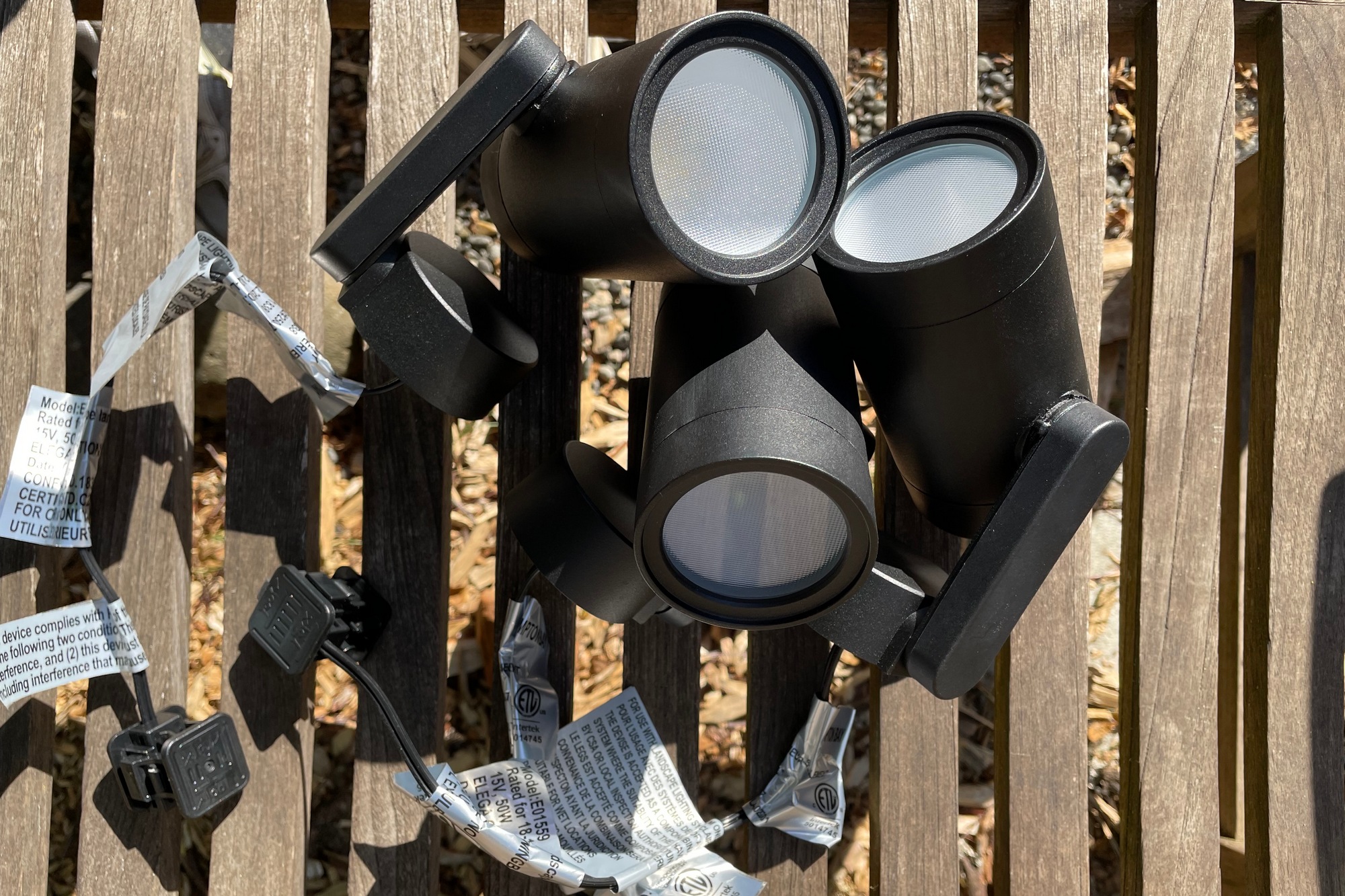
Pros
- Comparatively inexpensive
- Hubspace ecosystem is increasingly comprehensive
- Can be powered by any 12/15-volt transformer
Cons
- Fragile construction compared to the competition
- Transformer and wire are sold separately
Price When Reviewed:
$149.00 (spotlight 3-pack). Reviewed with Hampton Bay Hubspace transformer ($100) and 75 feet of Cerrowire 16/2 low-voltage wire ($29). Price as reviewed: $278
Who should buy the Hampton Bay Hubspace Landscape Spotlights
If you’re not already a Philips Hue user or you don’t have a Hue-sized budget, you can still up your outdoor lighting game with this affordable kit from Home Depot. It’s relatively easy to deploy, works with an increasingly wide range of Hubspace lighting devices, an–so far–Home Depot appears to be sticking by its smart home brand, unlike other retailers we’ve seen.
Hampton Bay Hubspace Landscape Spotlights: Further considerations
These budget-priced landscape spotlights deserve to be compared to the much-pricier Philips Hue Lily product line. The trade-offs include less-robust construction, less-sophisticated wiring, slightly dimmer brightness, and a less-complete smart lighting ecosystem, but you will spend significantly less money, especially if you deploy a lot of lights.
Read our full
Hampton Bay Hubspace Landscape Spotlights (3-pack) review
Philips Hue Calla – Best outdoor pathway light
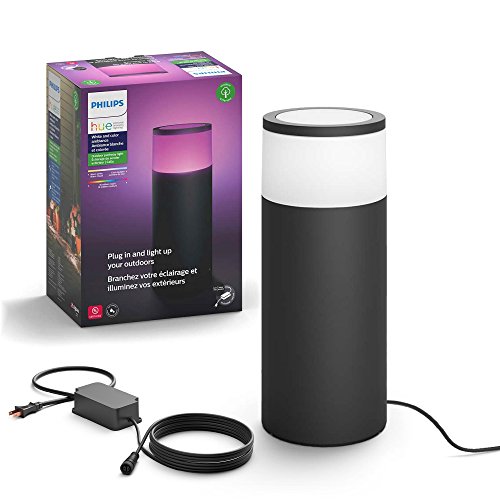
Pros
- 16 million colors, plus tunable white light
- Robust, weatherized construction
- A component in the broad Philips Hue lighting ecosystem
Cons
- Delivers only 600 lumens of brightness
- Must be hardwired to a plug-in power supply
- Expensive compared to run-of-the-mill pathway lighting
Price When Reviewed:
$129.99 each


Who should buy the Philips Hue Calla
At the risk of sounding like a broken record, Philips Hue’s lighting products are well worth their premium prices, particularly when it comes to outdoor lights like the Calla. That makes them the best choice for those who want to light up their outdoor pathways, especially if you’re already a Hue user, and they’ll work seamlessly with any other Hue lights in your yard.
Philips Hue Calla: Further considerations
The Philips Hue Calla outdoor pathway light adds sophisticated safety to outdoor walkways and patios, and Philips has the most complete smart lighting ecosystem in the industry. But you’ll need an outdoor outlet to power this and all other Hue landscape lighting, and the components are very expensive.
Read our full
Philips Hue Calla outdoor pathway light review
Ring Smart Lighting Solar Pathlight – Best outdoor pathway light, runner-up
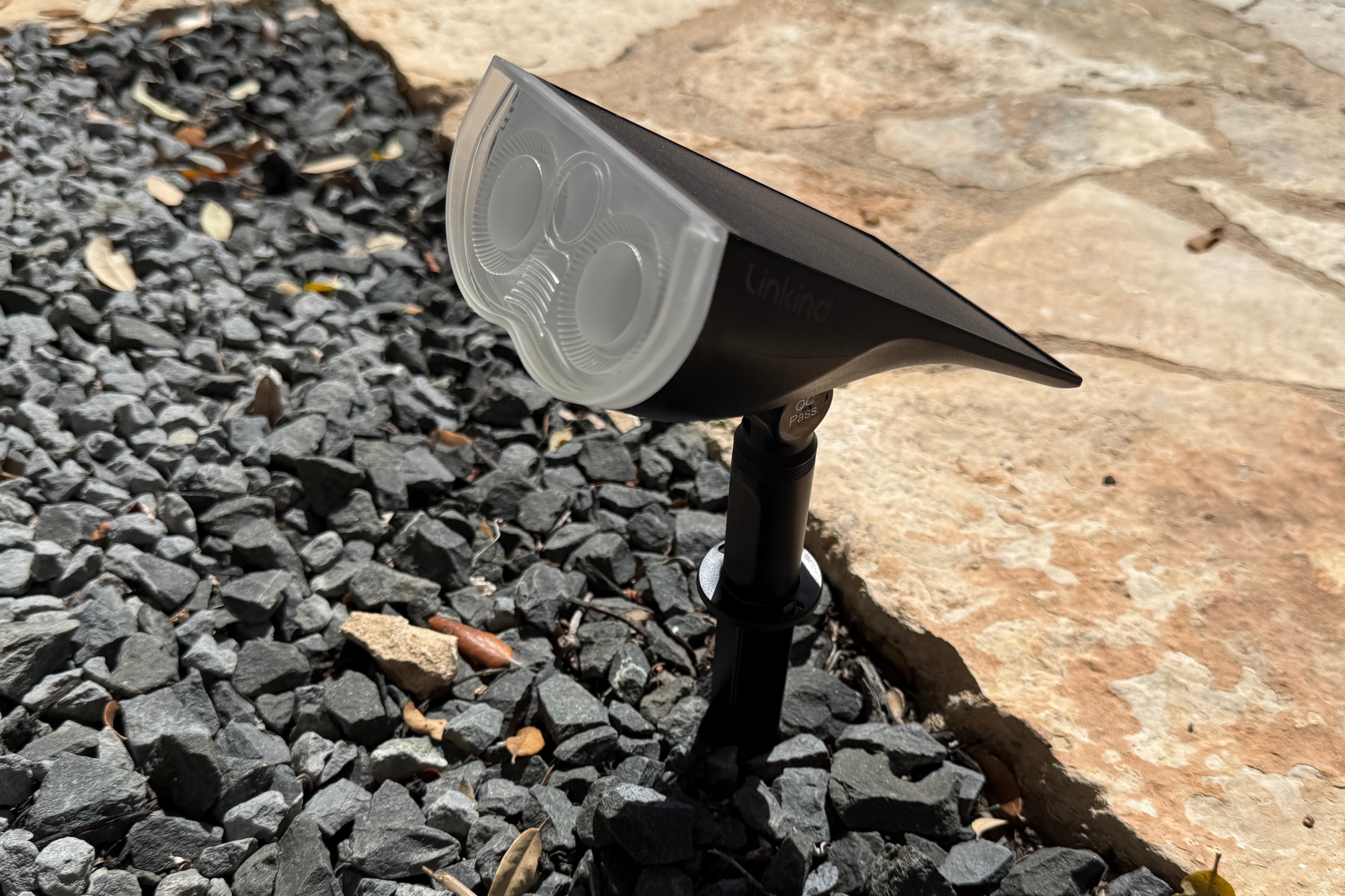
Pros
- Incredibly long battery life
- Amazingly bright in both white and color modes
- Surprisingly affordable
Cons
- Management often requires tedious light-by-light configuration
- Dynamic color modes are a bit flat
- Battery meter in the app doesn’t update reliably
Price When Reviewed:
8-pack reviewed: $130; also available in a $35 2-pack (launch discounts reduce prices to $91 and $25 respectively)
Who should buy the Linkind Smart Solar Spotlight SL5C?
Tired of the pathetically dim solar-powered path lights you’ll find at your local home-improvement store? Linkind’s Smart Solar Spotlight SL5C deliver an incredible amount of light for the price; what’s more, they can glow in colors in addition to temperature-tunable white. These are smart bulbs, too, so you can program them to operate with entire lighting scenes on a schedules. They come with ground stakes, of course, but Linkind also gives you the option of mounting them to a wall. They are a fabulous value.
Ring Smart Lighting Solar Pathlight: Further considerations
Be aware that these are directional spotlights, do they won’t flood an area with light, but they’re so inexpensive that you can buy enough to light a path without spending a huge sum of money. They have integrated solar panels, so you don’t need to worry about having a weatherized outdoor outlet or stringing cable along the ground (and burying it so no one trips on it). Linkind says they can run for 14 hours after a full day in the sun, but our reviewer managed to get a whopping 22 hours of light from them. The single drawback we encountered was that each light must be managed in the Linkind app individually. That said, they operate on a Bluetooth mesh, so you can program just one light and then copy those settings to all the others. Linkind even offers a $30 hub that will bridge the lights to your Wi-Fi network for even easier management as well as enabling control of them with a smart speaker.
Read our full
Linkind Smart Solar Spotlight SL5C (8-pack) review
Enbrighten Wi-Fi Café Lights – Best outdoor string lights
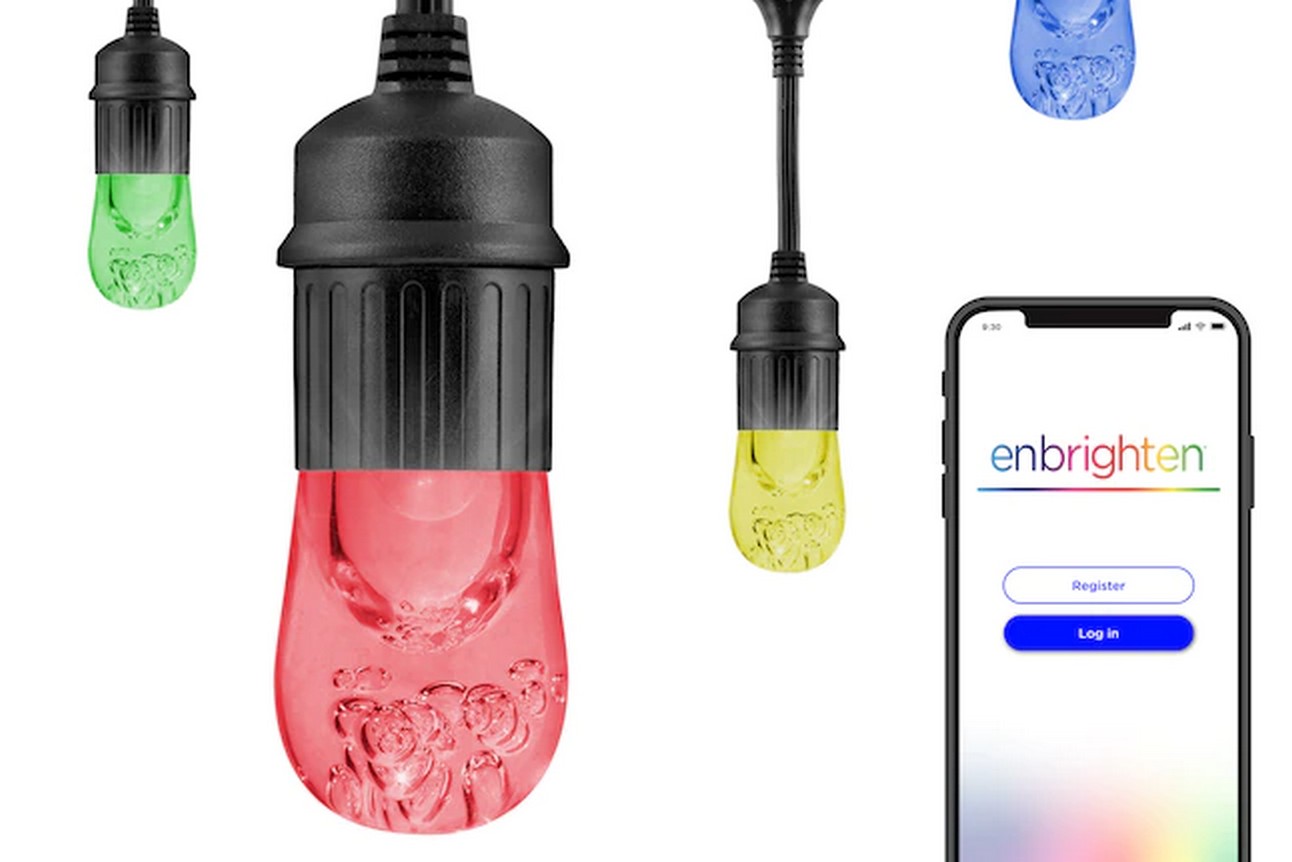
Pros
- Wi-Fi control with Alexa and Google Assistant support
- Bright, vibrant colors
- Additional strings can be daisy-chained, up to 200 feet
Cons
- No IFTTT or Apple HomeKit compatibility
- Bulky control unit
- Expensive compared to “dumb” alternatives
Price When Reviewed:
12-foot/24 lights: $159.99
Who should buy the Enbrighten Wi-Fi Café Lights
Provided you have the budget, the Enbrighten Wi-Fi Café Lights is a good choice for decorative outdoor string lights that respond to Alexa and Google Assistant voice commands. These café lights are also a great pick if you have a lot of ground to cover, given that the strings can be daisy-chained together.
Enbrighten Wi-Fi Café Lights: Further considerations
Jasco’s Enbrighten Wi-Fi Café Lights are certainly expensive, but they’re also very pretty, highly customizable, and exceptionally durable for year-round outdoor installations. There’s also surprisingly little competition in this admittedly specialized segment of outdoor lighting. Signify has outdoor Philips Hue light strips, for example, but that’s a very different look from café-style lights.
Read our full
Enbrighten Wi-Fi Café Lights review
Enbrighten Eternity Lights – Best permanent holiday lights
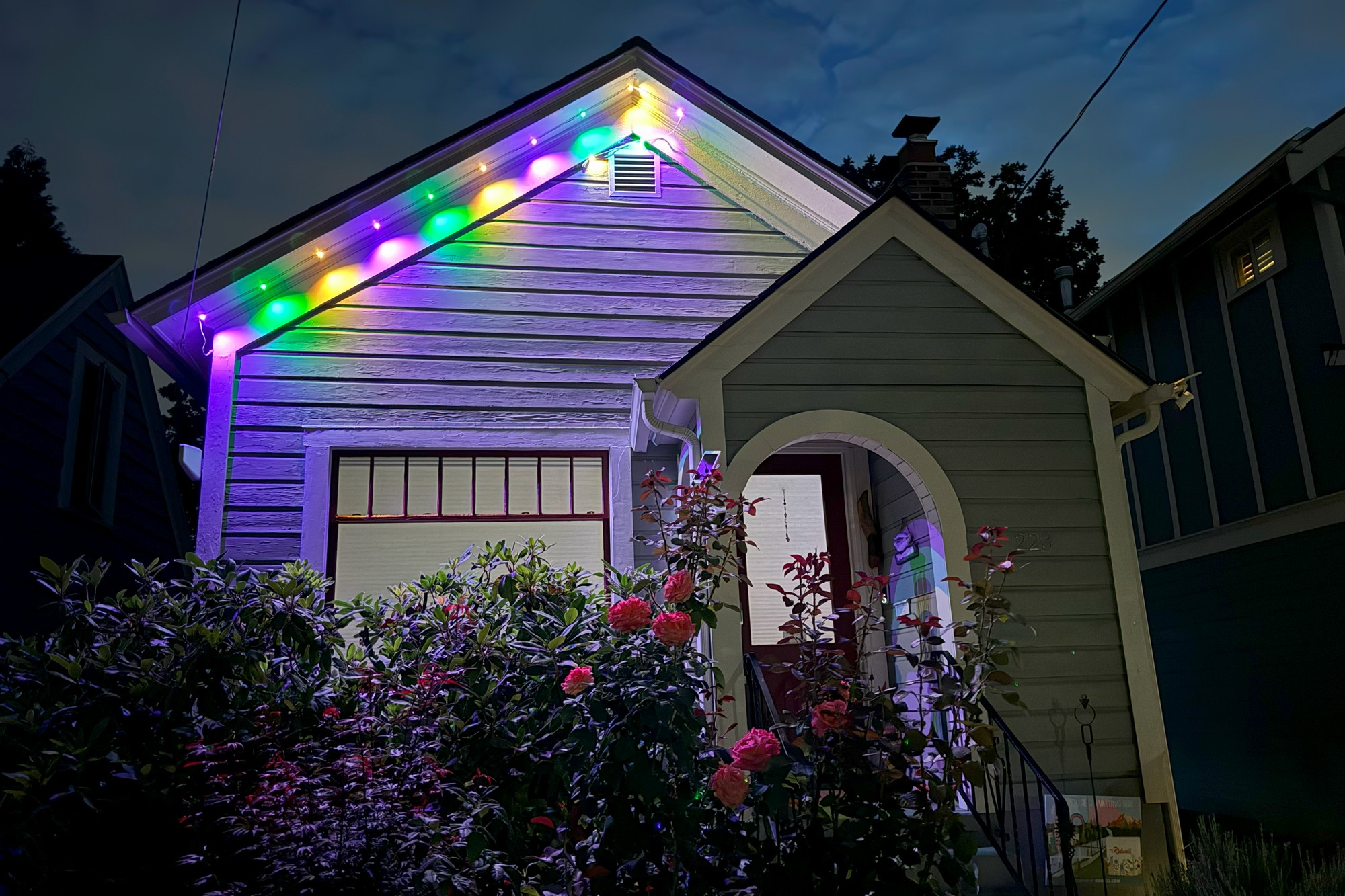
Pros
- Robust, weatherized components
- Bright, vibrant color and white lights
- Extendable up to 200 feet
Cons
- Power supply can’t be purchased separately
- No Apple Home, IFTTT, or Matter support
- Lights can’t be synchronized to music
Price When Reviewed:
50-foot, 36-light kit: $159.99 (as reviewed); 100-foot, 72-light kit: $249.99
Who should buy Enbrighten Eternity Lights
You don’t need to be a smart home enthusiast to enjoy these lights; all you really need is a Wi-Fi router, a smartphone, an outdoor outlet you can plug their power supply into, and the desire to decorate your home with light. Enbrighten Eternity Lights can glow in lots of colors as well as different temperatures of white light, and they can be programmed to flash, sequence, and dance in preset patterns or you can customize your own lighting scenes.
Enbrighten Eternity Lights: Further considerations
The winter holidays aren’t the only time it’s fun to decorate your house, but no one wants to drag the ladder out of storage several times a year to hang and then take down outdoor lighting. With the Enbrighten Eternity Lights, you don’t have to: Once you’ve installed them, they can stay up forever and you can program for every season–or just highlight your home’s architecture with tunable white light. They connect to your Wi-Fi network, of course, and they can operate on a schedule, with geofencing, or with voice commands spoken to Alexa or Google smart speakers.
Read our full
Enbrighten Eternity Lights review
Other notable smart lights we’ve tested
More flexible and now with Matter, Govee’s Neon Rope Light 2 makes for an easy way to add an animated and eye-catching splash of color to practically any living space. The affordable, easy-to-install Govee LED Strip Light M1 with Matter works with all the major smart home ecosystems thanks to Matter, and will keep you busy with its myriad features and light animations. Govee’s Glide Hexa Light Panels are essentially bargain-priced Nanoleaf knock-offs, but they’re missing key features and they’re not that much cheaper. LIFX is back with a 24-foot LIFX String Light that can add an appealing splash of color to any backyard space, while the LIFX SuperColor Smart Light A21 makes for a compelling smart bulb, even if it’s a tad heavy and chunky. You can add a burst of color to your landscaping with the LIFX SuperColor Spot, but be mindful of all the extra wiring it requires. Nanoleaf’s Essentials Matter Lightstrip is bright, affordable, and easy to install, but getting the strip to work with Matter involves jumping through some hoops, while the brand’s Outdoor String Lights leave something to be desired in terms of light quality. A cinch to set up and compatible with Alexa, Google Assistant, and HomeKit, the Bluetooth-enabled Philips Hue Iris makes for an easy and inexpensive way to warm up a room. The TP-Link Kasa Smart WiFi Light Bulb has some nifty tricks up its sleeves and deep scheduling functionality, even if other aspects of the bulb are rough around the edges. Connected by a detachable cable, the WiZ Bar Linear Light casts multicolored splashes of light, and it even detects motion. The WiZ Mobile Portable Light also detects movement, and it can glow in multiple animated colors.
How we test smart lights
Our testing of smart lights begins with the setup process, including the physical installation as well as connecting the light to Wi-Fi or pairing it with a hub. We assess its breadth of features, such as available color modes, grouping, light scene functionality, and scheduling, and we also evaluate the usability of its app. We also consider which smart home ecosystems it works with, from Alexa and Apple HomeKit to Google Home and Samsung SmartThings, as well as whether it’s compatible with Matter. Finally, we evaluate the construction of the light itself, including whether outdoor lights are weatherized against the elements.
Other smart light considerations are more subjective. How does the light look? How vivid are its colors? Is the physical design of the light attractive? All these factors contribute to our final ratings.
Why you should trust us
TechHive’s editors and contributors have been testing smart bulbs and lighting products practically since the category was invented. We continuously test the latest smart lights, accessories, and the apps that control them. We also have deep experience with a broad range of smart lighting devices, from smart A19 bulbs and color light strips to outdoor lighting and touch-sensitive light panels. You can trust us to guide you to the best smart lights for your home, office, back yard, and more.
Why curated this article?
A veteran technology and business journalist, Christopher Null contributes regularly to TechHive, PCWorld, and Wired, and operates the websites Drinkhacker and Film Racket. He is a smart home expert who has evaluated scores of smart lights, ranging from smart bulbs and smart LED light strips to string lights and ceiling fixtures.
How to choose the best smart lights
Color and/or tunable white
With their rainbow of hues and myriad party tricks, color LEDs get all the press in the world of smart lighting. It’s fun stuff, but the reality is that most of us will rarely find much of a need to turn all the lights in the house blue or red—unless it’s time to celebrate our team winning the World Series. Even then, you’ll probably want to turn them all back to white after the celebration.
White light is also important in its own right, as today there is plenty of science to show how various shades of white—with variations in color temperature—impact our psychological state. Cool light that’s closer to blue has an energizing effect, and is best in the morning. Warm light is relaxing, and is best after the sun goes down. Note, however, that not every white LED smart bulb is color-temperature-tunable. Check out the specs before you buy.
White smart bulbs downplay the party features that are a staple of color-tunable bulbs. On the other hand, white smart bulbs are less expensive than color bulbs, making it more affordable to roll them out in multiple rooms.
Smart lighting protocols and features
Three control technologies continue to vie for leadership in the smart bulb market (Z-Wave is a major contender in smart lighting, but you won’t encounter it in bulbs—just in switches, plug-in modules, control panels, and smart-home hubs).
- Zigbee: Bulbs that use the popular smart-home networking protocol require a bridge to communicate with your home Wi-Fi network. This is the technology Philips has adopted for its Hue lineup, but it’s not the only one.
- Wi-Fi: This class of bulb talks directly to your Wi-Fi router, no hub or bridge required. LIFX and TP-Link both manufacture excellent Wi-Fi smart bulbs, but neither company comes close to Signify’s Philips Hue lineup in terms of the depth and breadth of the Hue ecosystem.
- Bluetooth: These bulbs skip your home network altogether and pair directly with your smartphone or tablet. As such, they can’t be controlled from outside your home. GE and a number of other manufacturers make Bluetooth bulbs, some of better quality than others. Signify has recently added Bluetooth radios to its Philips Hue line of smart bulbs, which eliminates the need to deploy the Philips Hue Bridge. Taking the bridge out of the equation reduces the overall cost of deployment, but adds some limitations. You can read more in our review of the new Philips Hue bulbs.
Each of these technologies has pros and cons, so before you attempt to settle on a specific bulb, first try to determine which tech is right for you. If you want to hook your bulbs into a broader smart-home system—such as SmartThings or Nest—Bluetooth bulbs are out. You can control more than one bulb with your phone, but you can’t connect it to sensors or other systems inside your home. Don’t like the idea of pairing a bulb to your phone? A Wi-Fi bulb will work best for you, though you won’t have quite as many options as you’ll find with a Zigbee product.
Smart bulb, or smart switch?
There’s a significant argument about the best way to install smart lighting, and two approaches present themselves. You can either go with expensive smart bulbs and control them all individually, or you can use cheap dumb bulbs and install smart switches to control all the lights on that circuit. Both approaches make sense: With smart bulbs, the biggest issue is cost, but there’s also complexity to deal with. While bulbs can usually be grouped based on location, this is only as intuitive to manage as the bulb control app.
Smart switches, on the other hand, are far more complicated to install—to the point where some users might be uncomfortable dealing with exposed wiring and would prefer to hire an electrician. Smart switches, however, provide more flexibility in many installations.
Habituated from years of flipping hard-wired switches, many users (or their children) will instinctively use the wall switch to turn the lights out when they leave a room. Once that happens, all the apps in the world won’t be able to turn the light back on until the switch is returned to the on position. While this won’t be an issue if you install smart switches, they can’t change a bulb’s color or color temperature.
That said, smart bulbs, no matter what the technology, still won’t be right for everyone. Notably, most of these bulbs cannot be dimmed via a hardwired wall switch (it messes with the power going to the radio, rendering them useless). A few will fail even if a dimmer is present on the circuit and dialed up to full power.
The good news is that bulb prices are going down, so it’s easier to get started with smart bulbs and less punishing should you find that a product doesn’t work for you.
Frequently asked questions about smart lighting
What is the best smart light?
We believe the Philips Hue White and Color Ambiance A19 bulb is the best smart light for most people. It offers excellent light quality, smooth dimming, and shines in up to 16 million colors as well as a wide range of white color temperatures. It works with all the major smart home platforms, including Alexa, Apple HomeKit, Google Home, and Samsung SmartThings. Finally, it’s part of the massive Hue ecosystem, which includes everything from smart lamps and outdoor lights to smart plugs and even security cameras.
What is the best cheap smart light?
If you’re looking for a more affordable smart light, we like the Linkind Matter Smart RGBTW A19 Smart Bulb. This Wi-Fi bulb is easy to set up, boasts energy monitoring along with many other features, and it works with Matter, meaning you can control it with Alexa, Apple HomeKit, Google Home, or Samsung SmartThings. Best of all, the price is right.
How do you set up smart light bulbs?
Out of the box, smart bulbs are usually already in pairing mode, meaning they’ll be discoverable by a compatible smart app as soon as they’re screwed in and/or powered on. But what if you want to put a smart bulb back into pairing mode? After all, with a standard A19 bulb, there’s no obvious button to push.
The precise answer depends on the manufacturer, but generally speaking, the trick is to turn the bulb on and off a set number of times in rapid succession. Check your user manual for the exact details.
Do smart lights require a hub?
As we noted above, if a smart light doesn’t use either Wi-Fi or Bluetooth to connect to your home wireless router or your phone, it will likely require a separate hub to bridge the gap.
For example, Ring lighting products, which use Ring’s proprietary wireless protocol, require the Ring Lighting Bridge, while (older) Zigbee-only Hue lights need the Hue Bridge to connect to your home network.
But there are plenty of smart lights that do connect directly to either Wi-Fi, Bluetooth, or both. Wyze and Cree smart bulbs connect via Wi-Fi, for instance, while most recent Philips Hue lights can connect directly to your phone via Bluetooth. (The latest Hue bulbs boast Bluetooth and Zigbee radios).
Of course, there are benefits to smart lights that use a bridge or a hub—namely range. When connecting via Zigbee, for example, Philips Hue bulbs double as range extenders, with one Hue bulb able to connect to the next, rather than each bulb having to make a direct connection to your Wi-Fi router. A smart hub may also enable better responsiveness than bulbs that connect via Wi-Fi.
Can you control smart bulbs when you’re away from home?
In most cases, yes. Both Wi-Fi-enabled and hub-controlled smart lights typically can be controlled from anywhere, using either the manufacturer’s app or via the app of a compatible smart home ecosystem (Alexa, Apple Home, Google Home, and so on). The same goes with smart lights that rely on a hub, like the aforementioned Ring lights.
A key exception are Bluetooth-only smart bulbs. As we mentioned earlier, Bluetooth has a limited range—just 33 feet or so, and you must be in the same room to control a Bluetooth smart light with your phone. That’s a key factor to consider if you buy a Bluetooth- and Zigbee-enabled Philips Hue light without a Hue Bridge—no Bridge, no out-of-home control.
What’s the difference between tunable white bulbs and dimmable white bulbs?
“Tunable” white bulbs allow you to tune the white color to different color temperatures, from warm while (2200K, or Kelvin) to soft white (3000K) to bright white (4000K) and daylight (6500K). Warm white, for example, is a nice, relaxing color temperature for a dining room or bedroom, while cooler color temperatures are better suited for workspaces, such as a kitchen counter, a desk, or a workshop bench.
“Dimmable” bulbs, as you probably guessed, allow you to change the brightness of the emitted light, from very dim to 100-percent brightness.
Some smart bulbs are both tunable and dimmable, while others are only dimmable. In the latter case, such bulbs are fixed at a specific white-color temperature. Before you buy a dimmable-only bulb, be sure that the set temperature is to your liking.
What’s the benefit of grouping smart lights together?
White you may occasionally want to control only an individual smart light, it’s far more convenient to take change of a whole group of lights at once, and this is a feature we expect from most smart bulbs.
Generally speaking, you’ll be able to group lights in a room—meaning, for example, you’ll have your “Bedroom” lights, your “Kitchen” lights, and so on. Some smart lighting ecosystems (like Philips Hue’s) may allow you to group “zones” of lights, such as all upstairs or downstairs lights.
Once your lights are properly grouped, you’ll be able to control all the lights in a room or zone with a tap, or by asking you voice assistant, “Turn on kitchen lights” or “Set bedroom lights to 60 percent.”
Besides grouping lights, you should also be able to create lighting scenes that automatically set your lights to predetermined brightnesses or color temperatures. For example, a “Movie” scene in your living room might turn off most of your lights while dimming those in an adjacent hallway. You can usually trigger light scenes with a tap within an app or via a voice command.
Related content
- Best smart dimmer switches
- Smart home security best picks
- Smart home security news
- 6 awesome Philips Hue smart light features you’re not using
- The 8 smart home routines I absolutely, positively depend on
- Smart home essentials: 6 beginner-friendly gadgets under $100
- Wi-Fi smart bulbs are cheap and easy. They can also leave you hanging
This articles is written by : Nermeen Nabil Khear Abdelmalak
All rights reserved to : USAGOLDMIES . www.usagoldmines.com
You can Enjoy surfing our website categories and read more content in many fields you may like .
Why USAGoldMines ?
USAGoldMines is a comprehensive website offering the latest in financial, crypto, and technical news. With specialized sections for each category, it provides readers with up-to-date market insights, investment trends, and technological advancements, making it a valuable resource for investors and enthusiasts in the fast-paced financial world.