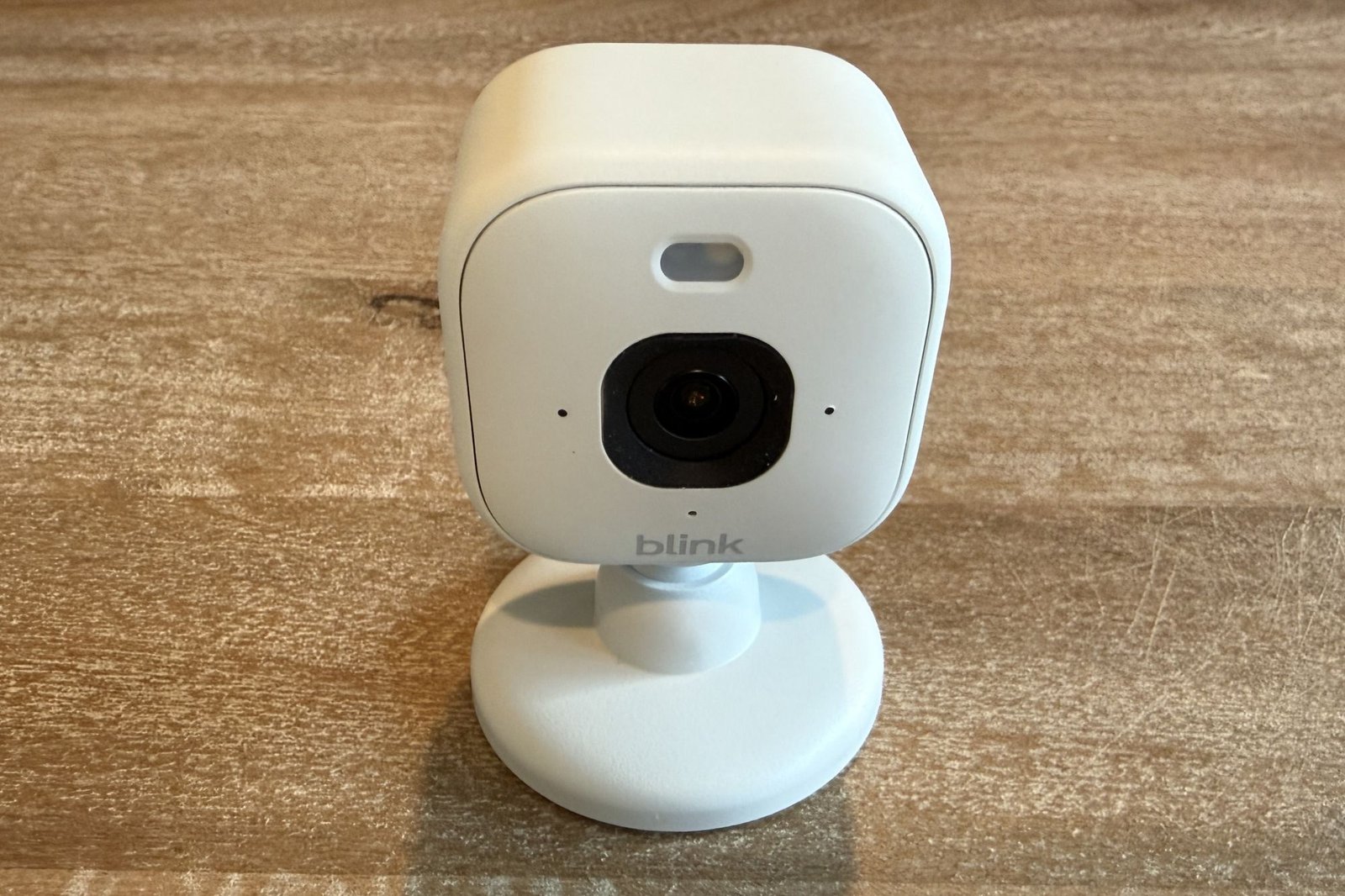
At a glance
Expert’s Rating
Pros
- Very affordable
- Compact and versatile
- Even better image quality than the step-down model
Cons
- Motion-based recording is hair-trigger sensitive
- Infrared night vision is middling at best
- We encountered some setup troubles
- Subscription is all but required for regular use
Our Verdict
Higher resolution is always welcome, and the additional upgrades over the still-available Blink Mini 2 maintain this affordable camera’s recommendation.
Price When Reviewed
This value will show the geolocated pricing text for product undefined
Best Pricing Today
Price When Reviewed
$49.99
Best Prices Today: Blink Mini 2K+


The Blink Mini 2 is a simple security camera that lives up to its name: Small, unobtrusive, inexpensive, and simple; it’s “mini” in every sense of the word. But its 1080p resolution isn’t exactly dazzling in 2026.
That’s surely why the Amazon-owned operation gave the camera an upgrade with this latest release—the Blink Mini 2K+—boosting resolution up 2K levels while throwing in a few additional, if less visible upgrades.
Specifications
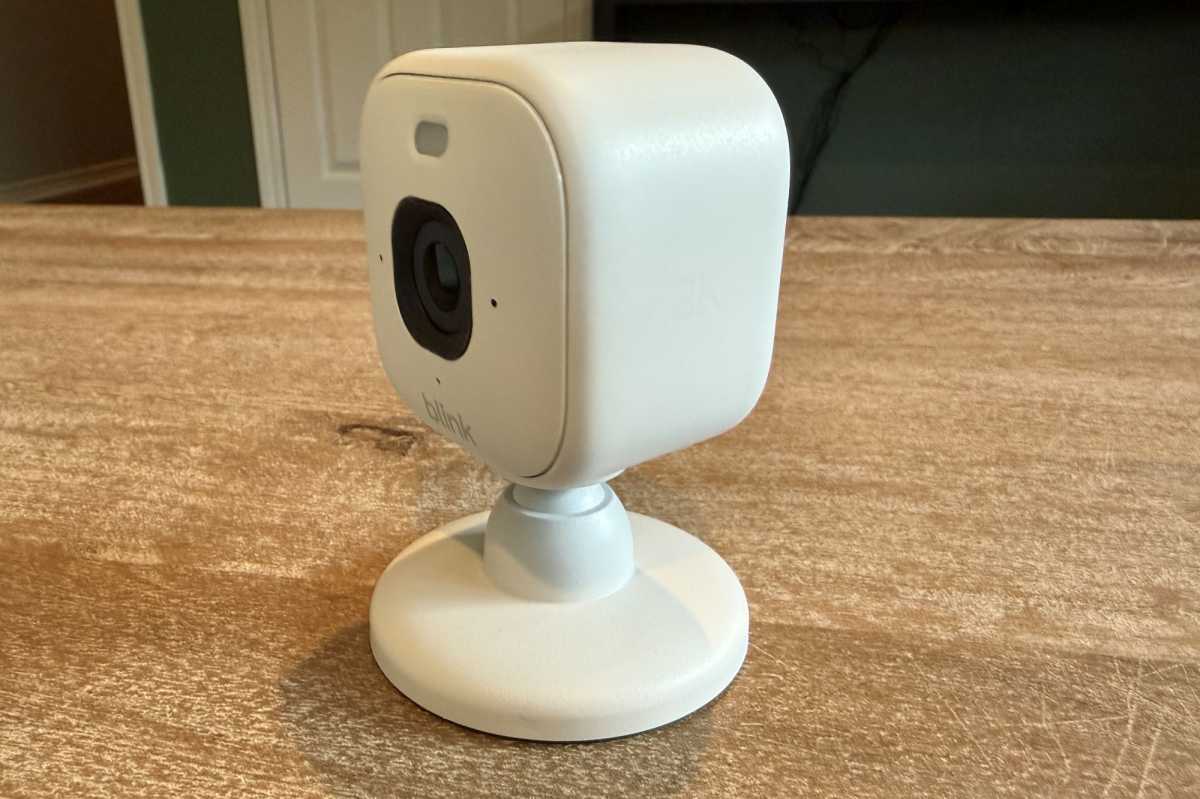
The $50 Blink Mini 2K+ doesn’t look a lot different from its $40 cousin, but its higher resolution alone jutifies the price premium.
Christopher Null/Foundry
The Blink Mini 2K+ and the Blink Mini 2 we reviewed in 2024 (that model remains on the market for $40) look an awful lot alike; they’re both tiny, squared-off devices that, at 2 inches per side, fit easily in the palm of your hand. The camera connects to 2.4GHz Wi-Fi and remains powered via a USB-C cable. It’s designed for either internal or external use, with IP65 weather resistance promised—provided you use a Blink Weather Resistant Power Adapter (sold separately for $10).
A 138-degree diagonal viewing angle is slightly tighter than the 143 degrees that the Mini 2 delivers, and the unit can also be paired with a second 2K+ camera and the Blink Arc adapter (review forthcoming) if you want to approximate a 180-degree ultra-widescreen effect.
The Mini 2 featured a tiny spotlight intended for use as a sort of night light, but this feature gets an upgrade on the 2K+ to provide enough illumination for “color” night vision if you so desire. Standard black-and-white infrared night vision is also included if you prefer your security to be more discreet. And while two-way talk remains in the mix, Blink now boasts that the microphone includes noise cancelation features. And while the original Mini 2 included person detection as a subset of its motion detecting system, the 2K+ adds vehicle detection to the mix.
The camera remains available with either a black or white finish, with the power cable in a matching color.
Installation and setup
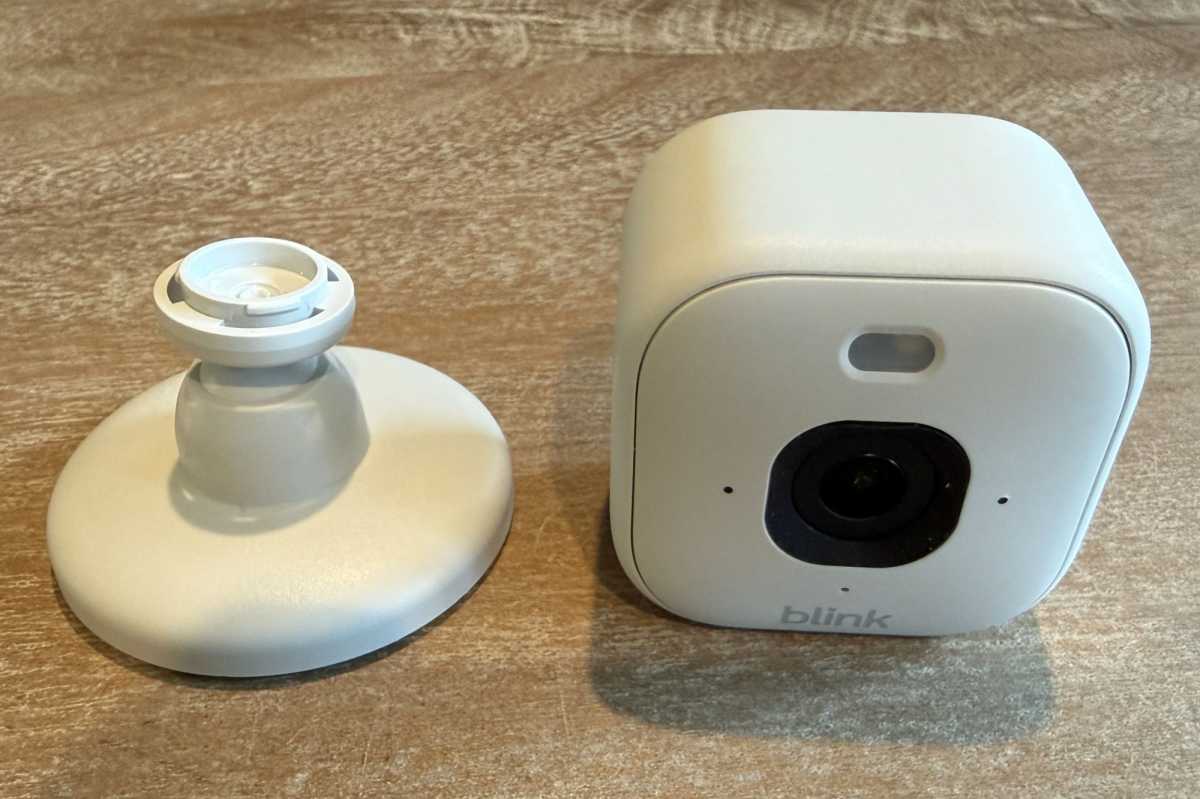
The Blink Mini 2K can be detached from its simple stand if you don’t need to tilt its point of view.
Christopher Null/Foundry
The Blink Mini 2K+ features very deep-set USB-C ports (designed to be weatherproof), and once the included cable is connected, physical setup is largely done. The unit maintains the same mounting system as the Mini 2, with a bracket that can be easily snapped on and off from the camera body and permanently affixed to a wall or ceiling with the included screws if desired. The camera can also be simply rested on a bookshelf or tabletop for more casual or temporary use.
The Blink app gave me headaches during the digital portion of configuration, as I received multiple connection failures throughout this phase of setup (a problem I encountered consistently with two Mini 2K+ cameras I tested). But this and other aspects of setup are more nuisance than problem, including bugs like the app’s failure to remember your Wi-Fi login credentials, forcing you to re-enter them for each device you set up.
Regardless of the occasional headache, I was ultimately able to get the camera set up and operating successfully within a few minutes of effort.
Using the Blink Mini 2K+
The older Blink Mini 2 has solid video quality given its resolution, and that’s improved further with the 2K+. By daylight, video is crisp and smooth, with virtually no distortion evident. Under infrared lighting, however, I found the night vision mode to be middling at best, with footage rather grainy and dim. A critter the camera captured in my backyard on many late-night sojourns remains definitively unidentified, even at a range of less than 15 feet. (Skunk or raccoon are the prevailing theories.)
The stronger spotlight on the 2K+ does help quite a bit, and if you don’t mind the camera making its presence known, the resulting video after hours marks a considerable improvement over that captured under the IR bulbs.
I found the 2K+’s motion sensor to be incredibly sensitive, so much so that I spent a week dialing it down until it was at the lowest level available. Even then, the camera still recorded hundreds of videos with no motion evident that I could see, with notifications duly delivered to my phone. Clips are cataloged in a chronological list, and while you can sort clips to filter for people or vehicles in the image, by and large scouring through recordings for what you need is a scroll-and-tap affair, scrubbing through one clip at a time.
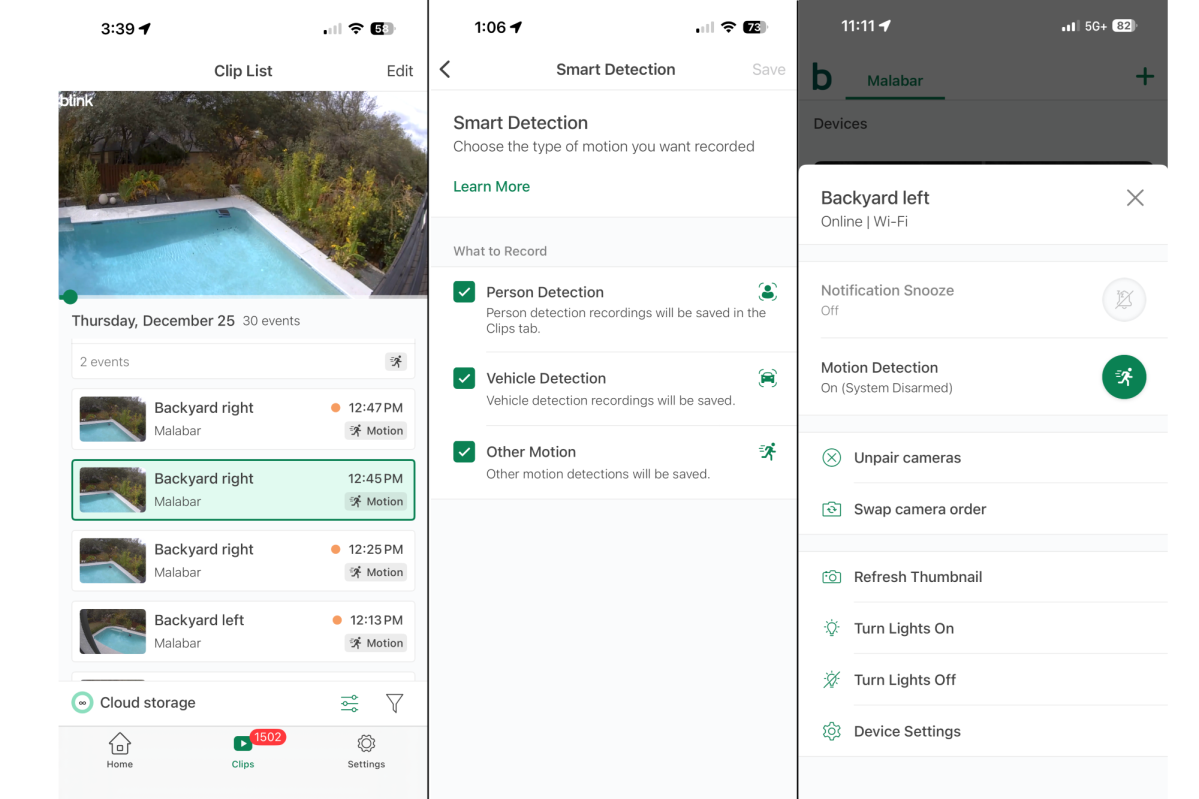
You’ll need to pay for a subscription to enable the Blink Mini 2K’s person and vehicle detection features.
Christopher Null/Foundry
One note of advice with this camera: It won’t record at all unless the system is set to “Armed” in the app and the camera’s motion detection setting is set to “On.” It’s a confusing design that Blink outlines on this support page, but the upshot is that the Armed/Disarmed settings let you disable multiple cameras at once, while motion detection is a per-camera parameter.
Other key settings include adjustable cooldown/retrigger time (10 seconds to 60 seconds) and configurable clip length (5 seconds to 60 seconds). As an Amazon product, robust Alexa support is also included.
As with other Blink camera products, the camera can’t save video unless you’re paying for extra services. You’ll need a Blink Subscription Plan to record live video, which is saved to Blink’s cloud service for up to 60 days. The plan is also needed for person/vehicle detection and extended live streaming (maxing out at 90 minutes). The plan runs $4/month or $40/year (up 33% this year) for one device or $12/month or $120/year for an unlimited number of devices.
For those allergic to subscriptions, you can add a Blink Sync Module 2 ($50) or a Blink Sync Module XR ($70) to your network to store video from up to 10 Blink cameras locally, although both devices only store motion-sensed activity and can’t store live video clips recorded on demand like the subscription plan can. You’ll also need to provide local storage to plug into either device: a USB thumb drive for the Sync Module 2 or a microSD memory card for the Sync Module XR. There’s maximum capacity of 256BB in either scenario.
Should you buy the Blink Mini 2K+?
At $50, the Mini 2K+ is hardly a major investment, though the requirement of a subscription and/or additional hardware to unlock all its features changes that calculus a bit.
If you already use other Blink gear at home, upgrading to these cameras on an as-needed basis makes great sense, though few users will likely be compelled by the upgrades to replace existing Mini 2 cameras if they’re still working well.
This articles is written by : Nermeen Nabil Khear Abdelmalak
All rights reserved to : USAGOLDMIES . www.usagoldmines.com
You can Enjoy surfing our website categories and read more content in many fields you may like .
Why USAGoldMines ?
USAGoldMines is a comprehensive website offering the latest in financial, crypto, and technical news. With specialized sections for each category, it provides readers with up-to-date market insights, investment trends, and technological advancements, making it a valuable resource for investors and enthusiasts in the fast-paced financial world.