At a glance
Expert’s Rating
Pros
- Each camera has a large battery
- Effective solar panels keep those batteries charged
- Solid video quality when running at full resolution
- Affordable price tag
Cons
- Unreliable performance due to extremely poor wireless range
- Mobile app needs a massive overhaul
- Some features, including AI-powered search, just don’t work
Our Verdict
This four-camera system impresses with solid video quality and expandable local storage, but only when those cameras are in such close range that they probably won’t provide full coverage of your property.
Price When Reviewed
This value will show the geolocated pricing text for product undefined
Best Pricing Today
Price When Reviewed
$399.00 (four 4K security cameras and a base station with 32GB of storage)
Best Prices Today: BotsLab 4-Cam W510 System

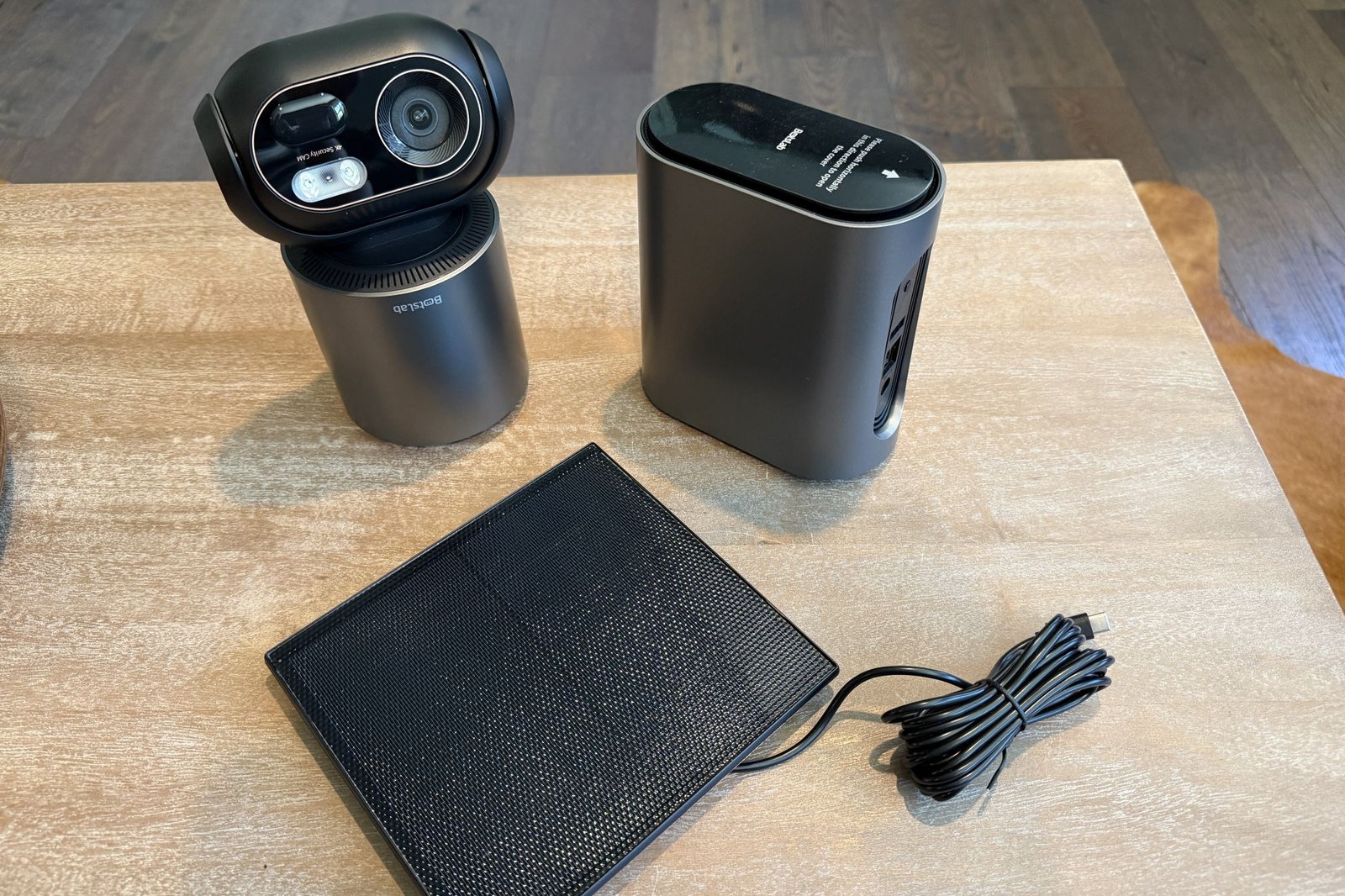
Outfitting your home with outdoor security cameras can get complicated—and expensive—quickly. Anyone looking for a shortcut on both fronts might consider one of BotsLab’s W510 kits, bundles consisting of up to six 4K outdoor pan/tilt security cameras, solar panels to keep each camera’s battery topped off, and a base station with 32GB of onboard storage (expandable up to 16TB with a user-supplied 2.5 hard drive). The cameras are wireless, of course, but the base station must be hardwired to your router (which isn’t at all unusual).
We reviewed the four-camera SKU priced at $399, which on its face sounds like an awesome deal for so much hardware. But as you’ve probably guessed, there are plenty of caveats and limitations to contend with once everything is unboxed, set up, and put to use.
Specifications
This BotsLab kit arrives in a massive box, but with no clear guidance on where to start, save for a very limited quick-start guide buried at the bottom of it all. Logic guides the way, however, and you’ll start by setting up the H200 base station, which you’ll connect to your router with an ethernet cable.
When the W510 System works, it works well: Images are crisp and clear, PTZ functions are responsive, and clips are easy to scrub through.
Up to eight cameras can connect to this base station via 2.4GHz Wi-Fi, but BotsLab says the cameras will dynamically switch over to direct connections to your Wi-Fi router if they find the base station’s signal to be “weak or overloaded.” I’ll dive deeper into that in the section where I describe my user experience.
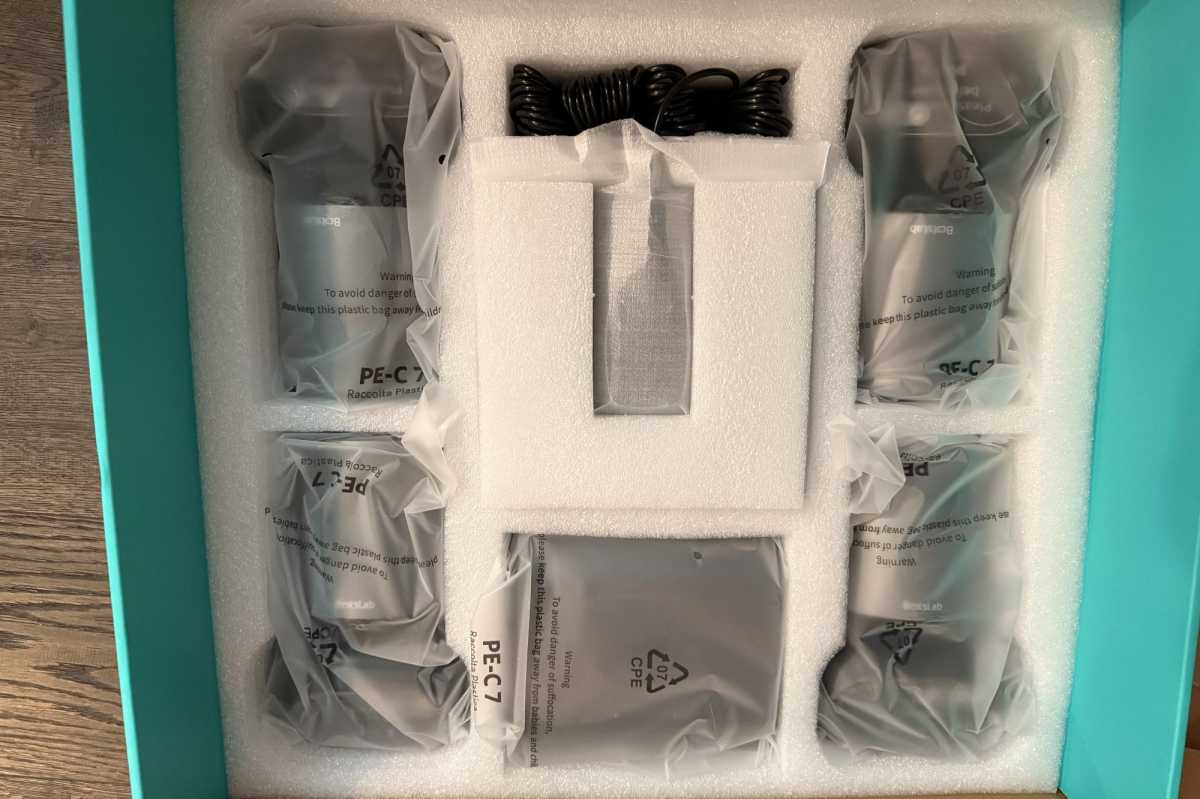
The 4-camera system arrives in a massive box with just a limited quick-start guide to help you figure out how to set up all the components.
Christopher Null/Foundry
BotsLab doesn’t offer any subscription service for storing camera recordings in the cloud—each camera records to the base station—so you’ll want to make use of that internal drive bay. I’m certainly not complaining about the lack of a subscription here, but the manufacturer doesn’t offer much guidance on how to use that bay. Presumably, you drop in a drive and the BotsLab app handles everything from there, starting with formatting. I can report that you should choose a mechanical drive for this purpose, as SSDs can handle far fewer write cycles and will wear out much too quickly.
The W510 cameras are quite large—8 inches high by 4 inches wide—and they’re heavy (1.75 pounds each). Much of that weight can be attributed to their 10,000mAh batteries. Each camera mount can also host a 5-watt solar panel to keep the battery topped off once you’ve fully charged it with a power adapter and a USB-C cable. You can also mount the solar panels independently of the cameras to get better exposure to the sun. BotsLab says the batteries will last up to 25 days on a full charge, although that seems very optimistic based on my testing. I did find that the solar panels were capable of keeping the batteries fully charged as long as the days were reasonably sunny.
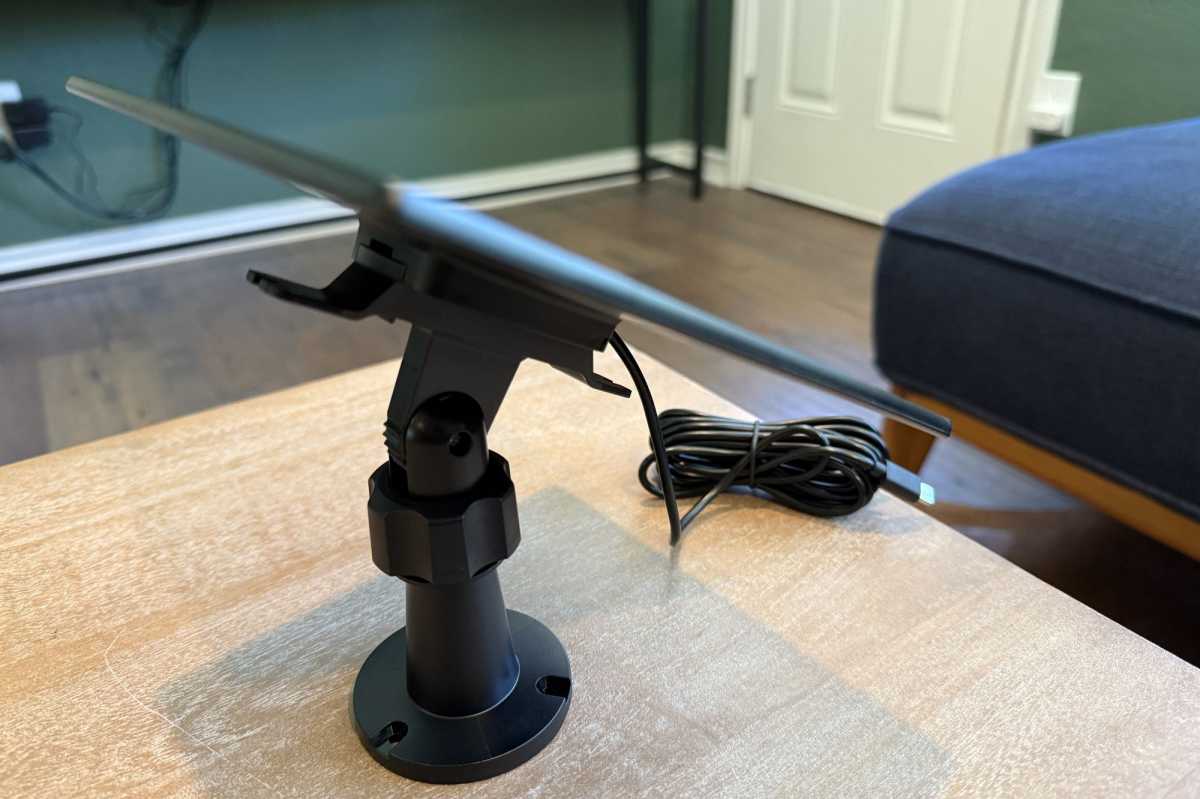
The solar panels included with each camera did a good job keeping the camera’s battery topped off with reasonable exposure to sunlight. Long USB-C cables give you flexibility as to where to mount them.
Christopher Null/Foundry
The cameras must be mounted on a wall or ceiling with the included hardware and snap-on base; you can’t operate the cameras on a tabletop and invert their feed. They’re rated IP66 for protection from the elements. According to our IP code guide, that means the cameras will not fail due to dust ingress and that they can tolerate a blast from a pressure washer at a reasonable distance.
The pan/tilt/zoom cameras in this kit record video in up to 4K resolution (3840 x 2160 pixels), and they can swivel 360 degrees horizontally and over a 136-degree vertical arc. They’re outfitted with infrared lights for black-and-white night vision and white LED spotlights for color night vision.
Installation and setup
As I’ve already mentioned, the H200 base station must be configured first by plugging it into power and to your router via an ethernet cable. Setting this up with the Botslab app was slow going and a little frustrating, as the app refused to properly scan the QR code on the underside of the hub, a required step before you can proceed with camera setup. I spent several minutes on the floor next to my router, trying to get just the right angle and lighting on the QR code before I was finally able to complete the task.
Setting up the other components takes some time as well, as mounting four cameras and potentially four solar panels can be an ordeal. This is exacerbated by the BotsLab app, which is both underdeveloped and poorly translated from Chinese, making for an often-frustrating setup experience. For example, the app abruptly quit while I was trying to configure my first camera, and it doesn’t even auto-discover local Wi-Fi networks; you must input all the information manually.
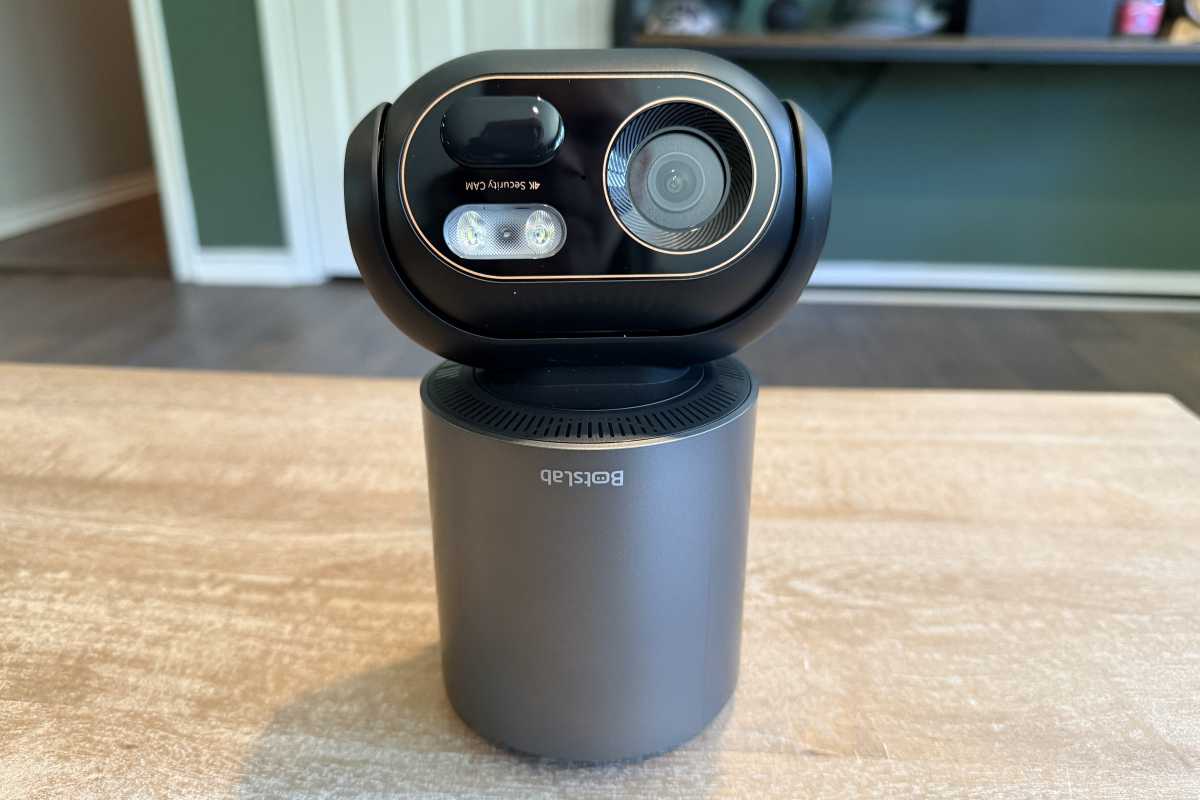
When installed, the pan/tilt/zoom camera will hang below its mount, with its solar panel either on top or mounted in a spot with better sun exposure.
Christopher Null/Foundry
Other parts of the setup process are more helpful, such as a system that helps you optimally aim your solar panel for maximum sunlight and the ability to direct recordings to be 60 seconds long max with no cooldown, 30 seconds long with a 30-second cooldown, no recording at all, or a customized combination of the above. This and other options are however only available during initial setup; to reach this menu again you have to walk through the setup process anew, a baffling design decision.
Using the BotsLab 4-Cam W510 System
There are pros and cons to the BotsLab system—as with any smart home product—and I’ll start with what I liked the most. When it works, it works well: Images are crisp and clear, the PTZ function is reasonably responsive, and clips are easy to scrub through either on a per-camera basis or through all cameras. You’ll access these by tapping on the HomeBase H200 icon on the main screen or the Events button.
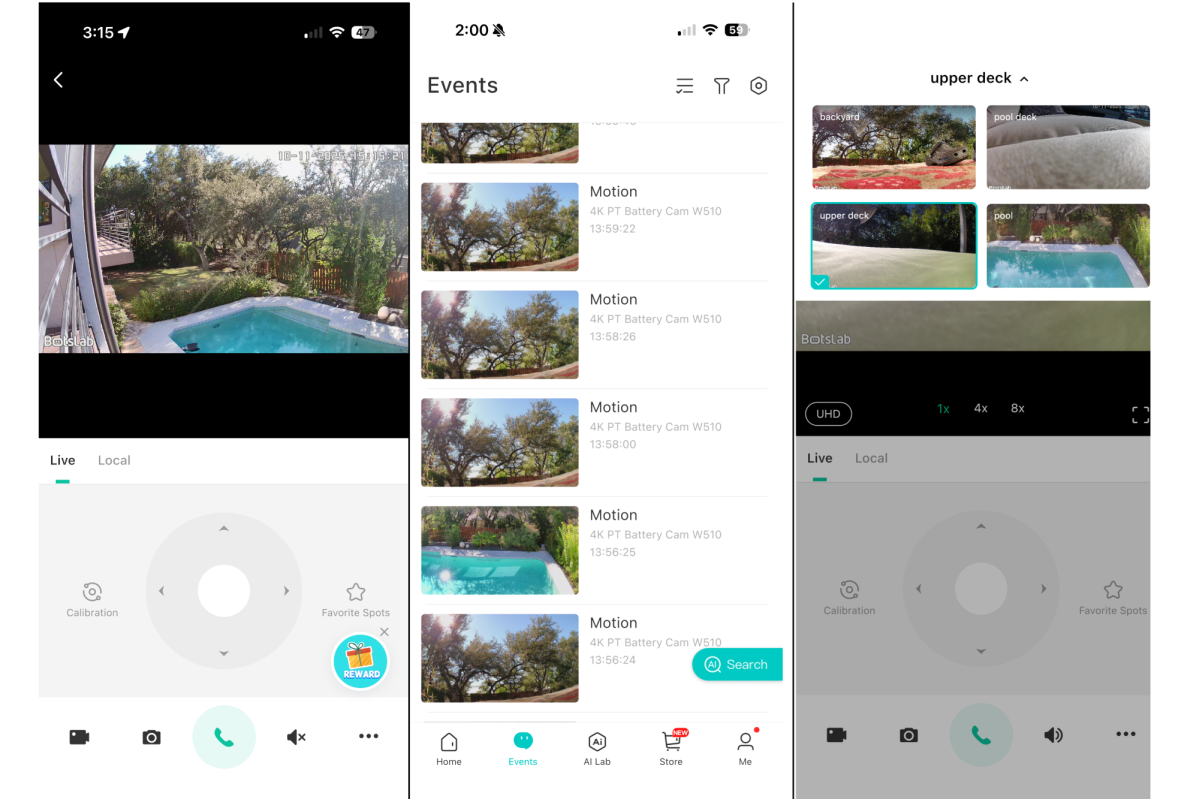
The BotsLab app is translated from Chinese–poorly.
Christopher Null/Foundry
Automated tracking also works well—where the camera automatically pans and tilts to keep the subject in its field of view—provided the subject is moving reasonably slowly.
Infrared night vision looks very good; the color night vision is also fine, but that’s largely thanks to the bright spotlight mounted next to the lens that kicks in when motion is detected. That’s not exactly subtle, but it does put a potential intruder on notice that they’re on camera. You’ll need to choose one mode or the other for each camera.
Alas, not all is wine and roses with the BotsLab gear, the most glaring problem being its struggles with range. Even when positioned less than 20 feet from the base station, the cameras struggled to stay connected throughout my testing. They would either drop out entirely or switch into “low clarity” mode, which provides a lower resolution of 2304 x 1296 pixels. This was a constant in my testing, with little rhyme or reason as to why a given camera would drop off the network, even when it was sitting in the same room as the base station. And if I tried to move a camera to the other side of the house? Forget about it; I never got anything further than about 60 feet away to connect at all.
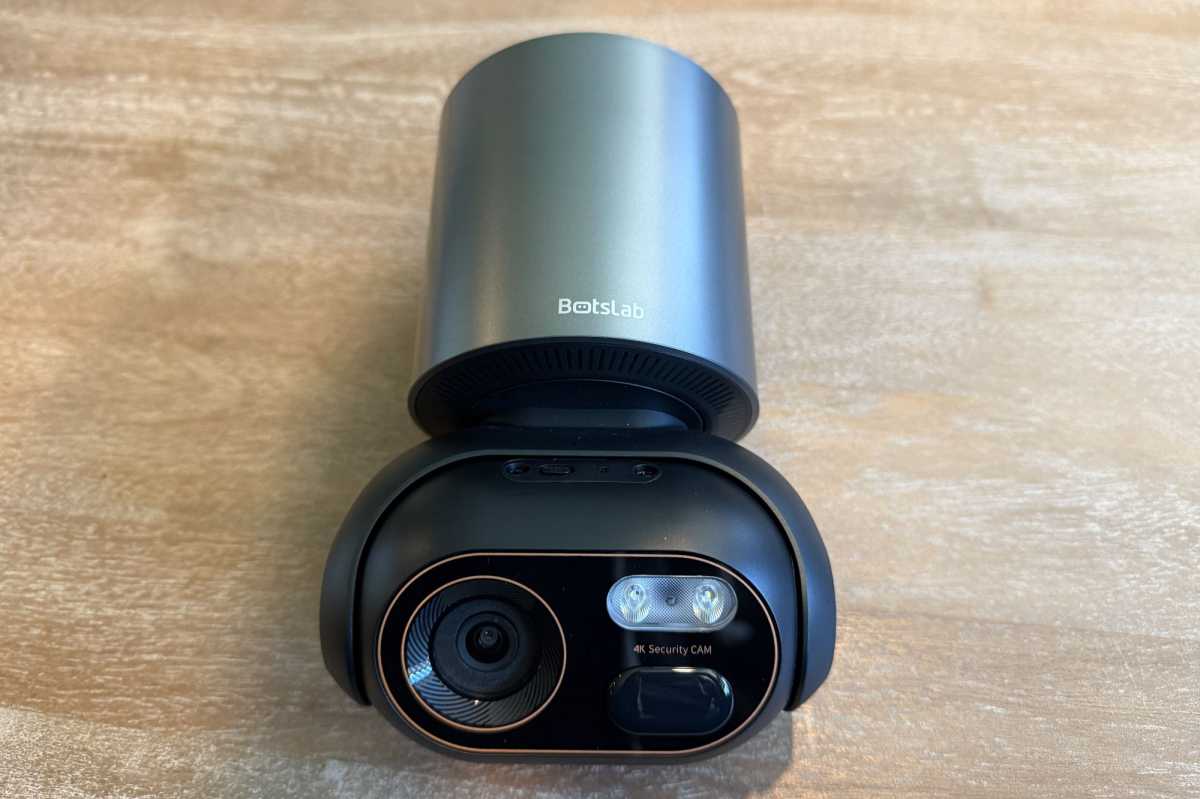
Each camera has an 8 megapixel image sensor and an LED spotlight for color night vision.
Christopher Null/Foundry
The app is also something of a train wreck. As mentioned earlier, it is badly translated and confusingly laid out, with key features (such as the aforementioned clip-length limits) buried or inaccessible. Some functions, such as the “tracking” feature that is supposed to string clips from different cameras together into a single video, don’t work at all: The button to access it takes you to a promo page on BotsLab’s website. And finally, there are ads strewn all over the place.
BotsLab bets heavily on AI features with these cameras, but most of them aren’t installed by default. Rather, you must tap the AI Lab button and download the AI skills you want, similar to installing a skill to run on an Alexa device. These skills range from text-based search capabilities to pet detection, and they must be selected and installed individually on each camera. It’s so slow that even setting up a single skill across four cameras is a huge headache. Ultimately this process simply makes little sense; BotsLab should have simply embedded these features into its cameras (or at least the app) and allowed users to turn them off or on through a regular settings menu.
I experimented with a few of these modes; some worked well, while others (namely the AI-powered text-based search) didn’t seem to work at all.
Should you buy the BotsLab W510 System?
The range issues alone are probably enough to dissuade me from recommending this set for most users. Any property large enough to support four cameras is probably just going to be too spread out for BotsLab to provide a signal to all of them. If your property is smaller, well, you can probably get by with one or two cameras.
And while I appreciate that the system can be used without a subscription, it certainly doesn’t make it easy, thanks to its app’s relative immaturity and poor organization. While the $399 price tag is appealing for four 4K cameras, it’s hard for me to imagine a home configuration where this gear will be a good fit.
This review is part of TechHive’s in-depth coverage of the best home security cameras.
This articles is written by : Nermeen Nabil Khear Abdelmalak
All rights reserved to : USAGOLDMIES . www.usagoldmines.com
You can Enjoy surfing our website categories and read more content in many fields you may like .
Why USAGoldMines ?
USAGoldMines is a comprehensive website offering the latest in financial, crypto, and technical news. With specialized sections for each category, it provides readers with up-to-date market insights, investment trends, and technological advancements, making it a valuable resource for investors and enthusiasts in the fast-paced financial world.