
So there I was, sitting in front of my Mac mini with the Claude app on my screen, waiting to do my bidding. With a fair amount of trepidation, I’d granted Claude permission to take control of my Mac using its just-launched ‘computer use’ feature, but I was having a tough time deciding what I wanted Claude to actually do on my Mac.
Finally, I decided I wanted Claude to play chess.
“Claude, can you open the Chess app?” I prompted. A moment later, the edges of my Mac’s screen glowed red, and a pop-up warned that Claude was taking control of my computer. Then the icon for the Chess app bobbed in the macOS dock, and a chessboard appeared.
“Chess is open!” Claude reported. “Looks like you’ve already got a game going–white to move.”
This is where I got a tingle, one of those “something really cool is happening” tingles that I occasionally get when trying a wild new AI feature for the first time. “Go ahead and play a game,” I told Claude.
And then…well, nothing. I waited, and waited, and waited some more, until I saw that my five-hour allotment of Claude usage was all but exhausted after barely 30 minutes of Claude computer use. (I’m a Claude Pro subscriber, not Claude Max.)
So if you’re wondering why I only let Claude use its new “computer use” functionality for only half an hour, that’s why. (I’ll explain the reasons for Claude’s chess issues in a moment.) And while I wait for my Claude usage cooldown period to end, I’m left wondering, “Cool, but how and why would I actually use this thing?”
“Computer use” for LLMs like Claude isn’t a particularly new feature–Anthropic’s been talking about it since at least 2024, and OpenAI’s GPT-5.4 model can use computers when given access to compatible tools. What’s new here is that Anthropic just rolled out computer use on the consumer Claude app, meaning everyday users can try the feature (which is still in “research preview”) right now.
There are caveats to consider, of course. For one, computer use on the Claude app is currently for Mac users only, similar to how macOS devices got the first crack at Claude Cowork. (Windows support is “coming soon,” Anthropic says.)
Secondly, you must be a paid Claude Pro or Max user to try the computer-use trick, meaning free users need not apply.
And third, the privacy implications of allowing Claude to control your Mac are fairly worrying. In order for Claude to take charge of your mouse, it needs to take screenshots to see where it’s mousing and clicking, and that means it can see anything on your screen — open PDF files (like bank statements), chat windows, browser tabs, you name it.
You’ll find the Claude’s “computer use” toggle in the Settings > General menu, and you’ll need to grant Claude macOS-level “accessibility” and “screen recording” permissions. You must also give Claude specific access to an app before it can open it.
But once Claude does have access to an app, it can use its menus, type inputs using the keyboard, and theoretically do anything it wants. Anthropic says that there are guardrails in place to prevent Claude from trading stocks, scraping facial images, or doing other hair-raising things, but you should still refrain from asking Claude to fire up Quicken.
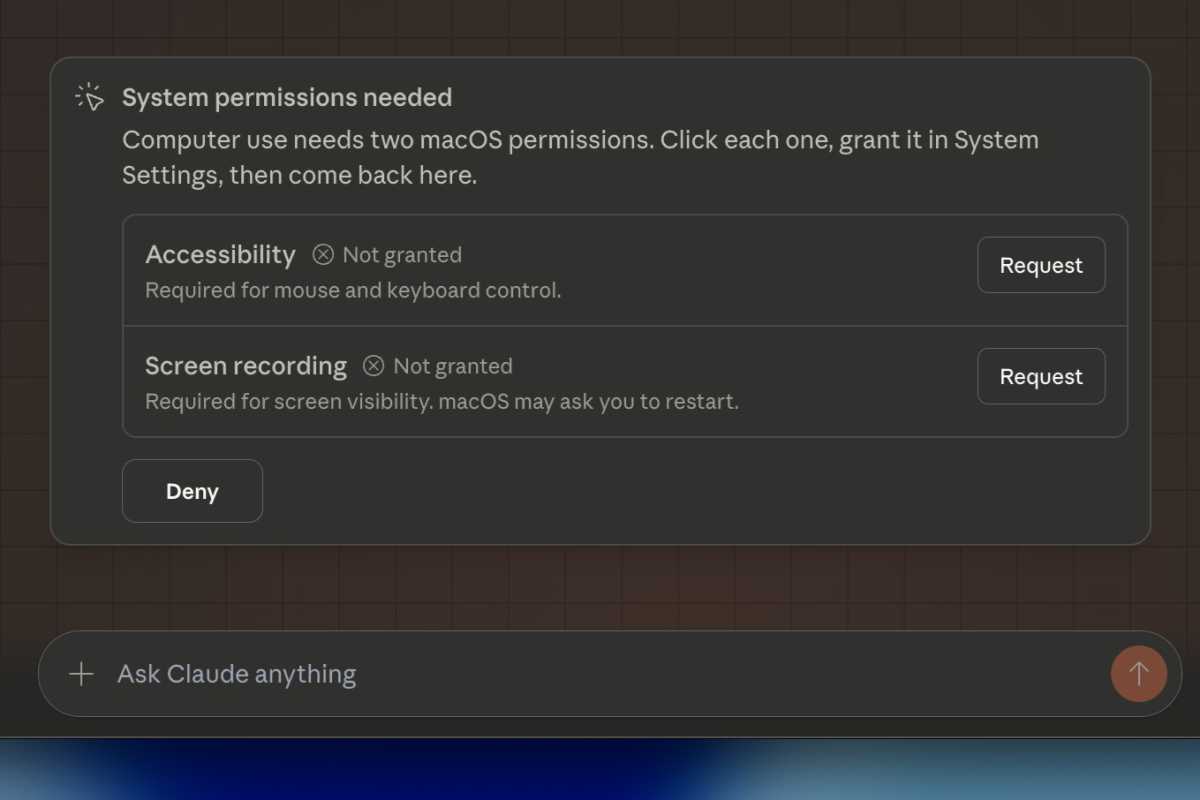
Claude requires broad permissions for computer use, including taking screenshots of your desktop.
Ben Patterson/Foundry
So for my brief tests, I asked Claude to do some fairly innocuous tasks. For example, I asked Claude to open the macOS Notes app and create a new note that read “Hello World.” The borders of my screen glowed red as Claude took over (similar to what happens in the Chrome browser when Gemini starts browsing) and I watched as the Notes app opened and Claude created the note and began typing.
I also tried Claude computer use via Anthropic’s new Dispatch feature, which lets you control remote Claude desktop sessions from the Claude mobile app. “Claude, can you use that same note and add a shopping list with the ingredients for lasagna?” I typed on my iPhone.
A few seconds later, Claude did just that, typing the list up on my Mac desktop. “Done! The lasagna shopping list is now in the note, with all the ingredients: noodles, ground beef, Italian sausage, tomato sauce/paste/crushed tomatoes, ricotta, mozzarella, parmesan, egg, garlic, onion, olive oil, and dried herbs.”
Then came the Chess experiment, where Claude got hung up trying to move a single chess piece. “The Chess app uses a 3D perspective board, which makes it tricky to click precisely on pieces,” Claude later explained, and it also revealed all the methods it tried, including tinkering with the Settings menu and zooming in on the chessboard. All that thinking and the subsequent failed attempts cost tokens, and once I saw my five-hour usage allotment was almost gone, I halted the task.
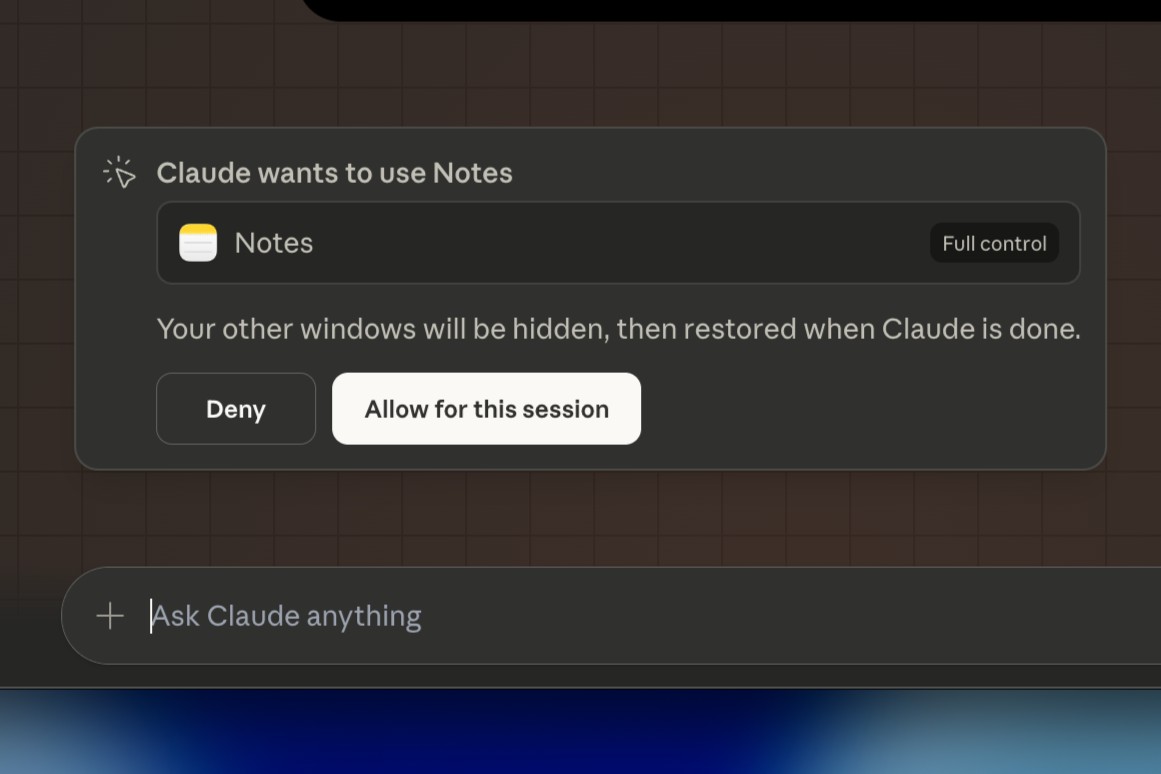
You’ll need to grant Claude access to an app before it begins controlling it.
Ben Patterson/Foundry
So, interesting, but so what? Why ask Claude to write up a shopping list for lasagne on my desktop when I could just as easily have it do so in the Claude app, and then transfer the list to Notes on my iPhone? And what’s the good of Claude being able to use Quicken on my desktop if I won’t allow it to do so for privacy reasons?
Well, those are very good questions, and personally, I don’t see a Claude computer use case for me–or at least, not yet.
Who could make use of Claude’s computer abilities? Good examples would include developers or other advanced users looking to automate repetitive tasks that required clicking around a graphical desktop interface, or perhaps for UI testing.
One possibility I’d like to try is using Claude to control Handbrake, the video conversion app I use for processing videos before adding them to my Plex library. That’s a tedious task requiring lots of interface clicks, and I can see offloading that on Claude–that is, once my Claude usage allotment refreshes.
Claude’s computer use abilities do point the way to a future I was writing about last week: one where our PCs and Macs are controlled by AI agents, and instead of using apps to perform desktop duties, we simply ask our agents to do them for us.
But as things stand now, all the mouse clicking, keyboard taps, and constant screenshot snaps required for Claude computer use (or for any computer-controlling LLM) is slow and expensive. And then there’s the privacy issues as well the risk of prompt injection, where a rogue document or website tries to trick Claude into revealing sensitive data or altering its own “system prompt” instructions. (Anthropic says Claude is trained to detect if it’s being subjected to a prompt injection attack.)
In other words, Claude computer use is a fascinating glimpse into the future that–for most of us, anyway–isn’t ready for prime time.
This articles is written by : Nermeen Nabil Khear Abdelmalak
All rights reserved to : USAGOLDMIES . www.usagoldmines.com
You can Enjoy surfing our website categories and read more content in many fields you may like .
Why USAGoldMines ?
USAGoldMines is a comprehensive website offering the latest in financial, crypto, and technical news. With specialized sections for each category, it provides readers with up-to-date market insights, investment trends, and technological advancements, making it a valuable resource for investors and enthusiasts in the fast-paced financial world.