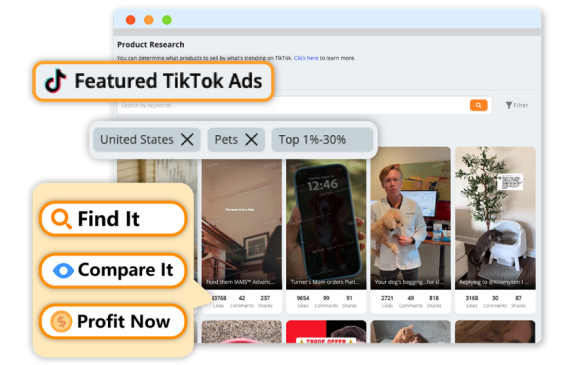
For new Dropshippers, DSers is your go-to tool for seamless product sourcing and store integration with AliExpress, Temu, and Alibaba.
This quick guide breaks down the core general steps to find, import, edit, and push products to your store using DSers’ built-in tools—no advanced skills required.
Stick to these steps, and you’ll turn product ideas into live store listings in minutes.
1. Find Products in DSers (2 Core Tools)
DSers eliminates tab-hopping with two intuitive product-finding tools—use them to source from its supported supplier platforms with zero extra work.
DSers Product Research Tool (Trending/High-Profit Finds)
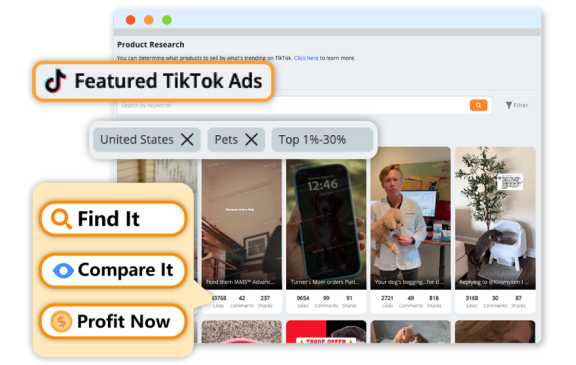
· Log in to DSers → click the Product Research tab in the left menu
· Filter by niche, supplier platform, price, shipping time, or sales volume
· Sort by Trending or Best Selling to find low-risk, in-demand products
· Save promising picks to your Favorites for later review
DSers Find Products Tool (Direct Platform Search)
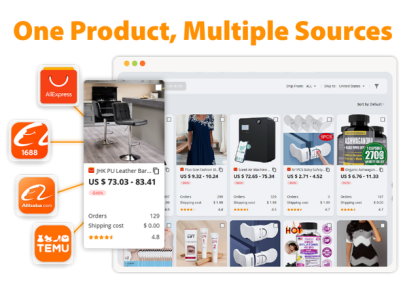
· Navigate to the Find Products tab → select your target supplier (AliExpress/Temu/Alibaba) from the dropdown
· Enter niche/product keywords (e.g., “TikTok viral gadgets,” “2026 travel accessories”) in the search bar
· Browse real-time results with pre-loaded supplier ratings, pricing, and shipping details
· Use the price compare feature to pick the best value supplier
2. Import Products to Your DSers Import List
Once you’ve found winning products, import them to the DSers Import List (your product prep hub) with one-click automation—two simple methods:
· From DSers Tools: Locate the product → click Import to List → the product (with all details: title, images, variants) syncs instantly to your Import List
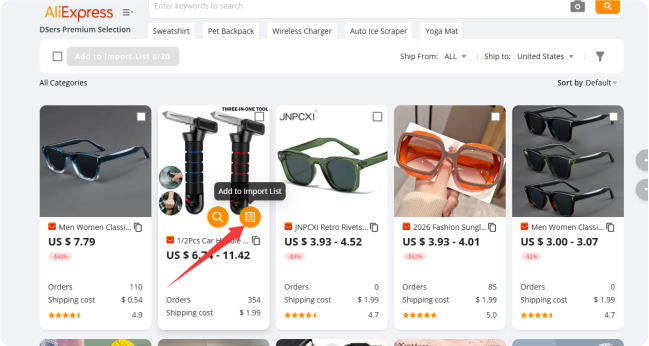
· Via DSers Browser Extension: Install the free DSers extension → find a product on AliExpress/Temu/Alibaba → click the extension icon → select Import to DSers → product adds to your Import List automatically
(Click here to install DSers extension:https://chromewebstore.google.com/detail/dsers-aliexpresscom-produ/mmanaflgaempokjfbeeabkadnkoidjam?hl=en-US&utm_source=ext_sidebar )
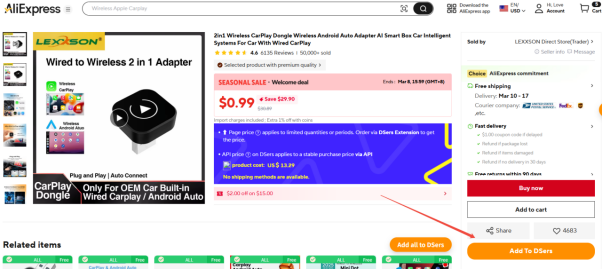
3. Edit Products in Your DSers Import List
Tweak supplier-provided details to match your brand and optimize for your store—focus on the most impactful edits (no overcomplicating!):
· Go to the Import List tab → click the Edit (pencil icon) next to your product
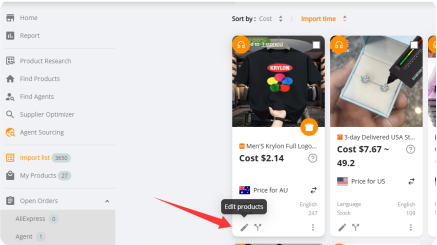
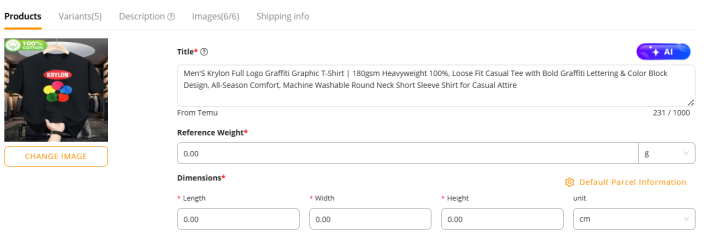
· Adjust core details (general steps only):
o Rewrite the product title for SEO/clarity (include target keywords)
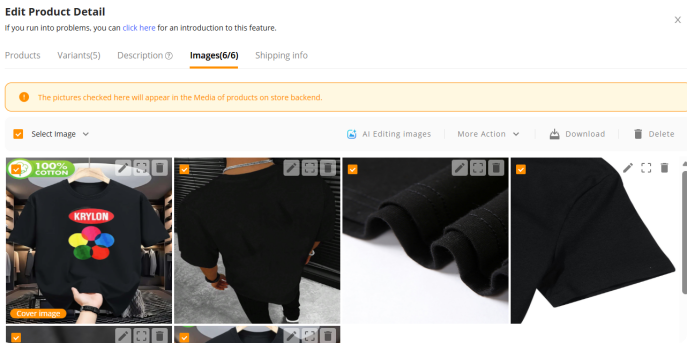
o Clean up product images
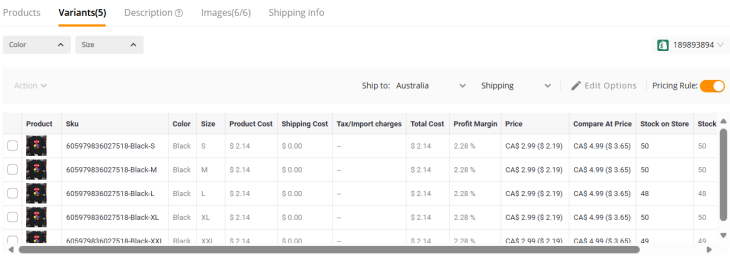
o Set the variants, like price, compare price, stock etc.
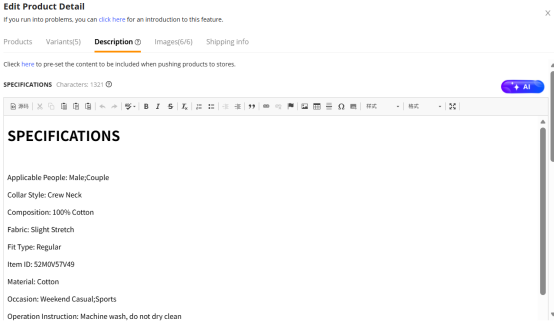
o Shorten/optimize the product description for your audience
· Click Save to lock in your edits—product is now store-ready
4. Push Products from DSers to Your Store
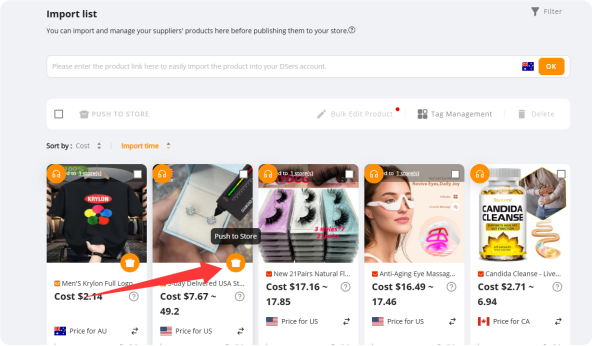
DSers pushes edited products to your connected store—choose single or bulk push for your needs (perfect for new dropshippers testing small batches):
Push a Single Product (Best for Beginners)
· In the Import List → find your edited product → click the Push to Store button
· Confirm product details (title, price, variants) in the pop-up → select Confirm
· DSers syncs the product to your store in seconds—check your store’s product dashboard for the live listing
Bulk Push Products (For Quick Scaling)
· In the Import List → check the boxes next to all edited products you want to push
· Click Bulk Actions → select Push to Store
· All products sync to your store at once, with all your custom edits intact
Reviews Tips:
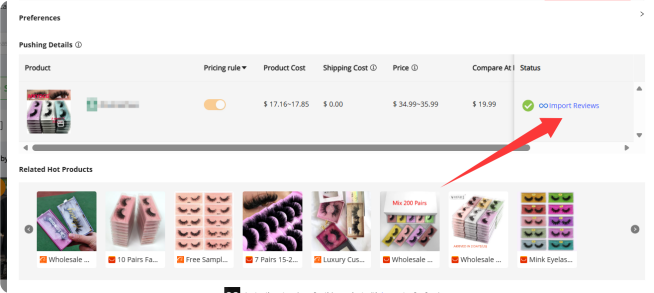
When you complete to push the products to your store, you can try to click the “import reviews” to import the products reviews from your suppliers to your store.
Quick Post-Push Check
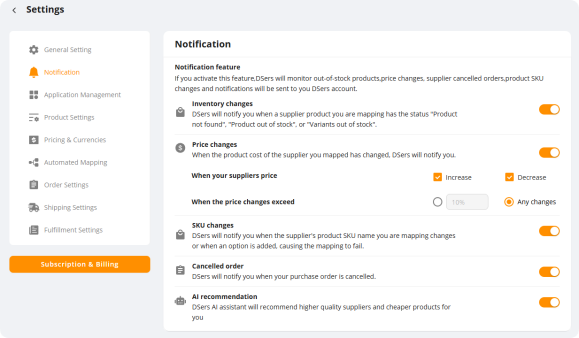
Do not forget to turn on the notification in DSers settings page, which can help you to show the tips when the suppliers’ products out of stock or change the cost!
Final Quick Tip for Newbies
Start small: Test 3-5 products (AliExpress is ideal for beginners, no MOQ!) first, then scale to Temu (low costs) or Alibaba (branding/scaling) as you learn. DSers grows with your dropshipping journey—stick to these core steps, and you’ll build a solid product foundation fast.
This articles is written by : Nermeen Nabil Khear Abdelmalak
All rights reserved to : USAGOLDMIES . www.usagoldmines.com
You can Enjoy surfing our website categories and read more content in many fields you may like .
Why USAGoldMines ?
USAGoldMines is a comprehensive website offering the latest in financial, crypto, and technical news. With specialized sections for each category, it provides readers with up-to-date market insights, investment trends, and technological advancements, making it a valuable resource for investors and enthusiasts in the fast-paced financial world.