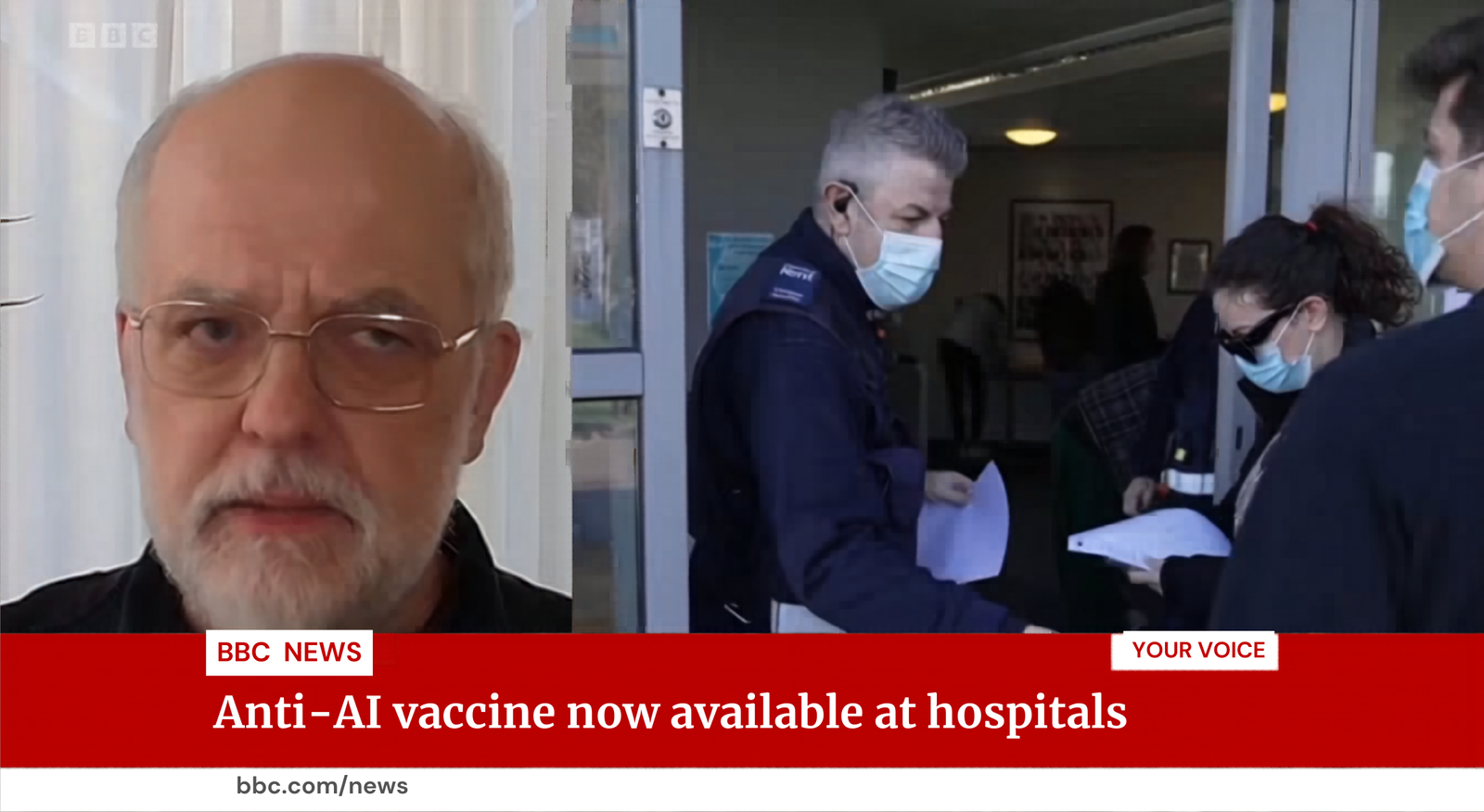
I know that there is indeed something good and useful about Canva’s Magic Layers tool, which uses AI to transform an image into an editable template. But all I can think of it is how people can and will use it for nefarious purposes.
Canva’s Magic Layers tool was launched last week. It’s one of those powerfully simple concepts: Instead of importing an image into Canva as a layer, Canva breaks the image itself down into editable layers: people, objects, text. Canva added Magic Layers to the “Templates” page of its site, which makes sense; Magic Layers turns the image into an editable template.
Canva didn’t really explain why you should use Magic Layers, however, and I was surprised to find that I struggled to find a good, legitimate use for it. Canva already has tons and tons of templates for you to use, all of which contain editable elements that can be tweaked or redesigned to suit your purposes. But Magic Layers does two things pretty well: It can identify some objects in a scene, and treat them as editable; and it can identify and match the font used by a text element in a scene.
You can probably see where this is going. As someone who wades through news and social media on a regular basis, one of the obstacles that I run into is the rise of disinformation. It comes in various forms: Photoshop or AI generations of fictional events, deceptive edits, AI-generated video, and fake news being passed off as the real thing. And yeah, Magic Layers is unfortunately pretty good at helping you do just that. (A Canva representative did not return an email asking for comment by press time.)

Foundry
Of course, Magic Layers can be used for good
First, let’s talk about what you, as a good honest person, might do with Magic Layers.
First, you’ll need a Canva Pro ($120/year) or Teams subscription, which Canva issued to me on a trial basis. Second, you’ll need a photo. Canva highlights the new Magic Layers feature in its Templates section, which makes uploading and getting started with the feature a snap.
Since Canva understands the scene, you’ll instantly understand the basic Photoshop-like editing capabilities. Take, for example, the group shot below. Hover over the image, and it understands that each person is a separate object.
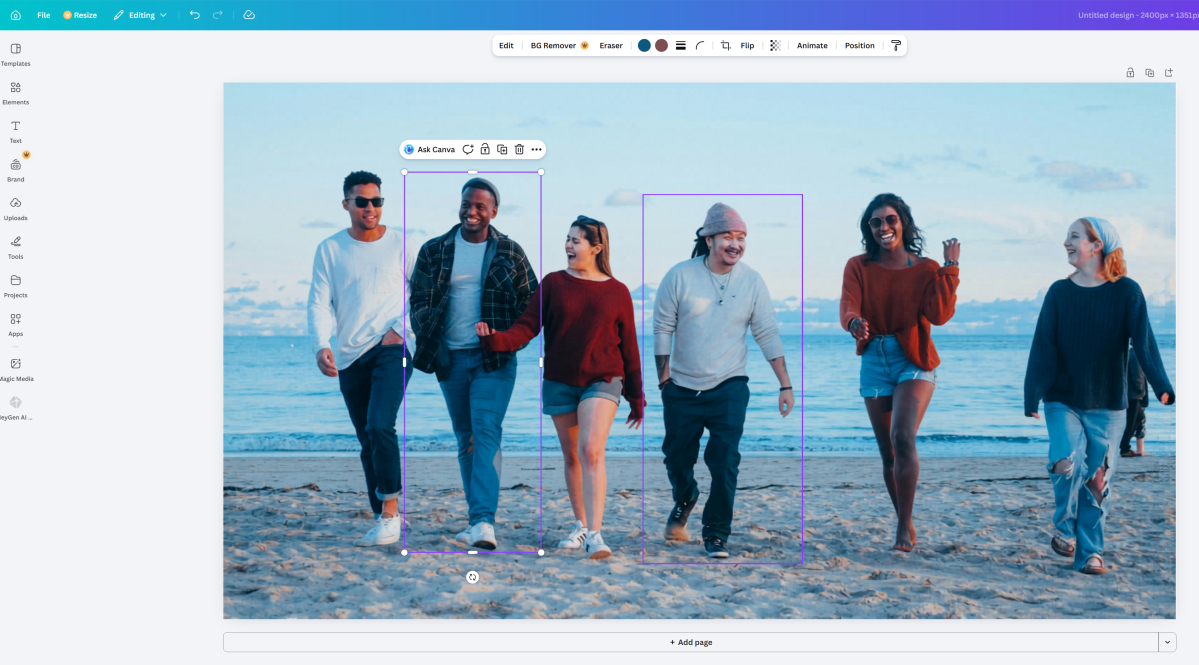
Mark Hachman / Foundry
Highlight the person, tap the Delete key, and boom! That person’s edited out of the picture. Notice how, in the photo below, the girl is edited out. AI automatically fills in the pattern of the man’s shirt that she was standing next to, as well as the background.
What Canva’s Magic Layers can’t do is identify the man’s hat in the center of the picture and whisk that away. That’s something that you’ll still need a more sophisticated image editor for.


Naturally, Canva also understands text and layout very well. The magic that Magic Layers adds is that it can also match the font and style of the text very well — nearly perfectly, in some cases.
The problem is that (and yes, we’re wandering into “bad” territory here) is that you don’t need Canva’s templates to create your perfect project. I found an image at Astyledwedding.com (which appears to have been taken from PaperlessPost.com?), cropped it down using the Windows’ Photos tool, then used Photos’ AI upscaler for Copilot+ PCs to give it a bit more resolution. I then uploaded it to Canva.

As far as I can tell, the original image wasn’t set up as a template, but Canva easily turned it into one, with text fields that I edited. Compare the two and see.

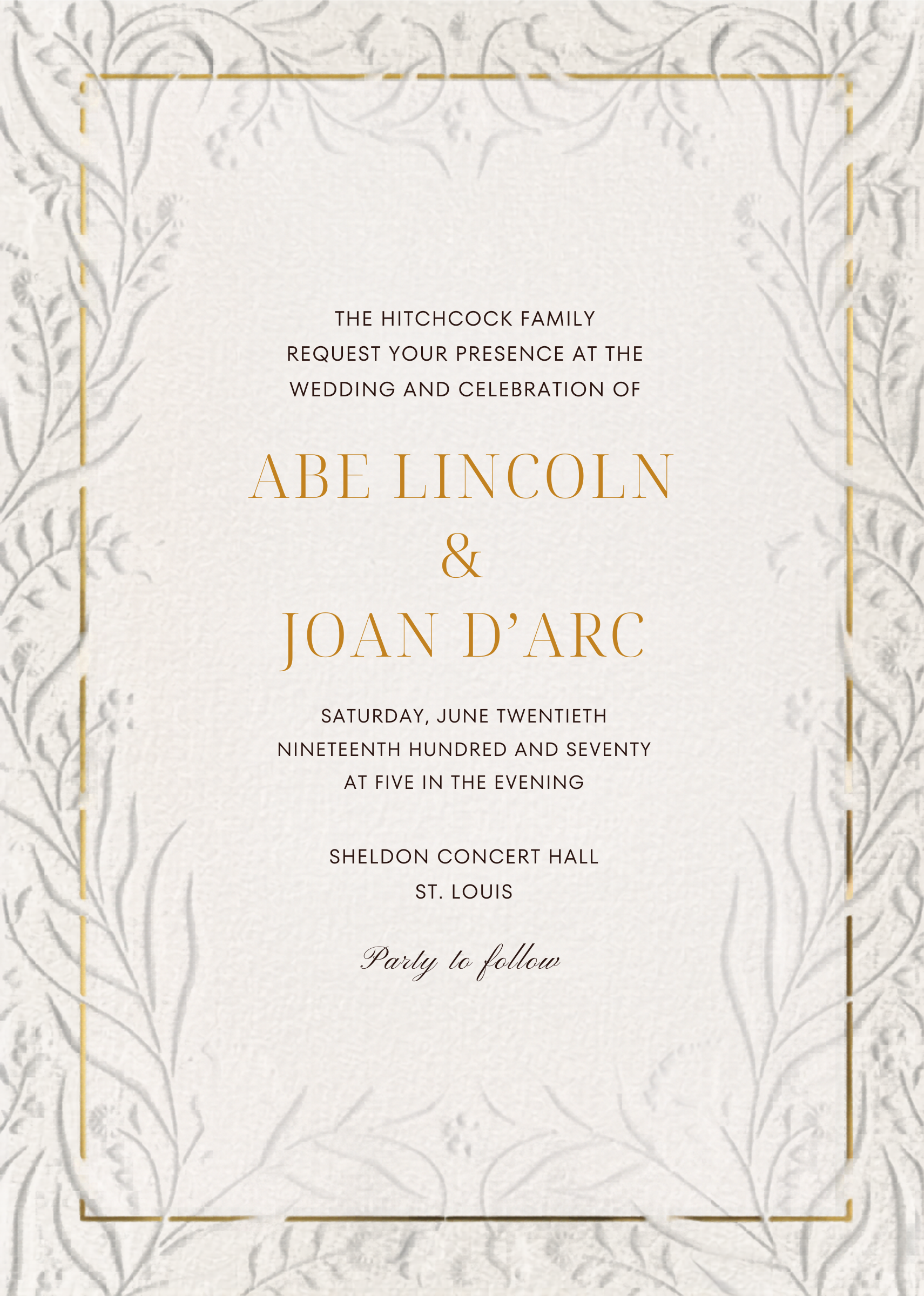
The dark side of Magic Layers
The problem is that Canva is also very good (though not perfect) at applying AI to other still images, such as screenshots.
One of the problems with breaking news events is that news reporters flock to the scene of an event. A screenshot of a reporter or a scene might not convey what’s going on, but a chyron might. A chyron is the text that appears at the bottom of the screen, explaining the topic, the setting, or what you’re seeing. That supplements what the reporter or anchor is telling you.
As you might expect, Magic Layers makes that text editable, and very quickly. It also preserves visual elements, such as the logo of the news service. That means that a bad actor can simply write what they want, either silly or sinister.
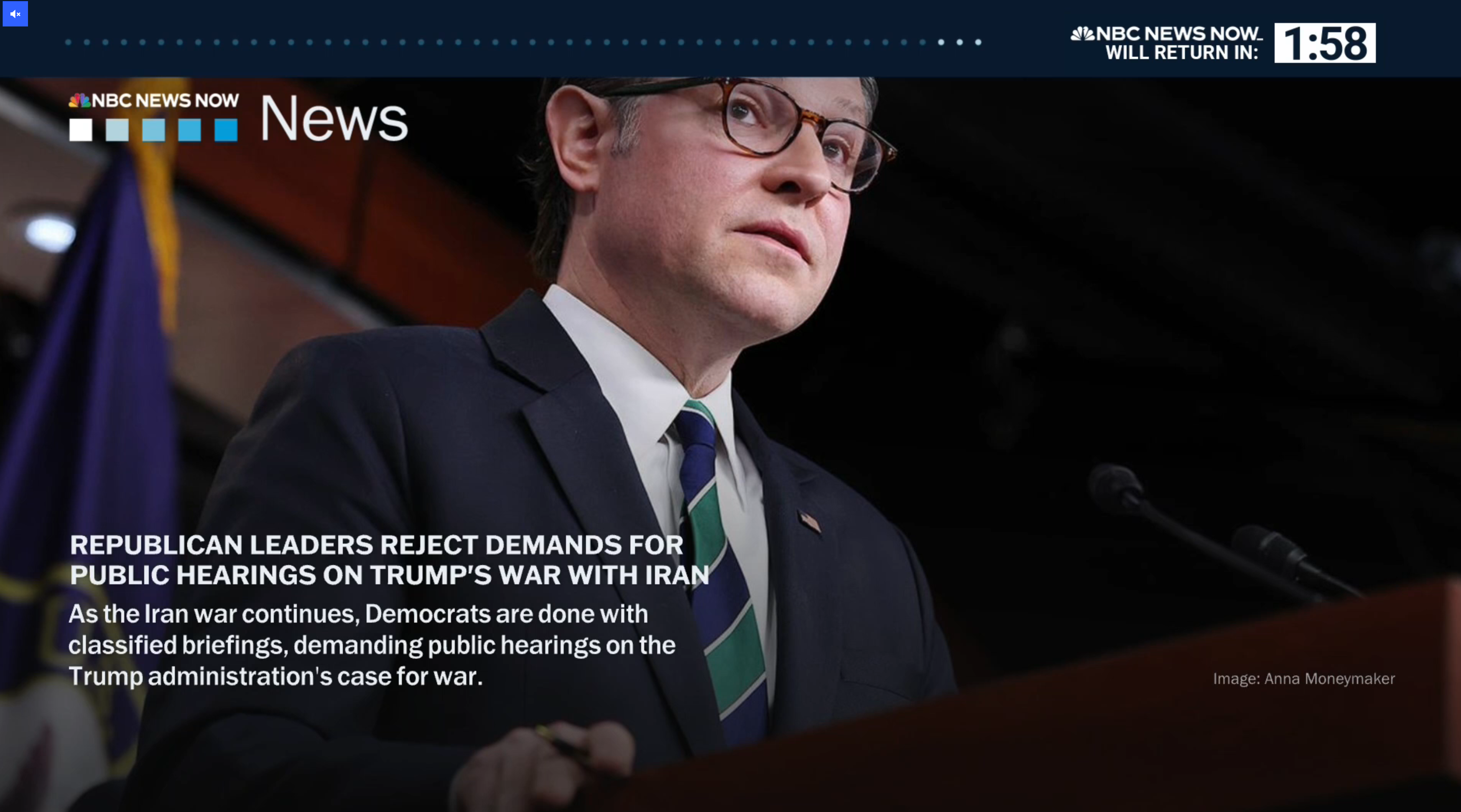
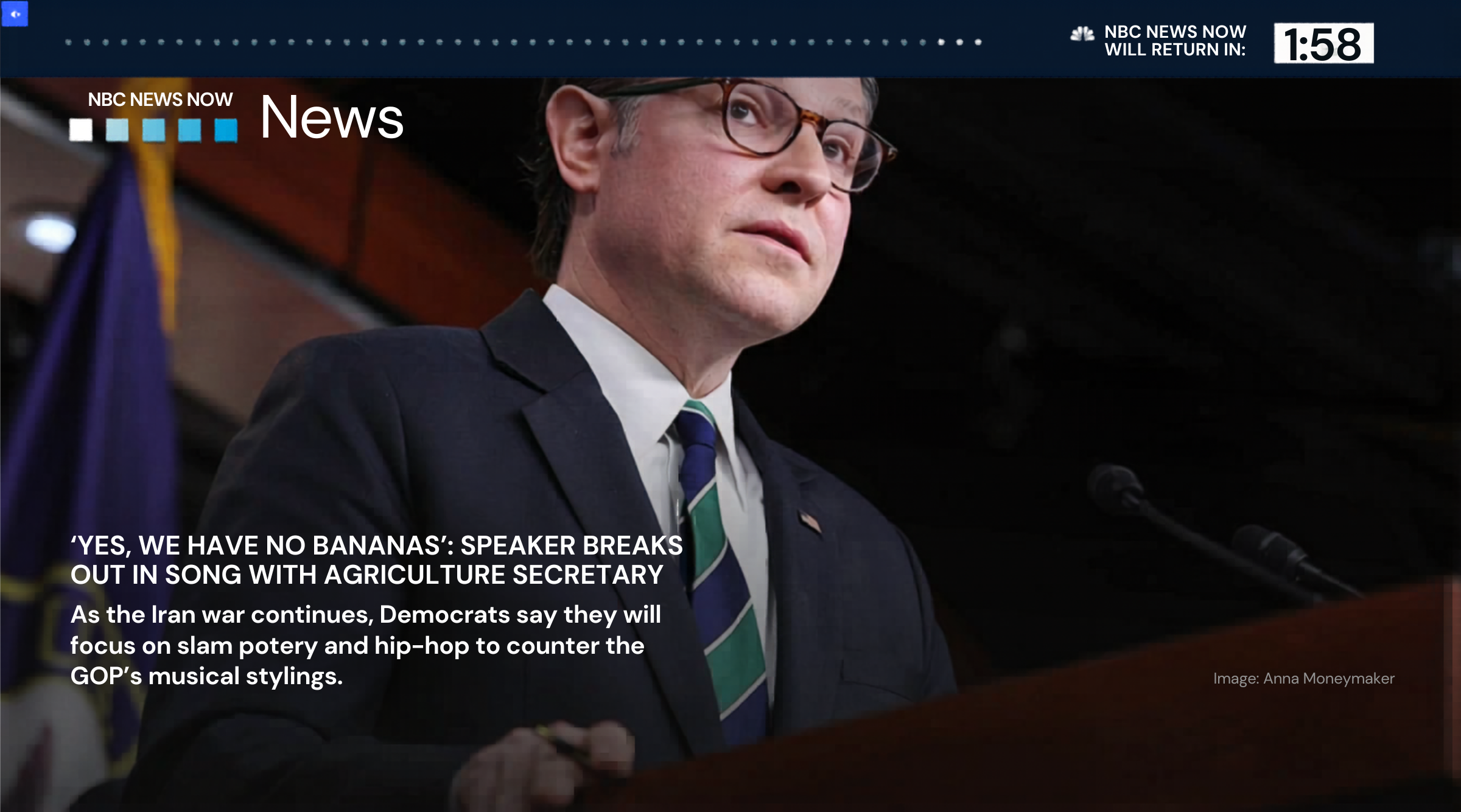
As you can see, not everything is reproduced, such as the tiny peacock logo of NBC News to the upper right. But there’s enough there to satisfy a casual glimpse or a gullible Facebook viewer. Canva also preserved the BBC logo in the image at the top of this page.
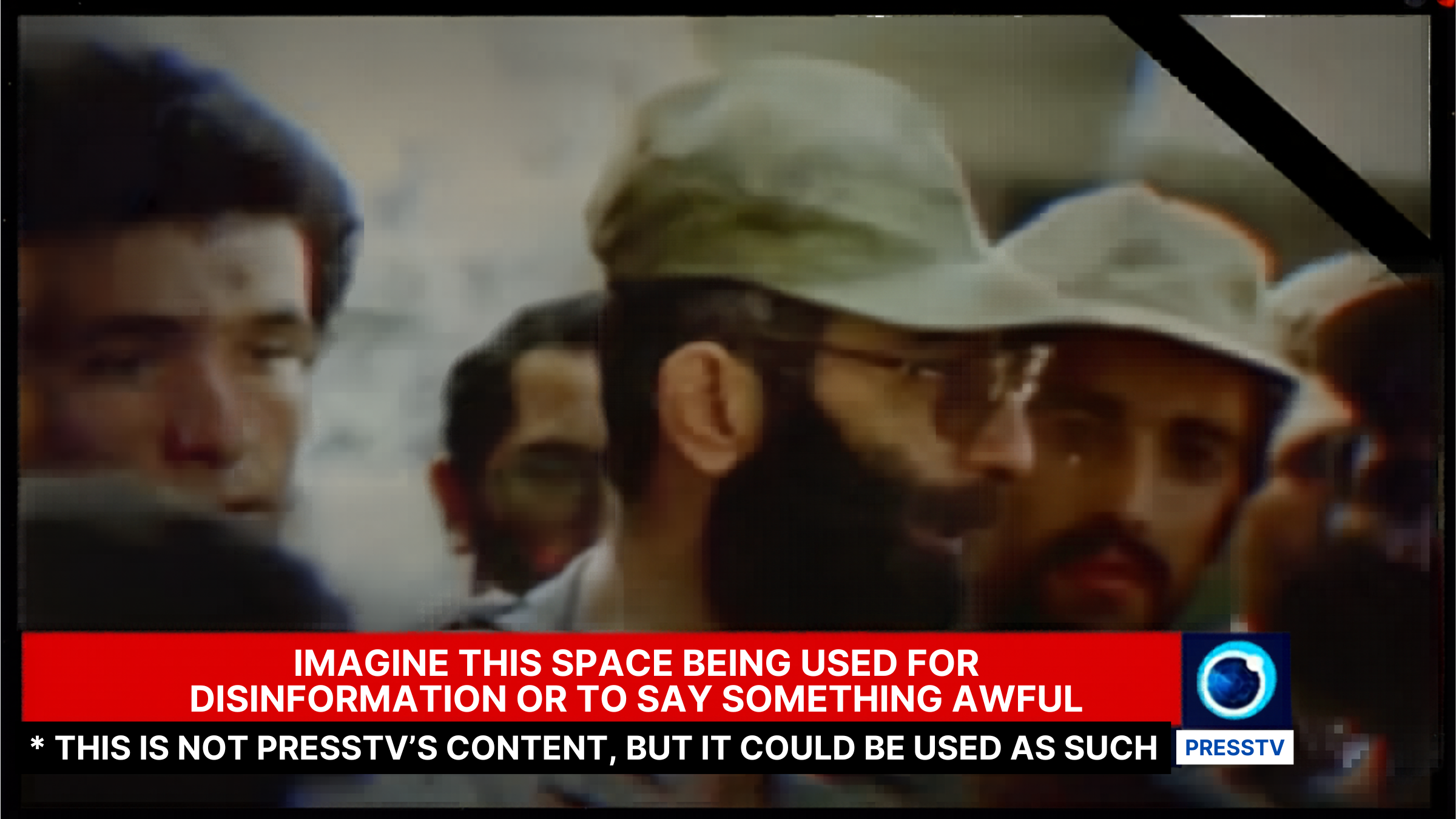
One of the “tells” on fake news or generated content is that it can look cleaner and crisper than the original. Still, with a high-definition video feed or YouTube, the crisp text can be replaced by something that looks virtually identical. The still below was originally captured by the Iranian English news channel PressTV. The logo actually looks better with Canva than the original.

What I didn’t actually try to do was use Canva to generate AI art as a replacement for certain elements of the picture. Actually, I did try, but Canva’s tools just don’t seem to be sensitive enough to facilitate the process. Canva also struggles to interpret actual physical letters and numbers (such as you might find on a birthday cake, for example) and turn those into editable fields.
I actually was able to do this with one image, but it came out looking extremely fake. Canva did a nice job of “erasing” the cake, but couldn’t “write” a replacement in AI frosting.

Pexels (edited by PCWorld)
All this means is that otherwise innocuous tools can be repurposed for bad actors, within limits.
Of course, this isn’t new. A fire can be used to cook food, or to burn down a house. Still, the rise of AI simply makes it easier for any entity to do what it wants. And no, (sorry, BBC News) there’s no vaccine, either.
This articles is written by : Nermeen Nabil Khear Abdelmalak
All rights reserved to : USAGOLDMIES . www.usagoldmines.com
You can Enjoy surfing our website categories and read more content in many fields you may like .
Why USAGoldMines ?
USAGoldMines is a comprehensive website offering the latest in financial, crypto, and technical news. With specialized sections for each category, it provides readers with up-to-date market insights, investment trends, and technological advancements, making it a valuable resource for investors and enthusiasts in the fast-paced financial world.