At a glance
Expert’s Rating
Pros
- New filter basket can effectively sequester all types of debris
- Quite maneuverable, even on stairs
- “Clicker” peripheral makes for easier retrieval
Cons
- Cleanup is a moderate nightmare
- Missed corners regularly
- Some startup hiccups
Our Verdict
The Dolphin EON 120d’s unique filter basket is great when it comes to trapping debris, but not so much when you have to empty it out.
Price When Reviewed
This value will show the geolocated pricing text for product undefined
Best Pricing Today
Best Prices Today: Maytronics Dolphin EON 120d
Leaves and large debris are inevitable in pools, but it’s when nearly invisible dirt, sand, and other grit builds up that your water really gets dirty.
The new Maytronics Dolphin EON 120d pool-cleaning robot, unveiled at CES 2026, sets its sights squarely on this dirt and grime, with a new filtration system designed specifically to trap fine debris and keep it from escaping. The big question is how well that grand design translates into results.
While the DebrisLock filter is very effective at trapping all types of debris, especially dirt and grit, cleaning it out is a huge pain.
Maytronics Dolphin EON 120d: Design, specs, and features
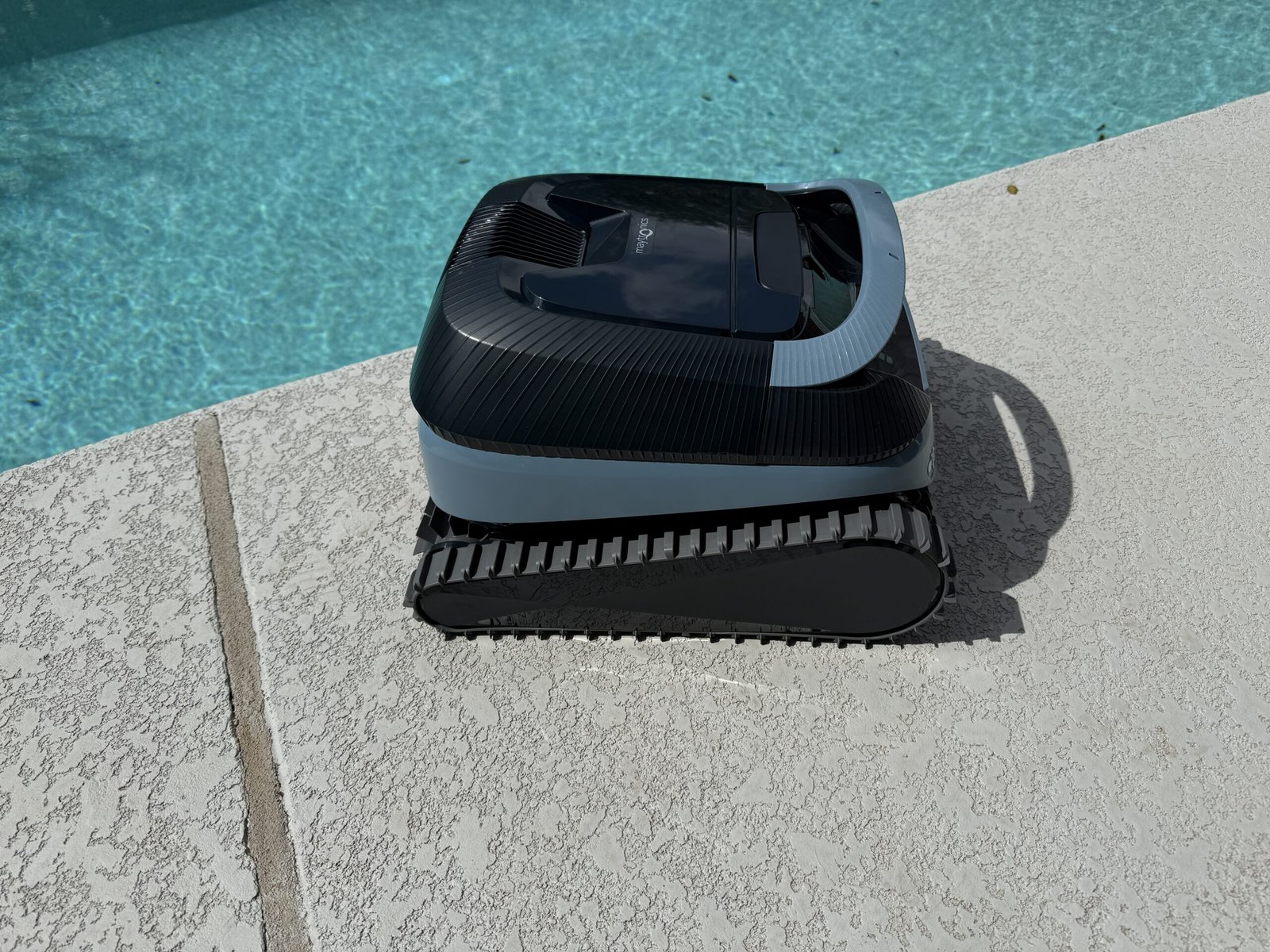
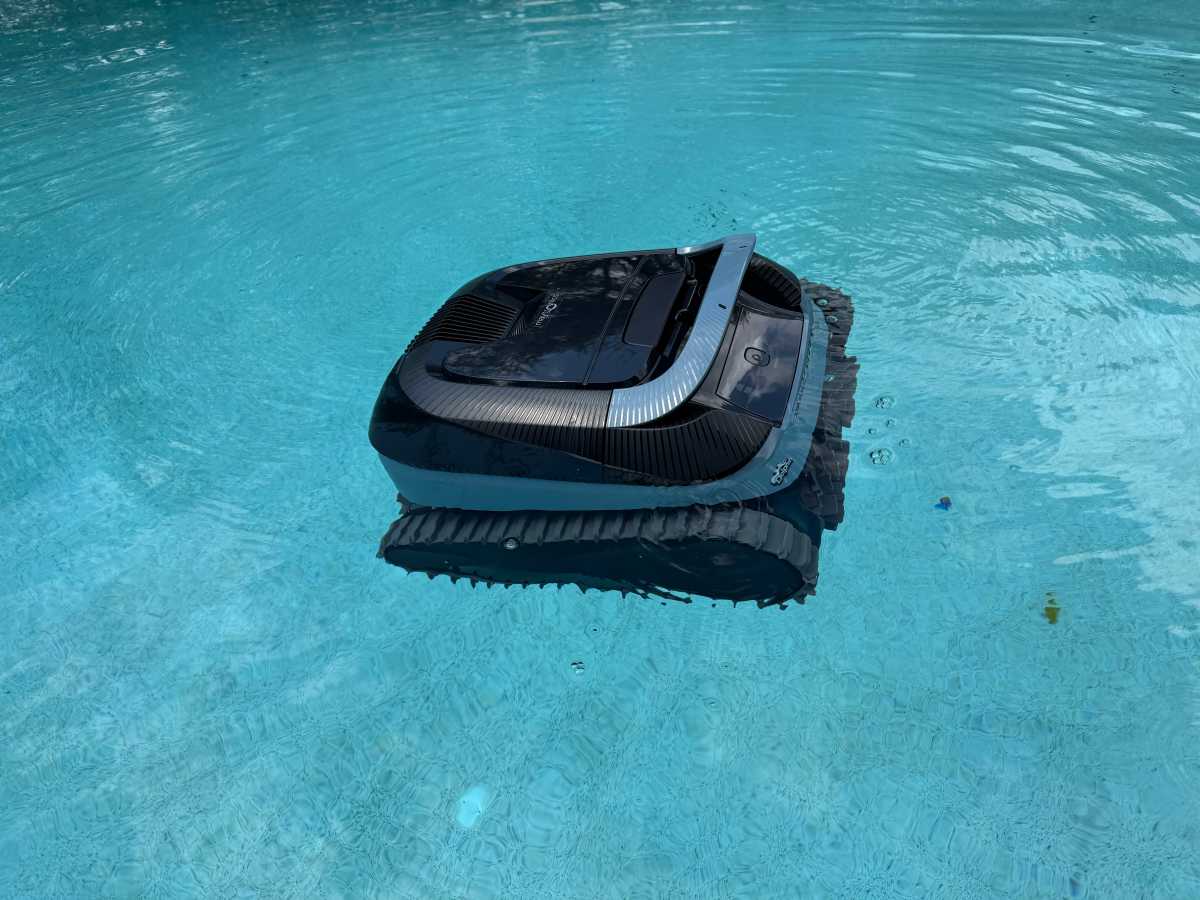
The Dolphin EON comes in two versions, the 120d, reviewed here, and the much cheaper EON 100, which oddly lacks the debris-locking technology mentioned in the intro. Externally, the 120d features a largely traditional design, with two thin treads that are asymmetric: large in diameter at the front and narrow at the back. Two spinning brushes are mounted between the treads on the front of the robot.
At 24 pounds, it’s about average in weight, and the overall package is compact enough for reasonably easy maneuvering both on land and when removing the robot from the water. It can also operate in shallow water with as little as eight inches of coverage.
The unit’s 9600 mAh battery is specified for up to four and a half hours of running time, but this is difficult to test accurately because the 120d’s default cycle is only two hours in length and its longest cycle option is three hours. An UltraRun mode is perhaps counterintuitive, setting the robot to run short cycles every two or three days, allowing you to leave it in the water for up to two and a half weeks.
There’s a single control button on the front of the robot to step through most of the included operating modes (floor only, waterline only, full coverage, or UltraRun), and you can use the Maytronics One app to fine-tune running time and set other parameters. (Note the name of the app; Maytronics’ MyDolphin Plus app is not compatible.)
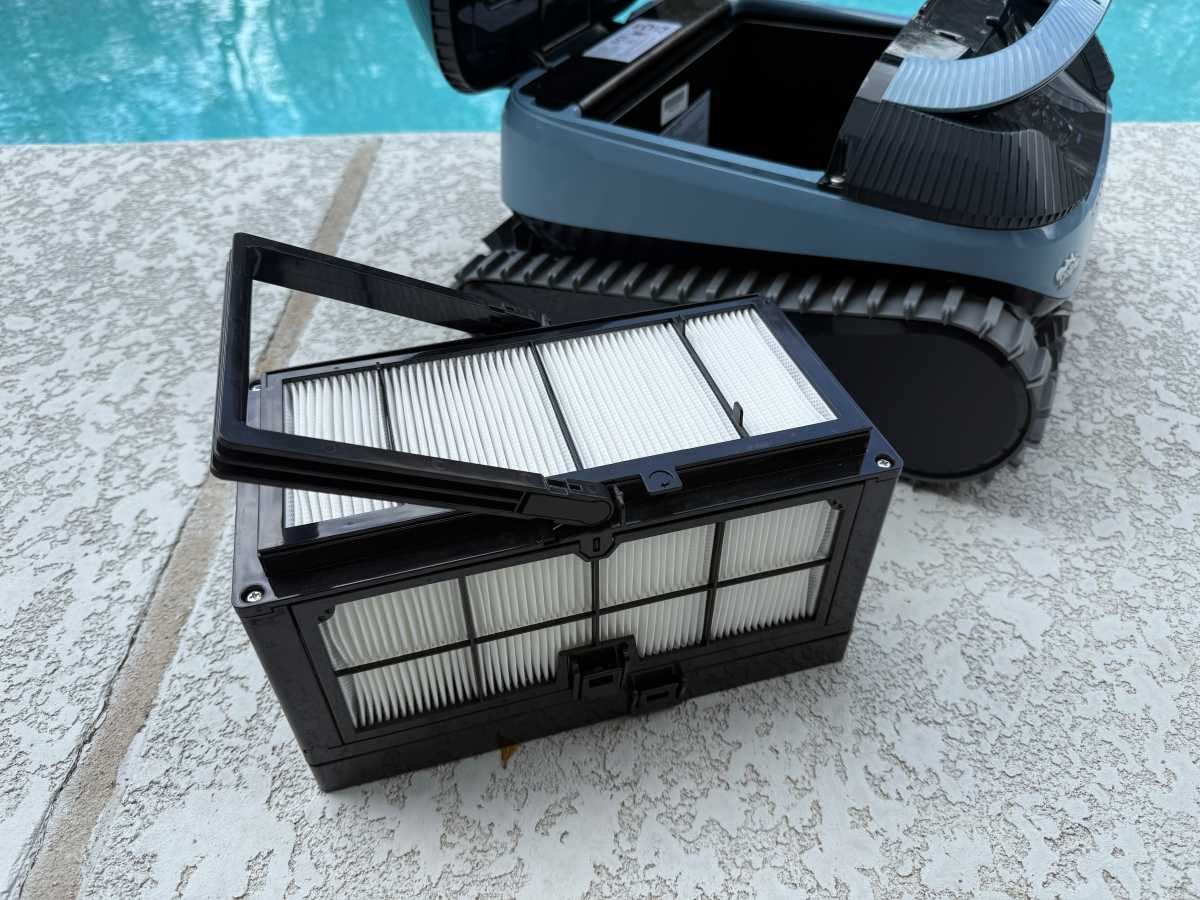
The new filter basket on the Dolphin EON 120d is unlike any you’ll find elsewhere on the market. Cleaning it out is a bear.
Christopher Null
As promised, the debris basket for the 120d is a true novelty. This part of the DebrisLock system comes in the form of a small rectangular box surrounded on all sides by filter grilles reminiscent of a HEPA air filter. Debris enters and is effectively sequestered here, unable to escape this vault of filth. More on that later.
Maytronics Dolphin EON 120d: Installation and setup
The EON 120d is largely ready to go out of the box, needing only a full charge and app setup to get started. As noted, the Maytronics One app is the one to download; this auto-discovered my 120d quickly and, after a firmware update and a few hours plugged into wall power, I was ready to get rolling.
Of special note: The 120d’s power cable is located below the main control panel, and when not in use it’s covered by a rubber seal. This seal detaches and is not tethered to the robot chassis. I can imagine it would be incredibly easy to lose when the robot isn’t in active use. It’s unclear if this seal needs to be in place during cleaning operations, but as with any exposed electronics situation, I figured it wouldn’t hurt to keep it affixed.
Using the Maytronics Dolphin EON 120d
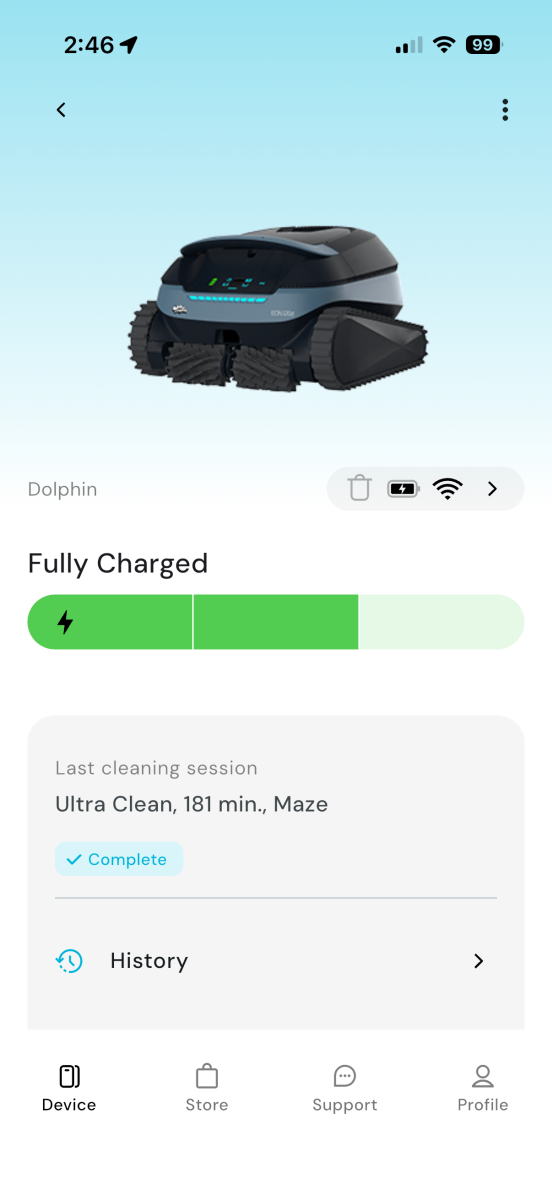
The maximum run time of the robot is just three hours, which doesn’t make full use of its battery capacity.
Christopher Null
My first steps with the EON 120d were surprisingly rough. I configured the operating mode in the app (“Smart mode” is recommended, as it includes a function designed to map your pool for later use) and dropped the robot into the pool as instructed, only for it to list silently on the floor of the pool. After fishing it out with the included hook, I tried again, and for a second time the robot failed to start. I finally tried a full power cycle, and the third time was the charm, with the 120d successfully getting started on its cleaning journey.
Watching the robot in action was actually quite amusing: I don’t think I’ve ever seen a pool robot that fell over onto its back so often, either when coming down from a ledge or attempting to climb a wall from the floor. The good news is that the robot can easily right itself, but it’s bizarre to watch it flounder so much.
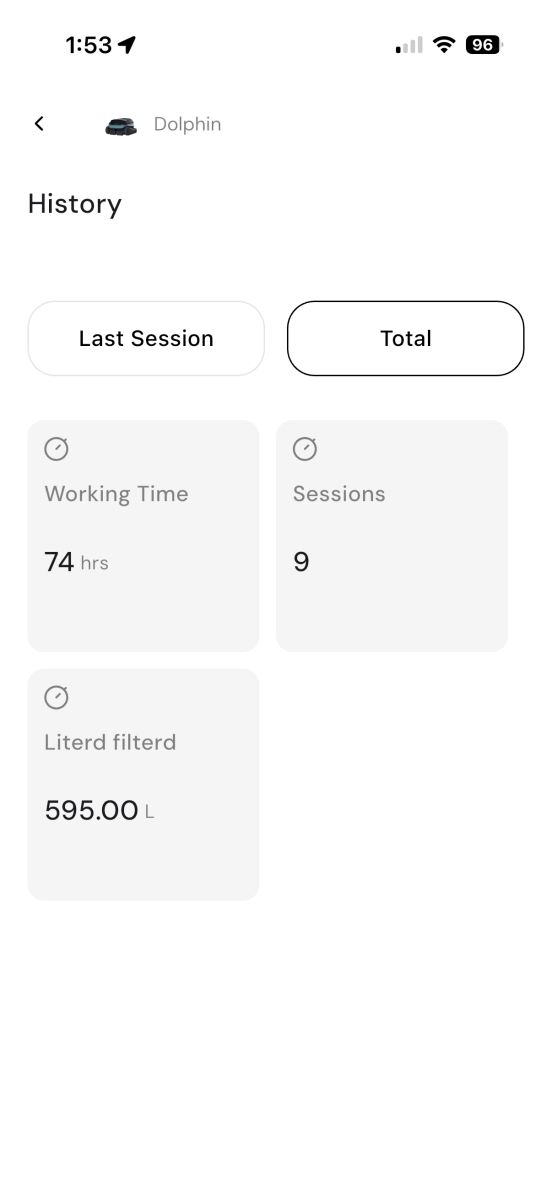
Basic stats about your cleaning runs are included in the app, including the classic “liter filterd.”
Christopher Null
I tried several of the robot’s operating modes, and even on its longest running cycle (3 hours; floor, walls, and waterline) I only achieved 95 percent cleaning coverage when using synthetic leaves. Results were similar with organic debris: The 120d performed well all around the pool, but it left a few leaves on steps and, especially, wasn’t great in the corners, where debris was almost always left behind. A 95 percent cleaning rate is nonetheless solid performance on the whole, but the robot did hiccup in the same few spots consistently.
The 120d can be retrieved with a pole or with Maytronics’ innovative “clicker,” which is included in the box. The clicker is used by placing it in the pool and shaking it like a rattle for a few seconds. This directs the robot to end its current task and climb a wall to the waterline for easy retrieval. I had low expectations for this gadget, but it worked like a charm — and is much easier than dealing with a pole and hook.
The unique “clicker” tool is an easy and effective way to automatically end the cleaning process and retrieve the Dolphin after use.
Christopher Null
Cleanup of the robot is a mixed bag. While the DebrisLock filter is very effective at trapping all types of debris, especially dirt and grit, cleaning it out is a huge pain. Those grilles capture leaves and really hold on to them, stuck in between the layers of fiber, and no amount of spraying the basket with a hose is effective at getting them out. Rather, I had to painstakingly pick dozens of leaves out of the basket by hand, one by one, and even then the basket never felt fully clean. If the robot has any fatal flaw, it’s the massive headache that awaits the user at cleanup time.
Should you buy the Maytronics Dolphin EON 120d?
The $1,199 EON 120d features very good performance at a price that slightly undercuts other medium-high-end robots on the market like the Beatbot Sora 70 and the Polaris Freedom Plus. If saving a few hundred bucks makes the difference for your purchase decision, it’s worth a look — but I personally found the filter basket cleanup process so onerous that it effectively killed my interest in using it regularly.
This articles is written by : Nermeen Nabil Khear Abdelmalak
All rights reserved to : USAGOLDMIES . www.usagoldmines.com
You can Enjoy surfing our website categories and read more content in many fields you may like .
Why USAGoldMines ?
USAGoldMines is a comprehensive website offering the latest in financial, crypto, and technical news. With specialized sections for each category, it provides readers with up-to-date market insights, investment trends, and technological advancements, making it a valuable resource for investors and enthusiasts in the fast-paced financial world.