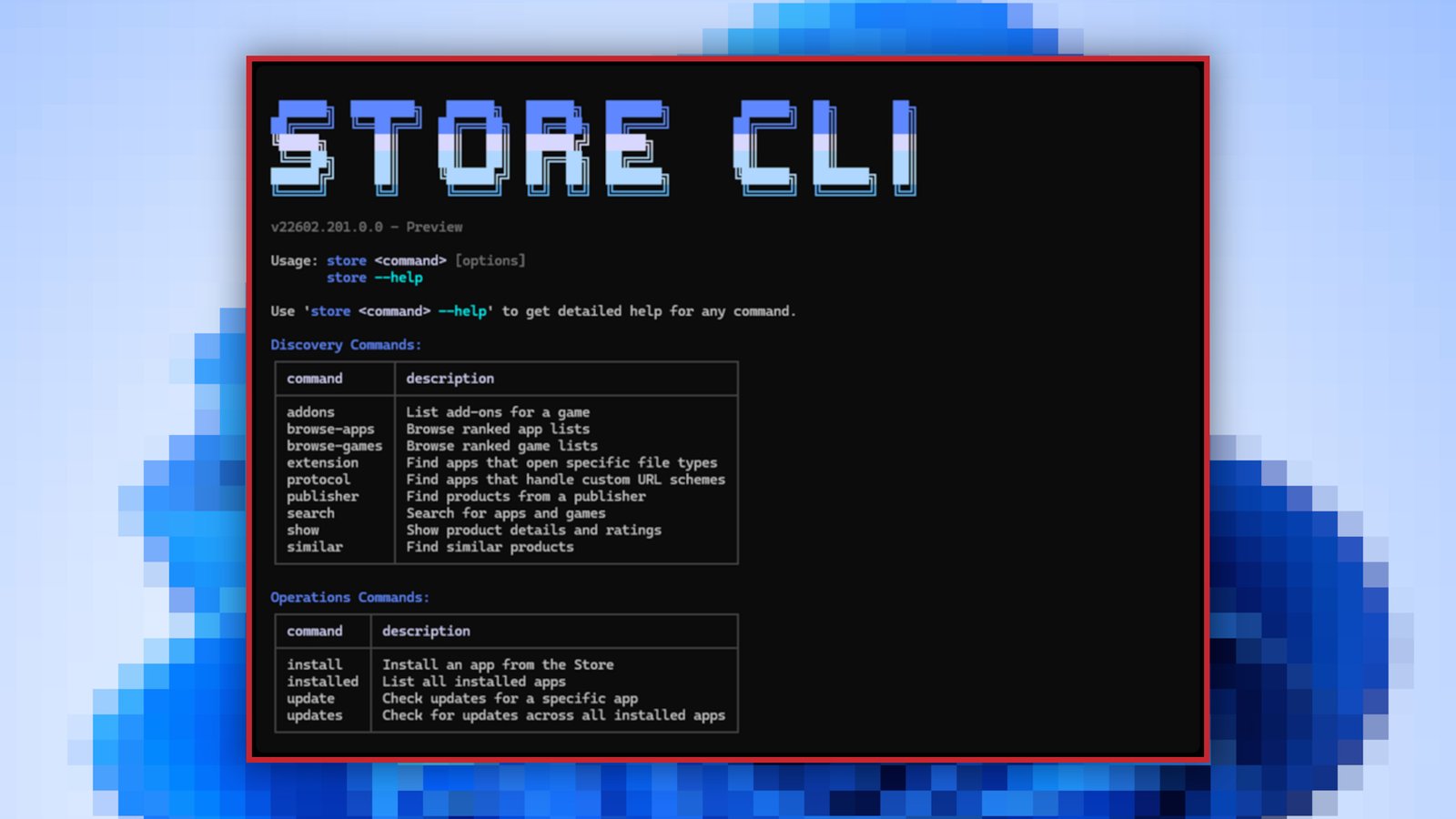
If you think there’s too much unnecessary clutter in the regular version of the Microsoft Store app, there’s now a new way to manage your Microsoft Store apps on your Windows PC. According to a Windows Developer blog post, Microsoft is introducing a command-line interface for the Microsoft Store for devs and power users.
The Microsoft Store Command-Line Interface (or Microsoft Store CLI) eschews the graphical user interface in favor of letting you manage the app store’s functions using simple text commands.
With store browse-apps, you can sort, search, and filter the Store catalog to find the apps you need. With store install , you can install and deploy apps. With store update , you can update an existing app to the latest version. See more with store --help.
Unsurprisingly, the new Microsoft Store CLI is only available on systems that have the Microsoft Store enabled.
This articles is written by : Nermeen Nabil Khear Abdelmalak
All rights reserved to : USAGOLDMIES . www.usagoldmines.com
You can Enjoy surfing our website categories and read more content in many fields you may like .
Why USAGoldMines ?
USAGoldMines is a comprehensive website offering the latest in financial, crypto, and technical news. With specialized sections for each category, it provides readers with up-to-date market insights, investment trends, and technological advancements, making it a valuable resource for investors and enthusiasts in the fast-paced financial world.