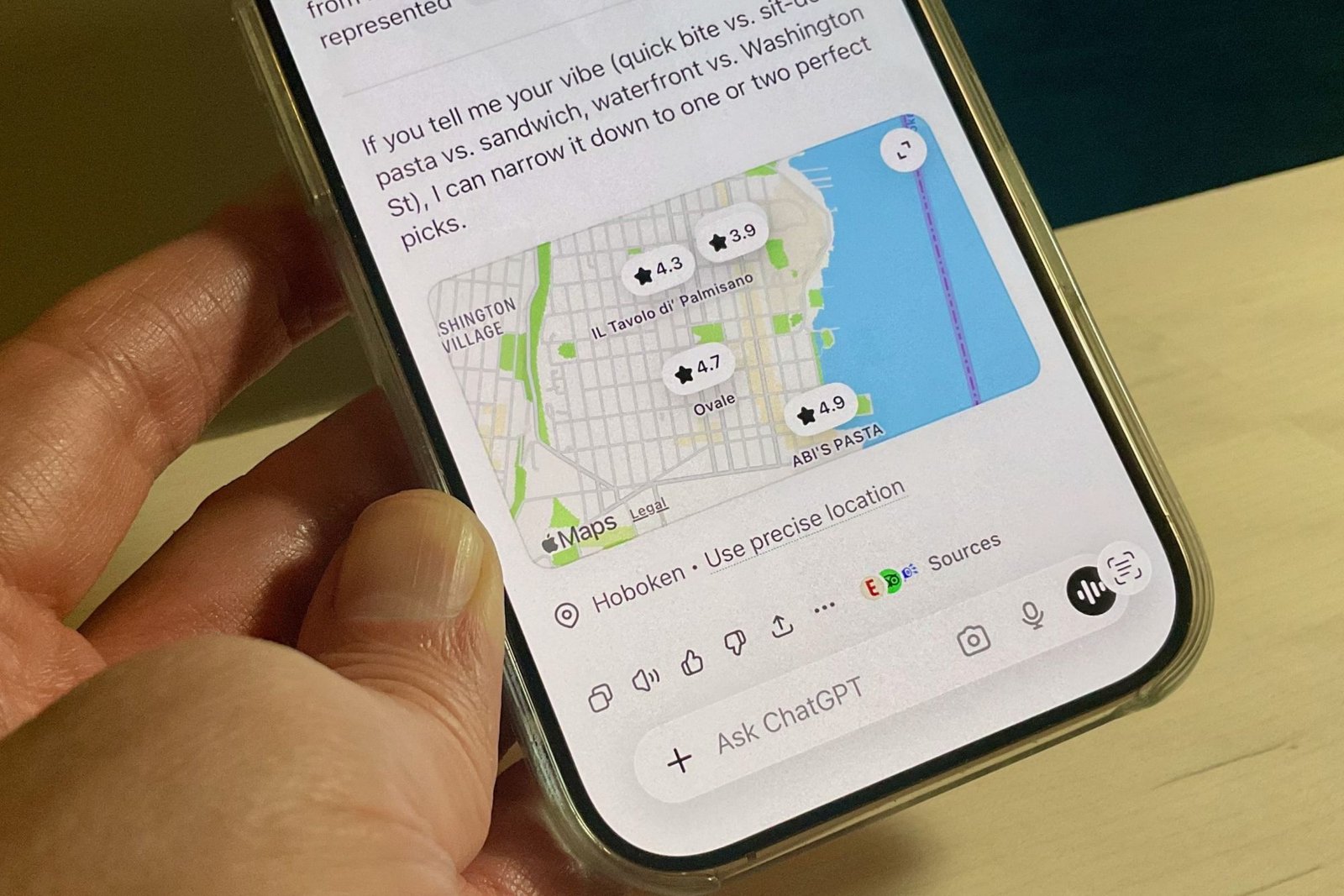
“Hey ChatGPT, where’s a good place to get coffee around here?” Thanks to its new ability to peek at your location data, ChatGPT can now give you much better answers about what’s nearby. That said, there’s no reason to let ChatGPT know where you are at all times.
First, the background. OpenAI recently rolled out the ability for ChatGPT to use your precise location when answering queries in a web browser and on iOS (Android is coming soon). ChatGPT’s access to your location data is strictly an opt-in affair, meaning you must actively turn it on by going to the Settings menu, tapping on Data Controls, and then tapping Location Services.
With the setting turned on, ChatGPT can pinpoint your location just as well as Google Maps and Apple Maps can, perfect for when you’re out and about and want ChatGPT’s help finding the closest cup of joe.
According to OpenAI, ChatGPT jettisons your shared location data as soon as it’s done answering a prompt, but what doesn’t go away are the conversations you have with ChatGPT about your location. That means if you ask ChatGPT for the closest place to go for ice cream, the chatbot will remember the details of the convo — for example, that you discussed the Van Leeuwen ice cream shop on Second Avenue and 50th Street in Manhattan — across subsequent chats, unless you delete that particular chat.
So yes, what ChatGPT knows and doesn’t know about where you’ve been can get complicated, especially if you’re allowing it to access your precise location data any time it wants to.
Luckily, there’s a way to have your cake and eat it too with ChatGPT’s location abilities — namely, by only giving it selective access to your whereabouts.
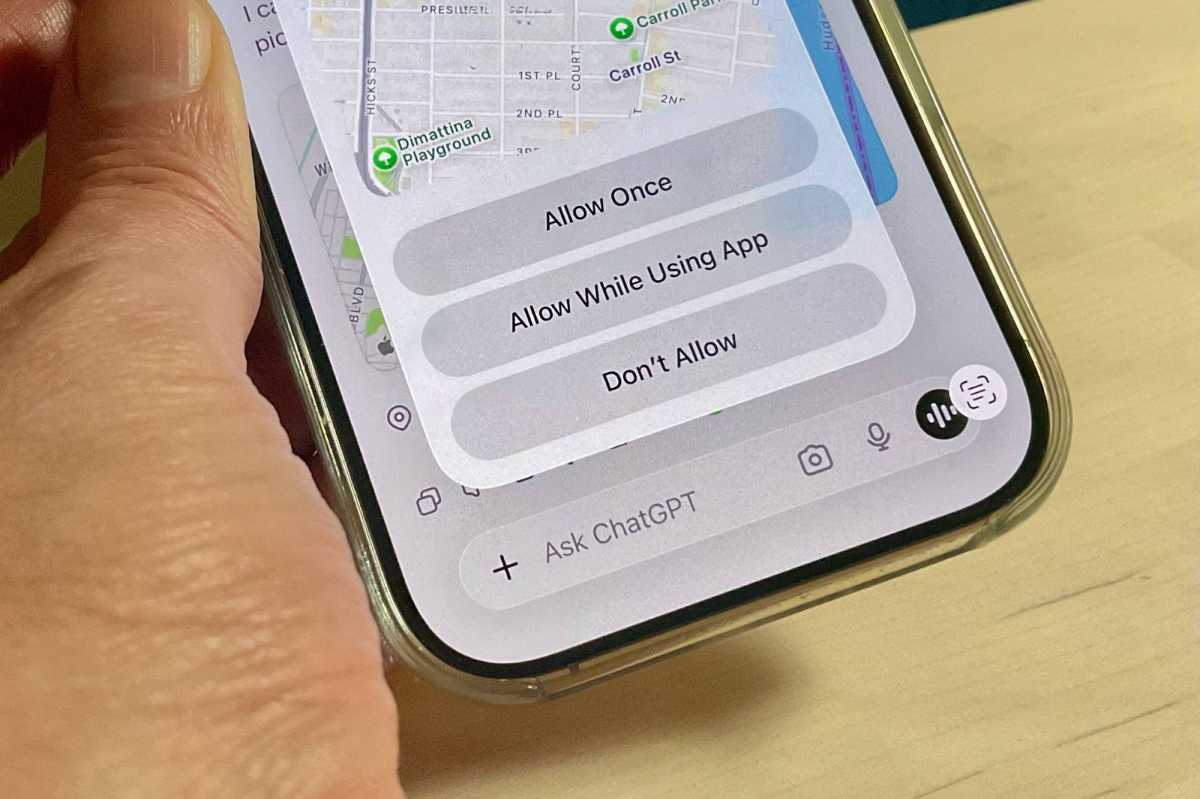
When you grant ChatGPT access to your location via the Data Controls settings, it’s not a binary yes-or-no decision. You actually have three choices (on iOS, anyway): Allow Once, Allow While Using App, and Don’t Allow.
Ben Patterson/Foundry
My suggestion: Go with the “Allow Once” setting. Doing so gives ChatGPT one-time access to your precise location, and then flips the “location sharing” setting back to “off.”
For subsequent chats, if you ask ChatGPT a question like “Where should I go for ice cream,” it will make a much less accurate guess about your whereabouts based on your IP address; when it’s done, you can then tap “Use precise location” at the bottom of the answer to give that info to ChatGPT, just once.
Even with that safeguard, just remember that ChatGPT will recall locations you’ve discussed with it in prior conversations. So if you want to be discreet about where you’ve been, be sure to clean up those older chats.
Related content
This articles is written by : Nermeen Nabil Khear Abdelmalak
All rights reserved to : USAGOLDMIES . www.usagoldmines.com
You can Enjoy surfing our website categories and read more content in many fields you may like .
Why USAGoldMines ?
USAGoldMines is a comprehensive website offering the latest in financial, crypto, and technical news. With specialized sections for each category, it provides readers with up-to-date market insights, investment trends, and technological advancements, making it a valuable resource for investors and enthusiasts in the fast-paced financial world.