At a glance
Expert’s Rating
Pros
- Can be installed anywhere outdoors
- Incredible value for its feature set
- Good image quality, day or night
- App is positively stuffed with features
Cons
- Some minor bugs with motion detection
- Single floodlight isn’t as bright as you get with hardwired models
- Solar panel cable can be hard to seat properly
Our Verdict
Despite a couple of minor bugs, this low-cost, battery-powered floodlight camera knocks it out of the park in most respects.
Price When Reviewed
This value will show the geolocated pricing text for product undefined
Best Pricing Today
Price When Reviewed
$99.99
Best Prices Today: Tapo C615F Kit

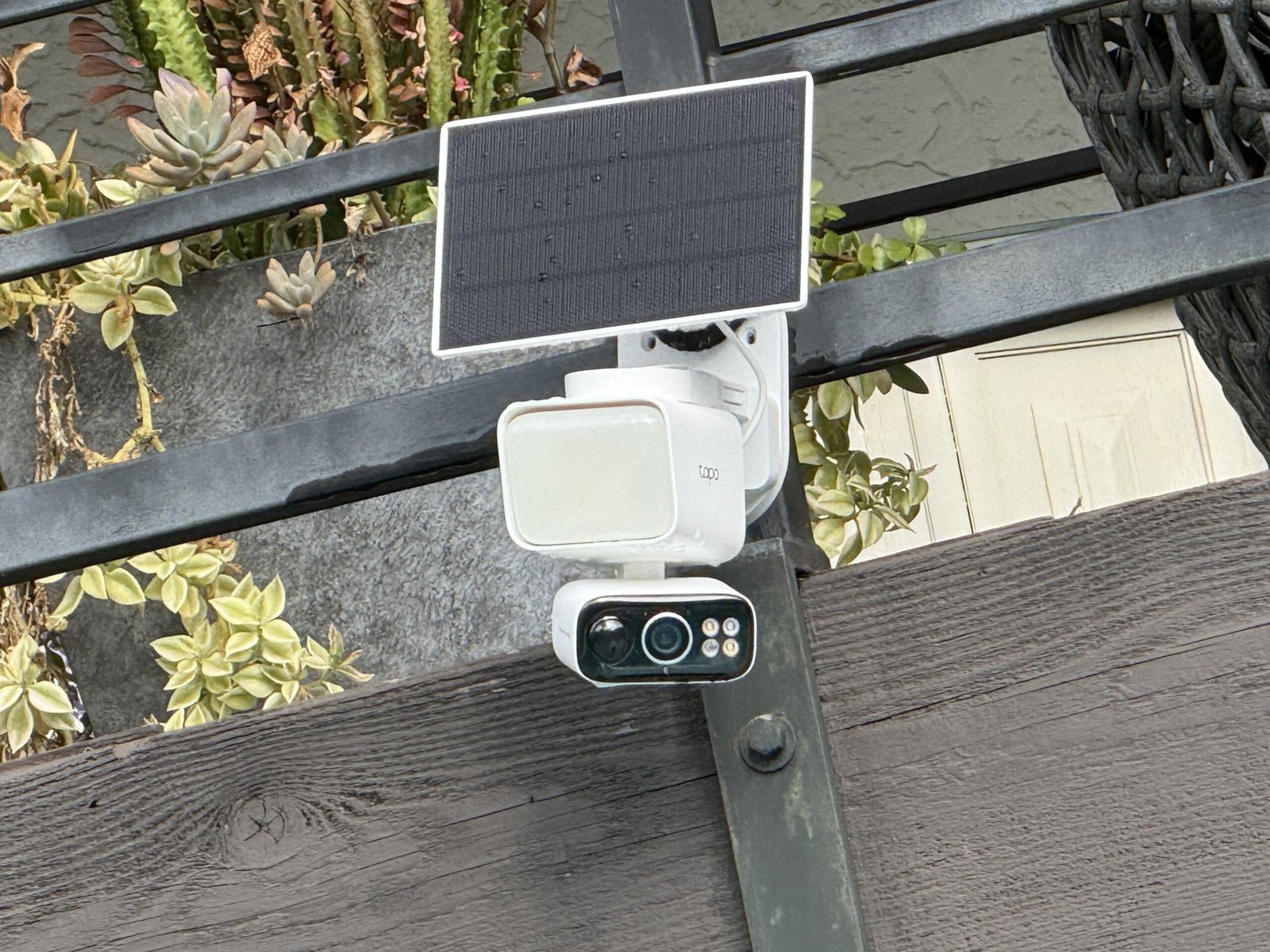
The “Kit” in TP-Link Tapo C615F Kit refers to the inclusion of a solar panel that comes with this full-featured security camera/floodlight combo to keep its battery charged. That’s right, you don’t need to connect it to your home’s electrical wiring, greatly expanding your options as to where you install it.
That battery powers both a motorized pan/tilt camera unit and its onboard floodlight, covering all the bases for wire-free outdoor surveillance. With a $100 MSRP—and a street price of just $85 as of this writing—it’s a truly impressive value.
Specifications
There’s a lot to unpack here, so let’s take it step by step.
Foremost, there’s the IP65-rated camera, recording at 2304 x 1296 pixels at either 15 or 20 frames per second, with a fairly tight 100-degree diagonal viewing angle. But that narrowness is countered by the fact that it’s mounted to a pan/tilt motor that can scan 338 degrees horizontally and 97 degrees vertically. It’s designed exclusively to be mounted on a wall, ceiling, or eave; there is no way to effectively use the camera on a tabletop or to invert its image.
Day or night, video quality is quite good for a 2K image; I was able to make out facial features at a range of at least 30 feet.
The camera (and its floodlight, which I’ll get to shortly) is powered by a capacious 10,400mAh battery that can be charged via a wired USB-C connection or the included solar panel. There’s a dual-band (2.4-/5GHz) Wi-Fi adapter onboard, two-way talk support, and a 97dB siren. The system is compatible with Alexa and Google Home, but the product’s web page doesn’t mention Matter certification (the Matter standard wasn’t expanded to include security cameras until November 2025).
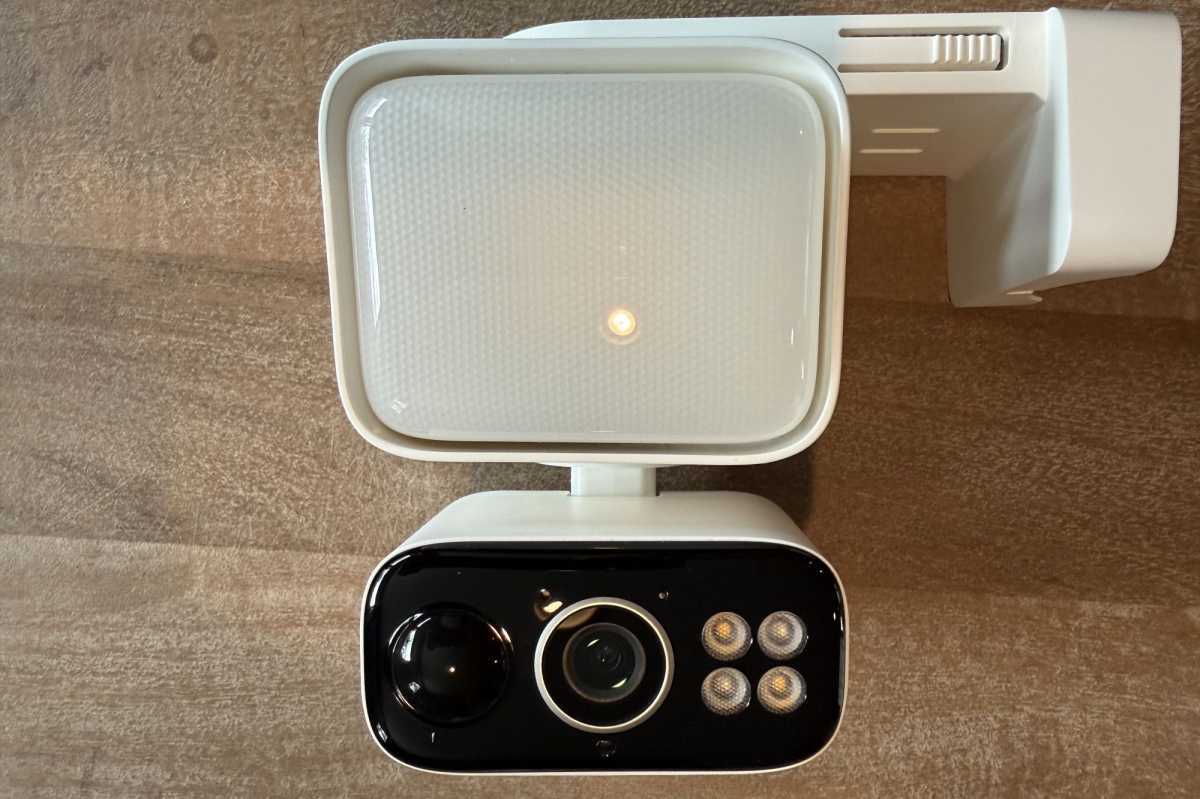
The Tapo C615F Kit’s LED floodlight, mounted above its security camera, delivers up to 800 lumens of brightness–not bad considering both it and the camera run on solar power.
Christopher Null/Foundry
Videos can be stored locally on a user-supplied microSD card (capacities up to 512GB are supported) or saved to the Tapo Care cloud-storage service (up to 30 days of events). Tapo Care also adds a few extra features, the most notable being the option to receive rich push notifications with snapshots when motion is detected. Pricing for the plan starts at $3.49/month or $35/year for one camera, with various plans ratcheting up to $11.99/month or $120/year for up to 10 cameras, but most users probably won’t need a plan at all.
A single dimmable floodlight panel sits above the pan/tilt camera; it can emit up to 800 lumens of white light at a cool color temperature of 4000 Kelvin. The floodlight can be pointed in a fixed direction independently of the camera, but it is not mounted to the camera’s motor and must be manually adjusted.
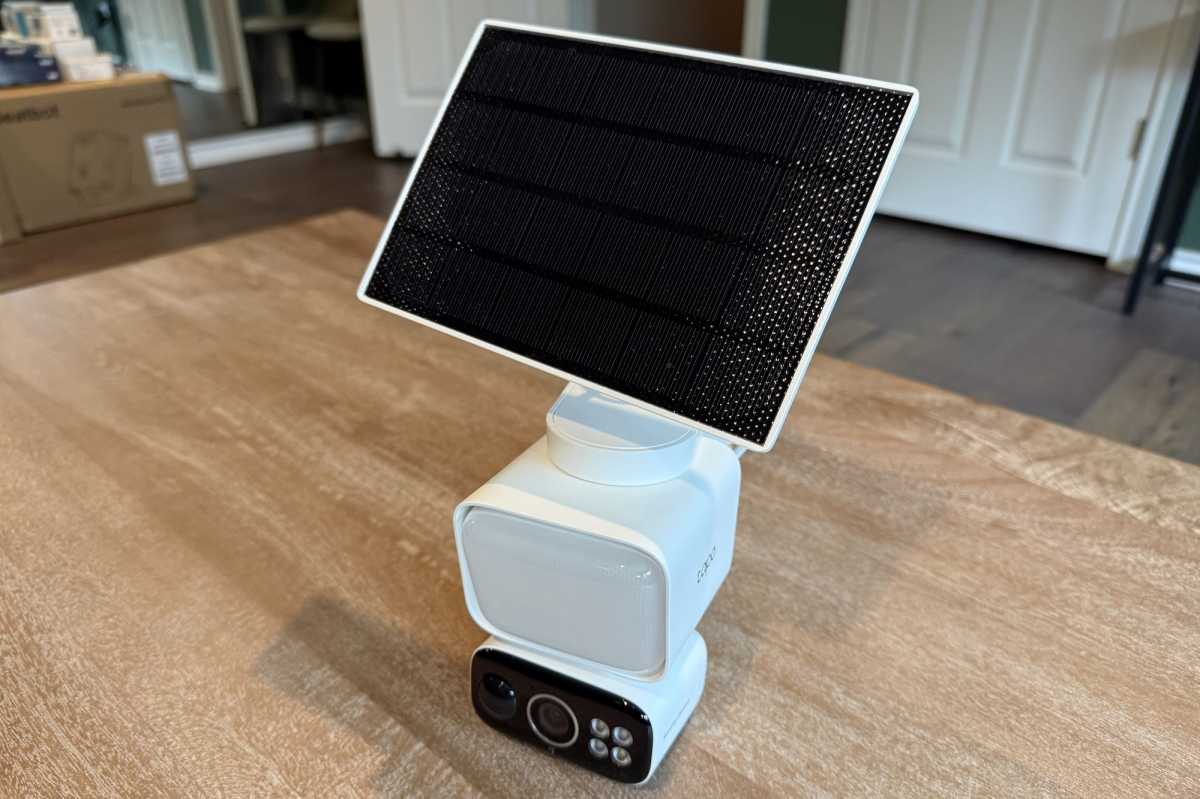
The solar panel that comes with the Tapo C615F Kit can be mounted directly above its floodlight or, with a USB-C extension cable–in a nearby location that’s more exposed to sunlight.
Christopher Null/Foundry
Most hardwired floodlight cameras, such as the Eufy Floodlight Camera E340 we very much like, have two or more much brighter floodlights that can be adjusted independently of each other. The E340, for example, delivers up to 2,000 lumens of brightness. On the other hand, this Tapo model also has a set of four LED spotlights next to its lens, so they pan and tilt along with the camera. TP-Link doesn’t publish the number of lumens these spotlights produce, but they sufficiently illuminate the scene to capture color images at night.
The final piece of the puzzle is a 6.82 x 4.74 x 0.61-inch (173.42 x 120.42 x 15.7mm), 2.5-watt solar panel that you’ll attach to a posable arm. The panel can be mounted atop the floodlight or you can mount it in a different location that offers better sun exposure; a USB-C extension cable is included for that purpose. In the former configuration, you can also mount it to a pole, as I did for this review.
Installation and setup
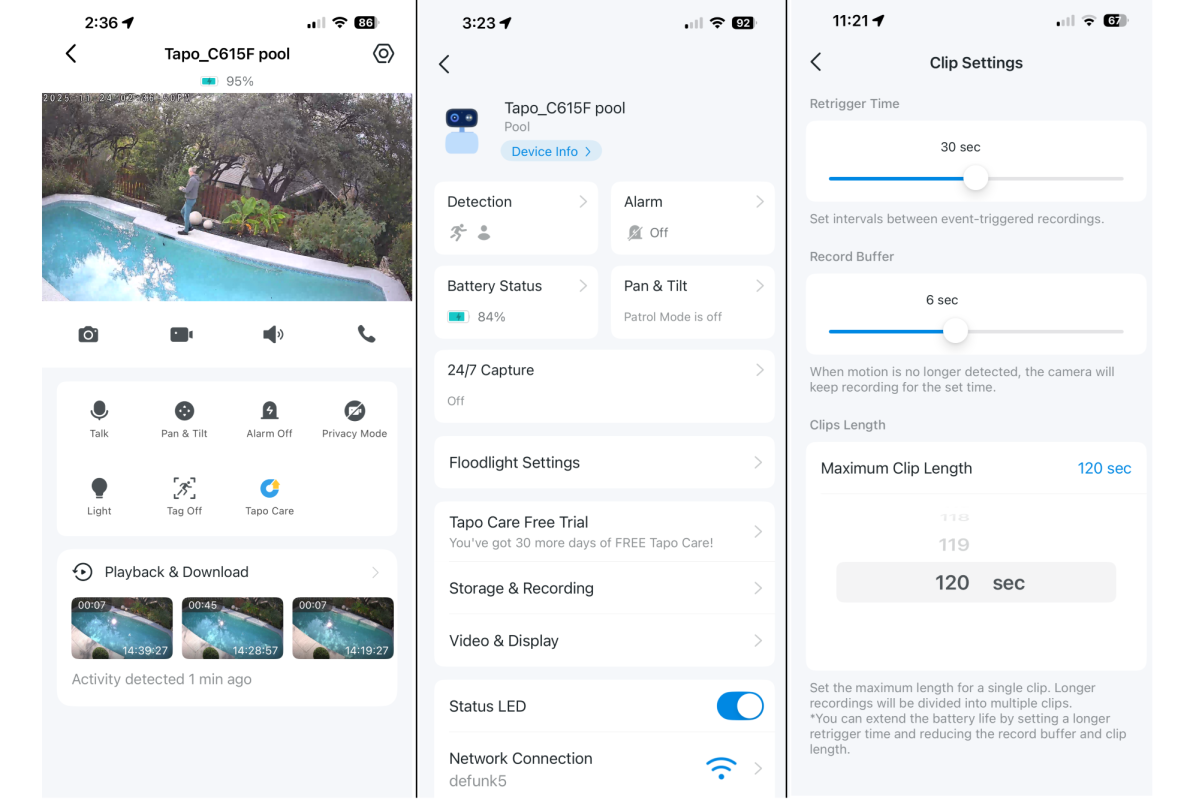
The Tapo C615F Kit’s app offers a plethora of settings.
Christopher Null/Foundry
A broadsheet quick start guide explains the basics of setup, and it can be handy because after the system is unboxed, how the pieces all go together may not be immediately obvious.
A short USB-C cable is affixed to the solar panel, with a connector at the other end that’s wrapped with a strip of rubber to ensure a watertight seal when you plug it into either the camera or the extension cable. But the rubber is so thick it’s difficult to push the plug all the way into the port, or to tell if it’s actually in all the way. The only way to ensure that the camera’s battery is being charged is to put it in the sun and check the app. When I set the camera up on a rainy day, this made for a particularly troublesome adventure.
I’ve complained about the Tapo app’s setup process before, and that complaint remains the same here: To onboard your camera, you must select the model from a menu listing dozens of arcane and often similar options. If you’ve forgotten the specific model number you’re setting up, you’ll have extra work to do looking it up. Tapo, please fix.
Other than that, onboarding was straightforward, and after a short firmware update I was up and running.
Using the TP-Link Tapo C615F Kit

The Tapo C615F Kit captures video with crisp 2K resolution.
Christopher Null/Foundry
The Tapo C615F has a bevy of features available through its app. On the home screen for the camera, a grid of on-demand commands lets you record video and capture clips manually, initiate a two-way talk session, trigger the siren, turn on the spotlight, or launch manual pan and tilt controls. Up to four waypoints can be configured in the pan/tilt system, giving you quick views of commonly used areas, and there’s a limited patrol option lets you command the camera to briefly sweep back and forth (or up and down).
A deeper dive into the settings menu reveals some useful options, including settings to automatically track objects in motion, and whether you wish to detect people, pets, vehicles, or all motion. The camera can also be set to follow objects in motion once they are detected (which is half the point of a PTZ camera). A 24/7 recording mode is also available, but it’s a little misleading: This mode captures a still image at an interval you specify, then records video only if motion is detected. It’s akin to a time lapse mode that fills in the gaps between recorded clips, and it works reasonably well.
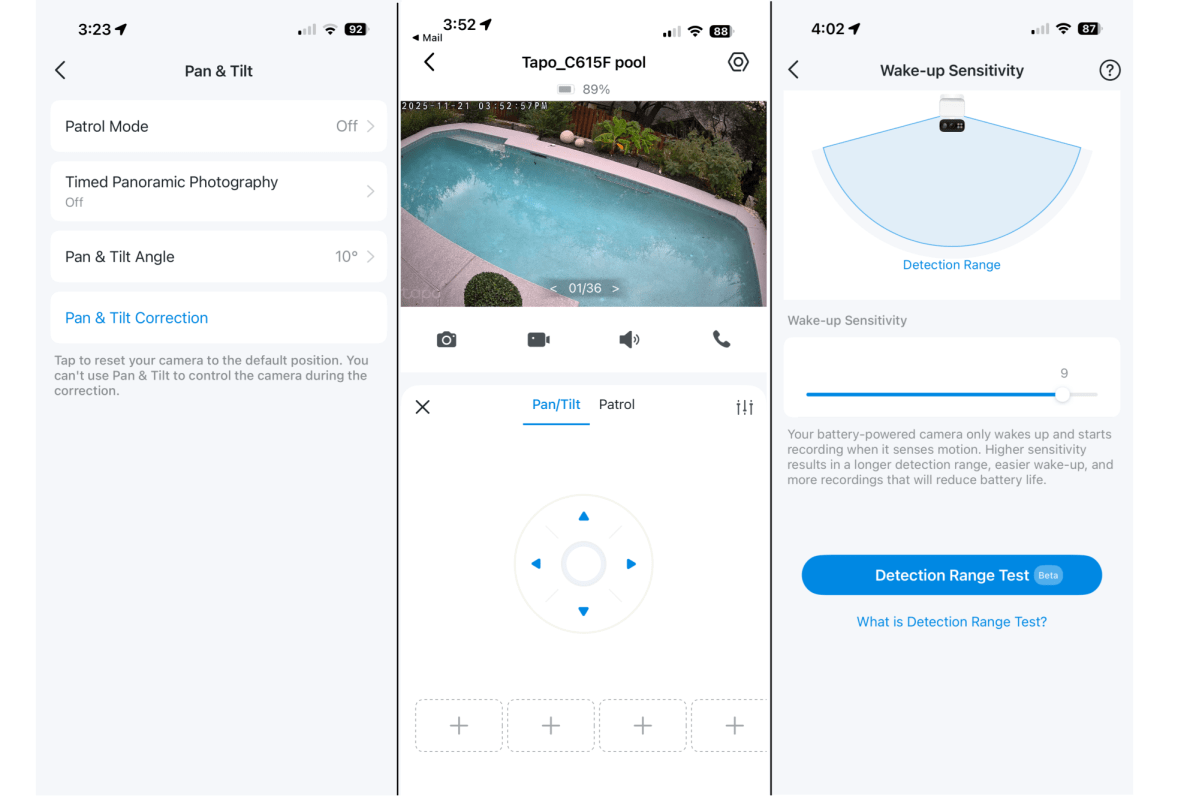
You can control the camera’s pan/tilt motor manually with the app’s directional pad, or you can establish waypoints and have it “patrol” the scene automatically.
Christopher Null/Foundry
Floodlight brightness is adjustable, as is the amount of time the light stays on if motion is detected or they are manually activated. Two night-vision modes are supported, including a full color mode (active when the spotlight is on) or an infrared night-vision mode. Both modes look surprisingly good, thanks largely to the power of the floodlight, spotlight, and the infrared lighting.
Day or night, video quality is quite good for a 2K image; I was able to make out facial features at a range of at least 30 feet under good lighting conditions, and video distortion was practically nil thanks to the limited viewing angle. Clips are limited to a maximum of two minutes in length (this is user-configurable), and cooldown can be configured to zero time between motion-triggered recordings if desired. Video loaded quickly from either cloud storage or the microSD card I used, and I didn’t encounter any hiccups with missing video, thumbnails, or the like. There’s also a neat “video summary” feature that lets you make a (very) abbreviated super-clip of the day’s activity, all rolled into a single video.
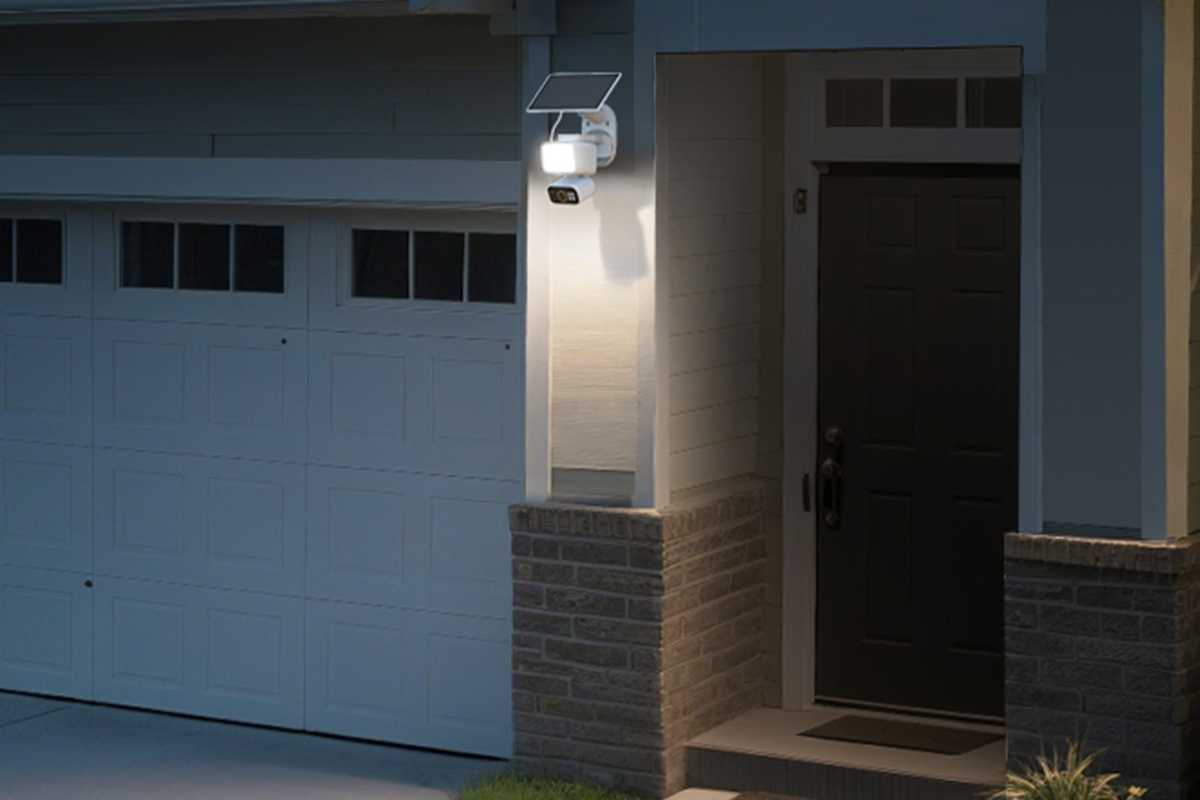
The 800-lumen floodlight isn’t the brightest, but the fact that it doesn’t need to be wired to your home’s electrical system is a worthy trade-off.
TP-Link
I did run into a few small issues with the app. Person and pet detection could be hit or miss at times, and I received multiple false positives for both when nothing was happening on camera. Overall, I found motion sensitivity to be rather lacking, even at its highest level. I also had trouble with the camera’s privacy mode, which disables the camera video on demand. Once activated, I couldn’t turn this mode off due to a persistent error in the app, and I ended up having to dig up a workaround to get the camera back online.
The solar panel, though limited in wattage, was fully successful at keeping the battery topped up even during a series of overcast, rainy days and with 24/7 recording activated. I’m confident that with reasonable access to the sun, this camera will be able to maintain a charge indefinitely, even with significant use.
Should you buy the TP-Link Tapo C615F Kit?
With a list price of $100 and a street price as low as $85, it’s hard to argue against the incredible value that the C615 Kit represents, particularly considering that it’s practical use doesn’t depend on a subscription. It isn’t a perfect product, but its few flaws aren’t massive deal-breakers.
Hopefully, app updates over the time will continue to smooth out some of these.
This articles is written by : Nermeen Nabil Khear Abdelmalak
All rights reserved to : USAGOLDMIES . www.usagoldmines.com
You can Enjoy surfing our website categories and read more content in many fields you may like .
Why USAGoldMines ?
USAGoldMines is a comprehensive website offering the latest in financial, crypto, and technical news. With specialized sections for each category, it provides readers with up-to-date market insights, investment trends, and technological advancements, making it a valuable resource for investors and enthusiasts in the fast-paced financial world.