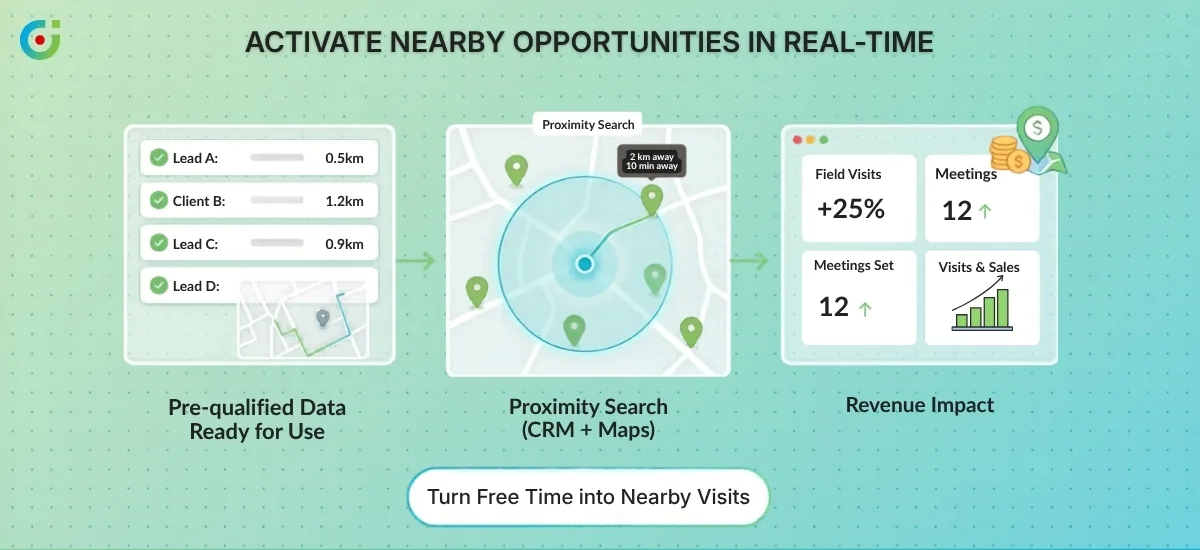
Field service businesses deal with a specific kind of pressure that office-based teams rarely face — your people are scattered across locations, jobs shift through the day, and the margin for coordination errors is thin. A technician sent to the wrong area, a territory with no clear owner, a cancellation that nobody capitalizes on — these aren’t edge cases. They’re the daily reality for most field operations running without proper geographic visibility.
Dynamics 365 gives businesses a solid CRM foundation — centralizing work orders, customer records, and service data in one place. But organized data and field-level visibility are two different things. Knowing that a job exists in your system tells you very little about whether your nearest rep can reach it efficiently, or whether your territories are balanced well enough to handle the load. According to a 2025 report by Capterra, 52% of field service businesses cite operational inefficiency as their primary reason for switching away from existing tools — and most of that inefficiency lives in scheduling, routing, and coverage decisions. (Source)
That’s exactly where AppJetty’s MappyField 365 fills the gap. It works as a Dynamics 365 field service map plugin, taking records, accounts, and field agent data already in your CRM and plotting them onto a live, interactive map. Your dispatchers can see who is where, your managers can make territory decisions based on actual geography, and your reps can plan their day around real locations rather than a flat list of names. All of it stays inside the Dynamics 365 map.
The four challenges below are ones most field service businesses run into at some point — and each one has a measurable cost, whether that’s wasted drive time, missed visits, or accounts that never get the attention they deserve.
Challenge 1: Inefficient Route Planning Leading to Wasted Time and Fuel
Most field reps start their day with a list of appointments and a rough idea of how to get between them. They sequence visits based on memory, habit, or a quick glance at Google Maps — and by mid-morning, they’re already behind. Two appointments that could have been back-to-back are on opposite ends of the city, and there’s no obvious fix once the day has started.
This is what manual route planning actually costs: longer drives, higher fuel bills, and fewer completed visits per day. It’s not a matter of effort — your reps aren’t slacking. The problem is that plotting the most efficient sequence across multiple stops isn’t something a person can reliably do in their head, especially when schedules change throughout the day.
AppJetty’s MappyField 365 handles this through its Smart Routing feature. Within your Dynamics 365 field service map, it calculates the most efficient sequence for multi-stop routes using shortest-path logic, factoring in all the day’s appointments to minimize total drive time. Your reps don’t need to figure out the order. They get a clear, ready-to-follow route before they leave.
For managers, the control doesn’t stop at generation. Routes can be created, adjusted, and shared directly via email from within the platform — so if a rep’s schedule changes or a new job comes in, the updated route reaches them without a phone call chain.
The result is more visits completed in the same hours, lower fuel spend, and less decision fatigue for your reps before the day even begins.
Challenge 2: Difficulty Finding Nearby Clients or Prospects During Field Visits
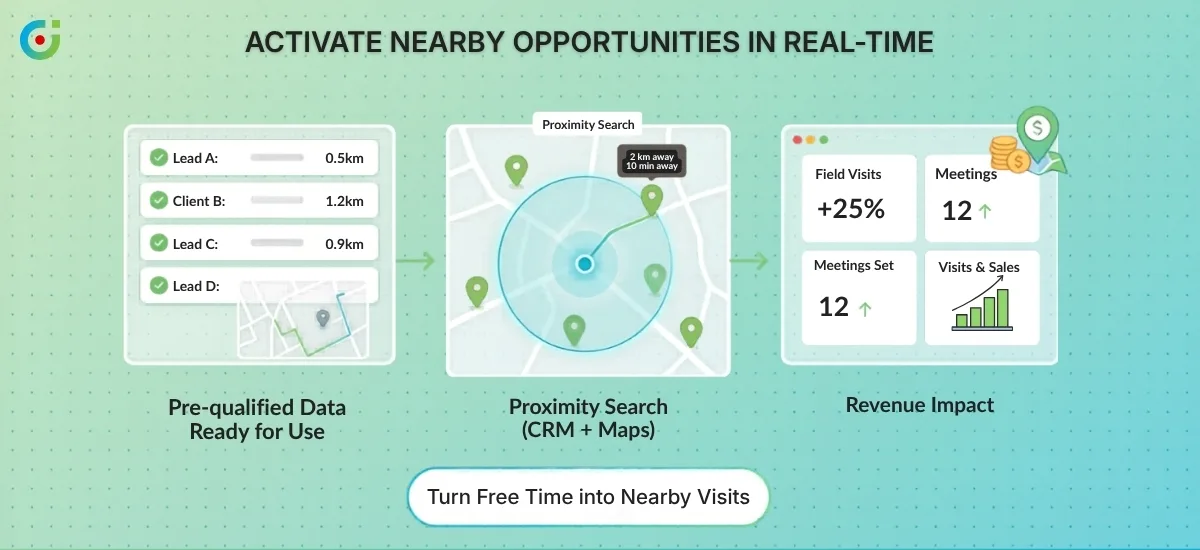
Optimized routes only hold up when the day goes to plan. A client cancels, a meeting ends forty minutes early, and your rep is sitting in a car park with time on their hands and no idea who else is nearby. Your rep is already in the area, but they have no quick way to see which other accounts or prospects are within reach. Most of the time, that gap in the schedule just gets absorbed — the rep heads to a coffee shop or drives back early, and a real opportunity quietly disappears.
The underlying issue is that your CRM contains all the information your rep needs in the moment, but it’s buried in lists and filters that aren’t designed for on-the-ground decisions. Scrolling through records to find someone “somewhere near here” isn’t a realistic option when you’re standing in a car park.
The Proximity Search feature inside AppJetty’s MappyField 365 solves this directly. Within your Dynamics 365 field service map, reps can search for CRM records based on their current location, filtering by distance in kilometers or miles or by travel time. If there’s a prospect ten minutes away or an existing client within a two-kilometer radius, your rep sees them on the map immediately and can act on it.
A canceled appointment doesn’t have to mean a wasted hour. The rep is already in the area — the only thing missing is a quick way to see who else is worth stopping by. That’s the kind of visibility that turns an unexpected gap into a useful one.
Challenge 3: Poor Territory Planning Causing Overlap and Coverage Gaps
Getting your reps to the right places more efficiently only matters if the territories themselves are set up correctly. Without clearly defined boundaries, two reps can spend the same week calling on accounts in the same neighborhood — while a neighboring region gets no attention at all. It’s a structural problem, and it tends to get worse as your team grows.
The friction it creates isn’t just operational. When reps realize they’re competing for the same accounts, it creates internal tension that has nothing to do with performance. Workloads become uneven, some reps are stretched thin while others have too little ground to cover, and revenue opportunities in overlooked areas go untouched. None of this shows up clearly in a list-based CRM view — you’d have to piece it together manually to even see the problem.
Territory Management in MappyField 365 gives managers a geographic view of how the team is structured. Inside your Dynamics 365 field service map, you can draw, define, and assign territories visually — so it’s immediately clear which rep owns which area and where the boundaries sit. Auto-assignment then takes it a step further by routing incoming accounts and leads directly to the right rep based on location, without anyone having to intervene manually.
Overlap stops because boundaries are visible and enforced. Coverage gaps become obvious the moment you look at the map, so managers can address them before they turn into missed revenue. The real question then becomes whether reps are actually working their assigned ground effectively — and that’s a different problem entirely.
Challenge 4: Uneven Territory Coverage
Defining territories gets your structure in place, but it doesn’t guarantee the work is being distributed evenly across them. Some areas end up with more accounts, more service requests, and more rep activity than they can handle. Others sit quiet for weeks — not because there’s no opportunity there, but because nobody has a clear picture of where demand is actually concentrated.
The problem rarely shows up clearly until it’s already cost you something. A manager might notice one rep always seems stretched while another has a lighter week, but piecing together why means digging through records, cross-referencing filters, and still ending up with an incomplete picture. Geography doesn’t translate well into a list view, and most CRMs aren’t built to show you where the imbalance actually sits.
The Heat Map feature in MappyField 365 makes this visible. Inside your Dynamics 365 field service map, color intensity shows you exactly where service requests, accounts, or leads are clustering. High-density areas show up darker, quieter regions stay light, and the distribution across your entire coverage area becomes readable at a glance.
With that picture in front of them, managers can make grounded decisions. If one territory is consistently overloaded, additional technicians can be deployed there before the backlog affects service quality. If another region is showing low coverage despite having accounts on record, it’s a clear sign that rep activity needs to shift. A Dynamics 365 field service map turns what was previously a reporting exercise into something your team can act on in real time, based on what the ground actually looks like.
Closing Lines
The four challenges covered here: poor route planning, missed opportunities in the field, territory overlap, and uneven coverage, aren’t just internal inefficiencies. Each one has a direct effect on how reliably your team shows up for customers, how quickly leads get followed up, and how much revenue slips through without anyone noticing.
Field service businesses often treat these as separate problems and try to fix them one at a time. But they’re connected, and they all come back to the same gap: your CRM holds the data, but it doesn’t show you what’s happening on the ground.
AppJetty’s MappyField 365 is built specifically for this. As a purpose-built Dynamics 365 map plugin, it brings your CRM data into a live geographic view — covering smart routing, proximity search, territory management, and heat map visibility in one place inside Dynamics 365. Your managers get clarity, your reps get direction, and your field operations stop running on guesswork.
If uneven coverage, wasted drive time, or missed visits are problems your team is dealing with right now, see what MappyField 365 can do for your operation.
The post 4 Field Service Challenges You Can Solve with a Dynamics 365 Map appeared first on AppJetty .
This articles is written by : Nermeen Nabil Khear Abdelmalak
All rights reserved to : USAGOLDMIES . www.usagoldmines.com
You can Enjoy surfing our website categories and read more content in many fields you may like .
Why USAGoldMines ?
USAGoldMines is a comprehensive website offering the latest in financial, crypto, and technical news. With specialized sections for each category, it provides readers with up-to-date market insights, investment trends, and technological advancements, making it a valuable resource for investors and enthusiasts in the fast-paced financial world.