
Expert’s Rating
Pros
- Excellent hardware design, with labels and a manual
- Terrific power delivery
- Absolutely stable once it’s up and running
- Aggressive price
- Three displays!
Cons
- Can be a bit glitchy after resuming from sleep
- Surprisingly poor storage performance
- Driver update actually hurt performance
- Ethernet stopped working, once
Our Verdict
Wavlink’s Thunderbolt 4 Triple Display Docking Station (UTD-45) really is a mixed bag. This Thunderbolt 4 feels like it was designed with care and performs quite well in places. But it also has a few quirks, including surprisingly low storage performance after an optional driver was installed.
Price When Reviewed
This value will show the geolocated pricing text for product undefined
Best Pricing Today
Price When Reviewed
$199.99
Best Prices Today: Wavlink Thunderbolt 4 Triple Display Docking Station

Wavlink’s Thunderbolt 4 Triple Display Docking Station (UTD-45) delivers a mixture of highs and lows, averaging out to a decent experience overall. You can see the care that was put into its well-crafted design…with a few glitches. In general, though, I can’t help rooting for this Thunderbolt dock, even if I can’t totally recommend it.
My experiences with this dock were generally good. I had previously listed Wavlink’s UTD-45 among our recommendations for the best Thunderbolt laptop docking stations based on a review by our sister site, Macworld. Put simply, this dock provides access to three different displays via a well-thought-out (and well-labeled) mix of legacy ports.
After reviewing the UTD-45 personally, however, I’m less impressed.
To be fair, Wavlink’s UTD-45 laptop docking station is primarily sold through Amazon — and that listing may have been shared with other Wavlink docks that the manufacturer also sold via the same page. Customers there complain that the UTD-45 had problems playing back video and that the dock became quite hot to the touch under load. I didn’t experience either issue at all.
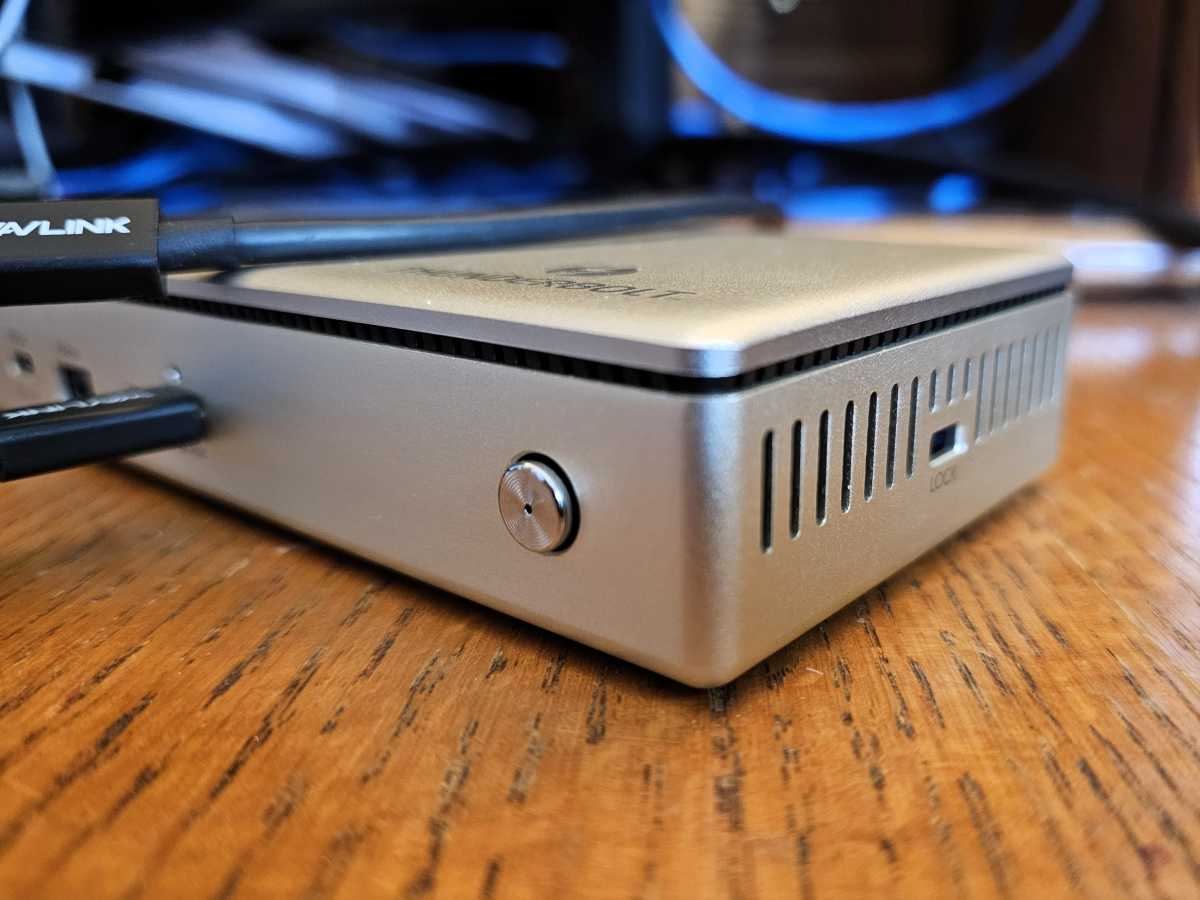
Wavlink’s Thunderbolt 4 Triple Display Docking Station (UTD-45) measures 8.5 inches long by 3.5 inches deep and about an inch high, with venting on either end. It weighs about 1.2 pounds. While the dock is made of ABS plus aluminum alloy, the dock is also well ventilated at either end, with a second small vent running around the periphery of the dock. While all of that ventilation keeps the dock nice and cool under load, it does prevent the UTD-45 from being oriented vertically to save space.
I can’t help rooting for this Thunderbolt dock, even if I can’t totally recommend it.
Mark Hachman / IDG
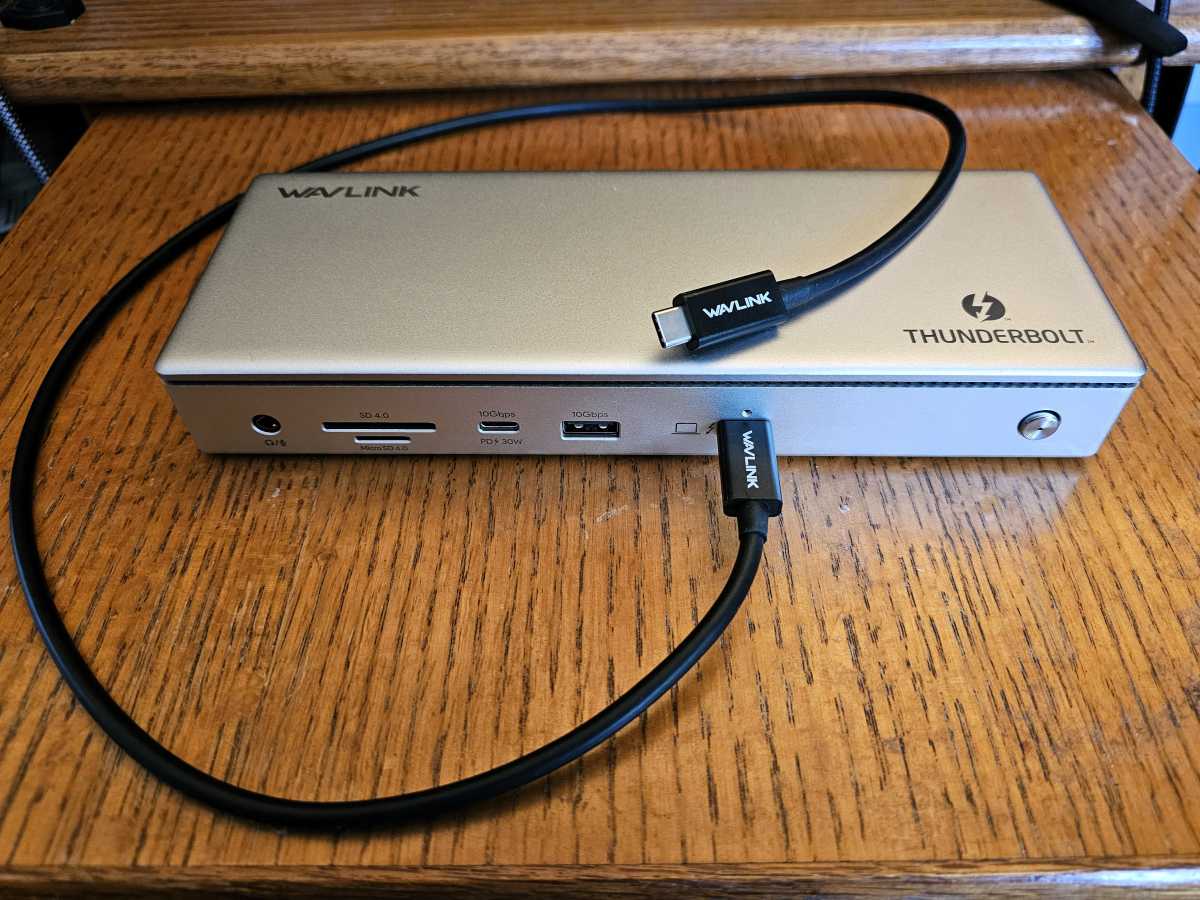
Wavlink describes each port’s throughput on the front of the dock with a prominent label, and sums them up inside a downloadable manual, two features that I like to see. Wavlink even lists the ports’ power capabilities, all of which warms my nerdy little heart. In addition to the audio jack and LED-lit power button, the UTD-45 includes an SD/microSD 4.0 (312MB/s) card slot, a 10Gbps USB-C port capable of 30W, a generic 10Gbps USB-A port, and a Thunderbolt 4 host port capable of 96W of power delivery. A 31-inch cable connects the dock to the laptop, which allows me to put the dock on either side of the laptop and still snake the cable around.
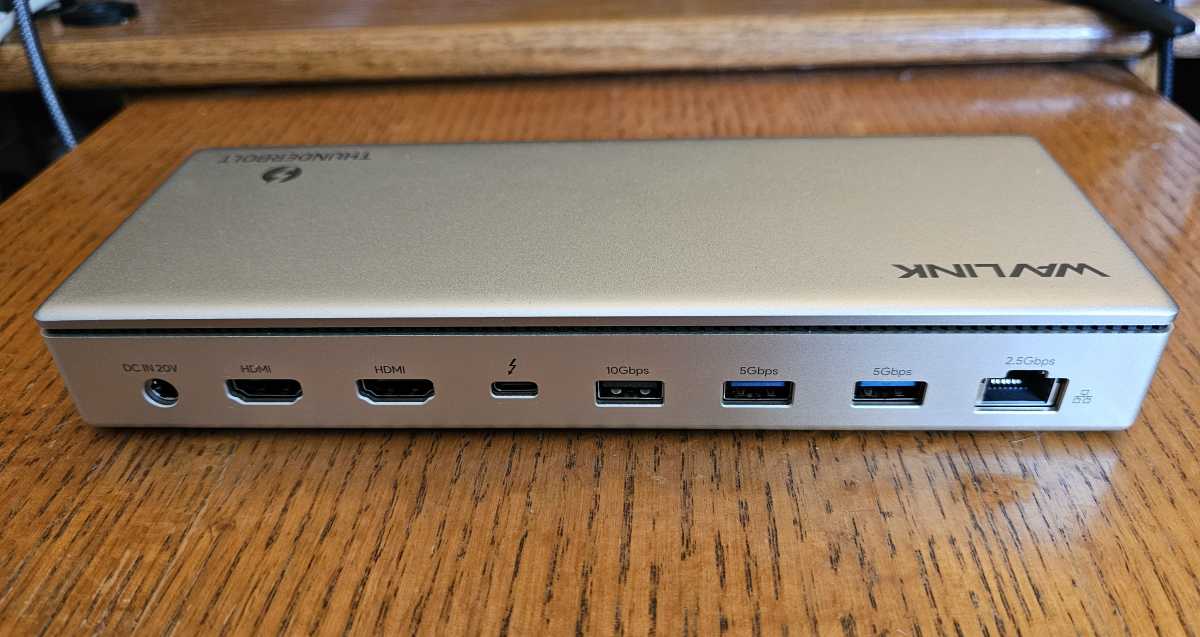
On the rear, Wavlink includes two HDMI 2.1 ports, an upstream Thunderbolt 4 port that supplies 15W of power, plus a 2.5Gbps Ethernet port. There are also three labeled USB-A ports, two enabling 5Gbps and one that can transfer 10Gbps worth of data.
Mark Hachman / IDG
Note that the Thunderbolt protocol only allows for a laptop to connect to two 4K60 displays. This dock allows you to connect a third display via Thunderbolt, but only via a laptop with DisplayPort 1.4 and Display Stream Compression. That’s enabled with most discrete GPUs and integrated GPUs in laptops with 13th-gen Core chips and their AMD counterparts. DSC also allows this dock to output 8K at 60Hz over one of the HDMI ports, but I do not test this because 8K displays are nearly impossible to find.
Most docks are plug-and-play, and the Wavlink UTD-45 is no exception. However, Wavlink does supply a downloadable driver that the company says should be used if downloads over Ethernet seem slower than expected. In my tests, downloading and applying the driver actually dropped download speeds by about 58Mbps — though the results of speed testing are subject to various factors, such as local network or WWAN congestion. That may have affected its storage performance, too.
How does the Wavlink Thunderbolt 4 UTD-45 perform?
I had a few issues with the Wavlink UTD-45. First, there were sometimes delays connecting to various displays. I sometimes needed to disconnect and reconnect the Thunderbolt 4 cable and even reboot on occasion. It also seemed to be a bit finicky while rebooting or bringing the laptop back up from a sleep state, and I occasionally removed and reinserted the cable to help it along. Once connected, this dock was absolutely stable — and since I started testing it over the holidays, I spent more time with it than normal.
Mark Hachman / IDG
There were never any thermal problems at all, and the dock remained much cooler than some others I’ve tested.
At one point, however, the Ethernet jack simply stopped working. That was a little odd, given that I’d already downloaded and installed the driver that was supposed to solve any Ethernet problems. The outage persisted until I powered the dock — not the laptop — off and on. That solved the problem.
The dock’s power delivery was generally excellent. The well-labeled ports delivered pretty much what they were supposed to: a hefty 28.2W of power from the front USB-C port was plenty to fast-charge a smartphone. The rear USB-A ports provided 5.7W, good enough for bus-powered devices. Only the Thunderbolt 4 cable to the laptop fell a bit short. I couldn’t push it past 82W, a bit less than the 98W that Wavlink promised. That’s still good enough for most productivity laptops, however.
I was able to stream a 4K stream via Ethernet and across the Thunderbolt 4 cable without any issue at all — the laptop and dock worked together to prevent any frames from being dropped. (And, just to check, I played back protected streamed video from Netflix across the HDMI ports. It worked fine.)
In terms of storage performance, however, the Wavlink UTD-45 dock was slower than I’d like. I connected a test SSD to the dock and ran PCMark’s storage benchmark against it, part of my additional tests to see how well the dock transfers data between SSDs
Kensington’s SD5800T costs about $100 more than the Wavlink UTD-45, and its storage performance is about average: 130.74MB/s, when connected to the test SSD. Even still, the UTD-45 produced just 107.8MB/s using the same benchmark, and a statistically similar number while streaming. That’s one of the slowest storage results I’ve seen.
The dock performed similarly when I copied a multi-gigabyte folder of files from the SSD to the desktop across the Thunderbolt 4 cable. The Kensington SD5800T performed the task in 1 minute, 8 seconds, which was somewhat slow. However, the UTD-45 notched the same result. It was when I streamed video over Ethernet and copied the files in the background, that things got bad: The transfer time jumped to a lethargic 1 minute, 34 seconds.
Should you buy Wavlink’s Thunderbolt 4 UTD-45?
Wavlink prices its dock fairly aggressively, and I’m a big believer in factoring affordability into my recommendations. Once up and running, the UTD-45 didn’t give me any problems at all. It did feel, more often than not, that I would either have to wait or fiddle with the dock when rebooting or when resuming from a sleep state.
I can’t in good faith give Wavlink’s UTD-45 an Editors’ Choice award, because of its issues. But I still rather like it, too. Waiting an extra few seconds for it to copy a file might not matter to you. (Skip the optional driver!) Using the dock is a bit like starting an old, dependable car: You might have to fiddle with it a bit, but it otherwise runs well.
This articles is written by : Nermeen Nabil Khear Abdelmalak
All rights reserved to : USAGOLDMIES . www.usagoldmines.com
You can Enjoy surfing our website categories and read more content in many fields you may like .
Why USAGoldMines ?
USAGoldMines is a comprehensive website offering the latest in financial, crypto, and technical news. With specialized sections for each category, it provides readers with up-to-date market insights, investment trends, and technological advancements, making it a valuable resource for investors and enthusiasts in the fast-paced financial world.