According to the FBI’s 2025 Internet Crime Report, the number of reported cybercrimes exceeded 1 million last year, with trends showing a year-on-year increase. A common vector of online crime is the unauthorized access to online accounts. Payment services such as PayPal are a particular target for fraudsters. This quick test shows you how to tell whether your PayPal account has been affected.
The key warning signs: What you should check first
Not every unusual account activity automatically means you’ve been hacked. But these signs should set alarm bells ringing:
- Unfamiliar transactions in your transaction history are the clearest sign. In your PayPal account, go to “Activity” to view your transaction history and check the most recent entries. Payments to unknown recipients or amounts you cannot recall are a serious warning sign.
- Your password no longer works. After a breach, criminals often change the password first to lock out the actual account holder. If your usual password is suddenly rejected without you having changed it yourself, take immediate action.
- You are receiving confirmation emails for activities you did not initiate. These include login notifications from unfamiliar devices or locations, password reset requests you never made, or emails about added payment methods.
- Unfamiliar devices linked to your account. In PayPal, click the cog icon in the top right-hand corner, open “Security” and click “Manage” next to “Manage logins.” If a smartphone, computer, or browser appears there that you do not recognize, someone else has logged into your account.
- Unexpected SMS codes. Have you received a 2FA code even though you’re not currently logging into PayPal? This means someone knows your password and is trying to log in.
You still have access: These steps are crucial now
If you can still log in to your account, act as quickly as possible. Every minute counts.
Step 1: Change your password immediately
Open PayPal directly in your browser. In your account, click on the cog icon in the top right-hand corner, then select “Security” and “Password.” Change your password straight away to a new, secure one containing at least 16 characters, including upper- and lower-case letters, numbers, and special characters. Only use this password for PayPal.
Tip: If you haven’t yet started managing your passwords with a password manager, now is a good time to do so.
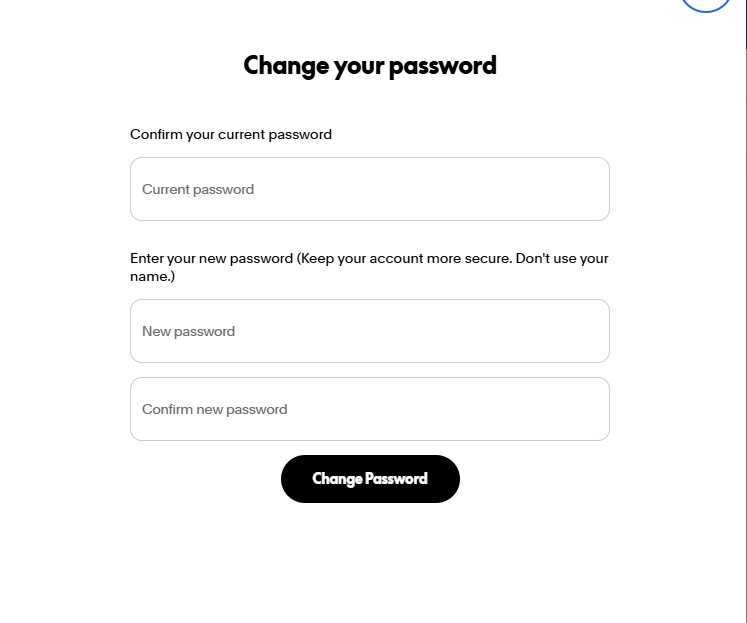
If you can still access your account: Change your password immediately (to one that you use exclusively for PayPal).
Foundry
Step 2: End all active sessions
Click on the cog icon, then on “Security,” and next to “Manage logins,” click on “Manage.” Here you’ll see all active logins, along with the device, location, and timestamp. Remove any entries you don’t recognize.
Step 3: Check linked payment methods
In the top navigation bar, open “Wallet,” check all saved bank accounts and credit cards, and remove anything you didn’t add yourself. Next, check which merchants are authorized to make recurring direct debits from your account: Click on the cog icon, then on “Payments,” and a little further down, open “Direct Debit Payments.”
If an unknown entry appears there, click on it, select “Cancel,” and confirm by clicking “Cancel direct debit payments.” You should also inform your bank if your credit card or current account is linked to the compromised account.
Step 4: Report unauthorized transactions
You can dispute any payment that you did not initiate yourself via the Resolution Center. Click on “Help” in the top navigation bar, then on “Resolution Center” further down the page. There, select the transaction you wish to dispute and click “Continue.” Then select “I want to report unauthorized account access” and follow the instructions.
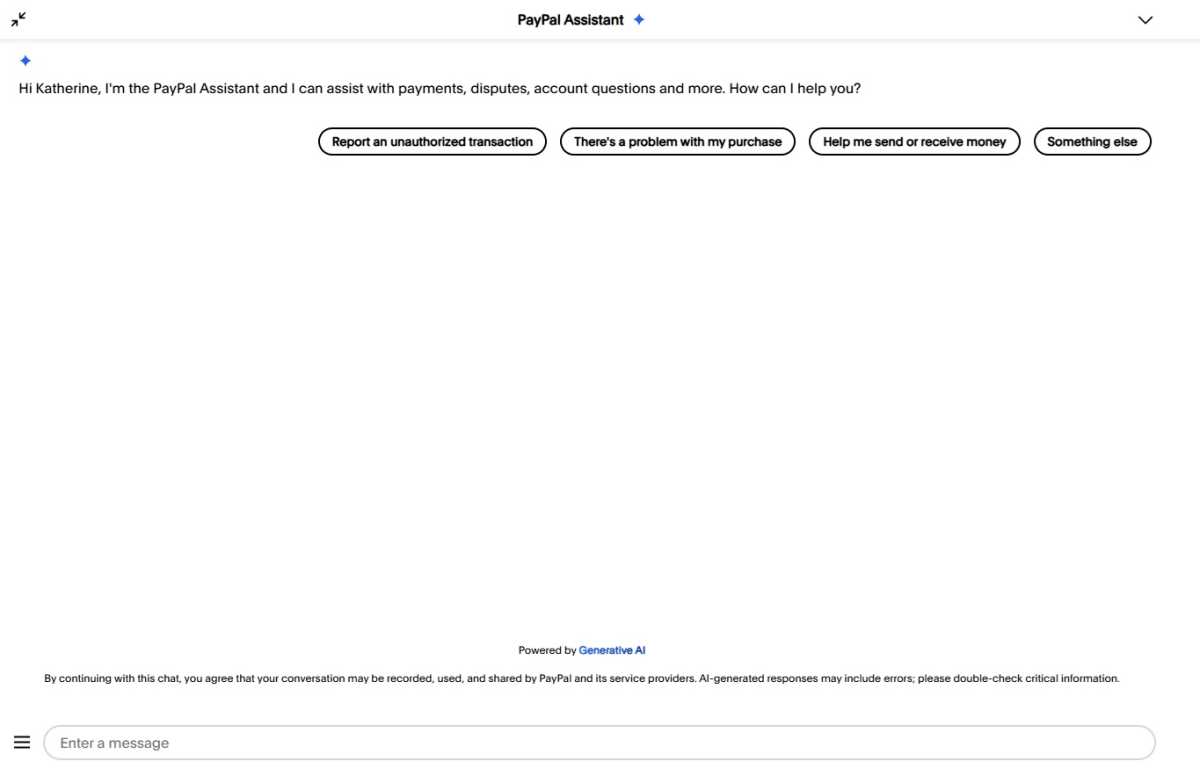
The PayPal AI Assistant (chatbot) in your account will help you if you wish to report an unauthorized transaction.
Foundry
Alternatively, click on the suspicious transaction under “Activity,” select “Get help,” and report the transaction as unauthorized via the PayPal AI Assistant. PayPal usually processes such cases within 10 days and will refund the money, provided you report the transaction within 180 days of the debit.
Step 5: Enable two-factor authentication
If you haven’t already done so: Click on the cog icon, then on “Security” and finally on “Two-step verification.” This ensures that nobody can log in without your confirmation code, even if they know your password. Our 2FA guide explains exactly how this works. An even more secure option is a passkey, which PayPal also offers under “Security.” This eliminates the need for a password altogether.
No longer have access? Here’s how to regain access to your PayPal account
If your password no longer works, the attacker has already locked you out. Follow these steps in this order:
- On the login page, click on “Forgot your password?” and enter your email address. PayPal will then send a reset link to that address. If the attacker has also changed your email address, you’ll need to contact PayPal’s customer service directly. The quickest way to do this is via www.paypal.com/us/cshelp/personal or by telephone on the freephone number 1-888-221-1161.
- Have your personal details to hand: date of birth, recent account activity, and payment details. With this information, PayPal can verify your identity and restore access.
- You should also report the incident to the police. This may sound like a bureaucratic hassle, but it is important: You will often need a reference number for a chargeback via your bank or for any subsequent legal action.
How to protect your account in the long term
A hacked account is a real nuisance. To prevent this from happening in the first place, you should take the following measures or follow these rules:
- Use a password for PayPal that you don’t use anywhere else. A password manager such as Bitwarden or Dashlane helps ensure you don’t have to remember it.
- In your account, under Settings (cog icon) > Security, enable “Two-step verification.” Even better: Set up a passkey. Then attackers won’t be able to do anything even if they have your password.
- PayPal will never send you emails asking you to enter your password via a link. If in doubt, always go directly to the settings via paypal.com and never via links in emails. Our guide shows you the most common phishing warning signs in emails.
- Avoid logging in via open networks in cafés, hotels, or at railway stations, as these are a gateway for attackers. Instead, use a VPN or log in via your mobile data plan.
- Your email account is the key to everything. If attackers gain access to your emails, they can reset your password for virtually any online service. You should therefore also secure your email account with a strong, unique password and two-factor authentication (2FA).
This articles is written by : Nermeen Nabil Khear Abdelmalak
All rights reserved to : USAGOLDMIES . www.usagoldmines.com
You can Enjoy surfing our website categories and read more content in many fields you may like .
Why USAGoldMines ?
USAGoldMines is a comprehensive website offering the latest in financial, crypto, and technical news. With specialized sections for each category, it provides readers with up-to-date market insights, investment trends, and technological advancements, making it a valuable resource for investors and enthusiasts in the fast-paced financial world.