When you’ve reviewed as many tech products as I have, you wind up with dozens of abandoned online accounts, most of them created and forgotten the moment I was done with my testing.
Over the years, I’d started to wonder: How many of those accounts are still floating around, idle but still active? Good question, and I’m sure I’m not the only one curious about the online accounts they’ve left behind.
A good method for tracking down forgotten online accounts is to scour your inbox for signup confirmations, and Consumer Reports has a detailed explainer on how to do just that. But I was curious to take it a step further, enlisting Claude’s help for a prompt that would automate the process, sifting through my email for me to catalog the accounts I’d collected over the years.
This prompt takes two of Consumer Reports’s best ideas — searching through your email, as well as checking sites like haveibeenowned.com for possible account breaches — and hands the busywork to Claude Cowork or another AI agent, like Google’s Gemini Spark, Meta’s Muse, or a ChatGPT Dot.
Now, this prompt does involve giving your agent access to your email, typically via a Gmail integration or connector (and all the four AI agents I just mentioned have one). If that prospect makes you uncomfortable — and that’s a perfectly reasonable reaction — by all means, skip this prompt.
Still here? OK, here’s the prompt we’re going to use:
Search my email from the last 5 years for signs that I created an account somewhere — welcome emails, “verify your email” or “confirm your account” messages, and password-reset emails. Build a new spreadsheet (a Google Sheet if you can) with one row per service: service name, website, date of the earliest signup email, date of the most recent email from them, and whether the service appears on haveibeenpwned.com’s public list of breached websites (with the breach year). For each service, find its official account-deletion page and add the link; if you can’t find one, write “not found” — don’t guess. Put services I haven’t heard from in 2+ years at the top. Don’t sign in anywhere, request password resets, type my email address into any website, delete anything, or contact anyone.
This is a lengthy prompt, by design; rather than trying to prompt to alter an AI’s behavior, we’re telling the agent what we want it to do — and what not to do.
Namely, this is a passive, hands-off search, meaning the agent won’t try to log onto any outside websites or ping anyone about your accounts. That also goes for the haveibeenowned.com search, with the agent only checking whether a given service has recently been compromised rather than plugging in your particular email address.
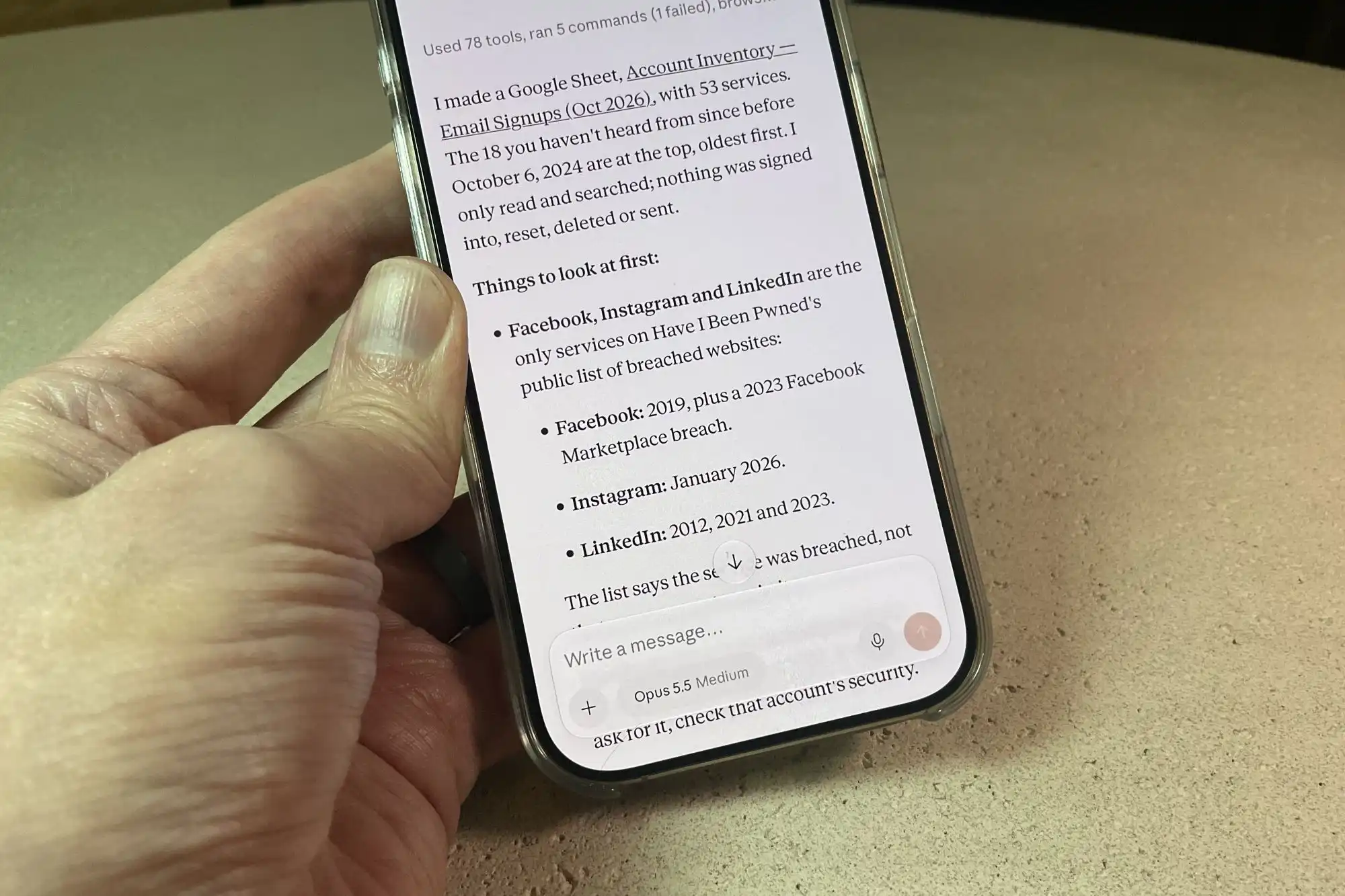
When you’re done, you’ll get a spreadsheet that details all the online accounts the agent found, with the ones that appear the most dormant at the top.
I tried this prompt with all four of the biggest consumer-level AI agents, and they all spat out their spreadsheets within anywhere from five minutes to half an hour. Each agent tagged at least 50 accounts, with my ChatGPT Dot leading the pack with 73 accounts detected.
Looking over the spreadsheets, many of the discovered accounts are ones I recognized and use frequently: Facebook, Netflix, Hulu, Instagram, Microsoft, and Disney+ are all there, along with SeatGeek, Roborock, and OpenTable.
But there were also some surprises and “oh, right”-type finds. I’d forgotten all about the Bowers & Wilkins account I’d signed up for way back in 2022 (I must have been reviewing a pair of B&W headphones), as well as a Hawaii Pacific Health MyChart account from 2023 (created, as I now recall, after I’d broken my toe during a Honolulu vacation).
I also spotted a Dunkin’ Rewards account I have no memory of signing up for, along with Dick’s Sporting Goods (huh?), Golf Galaxy (no clue), and strangest of all, LocalFlirt (which, as it turns out, was one of those random “confirm your account” emails that slipped past my Gmail spam filter).
The spreadsheets also include links for deleting the various accounts, although roughly half of them came back with “not found” or simply point to privacy FAQs. You’ll also see which of the various services have suffered recent breaches, although again, those notes don’t pertain to your specific email address.
In any event, this “find my old accounts” prompt is a good example of the kind of busywork AI agents are good at, and I’ll be teeing up more for you in the weeks ahead.
This articles is written by : Nermeen Nabil Khear Abdelmalak
All rights reserved to : USAGOLDMIES . www.usagoldmines.com
You can Enjoy surfing our website categories and read more content in many fields you may like .
Why USAGoldMines ?
USAGoldMines is a comprehensive website offering the latest in financial, crypto, and technical news. With specialized sections for each category, it provides readers with up-to-date market insights, investment trends, and technological advancements, making it a valuable resource for investors and enthusiasts in the fast-paced financial world.