Apple’s paragon of portability, the 13-inch MacBook Air, weighs 2.7 pounds. At IFA, two PC makers announced 14-inch laptops that weigh about a pound less.
This won’t be a column bashing Apple (although it’s kind of embarrassing for an “Air,” though.)
What I’d like to highlight, however, is that we truly live in a new age of purpose-built computing, where you can increasingly buy the right device for what you want to do, rather than simply buying a good overall PC and forcing it to adapt.
It’s worth using the MacBook Air as a jumping-off point, though, because the Air was the first popular, mass-market laptop designed for a specialized market: the thin-and-light laptop. People were tired of lugging four- or five-pound Compaqs from place to place. In the PC industry, thin-and-light laptops have existed for years, but I was incredibly impressed by both Lenovo’s AeroBlade concept and the Acer Swift Blade that debuted at IFA.
Contrast that against the upcoming wave of Nvidia-powered RTX Spark laptops on the horizon, and we have a genuinely juicy topic to sink our teeth into.
Welcome to PCWorld’s newsletter, Smart Mode! The focus of this newsletter is productivity: from software to hardware to peripherals, all with the idea to get what you need to get done, efficiently.
I’m your host, Mark Hachman, covering the productivity tips, tools, and trends that you need to know about, both from within PCWorld and beyond. If you want the latest issue in your inbox each week, just sign up right here.
Redefining the thin-and-light laptop
Acer’s TravelMate P6 14 AI impressed me earlier this year, when it business laptop debuted at roughly 2.2 pounds. Most of my hands-on period was spent waving the thing around, marveling at how light it felt in the hand.
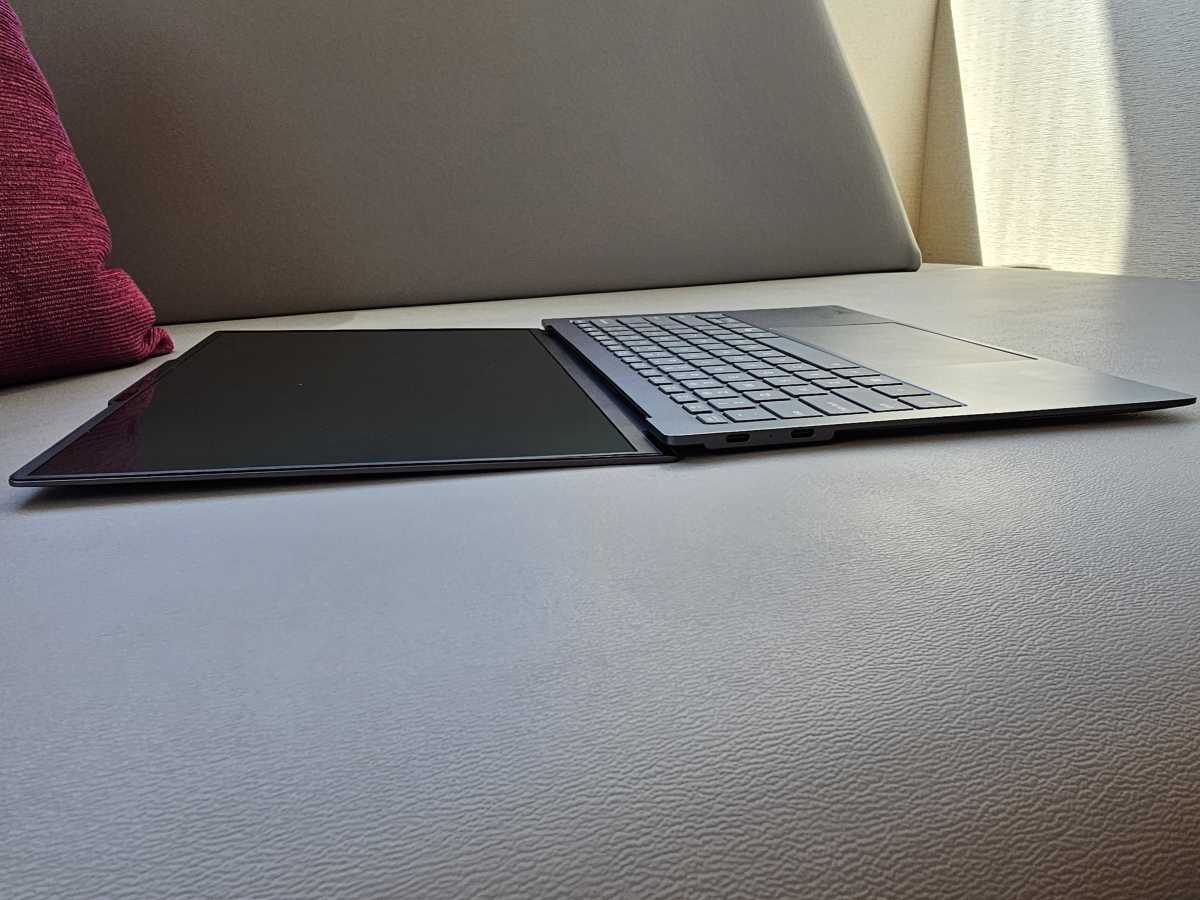
I haven’t been able to do the same with the Acer Swift Blade that Acer debuted at IFA, which I would have expected to ship at something like 2 pounds even. But no! A 1.76-pound weight is crazy, and literally about the weight of the water bottle you probably tote around and lift to your lips every so often. Lenovo’s 1.76-pound AeroBlade concept might be Frore’s first debut of its AirJet cooling chip in mainstream notebooks, but it too is just an almost ludicrously lightweight laptop. Thin, too: Lenovo had to expand the chassis to add USB-C ports.
Why bother? Because both companies believe that consumers want and will buy truly lightweight laptops. Is this in response to ultraportable devices like phones and tablets? Probably. But it also pushes the PC into a new niche: ultralight laptops, which really haven’t existed before.
Mark Hachman / Foundry
[The top 5 ultralights, based on some web searching: Fujitsu FMV Zero (1.40 lbs); Acer Swift Blade 14 (1.76lbs); Dynabook Portégé X30L-K (1.99 lbs); Dynabook Portégé Z40L-N (2.11 lbs); Lenovo ThinkPad X1 Carbon Aura Edition (2.16 lbs).]
At the same time, the laptop industry is also going in the opposite direction: chunkier, higher-performance laptops with Nvidia’s new RTX Spark chips inside. Roughly thirty RTX Spark laptops and mini PCs are expected by the end of the year, apparently leaning harder into the gaming aspect than I would have thought.
I’m honestly not sure that Nvidia and its partners will or should position these as gaming PCs; after all, they have a MediaTek Arm CPU as their front end, and while Arm CPUs can play some games, they can’t play every single one in the PC ecosystem — and gamer nerds can get extremely pedantic about such things. I tend to think that they’ll be AI and productivity devices with some gaming capabilities tossed in — more of an Arm-specific creator-class PC. I will be very interested if the GPU can be turned off entirely, however, preserving the long battery life that Windows on Arm PCs are known for.
Neither this thin-and-light renaissance nor the upcoming RTX Spark offerings are PCs for everyone. They have a niche, they have a purpose, and it’s really up to PC makers, retailers, reviewers, analysts and pundits to do a better job describing who these PCs are good for. It’s also up to you to ponder about what you want in a PC, and then search it out. They’re out there, or they will be.
Niche PCs are there to do what you want
The problem is that there’s a sea of product names out there, without much clarification about what certain PCs are actually good for! So I went hunting. Part of productivity is finding the right tool for the job, after all.
- Pen-first productivity tablet: Microsoft Surface Pro. In a category almost by itself: a Windows tablet that you can buy a keyboard and a pen for, and take notes.
- Pen-forward laptop: Lenovo Yoga 9i 2-in-1. Want a laptop you can ink upon, but with more battery? Lenovo has you covered, and with a solid Lunar Lake chip, to boot.
- Data-entry specialist: Lenovo ThinkPad G16s Gen 4: Might have a bit too much horsepower under the hood, but a business laptop with an accompanying numberpad is what you need.
- Large-screen mobile office: LG gram Pro 17. Some people like large, single screens without a lot of weight, and this three-pound machine meets those needs….even with an RTX 5050 chip GPU inside.
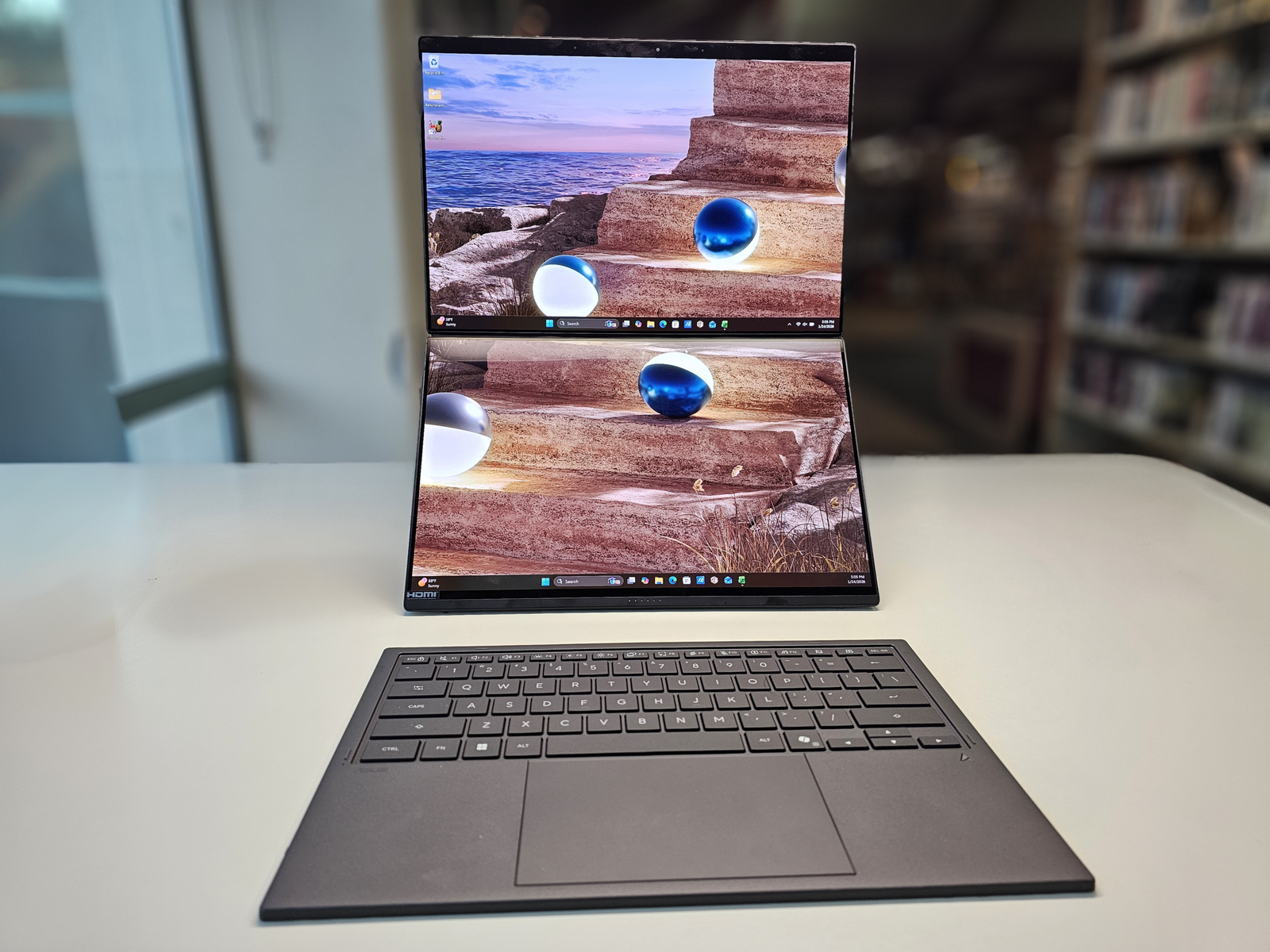
- Dual-screen, long battery life: Asus ZenBook Duo: A 99Wh battery plus Intel’s Panther Lake means this thing runs forever, and you have the option of a single (folded) or two screens.
- Local-AI workstation: HP ZBook Ultra G1a. A 14-inch portable workstation with an AMD Ryzen AI Max+ for running local AI models. Here, battery life really isn’t the point.
- When upgradability matters: Framework Laptop 13 (or any other Framework, really). Buy once, upgrade forever (well, kinda). Tradeoff: the price.
- Gaming crossover: Asus ROG Zephyrus G14. A 3.3-pound gaming laptop that doesn’t look like one, allowing you to use it for work and play.
- Creator laptop: Asus ProArt PX13. I liked the ProArt series more when was chasing the Surface Laptop Studio, but the ProArt still offers the virtual scroll wheel and other tools specifically for creatives.
- Music production: RokBox MC Mobile X Pro Audio Laptop. Optimized for audio, from a vendor which sells audio production hardware and software.
- Ruggedized on-the-go: the Panasonic Toughbook. Dust, water, and vibration resistance. A real niche, but you can’t do that with a Mac.
From there, you can move into the more generic categories — best overall laptop, for example — or decide what characteristics work best for college students, like long battery life.
I’m leaving out gaming laptops. First, they’re not productivity devices, but second, they’re often all aimed at the same target audience: the most performance for the least amount of money. I’d put mini PCs into the same sphere, as they’re all (to my knowledge) compact devices offering a generic mix of compute, storage, and I/O.
Most people tend to buy a laptop in one of two ways: they’re looking for a “good” laptop, or they’re looking for one optimized for a certain task. Sometimes a product simply stumbles into a niche, like how the Mac mini and its M5 silicon has become the darling of some AI fans. More and more, however, hardware vendors are exploring new revenue opportunities, and that means mining niche approaches that they might have ignored years earlier.
So what do you need to do? Start considering what really matters to you when you’re buying PC hardware. One of the things I try to do with my reviews is explain the “story” of what effect various technologies will have in the real world. You can use our own Smart Answers tool for further, tailored recommendations.
Circling back to the original point: I think Apple’s been forced into a “one size fits all” approach, because of their lack of product diversity. The PC ecosystem doesn’t suffer from the same disadvantage. Seek and ye shall find.
Productivity in the news:
This is actually an off week for me, while I help move my son into college. This story was a fun one to write, though: the 49ers and the Rams played last week in Australia, and how each team dealt with jet lag differed. I talked with a pair of sleep experts for their assessment, along with details of how you can beat jet lag on your travels. If you’ve ever had a night with no sleep and then stumbled through meetings the next day, you know: this is a productivity story.
Google also has a new Gemini desktop app for Windows. It stinks.
Productivity tip of the week:
If this is real, than there’s an easy hack toward improving productivity: put a plant on your desk. I’m skeptical, too, but a 2024 study (n=34, meaning 34 participants) showed that a group of people with plants in the room (four, in this case) performed markedly better in memorizing tasks and other to-dos.
“When people engage with natural environments, the complexity and patterns in these settings offer soft fascination—a gentle form of stimulation that engages undirected attention, allowing the directed attention system to rest and recover, ultimately restoring cognitive function and attention capacity,” Psychology Today reported.
The productivity increase occurred over time, not right away. What plants? I don’t know. Maybe I should start working out of my kitchen, where my wife has a green(er) thumb.
Thanks for reading!
Thanks for tuning in to this edition of Smart Mode, PCWorld’s newsletter devoted to helping you make the most of your life, smartly. Sign up and have it sent to your inbox every Thursday!
This articles is written by : Nermeen Nabil Khear Abdelmalak
All rights reserved to : USAGOLDMIES . www.usagoldmines.com
You can Enjoy surfing our website categories and read more content in many fields you may like .
Why USAGoldMines ?
USAGoldMines is a comprehensive website offering the latest in financial, crypto, and technical news. With specialized sections for each category, it provides readers with up-to-date market insights, investment trends, and technological advancements, making it a valuable resource for investors and enthusiasts in the fast-paced financial world.