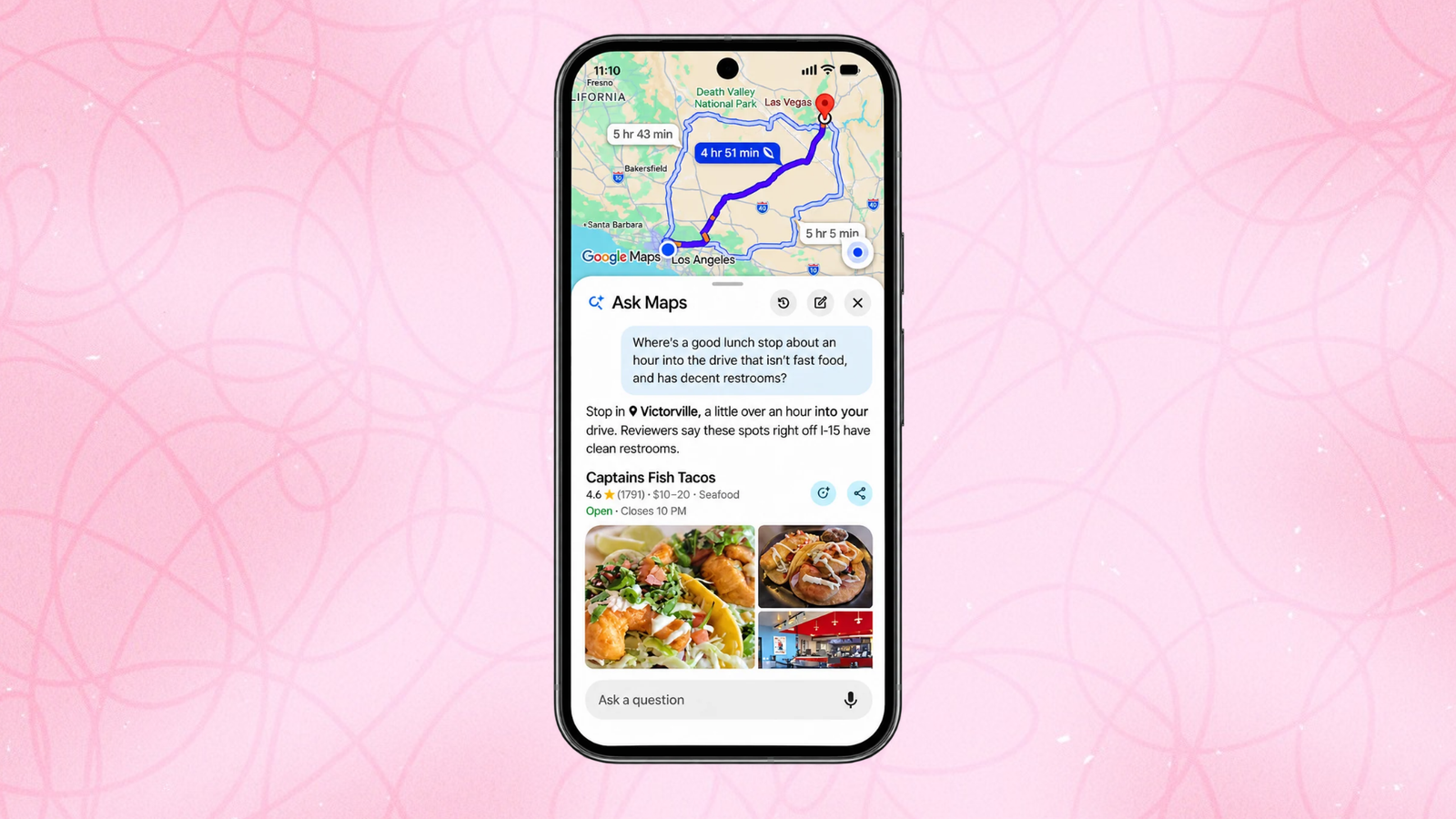
Google has given its AI-powered “Ask Maps” feature a major upgrade, adding tools for trip planning, real-time route guidance, appointment finding, and saved-list search. The updates begin rolling out today on Android and iOS.
Google launched Ask Maps last March as an AI assistant designed to handle questions and requests more complicated than simply searching the word “bar” or “groceries.” Instead of performing simple keyword searches, the idea behind Ask Maps is that you can describe several specific requirements at once, and Maps will find places that match them all. For example, you could ask for a restaurant with outdoor seating for a certain number of people, and “Ask Maps” will factor in your past searches and give you results. Of course, AI assistants have a habit of making things up, so even with today’s roll-out, you’ll want to double-check your sources before you drive an hour to the wrong restaurant.
You can use Ask Maps in Google Maps to build a full itinerary
To me, this is the most useful new feature launching today. Whether you’re planning a day trip for holiday shopping or something more ambitious, like a three-day road trip with coastal hikes and oceanfront dining, Ask Maps will put together a day-by-day schedule. Each plan includes insider tips and numbered map pins for every stop, so you can see the whole route at a glance. Once you’re happy with the plan, you can share it with friends and family or export it to Google Docs on desktop.
When it’s time to head out, you can ask Maps to pull up your itinerary, or look for the “itinerary” badge in your chat history. You’ll see real-time details such as live traffic conditions, whether a place is currently open, and even the vibe at your next stop.
Plans can change on the fly, too. Ask Maps to add a scenic viewpoint or a lunch spot along the way, then tap to get directions to your next stop straight from the itinerary.
Here’s what else you can use Ask Maps to do, starting today.
Use Ask Maps to research “know before you go” tips in directions
Pulling up directions now surfaces “Know Before You Go” tips for your route. These include where to park or charge your car, along with real-time conditions like weather, potential delays, and tolls.
Ask Google Maps to find (and maybe even schedule) appointments
Ask Maps is also gaining some agentic capabilities. Allegedly, you can just ask, “Find me a 4 p.m. nail appointment near me,” and Ask Maps will show you open slots across nearby businesses. In addition to finding appointments, Google says this agent will be able to call local businesses on your behalf—stay tuned while I wait for the upgrade and test this one out myself.
Search your saved lists in Google Maps
If you keep lists of saved places, Ask Maps can now search them for you. Ask something like, “Which spots saved in my lists have availability for 5 in the next 30 minutes?” Ask Maps looks across your lists and checks live availability, so you can pick a place and go.
These updates start rolling out today on Android and iOS. Travel itineraries and saved-list search are available everywhere Ask Maps is offered. “Know Before You Go” route tips and appointment finding are launching first in the U.S., with more regions coming soon.
This articles is written by : Nermeen Nabil Khear Abdelmalak
All rights reserved to : USAGOLDMIES . www.usagoldmines.com
You can Enjoy surfing our website categories and read more content in many fields you may like .
Why USAGoldMines ?
USAGoldMines is a comprehensive website offering the latest in financial, crypto, and technical news. With specialized sections for each category, it provides readers with up-to-date market insights, investment trends, and technological advancements, making it a valuable resource for investors and enthusiasts in the fast-paced financial world.