We’ve all been in this situation: You know what you want to say, but you’re too mentally exhausted, distracted, or confused to actually say it. Google’s new conversational AI, Docs Live, wants to help.
The metaphor Google is using here is a “brain dump,” and Google is applying this technique to Docs, Gmail, and Google Keep. Google’s trying to offload more of the “thinking” away from you and on to Google apps, using what it knows about you — naturally! — to inform its decisions. The most developed implementations seem to be Docs Live and the version applied to Google Keep. Docs Live and the new Keep features are coming to Google AI Pro and Ultra subscribers this summer.
What is Google Docs Live?
Docs Live isn’t revolutionary — just the opposite, in fact. Using a prompt to create text (or an entire document) has existed for months and years. Orally commanding an AI to do this? We’ve been able to talk to Google Gemini for months. And Google has quietly and not-so-quietly asked you to link your various Google Apps — aka more sources of personal data — for some time now.
What Docs Live tries to do is to hash together all of the relevant sources of information into something that you could produce while on the road, The earliest days of Outlook and Gmail mobile apps meant that you could reply to an email while in a taxi on the way to an appointment, without the need to pull out your laptop. Docs Live feels very similar, in that you could use it to produce something coherent, maybe even professional, at the last minute.
“To create a doc with Gemini, before you’d have to type up a really precise prompt,” Sundar Pichai, the chief executive of Google, said in a briefing with reporters. “Now you can just verbally brain dump whatever is on your mind and let Gemini do the rest.”
The demonstration that Pichai and Google showed off was haphazard in concept, perhaps deliberately so.
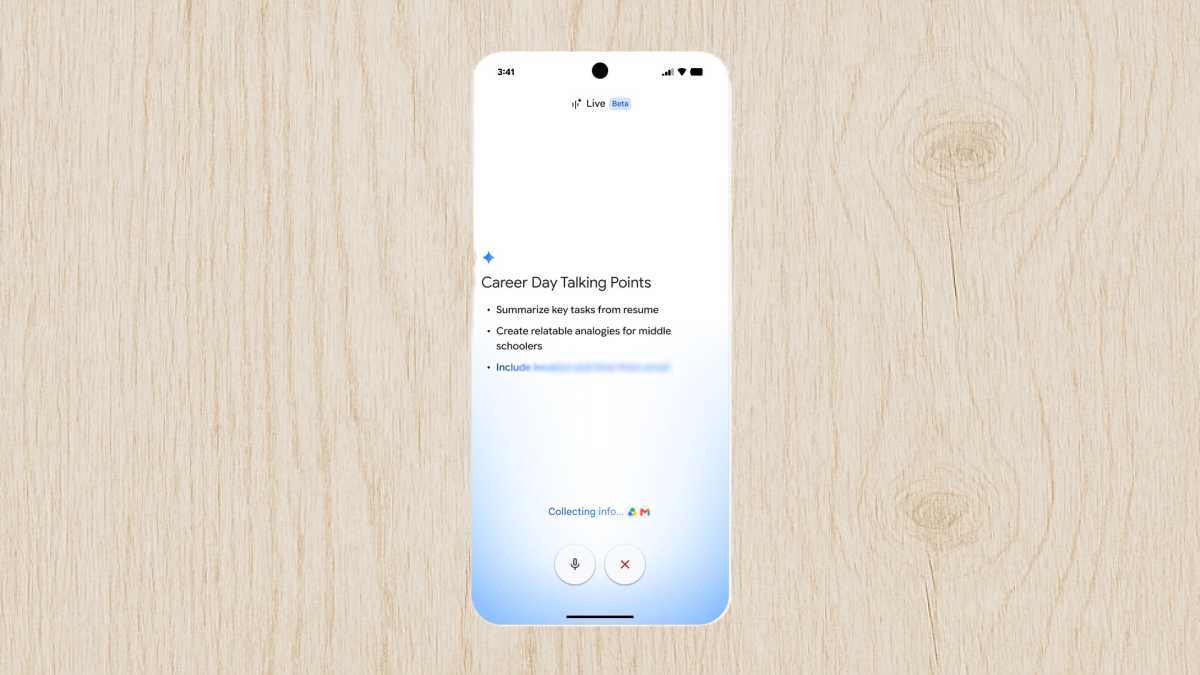
“So, I just remembered I’m doing an alumni talk for my high school’s career day tomorrow,” the demo “prompt” said. “I used to come up with some talking points to explain what I do for a living as a software engineer, but I’m not really sure where to start. Oh, actually, can you just pull my resume from Drive, although that might be boring? Maybe can you come up with some funny analogies, so it’ll be more of an engaging talk for the students. Oh, and also I think the school sent me an email. I think the subject is something like career day logistics. Maybe just grab the details from there, throw them at the top of the doc, so I know where to go and what time to get there.”
That’s not really a prompt, just a stream of consciousness request that asks Gemini to make sense of all of the information you have stashed away — though it does, interestingly, tell Gemini which documents to use, specifically.
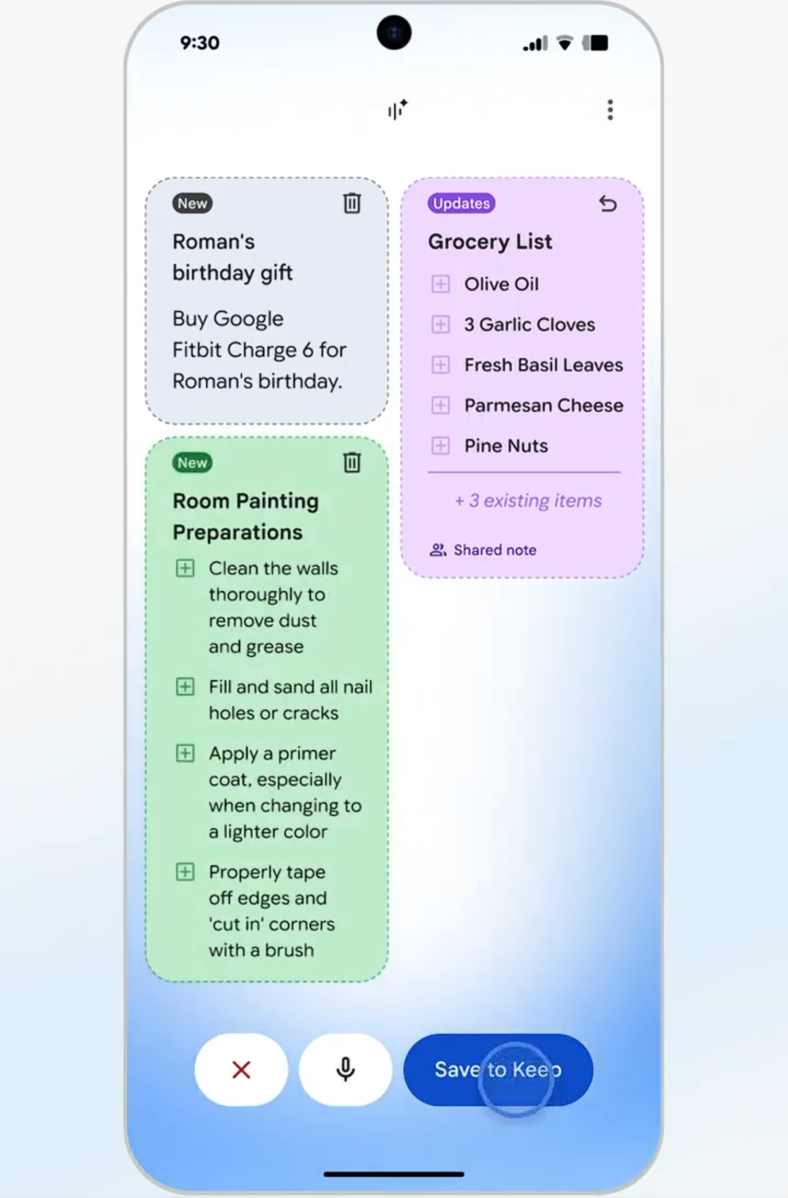
The same goes for Keep. Yes, you can still ask it to store a reminder for a certain time, or stash some little bit of info away, something that I use Keep for religiously. But Keep is expanding to author reminders and tasks, too — instead of trying to figure out what steps you need to take to paint a room, you can ask Keep to simply create a checklist, filling in the steps itself. That’s handy.
Even better, Docs Live can format on the fly. A followup asked Gemini to pull out specific details and compile them into a table, which Gemini did.
Of course, like many advanced features, Google wants you to pay for it — especially as it telegraphs a move to “compute” or token-based fees.
Next up? Gmail Live
Next up? Gmail, Pichai said. Who needs to email Mom details of your holiday, when Gmail/Gemini can do it for you? Right now, though, Gmail Live seems little more than an improved search tool for Gmail — which is what Gmail was founded upon, anyway. The example Google gave was asking Gmail what gate number you needed to be at for a flight — something that Gmail usually pulls out as a card, or stores in a Google Wallet, or something else. This, too, will require either an AI Pro or Ultra subscription.
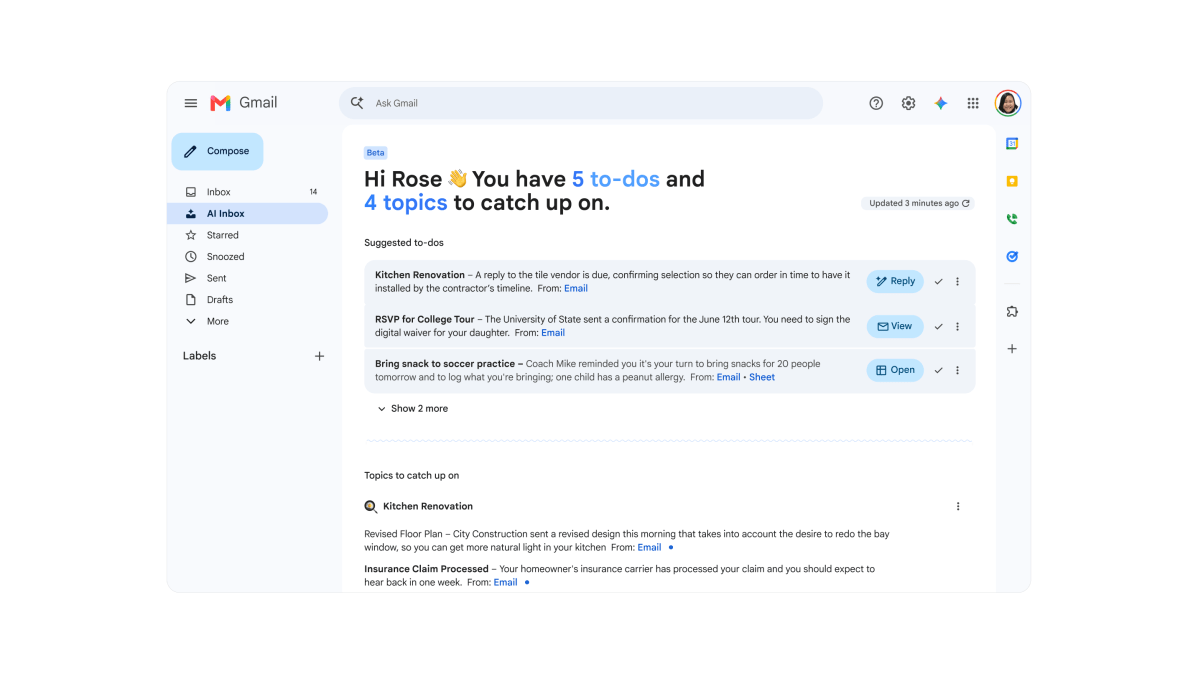
Gmail is rolling out what it calls an “AI Inbox” today, which certainly has some value. When you’re on your phone, it can take forever to try and find a specific document file. Gmail’s promising that it will surface it immediately. You’ll be able to “check off” emails, eliminating the back and forth if a coworker stepped in and finished the task. Of course, Gmail’s also promising to draft its own email, too, if needed.
Maybe it’s the pace of innovation, West Coast culture, or simply the influence of a younger generation where “vibes” matter as much as anything else — but document creation just doesn’t feel as formal as it once did. A PowerPoint “presentation” felt more formal a few years ago than it does now.
People don’t share “final” Word documents, but drafts. And why not? Office apps have become more collaborative. People aren’t sending formal letters to one another, or even publishing a formal paper in the expectation of a response. A casual “brain dump” simply might be good enough for a team meeting, a school presentation, or hammering out the details of a summer vacation.
This articles is written by : Nermeen Nabil Khear Abdelmalak
All rights reserved to : USAGOLDMIES . www.usagoldmines.com
You can Enjoy surfing our website categories and read more content in many fields you may like .
Why USAGoldMines ?
USAGoldMines is a comprehensive website offering the latest in financial, crypto, and technical news. With specialized sections for each category, it provides readers with up-to-date market insights, investment trends, and technological advancements, making it a valuable resource for investors and enthusiasts in the fast-paced financial world.