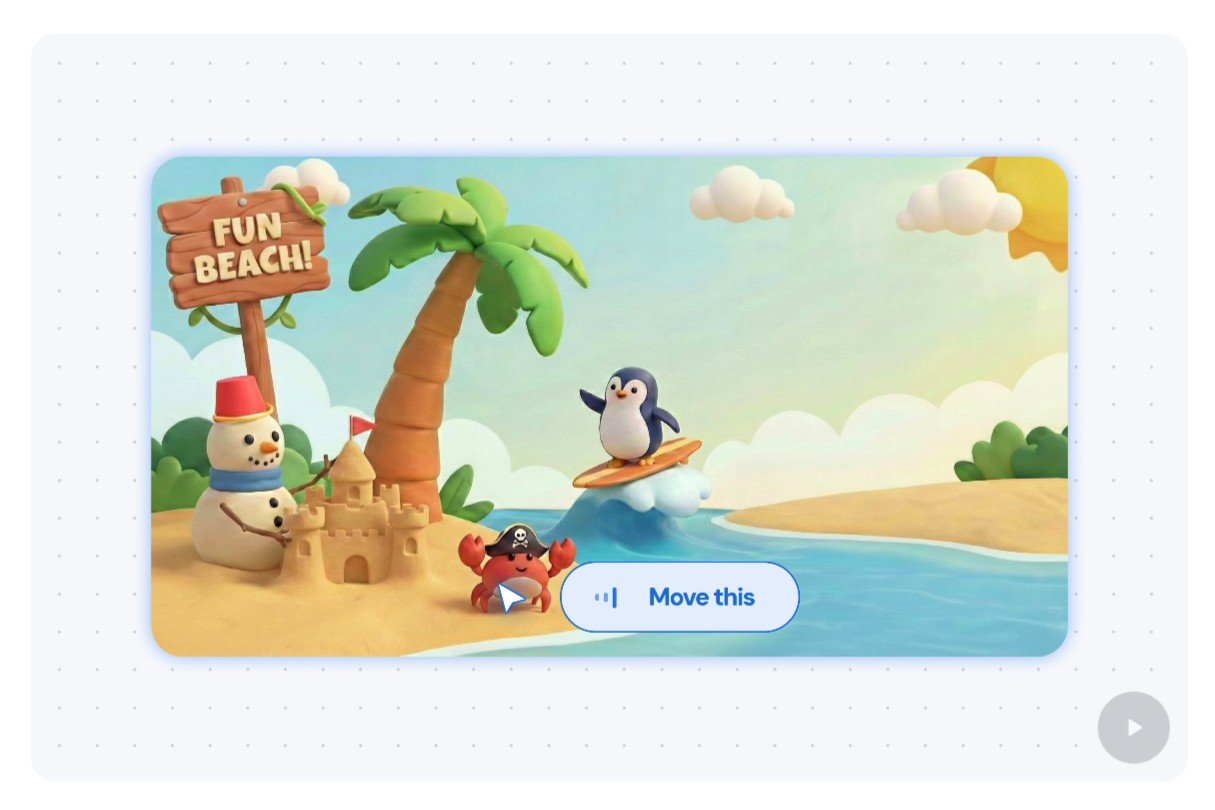
A signature feature of Google’s upcoming Googlebooks promises to put a fresh AI twist on one of the oldest computer interfaces: the mouse pointer.
With the Magic Pointer, a product of Google’s DeepMind lab, you’ll be able to wave the pointer at an object or area on the computer screen and simply tell Gemini what you want it to do–anything from editing the image you’re pointing at to adding ingredients from a recipe to a shopping list, with the AI-enabled mouse pointer acting as a shortcut for prompting.
The Magic Pointer is one of top-line features for Google’s new Googlebooks, the Gemini-powered successor to Chromebooks that are due in the fall. But while we’ll have to wait until later this year to get our hands on a Googlebook, you can test drive the Magic Pointer right now.
One way to give Magic Pointer a try is via Gemini in Chrome, which lets you use the pointer to easily ask Gemini about any part of a given web page. Now, I couldn’t get Magic Pointer to work in Chrome (maybe it’s because I’m using Chrome on a Mac), but I did manage to get it working in Google AI Studio, which offers a couple of brief Magic Pointer demos.
In the first demo, you can use Magic Pointer to edit an image–in this case, a cartoony illustration of a beach populated by a palm tree, a crab, a surfing penguin, a snowman, and a wooden sign.

I used the Magic Pointer for some simple image editing tasks, like asking Gemini to change the writing on the sign.
Ben Patterson/Foundry
The demo steps you through a series of tasks, including one where you move the crab from one part of the image to another. You just wave the Magic Pointer at the crab, then move the pointer where you want the crab to go, and say “move the crab here.”
The points on the screen where you waved the pointer should begin to glow yellow as Gemini processes your prompt. When I tried it, Gemini chewed on the “move the crab here” prompt for several seconds before finally moving the crab where I instructed. Crude, yes, but it got the job done.
I then pointed at the snowman’s cap and said, “make that a sun hat,” and boom, a sun hat appeared. I also used the Magic Pointer to turn the penguin into a turtle (“make that a turtle”) and changed the writing on the sign (“make this say Ben’s beach,” although Gemini heard it as “Benz beach”).
In the second demo, you use the Magic Pointer to find places on Google Maps. For this one, I pointed the mouse at an image of London’s Hyde Park and asked “where is this?” Within a few moments, Gemini had pinpointed Hyde Park in Google Maps.
A much tougher task involved using the Magic Pointer to ask Gemini for directions from one point to another. In the demo, you’re supposed to circle a photo of one location, then circle another image, and then say “how do I go from here to there?”
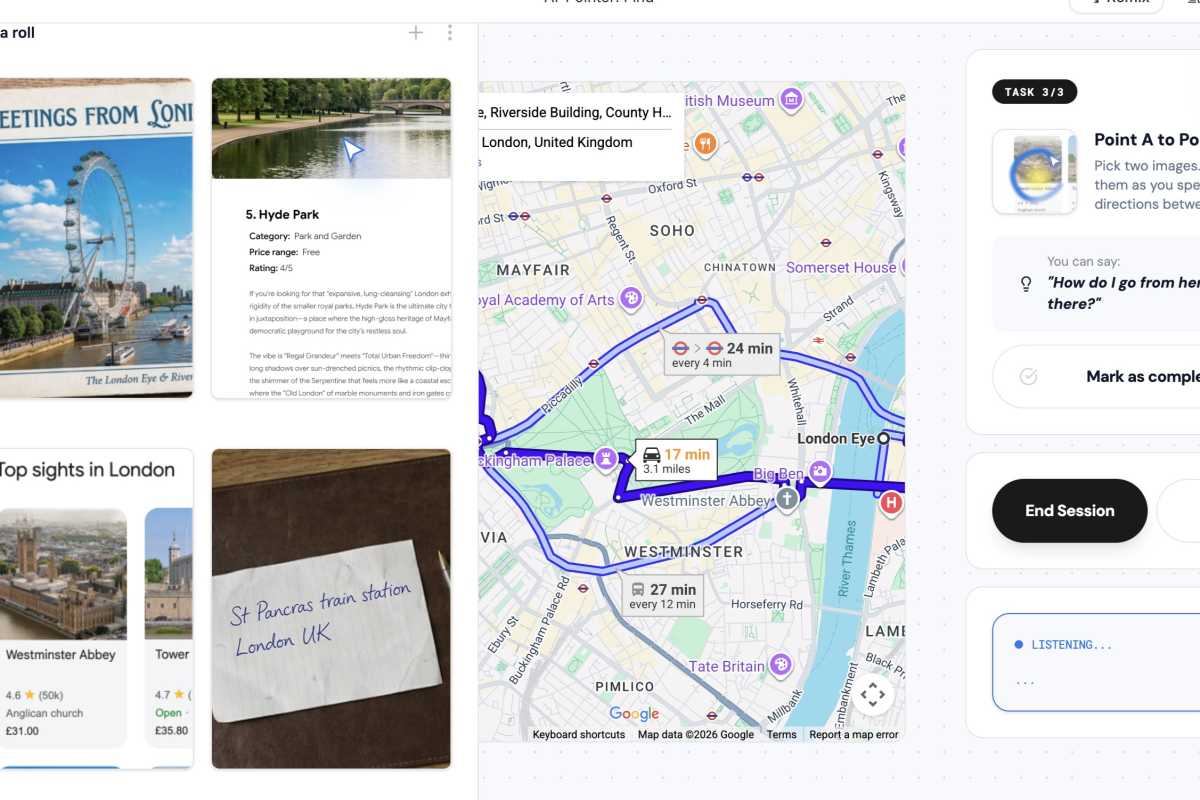
Getting Gemini to give me directions from point A to point B using the Magic Pointer was a chore.
Ben Patterson/Foundry
But on the first several attempts, Gemini kept insisting that I was circling the same photo, even though I was pretty sure I wasn’t. By the time I did get the demo to work, it felt like typing the full prompt into Gemini would have been easier.
Of course, the early Magic Pointer I tried was extremely limited, and Google is promising much more powerful functionality once its new Googlebooks launch. For example, you’ll be able to point at sections of a Google Doc and ask Gemini to rewrite them, or point at the image of a restaurant and ask Gemini to book a table.
Interesting, but will the Magic Pointer really be able to reinvent the mouse? Color me skeptical for now.
This articles is written by : Nermeen Nabil Khear Abdelmalak
All rights reserved to : USAGOLDMIES . www.usagoldmines.com
You can Enjoy surfing our website categories and read more content in many fields you may like .
Why USAGoldMines ?
USAGoldMines is a comprehensive website offering the latest in financial, crypto, and technical news. With specialized sections for each category, it provides readers with up-to-date market insights, investment trends, and technological advancements, making it a valuable resource for investors and enthusiasts in the fast-paced financial world.