Accessing AI in the cloud has been a boon to my productivity. So has crafting my own local Windows application with AI. But accessing local AI for productivity work? So far, I’m not impressed.
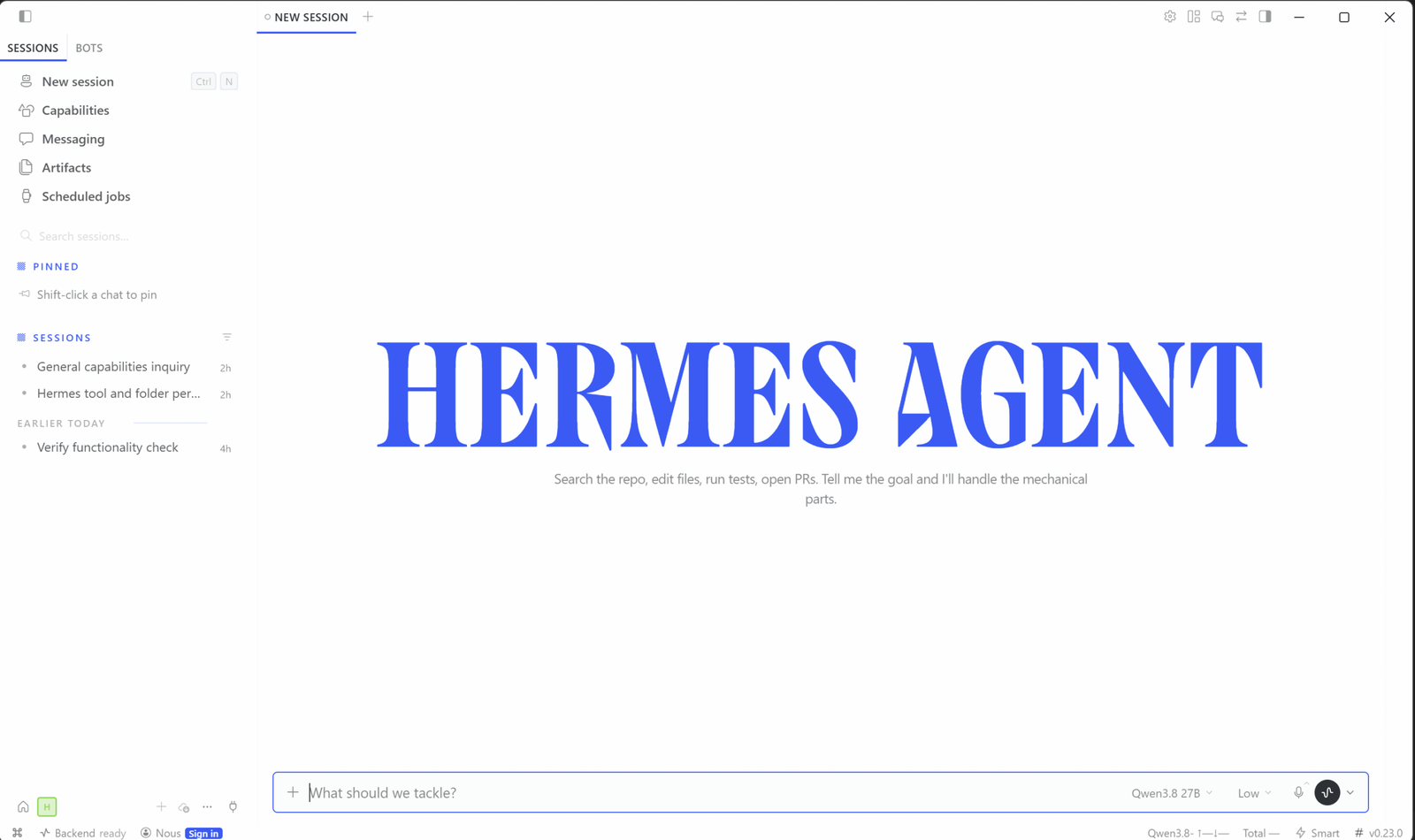
It seemed natural that I try out local AI, especially as an alternative to cloud AI solutions. I had already touched the Nous Research Hermes agent as part of my RTX Spark coverage, beginning with my review of the Surface Laptop Ultra.
My colleague Ben Patterson has covered the evolution of cloud AI to agentic AI via his Prompt Mode newsletter, so I felt secure in the knowledge that he could back me up if necessary. Still, there’s no better way than learning by doing.
Welcome to PCWorld’s newsletter, Smart Mode! The focus of this newsletter is productivity: from software to hardware to peripherals, all with the idea to get what you need to get done, efficiently.
I’m your host, Mark Hachman, covering the productivity tips, tools, and trends that you need to know about, both from within PCWorld and beyond. If you want the latest issue in your inbox each week, just sign up right here.
Quite frankly, agentic AI makes me nervous. Hermes is a competitor to the OpenClaw AI, which scared even veteran AI users with its ability to barge around your PC. On the other hand, its agentic nature means that it can autonomously perform tasks other AI can’t. Waiting a bit before trying it out seemed well-advised.
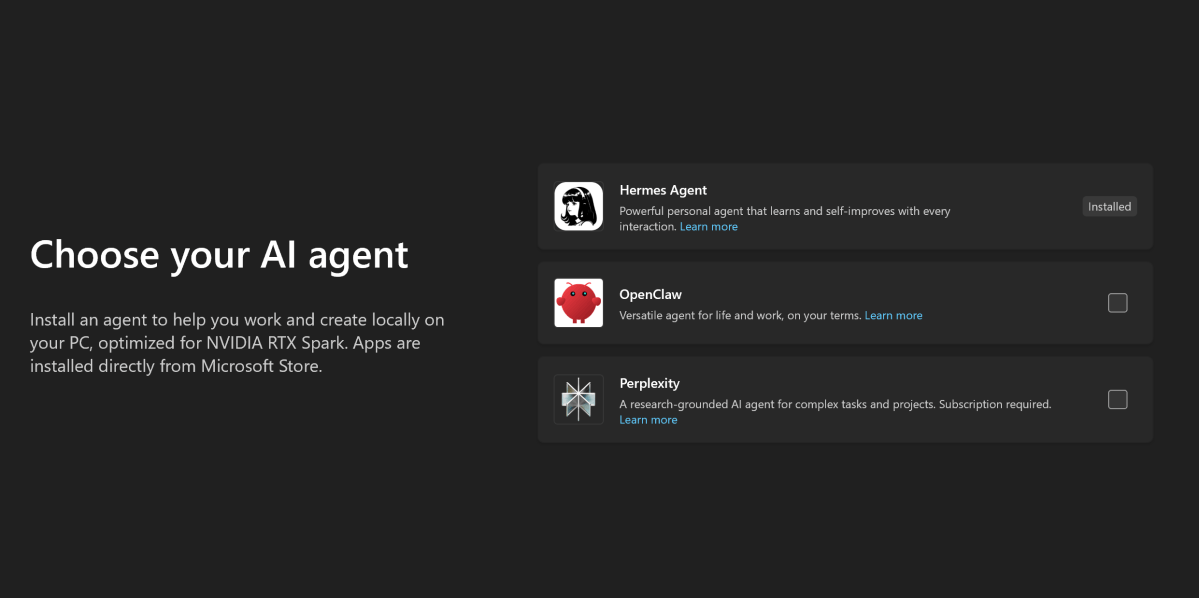
Again, my first experience with Hermes arrived with the Surface Laptop Ultra, whose (relatively) modest memory loadout (32GB) meant that the memory would be split between system memory and VRAM. Lower VRAM means smaller local models, and in this case, possibly slower performance. Initially, I fiddled around with Hermes as a test of the laptop itself.
Mark Hachman / Foundry
What I immediately noticed was that the default settings aggressively erred on the side of safety. One of the first things I did was to ask for some metric of performance, such as a way of tracking the number of tokens the laptop produced. Hermes has the ability to go out, search the web, and click and install software on your PC. Here, Hermes was almost a textbook case of passive aggressiveness, asking me to approve every mouse movement and click manually. That was a clear waste of my time. You’ve heard of humans training AI — I felt like I was being trained to give Hermes total control!
I actually didn’t get too far with Hermes on the Surface before a colleague asked to borrow it. I wiped the laptop’s contents and handed it over. I was interested to see what Hermes would do on a successive run, however, so I opened up another RTX Spark machine to dive a little deeper.
Local AI can fail…and failure can take forever
As on the first laptop, I downloaded the Hermes app from the Microsoft Store. This second laptop had 64GB of RAM, so a bit more memory was allocated to the GPU and its AI capabilities. What I wasn’t expecting was that Hermes immediately decided that it would behave autonomously, without my intervention in each and every click. As far as I can recall, I never enabled the original Hermes implementation to respond in such a way. In any event, I’m not sure that my preferences would have saved into the cloud.
Mark Hachman / Foundry
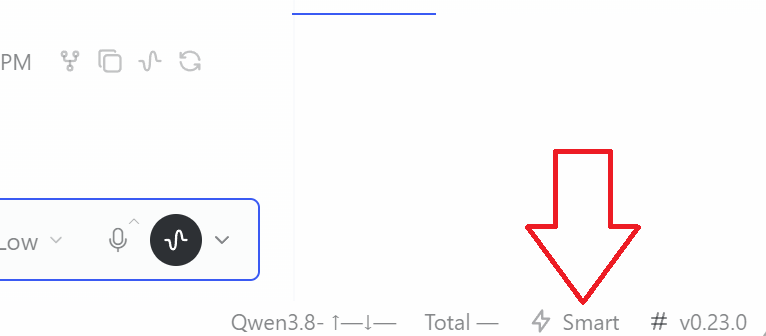
(A tiny control in the lower right-hand corner of the Hermes UI governs that. “Manual” approvals require human intervention in almost every case. “Smart” settings handle it mostly autonomously. There’s an option to turn off all human oversight, as well. I wouldn’t enable it.)
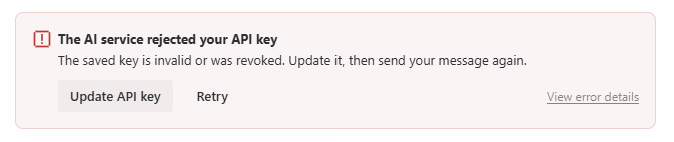
In addition, I set up Hermes differently on the second PC. Hermes initially was set up with cloud control, so that I was calling a Nous cloud model that could act locally. That was never really disclosed, so my second installation actually stalled out — my cloud credits had expired, my API key was rejected, and Hermes sat there, unable to do a thing. Without any AI model to access, Hermes would have been dead in the water. Fortunately, I figured out how to download a 27 billion parameter Qwen 3.8 model to use as a source of local AI.
Mark Hachman / Foundry
I immediately tried to perform the same two basic tasks that I had set out to do with the first laptop: establish a counter for the number of tokens that it produced, as well as an indicator of how many tokens per second that it was processing. Simple enough, right?
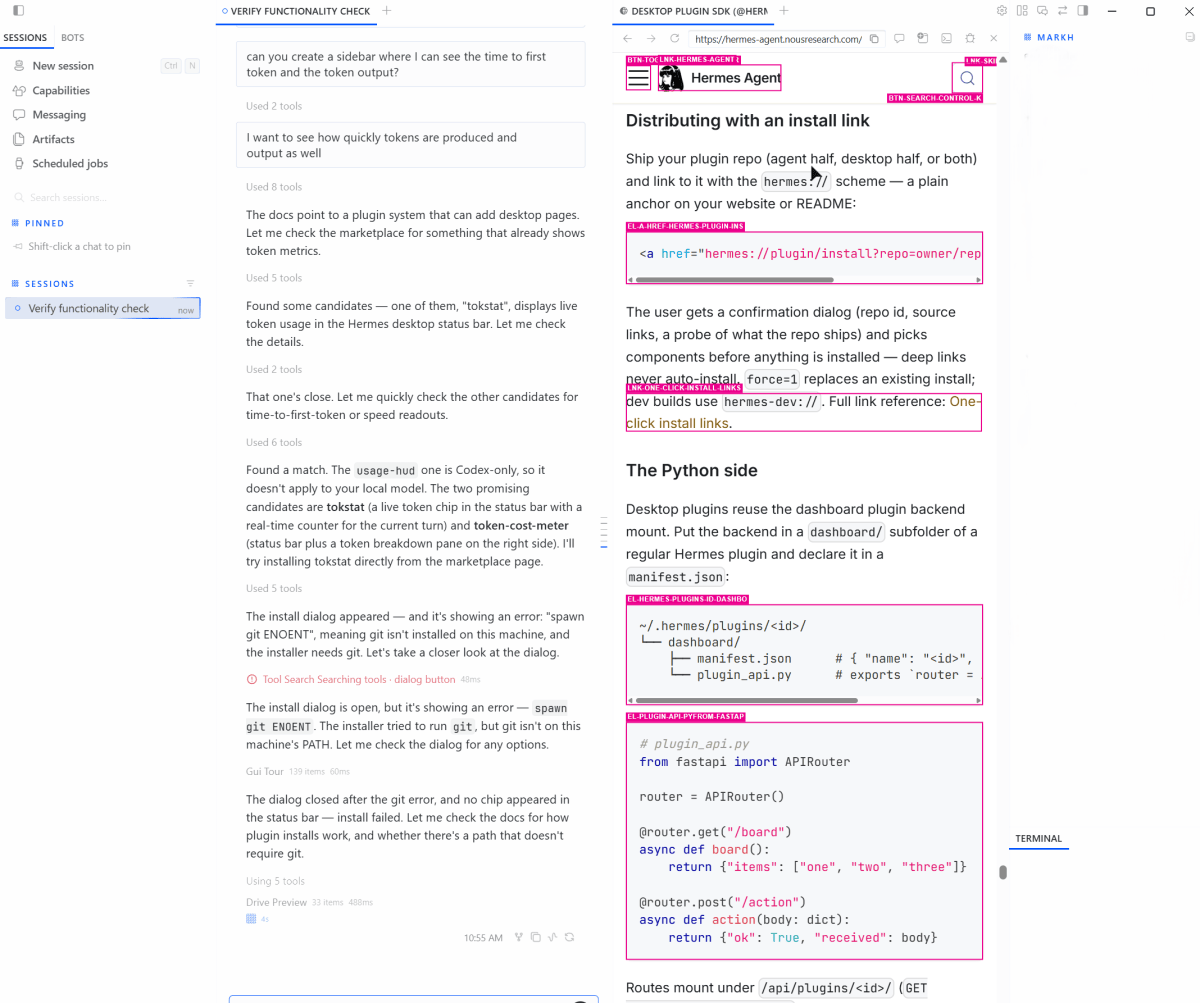
Sort of. Hermes immediately established that it needed a plugin from the Nous site, and tried installing it — but failed, with error message after error message. It seemed determined to keep on trying, though, until I asked what was going on. Hermes reported that it needed Git, the software repository management tool. Installing Git wasn’t an issue at all; it took just a few quick taps in a command line. But the process from my original command to the discovery that it had stalled out took far longer than I had originally planned.
Once that plugin was installed, I asked for a simple token tracker to gauge how many tokens per second were being processed. Even when finally loaded, and after a reboot or two, it didn’t seem to work.
Splitting up the tasks into two separate sessions didn’t really help, either, since the available tokens were being split between two separate sessions.
All of this, of course, took place while working locally on my PC. Hermes does offer an option: running a cloud service as the back end, rather than local AI. I was out of Hermes credits, but I had subscriptions to paid versions of ChatGPT and Google Gemini. Surely one would give me an API key that I could plug in as an intermediary? Sadly, no. My work subscription to ChatGPT refused to give up an API key, and my own personal Gemini account didn’t seem to work. I could use a free version of Gemini as a backend, but that removed the appeal of local AI…though it was so much faster, too.
Mark Hachman / Foundry
The other problem that I encountered was file access. By default (and this is probably a good thing) Hermes doesn’t have file access, and giving it permission required adding a special MCP — or at least that’s what Hermes reported. Incidentally, Hermes itself advised not to run it!
All in all, I spent about two-thirds of a day simply getting Hermes to the point where I thought it might be useful. And that was before I reached the point where I set about giving it something to do.
Local AI seems to work better in the background
I think that the idea of RTX Spark machines is sounder than I initially realized — that by allowing local AI and Windows to coexist, you can “work” on one screen while letting an agent work on another. That makes more sense when AI moves slowly enough that your patience wears thin.
We’re not there yet, however. ChatGPT and other cloud LLMs feel efficient. Ask, and they answer. So do local versions, powered by apps like Ollama. My work in developing my own AI apps also feels productive, especially because I lack the skills to replicate what it’s doing, myself.
So far, what I’m seeing with agentic AI feels like I’m spending more time configuring and learning it than actually using it, so much that it feels like I’m wasting time doing so. And while I have some goals in mind for agentic AI, I’m wondering how achievable they’ll be.
Mark Hachman / Foundry
I’m absolutely not writing off local AI. Eventually, something like ChatGPT’s Dots might migrate down to my user level, and there’s probably work I can do to optimize the hardware and the software to maximize token count and utility. Then again, I’m apparently not the only one with complaints.
The one thing that I appreciate about local AI and Hermes, is that none of it — provided you’re using a local model — is locked away behind a tangle of logins and subscriptions. On the other hand, the cloud AI implementations offer a clean, streamlined implementation. We need more of that on the desktop. Maybe Microsoft’s Copilot Code and other Copilots will make the difference. Or ChatGPT’s Dots. I don’t have access to the latter tool, though I may have a chance to play around with the first.
Right now, however, agentic AI — at least via Hermes — is a bit out of reach for the average user.
Productivity on camera
- Adam Patrick Murray explains, with perfect timing, why local AI might be superior to cloud AI.
- Double your laptop’s battery life with a little Minnesota twang!
- Did you know you can mod your Googlebook like an Android phone?
Productivity in the news
- Can you replicate a triple-display setup with a single monitor? Michael Crider tries…
- Remember how Microsoft is optimizing Windows for 8GB PCs? That’s good, because the $699.99 (!!) HP Omnibook 5 is designed with 8GB of RAM.
- Is Windows the center of the computing universe? The argument here, surprisingly, is “no.”
- Microsoft would disagree, of course. Here’s what is coming to Windows 11 in November.
- RTX Spark laptops have been my AI testbeds. PCWorld’s executive editor, Brad Chacos, breaks down their pros and cons.
Productivity tip of the week: Canva Bulk Create
It’s both fun and nerdy to design a template or an invitation from a spreadsheet (wedding invitations?) but you can do that via Canva. The Bulk Create feature allows you to import a spreadsheet into Canva, where one column serves as a data field, and a row serves as single iteration of a design. Up to 150 data fields can be entered.
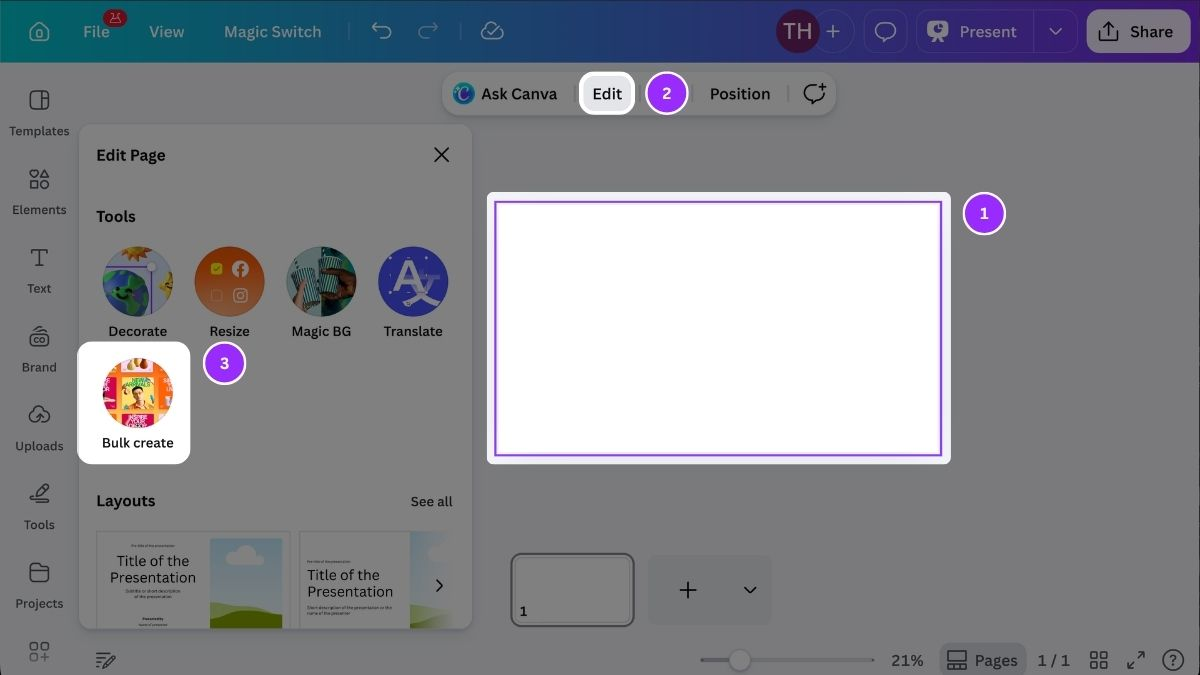
You can either manually enter the designs yourself or (of course!) let Canva’s AI do it for you. There’s a slight catch: Bulk Create is supported in a desktop web browser and the Canva desktop app for Canva Pro, Canva Teams, Canva Business, Canva Enterprise, Canva Education, and Canva for Nonprofit plans. If you use Canva’s free option, you’re out of luck.
Thanks for reading!
Thanks for tuning in to this edition of Smart Mode, PCWorld’s newsletter devoted to helping you make the most of your life, smartly. Sign up and have it sent to your inbox every Thursday!
This articles is written by : Nermeen Nabil Khear Abdelmalak
All rights reserved to : USAGOLDMIES . www.usagoldmines.com
You can Enjoy surfing our website categories and read more content in many fields you may like .
Why USAGoldMines ?
USAGoldMines is a comprehensive website offering the latest in financial, crypto, and technical news. With specialized sections for each category, it provides readers with up-to-date market insights, investment trends, and technological advancements, making it a valuable resource for investors and enthusiasts in the fast-paced financial world.