I bought my first Tesla Model 3 in June 2019. It was my dream car. The promise of getting in, selecting a destination, and the car taking care of the rest was one I bought into.
I originally bought the Model 3 without Full Self Driving (FSD), which at the time cost $6,000. Then about a month later, Elon Musk announced the cost would start going up by $1,000 every few months. So, I bought FSD outright before that happened. I even ordered custom license plates to make it very clear to other drivers my car was driving itself.
A couple of years later, the first beta arrived, and during the next few years, after many updates, it got good. Really good.
I know headlines love to point out when an accident happens during FSD use — and rightfully so — but my overall experience with it as of a year ago was that I felt safe when using it. I could get in, tell it where to take me, and the majority of the time, I only had to babysit.
I used FSD probably 95% of the time; I was behind the wheel. I no longer hated driving.
Goodbye FSD, hello Comma 4
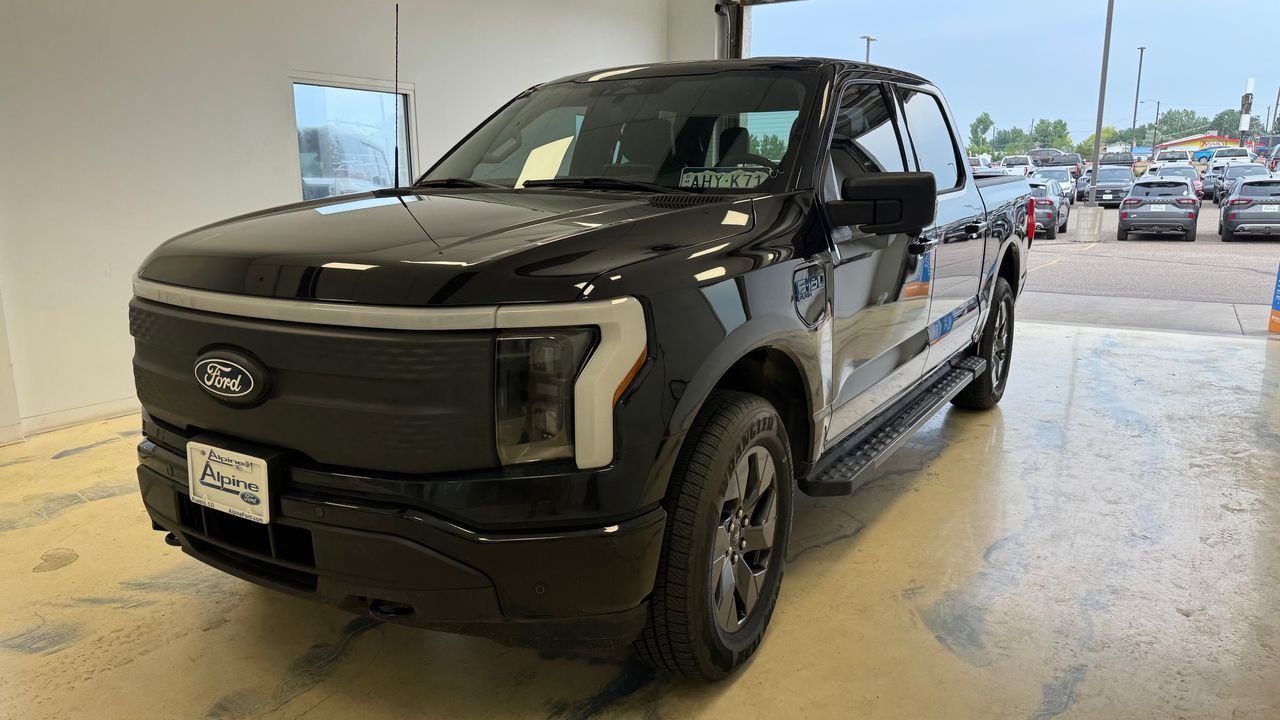
Then, life changed. My wife and I decided to open a pizza food truck, and we quickly learned the truck we planned on using wasn’t up for the job of towing our trailer. So, I traded in my Model 3 for a 2025 Ford F-150 Lightning Flash. Bye-bye FSD.
My Lightning came with three free months of BlueCruise, Ford’s hands-free driver-assist system that only works on highways. When you’re on standard roads, Ford has a basic lane-keeping feature that keeps you within the lines, and that’s about it.
After my BlueCruise trial ended, I opted not to pay the $50 a month/$500 a year subscription fee, mainly because it’s limited to highways and I wasn’t doing a lot of highway driving at the time. In town, I was still able to use lane keep and deal with the super annoying “Keep Your Hands on The Wheel” nag that goes off all the time.
I didn’t miss the more advanced self-driving-like features of BlueCruise at all. I got by.
Then, in January, I had shoulder surgery. The extended recovery process meant driving an hour away for physical therapy at least once a week, and I’m still making that same drive. So, I decided to turn my Ford Rewards points into a couple of free months of BlueCruise to help me get back and forth.
Only this time, I loved it. I could cruise up and down the highway at 80 miles per hour, tap the blinker to start an automatic lane change and just relax — all hands free.
With a few weeks left in my extended trial, I decided to sign up for the $500-per-year subscription. While I waited for the charge to hit my credit card, a friend reminded me about Comma.ai, the small dash cam-like device that helps control your vehicle.
In Comma’s own words: “It’s upgraded active driver assistance for your Toyota, Hyundai, Ford, and more.” Comma states it supports over 300 different vehicles.
Knowing I was about to commit to $500 per year for BlueCruise, curiosity got the best of me, and I spent over a week reading everything I possibly could about Comma and how it works.
The overly simplified explanation is that you need to install the device and a wire harness specific to your vehicle. The two components then intercept and send driver assistance commands to your vehicle, enabling hands-free driving on any marked road — not just highways.
I also spent more than a few days reading through and asking far too many questions in the Ford-specific Discord channel. The group there was amazing and patiently answered every single one.
I’ll admit I felt very uneasy about random people on the internet writing software that can control my car. I still do, to an extent, but eventually I felt comfortable and curious enough to order the $1,000 gadget.
Install, setup and daily use
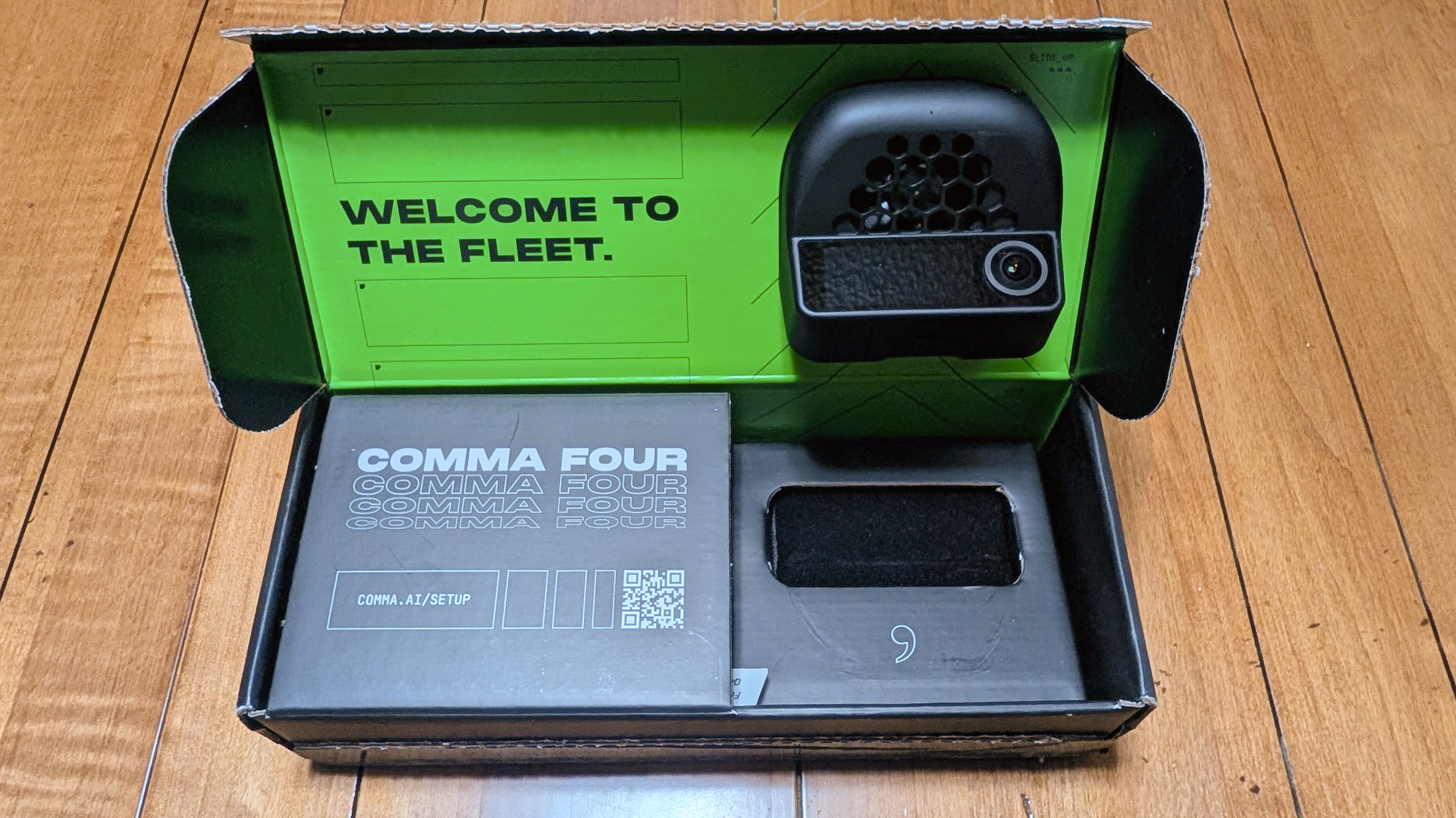
A few weeks later, a small box arrived with the camera, the Ford-specific wiring harness, and zero instructions.
Thankfully, there are quite a few YouTube videos detailing the installation process. That process requires installing the wiring harness under the dash, where my truck’s Image Processing Module A (IPMA) is located. I had to remove some paneling to get to it, then route the included OBD-C cable from under the dash to my rear-view mirror where the Comma 4 is mounted.
The install process took about an hour, with the most difficult part being connecting the wiring harness to the IPMA — it’s such a tiny space and hard to get to, but eventually I got it.
With the harness connected, the Comma 4 mounted, and the cable run, the next thing I needed to do was install an operating system.
The Comma 4 comes with a bare-bones operating system installed, able to do just enough to help facilitate whatever version of driving software — commonly referred to as forks — you want to use.
OpenPilot is Comma’s own driving software, but it’s not optimized for every vehicle. For my Ford Lightning, I have to use BluePilot, a Ford-specific fork that’s customized and optimized to handle quirks in driver-assistance commands, for the best experience.
I went through the software setup process in about 10 minutes, and then it was ready for me to take a short calibration drive. Once that was done, I had my very own self-driving assistant, ready to begin driving me around.
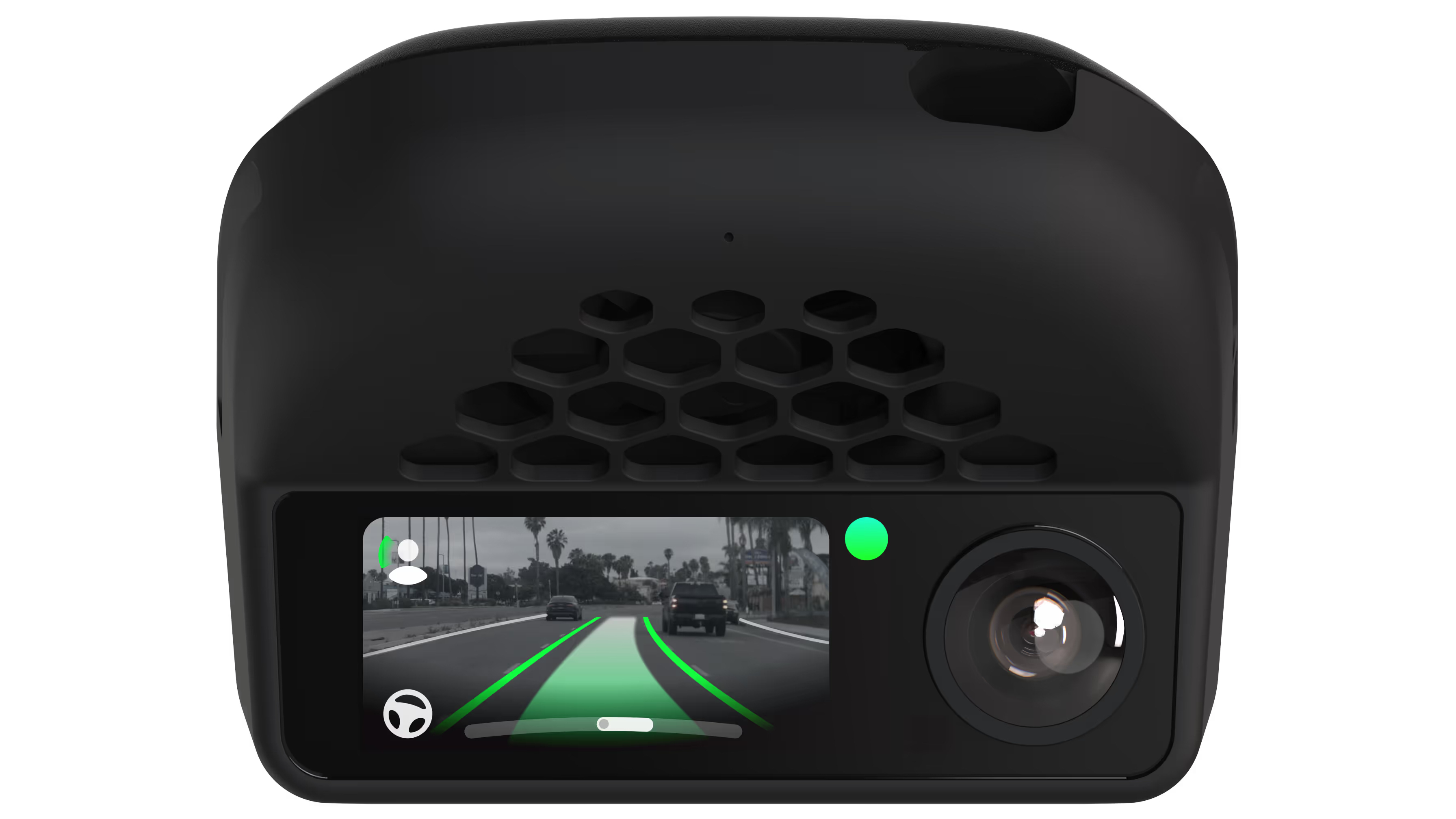
Activating Comma is done using the same buttons I would use to turn on BlueCruise or Ford’s lane-keeping features. I can see when Comma is active by looking at the Comma 4’s screen for green border indicators where the edges of the lane are, and a solid green line in the middle showing that path the truck is going to take.
It took me a few days of tweaking features and settings to fine-tune how the Comma controls my truck. For instance, out of the box it doesn’t handle lane changes for you. You have to enable lane changes, and even then it’ll only perform a change when you activate your blinker — it won’t do it on its own.
You can even customize how aggressive it is during the lane change, how long it will wait after activating the blinker before changing, so you need to confirm the change by nudging the wheel in that direction before it fully commits. It’s really cool stuff.
What’s taken me the longest to get just right is adjusting my truck’s alignment in a lane. With default settings, my truck was consistently riding the left side of every lane I was in. It wouldn’t go over it, but it was too close for my comfort. I spent some more time figuring out the proper setting to adjust and started tweaking. A few minutes later, my truck is almost perfectly centered.
I’m still tweaking different settings, but for the most part it drives just like I want. I continue to experience some very slow ping-ponging — when the car goes from one side of the lane to the other and then back — but it’s easily remedied if I just place my hand on the wheel. From what I understand, I may never get fully rid of it.
I’ve learned a lot along the way, too. In my Ford, the Comma 4 only controls lateral movements to keep you centered in the lane, not longitudinal controls such as speeding up and braking. Ford’s ACC system still handles the latter feature – something I found reassuring.

A couple of disclaimers you need to know
There are a few things I want to make clear, should you decide to get a Comma 4 (or one of the older models).
First, you, as the driver, are responsible for your vehicle at all times. The Comma 4 is an assistance device, not a fully-take-over-all-controls device. It hasn’t tried to steer me unexpectedly into another lane, but I’ve seen reports and feedback about a recent update doing just that.
Second, Comma 4 will never offer a Full Self Driving-like point-to-point experience. There are just too many variables to how a third-party device can interact with and control various vehicles. In a Ford, for example, Comma 4 has limits in how aggressively it can steer, which makes tight corners difficult if not downright impossible. A recent update to BluePilot has made progress in this regard, but a 90-degree turn is all but out of the question.
1,000 miles and no regrets
My original intent was to take full advantage of the 30-day no-questions-asked return policy and send the Comma 4 back if I had any reservations after testing it. And, well, that window closed a few weeks ago.
All told, I’m nearing 1,000 miles over 97 driving sessions and 26 total hours since installing the Comma 4 in my truck. Not all of that is with it activated, but I’d wager that 75% or more of those miles were driven by Comma.
It’s earning my trust with every drive and scenario I throw at it. The system has built enough confidence that I’m now going fully hands-free on longer drives.
Even with its quirks and limitations, the trade-off is a no-brainer for me. The Comma 4 handles backroads and standard city streets where BlueCruise simply gives up.
Best of all, I don’t have to pay Ford $500 a year for a highway-only feature on top of what I already pay for premium connectivity. For a one-time $1,000 hardware investment, I got a sliver of my FSD experience back, saved money in the long run, and gained a system that continuously gets better thanks to an active community.

This articles is written by : Nermeen Nabil Khear Abdelmalak
All rights reserved to : USAGOLDMIES . www.usagoldmines.com
You can Enjoy surfing our website categories and read more content in many fields you may like .
Why USAGoldMines ?
USAGoldMines is a comprehensive website offering the latest in financial, crypto, and technical news. With specialized sections for each category, it provides readers with up-to-date market insights, investment trends, and technological advancements, making it a valuable resource for investors and enthusiasts in the fast-paced financial world.