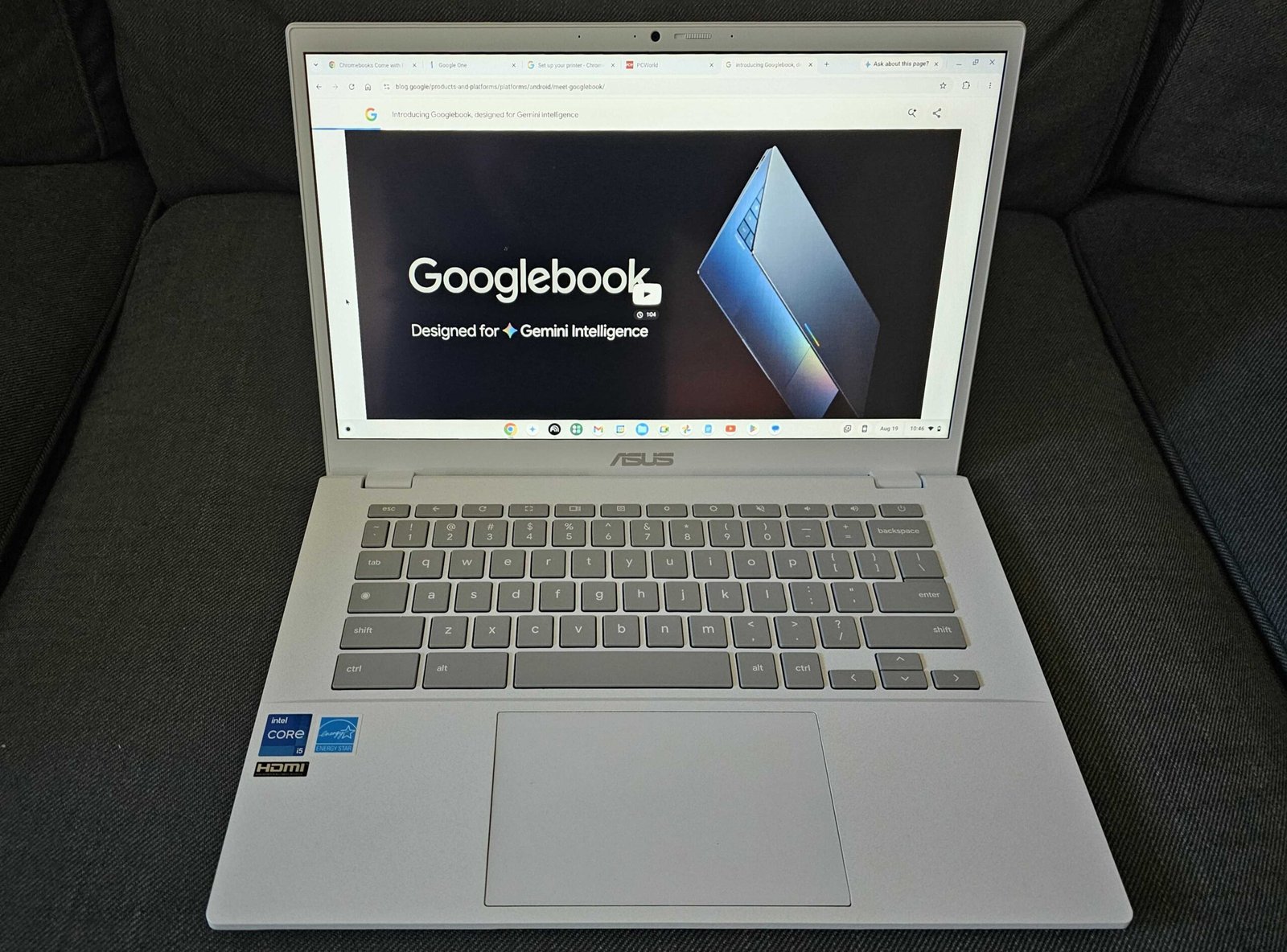
I understand Chromebooks, and so do you: They’re lean, efficient devices designed to surf the web without breaking the bank. But everything I’ve seen recently says that Google’s next effort, Googlebooks, are headed in the opposite direction.
Productivity begins with your choice of device, and Google’s Chromebooks have been spectacular in their pursuit of efficiency. Recent reporting, however, indicates that Google’s upcoming Googlebooks might be initially intended as premium devices, establishing a new high-end tier above Chromebooks in terms of price and performance — and saturating them with AI, too, of course.
We now know that Google will launch the Googlebook at an event in New York on Sept. 15. (PCWorld will be there!) Expect numerous Googlebook announcements by laptop makers at the Google launch, hoping they’ll be the next big thing. Reviews and shipments will probably begin in October.
But I’m still not getting the best vibes surrounding the upcoming Googlebook launch. Let’s break down why not.
Welcome to PCWorld’s newsletter, Smart Mode! The focus of this newsletter is productivity: from software to hardware to peripherals, all with the idea to get what you need to get done, efficiently.
I’m your host, Mark Hachman, covering the productivity tips, tools, and trends that you need to know about, both from within PCWorld and beyond. If you want the latest issue in your inbox each week, just sign up right here.
A premium, pricey Chromebook is a risky proposition in 2026
If you already own a Chromebook, you’re the most likely candidate to upgrade to a Googlebook. So you have to begin with the question: what will existing Chromebook buyers pay for it?
As of this writing, not a single vendor has released pricing for the Googlebook. However, Chrome Unboxed remains completely convinced that devices like the Asus Googlebook CX9406 will ship with up to 64GB (?!!!) of memory, part of a tiered product strategy. Those tiers begin at the top with what’s being called “AL Premium,” referring to the Aluminium operating system that combines some elements of Chrome OS and Android.
Over time, the market will expand, Google vice president John Maletis said in May. Underneath AL Premium will be AL Mass Premium (think the Snapdragon X Plus and the Intel Core Ultra 5, Chrome Unboxed reports) then eventually the AL Entry tier that you’re used to seeing as the mass-market Chromebooks that populate classrooms. And underneath those? Chromebook Plus, then finally basic Chromebooks.
So premium Chromebooks (the Chromebook Plus) could be priced less than entry-level Googlebooks? I sincerely hope not.
Foundry / Matthew Smith
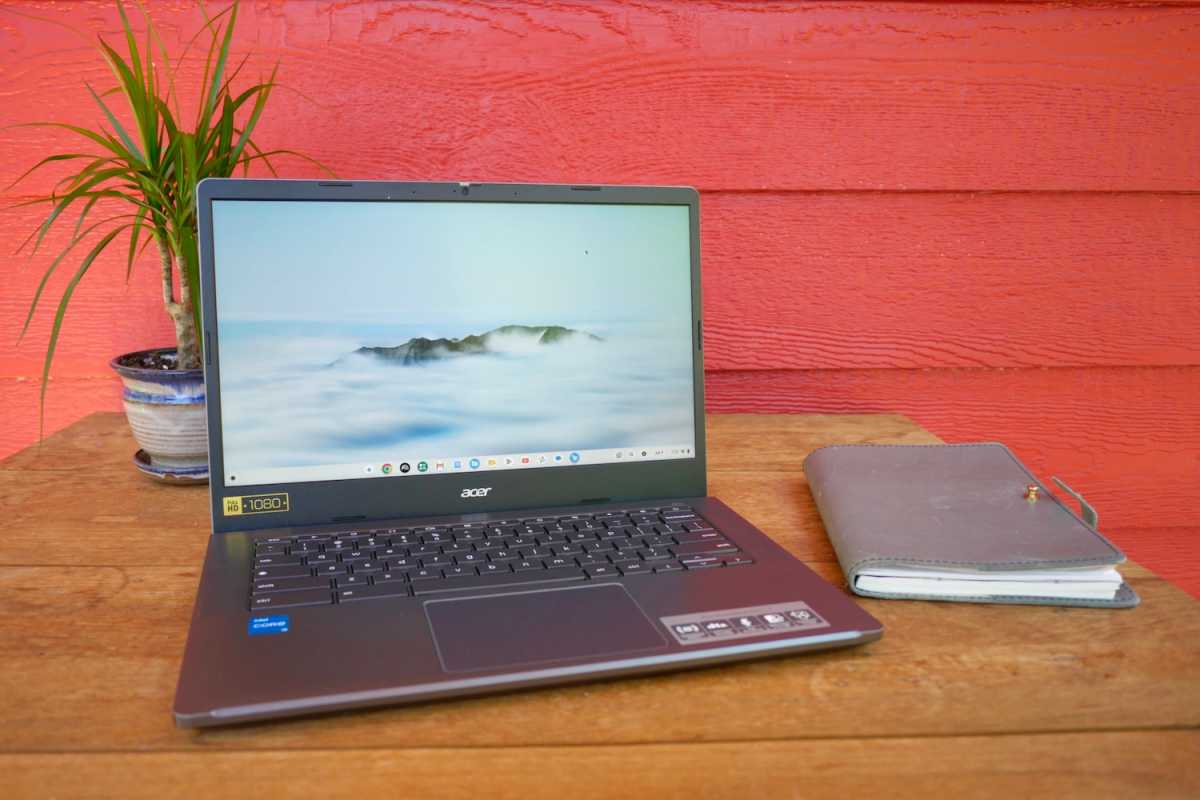
At Best Buy, I can pay anywhere from $399 to $850 for a Chromebook Plus, and a premium Googlebook like the CX9406 will undoubtedly be priced way, way higher. How much will buyers tolerate paying for a next-gen Chromebook Googlebook, even with a fresh new OS and branding on top of it?
In 2026, any Google device with a price tag higher than $1,000 seems doomed to sit on store shelves while buyers try to figure out what a Googlebook is good for.
Do Chromebook buyers care how fast apps run?
According to Maletis, Googlebooks will run “truly native Android applications,” rather than emulating those Android apps like Chromebooks do. (And Windows, for a while.) Great, right?
I’m not convinced. The entire history of the Chromebook has been to try to sell users on the premise that cloud-native applications can perform as well as native apps running on a host PC. ChromeOS is essentially a Web browser, after all.
Does a traditional Chromebook buyer really care where apps live? A Windows user does, certainly — that’s why Windows users have complained about web wrappers, and web apps posing as local ones. But Googlebook customers? They’re going to need some convincing.
Ironically, we’ve gone down this road before. Recently I unearthed the original Google Pixel (2013) that I reviewed for another site. I ended up with two of them, actually, and left one on the shelf shrinkwrapped to preserve it. The original Pixel was gorgeous: it boasted a 2,560 X 1,700 touch display, a terabyte of cloud storage, and a Core i5 processor running the whole thing. Premium Chromebook, premium processor, premium price: $1,299. And it just never sold.
At that point in time, Google was focused on promoting uses for that power. It landed on WebGL, a JavaScript API for rendering 3D graphics in a web browser. The Pixel launched with a “100,000 Stars” WebGL app that could render the positions of stars surrounding Earth. Useless, yes, but it looked lovely and pushed the Chromebook to its limits. Google’s Chrome Experiments page serves as a monument to that time. Meanwhile, most of the productivity apps users are used to within Chrome OS and Android happily live in the cloud.
I think the whole point of native apps is that they’ll feel snappy, and that Google believes that users will pay for that responsiveness. Right now, I disagree. I think that users will appreciate a more responsive interface. But pay for it? No.
The Chromebook audience hates AI
And you know where this is leading: AI. My colleague Michael Crider saw it immediately: Googlebooks and Aluminium are just a vehicle for Google’s Gemini AI. Aluminium looks to be the first AI-forward OS, more so than ChromeOS, Windows, MacOS, or even Android.
The problem? Google’s traditional Chromebook audience of students and educators hate AI, and they’re not afraid to speak out. (And they probably will: the Aluminium OS will not just be specific to Googlebooks, but there will also be an “upgrade path” (hopefully optional!) to Chromebooks as well.)
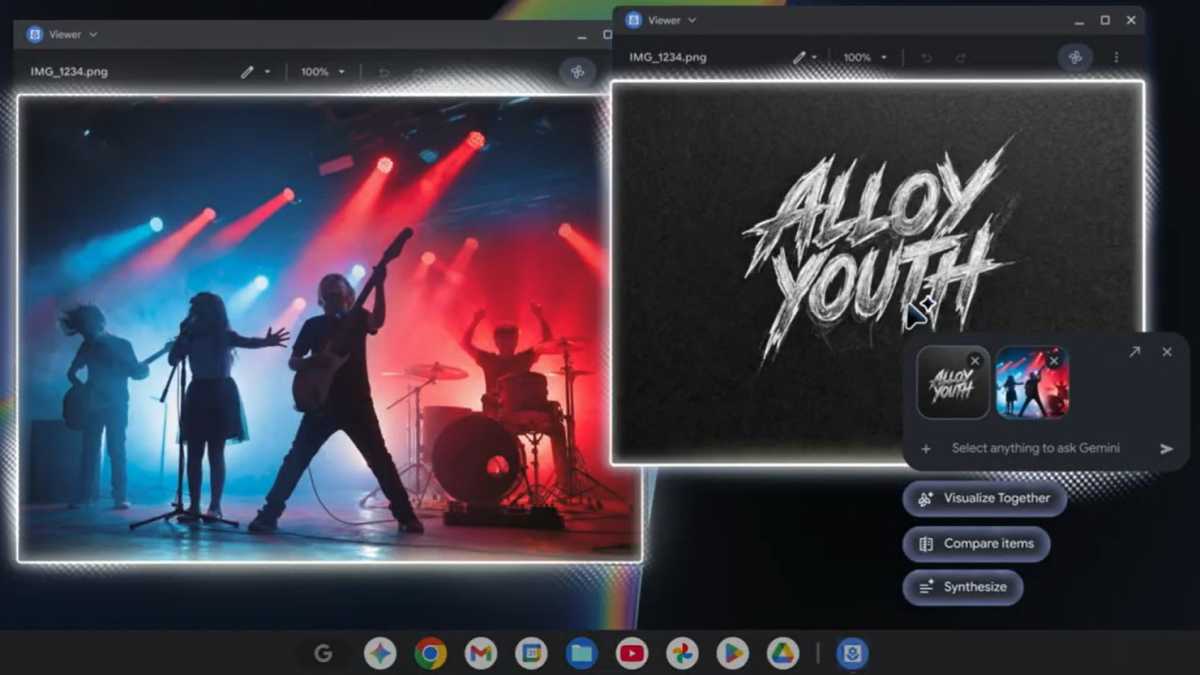
This is an interesting line to walk. “AI” has existed in some form for years. Algorithms help you navigate to an unfamiliar dentist a town over, and push social media posts to your feed. They allow you to simulate bokeh in your photos, but also replace the family dog with a space alien. On one side of this line sits AI tools, and on the other, AI slop.
Google wants to integrate AI functions into the Aluminium OS. and I just don’t know how that will play out. Googlebooks hope to reinvent the cursor with something called Magic Pointer, and early demos left us rather unimpressed. Will there be some other “AI” features that will seem more natural? I think so. I hope so. Over time, some of those little AI tweaks and enhancements will settle in and stick.
I’m less convinced about the third-party apps and services. Google’s Maletis seemed confident that working with traditional developers like Adobe will bear fruit. Sure. Google Workspace will feature prominently. That’s obvious. However, Maletis also said that he believes some killer Googlebook applications haven’t been invented yet, and that smells like the traditional “AI will save us all” trope that certain circles thrive upon.
So who are Googlebooks for, exactly?
These are all major challenges. Google will have to convince existing Chromebook users to “trade up” to a new device, one that will likely be too expensive for students and educators (who may not be thrilled to wholly embrace AI to begin with).
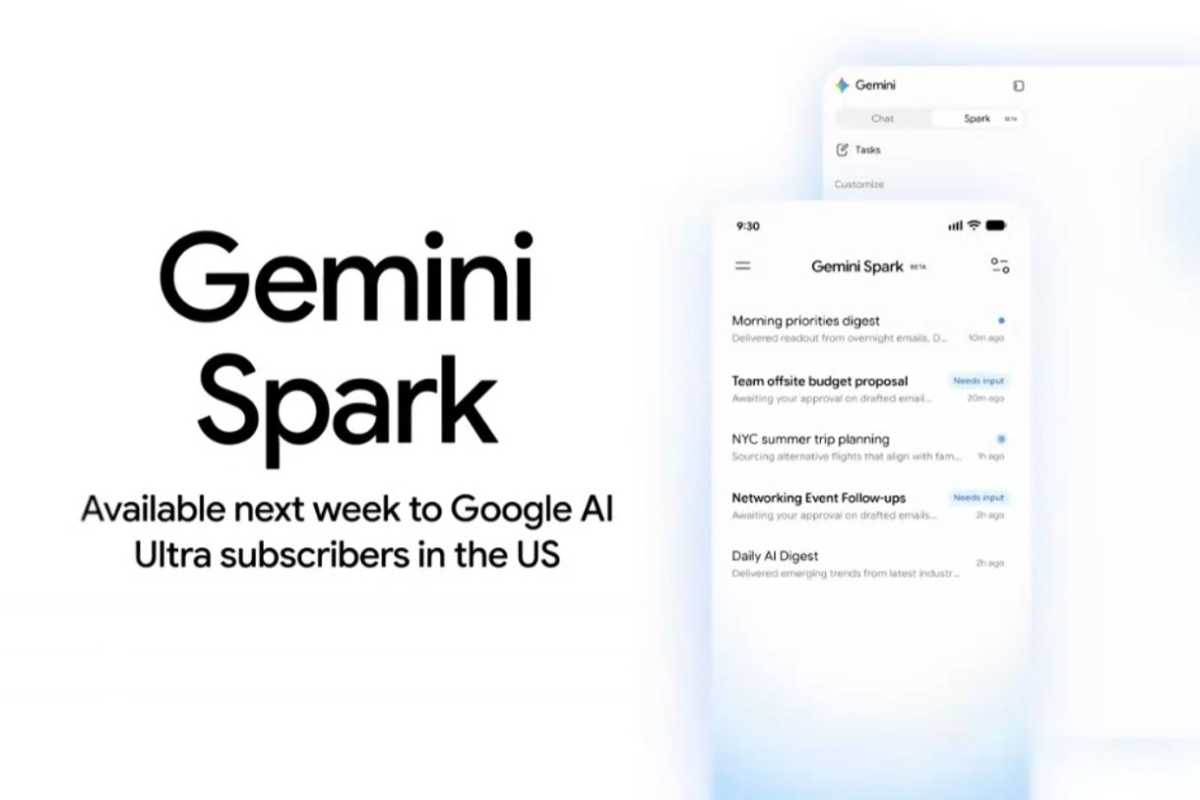
Conversely, a second niche of AI enthusiasts might not be happy, either. They already look somewhat skeptically at Gemini versus ChatGPT and Claude; will they sign on? It certainly seems like the Asus CX9406’s enormous memory loadout would be aimed at local agentic AI. Is that Gemini Spark? After Google launched Spark this spring, I haven’t heard much at all about it.
What I’m looking for is for Google to show the world that a Googlebook is simply the best device for getting things done: using AI tools to eliminate the mundane, repetitive tasks that we all hate. I think that can be accomplished not just with AI, but with UI: simply demonstrating a simpler, more effective workflow through shortcuts and apps. That’s something isn’t going to appear on specs sheets and price lists, but in actually using the device, day in and day out.
Some of that can be accomplished by a little zazz: bringing back the “light bar” battery gauge, as Google apparently plans to do. I’m also interested by Google’s apparent choice to use a “G” or Google key to launch AI functions, rather than a Gemini logo. Will the Magic Pointer be something that we want to use?
I’m certainly not willing to write off Googlebooks just yet. Just the opposite, in fact. I spent over a year working exclusively on Chromebooks and a Chromebox years ago, and even then Google’s productivity platform was perfectly competent. (Well, except for moving files around local drives, that is.) Google’s Workspace apps are still excellent.
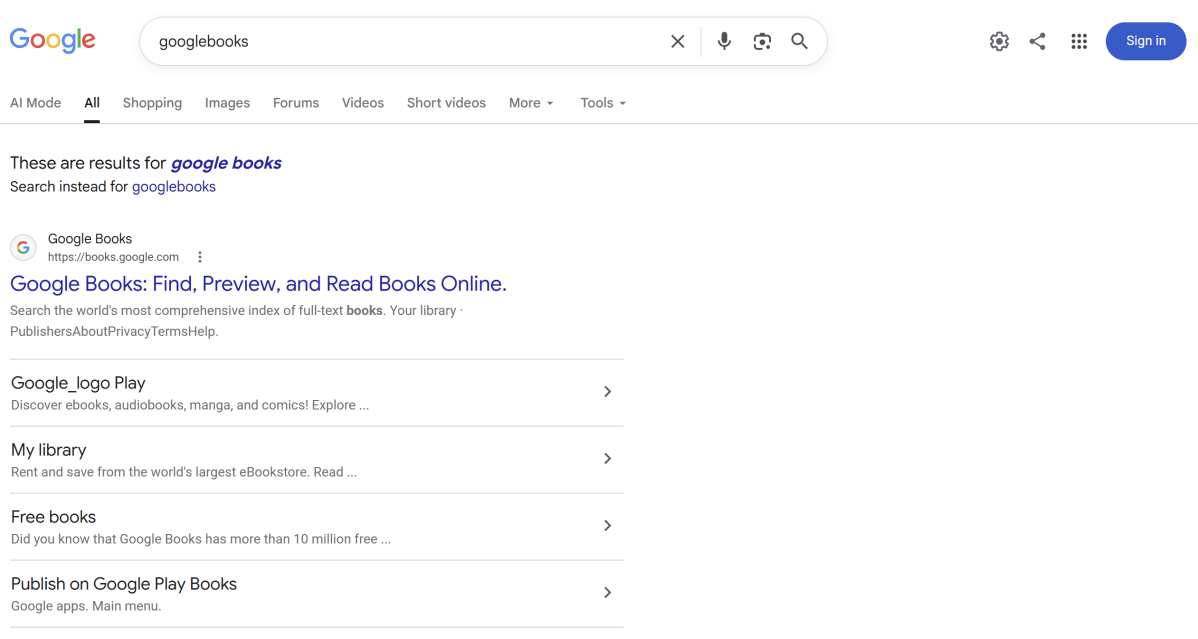
I’ll leave you with one thing, though. When Google itself confuses a Google search for “Googlebooks” with “Google Books,” that’s a problem.
Productivity, on camera:
- The USB-A tip you probably didn’t know. And if I amuse myself, so much the better.
- A somber reminder that your laptop is dying, and how to keep tabs on it.
- Windows 10’s moveable taskbar is almost back in Windows 11.
Productivity news of the week:
- NormCap is a new app to extract words from photos, scanned documents, and more, as unearthed by my colleague Sam Singleton. It’s free and open-source. Remember, though, that there’s a text extractor inside the Windows Snipping Tool: use the Win+Shift+T shortcut to take you there directly. Here’s a random newspaper image for you to practice on. Super easy.
- If this is a productivity device, it’s one that hit ludicrous speed: a Keychron 100-key macropad. Isn’t that just a keyboard at that point?
- Ooh, this is cool: ActivityWatch measures how much time you’ve spent in each app on your PC. It seems a little obtuse (and perhaps a bit embarrassing, if you lingered too long on eBay or Netflix) but it’s a neat way to measure your time.
- Anyone who says adblocking isn’t a productivity function…um, hasn’t surfed the Internet without an adblocker. Now Microsoft Edge is moving to the Manifest V3 standard, which in real-world terms means the end of uBlock Origin, an adblocker which kicks butt. Sigh. You can still use uBlock Origin on Firefox, or a stripped-down version on Chrome and Edge.

Productivity app of the week: 0FluffStart

I thought I’d try something a bit different with this edition of Smart Mode and dig a little further into some productivity apps and extensions. 0FluffStart is for people who aren’t happy with the way in which their browser displays their “new tab” environment, and this developer coded an alternative. Everything is local, with no dependencies.
The installation page provides installation instructions for Firefox, plus separate instructions for Chrome, Edge, and Brave. It can also be installed as a standalone app on Android phones as well. The app includes ten themes, with local background support, and can be configured to be powered by any GPU capabilities your PC includes.
Productivity thought of the week
A bit of a bonus to close it out: Some random poster on Threads suggested that meetings shouldn’t be run with a list of topics to discuss, but a list of questions to answer. The goal is not to have a discussion, but to reach an answer. I like that. Closing the loop, answering a question, finishing a task: we all appreciate finality.
Thanks for reading!
Thanks for tuning in to this edition of Smart Mode, PCWorld’s newsletter devoted to helping you make the most of your life, smartly. Sign up and have it sent to your inbox every Thursday!
This articles is written by : Nermeen Nabil Khear Abdelmalak
All rights reserved to : USAGOLDMIES . www.usagoldmines.com
You can Enjoy surfing our website categories and read more content in many fields you may like .
Why USAGoldMines ?
USAGoldMines is a comprehensive website offering the latest in financial, crypto, and technical news. With specialized sections for each category, it provides readers with up-to-date market insights, investment trends, and technological advancements, making it a valuable resource for investors and enthusiasts in the fast-paced financial world.