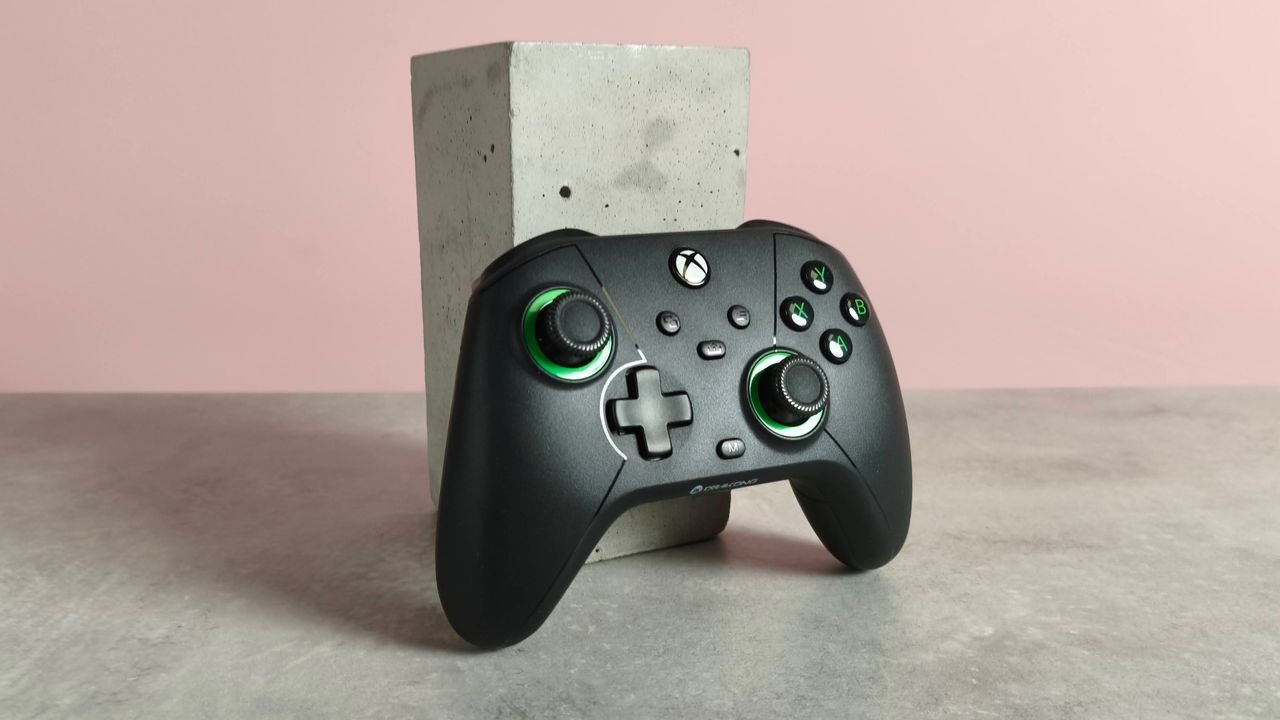
Drakong Challenger: One-minute review
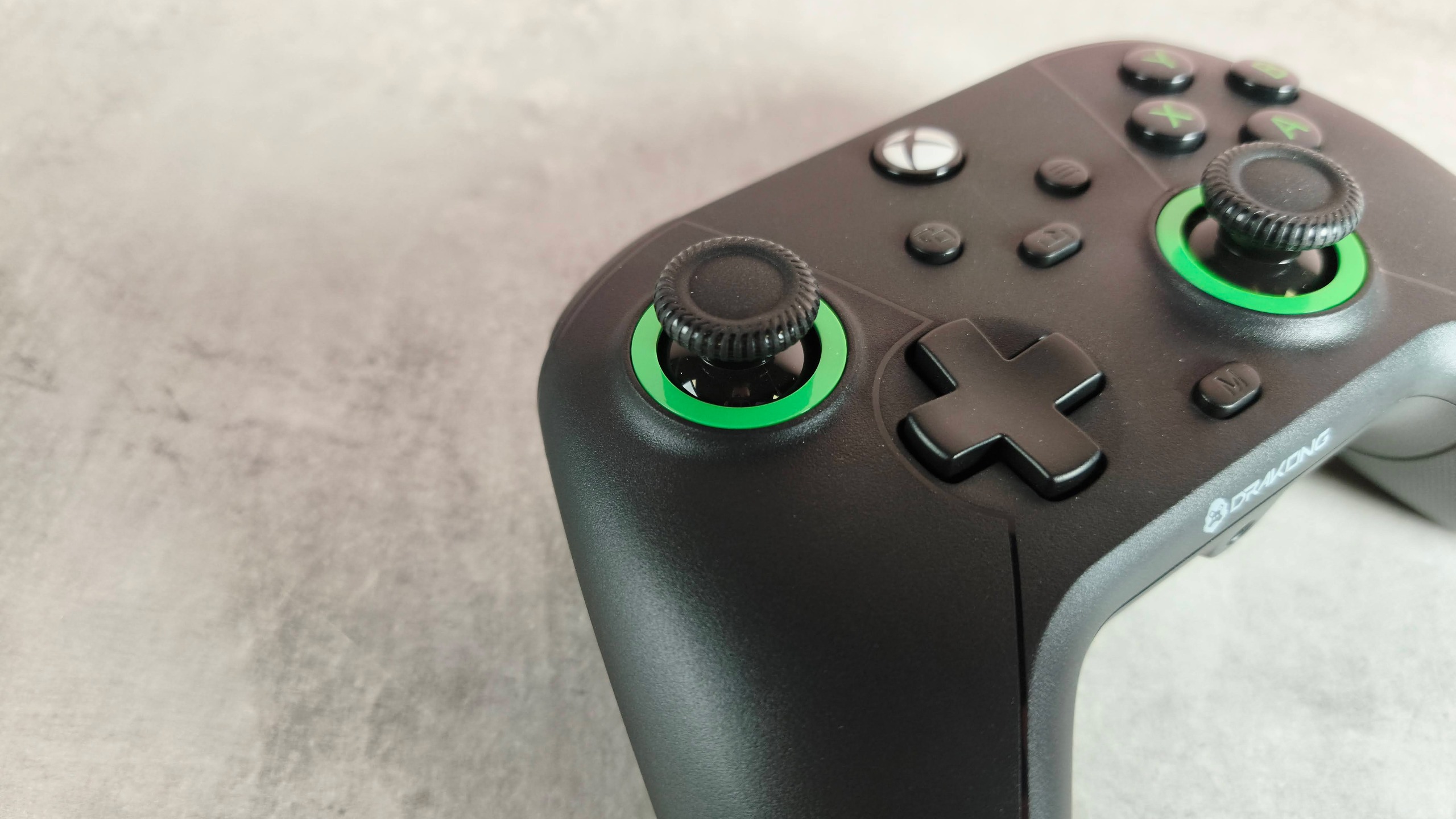
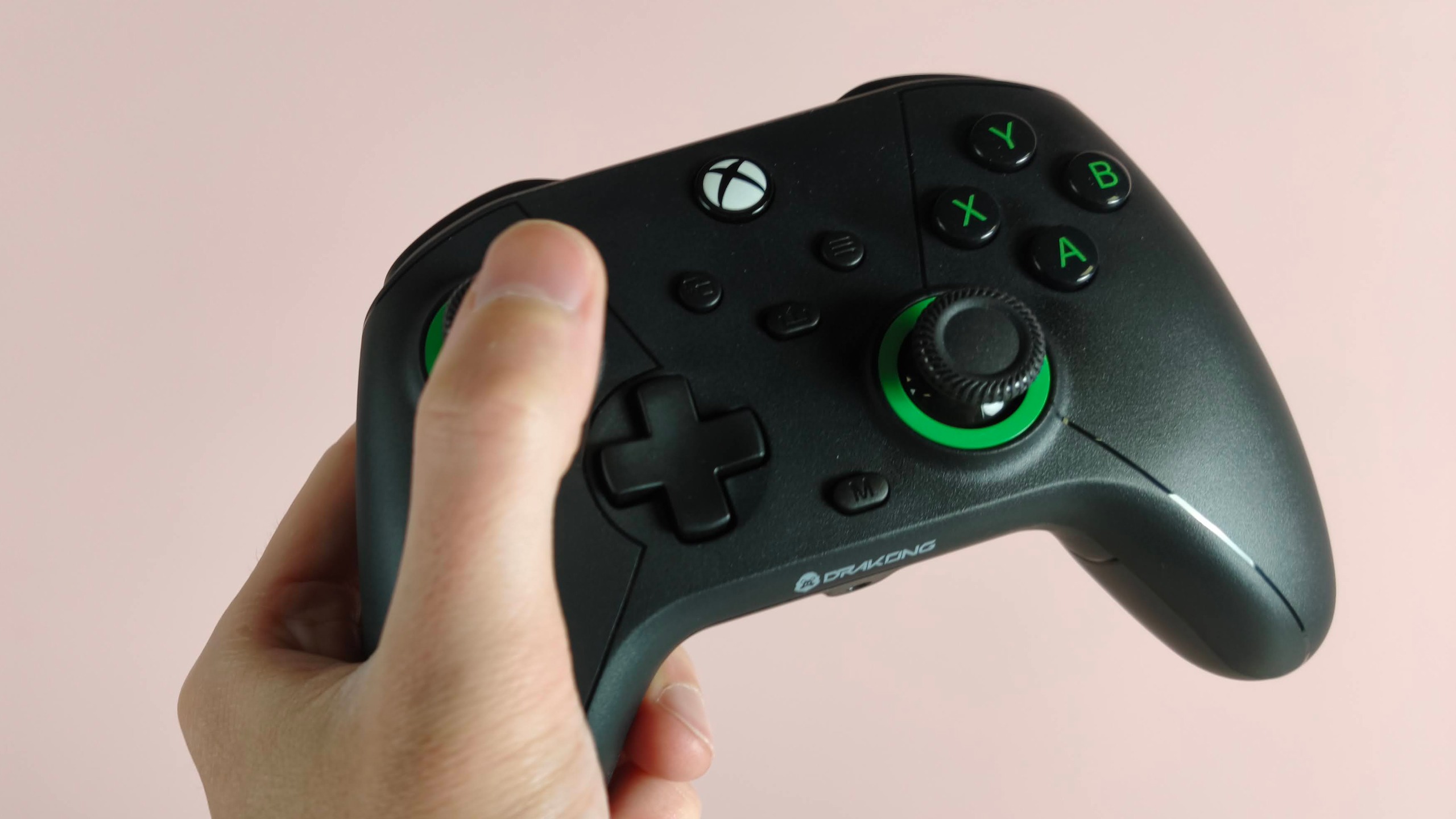
The Drakong Challenger takes aim at the budget controller market by offering a basic but high-performing pad. On the style front, the Challenger is very much a case of function over form. You’d be hard-pressed to tell it apart from your run-of-the-mill Xbox controller, although the green rings around the thumbsticks are one notable point of difference.
Just like that controller, the Challenger is very comfortable in the hand. It’s also surprisingly well-made, with a solid shell and planted buttons. What’s more, it’s pleasingly light, making it easy to use for long periods. All this makes it one of the best Xbox Controllers at the budget end of the sector in terms of construction.
Although there’s no software to accompany the Challenger, you can assign the back buttons quite easily using the M button. A rumble notifies you when your assignments have been confirmed, which is a useful indicator.
The Challenger impresses in action. The triggers and sticks are as smooth and precise as you would expect from their Hall Effect technology, while the D-pad and face buttons are satisfyingly damped and quick to respond and rebound. The back buttons are a little less tactile, but they suffice nonetheless.
Given how inexpensive it is, you’d seriously have to consider the Challenger over a standard Xbox controller or any other, for that matter, so long as wireless connectivity is something you’re willing to sacrifice.
Drakong Challenger review: Price & availability
- $34.99 (about £25 / AU$50)
- One month of Game Pass Ultimate included
- Good price-to-performance ratio
The Drakong Challenger costs $34.99 (about £25 / AU$50) and is available now. It comes with a USB-C cable, as well as a code for a one-month free trial of Game Pass Ultimate.
The Challenger is cheaper than the official Xbox Wireless Controller, although that gamepad has the advantage of wireless connectivity. However, it doesn’t include a rechargeable battery as standard, nor does it have customizable back buttons.
If you want something a little more feature-packed, but don’t want to spend a huge amount, the Turtle Beach Pacific Skyline is a good alternative. It has companion software that can be used to remap buttons, as well as adjust vibration intensity and thumbstick dead zones. Also, the controller itself is far more vibrant than the Challenger — and many other controllers, for that matter.
Drakong Challenger review: Specs
|
Price |
$34.99 (about £25 / AU$50) |
|
Weight |
7.23oz / 205g |
|
Dimensions |
6.3 x 2.5 x 4.4in / 160 x 63.5 x 111.8mm |
|
Compatibility |
PC, Xbox Series X, Xbox Series S, Xbox One |
|
Connection type |
Wired (USB-C), 3.5mm AUX (headset) |
Drakong Challenger review: Design
- Classic Xbox controller design
- Light yet solid construction
- No accompanying software
As far as looks go, the Challenger barely departs from the traditional Xbox design. It has the same shape, size, and layout, with the only additional flourishes being green rings around the sticks and a subtle outline around the two halves of the pad. There’s no RGB lighting, despite what those aforementioned stick rings may lead you to believe.
However, all this isn’t to say the Challenger has a disappointing construction. After all, to many gamers, the Xbox controller form is comfortable and practical. And despite the plastics not feeling particularly premium, the Challenger is surprisingly solid and pleasingly light at the same time, which is always a winning combination.
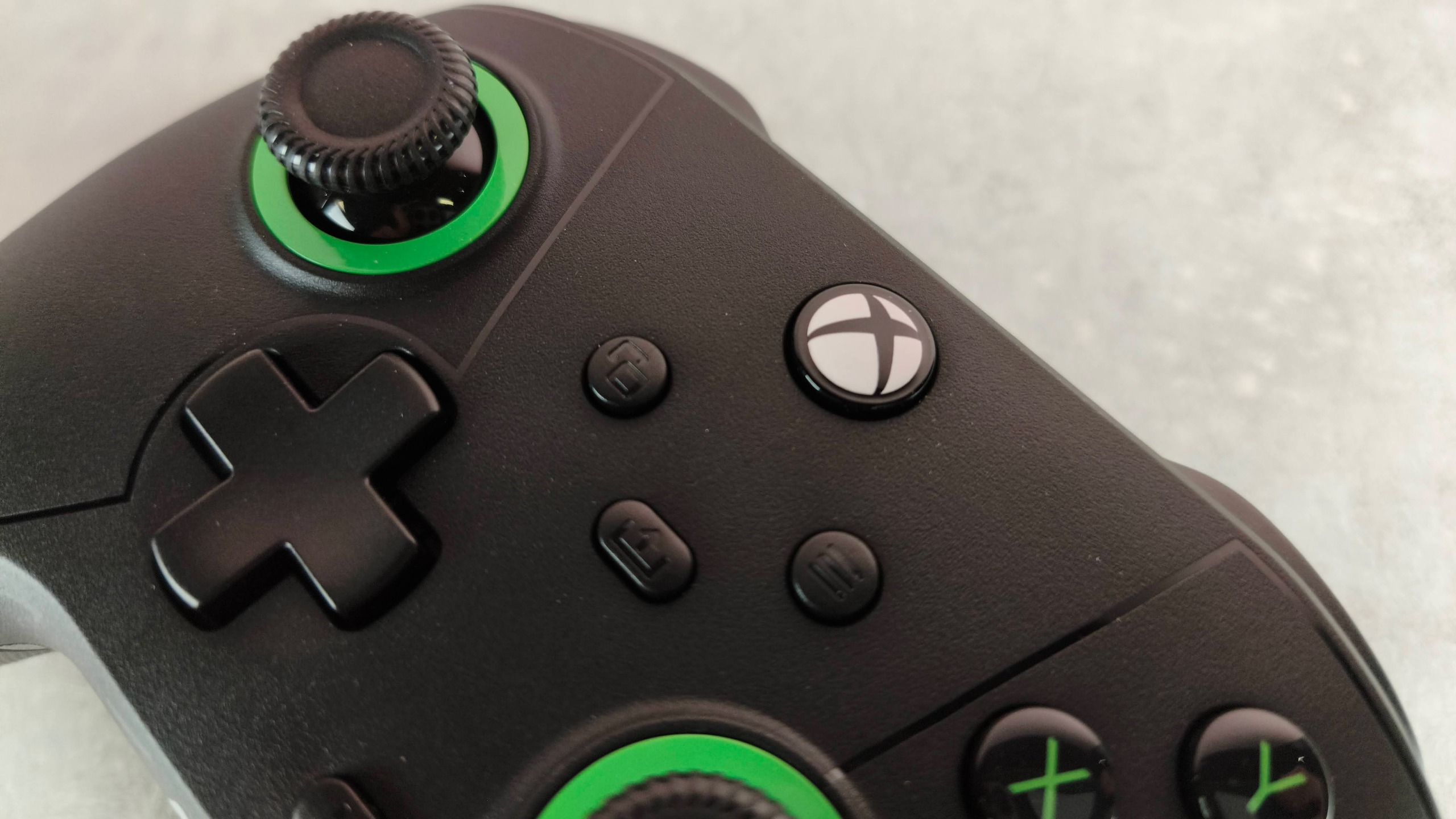
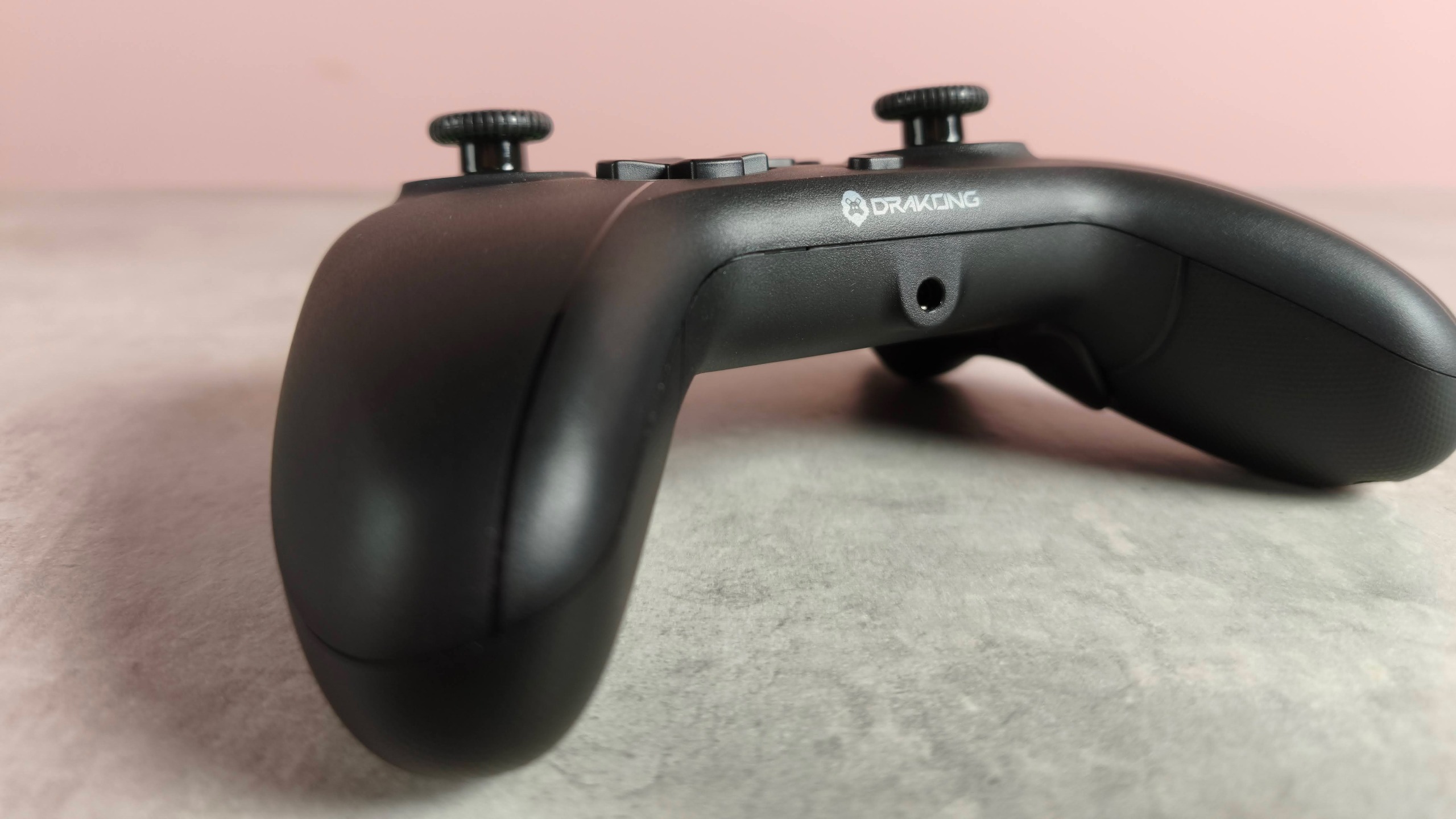
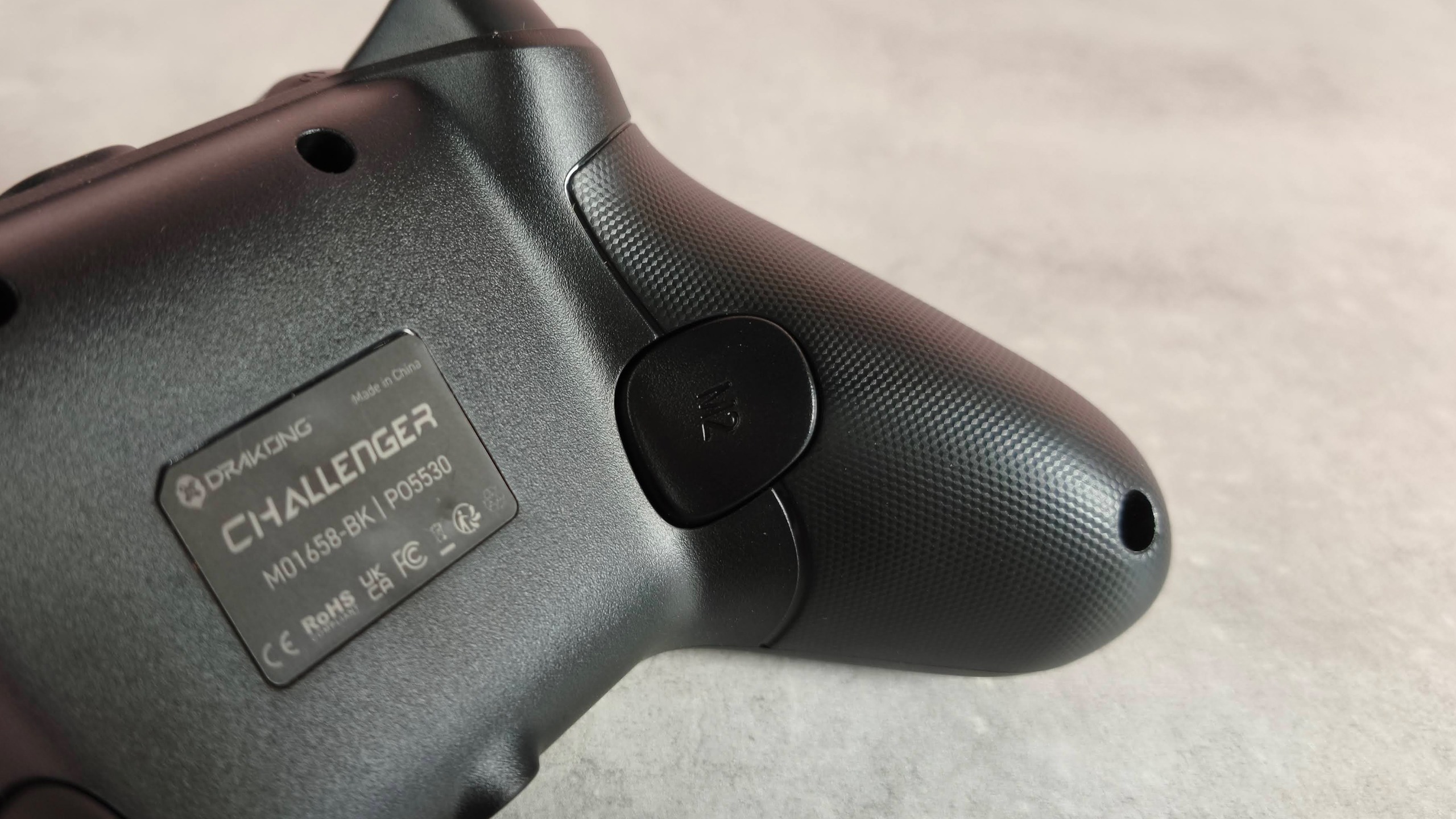
What’s more, the sticks and buttons are well fitted with no play in them at all, which isn’t something that can be said about most budget controllers. The back of the handles is textured for added traction, but the improvement is marginal given how subtle this texture is.
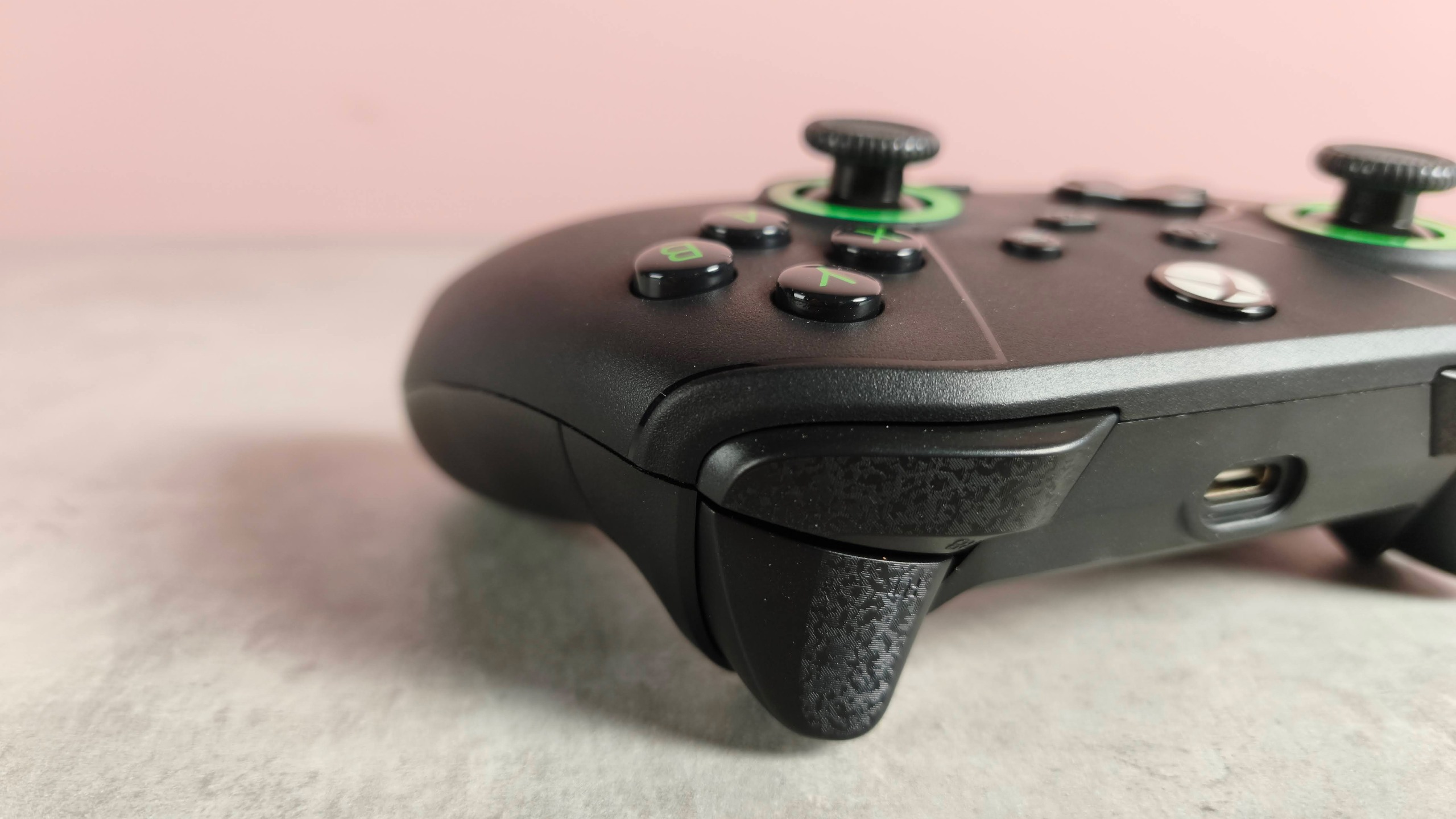
There’s no software available to customize the Challenger, but there are two mappable back buttons. I couldn’t find information on how to map them anywhere, but thankfully it’s a fairly simple process to figure out. You simply press the M button and a back button simultaneously until you feel a rumble, then press the button you want to assign and another rumble will confirm its activation.
The Challenger has no wireless connectivity, which is a shame but understandable at this price point. The included USB cable is quite long, but it isn’t finished in a braided fabric, which is something you often find on the best gaming mice to improve flexibility and reduce drag. It does at least seem quite durable, and the connection at either end was solid in my experience, despite the small amount of superficial wobbling at the controller end.
Drakong Challenger review: Performance
- Solid and responsive buttons
- Precise and tactile triggers and sticks
- Easy connectivity to Xbox and PC
The Drakong Challenger might be a budget controller, but that’s not something you’ll notice when gaming with it, as every input is smooth, solid, and precise. The face buttons are also well damped and very responsive, rebounding quickly to allow for easy spamming when needed. The same goes for the D-pad, and despite its traditional four-pronged hat, it felt comfortable in my thumb, even when performing rolls and frantic inputs in Tekken 8.
On the shoulder buttons, the texture is subtle but noticeable, and feels quite nice on the fingers, although I’m not sure it provides much in the way of traction. The Hall Effect triggers are light but offer a surprising amount of control, which was especially helpful when accelerating and braking in Assetto Corsa. The Hall Effect thumbsticks were accurate and responsive when steering, too, as well as when aiming in S.T.A.L.K.E.R. 2: Heart of Chornobyl. I also appreciated their soft, grippy coating and textured rims for added purchase and feedback.
The two back buttons are easy to reach, but they don’t feel quite as tactile as the other inputs, lacking depth of travel and dampening by comparison. Also, I found them quite easy to trigger accidentally, even when I didn’t have a particularly tight grip on the pad.
Surprisingly for an inexpensive controller, the Challenger features a headset jack. The cable connection is solid, and I didn’t notice any loss in audio quality relative to connections made elsewhere.
As for the pad itself, I had no issues connecting it via the USB cable to either an Xbox Series X or to my PC, being just as easy to use with the latter as the best PC controllers.
Should I buy the Drakong Challenger?
Buy it if…
You want a solid build
Despite how light it is, the Challenger’s shell and buttons are surprisingly sturdy.
You want great value
In terms of price-to-performance, it’s hard to beat this controller.
Don’t buy it if…
You want to go wireless
Part of the cost-cutting comes from its wired connectivity, which might seem a little outmoded in 2026.
You want to tweak inputs
You can remap the back buttons, but not any of the others. You can’t alter the behavior of the sticks and triggers, either — a missed opportunity given their Hall Effect tech.
Drakong Challenger review: Also consider
|
Drakong Challenger |
Xbox Wireless Controller |
Turtle Beach Pacific Skyline |
|
|
Price |
$34.99 (about £25 / AU$50) |
$59.99 / £54.99 / AU$74.99 |
$89.99 / £79.99 / around AU$150 |
|
Weight |
7.23oz / 205g |
9.76oz / 275g |
7.04oz / 200g |
|
Dimensions |
6.3 x 2.5 x 4.4in / 160 x 63.5 x 111.8mm |
6.02 x 4.01 x 2.40in / 153 x 102 x 61mm |
6.22 x 4.09 x 2.36in / 158 x 104 x 60mm |
|
Compatibility |
PC, Xbox Series X, Xbox Series S, Xbox One |
Xbox Series X, Xbox Series S, Xbox One, PC, Android, iOS |
PC, Xbox Series X, Xbox Series S, Xbox One |
|
Connection type |
Wired (USB-C), 3.5mm AUX (headset) |
Wireless (Xbox, Bluetooth), Wired (USB-C) |
Bluetooth, Wired (USB-C), 2.4Ghz wireless dongle |
|
Battery life |
N/A |
20-40 hours |
~20 hours |
Xbox Wireless Controller
It’s hard to go wrong with Microsoft’s official controller for its console (and other platforms). But although it’s wireless, it doesn’t come with a rechargeable battery by default; that’s an optional extra on a controller that already costs more than the Challenger. It doesn’t have back buttons, either. Read our full Xbox Wireless Controller review.
Xbox Wireless Controller
It’s hard to go wrong with Microsoft’s official controller for its console (and other platforms). But although it’s wireless, it doesn’t come with a rechargeable battery by default; that’s an optional extra on a controller that already costs more than the Challenger. It doesn’t have back buttons, either. Read our full Xbox Wireless Controller review.
How I tested the Drakong Challenger
- Tested for several days
- Played a variety of games
- Experienced with many other gamepads
I tested the Challenger for several days, using it for a variety of games and on both PC and Xbox.
I played Assetto Corsa to test the triggers, and S.T.A.L.K.E.R. 2: Heart of Chornobyl to test the precision of the sticks. I also played Tekken 8 to test the responsiveness and comfort of the D-pad and face buttons.
I’ve been gaming for decades and have used a wide variety of systems and controllers in that time. I’ve also reviewed a range of them, from simple budget-friendly affairs to feature-packed premium offerings.
- Read more about how we test
- First reviewed: September 2026
This articles is written by : Nermeen Nabil Khear Abdelmalak
All rights reserved to : USAGOLDMIES . www.usagoldmines.com
You can Enjoy surfing our website categories and read more content in many fields you may like .
Why USAGoldMines ?
USAGoldMines is a comprehensive website offering the latest in financial, crypto, and technical news. With specialized sections for each category, it provides readers with up-to-date market insights, investment trends, and technological advancements, making it a valuable resource for investors and enthusiasts in the fast-paced financial world.