I never really thought I’d welcome AI as a part of my ongoing business day. But Microsoft’s ongoing productivity updates to Outlook actually have me tempted.
By now, drafting an email using AI is old hat, and something that I generally wouldn’t do. But Microsoft has begun adding agentic AI to Outlook via its experimental “Frontier” program…and it actually sounds like something that could really save time and energy.
Here’s what’s going on. In March, Microsoft began debuting the first part of its agentic AI plan, allowing you to issue Outlook prompted orders like “Always accept meetings from my manager if I am free.” This week it’s begun letting business customers try out these new features as part of its Frontier for Business program, which requires a Microsoft 365 Copilot for Business account as well as the permission from your IT department to turn on these features at the individual level. (My organization supports the first, but not the second.) There some additional capabilities, too.
Outlook’s new features improve both your email as well as your calendar. What I like about the new Outlook email features is how they have moved beyond new ways of drafting an email into inbox management, Outlook features you’ve had to manually manage up to now.
And the features aren’t simple tasks, either. Consider some of Microsoft’s example prompts:
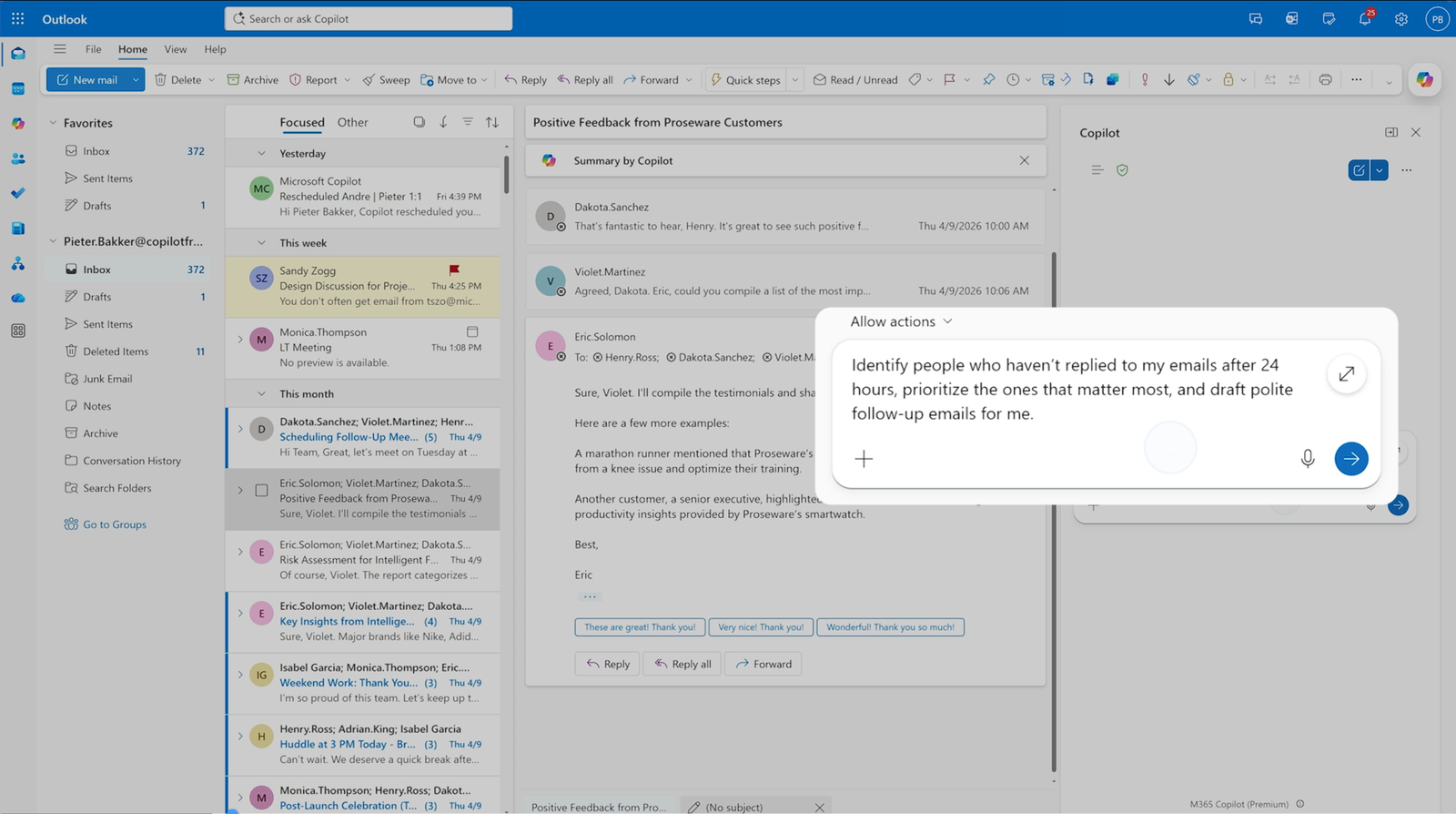
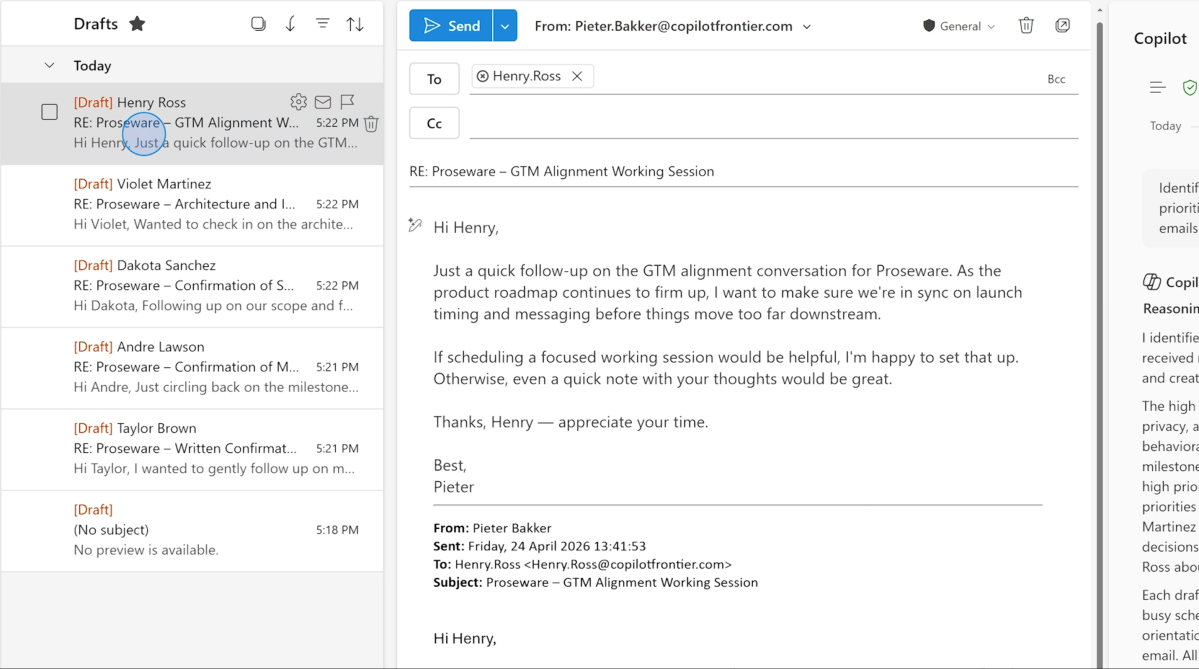
- Identify people who haven’t replied to my emails after 24 hours, prioritize the ones that matter most, and draft polite follow-up emails for me.
- I just returned from vacation. Help me catch up: Summarize what I’ve missed, highlight what’s most urgent, and draft a short briefing email. Then suggest emails I can safely archive and 1-2 tasks I should focus on first.
- Pull the latest updates on [project name] over the last week. Draft a confidential, high‑importance update email for my manager.
To me, the first prompt is the most impressive. I can picture a similar scenario: Like you, I receive numerous emails on a daily basis, most of which aren’t relevant to what I’m currently doing. (Many are story ideas and pitches that I’d reject for a number of reasons.) For now, at least some of the unsolicited email I receive goes unresponded to, even some that Outlook’s “Focused” view highlights as important. Being able to automatically generate a reply, even if the replay is transparently generated by AI, will help me close the loop.
Microsoft
And we all check email on vacation, too. Wouldn’t it be great to craft a prompt that could intelligently decide if an email was really important enough to flag you on? It’s that uncertainty that you might be missing something important that can linger and leave you on edge.
The new agentic AI works to improve your calendar, too. Personally, I’d have to see Microsoft’s agentic AI work its magic on my inbox before I’d really begin trusting it. But making and moving appointments is something you should be able to see occur in real time, confirming that Outlook is doing what you intended. Microsoft’s example prompts:
- Reschedule all of my 1:1s with my direct reports for next week to the Friday afternoon that week.
- Automatically follow all large meetings if they are outside my working hours, unless sent by my leadership team.
- Create an agenda for tomorrow’s product launch standup. Focus on open blockers, owner assignments, and a go/no-go decision.
Microsoft is also using AI as an advisor, allowing you to ask it which meetings to decline or follow to prioritize your time. It also can be used to help you prepare: “Help me prepare for my meeting with [customer name] tomorrow,” another suggested prompt reads. “What do I need to know, what should I ask, and what risks should I watch for?“
My calendar usually remains somewhat open, if only because my job involves working on productivity features and other stories. But someone like a manager or salesperson, with a loaded calendar, could certainly benefit from automated changes to their calendar.
Eventually, I’d expect these new features to move out of the “Frontier” program into general availability. And yes, they’d be worth keeping an eye on — you don’t want an email to a major business partner to be sent without supervision. But, over time, all these little improvements might work their way into general availability, for everyone. I’m looking forward to trying them out.
This articles is written by : Nermeen Nabil Khear Abdelmalak
All rights reserved to : USAGOLDMIES . www.usagoldmines.com
You can Enjoy surfing our website categories and read more content in many fields you may like .
Why USAGoldMines ?
USAGoldMines is a comprehensive website offering the latest in financial, crypto, and technical news. With specialized sections for each category, it provides readers with up-to-date market insights, investment trends, and technological advancements, making it a valuable resource for investors and enthusiasts in the fast-paced financial world.