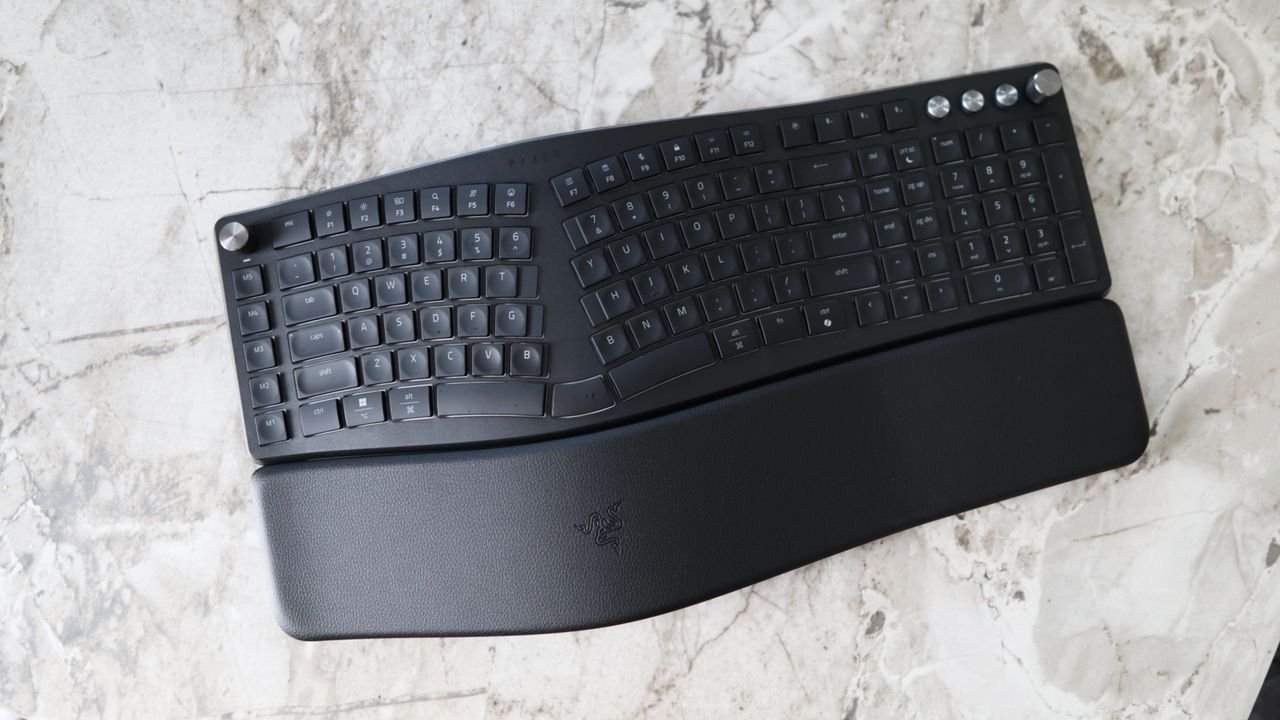
Razer Pro Type Ergo review: two-minute review
Ergonomic keyboards have long been Logitech’s territory, but the Pro Type Ergo is Razer’s most convincing argument yet that it belongs in the productivity conversation, and not dismissed as just a gaming brand.
It’s the brand’s first split ergonomic keyboard, and it arrives with a full-size layout, clever software and a mild enough learning curve to make ergo peripherals feel genuinely accessible. There’s a lot to like here — the software depth is impressive, the wireless connectivity is versatile, and the adjustment period is shorter than you might fear. But at its higher price tag, the lack of mechanical switches is hard to ignore, and that one compromise colors the whole package.
In practice, the Pro Type Ergo impresses in several key areas. The adjustment period is impressively short — I was largely up to speed within a couple of days, even with some stubborn old typing habits to shake. The fixed vegan leather wristrest is plush, the sculpted keycaps keep your fingers where they should be, and the duplicated ‘B’ key is a small but smart touch.
Software is a genuine highlight too, with Razer Synapse 4 offering up to 100 mappable functions for the twin command dials, deep macro key customisation, and an AI Prompt Builder that pipes queries into ChatGPT or Microsoft Copilot if you want it to. Connectivity is equally versatile, covering three-channel Bluetooth, a 2.4GHz USB-A receiver and USB-C wired, with a claimed three months of battery life per charge and an ideal set of outputs for power users.
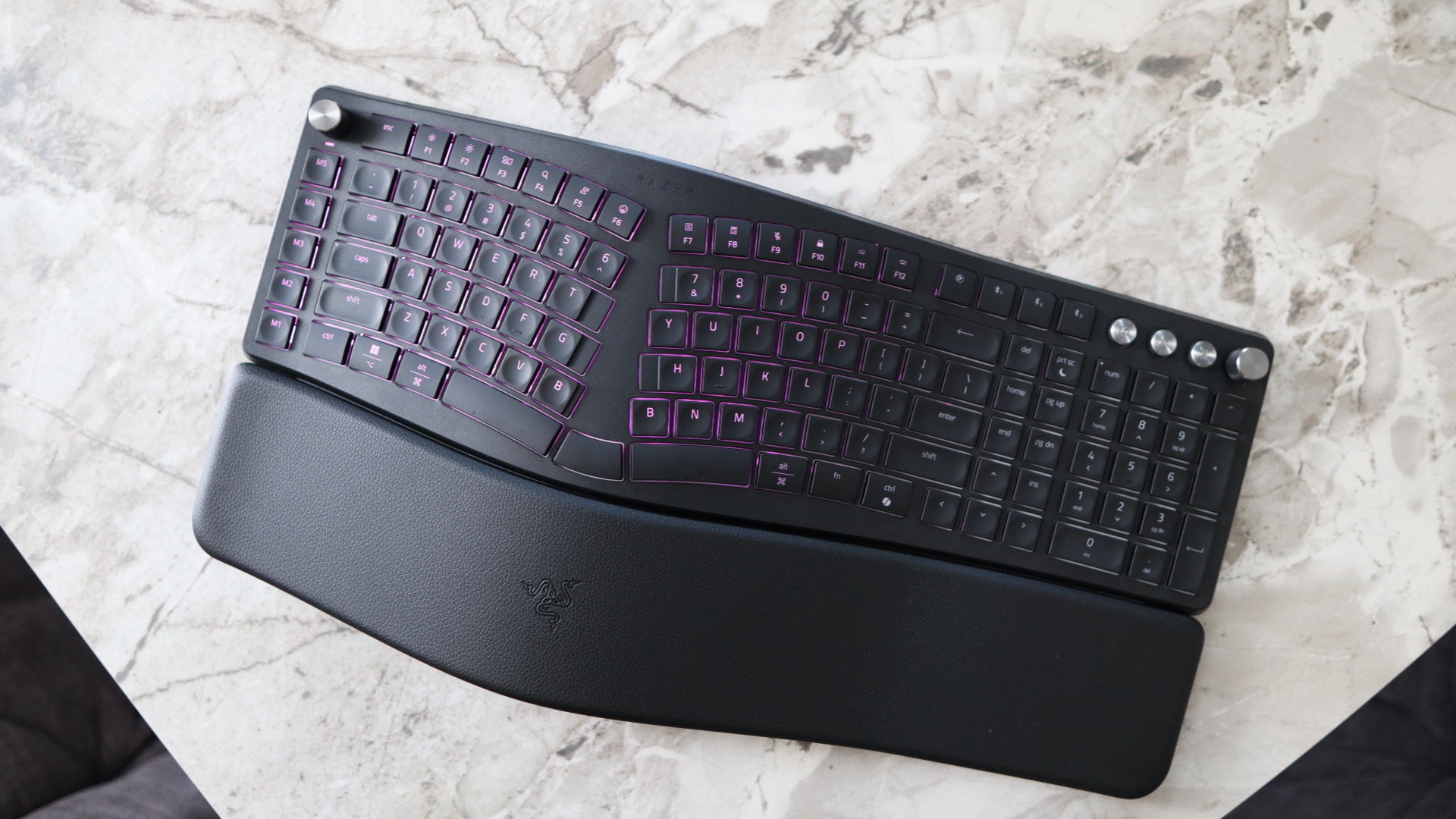
However, there are limits that stop the Pro Type Ergo from being an easy recommendation at this price. The most glaring is the switch choice — scissor-actuated membrane keys on a £179.99 keyboard feel like a bit of a compromise, however comfortable and snappy they might be in use.
The Keychron Q13 Max lands at a similar price and is properly mechanical, while the Logitech Ergo K860 covers the core ergonomic brief for roughly half the cost. The Pro Type Ergo’s full-size layout and non-removable wristrest also means it takes up a significant amount of desk space, which rules it out for anyone working in tighter quarters – it even made my 120cm desk seem tiny.
At $189.99 / £179.99 / AU$299.95, Razer is asking you to pay a premium for style, software depth and ergonomic approachability — and on the whole, it delivers with a product that’s comfortable, likeable, and especially versatile.
Just bear in mind the trade-off by going for a non-mechanical choice at this price. The Pro Type Ergo justifies much of its premium price tag with its versatility, clever software and a learning curve that won’t upend your entire working week. If you want to take the plunge into ergo peripherals without sacrificing style or features, this is a very good place to start.
Razer Pro Type Ergo review: Price & release date
- $189.99 / £179.99 / AU$299.95
- Released April 1, 2026
- Towards the top end of the market
Razer launched the Pro Type Ergo in April 2026, and it’s available for $189.99 / £179.99 / AU$299.95, which puts it towards the top end of this non-mechanical market, not least for a more niche product such as an ergonomic keyboard. It’s available from Razer’s own website and secondary retailers such as Amazon.
For reference, it’s possible to get more office-oriented ergo keyboards with a similar split layout for more affordable prices, such as the Logitech Ergo K860. It’s about half the cost of the Pro Type Ergo with similar fundamentals, although it misses out on Razer’s clever software trickery and the oodles of customisation it comes with.
For a more affordable choice, there’s also the Logitech Wave Keys, which isn’t quite as drastic with some of its ergo sensibilities, although it lacks the snappiness of scissor-actuated keys with more standard rubber domes.
Outside of the usual mainstream brands, the Keychron Q13 Max is a similar price to the Pro Type Ergo and comes with a full-size layout, a machined aluminium chassis, a command dial and macro keys, plus QMK software powers, and it is also properly mechanical. For a different take on ergonomics, the HHKB Studio is a fellow premium choice, but instead of offering split keys and such, it moves some keys around for a more comfortable layout and is fully mechanical.
- Value score: 3.5/5
Razer Pro Type Ergo review: Specs
|
Layout |
Full-size – optimised |
|
Switches |
Scissor-actuated membrane |
|
Programmable keys |
Yes |
|
Dimensions |
18.3 x 9.6 x 1.6 inches / 464 x 243 x 40mm (LxWxH) |
|
RGB or backlighting |
Yes – RGB (customisable) |
Razer Pro Type Ergo review: Design
- Large profile on desk
- Lots of convenient creature comforts
- Mild ergonomic layout optimisations
The Pro Type Ultra is Razer’s first split ergonomic keyboard, and it blends several of the brand’s key design hallmarks into a brand new form factor. For instance, it comes with its usual modern and understated design language that has characterised a lot of its more recent releases.
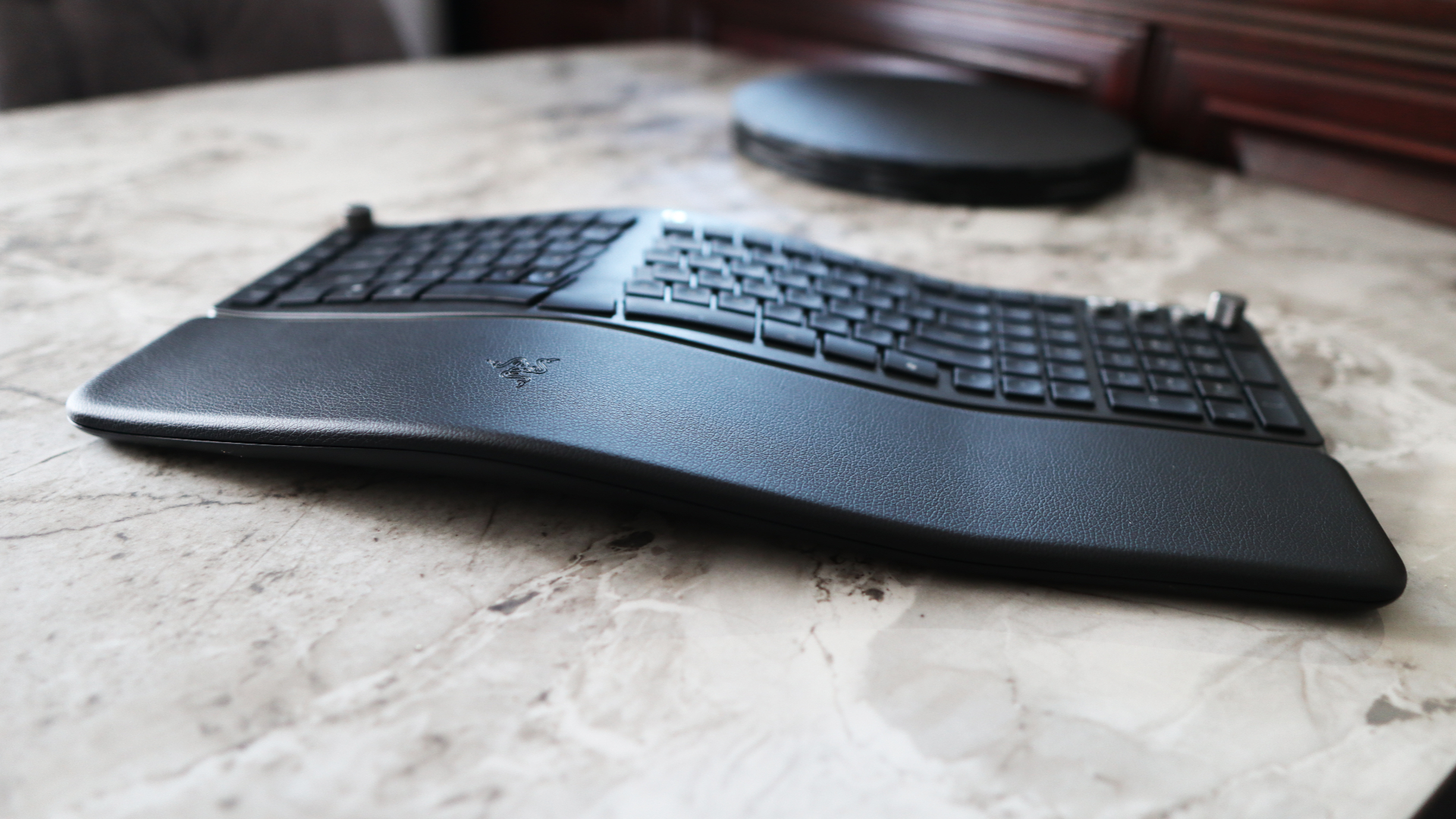
The fact that it’s a full-size layout keyboard with a number pad, nav cluster and function row alongside a big wristrest and function dials means it takes up an awful lot of desk space. That vegan leather wristrest is a large part of the bulkiness of this keyboard, and it isn’t removable.
Nonetheless, Razer has designed this keyboard to be functional and comfortable with that full-size layout in mind, and the fact that this is a milder form of ergonomic keyboard than some of the weirder options from Kinesis and ZSA that can take even more getting used to.
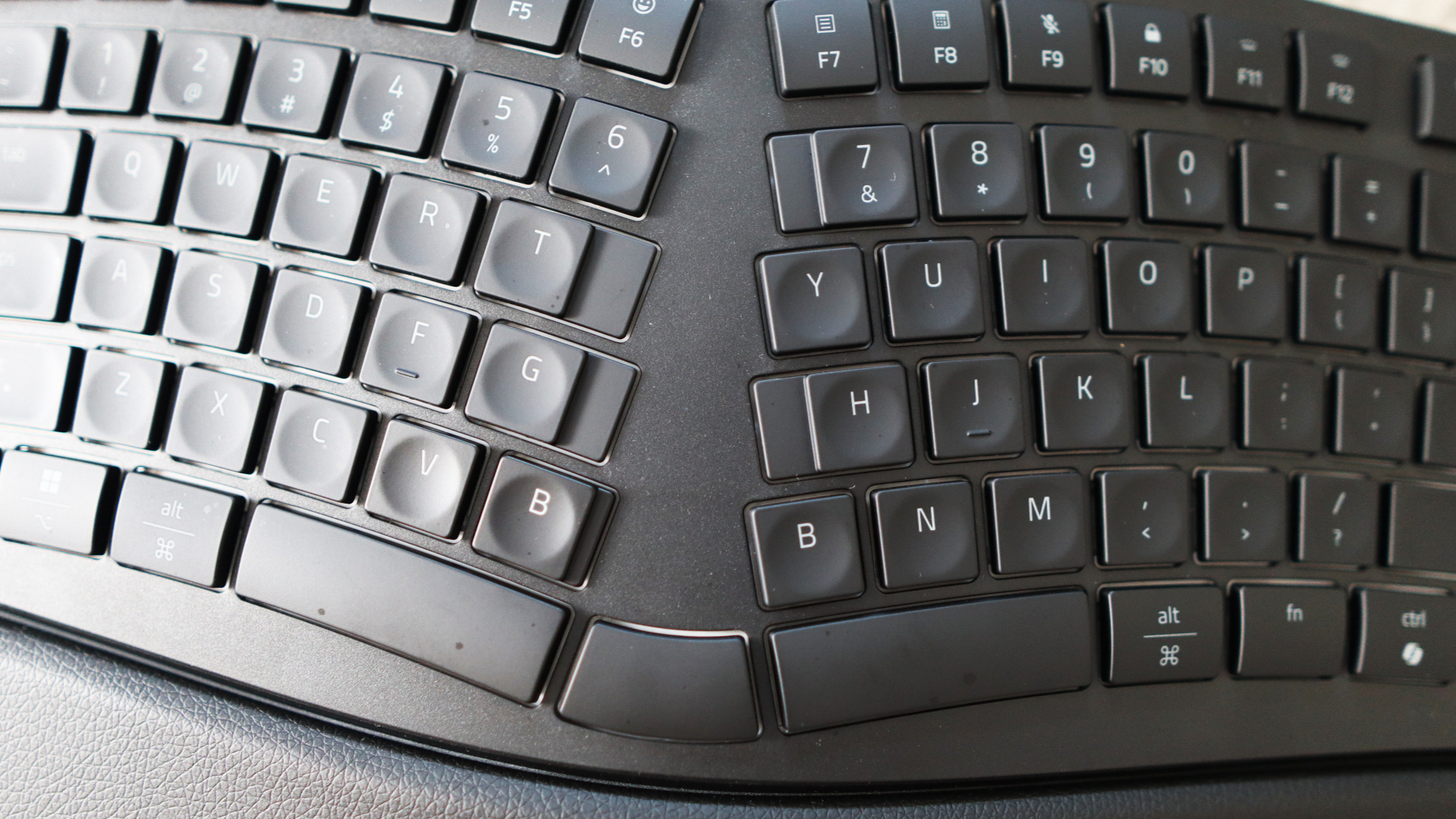
What I mean by this is that this keyboard has a mild split down the middle that’s designed to align your hands directly with your shoulders to help reduce the risk of getting RSI or carpal tunnel syndrome.
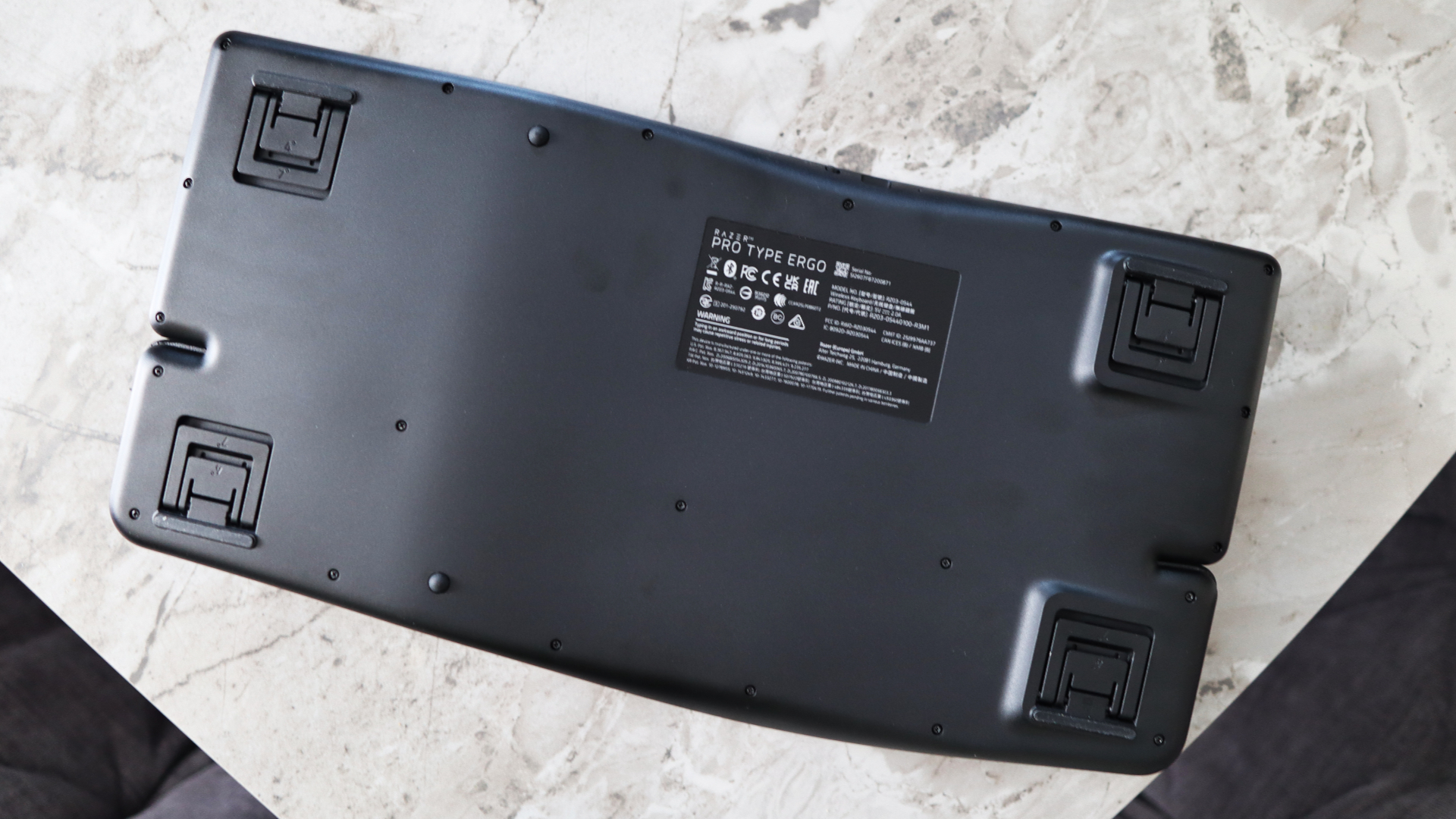
To Razer’s credit, even though the angle of the split is fixed, the keyboard has a natural rise and fall across its chassis to help reduce pronation, or forearm strain. The fixed wristrest is also decently plush in the middle, and you get some excellent two-stage feet in all four corners on the underside of the keyboard to raise the angle up or down as you’d prefer.
This split layout forces you to learn how to touch-type properly, which can take some getting used to if you have an odd technique, as I do, where I rarely use my ring and pinky fingers to type, and usually use my fore and middle fingers to do most of the work, sometimes on either side of the keyboard.

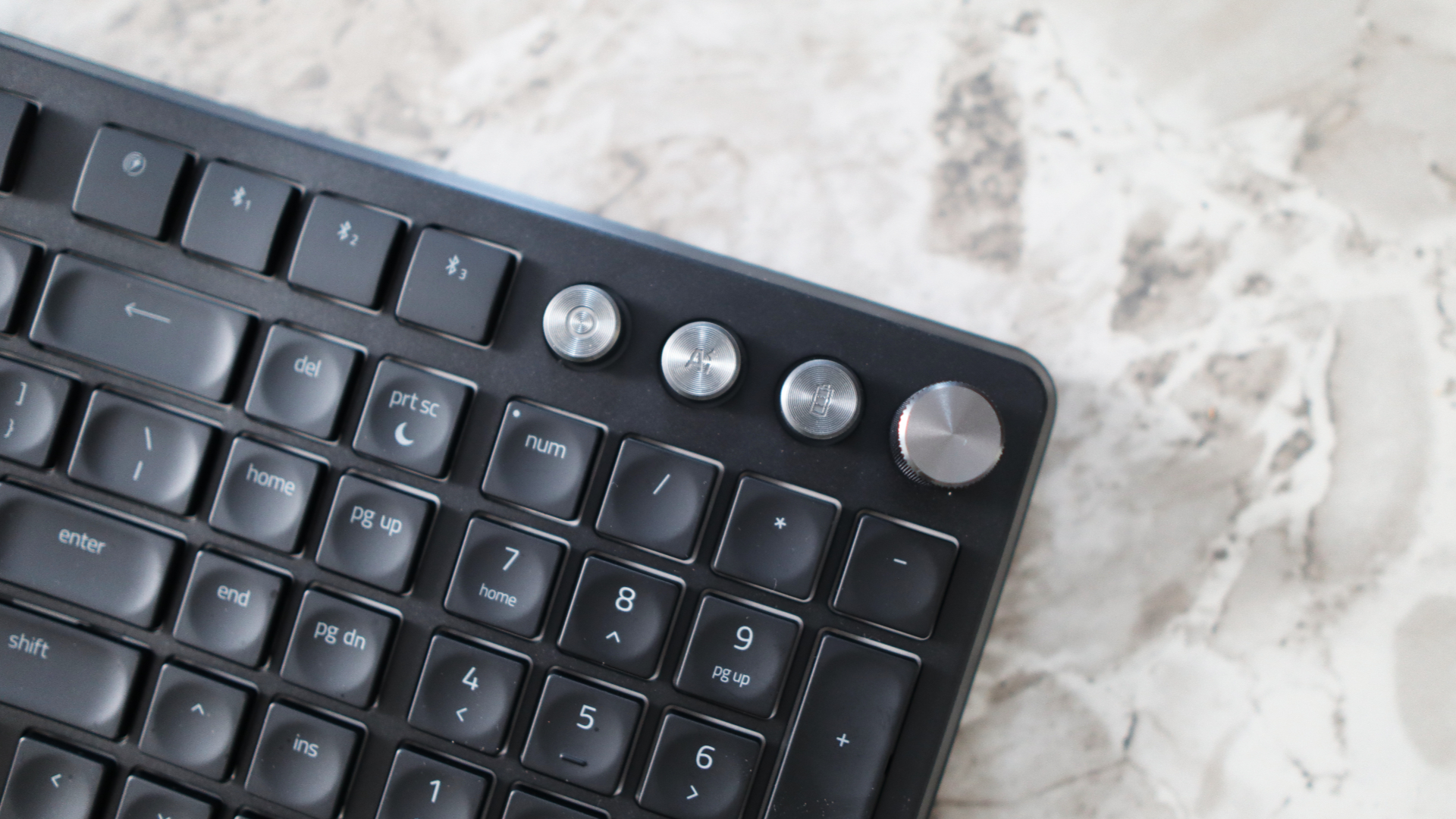
Razer has made some small, but noticeable, changes to a standard full-size layout, making some keys slightly elongated, with the 7, T, G, H and B keys. Weirdly, the B key has been duplicated to improve speed and comfort, and the space between the two Space Bars on the bottom row. The keycaps are also slightly sculpted, similarly to the Logitech MX Keys range of products to help keep your fingers where they should be.
Outside of the ergonomic benefits of the Pro Type Ergo, Razer has also made sure to give this keyboard other accoutrements, such as programmable macro keys down the left side and a couple of command dials in each corner. There are also three silver shortcut keys in the top right corner for opening Razer’s own AI Prompt Master software, checking battery status and a custom button, plus there are dedicated buttons for wireless pairing over Bluetooth and the bundled 2.4GHz receiver.
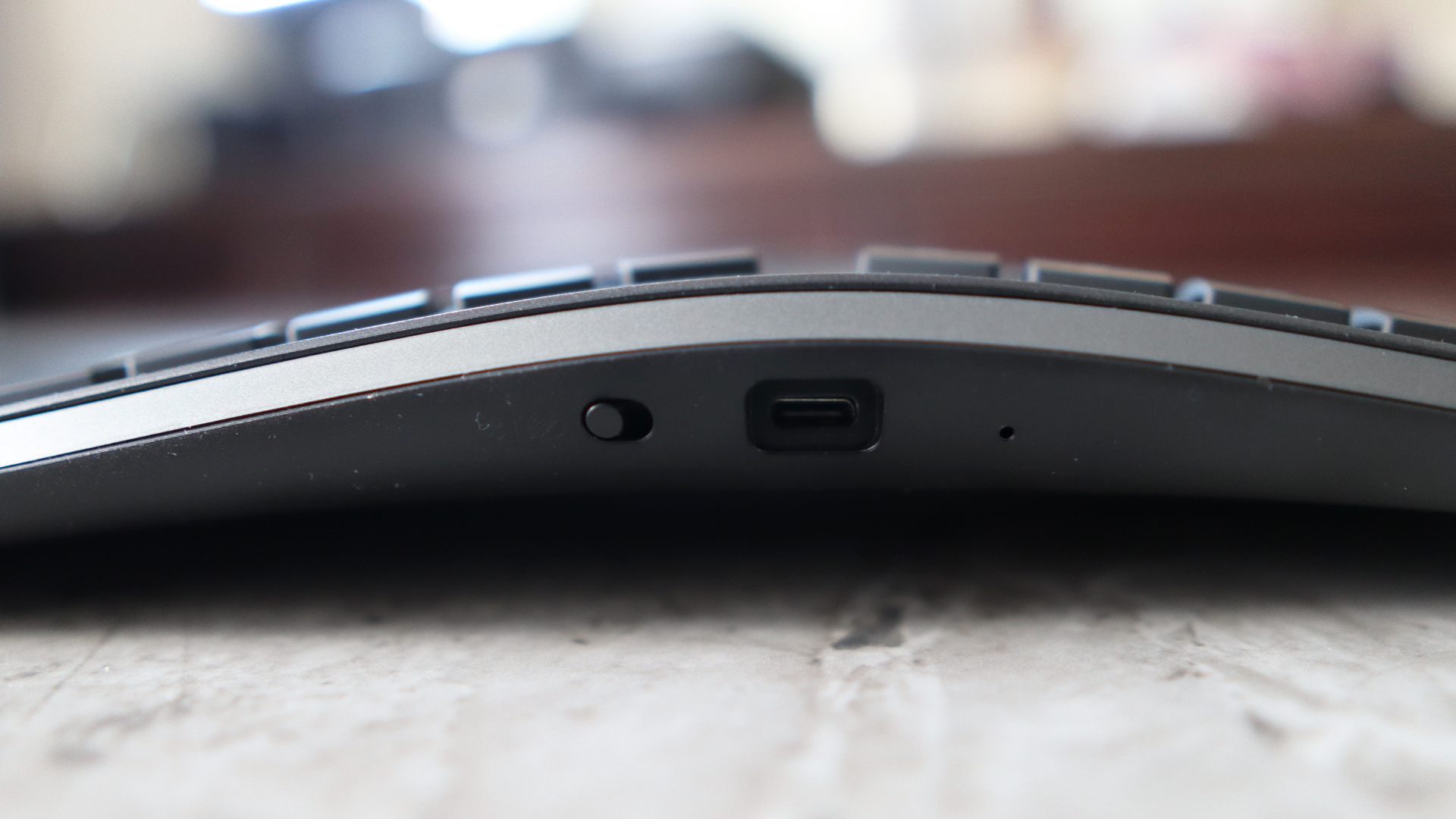
The front interface is quite simple, with a convenient toggle switch for wired or wireless use and a USB-C port for charging and wired use.
- Design score: 4/5
Razer Pro Type Ergo review: Performance
- Less of a learning curve than expected
- Comfortable feel, although not mechanical
- Extensive software and connectivity options
Usually I take a couple of weeks to review a keyboard to best understand its quirks and features, but took a little longer with the Pro Type Ergo, owing to its ergonomic credentials. In my experience, it can take a good week or so to get fully used to using an ergonomic keyboard or mouse, so I thought it best to take my time to give Razer’s keyboard a fair shot.
To be truthful, the adjustment period of moving to this ergo keyboard wasn’t as long as I was expecting it to be, and I found myself mostly up to speed within a couple of days. It took longer to try to get out of some of the habits I’ve picked up over decades of typing in a funny way. For instance, I found myself usually reaching over to press the Y key with my left forefinger out of habit, which I had to train myself not to do during the review period. It might be useful if Razer put two Y keys to help out with this habit, especially as they’ve already done it for the B key on the bottom row, but your mileage may vary, of course.
Nonetheless, I found the Pro Type Ergo to be a comfortable device to use, especially after the smaller adjustment period. It makes a product like this a more compelling purchase against ones that force you to make more wholesale changes to your routine, which can be quite upending in some instances.
Under finger, this Razer product isn’t mechanical, which surprised me considering its high price tag. Instead, it’s using a scissor-actuated mechanism that’s similar to what you’ll find on the smaller Razer Joro or any of the brand’s Blade laptops. This means it’s a short and snappy keypress, but one that lacks the precision or tactility of a mechanical option.
There are ergonomic keyboards that are also mechanical, but owing to the bigger size of full-height mechanical switches, they are likely to be bulkier than the Razer Pro Type Ergo – I can understand why this isn’t a mechanical product, but it’s still a shame it isn’t.
Connectivity is versatile, with three-channel Bluetooth and 2.4GHz with the bundled USB-A receiver on the menu, and pairing is simple, too. Simply hold the button down on the keyboard until the button flashes blue and the Pro Type Ergo shows up in the pairing menu of your device. You can also use the bundled USB-C cable for wired connectivity.
As for battery life, Razer also promises three months of use from a single charge, though I imagine you’ll have to cut RGB lighting to reach that. You can check the keyboard’s battery level with the dedicated button in the top-right corner, which is neat. The Pro Type Ergo takes five and a half hours to recharge, but if the charge lasts up to three months, that’s a small price to pay in my book.
Software duties are handled by Razer Synapse 4, and the Pro Type Ergo, unfortunately, isn’t compatible with the new web-based variant of Synapse. It’s an improvement on the older and clunkier forms of Synapse that came before it, and provides a lot of customisation opportunities for the keyboard, with up to 100 different functions available for the keyboard’s command dials, custom key bindings for the macro keys (or you can use built-in ones for apps such as Photoshop or MS Word), and even remapping every other key on the keyboard.
The dedicated AI Prompt button on the keyboard works in a similar way to Logitech’s Logi Prompt Builder, allowing you to build a prompt in software, which is then answered by your choice of either ChatGPT or Microsoft Copilot in a browser window.
- Performance score: 4/5
Should I buy the Razer Pro Type Ergo?
|
Attribute |
Notes |
Score |
|---|---|---|
|
Design |
The Pro Type Ergo is a big keyboard, but it packs in a lot of optimisation to make it comfortable to use with little adjustment period. |
4/5 |
|
Performance |
The scissor-actuated keys make this a comfortable keyboard to use for extended periods, plus there is good battery life, clever software and versatile connectivity choices. I would have preferred it to be mechanical, though. |
4/5 |
|
Value |
The Pro Type Ergo is towards the top end of the market for an ergonomic keyboard for office use, but it helps to justify its price tag with its versatility. You can spend less and get the core experience, though. |
3.5/5 |
|
Average Rating |
The Razer Pro Type Ergo is a clever ergonomic keyboard with a comfortable typing feel, some very versatile software and convenient wireless connectivity that’s a good choice if you want to take the plunge into ergo peripherals with a good dose of style. It’s a shame it isn’t mechanical, though, and the price is quite high. |
4/5 |
Buy it if…
You want a comfortable typing feel:
The Pro Type Ergo impresses with its low-profile scissor-actuated keys that provide a comfortable and snappy feel similar to a good laptop keyboard. If you’re used to this kind of thing, it’s lovely to use.View Deal
You want versatile wireless connectivity:
This Razer keyboard also has some excellent connectivity choices, supporting three-channel Bluetooth, a USB-A receiver and USB-C wired, making it especially versatile for power users.View Deal
You want clever software:
The Pro Type Ergo’s use of Razer Synapse 4 for software makes it one of the cleverest keyboards I’ve tested for office use, especially with its macro keys and even the AI Prompt Builder if it’s something you’d use.View Deal
Don’t buy it if…
You’d prefer something mechanical:
Personally, though, I’d prefer something mechanical for a more precise feel and better feedback under finger than any membrane keyboard can give you.View Deal
You want something more affordable:
The big thing with the Pro Type Ergo is a higher price tag against some of its more office-oriented rivals that provide a similar core experience, just without some of the frills.View Deal
You want something smaller:
This Razer keyboard also takes up a lot of space on a desk with its hefty wrist rest and full-size layout, and you can get ergo keyboards that are a smaller form factor.View Deal
Also consider
Logitech Ergo K860
The Logitech Ergo K860 provides a lot of the same fundamentals as the Pro Type Ergo with a split layout, raised profile, bundled wristrest and scissor-actuated keys, but it lacks some of the more advanced powers of software, RGB and more besides – it is half the price, though. Read our full Logitech Ergo K860 review.View Deal
HHKB Studio
It might seem like an odd choice, but the HHKB Studio offers a different take on an ergonomic keyboard as it chops and changes the location of some keys for a more ergonomic position, such as eschewing the Caps Lock in favour of the Control key. It is mechanical, wireless, and also has a Lenovo-style Trackpoint for added convenience. You will pay for it, though. Read our full HHKB Studio review.View Deal
How I tested the Razer Pro Type Ergo
- Tested for around three weeks
- Used for gaming and productivity across Windows and macOS
- A decade of experience as a journalist and mechanical keyboard hobbyist
I tested the Pro Type Ergo for around three weeks, using it as my main keyboard for work and play during this time with both Windows and macOS.
I used it for typing up thousands of words a day with my PC and hooked up to my MacBook Pro over Bluetooth as my primary keyboard for work, too, to judge its performance. I also used the Razer Synapse 4 software on Windows to remap keys, program the macros and see what else it had to offer.
I’ve been a tech journalist for the best part of a decade, and have reviewed plenty of keyboards in that time from brands big and small. I’m also a mechanical keyboard enthusiast, so I have a keen eye for peripherals and have been involved with the hobby before it hit the mainstream.
- Read TechRadar’s reviews guarantee
- First reviewed: June 2026
This articles is written by : Nermeen Nabil Khear Abdelmalak
All rights reserved to : USAGOLDMIES . www.usagoldmines.com
You can Enjoy surfing our website categories and read more content in many fields you may like .
Why USAGoldMines ?
USAGoldMines is a comprehensive website offering the latest in financial, crypto, and technical news. With specialized sections for each category, it provides readers with up-to-date market insights, investment trends, and technological advancements, making it a valuable resource for investors and enthusiasts in the fast-paced financial world.