$30 OFF — TODAY ONLY
AV Access KVM Docking Station
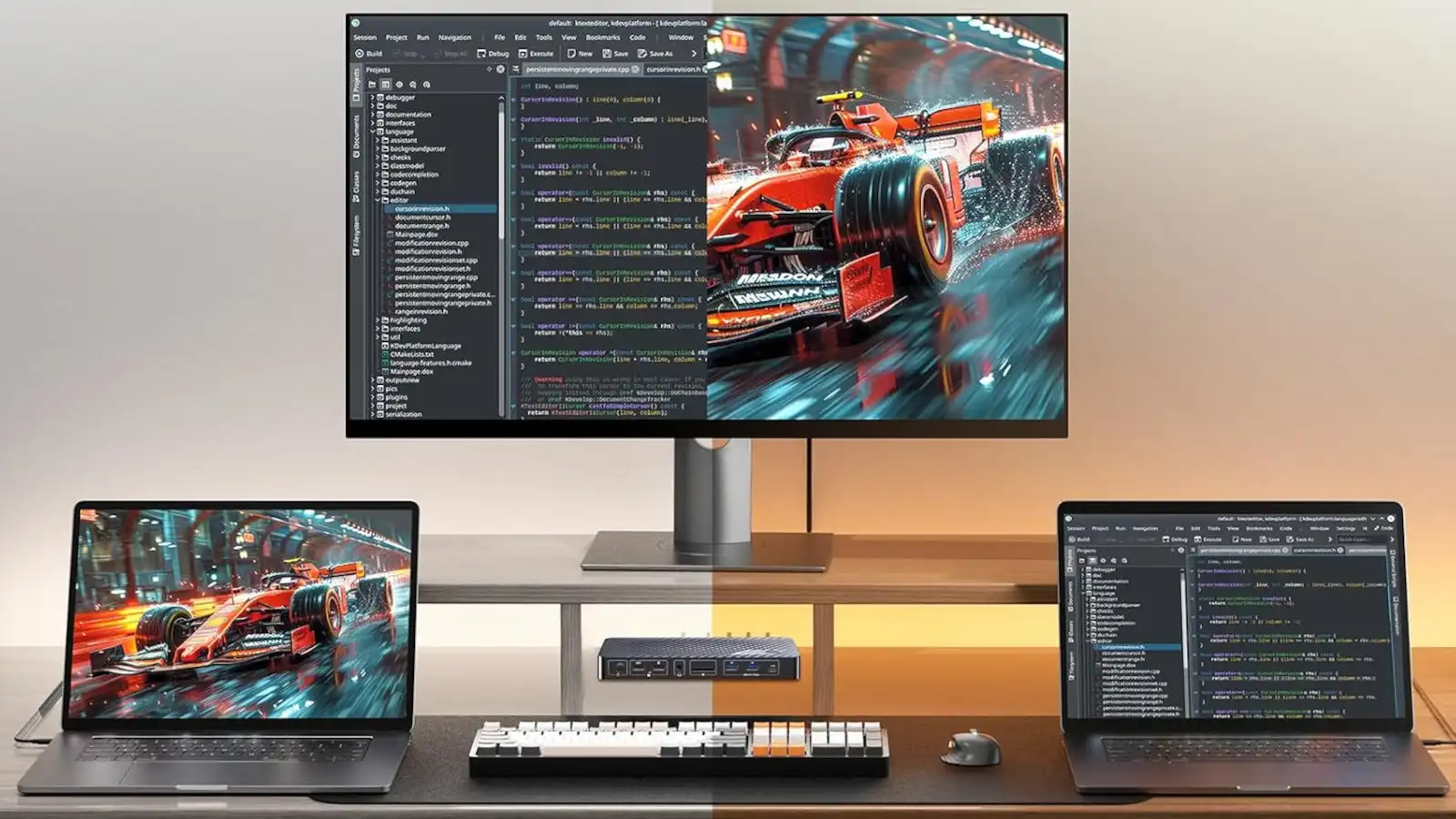
If you have two separate computers (like a personal and work laptop, or a laptop and desktop PC) and regularly switch between them, you know this problem: different keyboard and mice for each one, and lots of unnecessary desk clutter. Or if you only have one keyboard and mouse, then constantly reconnecting them between devices.
You can solve that with a KVM switch, which takes a single keyboard, mouse, and monitor and lets you control multiple computers with them. If you get a KVM switch that doubles as a docking station, then you can also plug in other accessories like flash drives, SSDs, headphones, and chargers that instantly work with all those computers.
The AV Access KVM docking station is a great entry-level option, especially now that it’s on sale for $170, down from its typical price of $200. Amazon has this listed as a lightning sale, meaning it ends in just 17 hours (i.e., 3 AM on August 1st). It matches the cheapest price it’s ever been, and it’s cheaper than many other models.
What this KVM docking station offers
This 11-in-1 KVM docking station packs a bunch of ports that are shareable between both connected computers, including one USB-C data, triple USB-A data, double USB-A for peripherals, an SD card slot, an Ethernet port, a 3.5mm audio jack, and double 4K/60Hz HDMI for monitors. In short, it supports an entire workstation and makes it easy to use that full workstation setup with two different laptops.
To switch, you can just press the panel switch button on top, which has an LED light showing which laptop is currently active. Or you can tap the included wired remote controller, which has a 4-foot cord so you don’t have to reach all the way back every time. No additional software or driver installations are required.
If you’re on laptops, this KVM dock has USB-C power delivery of up to 100W, with individual USB-C charging ports for each laptop. Connect your chargers to the rear and your computers will stay charged effortlessly.
Another nice thing about this KVM dock is that while there’s only a single Ethernet port, both connected systems can remain online at the same time. According to AV Access, downloads and updates can continue to run on both devices even as you switch between them.
But if you’re on a Mac, there’s one big caveat: macOS doesn’t support extended dual-monitor displays with this model. In other words, if you’re connecting two monitors to this KVM dock, both of them will show the same thing instead of acting as two separate monitors.
Why this deal is worth it
Now that it’s $170, the AV Access KVM docking station is back to its lowest price, and this price is only good for the next 17 hours. You could easily spend that much on a single KVM switch, but this one also folds in a bunch of other ports and acts as a true docking station, making it an ideal entry-level model for dual-laptop users with extensive workstations.
The reviews are mostly positive, averaging 4 stars across 138 reviews. Users say it’s easy to set up, the power delivery is good, and switching between laptops is seamless. Some users wish it had more USB-C ports, and some report that the switching speed could be faster while others think it’s fast enough.
If you only have a single laptop but want the benefits of a docking station, check out PCWorld’s roundups of the best USB-C hubs, best Thunderbolt docks, and best DisplayLink docks.
This articles is written by : Nermeen Nabil Khear Abdelmalak
All rights reserved to : USAGOLDMIES . www.usagoldmines.com
You can Enjoy surfing our website categories and read more content in many fields you may like .
Why USAGoldMines ?
USAGoldMines is a comprehensive website offering the latest in financial, crypto, and technical news. With specialized sections for each category, it provides readers with up-to-date market insights, investment trends, and technological advancements, making it a valuable resource for investors and enthusiasts in the fast-paced financial world.