
If you’re in the market for one of the best soundbars, then there’s a feature you might have come across already called HDMI passthrough, available in some soundbars that connect over HDMI ARC and HDMI eARC.
HDMI passthrough allows you to plug a source device, such as a games console or streaming stick, directly into your soundbar over HDMI, and the video will then be passed onto your TV.
It’s a useful feature because when a soundbar connects to your TV over HDMI, you obviously can’t connect anything else to it over that port — and it’s not uncommon these days to have more HDMI devices than you have open ports.
This means that HDMI passthrough gives you more flexibility about how all of your home entertainment tech works together, since you don’t ‘lose’ the use of the HDMI port your soundbar is connected to — and some soundbars even have multiple HDMI inputs, so you actually gain ports.
You won’t find HDMI passthrough on every soundbar. And that’s okay, not everyone needs it — but it might be a factor in your buying decision, if it seems like it’ll be useful to you.
This guide should help you better understand what HDMI passthrough is, how it works and if you really need it.

What is HDMI passthrough on soundbars?
To be clear, we’re talking here about how HDMI passthrough works on a soundbar. You might hear the term passthrough in other contexts. You also might see this referred to by some brands as just soundbar passthrough or video passthrough.
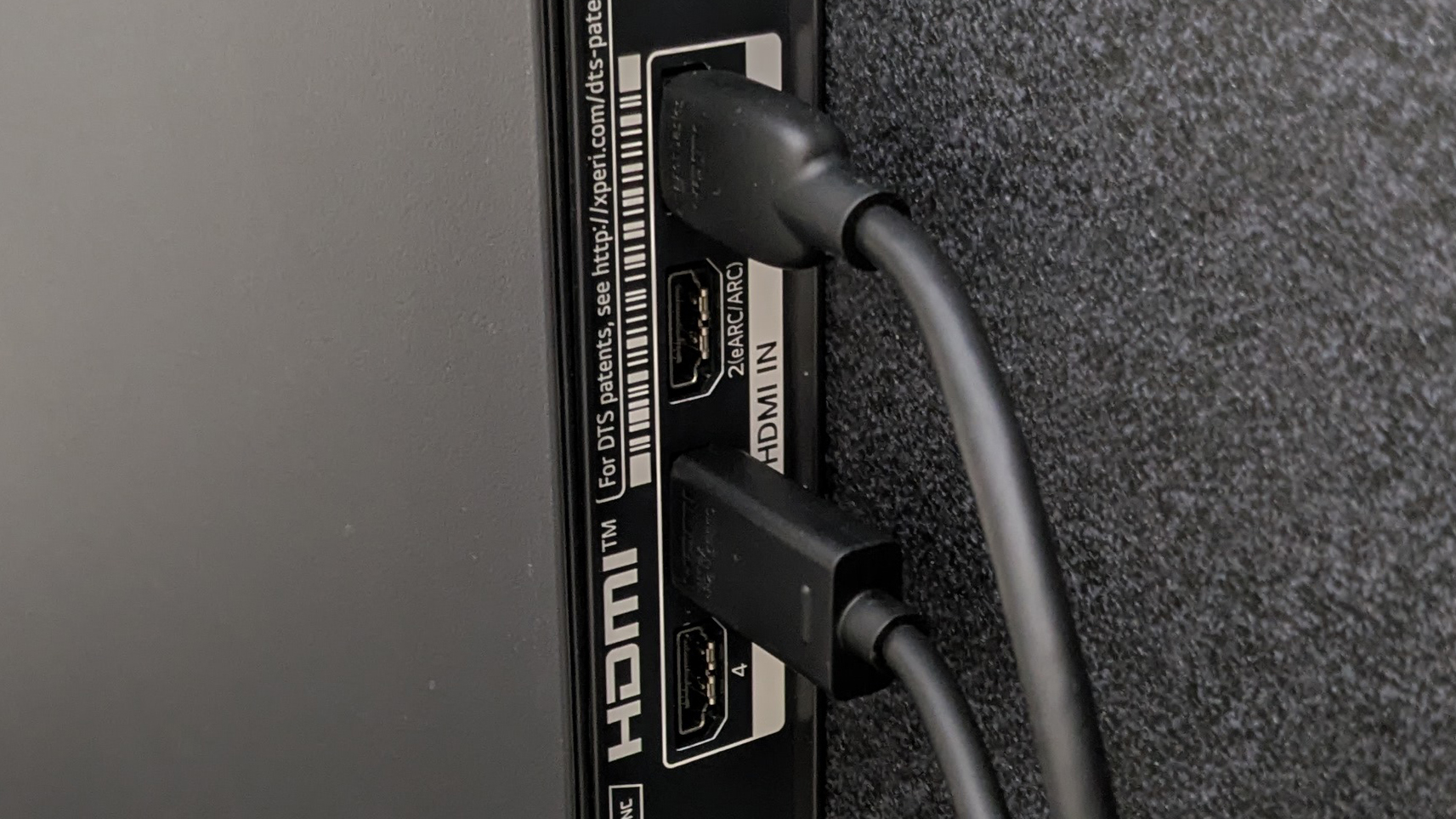
It might not be referred to as ‘passthrough’ at all, but it might just be mentioned that a soundbar has an HDMI input as well as an HDMI ARC connection — in this case, the HDMI ARC connection is the part that goes to the TV (here’s our HDMI ARC explainer) and the HDMI input is the port you use for the extra device.
In a typical setup, you might expect to connect a source device, like a games console or Blu-ray player, directly to your TV. The TV then receives the video and audio, then sends the audio to the soundbar.
But, if your soundbar has HDMI passthrough, you can connect the source device directly to the soundbar, then connect the soundbar to the TV.
The soundbar takes the audio and plays it through its speakers, while passing the video through to the TV without losing video resolution. This can have some specific advantages outside of just meaning that you get an extra HDMI port, which we’ll come to later.
What’s the difference between HDMI passthrough and ARC/eARC?
In this soundbar context, HDMI passthrough describes the route the video takes. The source connects to the soundbar, and the soundbar passes the video on to the TV.
HDMI ARC and eARC do something different. They let the TV send audio to the soundbar (the difference between those two terms is just that eARC is capable of higher-quality audio).
These two things exist in harmony. For example, you could connect a games console to your soundbar, then connect the soundbar to the TV. The soundbar could then handle the console’s audio and pass its video to the TV. While eARC would allow the TV to send audio from other sources, like its built-in streaming apps, to the soundbar.
Do you need HDMI passthrough on your soundbar?
If you’re buying a new soundbar and comparing the specs, it’s easy to assume that more features are always a good thing. But HDMI passthrough is only really useful for specific situations.
There are three main reasons you might want to make sure your soundbar has HDMI passthrough:
1. You’ve run out of HDMI ports on your TV
If your TV doesn’t have enough HDMI inputs for all of your devices, then you can connect a device to the soundbar instead. This way the soundbar effectively gives you another HDMI input.
2. You’ve run out of the right kind of HDMI port on your TV
This is slightly complicated, but stick with me. The HDMI eARC port on your TV is nearly always an HDMI 2.1 port. This version of HDMI also enables you to connect 4K 120Hz / VRR devices, such as a games console or Apple TV 4K. But many TVs in people’s homes today only shipped with two HDMI 2.1 ports (even though they have four HDMI ports in total), meaning that if you connect a soundbar you now only have one HDMI 2.1 port free for those devices, and it’s not uncommon to have more than one of these. So if your soundbar has HDMI passthrough that supports HDMI 2.1 features, it can be exactly what you need if you’ve run out of HDMI 2.1 connections specifically. You’ll have to make sure the soundbar supports these features, though, because not all do.
3. Your TV is limiting the audio that you can send to the soundbar
Modern audio formats need fancy decoding to get the full quality from them, which means that one of the parts in your system needs to have support to make the most of them. In most cases, this is easy — for example, it’s very rare to buy a half-decent TV that can’t do Dolby Atmos. However, in some cases, it’s not so easy. For example, DTS is a rival to Dolby’s tech, and isn’t supported by major TV brands such as LG and Samsung in their TVs. But it is supported in the soundbars. So one option is to connect your source device that’s playing DTS sound directly to the soundbar, meaning the full-quality sound is decoded and played, removing your TV from the equation. This is a rare need, but there are example — for example, using a PS5 as a Blu-ray player with an LG or Samsung TV, as mentioned above.
If none of these apply to you, then you probably don’t need HDMI passthrough currently. There’s always the argument that it’s good to have for future-proofing, but certainly it’s optional.
For many setups, the simplest option is to connect your consoles and other source devices directly to the TV, then connect the TV’s eARC port to the soundbar with a single HDMI cable. Sticking with this approach reduces the number of things that could go wrong in your system — more tech means more possible glitches.
What you need to know before buying a soundbar with HDMI passthrough
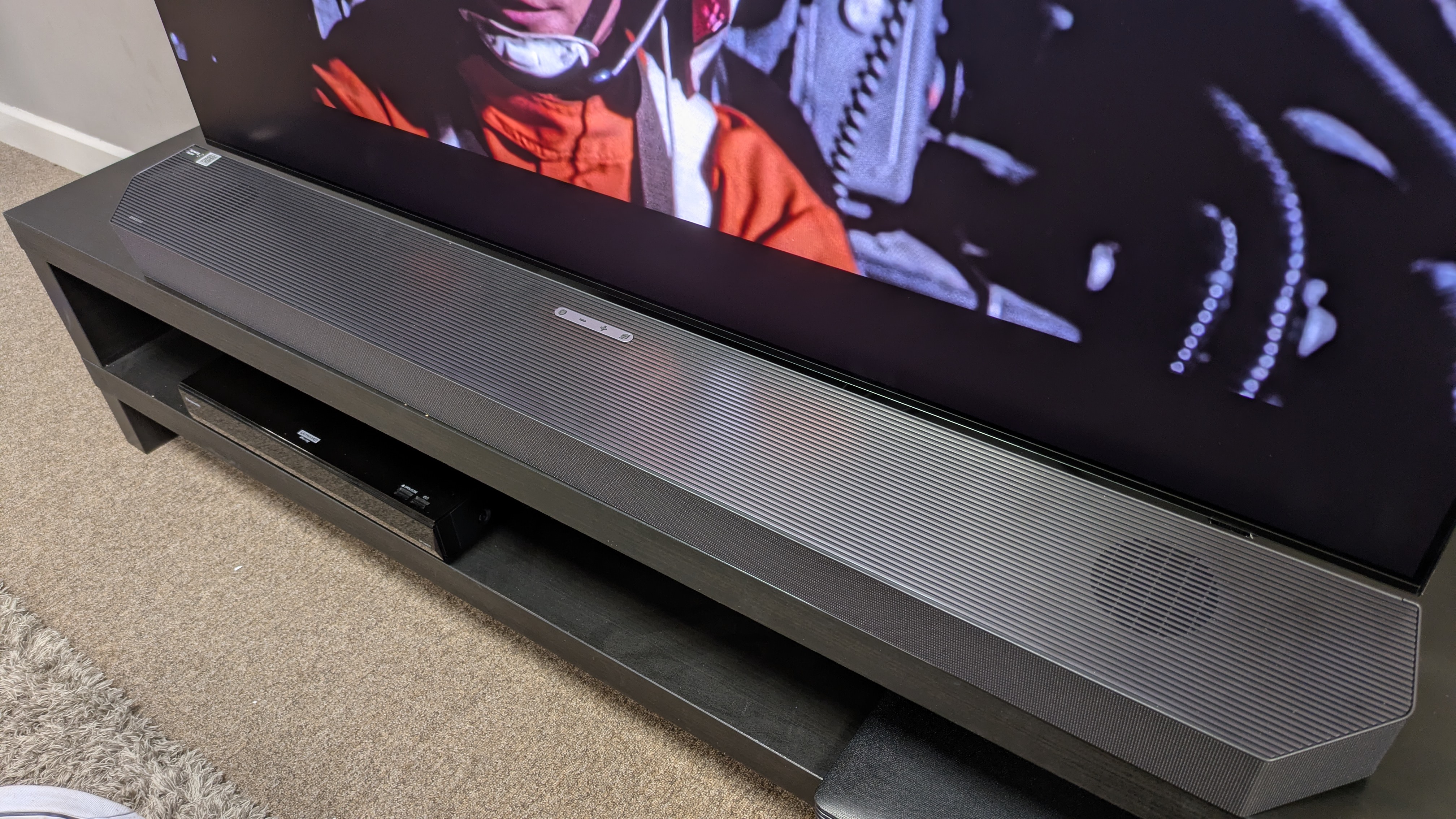
Although several of the top picks in our best soundbars guide have HDMI passthrough, not all of them do.
If you want this feature, look for a soundbar with an HDMI input labelled “HDMI In” or “HDMI Input”. This is where you’ll connect your source device.
You’ll also usually see an HDMI output labelled “HDMI Out”, often with ARC or eARC. This is the connection that goes from the soundbar to your TV. A soundbar with only an HDMI ARC/eARC port and no HDMI input can’t provide HDMI passthrough — if a soundbar only lists that it has one HDMI port, then it’s always an ARC/eARC port only.
But having an HDMI input doesn’t automatically mean the soundbar supports every video or audio format either. For example, if you want to connect a PS5, check whether the HDMI input supports the features you want to use, such as the 4K 120Hz, variable refresh rate and Dolby Vision HDR.
You’ll also need to check the soundbar’s specifications for resolution and refresh rate, HDR, gaming features and audio formats specifically. Don’t assume that ‘HDMI 2.1’ or ‘4K passthrough’ tells you everything you need to know, because there’s a lot of nuance in HDMI connections.
Which soundbars do we recommend with HDMI passthrough?
1. The Samsung HW-Q990H
Samsung flagship surround soundbar system has two HDMI inputs, as well as its HDMI eARC port, and it supports 4K 120Hz passthrough with Dolby Vision HDR and variable refresh rate. It’s the ultimate in passthrough tech! Here’s our five star Samsung HW-Q990H review.
2. Samsung HW-Q800F
Samsung’s mid-range soundbar is an excellent option if don’t want rear speakers, and supports all the same HDMI passthrough formats as the model above, though it only has one HDMI input instead of two. Here’s our five-star Samsung HW-Q800F review.
3. Klipsch Flexus Core 300
This is our favorite all-in-one soundbar with HDMI passthrough — and all-in-one here means no subwoofer and no rear speakers, because a lot of people just want a simpler system. Here’s our five-star Klipsch Flexus Core 300 review.
Thinking of buying a new TV?
Try our TV size and model finder! You tell it how far you sit from your TV, we’ll tell you what size to buy based on viewing angle advice from image quality experts, and we’ll recommend our three top TVs at that size for different prices.
This articles is written by : Nermeen Nabil Khear Abdelmalak
All rights reserved to : USAGOLDMIES . www.usagoldmines.com
You can Enjoy surfing our website categories and read more content in many fields you may like .
Why USAGoldMines ?
USAGoldMines is a comprehensive website offering the latest in financial, crypto, and technical news. With specialized sections for each category, it provides readers with up-to-date market insights, investment trends, and technological advancements, making it a valuable resource for investors and enthusiasts in the fast-paced financial world.