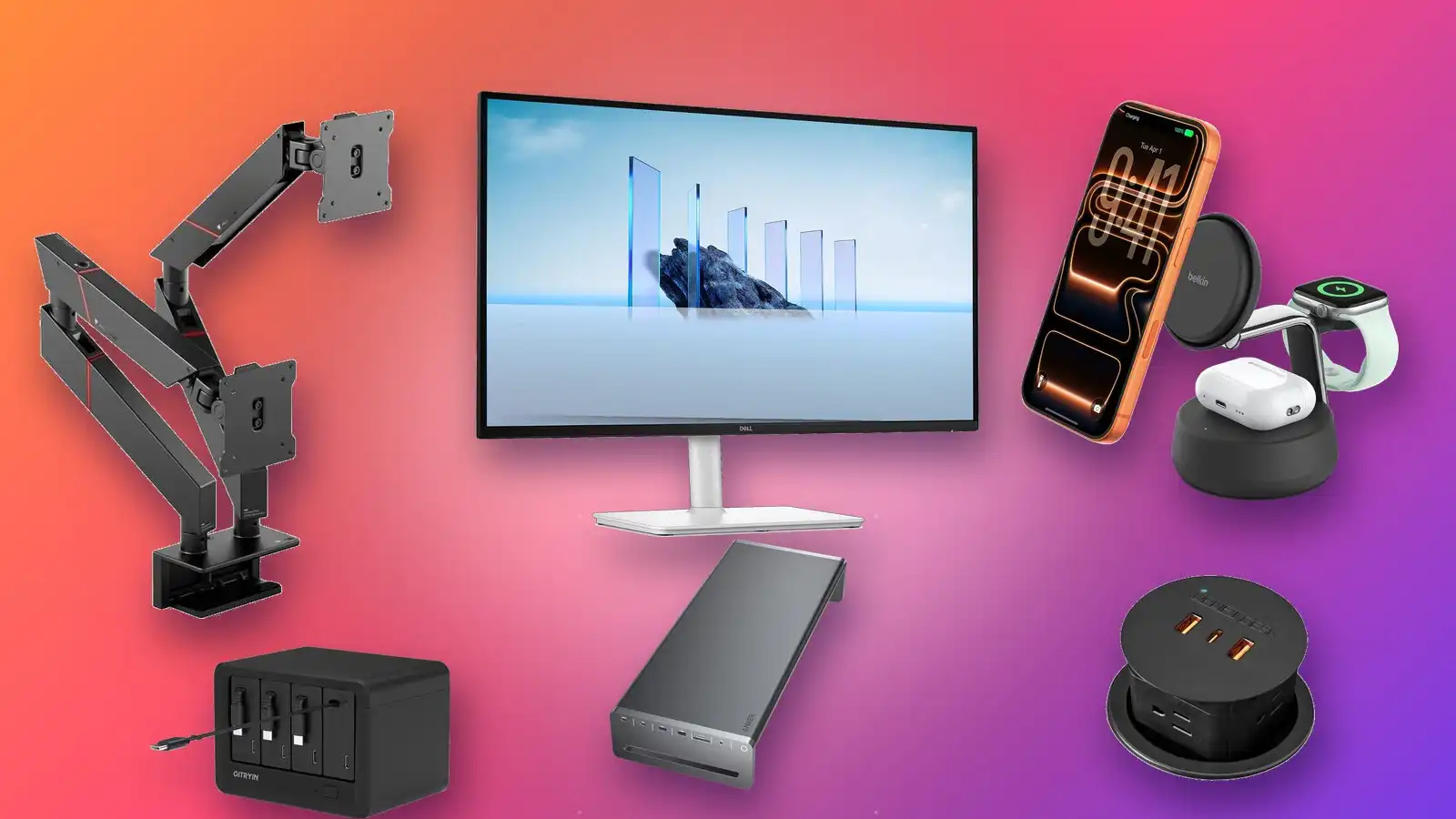
Your desk was probably clean at one point, with just a laptop and its charging cable as needed. Then came the monitor, the keyboard, the mouse. At some point you threw in a few wireless pads for your phone and other smaller accessories, and pretty soon it became a wild mess of cables that sprawl all over. You shoved it all behind your desk and tried to forget it.
Maybe you tell yourself the web of cables is a necessary evil, but actually that’s not true. You can trim it down to almost nothing and make your desk clean and presentable once more, all without giving up anything. A few key upgrades can level up your setup and eliminate clutter.
The trick isn’t to hide but to consolidate. The gadgets below will help you cut down on the cables, then route whatever’s left into organized spaces. If you want to tame your desk cable situation, this is how you’ll do it.
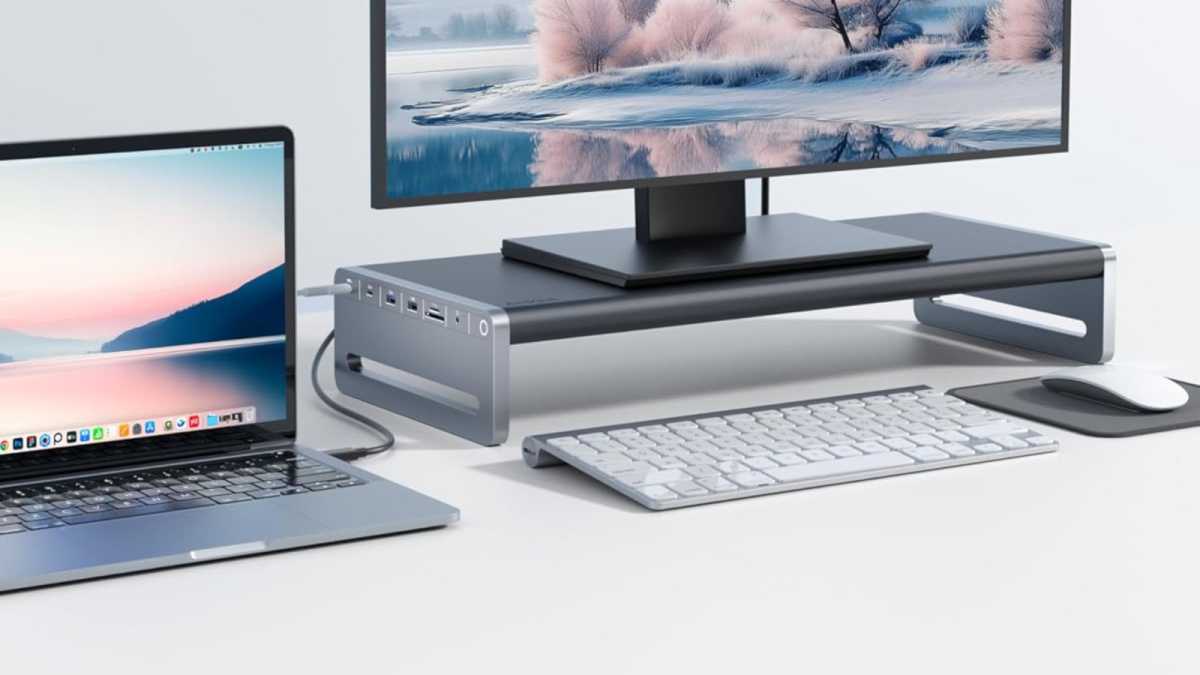
Anker Monitor Stand with USB-C Hub
Route all peripherals through one central hub
Anker
This Anker Monitor Stand with USB-C Hub kills four birds with one stone. First, it’s a monitor stand—it raises your monitor to eye level for reduced eye strain while freeing up space underneath for light storage. Second, it’s a USB-C hub that accommodates several USB devices, HDMI, SD/microSD, Ethernet, 3.5mm audio, and passthrough charging routed to your laptop’s single USB-C port. Third, all of those connections are isolated to the monitor stand instead of huddled around your laptop and cluttering your desk space. Fourth, the stand has a cable shelf on its underside for coiling excess cable lengths.
If you don’t need a monitor stand, a normal USB-C hub can still kill two of those four birds at a fraction of the price. The Anker 8-in-1 USB-C Hub routes many of the same connections (minus 3.5mm audio and one USB-A port) to your laptop, allowing you to tame a lot of that desk clutter.
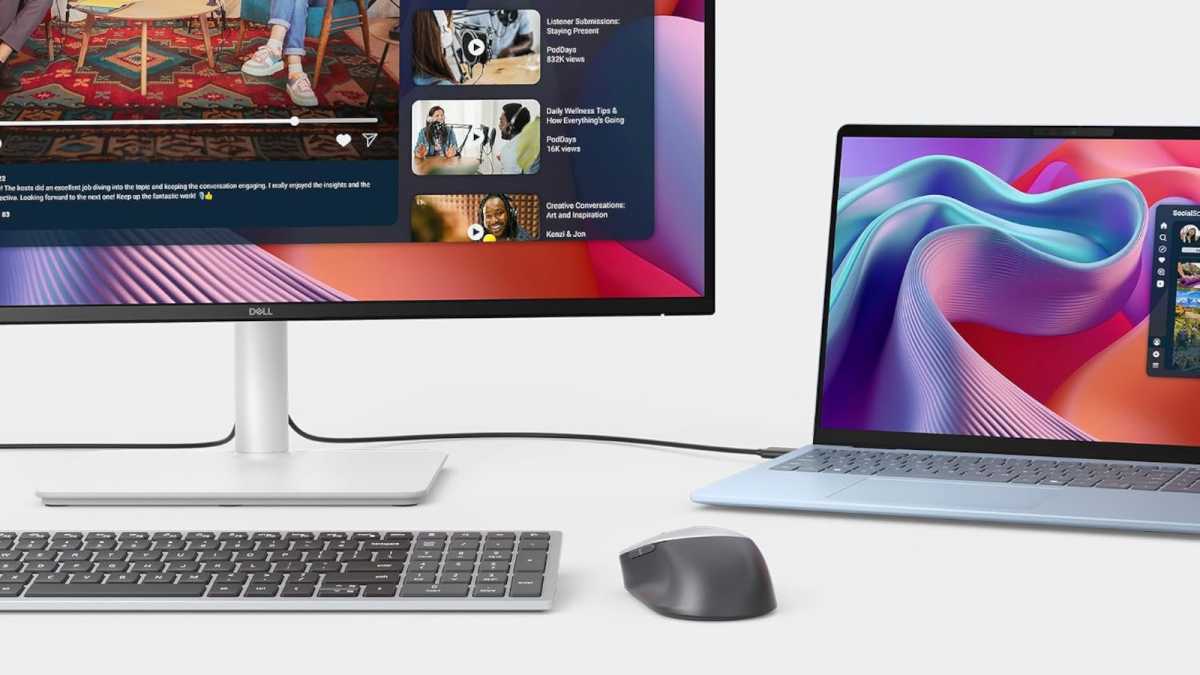
Dell USB-C Hub Monitor
Route all peripherals through your monitor
Dell
The 27-inch Dell Plus S2725DC is a monitor that doubles as a light USB-C hub. Don’t need a monitor stand and don’t want a separate gadget bringing its own clutter into the mix? This might be the way to go. It’s best if you don’t have a lot of peripherals—two USB-A ports are enough for a keyboard and mouse, plus one 65W USB-C to keep your laptop charged and one 15W USB-C for charging your phone or some other small accessory. Those USB-A ports can also be used for 5Gbps SSDs and flash drives in a pinch.
The monitor itself is functional for office work, complete with a 1440p IPS display and refresh rate up to 144Hz. If you want to level it up, there are two higher-tier models: the 27-inch Dell Pro P2725QE with 4K/100Hz IPS, plus 90W of power delivery for your laptop and Ethernet; and the 27-inch Dell UltraSharp U2725QE with 4K/120Hz IPS, plus 140W Thunderbolt 4, more USB-C ports, and even KVM switching.
KVM or USB Switch
Use one keyboard/mouse/monitor setup with two PCs
AV Access
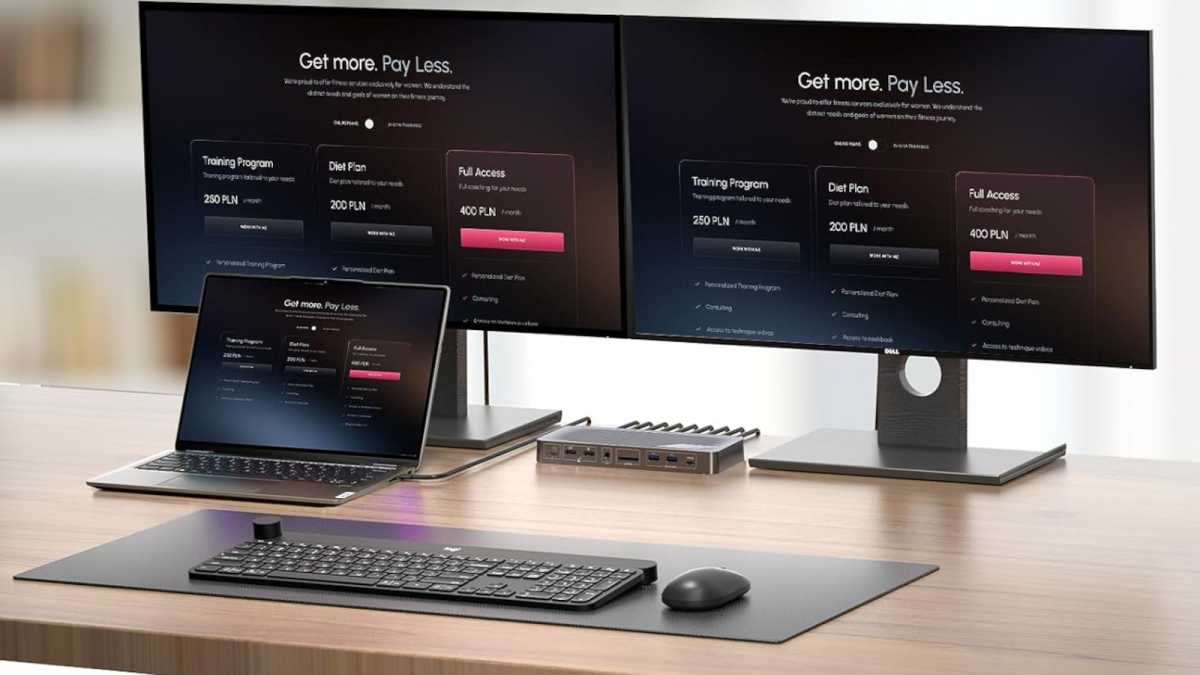
If you’re like me, you have a single desk with two machines: a desktop PC and a laptop. What if you want to use the same set of keyboard, mouse, and monitors with both machines? Then you need a KVM switch, which is similar to a USB hub except it can connect to two separate machines and “switch” between them at the press of a button. The AV Access iDock P10 is a budget-friendly option that supports dual monitors via HDMi and DisplayPort, plus a few USB ports and an SD card slot.
If you only have a single monitor, you can go even cheaper with the Ugreen HDMI KVM Switch, which supports up to 8K/60Hz. And if you only need switching capability for your peripherals but not your monitor, you can go even cheaper with the Ugreen USB Switch, which lets you share four non-video ports between two machines and switch on demand.
Gitryin Desktop Charging Station
A power strip with built-in retractable USB-C cables
Gitryin
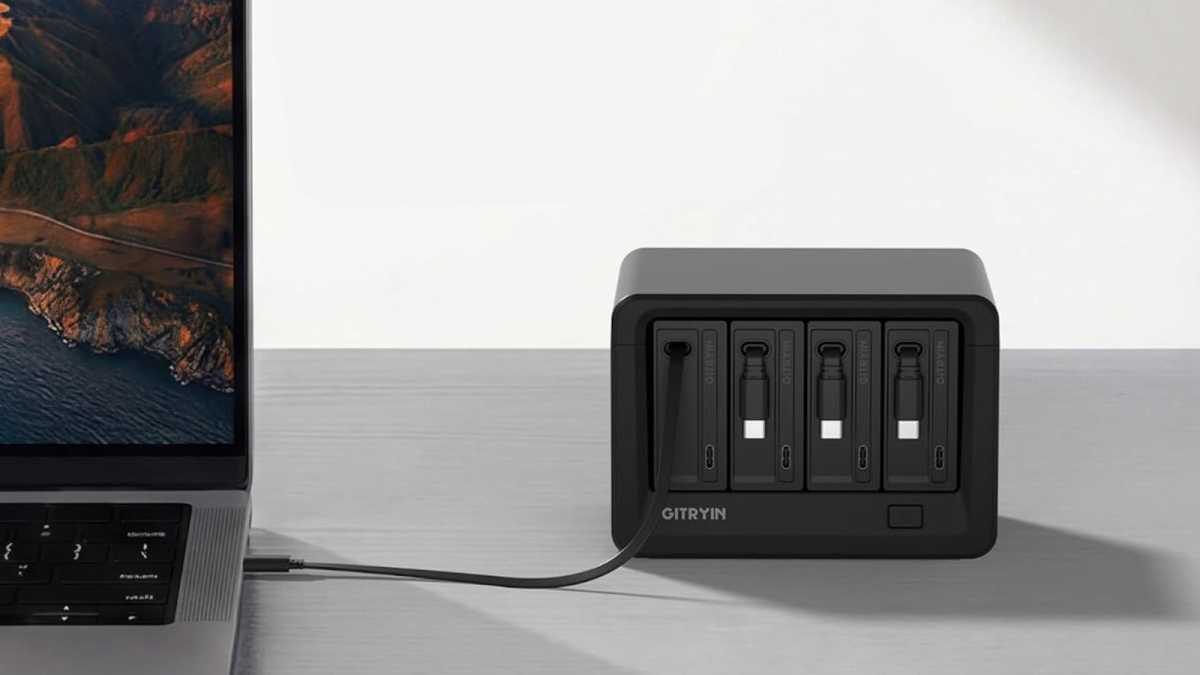
One of the best ways to declutter cables is to go retractable in as many places as you can. That way you only have to deal with messy cables when they’re actively being used. The Gitryin 12-in-1 Desktop Charging Station is one of my favorite charging solutions because it has four retractable USB-C cables, each reaching up to 33.5 inches at full length and delivering 65W of power when used individually. With a max throughput of 260W, it’s more than enough for power users and multi-user offices.
You also get four extra USB-C ports along the front and four AC power outlets on the back, so it doubles as a power strip for your PC, monitors, and other non-USB-powered gadgets. Want to declutter your desk with a true all-in-one power station? This one’s hard to beat.
Belkin UltraCharge Pro
Consolidate your wireless charging pads

Belkin
If you have separate wireless charging pads for your Apple Watch, AirPods, and smartphone, then here’s a decluttering trick you’ll love: Belkin’s UltraCharge Pro is a 3-in-1 wireless charging station. It has a main pad for your AirPods, a side pad for your Apple Watch, and a 25W MagSafe pad for your phone. That MagSafe pad works with iPhones and Qi2-certified Android phones, and it can even keep your phone angled for easy spotting of notifications, doomscrolling, or even watching video.
If you want to cut the price in half and you’re okay with some compromises, the Anker MagSafe Charging Station is almost the same except the phone pad only charges at 15W and doesn’t have an adjustable viewing angle.
Secretlab Magnus Monitor Arms
Ergonomic monitor control with cable channels
Secretlab
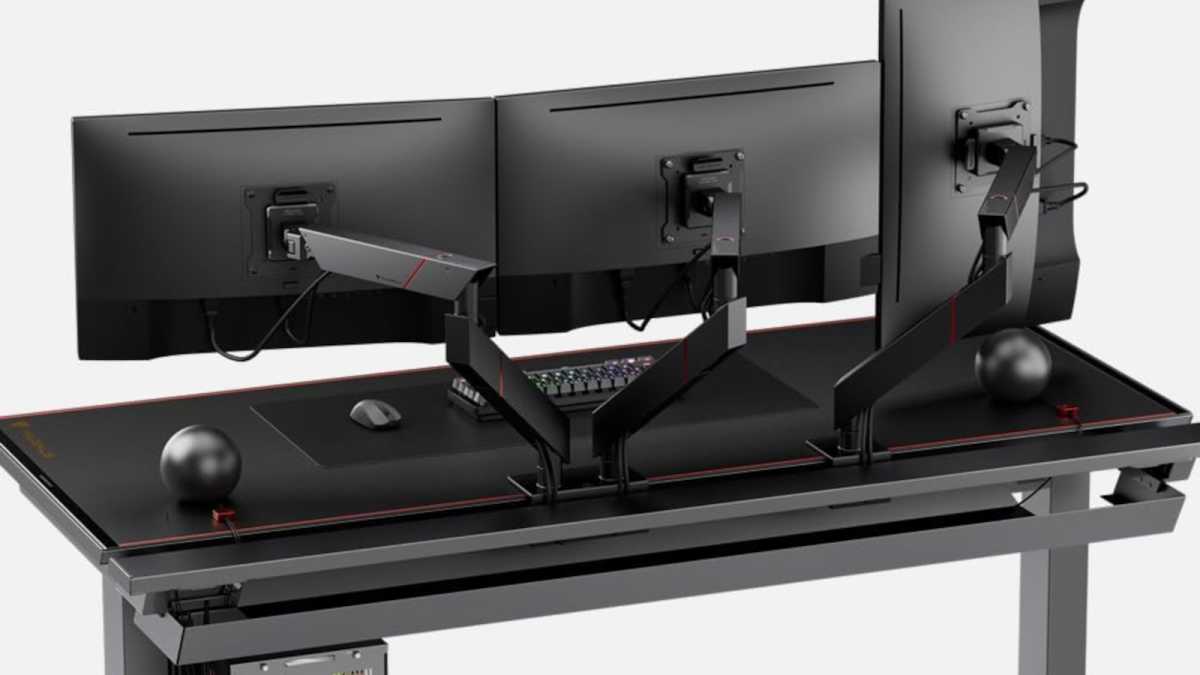
You could buy cheap monitor arms, and they might even come with cable management features… but you get what you pay for. Cheaper arms often have flimsy clips that barely hold cables in place and warp over time. If you want sturdy arms that look great, route cleanly, and actually hide your cables out of sight, then Secretlab’s Magnus Monitor Arm is the one to beat. Its cable channels are spacious and heavy duty, with magnetic cable guides that conveniently snap on and off. The arm attaches securety using a C-clamp, compatible with any desk between 0.4 to 1.9 inches thick.
Ugreen Cable Organizer Clips
Keep your remaining cables tidy and out of the way
Ugreen
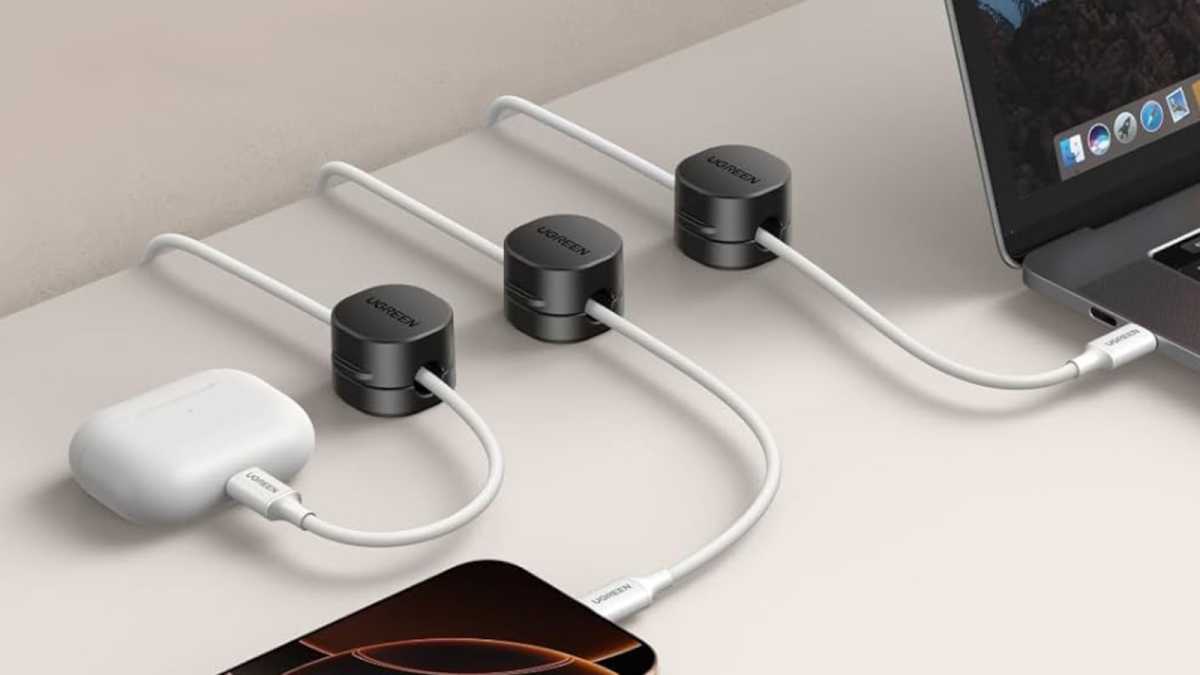
So you’ve reduced the number of cables on your desk as much as you can. With whatever remains, you’ll want to route them cleanly to eliminate as much visual and spatial clutter as possible. You could use cheap adhesive cable clips that come in packs of dozens, but you get what you pay for—they can snap, they don’t hold tightly, and they aren’t adjustable once placed. These Ugreen Cable Organizer Clips come in packs of six, they securely open and close using magnetic clasps, and they just look better.
Cinati Under-Desk Cable Tray
A mesh basket to contain disordered and messy cables
Cinati
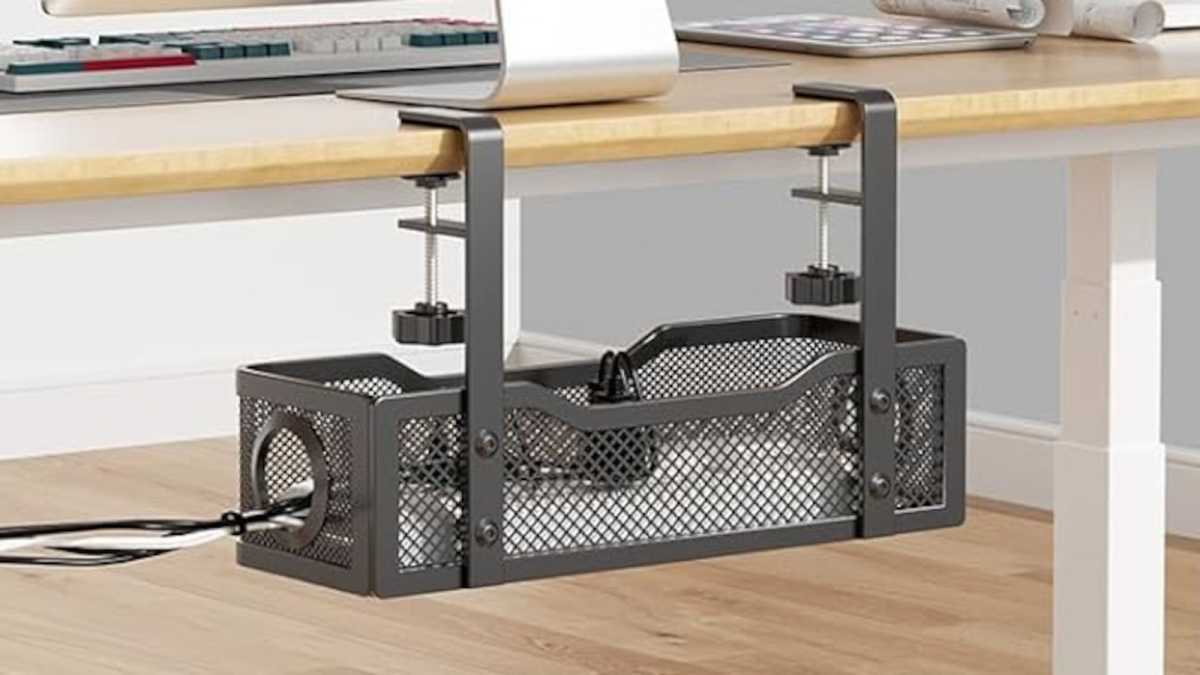
It’s easy to clean up clutter on top of your desk. But what about below it and behind it? That’s where my biggest mess was, with an unkempt pile of cables shoved up against the wall. One solution is this Cinati Under-Desk Cable Tray, which is large enough to house a traditional power strip. Route your cables here and neatly store the excess within, keeping any mess out of sight. It clamps onto most desks using versatile C-clamps.
Uplift Pop-Up Power Grommet
Sleek desktop power routed cleanly through a grommet
Uplift
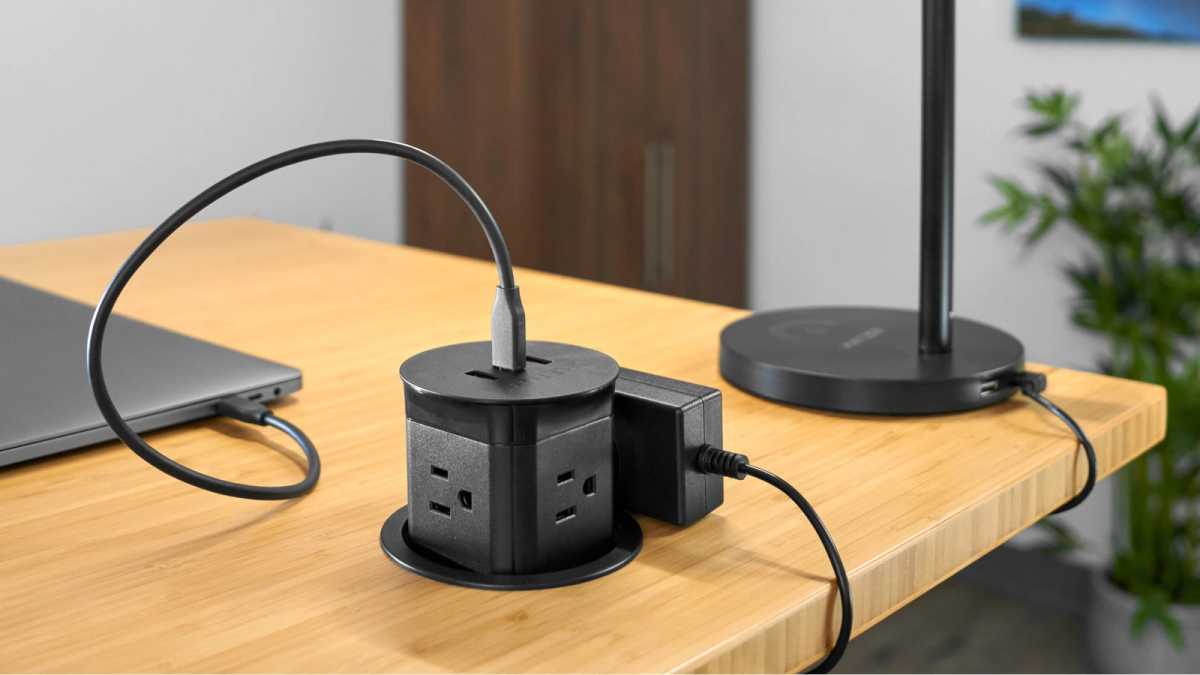
If your desk has a 3.15-inch grommet and you aren’t routing any cables through it, here’s one upgrade you should really consider: Uplift’s Pop-Up Power Grommet. It turns that grommet into a charging station with a 20W USB-C and double 18W USB-A ports. Need power outlets? You can “pop out” the grommet, which reveals four AC outlets as needed. When you’re done, pop it back in and keep your desk flush and clean. It’s a great way to turn any unused home office desk grommet functional.
This articles is written by : Nermeen Nabil Khear Abdelmalak
All rights reserved to : USAGOLDMIES . www.usagoldmines.com
You can Enjoy surfing our website categories and read more content in many fields you may like .
Why USAGoldMines ?
USAGoldMines is a comprehensive website offering the latest in financial, crypto, and technical news. With specialized sections for each category, it provides readers with up-to-date market insights, investment trends, and technological advancements, making it a valuable resource for investors and enthusiasts in the fast-paced financial world.