
At a glance
Expert’s Rating
Pros
- Fast 20Gbps performance
- RGB lighting
- Easy open, tool-less (mostly) installation
Cons
- A tad pricey
Our Verdict
The Asus Aiolos is easily one of our favorite 20Gbps, USB 3.2×2 enclosures to date. It’s fast, handsome, has tool-less installation, and RGB lighting.
Price When Reviewed
This value will show the geolocated pricing text for product undefined
Best Pricing Today
Price When Reviewed
$69.99
Best Prices Today: $80

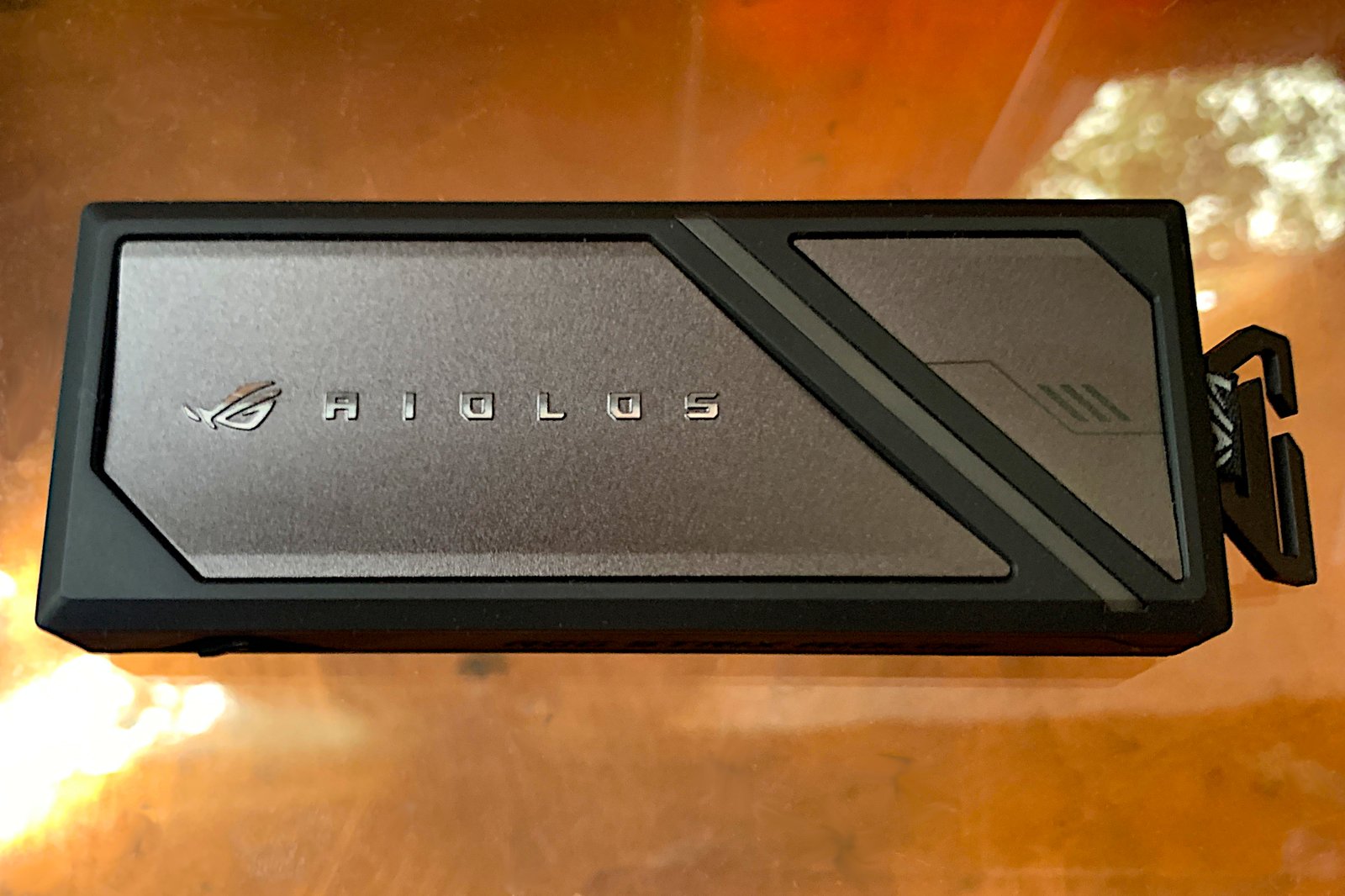
Asus’s ROG Strix Aiolos 20Gbps USB 3.2×2 enclosure is one of the classier such products to have passed through PCWorld’s portal. It’s fast, sturdily constructed, opens without tools, supports both M.2 SATA and NVMe, and serves up an RGB lighting strip that you can control with Asus’s software. It’s not the least expensive 20Gbps box I’ve seen, but it’s one of the best.
Read on to learn more, then see our roundup of the best external drives for comparison.
What are the Aiolos’s features?
The Asus Aiolos is a 20Gbps USB 3.2×2 SSD enclosure that will accept a single 2280, 2260, and 2242 (22mm wide, 80/60/42mm long) form factor NVMe SSD. The enclosure measures 4.55 x 1.8 x 0.6 inches (approximate) and weighs only around 1.4 ounces.
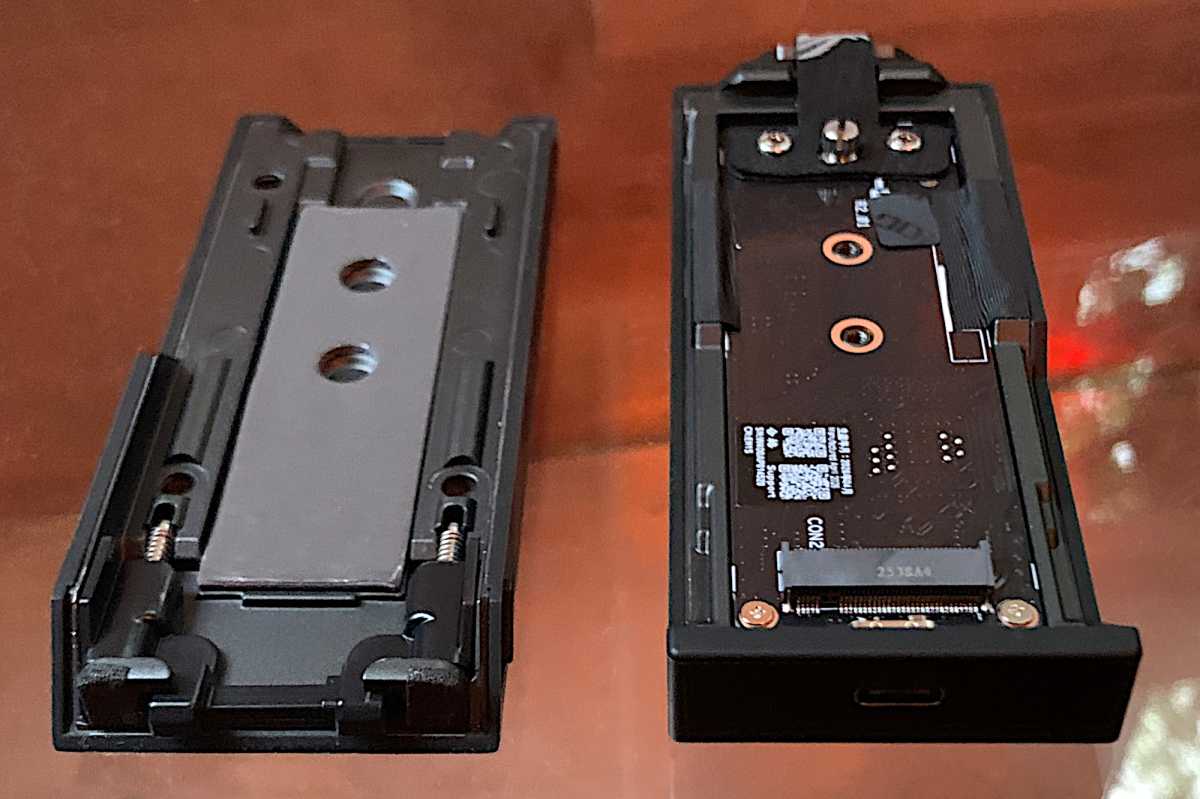
“Tool-less” installation is a major Aiolos selling point. The enclosure opens easily for installation thanks to two spring-loaded latches on the side of the unit, which are shown in the first two images below.
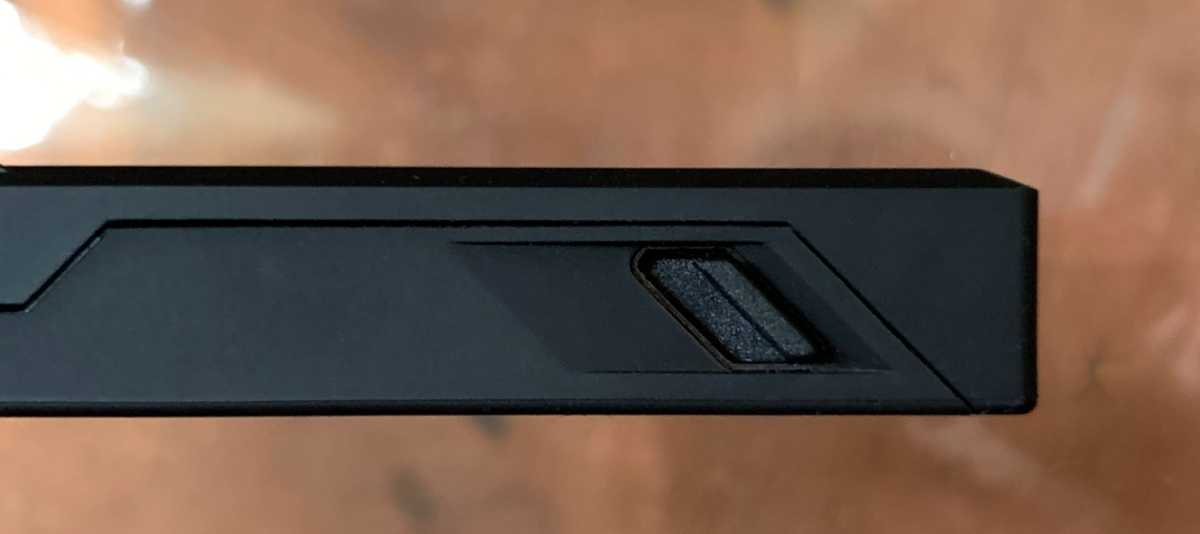
I put “tool-less” in quotes as there’s a caveat — the thumb screw that holds down the NVMe SSD took more than a bit of force to remove. Starting it with a flathead screwdriver (the screw is slotted) would’ve been a lot easier, but I persisted so I could confirm that it’s actually “tool-less.” It was not, however, painless.
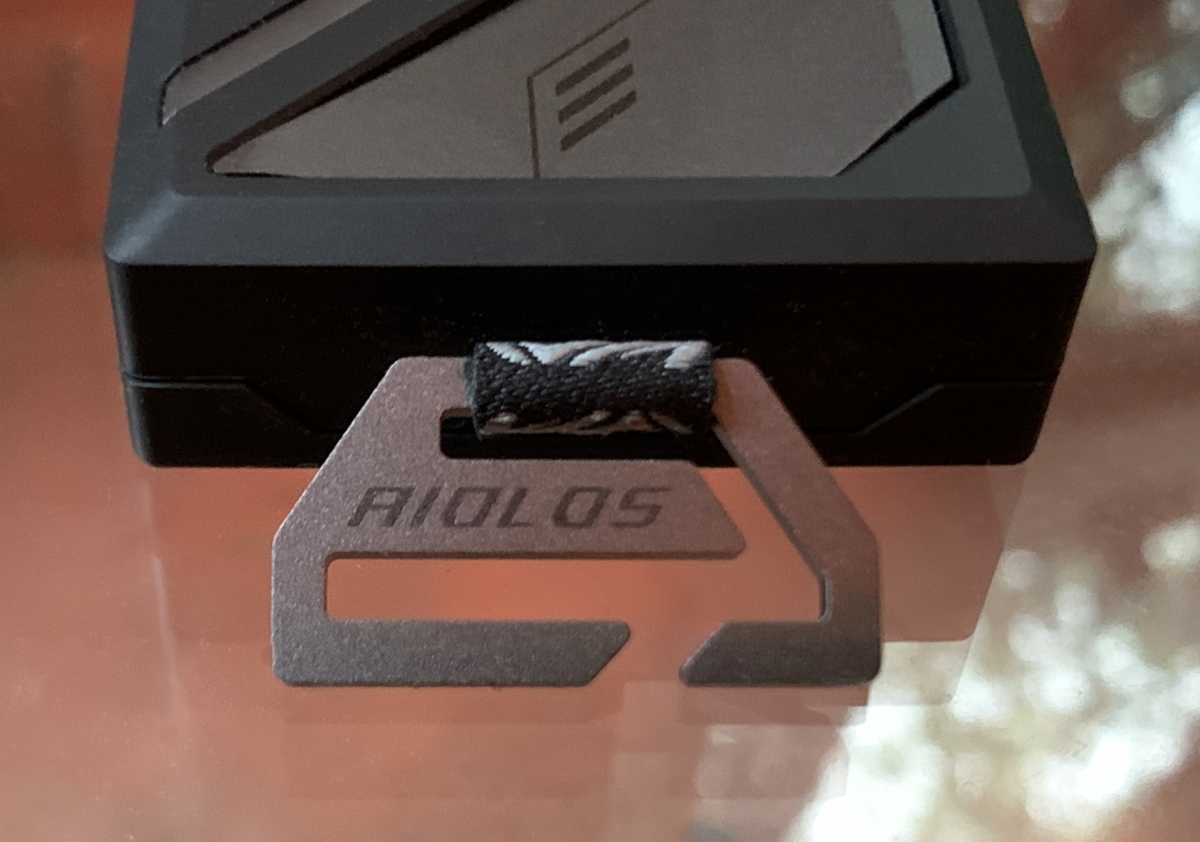
Shown below are the tag and metal hook for easy attachment of the Aiolos to backpack straps and the like. Asus includes short, but wide velcro attachment straps to help out with straps or strings that might be too thin to stay securely inside the hook. Why not a spring clip? Appearance would be my guess.
As to that RGB lighting, it’s an angled LED strip on the top of the Aiolos that interfaces with, and is configurable using, Asus’s Aura Sync (now part of the Asus Armoury Crate utility).
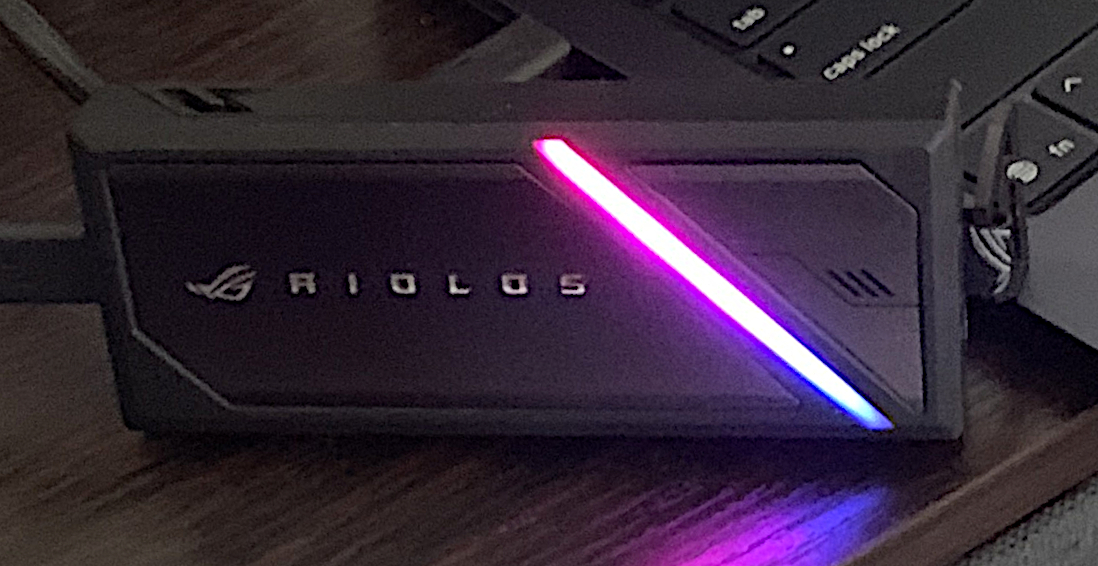
Aiolos RGB
Jon L. Jacobi
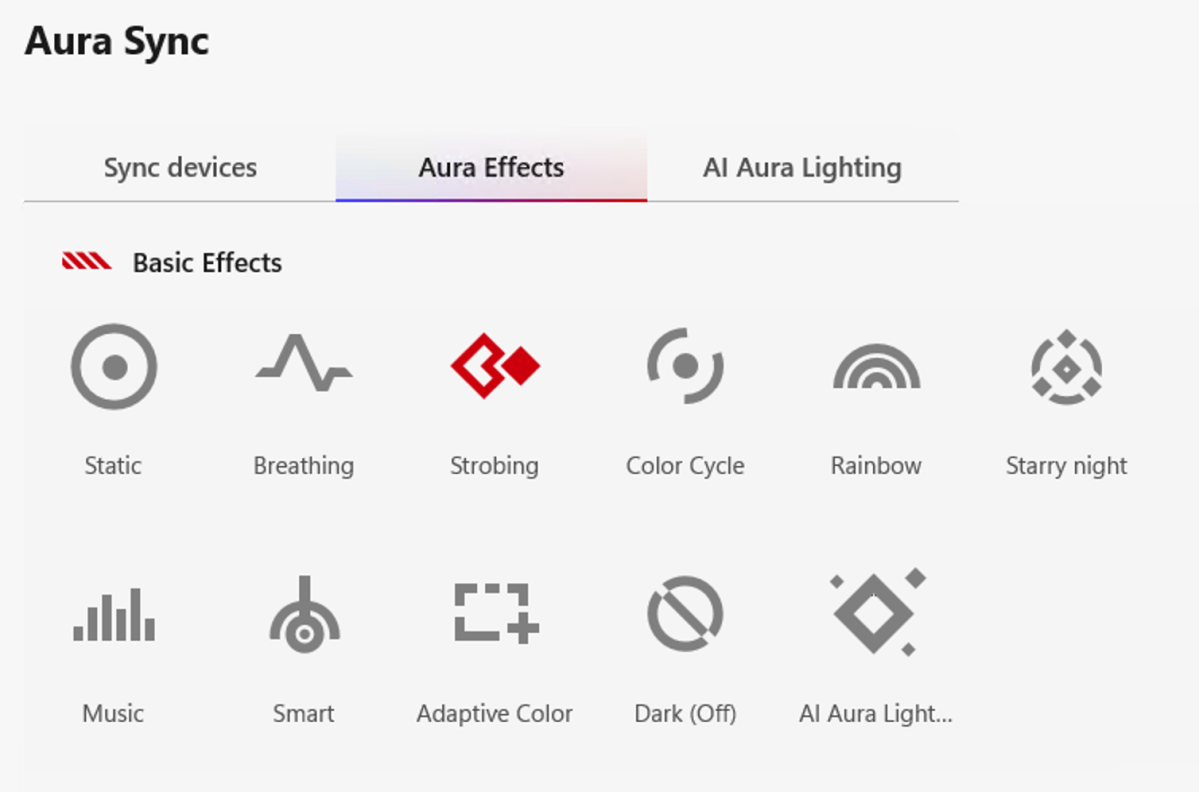
Aura Sync functions and effects include color selection, strobing, color cycling, rainbow, etc. Whatever effect you choose may also be shared/synced among all Asus RGB devices, creating a coordinated, all-encompassing light show.
The controller/bridge chip inside the Aiolos is a Realtek RTL9220VC. The SSD will be of your choosing. I did mention that this is an unpopulated enclosure, right?
Asus currently warranties the Aiolos for two years. I say currently because I was informed that existing (and difficult to locate) warranty policies are being debated. They may be shorter, or longer by the time you read this.
How much is the Asus Aiolos?
The Asus Aiolos retails for $70 at the moment. Considering the quality of the construction, good looks, performance, and RGB lighting, that price seems fair enough. But there are certainly less expensive USB 3.2×2 enclosures out there.
How fast is the Asus Aiolos?
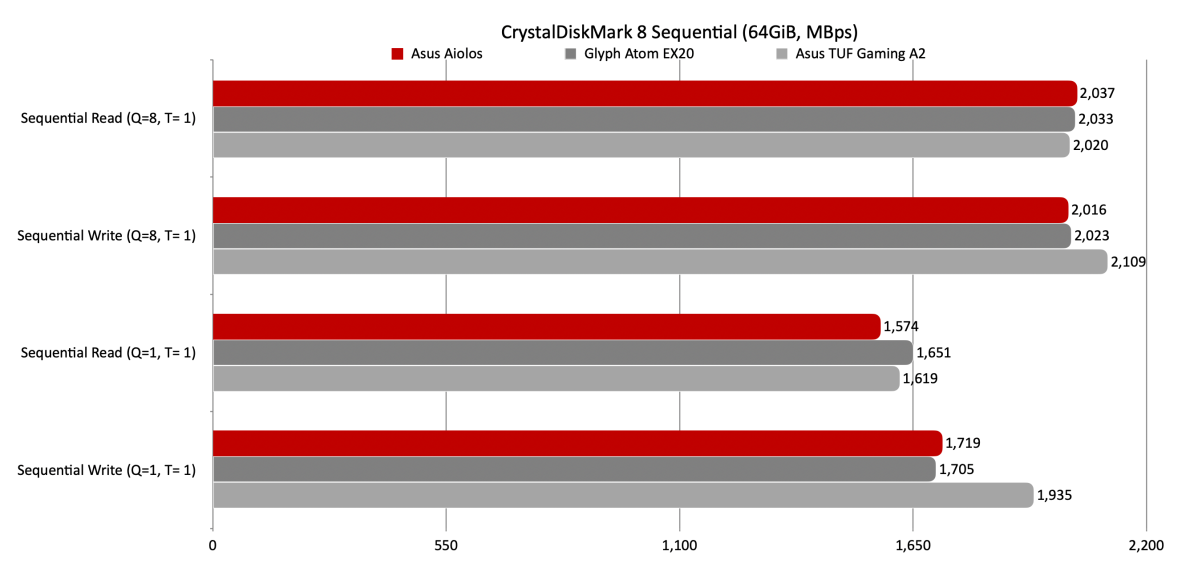
The Asus Aiolos is the second fastest 20Gbps NVMe SSD enclosure we’ve tested, falling behind only Asus’s own TUF Gaming A2 by a slim margin. Yup. Fratricide. Regardless, it bested everything else and I have zero complaints about the Aiolos’s performance.
CrystalDiskMark 8 rated the Aiolos as a very good sequential performer. You can read about the competing GlyphAtom EX20 here.
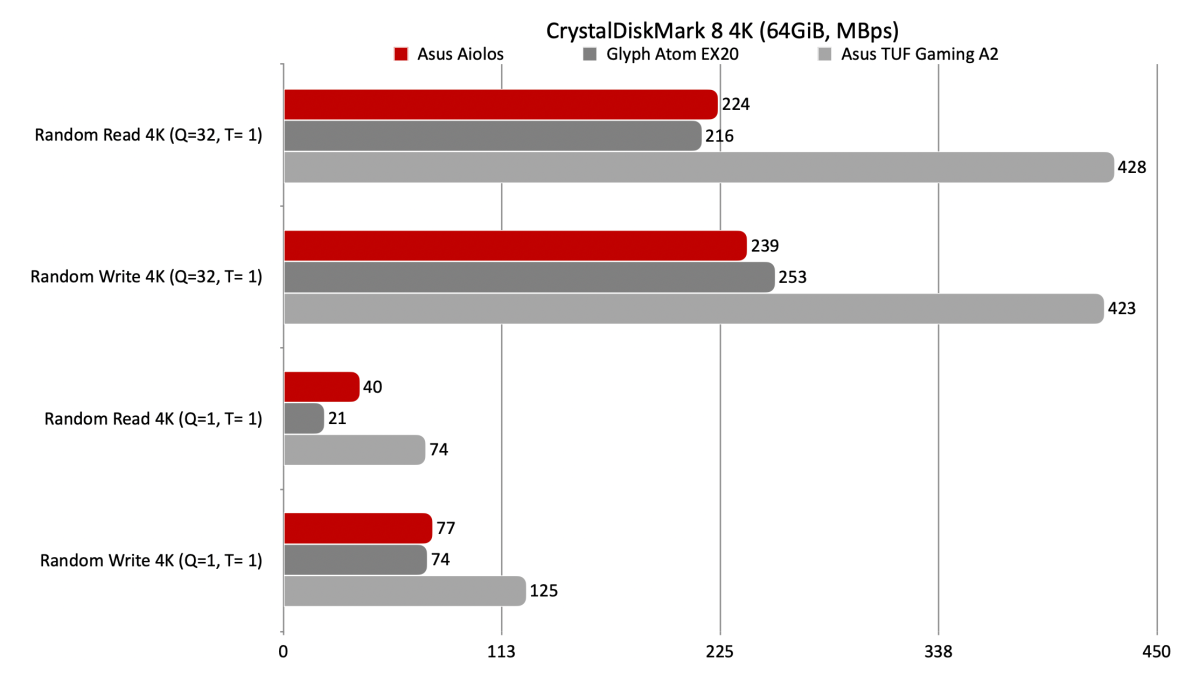
On the other hand, the TUF Gaming A2 whomped it in the CrystalDiskMark 8 4K tests. The Aiolos isn’t bad, the A2 is just that good.
In our real-world 48GB transfers, the Aiolos more than held its own. Both in Windows Explorer and with FastCopy.
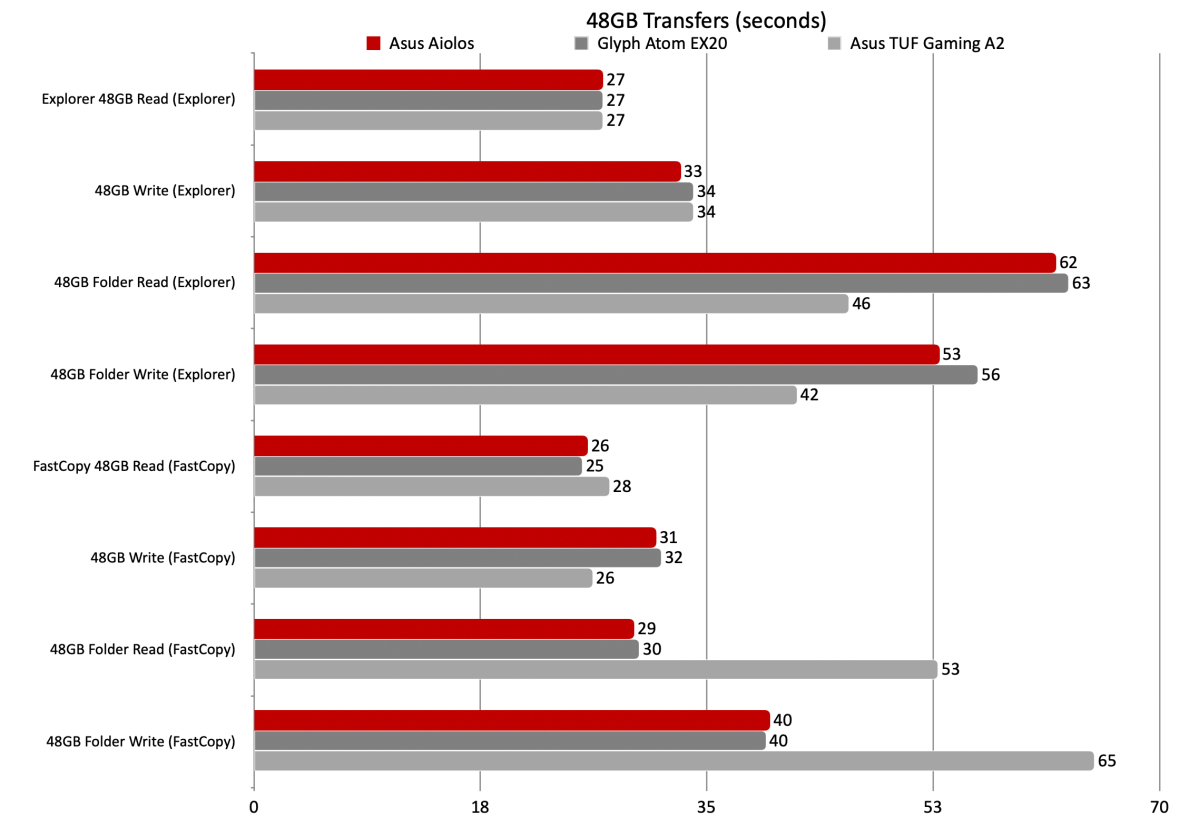
FastCopy makes far less of a difference with very long files, and in some cases can actually be slower as with the Aiolos, which turned in a very good time under Windows Explorer.
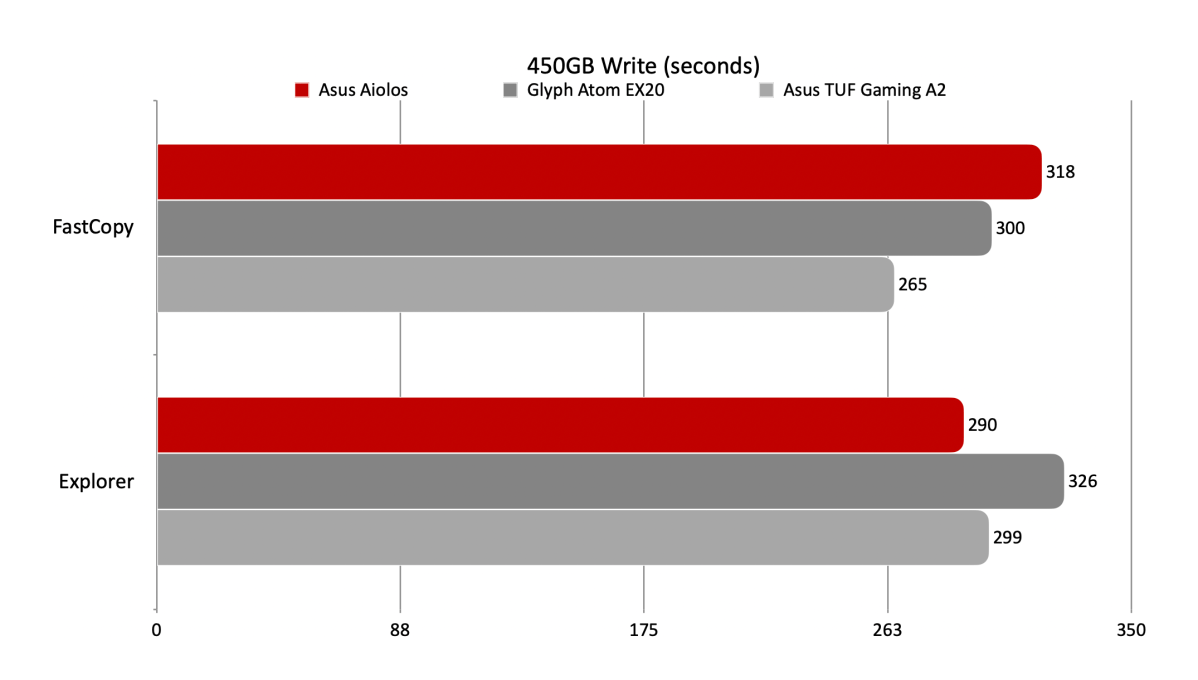
Performance is not an issue with the Asus Aiolos — it’s basically on par with or better than anything else on the market. Base your buying decision on other factors.
Should you buy the Asus Aiolos?
If you want a solid piece of 20Gbps storage kit that looks good from any angle and is easy to tote, the Aiolos is worthy of the expenditure. And I dig the lighting.
How we test
Drive tests currently utilize Windows 11 24H2, 64-bit running off of a PCIe 4.0 Samsung 990 Pro in an Asus Z890-Creator WiFi (PCIe 4.0/5.0) motherboard. The CPU is a Core Ultra i5 225 feeding/fed by two Crucial 64GB DDR5 5600MHz modules (128GB of memory total).
10Gbps, 20Gbps USB, and Thunderbolt 5/USB4 are integrated into the motherboard. Intel CPU/GPU graphics are used. Internal PCIe 5.0 SSDs involved in testing are mounted in an Asus Hyper M.2 x16 Gen5 adapter card sitting in a PCIe 5.0 slot. External enclosures are tested using a Crucial T710.
We run the CrystalDiskMark 8.04 (and 9), AS SSD 2, and ATTO 4 synthetic benchmarks (to keep article length down, we report only the first) to find the storage device’s potential performance. Then we run a series of 48GB transfer and 450GB write tests using Windows Explorer drag and drop to show what users will see during routine copy operations, as well as the far faster FastCopy run as administrator to show what’s possible.
A 25GBps two-SSD RAID 0 array on the aforementioned Asus Hyper M.2 x16 Gen5 is used as the second drive in our transfer tests. Formerly the 48GB tests were done with a RAM disk serving that purpose.
Each test is performed on a NTFS-formatted and newly TRIM’d drive so the results are optimal. Note that in normal use, as a drive fills up, performance may decrease due to less NAND for secondary caching, as well as other factors. This issue has abated somewhat with the current crop of SSDs utilizing more mature controllers and far faster, late-generation NAND.
This articles is written by : Nermeen Nabil Khear Abdelmalak
All rights reserved to : USAGOLDMIES . www.usagoldmines.com
You can Enjoy surfing our website categories and read more content in many fields you may like .
Why USAGoldMines ?
USAGoldMines is a comprehensive website offering the latest in financial, crypto, and technical news. With specialized sections for each category, it provides readers with up-to-date market insights, investment trends, and technological advancements, making it a valuable resource for investors and enthusiasts in the fast-paced financial world.