
At a glance
Expert’s Rating
Pros
- Automates a substantial amount of data-broker opt-out work
- Monitors supported sites and can resubmit requests if data reappears
- Provides guided self-service options when automation isn’t possible
- Browser extension expands the number of brokers Aura can reach
Cons
- Data removal isn’t available as a standalone service
- Some removals still require manual action
- “Removed” doesn’t always mean Aura independently verified that the record is gone
- Google Search Cleanup results require careful vetting
Our Verdict
Aura Data Removal can take a lot of tedious opt-out work off your hands, but Aura’s “Removed” status shouldn’t always be taken as definitive proof that your information is gone.
Price When Reviewed
This value will show the geolocated pricing text for product undefined
Best Pricing Today
Price When Reviewed
Individual: $15/mo I Couple: $29/mo I Family: $50/mo
Best Prices Today: Aura Data Removal
Data brokers don’t make it easy to get your personal information off their sites. Every broker has its own opt-out process and waiting period, and even if you’re successful, keeping your data from resurfacing can quickly turn into a game of whack-a-mole.
Aura’s data-removal service promises to take most of that work off your hands by finding which sites have collected information about you and submitting removal requests on your behalf. I used the service for about eight weeks and found it could indeed automate a lot of the grunt work but not always as completely as its dashboard suggested.
How Aura Data Removal works
Aura currently searches 302 supported sites, including data brokers, people-search sites, junk mailers, and real-estate databases. It uses several methods to pursue removals depending on what a site allows. Some requests can be submitted automatically, while others require additional authorization, the Aura browser extension, or steps that you must complete yourself. Aura also includes a separate Google Search Cleanup tool that scans search results for personal information and lets you request removal of eligible results from Google.
The rub is that Aura doesn’t offer data-removal as a standalone service; it’s bundled with the company’s Individual, Couple, and Family identity-protection plans, which also include credit and dark-web monitoring, identity-theft protection, antivirus, a VPN, and other security tools. The Individual plan covers one adult and 10 devices for $12 per month when billed annually or $15 month-to-month; Couple covers two adults and 20 devices for $22 or $29, respectively; and Family covers five adults, unlimited kids, and unlimited devices for $32 per month annually, or $50 month-to-month.
For this review, I focused on Aura’s data-removal features rather than the rest of its identity-protection suite.
If data removal is your only priority, Aura is a harder sell because you’re paying for the rest of its identity-protection package whether you need it or not.
Getting started
Aura needs enough information to distinguish you from other people with the same name. That includes basics such as your name and email address, along with additional identifiers such as a phone number, mailing address, middle name, or former legal name when needed. You also need to authorize Aura to file opt-out requests for you.
After that, there isn’t much to manage. The removal process is tracked on Aura’s Data Removal dashboard. The web version lists brokers individually, while the mobile app groups brokers by category. A request is marked “In progress” while it’s queued for submission, typically within the next week; “No info found” means Aura couldn’t locate a matching profile; and “Suppressed” means the broker has suppressed the information and will refrain from recollecting it. “Removed” means Aura considers the removal complete — though, as I found, that label can require some interpretation. Aura also continues monitoring supported sites after the initial round of requests and can submit another opt-out if your information reappears.
Once my account was set up, I mostly watched Aura work. Initially, progress was slow. Six weeks after signing up, Aura had completed just nine requests, with 74 still in progress. Then I installed Aura’s Chrome extension and enabled a setting called “Send removal requests to data brokers via my browser.” Within about 10 minutes, those numbers jumped to 24 completed and 98 in progress—39 more requests in all. I later confirmed with Aura that enabling the browser-removal setting triggered the additional requests. The company said the extension lets it reach roughly 40 brokers whose anti-bot protections block requests coming directly from Aura’s servers.
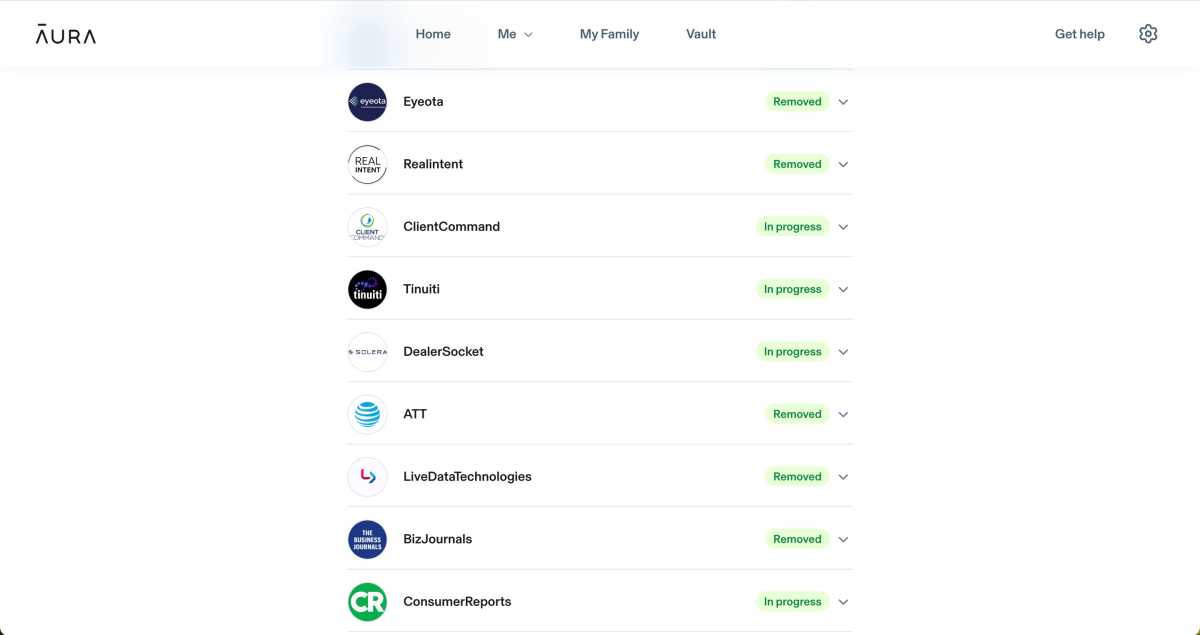
Aura’s Data Removal dashboard shows which brokers have completed removal requests and which are still in progress.
Michael Ansaldo/Foundry
I also received confirmation emails from many of the brokers during the removal process acknowledging privacy requests Aura had submitted for me, so I knew the requests were actually getting through.
By the end of my testing, Aura had marked 61 requests completed. The dashboard estimated that those removals had saved me 15 hours and 15 minutes. Aura doesn’t actually track how long each removal takes; rather, it credits 15 minutes for each completed request, based on how long it estimates it would take to find a broker’s opt-out process, fill out the required information, submit the request, and handle any follow-up steps yourself.
When Aura couldn’t handle a removal automatically, it handed the job back to me. PeopleFinders was one of three sites Aura flagged for self-service removal. It linked me directly to the site’s opt-out page where I had to enter my name and email address. PeopleFinders then sent me a verification email with a link to a more detailed suppression form, where I had to provide additional identifying information, complete a CAPTCHA, and submit the request.
Later that day, PeopleFinders emailed me that it had located my information and processed the request, though the change could take up to three days to appear on the site. However, on the Aura dashboard the status changed to Removed as soon as I clicked “I’ve done this” on the self-service removal prompt.
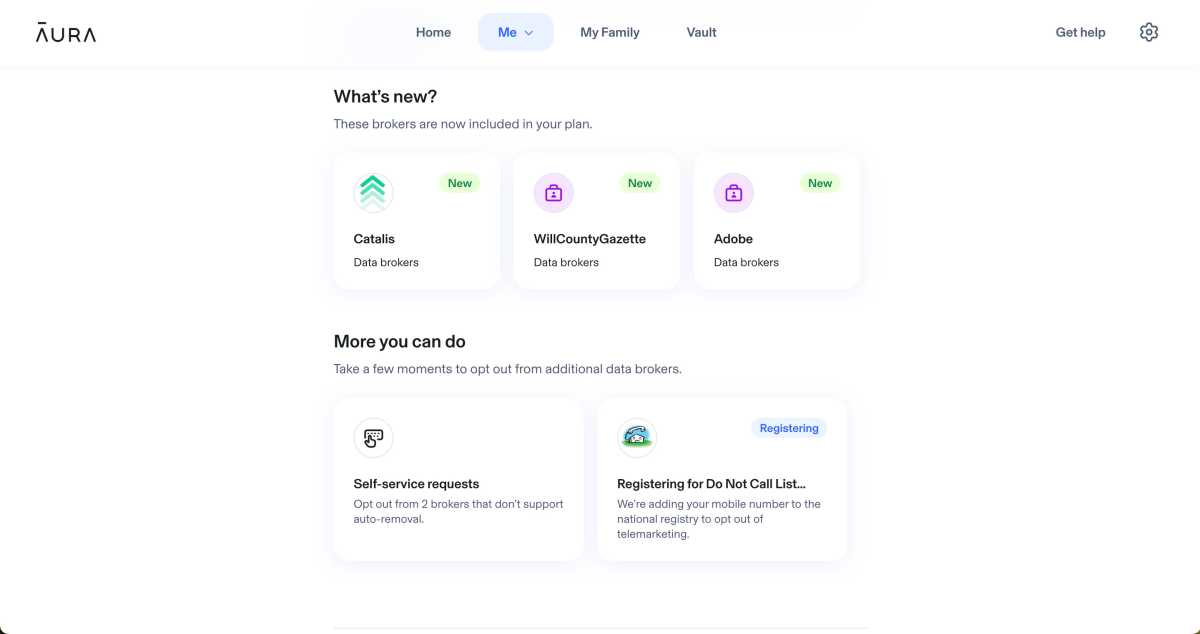
Aura highlights newly supported brokers and flags additional removals that require you to complete the opt-out yourself.
Michael Ansaldo/Foundry
That wasn’t the only time the dashboard didn’t square with what was happening between me and the broker. Eyeota, an audience-data company, emailed me asking for a browser cookie ID before it could finish processing my request, while PwC said my request needed additional attention and directed me to its privacy portal. Before I completed either step, Aura marked both brokers as Removed.
These discrepancies led me to ask Aura what “Removed” actually means. Aura told me that for removals it handles directly, it confirms that the request was submitted, waits through the broker’s expected processing period, and verifies the result when the broker provides a way to do so. But most brokers don’t provide such a mechanism, Aura says, so in those cases the status reflects the expected outcome of the request after the broker’s normal processing period rather than independent verification that the record is gone. Self-service removals are looser still; once you tell Aura you’ve completed the broker’s process, it marks the request complete based on your word.
Google Search Cleanup requires some vetting
Aura’s Google Search Cleanup tool works differently from its broker-removal service. Instead of sending opt-out requests to data companies, it looks for Google results that may expose your personal information and lets you ask Google to remove eligible links from search. The underlying webpage stays put.
The scan turned up a mixed bag. Some results appeared to be mine, but others were professional pages, another person with my name, a family member, and plainly unrelated people. One Whitepages result looked like a match in Google’s snippet, but the page it opened contained 14 listings and none was mine.
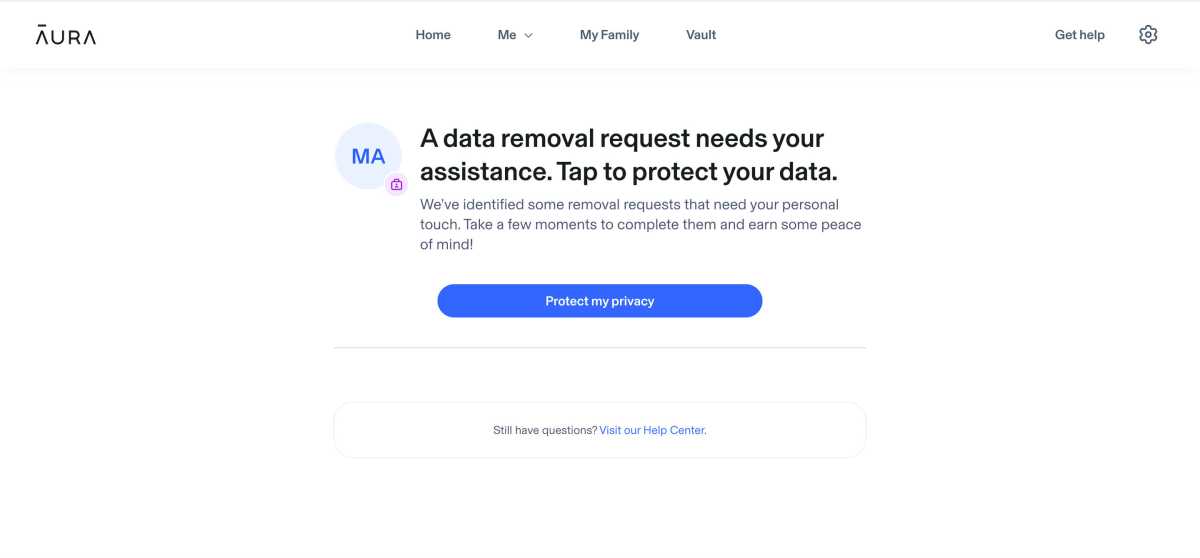
Aura alerts you when a removal needs your attention
.
Michael Ansaldo/Foundry
Aura says these are potential matches, not verified ones. I found the feature useful for surfacing exposure I might not have known about, but the results were noisy enough that I wouldn’t treat it as an automated cleanup tool. Each match needs to be checked to make sure it actually refers to you and contains information you want removed before you send a request to Google. And even when Google removes a result, the underlying page remains online, so the feature is better thought of as a way to reduce visibility of the data than erase it.
Is Aura worth it?
Aura makes the most sense if you already want the broader identity-protection package it comes with. In that context, the data-removal service adds real value by automating much of the repetitive opt-out work and continuing to monitor supported sites afterward. Just treat its dashboard as a progress tracker rather than definitive proof that every listing marked “Removed” has disappeared.
If data removal is your only priority, Aura is a harder sell because you’re paying for the rest of its identity-protection package whether you need it or not. In that case, a service focused specifically on broker removals, such as Incogni or Optery, may be a better fit.
This articles is written by : Nermeen Nabil Khear Abdelmalak
All rights reserved to : USAGOLDMIES . www.usagoldmines.com
You can Enjoy surfing our website categories and read more content in many fields you may like .
Why USAGoldMines ?
USAGoldMines is a comprehensive website offering the latest in financial, crypto, and technical news. With specialized sections for each category, it provides readers with up-to-date market insights, investment trends, and technological advancements, making it a valuable resource for investors and enthusiasts in the fast-paced financial world.