
Your customers often want one more thing, not a whole new plan. Priority support. An extra layer of security. A premium service to go with the product they already use.
Until now, saying yes often meant moving up to a bigger plan they didn’t need, or going through a separate purchase. Some simply said no. They wanted the extra, but buying it was a bigger decision than the extra itself.
That is why we built Add-ons. You can now sell additional subscriptions alongside a main subscription, so customers say ‘yes’ in one step, not with a full plan change.
What are Add-ons?
An Add-on is an extra product that is linked to a main subscription. An Add-on cannot be sold on its own and follows the main subscription’s billing cycle, expiration date, and payment method.
For example, a security software company can offer VPN protection as an Add-on to customers who already have an antivirus plan. They keep the plan they have and simply add what they need.
Three moments to sell more and keep existing customers
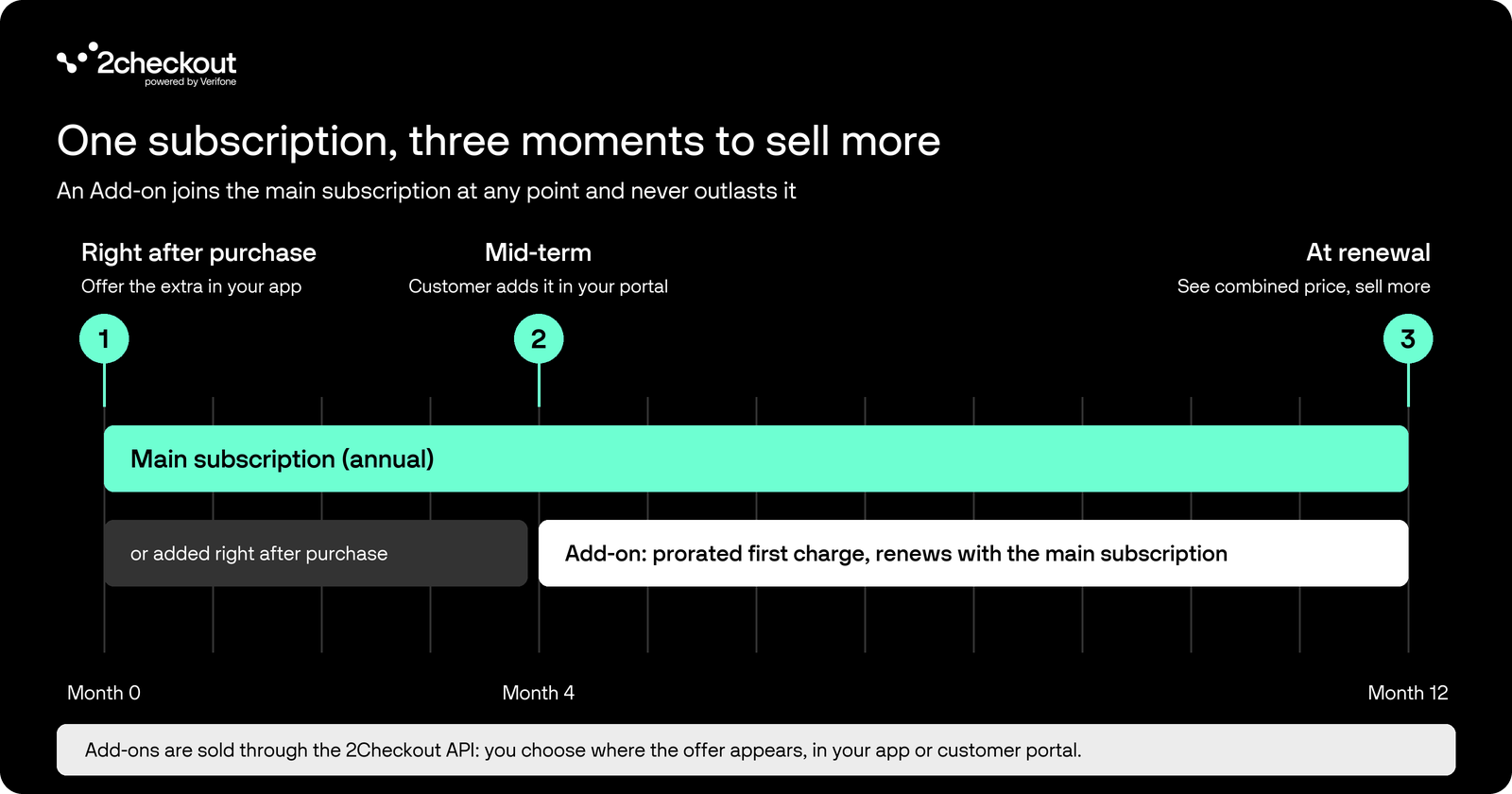
Add-ons are sold through our API, so you can decide where and when the offer appears: in your app or in your customer portal.
Source: 2Checkout
1. Right after purchase
Once a customer has bought your core product, your app or onboarding flow offers the extra that fits, such as premium support with a software license. One click attaches it to their new subscription.
2. Mid-term
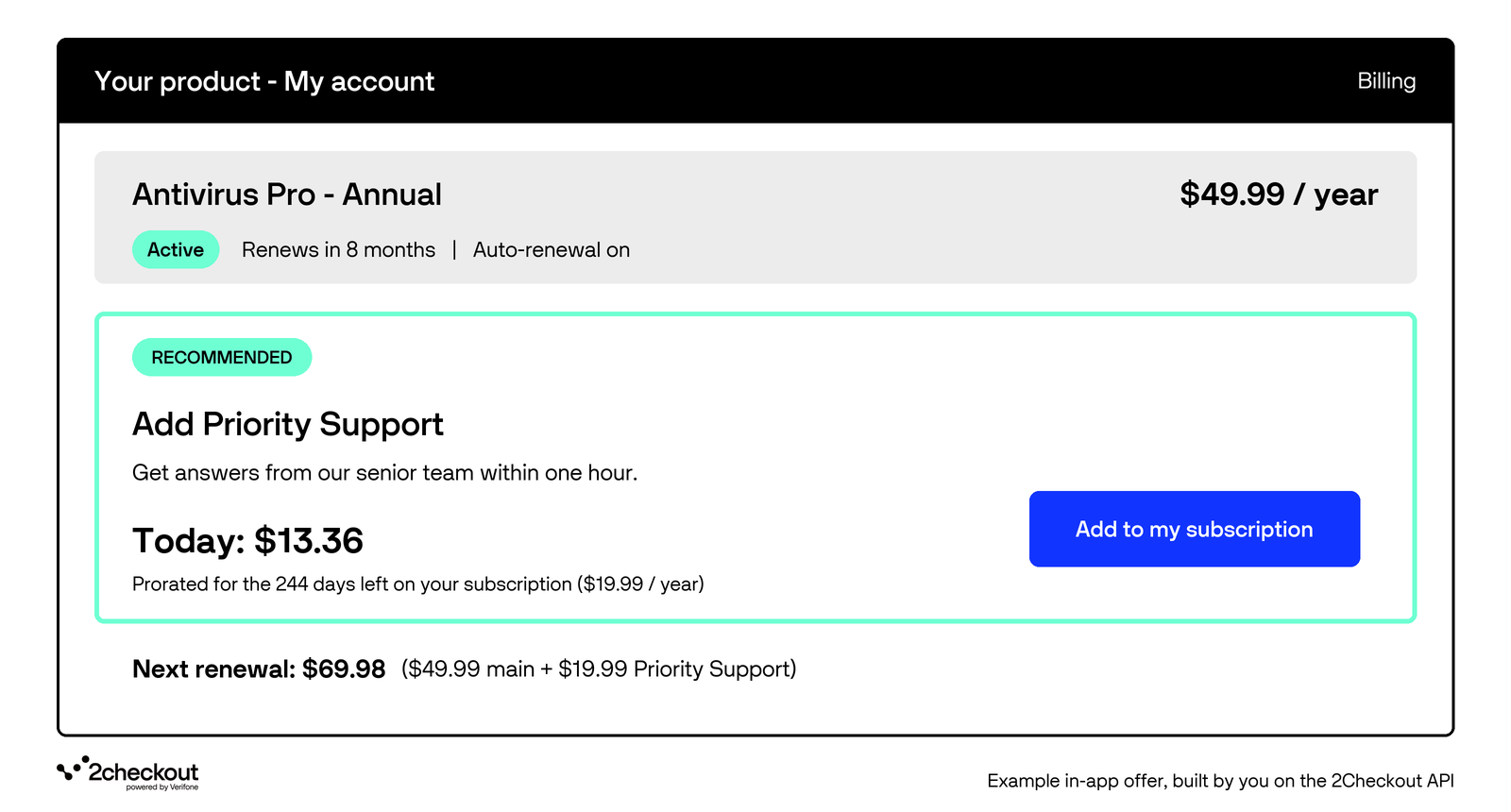
A few months into an annual subscription, a customer realizes they need more. Your app or customer portal lets them add the extra to their active subscription. The first charge is prorated, so they pay only for the time left in the billing cycle.
Picture a customer who, four months in, needs priority support before a big launch. They add it in your app and pay only for the days left until renewal.
3. At renewal: sell more, avoid churn
In your app or customer portal, customers can see everything they own in one place and check the combined price of their next renewal before it happens: the main subscription plus every Add-on set to auto-renew. Renewal is also a natural moment to offer another extra, which increases the customer’s lifetime value to you. And if a customer no longer needs an extra, they can turn off its auto-renewal without touching the main subscription, so dropping one Add-on does not have to mean cancelling everything.
A backup software customer who no longer needs extra cloud storage can turn it off at renewal and keep their main plan, instead of cancelling everything.
Built to fit the way you work
Set up Add-ons through our REST API and link them to your existing products. Then view them in the Control Panel, where you can also filter your catalog by Add-on type. Each Add-on sends its own notifications, so your licensing and provisioning flows keep up with every purchase.
Ready to explore?
Already selling with 2Checkout? Contact your account team to get Add-ons enabled.
New to 2Checkout? Talk to our sales team to see how Add-ons fit your business. To start building, see the Add-ons documentation and the API reference for placing an order with Add-ons.
The post New Subscription Add-ons: Sell More, Skip the Upgrade appeared first on he 2Checkout Blog | Articles on eCommerce, Payments, CRO and more.
This articles is written by : Nermeen Nabil Khear Abdelmalak
All rights reserved to : USAGOLDMIES . www.usagoldmines.com
You can Enjoy surfing our website categories and read more content in many fields you may like .
Why USAGoldMines ?
USAGoldMines is a comprehensive website offering the latest in financial, crypto, and technical news. With specialized sections for each category, it provides readers with up-to-date market insights, investment trends, and technological advancements, making it a valuable resource for investors and enthusiasts in the fast-paced financial world.