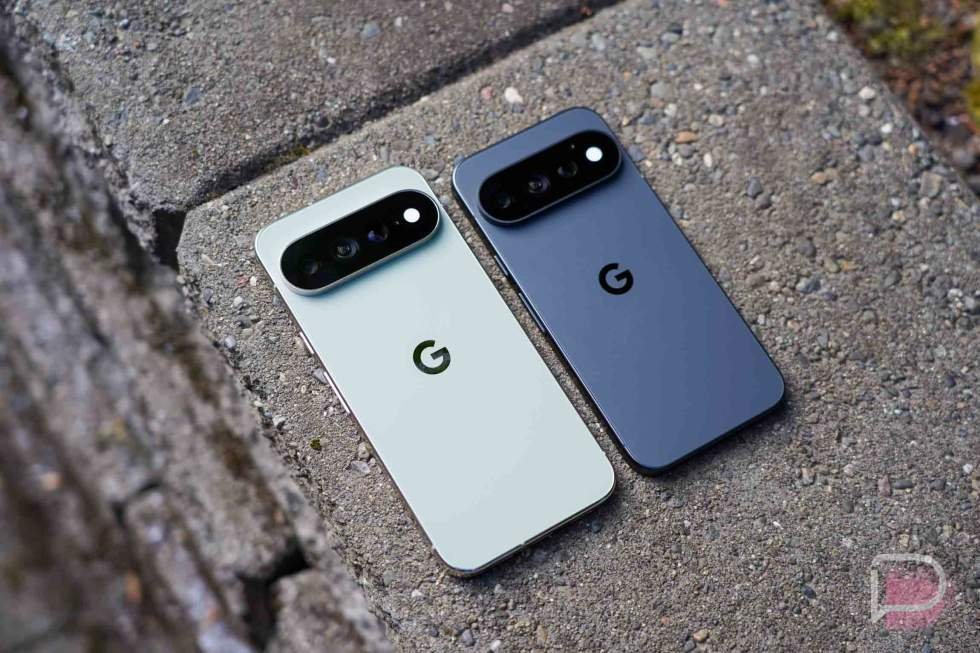
The story of 2026 and smartphone releases has without a doubt been pricing adjustments due to chip shortages. As Samsung sent out its top devices of the year with subtle price tweaks, we were all curious what Google would do with the Pixel 11 series.
The Pixel 11 series is now here and Google has indeed made some changes based on the industry’s RAM crisis. We now have Pixel 11 Pro models with less starting RAM, but also higher starting prices. It has been hard not to focus on that fact, mostly because everything else in our world is also getting more expensive, yet we feel like we’re getting less.
The Pixel 11 Pro models do have a handful of noteworthy changes, though, so with pricing sort of set aside, that’s where a lot of our focus has been during the past few weeks of testing. And yep, we’ve had both the Pixel 11 Pro and Pixel 11 Pro XL in house for a while now, doing our best to put them through our typical usage before reporting back. We take our time, as you know.
Tim has already shared his Pixel 11 review, so now we are moving on to the Pixel 11 Pro and Pixel 11 Pro XL that I’ve been dancing between. You ready to talk about ’em?
This is our Pixel 11 Pro and Pixel 11 Pro XL Review.
What’s great about the Pixel 11 Pro?
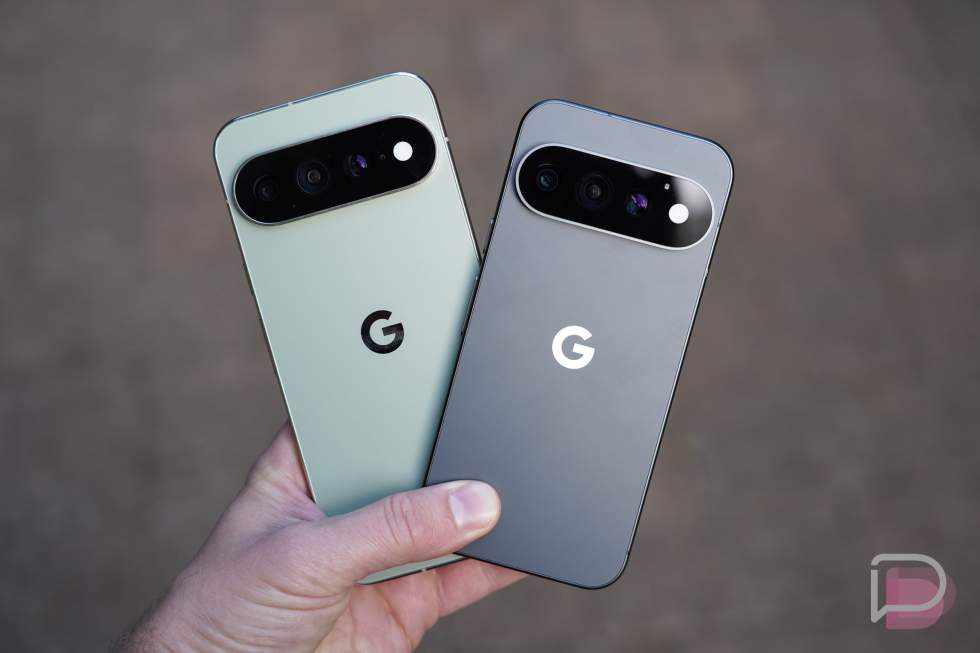
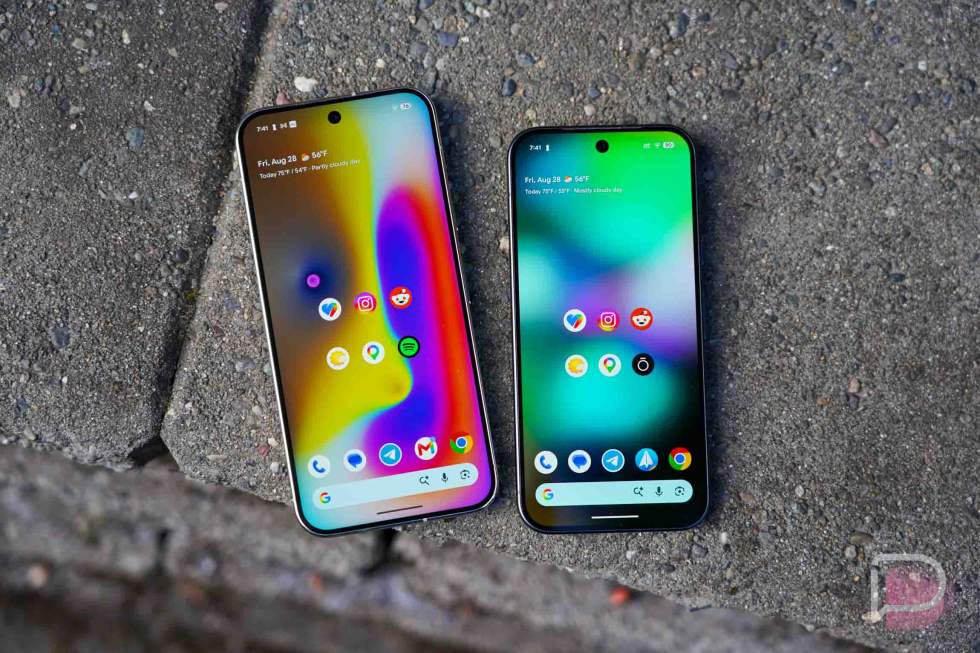
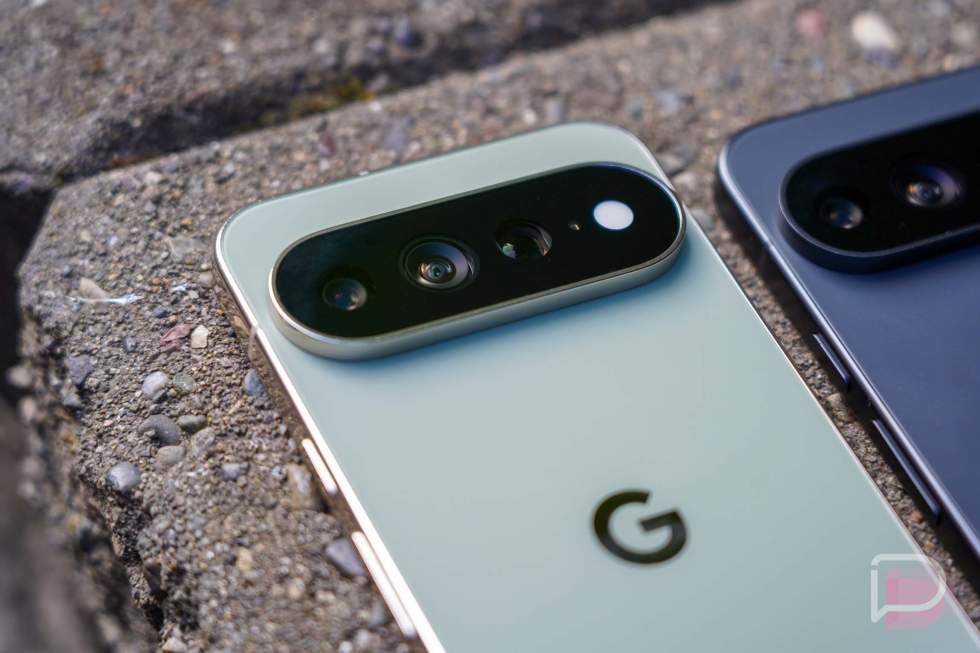
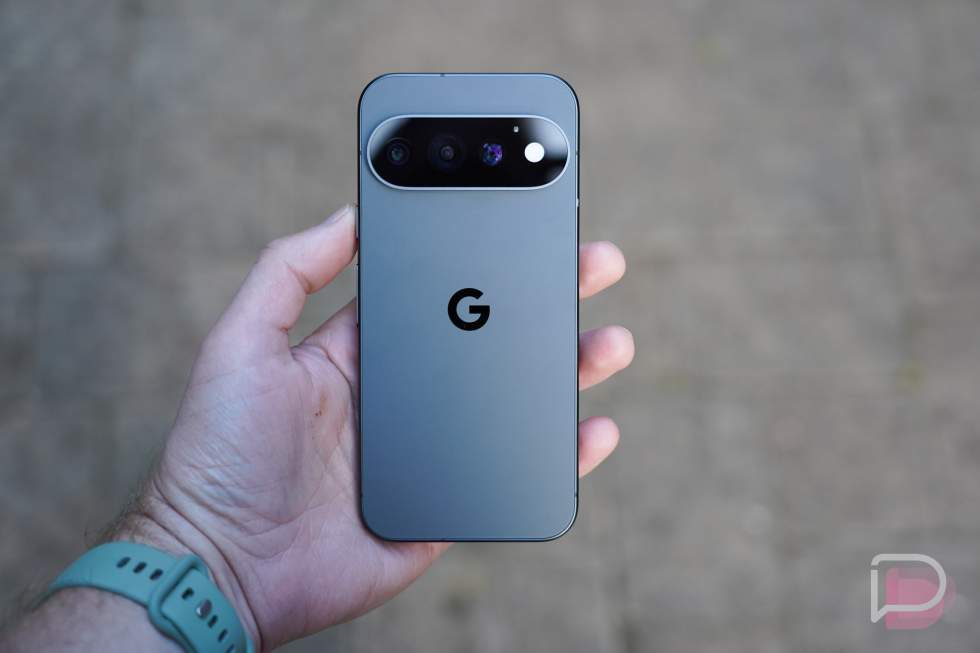
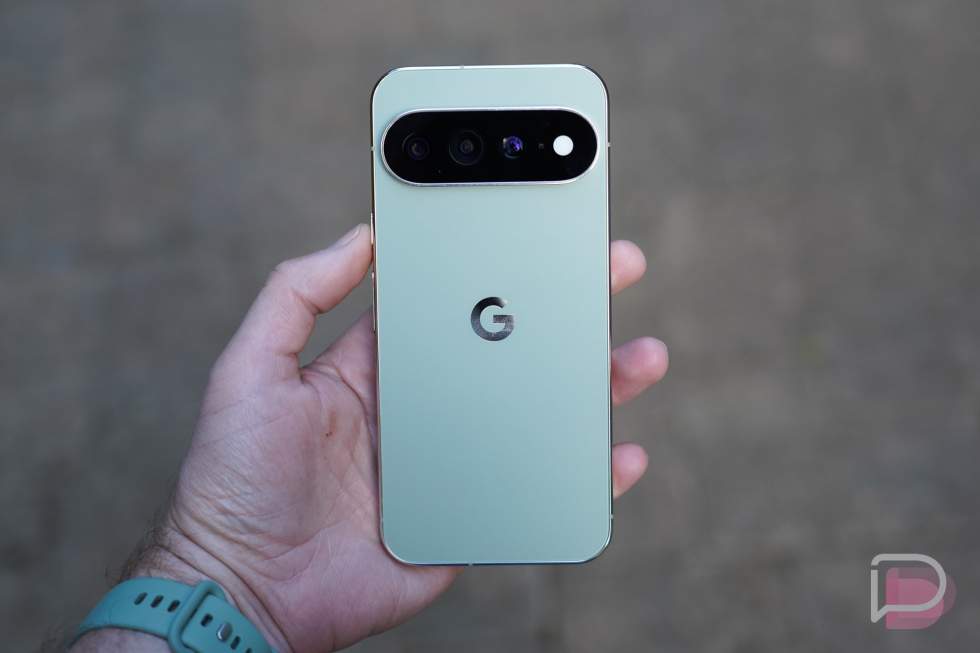
Design. Google has run back the same phone design for the 3rd year in a row with the Pixel 11 Pro and Pixel 11 Pro XL. We get the large camera bar that hosts a triple camera system, flat front and back panels that are made of glass, and then a metal frame surrounding it all. It’s a bit iconic at this point and I’m still not tired of it. Sure, I hope Google looks to change things up next year, but this phone design works so well in the hand.
The flat edges give you plenty of space to grip the phone, the camera bar allows it to sit on a desk without a wobble, and the fit and finish feels as good as ever. This is Google finding its stride in phone construction, that’s for sure.
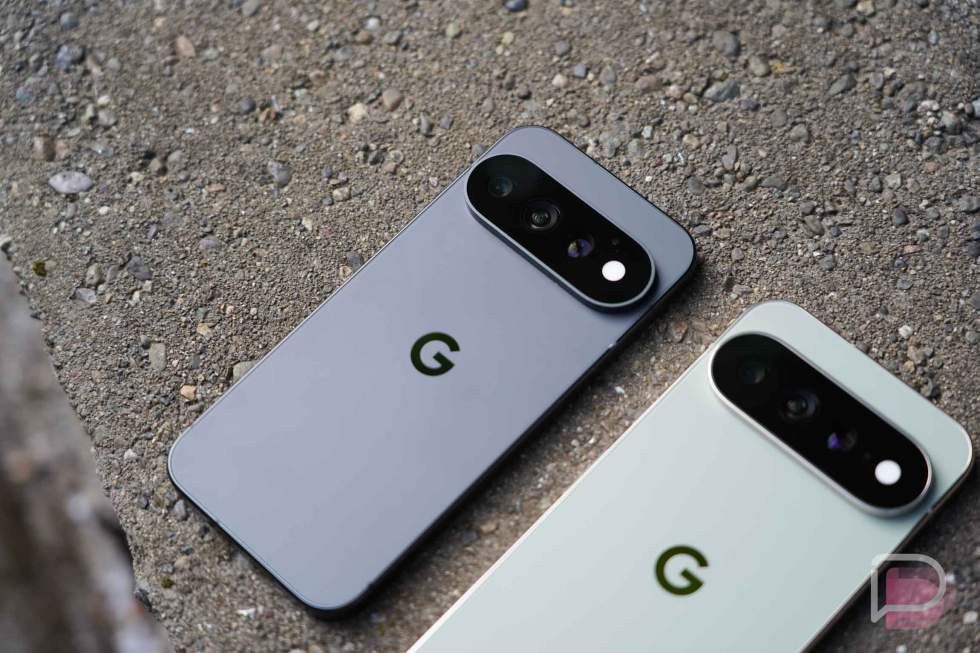
For this year’s Pro models, Google is giving us Canyon, Frost, Olive, and Obsidian, although Obsidian now has a matte frame for the first time, while the others have polished metal frames. All of the phones look incredible, especially Canyon and Olive.
I really have few complaints with the way these phones look. They have great balance and aren’t overly top-heavy, even with the large camera. Ports and buttons all line up, the buttons are extra clacky, and the subtle frame curve makes them ultra-comfortable in the hand.
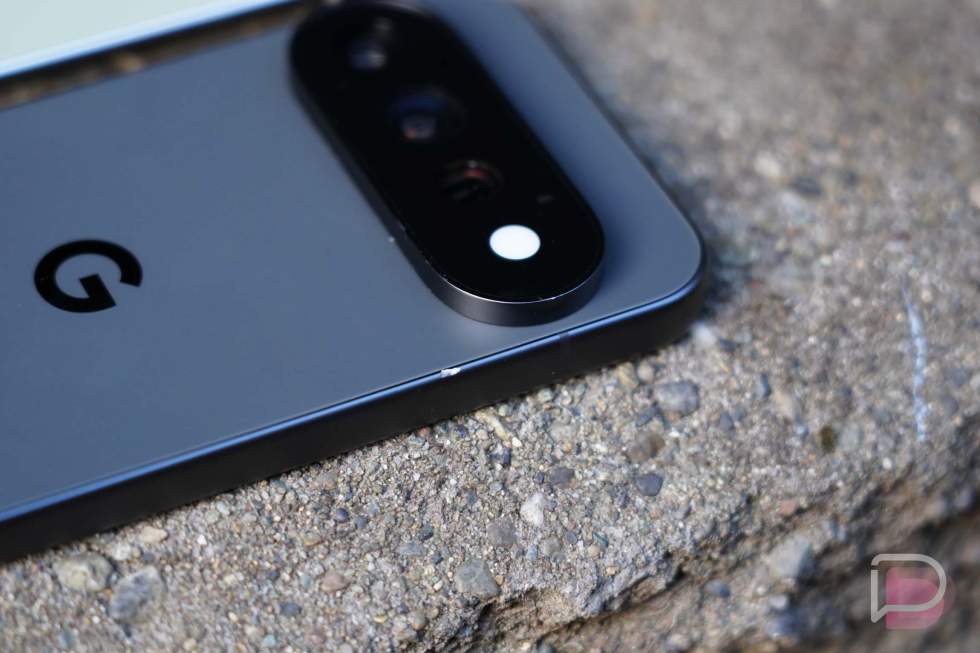
If I do have a complaint, it’s only that this matte black version is very, very slippery. I wrote about this already, but I’ve since dropped the phone because of that slipperiness and it slammed against a metal object, leaving a permanent mark in the frame. It survived! However, I’m going to have to put a case on it if I want this one to last.
But overall, the Pixel 11 Pro and Pixel 11 Pro XL are well-designed phones that certainly fit my tastes. I do hope Google brings something fresh for the Pixel 12, but I’m good with this setup for another year.
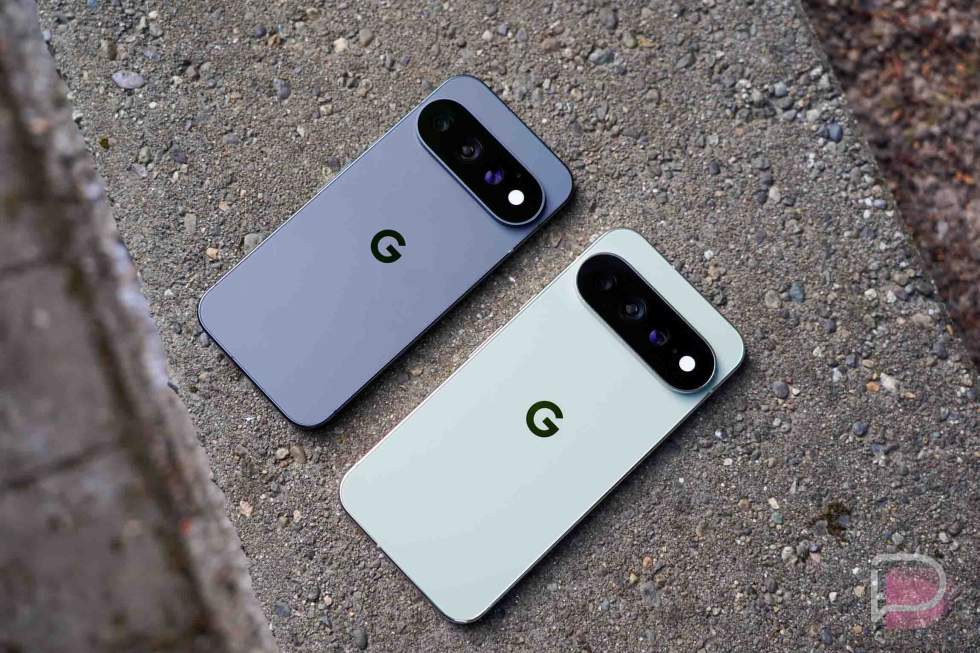
Display. The new displays on the Pixel 11 Pro and Pixel 11 Pro XL really bring just two major improvements – higher peak brightness and improved scratch resistant. We’ve still got 6.3″ and 6.8″ Super Actua AMOLED displays with 1-120Hz refresh rates, HDR Support, and Gorilla Glass Victus 2 cover class.
The improvements come from new peak brightness at 3600 nits (up from 3300 nits) and a new anti-scratch shield on top of the cover glass. These might not be massive upgrades, but they are nice to have. Higher brightness when outdoors will never find complaints from me, plus I love the idea of there being an extra layer of anti-scratch protection. The thought of scratching the display on your $1,200 phone is nightmare fuel.
As for other display notes, these displays are big, bright and colorful, with top tier viewing angles, impressive touch response rates, and all of the proper display settings you’ll want. Dark themes have been expanded with Android 17 to let you further customize on a per-app basis for apps that might not yet have a dark theme. We also have new screen savers when charging and Comfort Filters that give your screen a softer, more pastel look to ease eye strain.
I always like to talk about brightness extremes, mostly because I like displays that get incredibly dim. So while these displays do get very bright in outdoor settings, they also get beyond dark at their lowest brightness in darker situations. In fact, they have such range, that I’ve found the need to regularly brighten when I’m laying in bed because they get too dark. This is a good problem to have, by the way.
Top notch displays from Google once again.
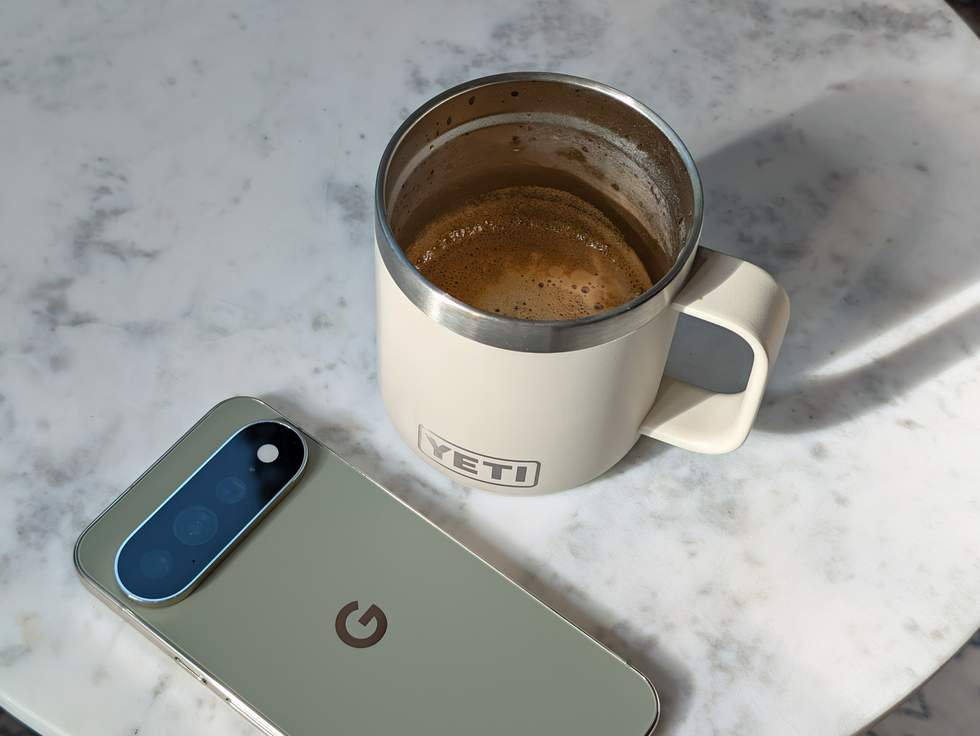
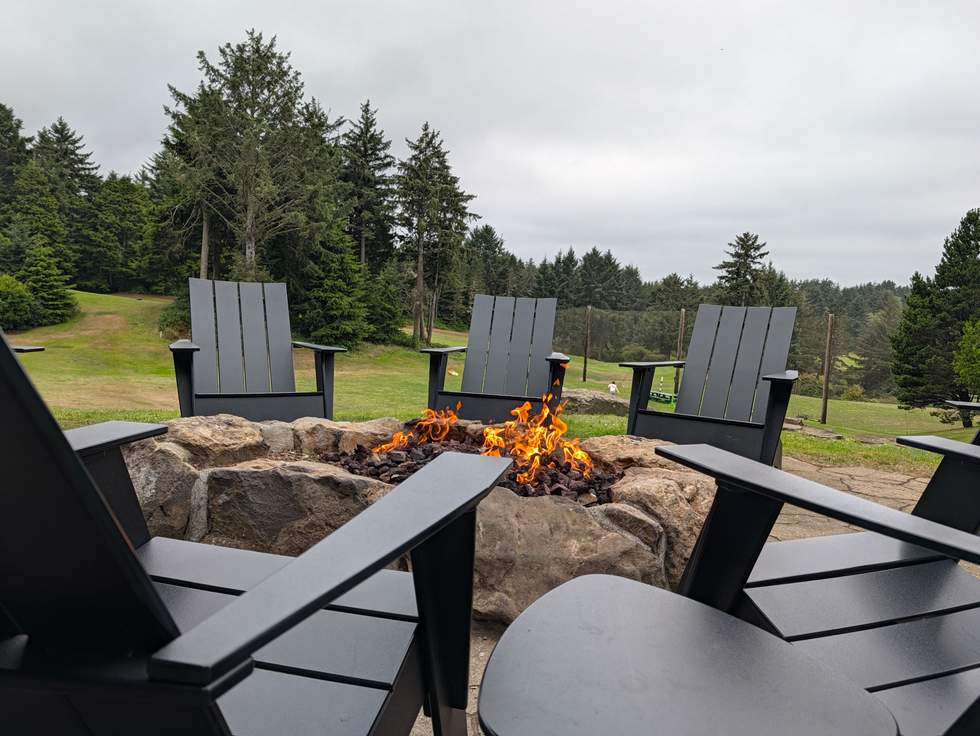
Camera. I’m really having a lot of fun with the camera system in the Pixel 11 Pro models. After using all of Samsung’s top phones and being disappointed, along with several other phones from the past 12 months, this has brought joy back to phone photography for me. Google just gets so much right about the idea of a smartphone camera system.
For the Pixel 11 Pro (and 11 Pro XL), Google has given us a brand new 50MP main sensor and an upgraded 48MP telephoto sensor. They’ve also pushed the Pro Zoom up to 120x and found a way to capture Night Sight photos at 4.5x the speed. Everything about this camera feels fast, without the stutters or lag we get with every Samsung phone. These cameras open, focus, and snap so quickly, that it always feels ready for the next shot before you may be.
Google is also introducing a really cool new Magic Capture mode. When active, this mode looks like you are recording video (which you are), but the phone attempts to pic out the best moments immediately after you end a session to then present those to you. It really does feel like a bit of magic, because it often presents the photos you might have wanted to capture, yet you didn’t have to focus all of your time on doing so. It’s a featured aimed at letting you live more in the moment and I think it succeeds.
We also get an improved Portrait mode that can utilize the 5x telephoto lens for the first time. The results are as awesome as ever, because Google’s Portrait mode is about the best there is.
For those who want a more customized camera experience, Google is introducing “Looks” for the first time. These are camera presets that you can setup and have stick as the default shooting style for your camera. There are four (Original, Natural, Shadows, and Vanilla) to choose from, all of which can be further customized (contrast, highlights, shadows, vibrance, etc.) and saved as the default to give all of your photos a look. There are several other presets that Google includes alongside the base Looks that you’ll want to dive into. The iPhone has had a similar feature for a few years that photogs really love – welcome to the party, Pixel users.
As for the camera results, these cameras do a great job of capturing reality without overdoing shadows or colors (most of the time). They do bring a touch of extra contrast and vibrance to help bring pictures to life, but I find the stock photo settings to produce very acceptable images that I haven’t found the need to retouch.
There’s great flexibility here between the 3 camera sensors and they all produce very similar styles of photos. This isn’t one of those OnePlus or Nothing camera systems that give you completely different looking scenes depending on the sensor.
This camera is so dialed, so consistent, so quick, and so much fun to use.
(Full resolution Google Photos Album)


















Battery life. On launch day, we shared with your some initial battery life results from both the Pixel 11 Pro and Pixel 11 Pro XL. We’ve since updated that post with more numbers that really tell the story of where these phones stack up compared to last year’s models. Since Google gave us slightly smaller batteries this year, we were worried at first.
For this review, I will mostly direct you back to that write-up for more on battery life, but what I can tell you now is that battery life is probably slightly better on the Pixel 11 Pro models than the Pixel 10 Pro models. Even with the smaller batteries, this new Tensor G6 chip has brought improved power efficiency that is delivering an extra couple of hours of use each day.
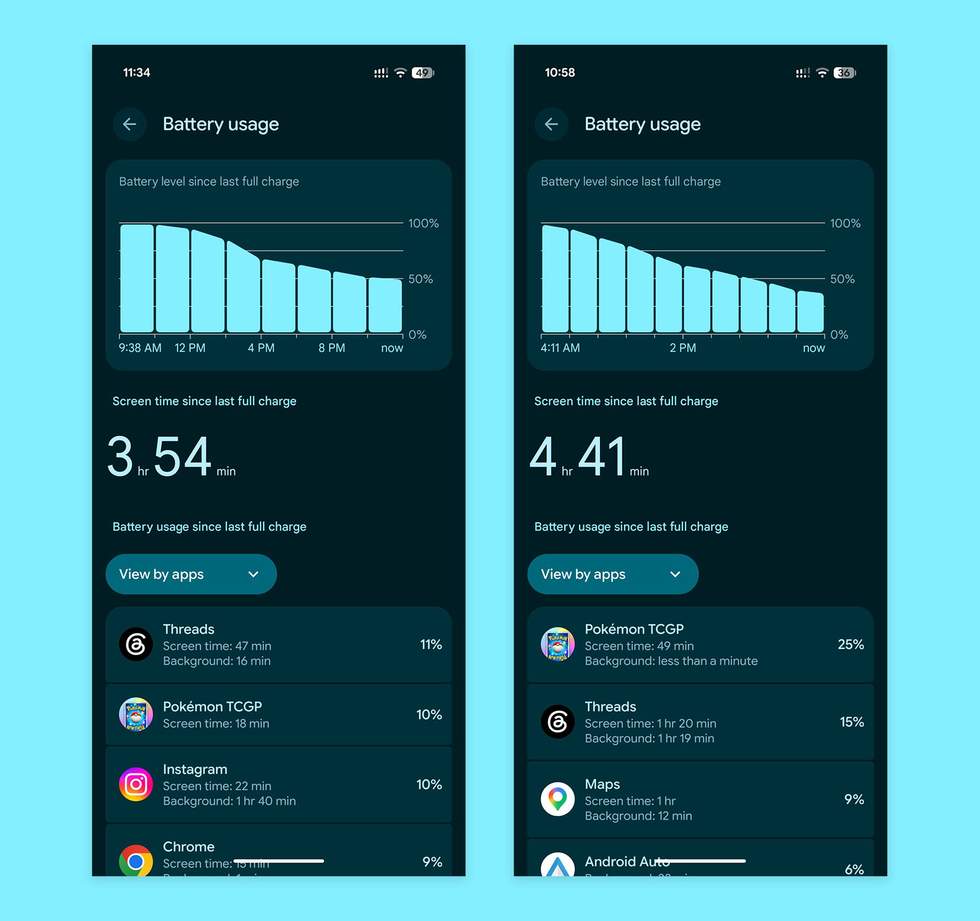
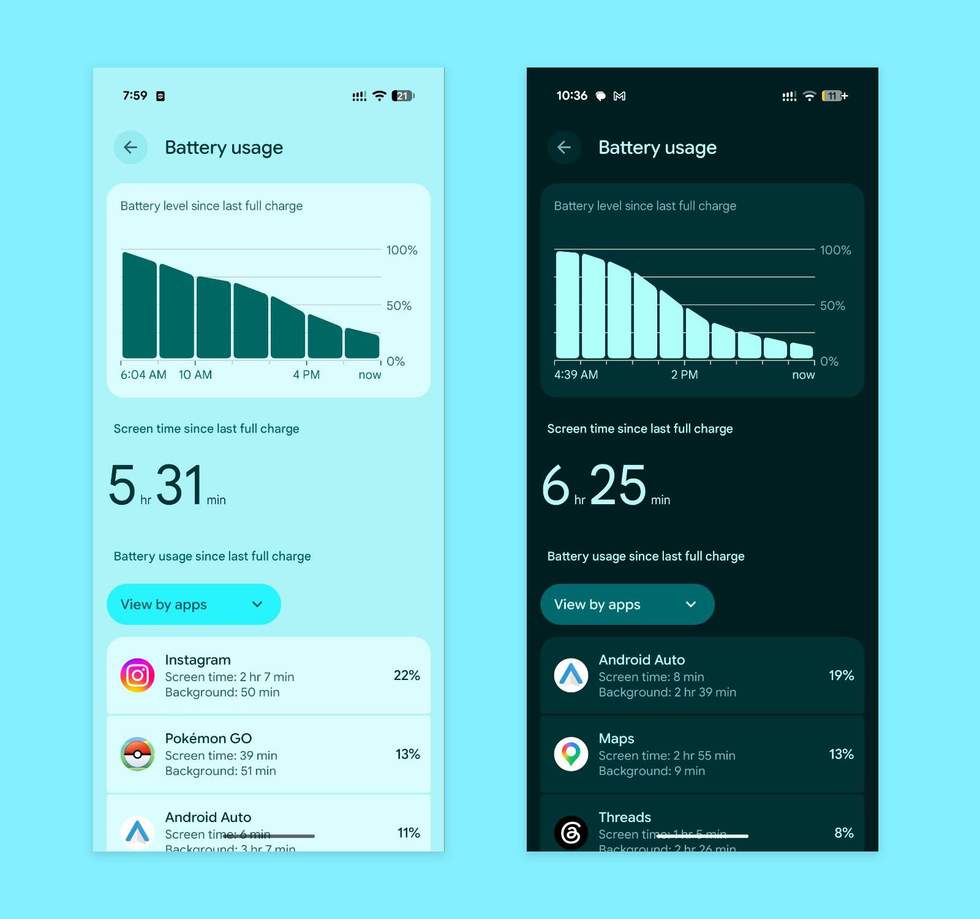
The above screenshots are the most recent test results that I have for you. They show a Pixel 11 Pro XL, after being put through my typical day, showing 4 to 4.5 hours of screen on time and still having up to 50% battery remaining. For the smaller Pixel 11 Pro, the image above shows some extra-heavy usage days that hit 6.5 hours of screen on time and as little as 11% battery remaining.
Again, I’d put these devices at slightly better than their Pixel 10 Pro counterparts. Nothing has changed dramatically, but I haven’t had battery worries.
In the charging department, Google has once again included Qi2.2 magnets inside of the devices, letting you attach to magnetic wireless chargers and accessories with ease. The magnets do feel stronger this year too, so that attachment brings greater confidence. The speeds for wireless Qi2.2 charging can now hit 25W, which is pretty fast.
The wired charging experience has not changed for the Pixel 11 Pro, but the Pixel 11 Pro XL can technically get you up to 75% charge in 30 minutes vs. the 70% in 30 minutes on the Pixel 10 Pro XL.
Software. The software on the Pixel 11 Pro is almost exactly what you get on any other Pro Pixel phone. This runs Android 17 out of the box, will get a full 7 years of regular updates, there will be opportunities to beta test new software and features, and you’ll get Pixel Feature Drops every quarter that should bring new goodies.
So I don’t want to dive too much into this software, because it’s already familiar. You get the best notification experience of any Android phone, easy searching of the entire phone with a single swipe, a semi-robust home screen setup, wonderful color theming throughout, tasteful animations, a non-obnoxious lock screen, Quick Settings that are easy to handle, and plenty of customization options, even if Samsung might offer another level of personalization. In the end, Google’s Pixel experience is my preferred because it’s constantly improving, yet stays simple to its core.
Instead, I want to talk about what’s new here and if any of it is useful.
The first thing to talk about is Rambler, which is the new voice-to-text feature inside of the Gboard keyboard you have. This is a standout feature and probably the new toy I’ve used the most on the Pixel 11 Pro. With Rambler, you get to fully dictate messages or emails or notes and it’s smart enough to remove the pauses, to add proper structure, use your saved dictionary, and mostly sound like you. I’ve written about it here and it’s worth a look. Rambler is awesome.
Google is also giving us Proactive Assistance on these phones as an semi-evolution of Magic Cue from last year. The idea here is that your phone will proactively assist you by presenting information through messaging, if it notices something useful on your screen, if you are at a location and have a reservation it can automatically share info about, or if it recognizes a business you are calling.
I wish I could tell you that Proactive Assistance has changed how I use my phone, but it just so rarely surfaces that I don’t have anything good or bad to tell you about it. I’ve seen it pop-up at times within a Google Messages conversation, but that’s about it. I don’t really know how Google could take this further, it’s just not really finding it’s way into my life. I guess I don’t need assistance? If things change on this front, I’ll do my best to circle back and update this section.
Weirdly, that’s sort of all that’s new for software. Thankfully, the base experience is so good that even without a bunch of new toys, the Pixel 11 Pro is still great.
For example, the call screening this phone does for spam calls multiple times per day is one of the greatest features ever created. I know others have created their own, but Google’s phone app in general is just on another level. In addition to the call screening, we now have custom call cards, you can set cards for your favorite people, it’ll transcribe in real-time as it screens, you can use it as a really impressive voicemail replacement, etc. It’s so good.
I also love how useful Circle to Search remains. I can’t tell you how often I need more info about something on my screen, quickly circle, find the answer, and then move on without leaving an app or missing a beat. I like that you can Bubble every single app now and have floating access to them at all times. I love Now Playing and its recent overhaul, because it regularly gives me music inspiration. The Pixel Weather app is great too.
Lastly, one of the cool things about owning a Pixel phone is knowing that new features are right around the corner too. We know that Android 17 QPR1 Beta will go stable in September and deliver plenty of changes, plus there’s Android 17 QPR2 Beta that has even more scheduled for December. We always have fun stuff happening in the world of Pixel.
Performance. Talking performance on a Google Pixel phone can be an awkward subject. We know that Google is using its own Tensor chips and that they’ve improved dramatically in recent years, but there’s just no denying the fact that they haven’t really come close to Apple or Qualcomm’s best chips. Sure, Google isn’t really trying to match those in raw performance or anything and is really focused on a complete ecosystem, but yeah, Tensor is a lower-tier chip compared to the best from those companies.
In the Pixel 11 Pro models, we get Tensor G6 that Google says brings 25% faster web browsing and 15% quicker app launches. It also has a TPU that processes on-device AI at 3.5x faster rates while using 3.5x less energy. Those are noteworthy for sure, but none of that suggests dramatic changes for Pixel 11 Pro.
By no means do I fully hammer on devices when I have them in for review. Instead, I put them through my typical day to keep things consistent, mostly to track battery life throughout a review period and find weird outliers in performance that we can mention. That’s been my approach here as well, but there are still some things to talk through.
It’s safe to say that previous Pixel phones have often struggled with overheating and performance or battery drain issues from that overheating. That’s likely from a combination of previous chips and poorly made Samsung modems. For the Pixel 11 Pro devices running Tensor G6 and with a new MediaTek modem, I haven’t had those issues this time around. I’m now on my third Pixel 11 Pro device, so I’ve gone through several setups, used Android Auto (the notorious battery and heat animal) on a couple of road trips, and have spent plenty of sessions with Pokemon GO (also poorly tuned and a disaster for previous Pixel phones) in the sun, and have had no such issues. The devices get warm, as any device would, but the extremes aren’t there, nor is the battery drain.
These phones, even if we know in the back of our minds that they may not be the powerhouses that are Samsung’s best phones, just run so well at almost all times. The Pixel 11 Pro devices are flowy with animations, rarely hiccup when in and out of apps or the camera, feature lovely haptics that hit with each touch, and apps remain at the ready in memory.
I do get the sense that my WiFi signals have been somewhat stronger as they dance between my 3 home networks and that I’ve had fewer issues on cellular when moving around Portland and the rest of Oregon. These are not scientific measures, just a note that I’ve noticed less frustrations in connectivity from the Pixel 11 Pro than my Pixel 10 Pro.
Whether you are having a major camera session, rambling to Rambler at length, playing the occasional game for longer than you should, or scrolling endlessly while reading about the endless doom spiral of the United States, these phones just never slow. They’ve just held up so well, no matter the scenario or the setting.
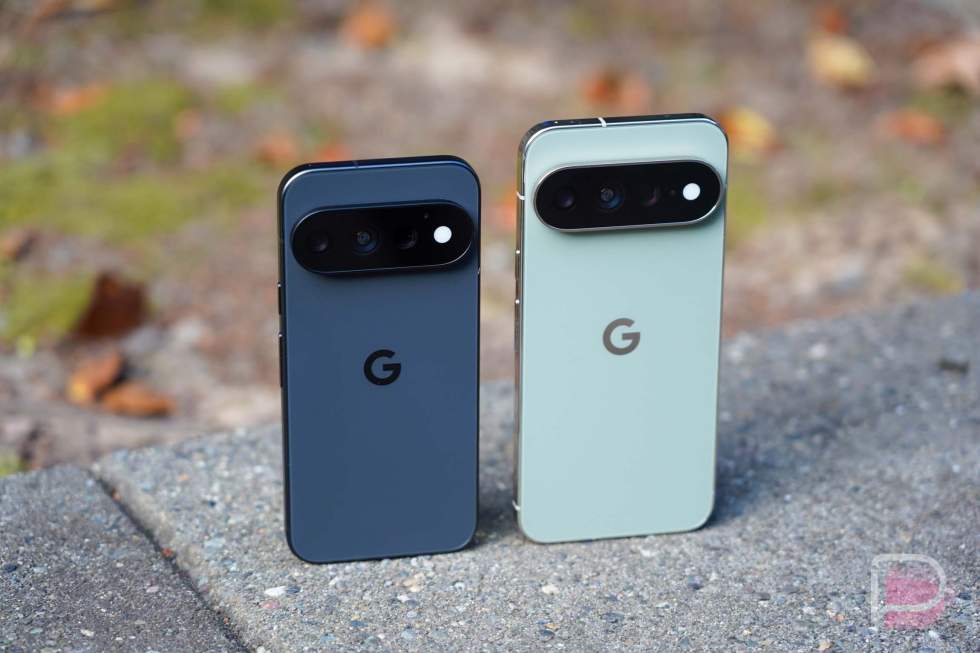
Choice. Starting with the Pixel 6 series, Google finally gave us a Pro model device and continued offering us choice in size for the newest phones. Unfortunately, they only released a Pro model in the largest size up through the Pixel 8 Pro, which wasn’t fun for those of us who aren’t into giant devices. Thankfully, once the Pixel 9 Pro arrived, Google gave us choice in size for their Pro devices and we can’t praise them enough for it.
For the Pixel 11 Pro and Pixel 11 Pro XL, you once again get to decide which size of Pro device you want and you aren’t having to give up features to do so. Samsung still doesn’t do this with their Ultra phones and it’s one of the reasons I rarely switch to Samsung phones after reviewing them.
But for Google’s Pro devices, I can always go for the smaller Pro and get almost the exact same experience. I get the same cameras, same software features, and same level of support. The only differences we tend to see are in charging speeds, but they aren’t different enough that we would jump to the XL instead. And for the Pixel 11 Pro models, Google actually matched the higher Qi2.2 25W wireless speeds, so only wired charging differs now.
What’s not to like about the Pixel 11 Pro?
HiLight is sad. Adding new hardware features to similar designs is a good way for a company to keep things familiar, yet give users something to look forward to, something new to play with. HiLight was supposed to be that thing for the Pixel 11 Pro models, but Google put little effort into it and the feature has already been forgotten about.
HiLight, for those who missed it, is a new lighting system that replaces the standard camera flash on a Pixel phone. The light still acts as a flash for the camera, but it also glows in colors for your favorite callers or for Gemini sessions when your phone is face down. That’s all it does, though.
Google should have allowed for this light to be customized on a per-app basis with different colors or patterns per notification. This seems like the simplest idea that is so oddly missing.
But also, the new light is much dimmer as a camera flash and flashlight with this new HiLight. That could pose problems for night photographers or those who regularly use their phone as a flashlight (I’m one of those people).
Google says they will improve HiLight over time and add new features, but how long is that going to take and how serious will they take the improvements? By giving us such limited features out of the box, do we even trust that this will ever become a thing or is it Soli all over again?
Pricing and cuts. For pricing this year, Google is making it more expensive to get into the Pixel 11 series. The Pixel 11 Pro now starts with 256GB storage, so it’s starting price is higher than last year at $1,099. The Pixel 10 Pro had 128GB and started at $999. For the Pixel 11 Pro XL, Google is raising the price by $100 to $1,299 for that same 256GB storage it started at with the Pixel 10 Pro. So no matter which phone you go with, you could pay more than you would have with the previous generation phones.
But the issue here isn’t just about price increases. For the Pixel 10 Pro and 10 Pro XL, Google put 16GB RAM in all variants, including those with the lowest amounts of storage. For the Pixel 11 Pro models, Google has only included 12GB RAM for the 256GB versions and then jumped to 16GB RAM for 512GB and above. Blame the RAM shortage all you want, this is still what Google has given us for options.
Will you notice that difference in RAM? Maybe not, but you are now paying more for less. Sure, you now have Tensor G6 and a new camera over the Pixel 10 Pro, but if you buy the least expensive model, you aren’t getting the max amount of RAM.
In the end, we don’t know if Google will treat the 12GB and 16GB models differently. We can at least look to the past to know that they have treated some phones differently based on RAM in the past. The Pixel 8, for example, was limited in Gemini Nano features because of its 8GB RAM. Will Google do the same for these Pro phones with less RAM? I certainly hope they don’t, plus Tensor G6 is likely powerful enough to handle everything that Google plans to throw at these Pixel 11 Pro models in the future. But it’s still something to consider if you are contemplating a purchase – it might be worth paying more for the 16GB models to protect yourself.
Is it enough of an upgrade? I think what I’d tell people looking to upgrade to a Pixel 11 Pro phone is that if you own a Pixel 10 Pro or Pixel 10 Pro XL, you probably don’t need a new phone and can skip this generation. There just isn’t enough different, outside of the subtle camera upgrades and the potential of Tensor G6. Rambler is awesome, but I’m not sure it’s worth giving up a phone as good as the Pixel 10 Pro for.
If you own a Pixel 9 Pro model, this may be worth looking at, since we are two generations further into Tensor, the camera upgrades are real, and you have the comfort of knowing you’ll have software support into the 2030s.
For any Pixel phone earlier than the Pixel 9, I’d probably tell you to strongly consider upgrading because you get this newer hardware style, big upgrades in the camera and Tensor, more software updates, the chance for all of the newest software features going forward, and more.
The Pixel 11 Pro isn’t a big year-over-year jump, but that’s OK. We don’t really need to be upgrading our phones every single year, do we?
Should you buy a Pixel 11 Pro or Pixel 11 Pro XL?
Well, we sort of just talked about this. I’ll just point out that the camera upgrades are very, very nice this year both in terms of hardware and software. These are easily my current favorite cameras in the smartphone world. Battery life is excellent, the software is as good as it gets on Android, the AI features are actually OK, and the hardware is still very nice.
That said, the Pixel 11 Pro and Pixel 11 Pro XL are mostly for people not currently using a Pixel 10 Pro model. The upgrade from a Pixel 9 Pro will probably be worth it, as will anything earlier than that (like a Pixel 8 Pro or Pixel 7 Pro).
Google made a couple of excellent phones once again, even if we are a bit miffed about the 12GB RAM in the cheapest models and the higher cost of entry.
Shop Pixel 11 Pro Deals
Read the original post: Pixel 11 Pro & Pixel 11 Pro XL Review: Stay for the Camera
This articles is written by : Nermeen Nabil Khear Abdelmalak
All rights reserved to : USAGOLDMIES . www.usagoldmines.com
You can Enjoy surfing our website categories and read more content in many fields you may like .
Why USAGoldMines ?
USAGoldMines is a comprehensive website offering the latest in financial, crypto, and technical news. With specialized sections for each category, it provides readers with up-to-date market insights, investment trends, and technological advancements, making it a valuable resource for investors and enthusiasts in the fast-paced financial world.