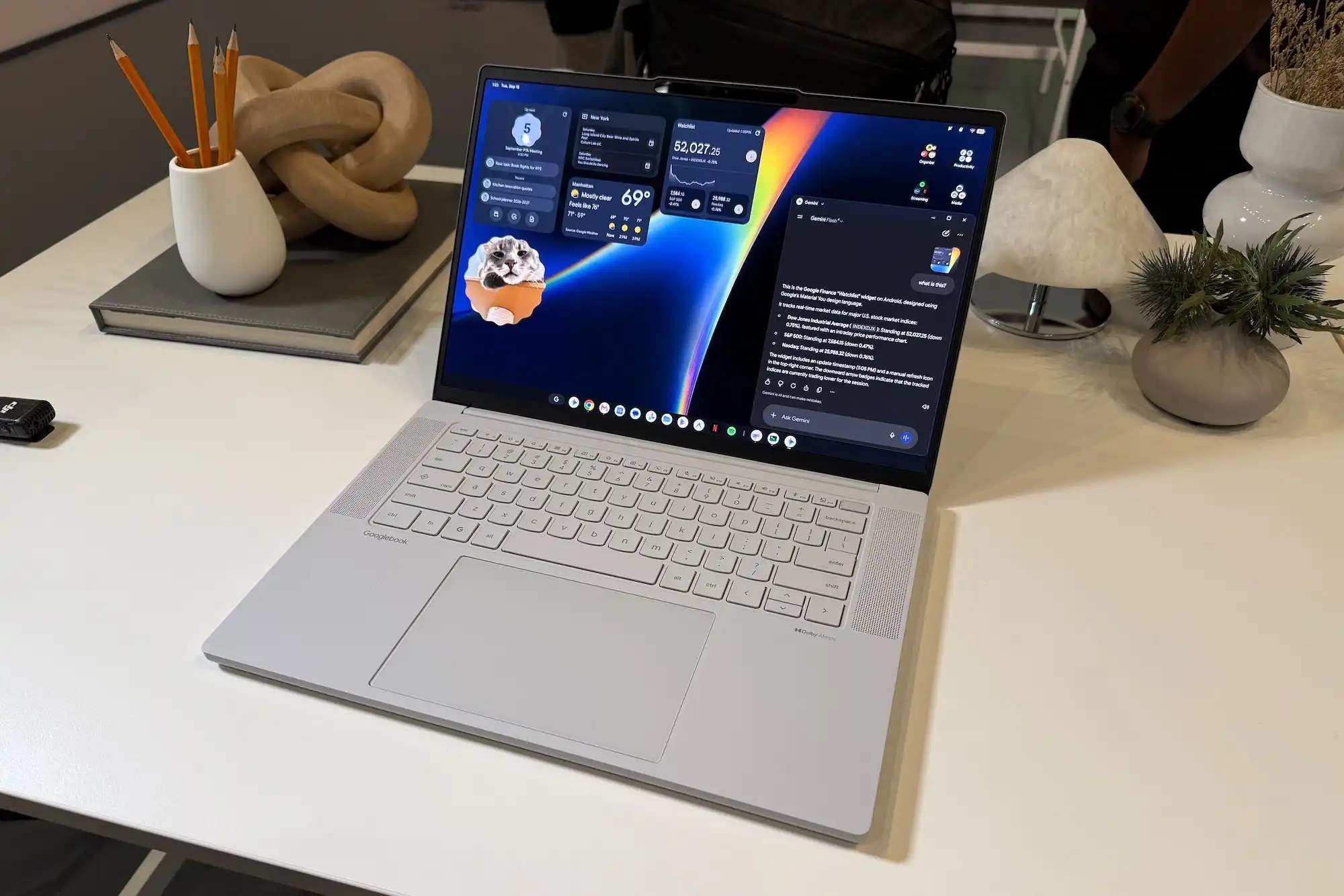
Google’s new Googlebooks are finally here! As promised, they come with a bevy of flashy Gemini features, including an AI-enabled mouse pointer, a local dictation tool, and the ability to create desktop widgets with prompts. But the Googlebook AI feature that really got my attention isn’t, strictly speaking, an AI feature.
First, let’s talk about the Gemini-infused “Magic Pointer,” which lets you select or lasso text, images, and other elements. From there it gets sent off to Gemini for further explanation, rewrites, or other AI duties.
Among the major Gemini features for Google’s new class of $899-and-up Googlebooks, now available for pre-order from the likes of Acer, Asus, Dell, and Lenovo, the Magic Pointer can be summoned with a wiggle of the mouse. It makes its presence known with a little “+” next to the pointer.
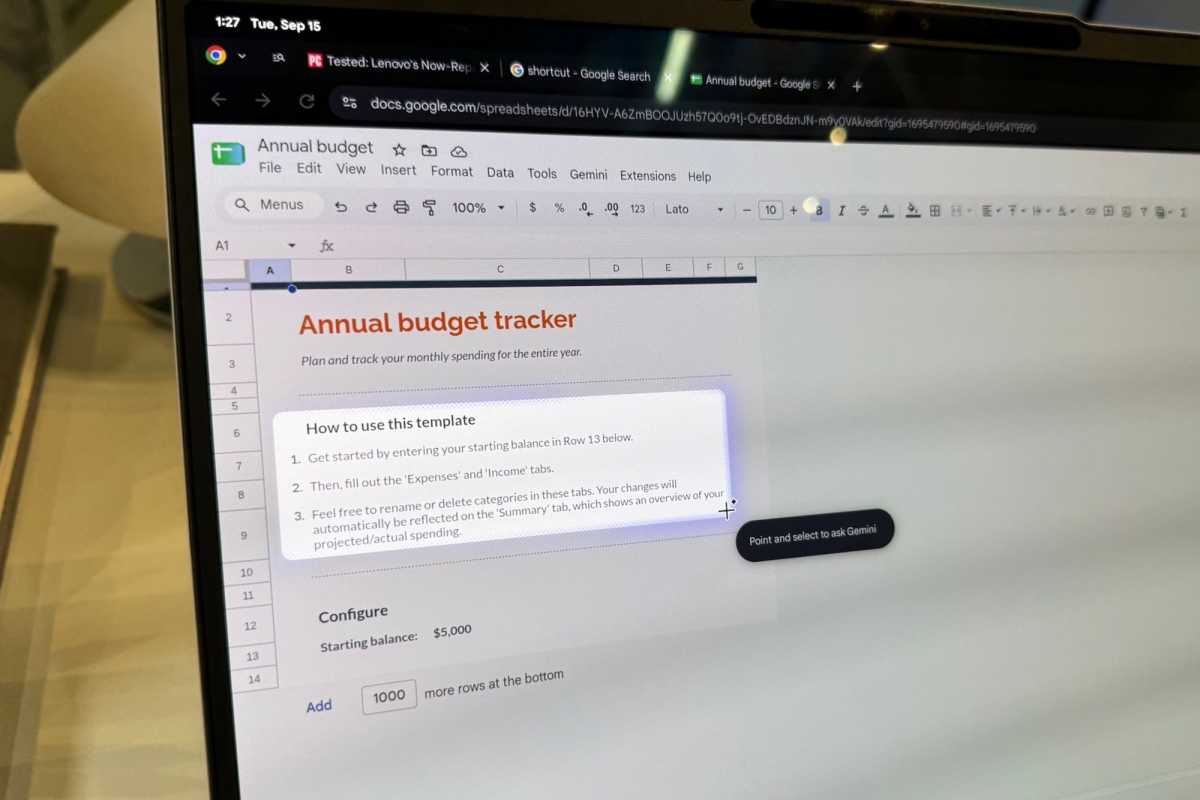
The Magic Pointer lets you select text, lasso images, and interact with other desktop elements, which you can then send to Gemini as context.
Ben Patterson/Foundry
I got the chance to play around with the Magic Pointer during a Google pre-briefing last week. Select a block of text and the Magic Pointer will send it to Gemini for further analysis or tweaking. You can also circle an image and ask Gemini, “What is this?” The bot will then explain what “this” is.
There’s also another Gemini-powered feature called Rambler. It’s imported from Gboard and it’s designed to organize your ramblings thoughts into smooth, flowing text.
You can paste transcribed text from the Rambler anywhere you like, including into a Gmail message. You can also deploy it via the Quick Insert tool, which you can summon using a dedicated Googlebook key.
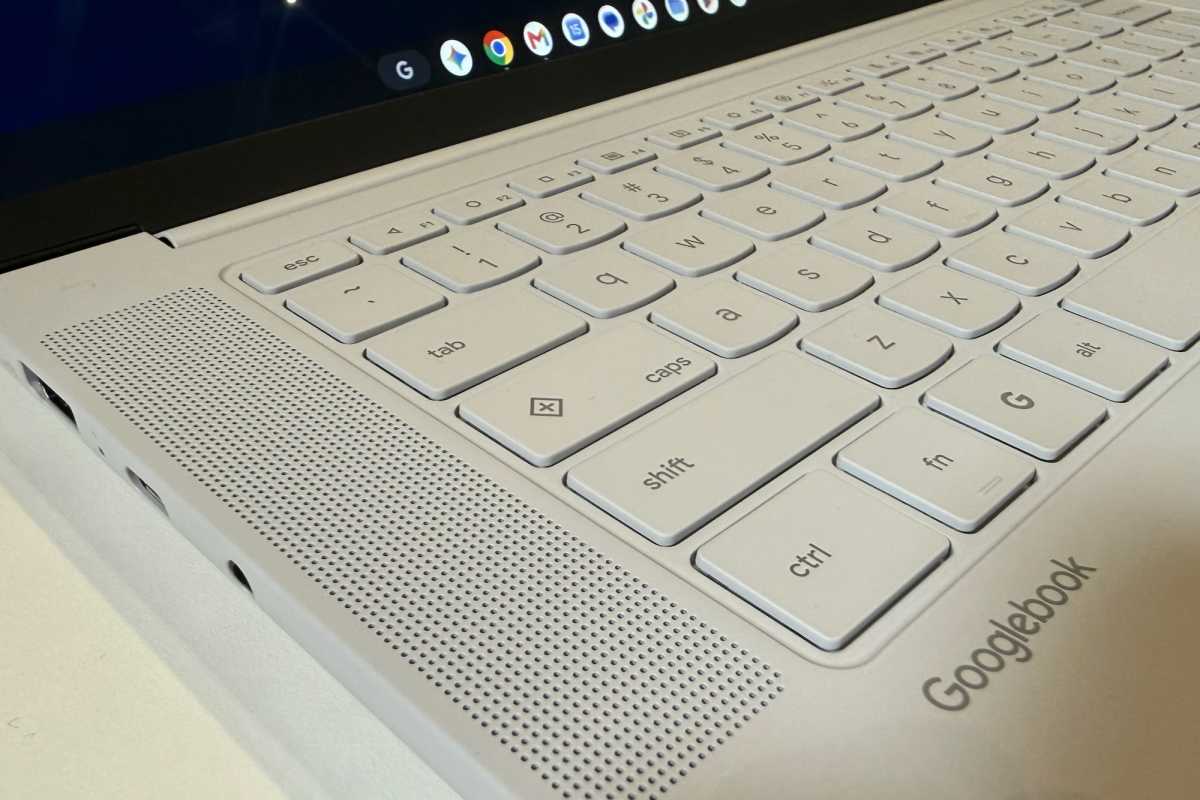
Just tap the Quick Insert key (the one with the little “+” above the Shift key) to summon the Rambler.
Ben Patterson/Foundry
Another Gemini feature for Googlebooks is the ability to create desktop widgets using natural-language prompts. This means you can ask Gemini to build a desktop widget that displays information from your family’s upcoming information like the flight information and hotel reservation. All of those details are plucked from Gmail or other connected Google sources.
These various Gemini tricks (which can be individually enabled or deactivated from Googlebook’s system settings) work using a combination of local and cloud AI models. Local AI generally handles lower-level duties such as basic transcription and text selection, while cloud AI tackles anything more involved, including chats, text editing, online research, and other complex AI chores. (Cloud-based Gemini features must be managed from your Google account settings.)
Indeed, the most powerful Gemini functionality on Googlebooks is already available to anyone with access to a Chrome browser. That includes Antigravity, the Google vibe-coding tool that comes loaded on Googlebooks, but uses cloud-based Gemini and Claude models just as it does on Windows or Mac devices.
That said, here comes the Googlebooks AI feature I’m more bullish on and, as I noted earlier, it’s not actually AI. Instead, we’re talking native support for fully isolated Linux environments, which Antigravity users can easily spin up or tear down via an Explorer-like interface.
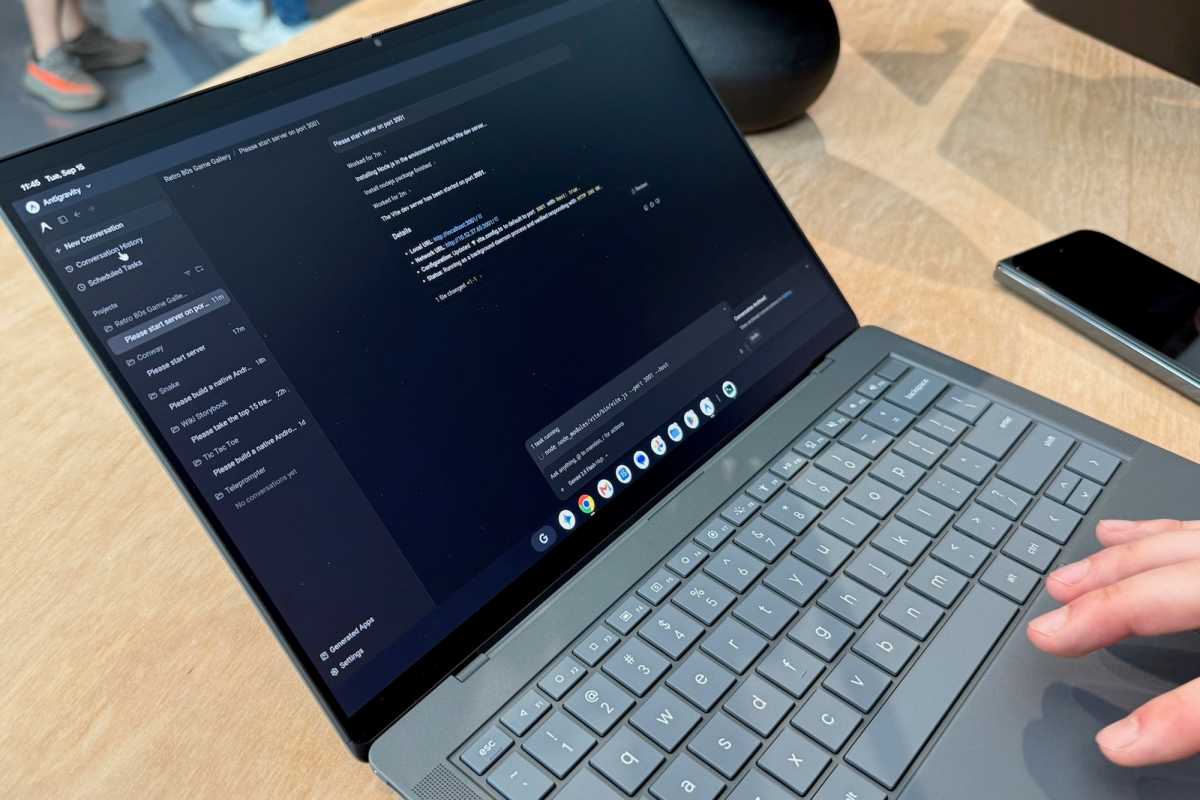
Google Antigravity users will get the most out of the Googlebook’s native support for Linux virtual machines.
Ben Patterson/Foundry
The Linux virtual machines on Chromebooks are siloed by a Level 5 security-certified hypervisor powered by pKVM isolation (a first for laptops, Google says), while the Googlebook’s main internals and OS are walled off by Google Titan security, “defense in-depth” architecture, and on-device malware protection.
In everyday terms, that means Antigravity users can quickly spawn secure, fully isolated Linux playgrounds for their Googlebook vibe-coding projects, while keeping their laptop’s core system architecture safe from those virtual Linux machines and the coding agents inside them.
Of course, Linux virtual machines won’t be anything new to seasoned developers, and they’re readily available for Windows and Mac systems. That said, installing and configuring Linux VMs can be tricky unless you know what you’re doing. On a Googlebook, all the heavy lifting has already been done for you.
Now… is a Googlebook’s native support for Linux virtual machines reason enough to buy one? Probably not. If anything, the Googlebook’s tight integration with other Android devices is a far more compelling reason. (My colleague Michael Crider has that angle covered.)
And, to be perfectly clear, no one should make the mistake of confusing a Googlebook with a (hypothetical) Geminibook. The Googlebook boasts its own native Gemini features, yes, but it’s not an offline Gemini replacement.
But if you asked me for a Googlebook’s most compelling and native AI feature, I’d point to the Linux virtual machine support — which, I know, isn’t really AI.
This articles is written by : Nermeen Nabil Khear Abdelmalak
All rights reserved to : USAGOLDMIES . www.usagoldmines.com
You can Enjoy surfing our website categories and read more content in many fields you may like .
Why USAGoldMines ?
USAGoldMines is a comprehensive website offering the latest in financial, crypto, and technical news. With specialized sections for each category, it provides readers with up-to-date market insights, investment trends, and technological advancements, making it a valuable resource for investors and enthusiasts in the fast-paced financial world.