WiiM Bar review
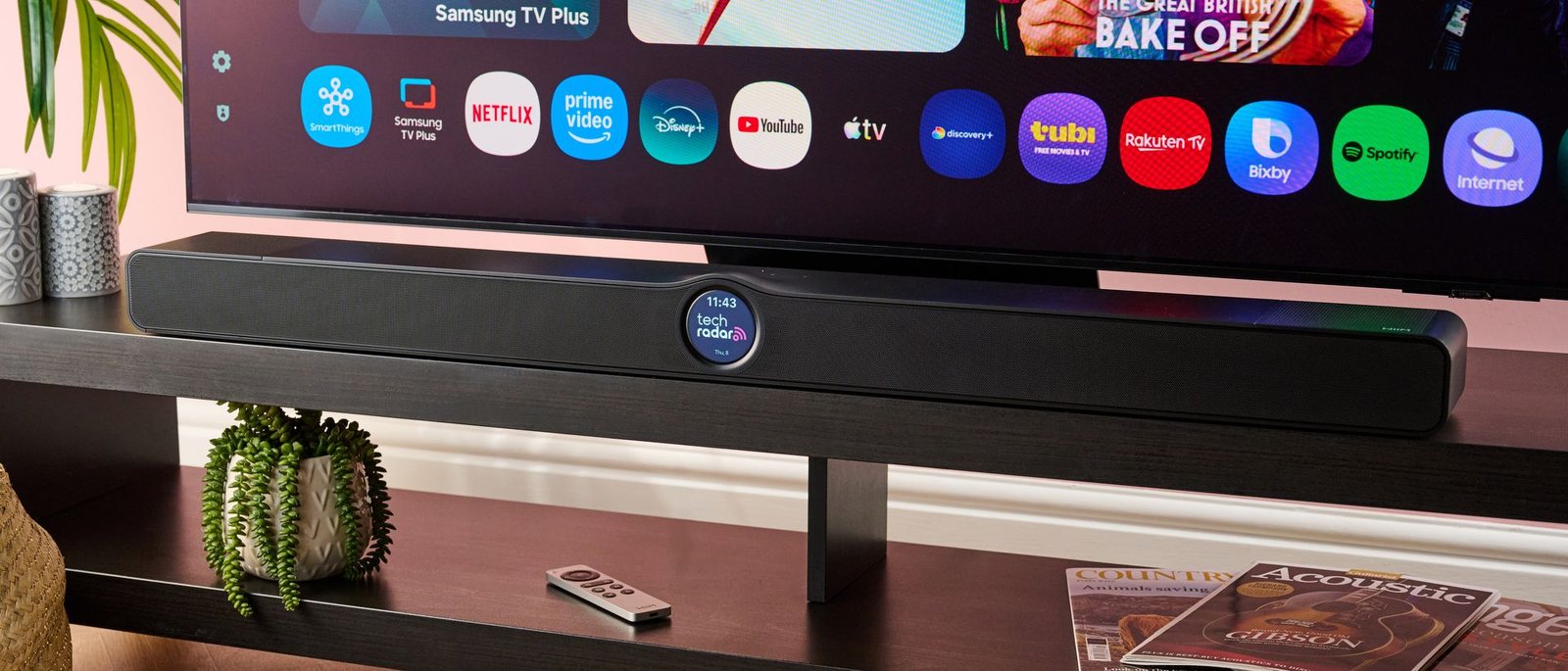
In recent years, WiiM has emerged as a serious multi-room rival to Sonos, and now it’s looking to try its hand in the world of Dolby Atmos soundbars. Yes, the WiiM Bar is the company’s first ever soundbar, and is bringing virtual Atmos, a unique screen-equipped design, and a big array of connectivity options to the table.
Just how good is the WiiM Bar, then? Can it truly compete with soundbars from the likes of Sonos? Here’s my view after hours of testing it.
If you want to compete with the best soundbars around, you better sound good — and luckily the WiiM Bar is a very solid performer. It’s a standalone 3.0.2 model, so it doesn’t come with a sub or surround speakers, and skips on up-firing drivers for ‘true’ Atmos, but given these restrictions, it’s actually a very capable model indeed.
When watching Godzilla Minus One, the sound of a plane flying overhead was genuinely convincing, with the vertical movement tracked precisely for a model using virtual Dolby Atmos. As the plane came into land, its descent was mapped brilliantly, sounding as if the audio was coming from beneath me. During a separate scene, I was also really impressed with the soundbar’s handling of dialogue — it was clean and well separated from the action, even when Godzilla appeared and some heavy bass entered into the mix.
I had a similar experience with The Super Mario Galaxy Movie, which features an excellent Dolby Atmos mix. Dialogue between the Toads in Peach’s Castle was phenomenally clear, and sounds like hammers being thrown and Yoshi’s tongue flinging across the screen were tracked beautifully, resulting in a truly expansive viewing experience.
If I was to be a bit critical, though, I’d say that the WiiM Bar doesn’t produce the most dynamic sound I’ve heard at this price-point. Sudden noises, like Godzilla’s almighty roar or the Castle being destroyed in each respective film sometimes lacked the sheer impact and bite I was looking for. The lowest frequencies can feel, at times, a touch subdued, so adding a sub to the WiiM bar is sure to make a world of difference, though this will come at quite the cost.
This isn’t to say that bass performance is poor, though. In Nosferatu, the eerie score came through with decent power, and the deep, spine-chilling sound of Count Orlok’s voice was replicated effortlessly. And once more, the WiiM Bar provided stunning width, with the disgusting sound of rats eating flesh sounding as if it was emanating from the corner of our testing room. It feels weird to describe that positively, but there you go.
In terms of musicality, the WiiM Bar is good, rather than great — which is pretty standard for a soundbar of this kind. When listening to First Night by Vitess, the low-end wasn’t the most regimented, meaning that pumping bass wasn’t as rhythmic as it could’ve been. However, darker frequencies still hit with decent weight and synths in the mid-range had really good presence and definition. Atmos mixes were also presented with plenty of width and depth, so you can expect solid, albeit imperfect music performance here.
Something else that impressed me with the WiiM Bar was its sheer loudness. A 135W maximum power output may not seem that high, but this thing can climb to seriously impressive volumes, which is ideal for filling a larger space with cinematic sound. On the other end of the spectrum, you can activate Night mode for a more low-key, softer listening experience, and this works really well.
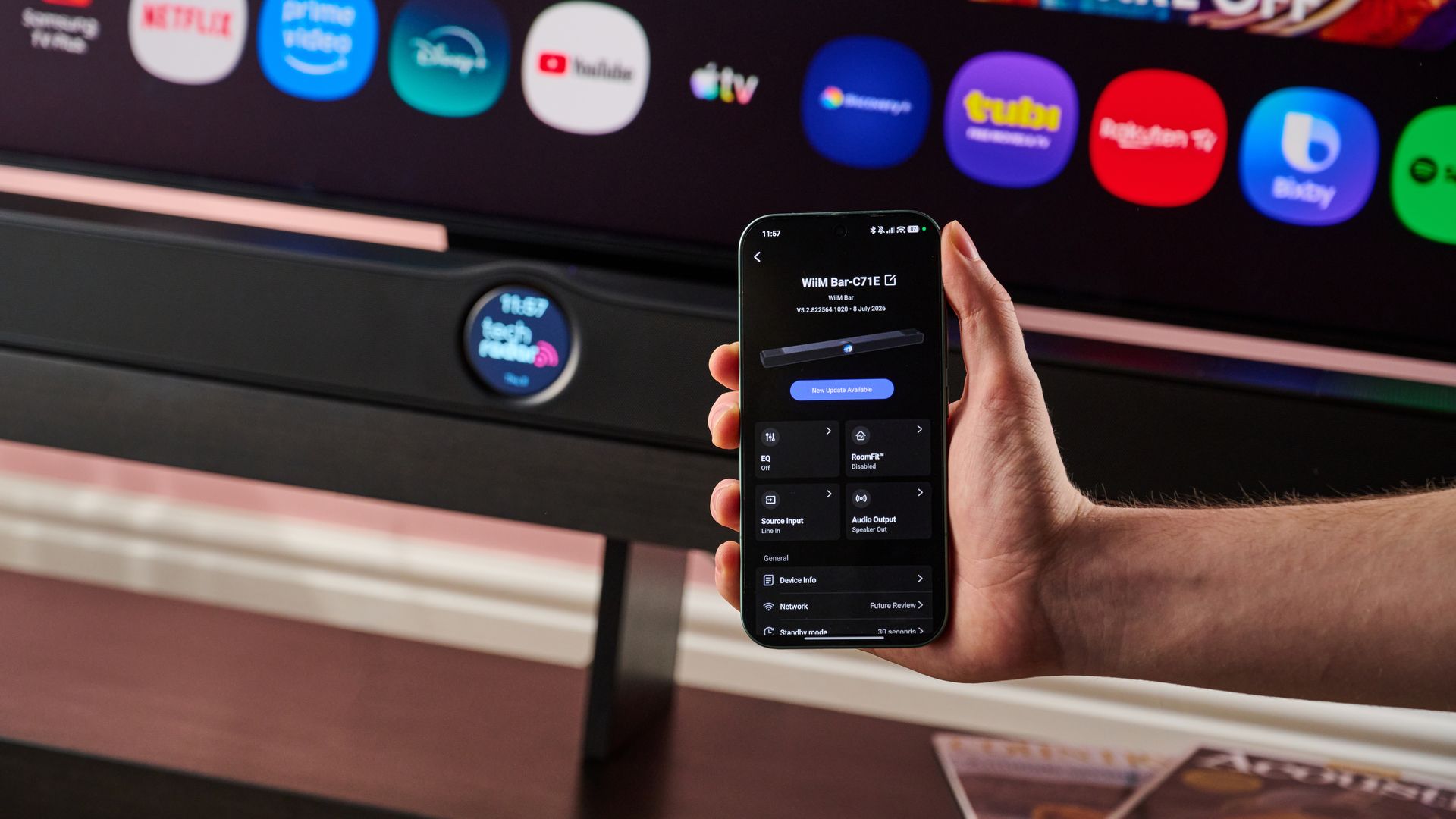
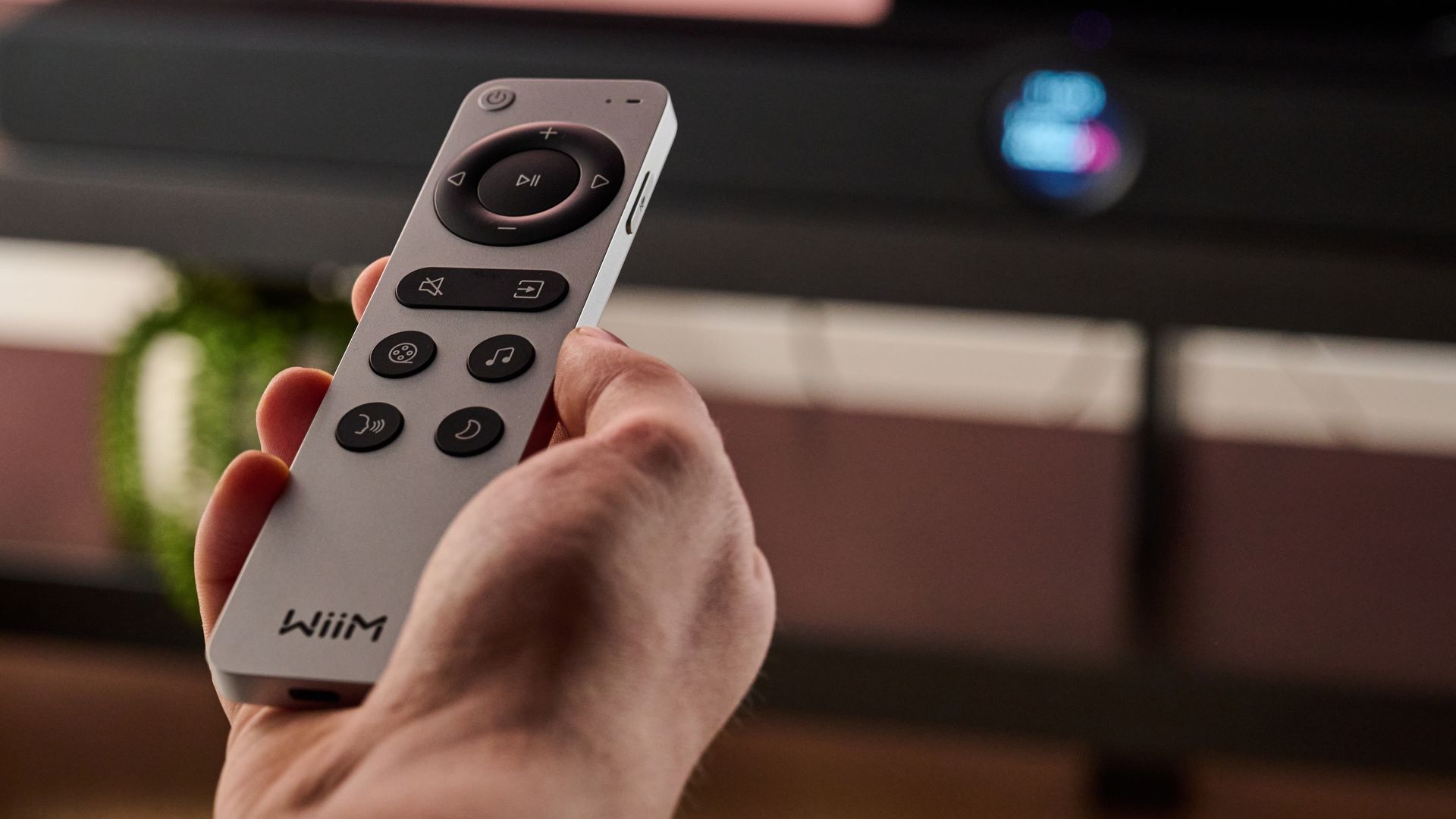
On top of this, there’s a Voice mode, which is perfect for podcasts or bringing dialogue forward in TV shows and movies; Movie mode for the most cinematic audio possible; and a Music setting to use while blasting your favorite tunes. These can be selected with the included remote or through the WiiM app, which is overflowing with features.
Yes, I was seriously impressed by the WiiM app — it’s easy to use, well laid out, and incredibly feature-rich. Here, you can customize the soundbar’s display, edit EQ for each individual source (with both traditional and parametric options available), change voice assistant and streaming settings, and so much more. Arguably my favorite feature, though, was RoomFit. This provides a customized parametric profile to provide optimized sound for your space, with individualized EQ calibrations for the left, center, and right channels. I’ve never seen such a detailed calibration tool in my time testing Dolby Atmos soundbars, so this seriously impressed me.
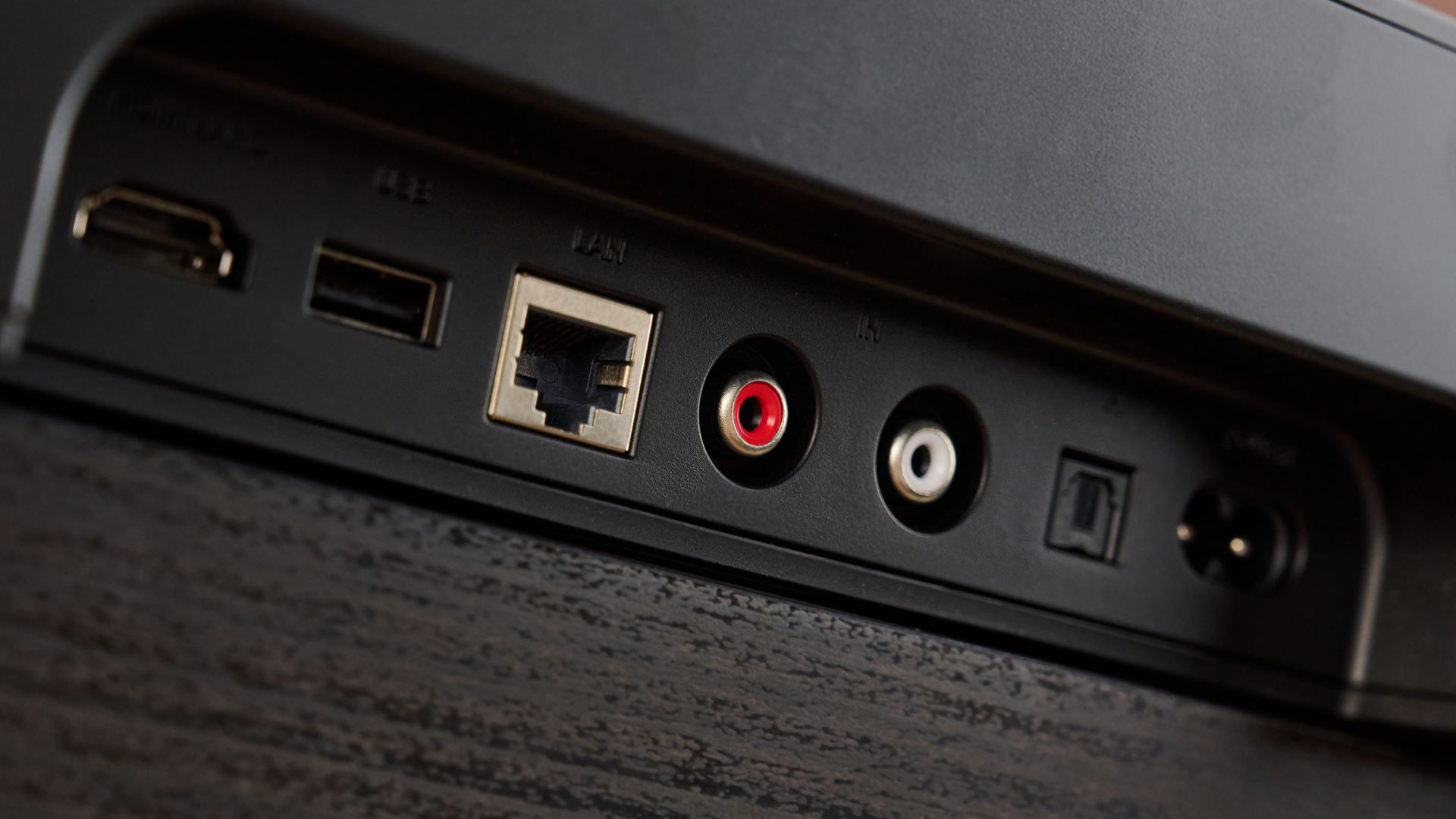
Something else that the WiiM Bar excels in is versatility. It has a very solid range of connectivity options, including HDMI eARC, Bluetooth, Wi-Fi, digital optical, USB, and even RCA for devices such as turntables. In addition, it supports both the Dolby Atmos and DTS:X formats, which is great to see given that the latter isn’t found on models from the likes of Sonos. Combine that with the ability to pair compatible WiiM subs and surround speakers, and you’ve got a great entertainment hub.
One option that would’ve made the WiiM Bar even better, though, would be HDMI passthrough. This model only has a single HDMI eARC port to connect the bar to your TV, so you can’t connect a games console or streaming device up to this as well. Hooking up a soundbar already takes one precious HDMI port up, and if, like me, you have a lot of consoles at home, this could prove to be pesky. This is very common for a soundbar in this price and size-range, but it would’ve made a great addition all the same.
Another thing that’s missing is AirPlay 2 support, which may irk some iOS users. There is Google Cast, though, and Bluetooth is on hand for streaming media from iPhones, even if it won’t be as seamless or high-res as a Wi-Fi connection.
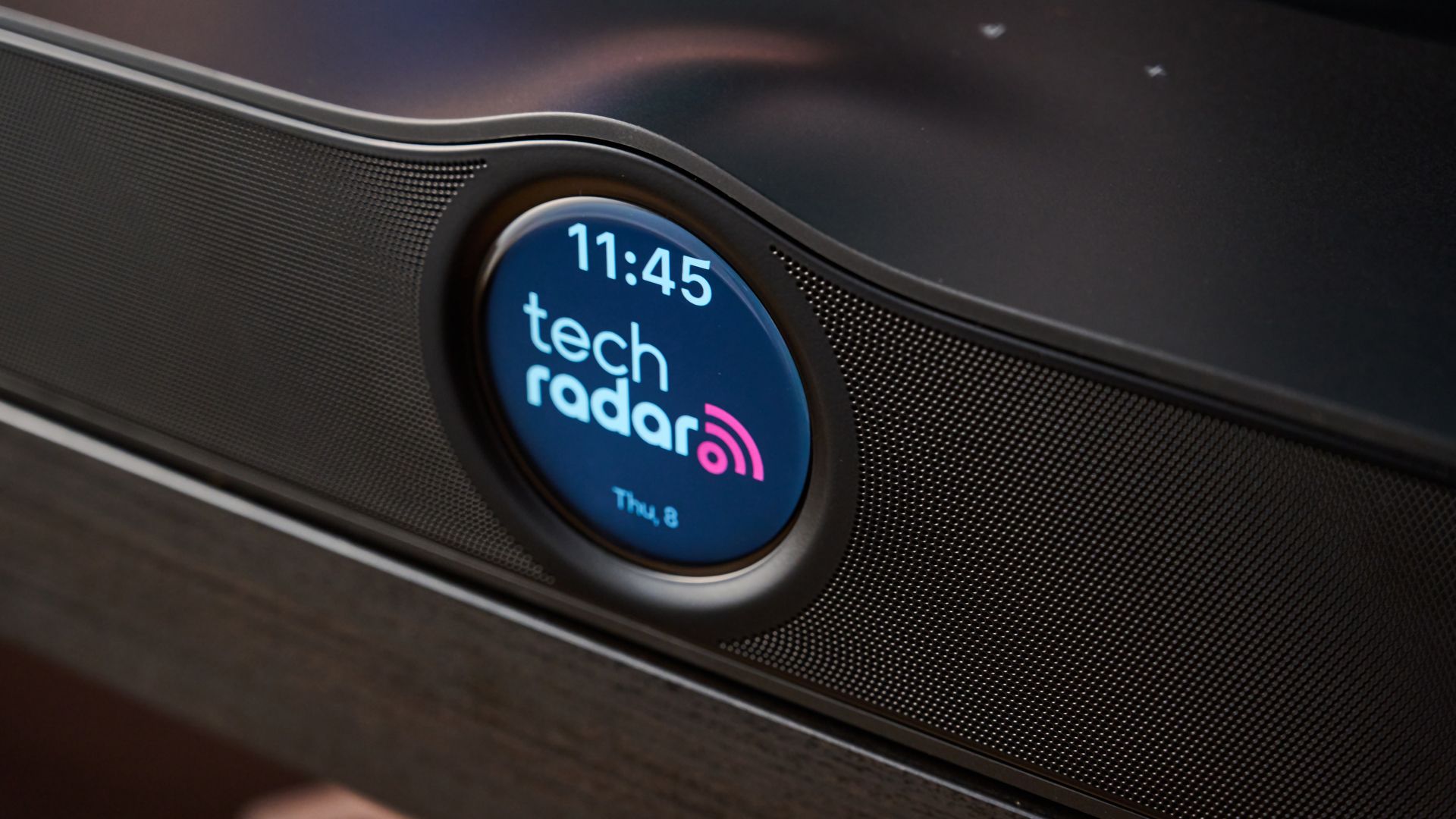
Right, it’s time to talk about one of the most unique things about the WiiM Bar — its design. And, well, I’m pretty conflicted about this. The display functions well; it can show a clock with a customizable background, has some neat control options for different sound modes and such things, and can even display the album you’re listening to when streaming music. It’s responsive and decently bright, so I do think it works overall.
The problem for me, though, is that it gives the soundbar a slightly awkward look. Even if you turn the display off, the raised center isn’t exactly svelte. Also, the plain black bar is just OK looking, but doesn’t exactly have that premium feel that Sonos soundbars exude. This is just my personal take, of course, and some may like the overall aesthetic and rounded center of the WiiM Bar — I just don’t think it’s the most attractive.
One aspect of the WiiM Bar’s design that I like, though, is its remote. This feels really well made, has individual buttons for each sound mode, and even a built-in mic for voice controls. Of course, you can use the app to control the soundbar instead, but for a bundled remote, the quality is great.
Here’s the big question, then: is the WiiM Bar worth the money? For the most part, yes. At $479 / £449 / AU$769, it’s in the mid-range category, and you get plenty of quality in return for that spend. Great virtual Atmos, clear overall sound and dialogue, neat connectivity options, the option to expand it into a surround system… nthe list goes on. It’s not perfect, though and models like the pricier Sonos Beam Ultra surpass it in terms of sound and design. What’s more, an on-sale Samsung HW-Q800F will give you better bass, and has dedicated up-firing drivers for ‘true’ Atmos.
But if you’re already invested in the WiiM ecosystem or want a solid single-box solution, I think you’ll be pleased with the WiiM Bar when all’s said and done.
WiiM Bar review: price & release date
- List price $479 / £449 / AU$769
- Released in October 2026
The Wiim Bar was released in October 2026, and is the very first soundbar that the multi-room specialist and Sonos rival has put out. It comes in at $479 / £449 / AU$769, placing it at a very similar price-point to the compact Sonos Beam Gen 2.
WiiM Bar review: specs
|
Dimensions |
41.7 x 4.1 x 3.1 inches / 1060 x 105 x 80mm |
|
Speaker channels |
3.0.2 |
|
Connections |
HDMI eARC, digital optical, RCA, USB, Wi-Fi 6E, Bluetooth 5.3, Ethernet |
|
Dolby Atmos / DTS:X |
Yes / Yes |
|
Sub included |
No |
|
Rear speakers included |
No |
Should I buy the WiiM Bar?
|
Attribute |
Notes |
Score |
|---|---|---|
|
Features |
Atmos and DTS:X, excellent app, good connectivity options but no HDMI passthrough or AirPlay 2. |
4.5/5 |
|
Performance |
Powerful, expansive audio with clean dialogue, not the most dynamic and bass not the most impactful. |
4/5 |
|
Design |
A little awkward looking, but the display works well, good quality remote. |
3.5/5 |
|
Setup & usability |
Easy to setup and use with a TV and external devices. |
4.5/5 |
|
Value |
A good price for the overall quality. |
4/5 |
Buy it if…
You want impressive Atmos in a single, compact soundbar
Sure, the WiiM Bar lacks upfiring drivers for ‘true’ Dolby Atmos, but I was still really impressed with the verticality and width of its sound. Whether you’re watching Atmos movies or listening to an Atmos mix of your favorite track, the soundbar will whip up a delightfully expansive impression every time.
You want a soundbar you can build out over time
Something that makes the WiiM Bar so great is its versatility. It will serve you well as a single-bar option, but it can also be built out over time, as it enables you to add a compatible sub and surround speakers if you so choose.
Don’t buy it if…
You’re looking for the most dynamic bass output possible
The WiiM Bar plates up solid low-end power for a single-box soundbar, but it’s not the most dynamic or impactful I’ve experienced, and adding a separate sub can be costly. As a result, I’d recommend grabbing a model like the Samsung HW-Q800F, which comes with a subwoofer, serves up mesmerizing bass, and can often be found for a similar price to the WiiM Bar now that its successor has launched.
You want HDMI passthrough
A soundbar already takes away a coveted HDMI slot on your TV, so it’s always nice to get a passthrough slot to connect a games console or streaming device up to. But like a lot of its mid-range counterparts, the WiiM Bar skips on this.
WiiM Bar review: also consider
|
WiiM Bar |
Sonos Beam Gen 2 |
Samsung HW-Q800F |
|
|---|---|---|---|
|
Price |
$479 / £449 / AU$769 |
$449 / £449 / $699 |
$1,099 / £799 / AU$1,099 |
|
Dimensions |
41.7 x 4.1 x 3.1 inches / 1060 x 105 x 80mm |
25.6 x 2.7 x 3.9 inches / 651 x 68 x 100mm |
Main soundbar: 43.7 x 2.4 x 4.7 inches / 1110.7 x 60.4 x 120mm; subwoofer: 9.8 x 9.9 x 9.8 inches / 249 x 251.8 x 249mm |
|
Speaker channels |
3.0.2 |
5.0 |
5.1.2 |
|
Connections |
HDMI eARC, digital optical, RCA, USB, Wi-Fi 6E, Bluetooth 5.3, Ethernet |
HDMI eARC, Ethernet, Wi-Fi |
1x HDMI input, 1x HDMI eARC, digital optical, Wi-Fi, Bluetooth 5.3 |
|
Dolby Atmos / DTS:X |
Yes / Yes |
Yes / No |
Yes / Yes |
|
Sub included |
No |
No |
Yes |
|
Rear speakers included |
No |
No |
No |
Sonos Beam Gen 2
Given their incredibly similar price-points and Wi-Fi capabilities, the Sonos Beam Gen 2 and WiiM Bar feel like very natural rivals. The Beam Gen 2 is an excellent compact soundbar that produces impeccable bass output and relatively expansive Atmos for its size. It lacks the broad connectivity options of the WiiM Bar and skips on DTS:X, but it’s even smaller, and can similarly be expanded if you have a compatible sub and surround speakers. Read our full Sonos Beam Gen 2 review.
Samsung HW-Q800F
Yes, on the face of it this soundbar seems too expensive to be a WiiM Bar rival, but I’m often seeing it on sale for a heavily discounted price now — as low as $540 in the US and £499 in the UK. This model comes with a dedicated sub for gigantic bass output, has up-firing speakers for ‘true’ Atmos, and supports HDMI passthrough. As a result, it’s very hard to beat. Read my full Samsung HW-Q800F review.
How I tested the WiiM Bar
- Tested in our TV testing space at Future Labs
- Mainly used 4K Blu-ray for movies and Tidal for music
- One of more than 30 soundbars I’ve tested
I spent many an hour testing out the WiiM Bar, using it both watching movies and listening to music. I assessed its qualities at our TV testing space at Future Labs, where I made use of all of the soundbar’s features and compared it directly against rivals.
For the most part, I used the HDMI eARC connectivity method to hook the WiiM Bar up to the LG G6 OLED TV, and played 4K Blu-ray discs with the Panasonic DP-UB820 to judge its handling of Dolby Atmos movies. However, I did also test the soundbar out with Netflix movies, and used Tidal Connect to stream music over Wi-Fi.
More generally, I’ve tested more than 30 soundbars during my time here at TechRadar, where I serve as a Senior Reviews Writer. I’ve reviewed everything from budget-friendly bars like the Sony HT-SF150 through to huge surround sound systems such as the JBL Bar 1300MK2, and I made sure to compare the WiiM Bar to multi-room rivals, including the Sonos Beam Ultra.
- Read TechRadar’s reviews guarantee
- First reviewed: October 2026
This articles is written by : Nermeen Nabil Khear Abdelmalak
All rights reserved to : USAGOLDMIES . www.usagoldmines.com
You can Enjoy surfing our website categories and read more content in many fields you may like .
Why USAGoldMines ?
USAGoldMines is a comprehensive website offering the latest in financial, crypto, and technical news. With specialized sections for each category, it provides readers with up-to-date market insights, investment trends, and technological advancements, making it a valuable resource for investors and enthusiasts in the fast-paced financial world.